-
-
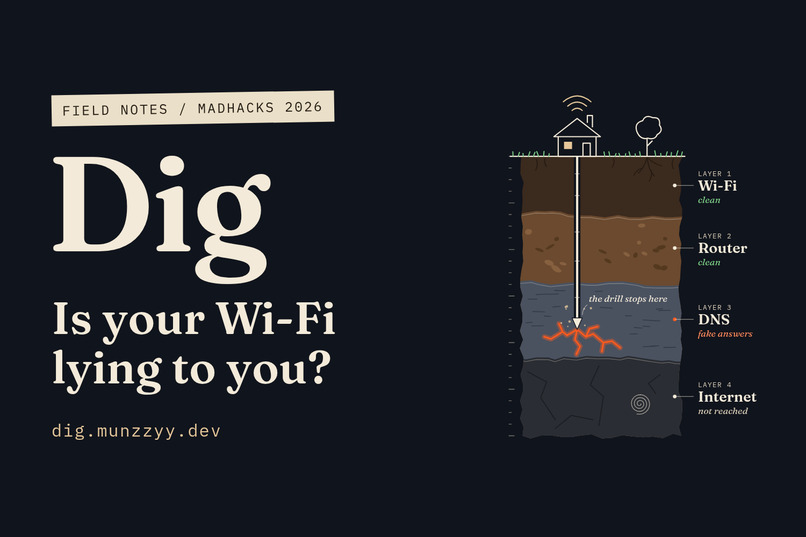
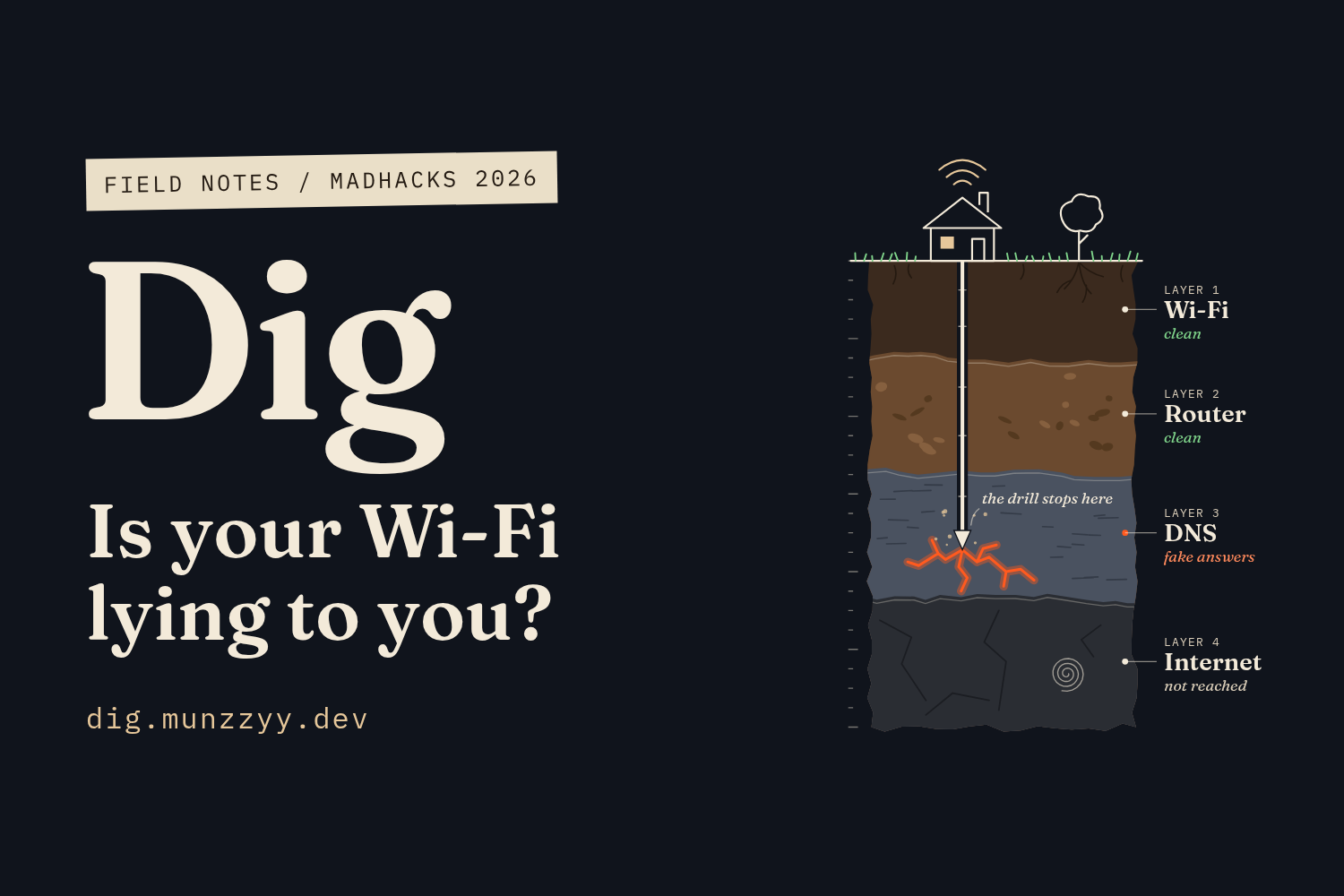
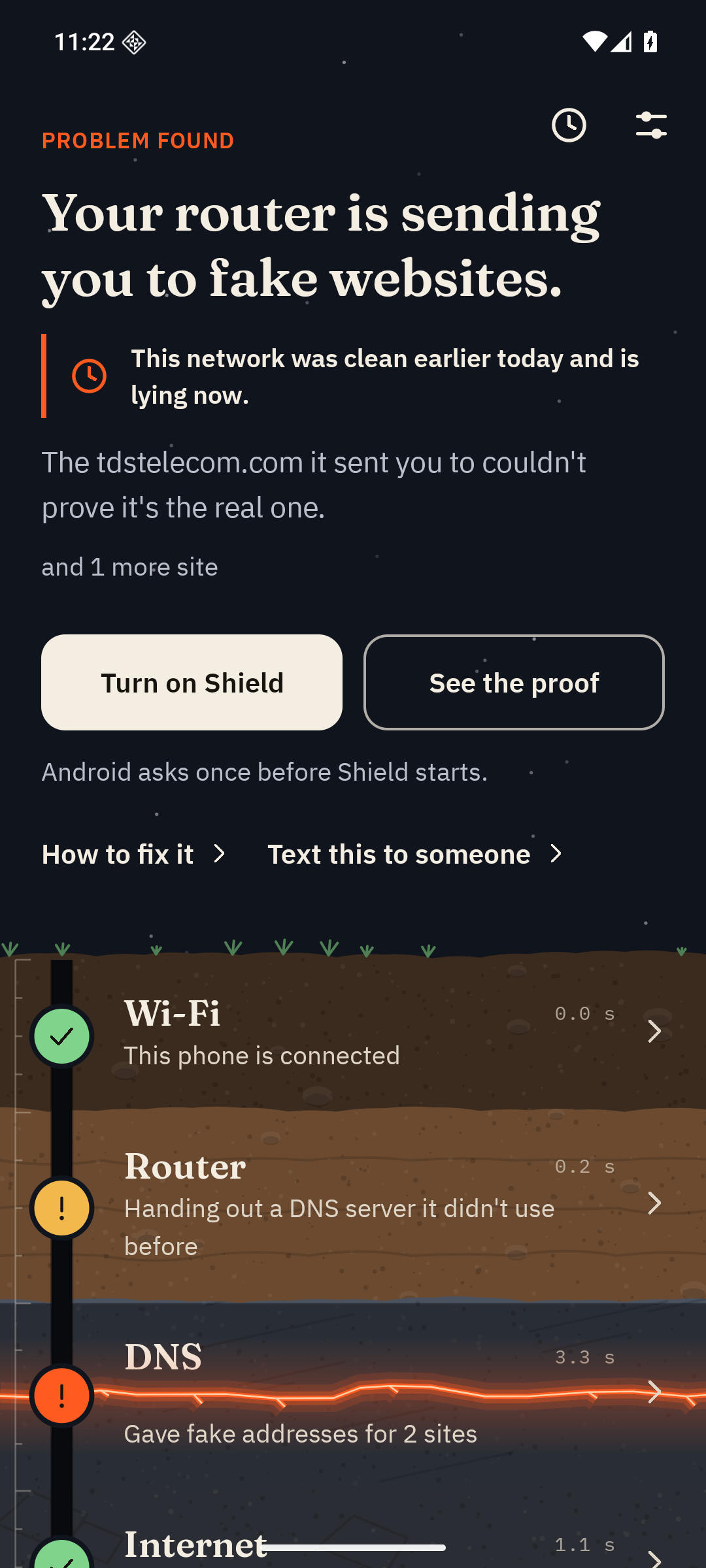
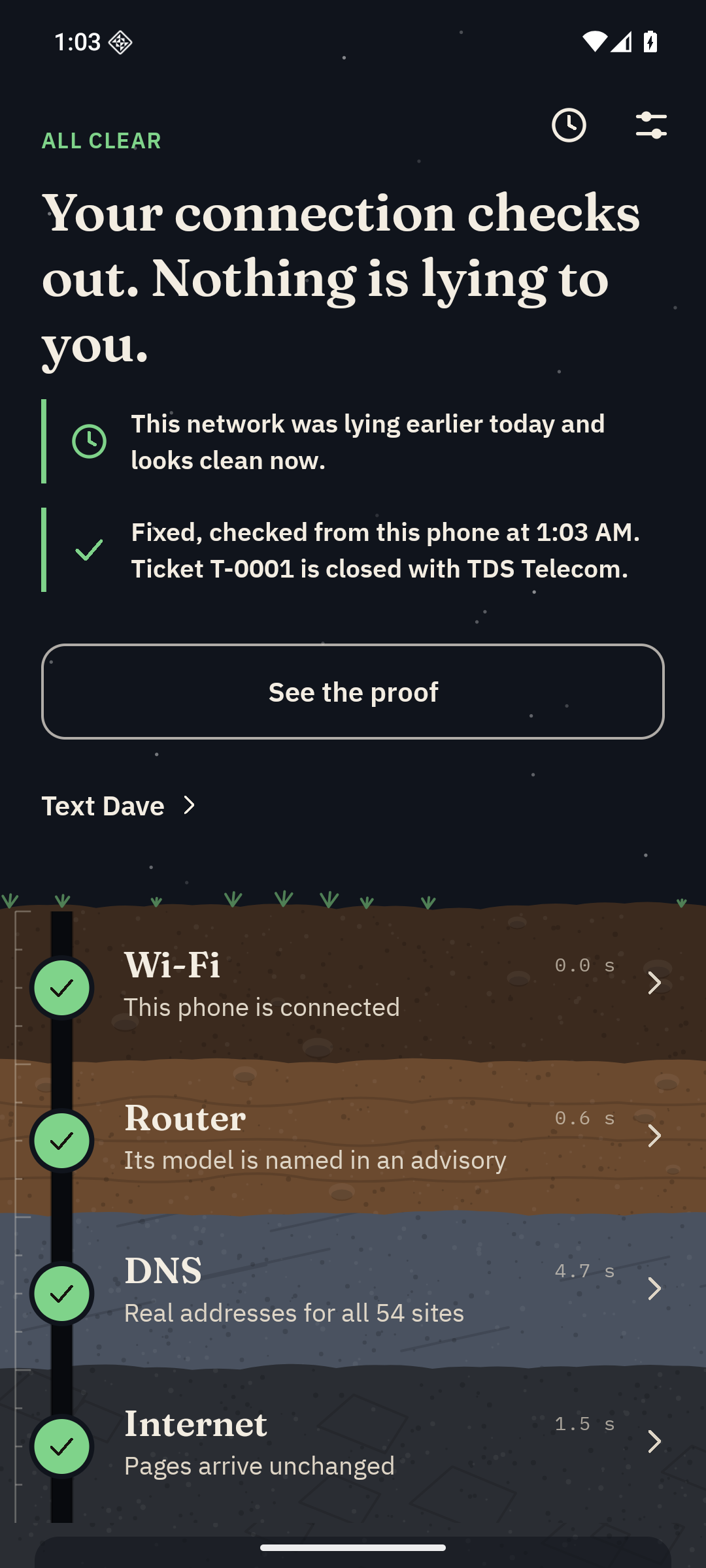
Dig digs through four layers of a home connection: Wi-Fi, router, DNS and internet.
-
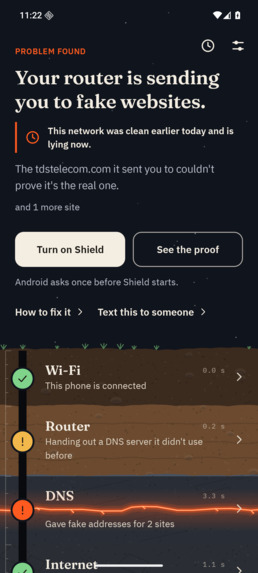
The verdict: your router is sending you to fake websites.
-
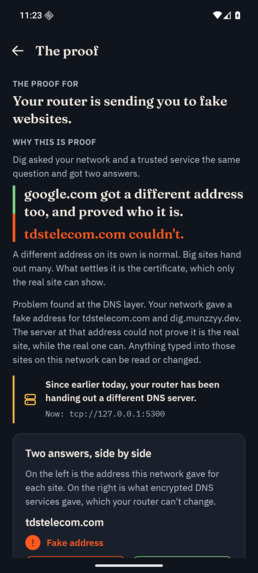
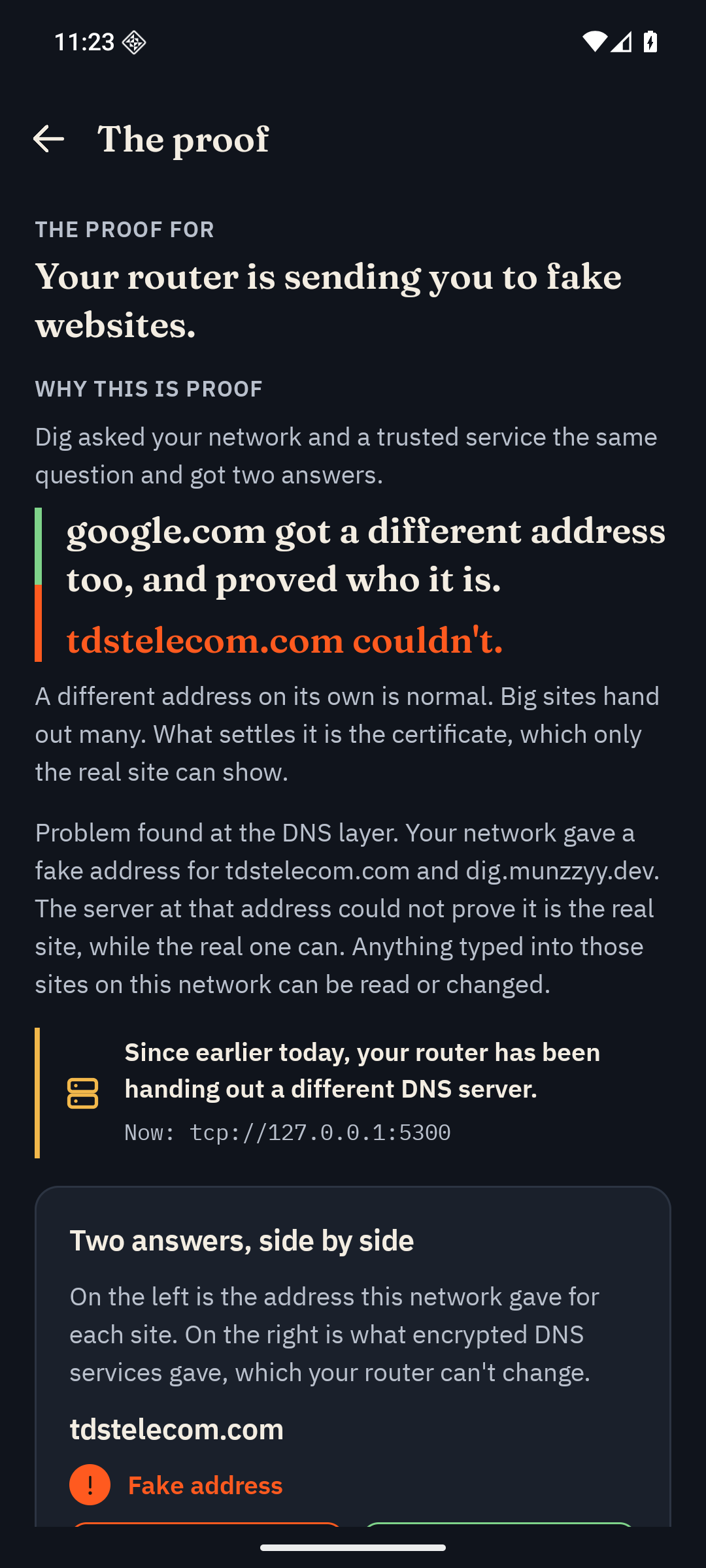
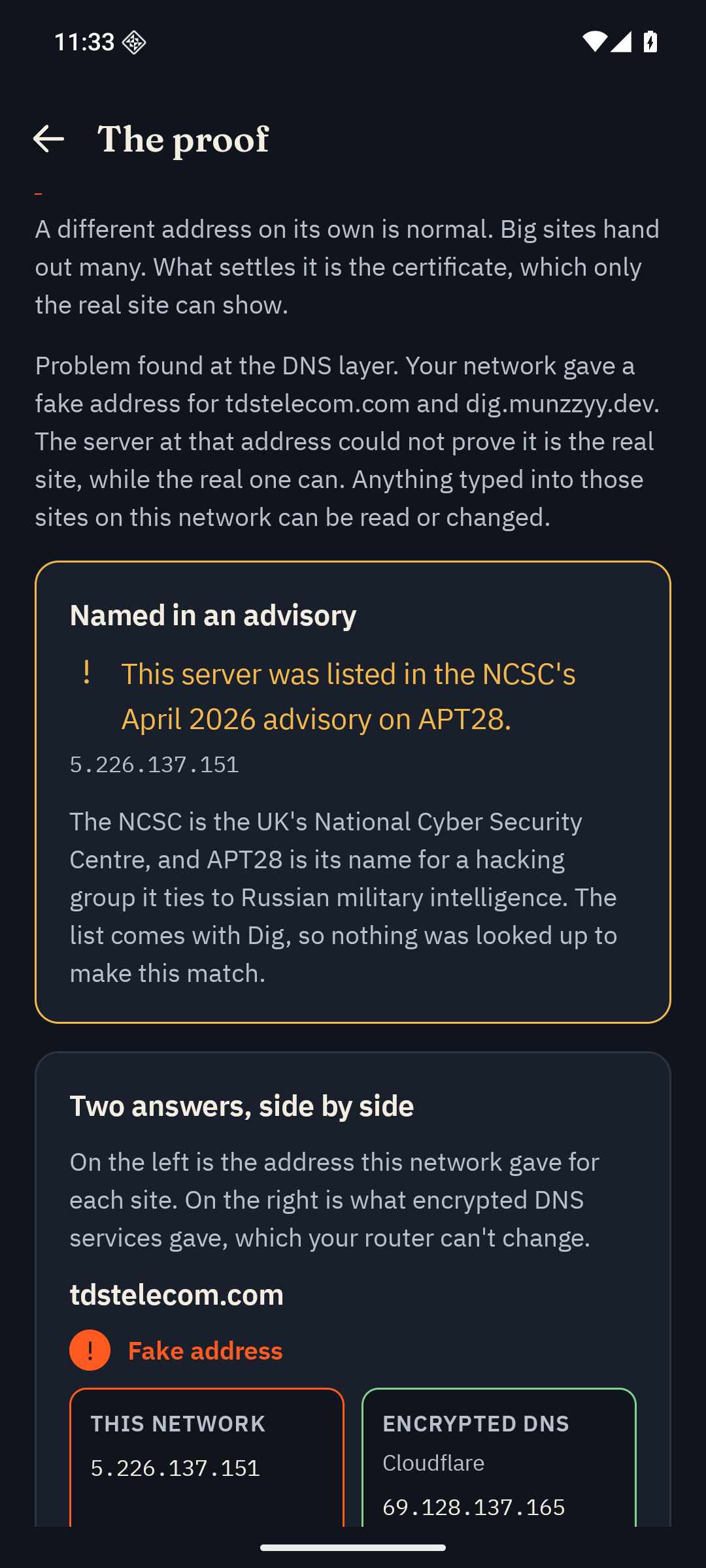
The proof. The fake address can't show a real certificate for the name, and a control site passed.
-
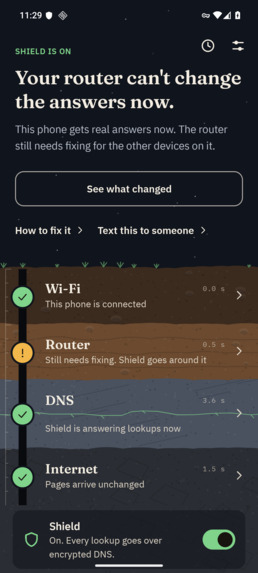
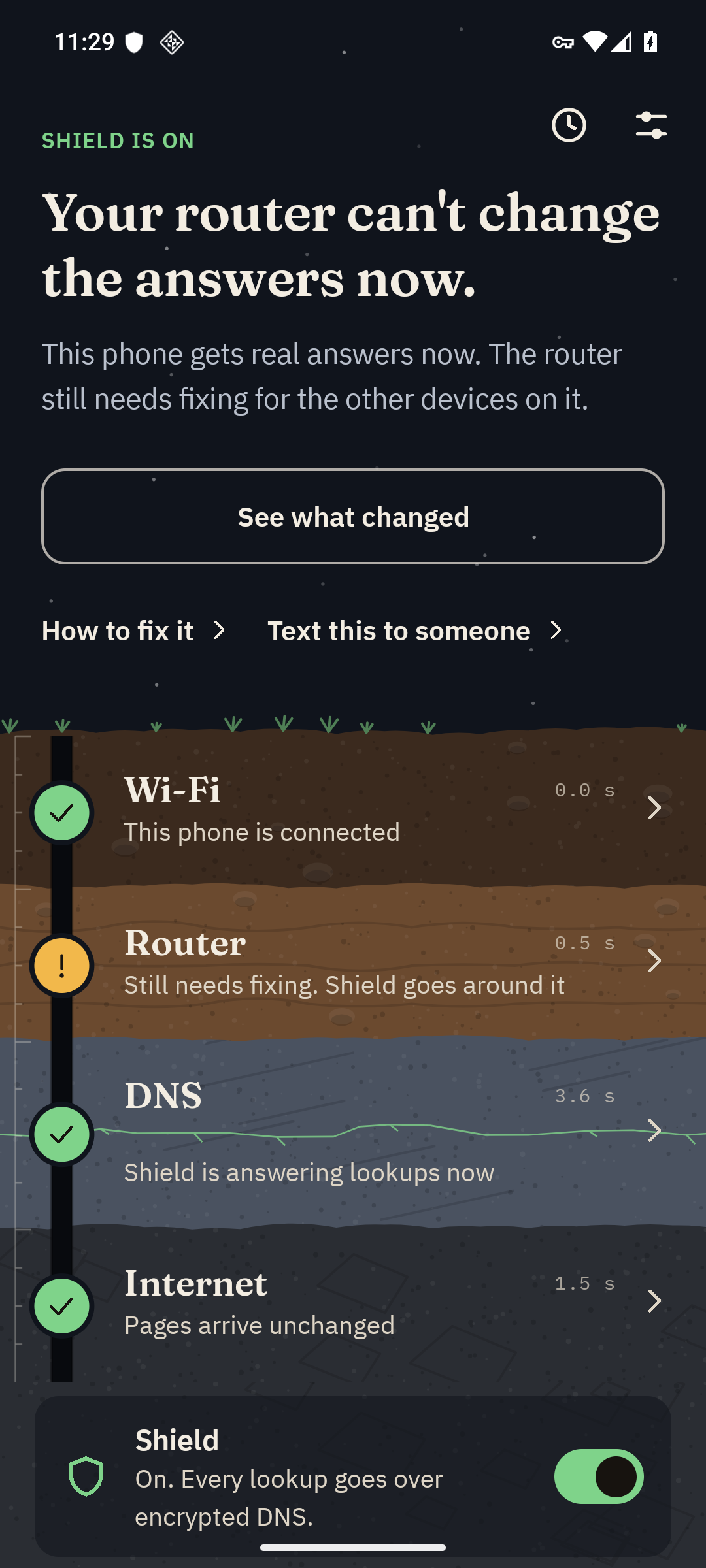
Shield on. Lookups go over encrypted DNS and the DNS layer heals.
-
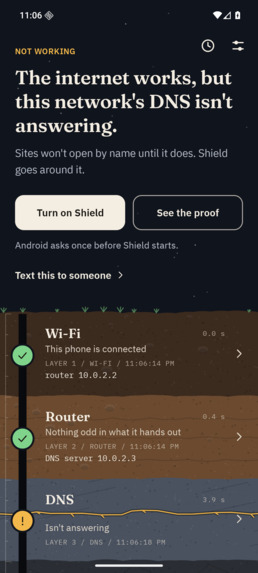
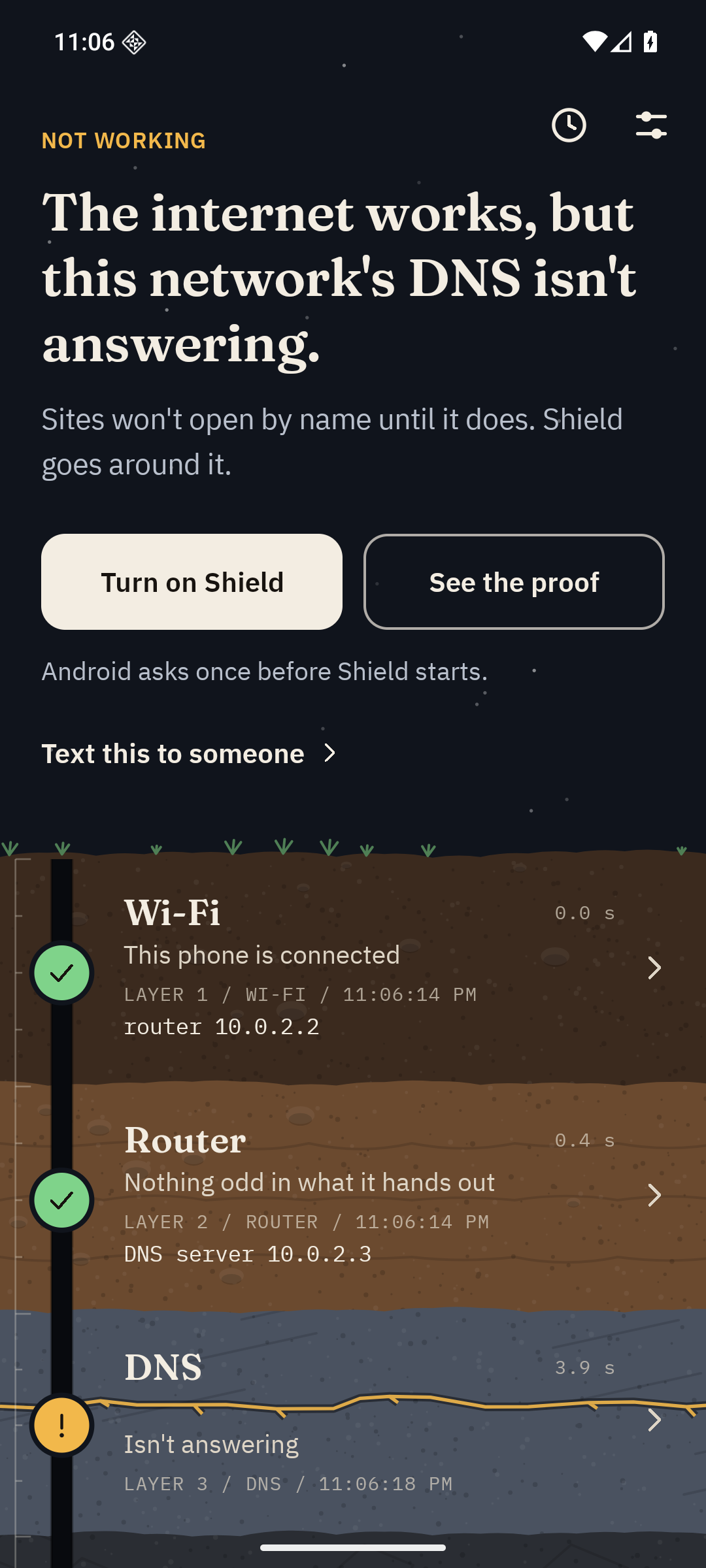
On an ordinary bad day, Dig says which part is broken. From an earlier build with technical detail on.
-
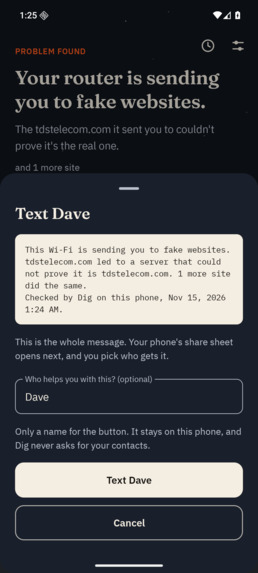
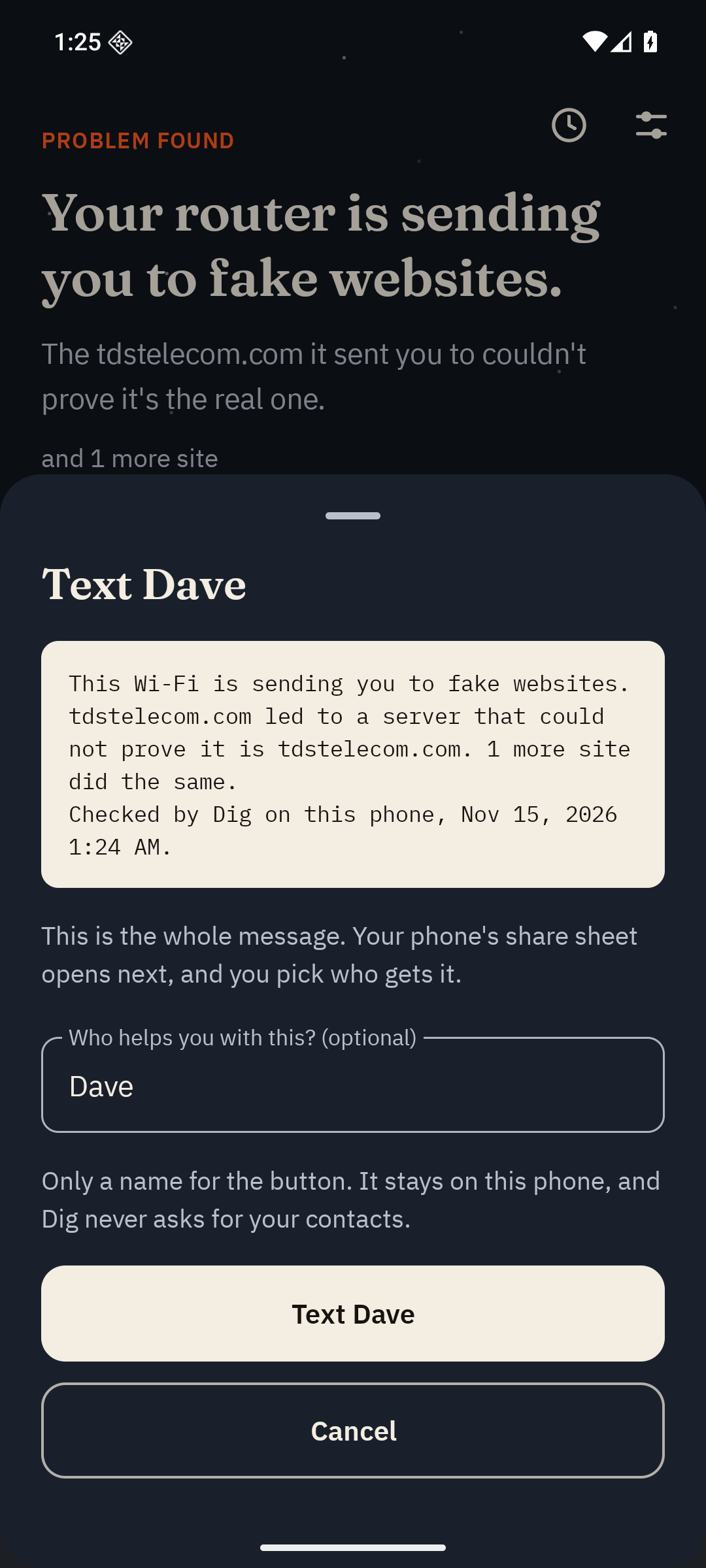
Text this: three plain lines for whoever helps you with the internet.
-
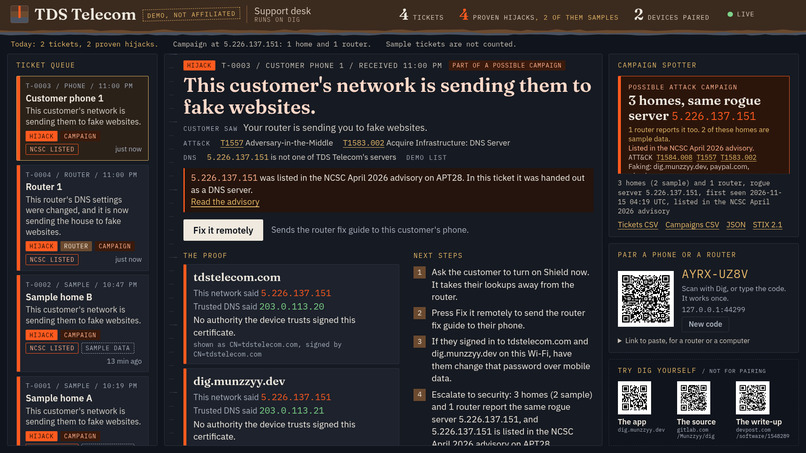
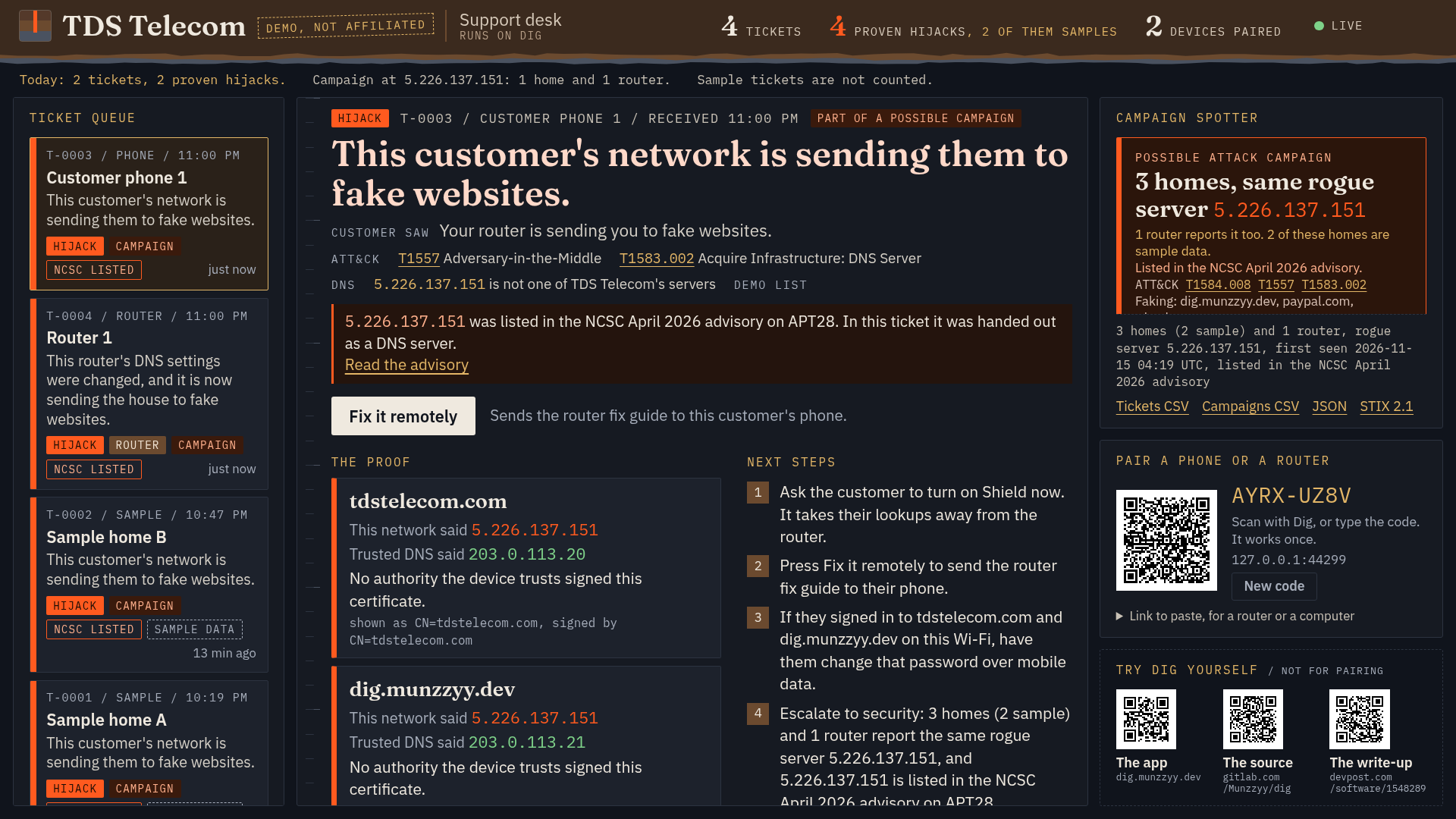
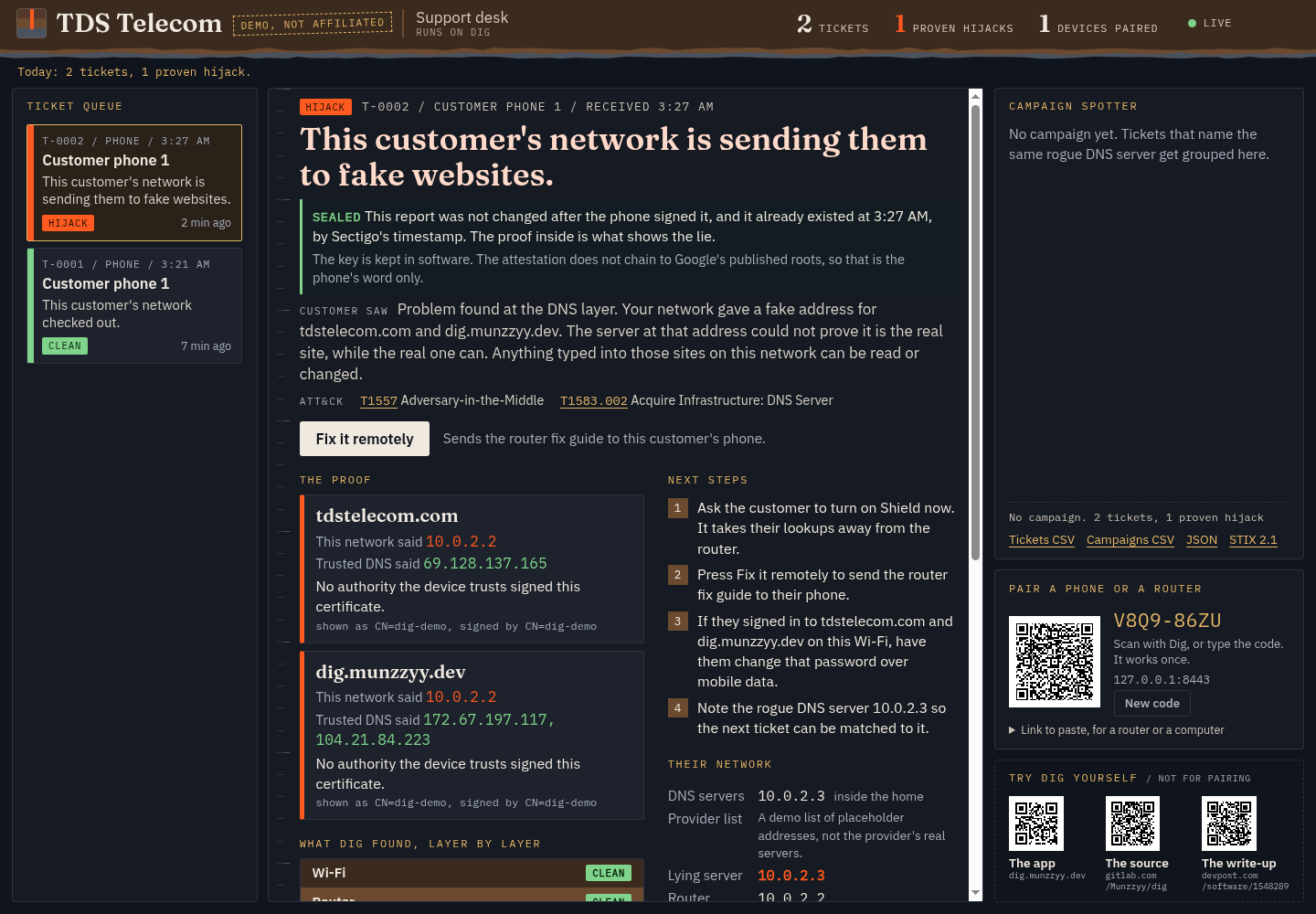
The support desk. Two tickets posted by hand, two are sample data, all name an NCSC-listed address. Demo config, not affiliated with TDS.
-
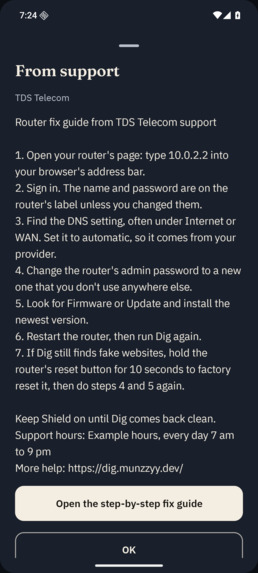
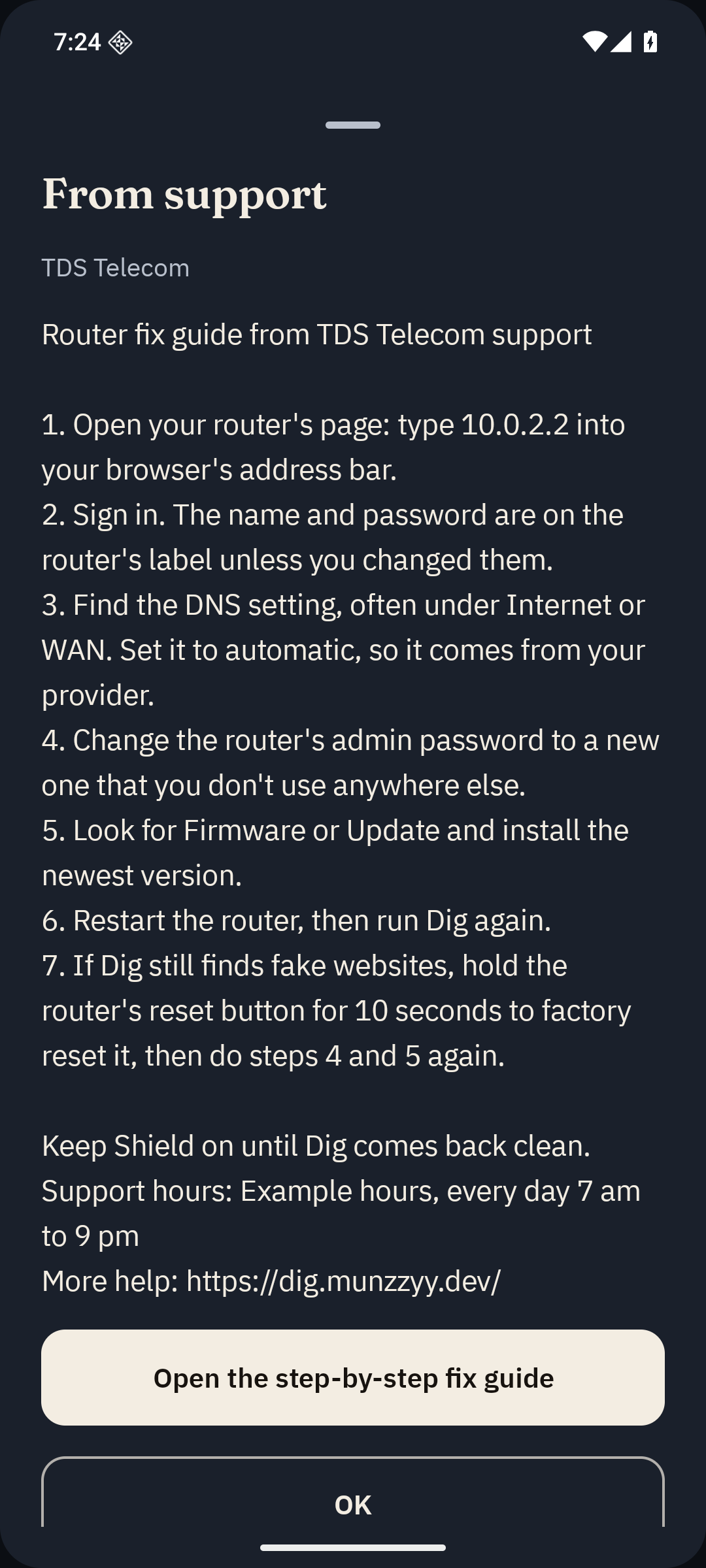
The agent pressed one button. Nobody touched the phone.
-
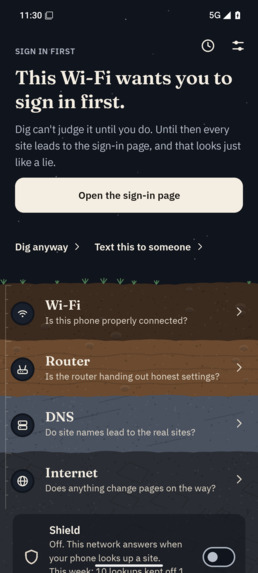
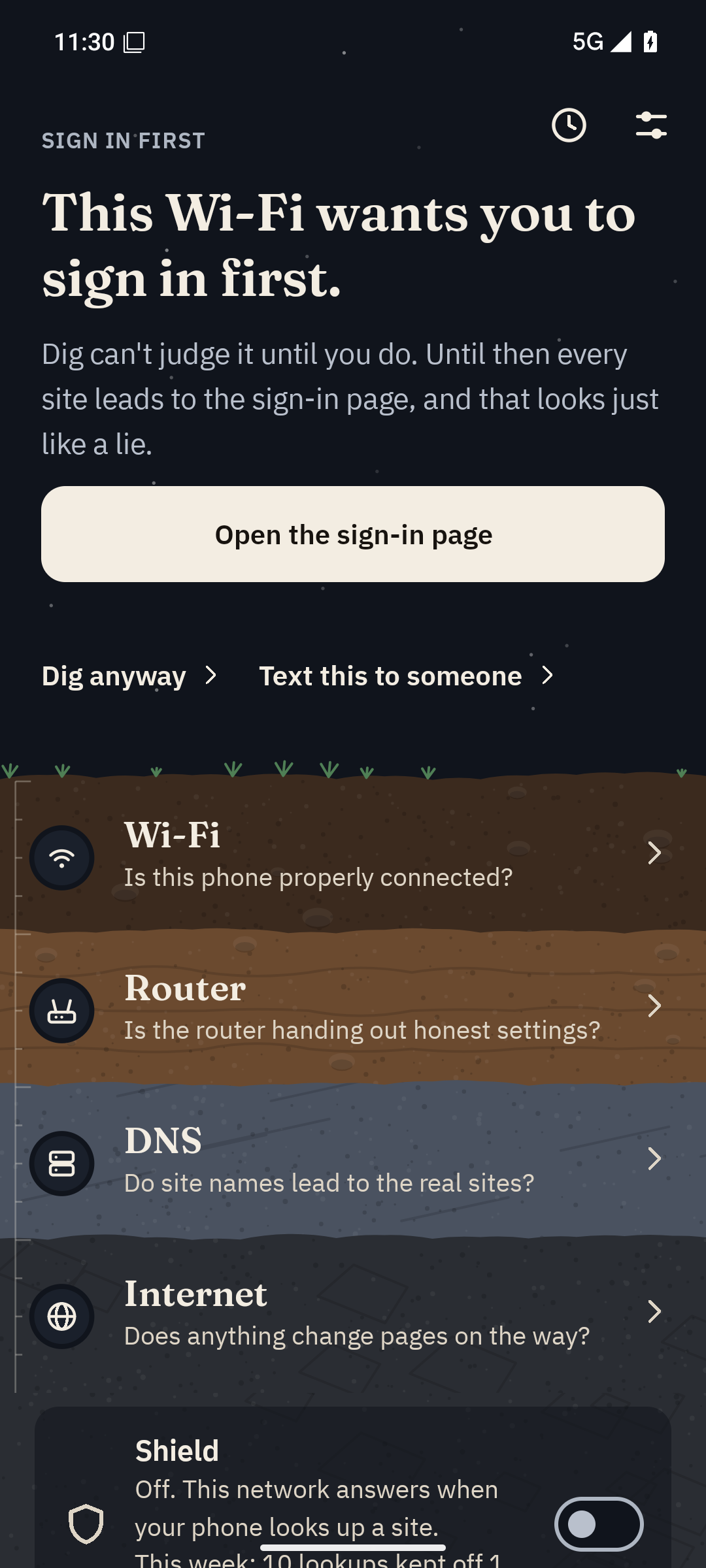
This Wi-Fi wants you to sign in first. Dig waits, then checks its answers.
-
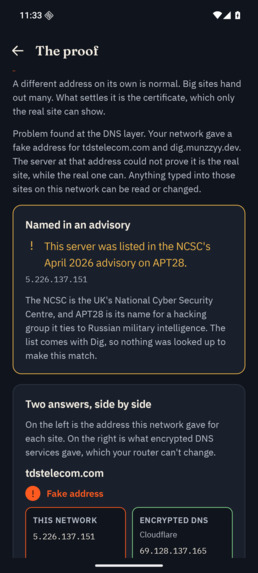
Staged with an address from the advisory, pointed at my own demo server.
-
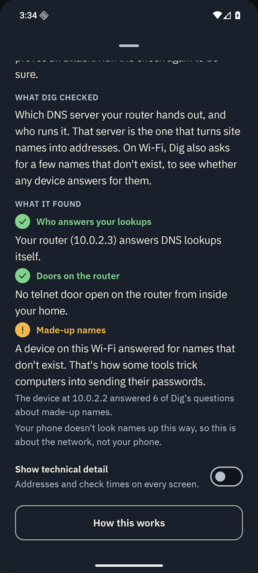
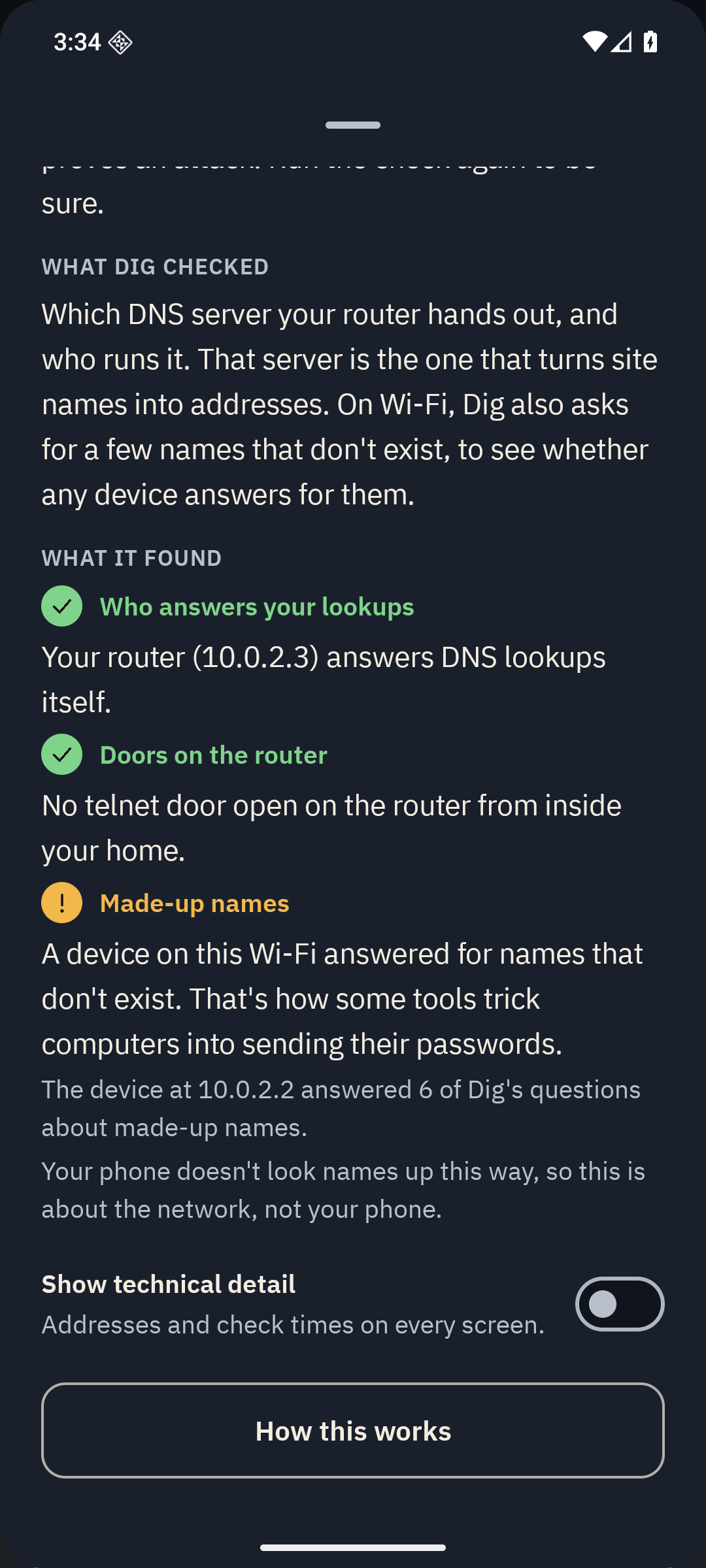
Dig asks the Wi-Fi for names that can't exist, to catch a device that answers anyway.
-
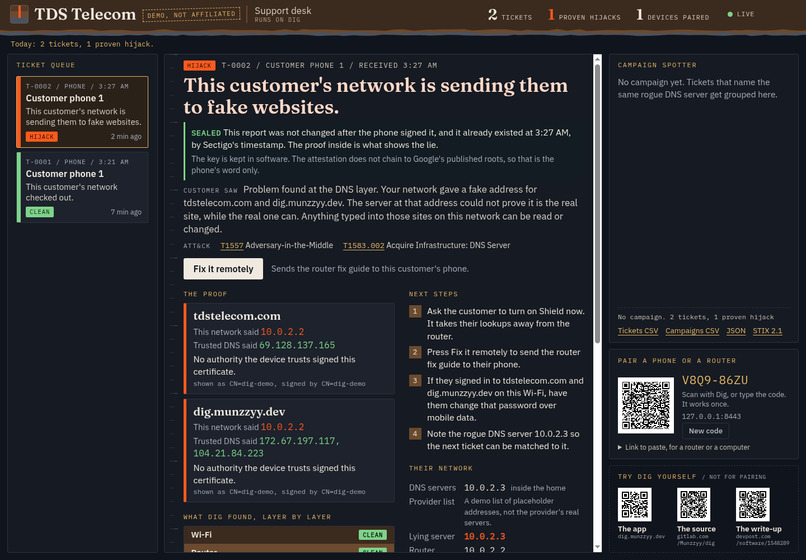
A sealed ticket: signed on the phone with a Keystore key, time-stamped, and checked by the desk.
-
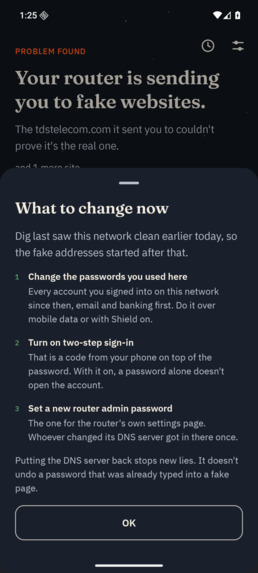
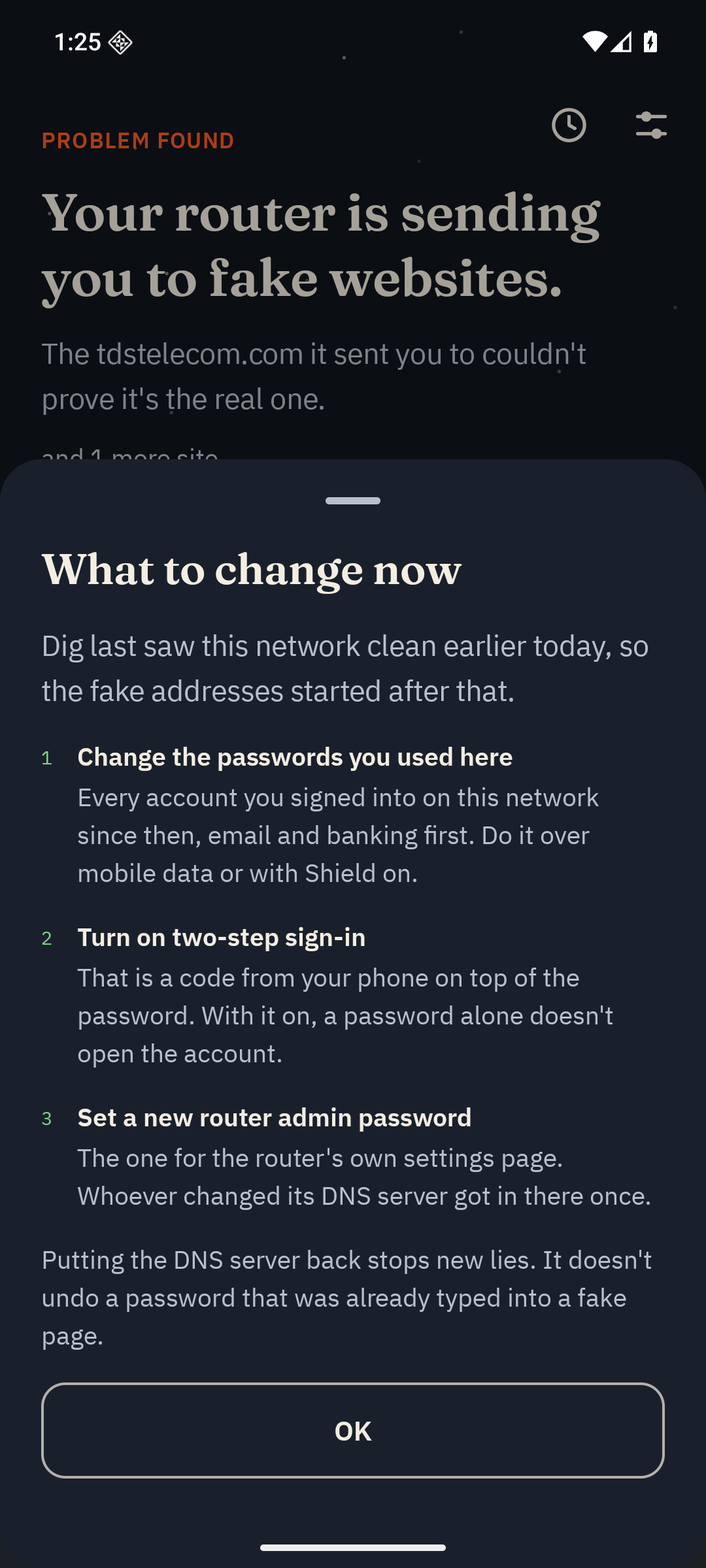
What to change now: the sign-ins to reset after a proven lie.
-
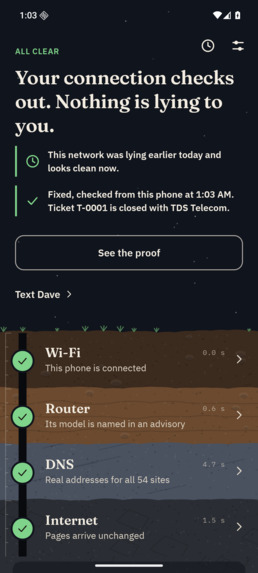
Fixed, with proof. Dig digs again and the desk closes the ticket.
-
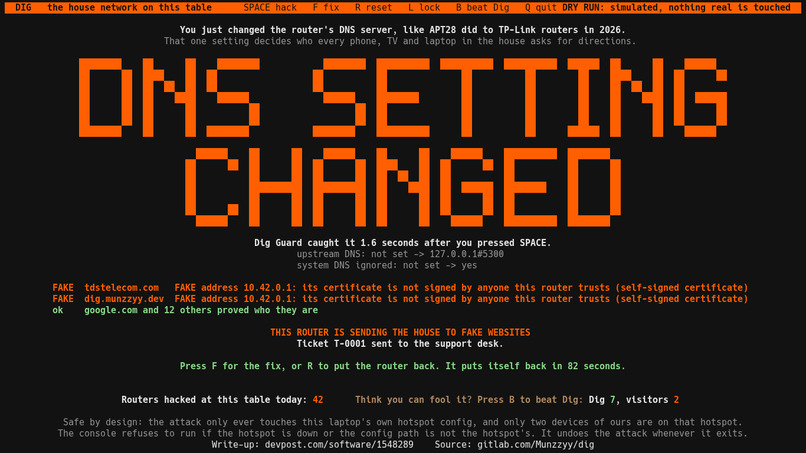
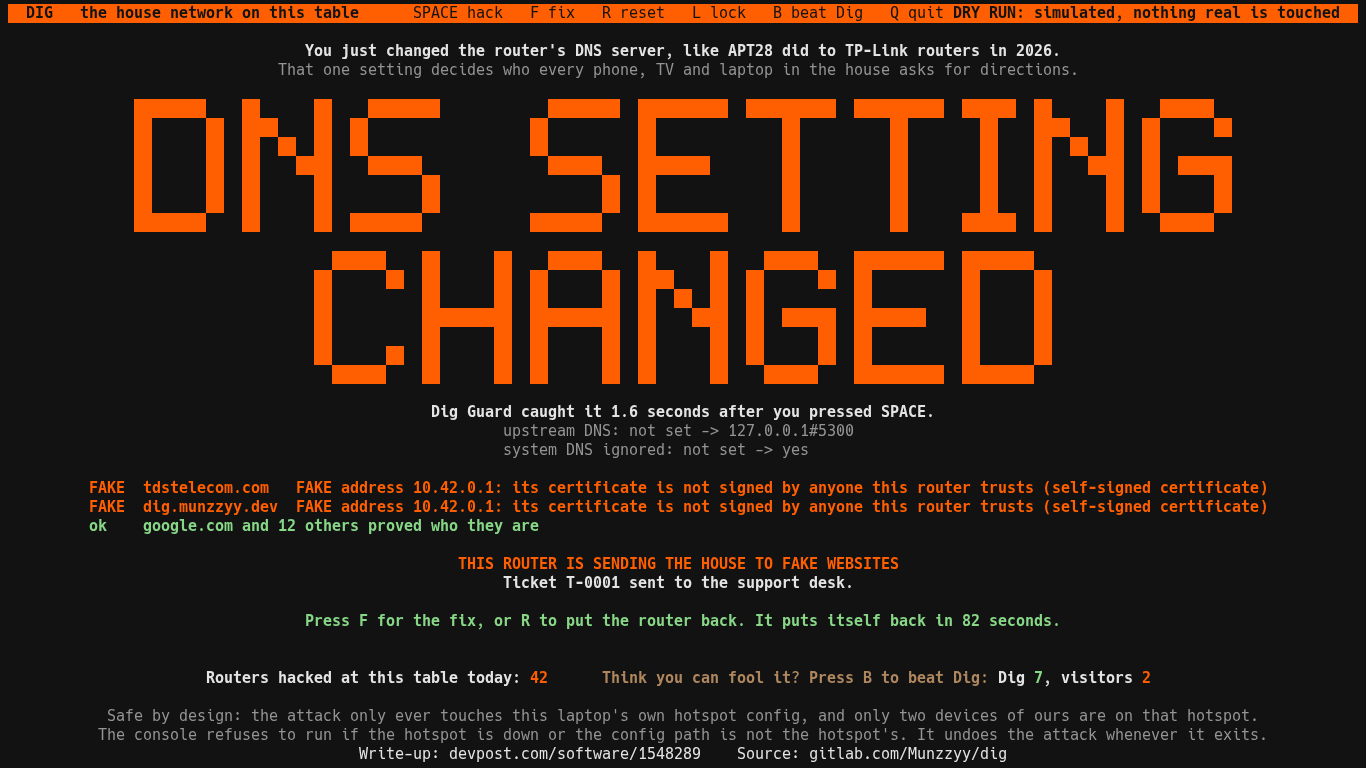
The table console during its dry run, while the demo router lies.
Inspiration
Your internet's acting weird. Is it the Wi-Fi, the router, your provider, or is someone lying to you? Most people can't tell, and the support person they call can't see their router. Dig is one button on your phone that checks.
The lying part is real. On April 7, 2026, the Justice Department and the FBI ran a court-authorized operation that sent commands to hijacked home routers in the US. Russian military intelligence had stolen the logins for thousands of TP-Link routers and changed one setting: the DNS server the router hands out. After that the router could send a family to a fake login page, and every phone and laptop in the house picked up the same setting. The router kept working, so nobody at home could tell.
The FBI said it was working with internet providers to notify the owners. That made me think about the phone call that follows. A customer says the internet feels wrong. The support agent can't see the router. Neither of them has proof of anything.
I wanted the thing on the phone that says "your router is lying", proves it, and hands that proof to the person who can help.
What it does
Dig is an Android app. It digs down through the four layers of a home connection (Wi-Fi, router, DNS, internet) and says in one plain sentence where something is wrong. Most days that is not an attack, so it also says which part is broken: the phone can't reach the router, the router answers and the internet past it doesn't, or the network's DNS isn't answering.
It proves the lie. A different DNS answer proves nothing, because big sites hand out different addresses all day. So Dig asks the network where a site lives, asks encrypted DNS the same thing, and makes any odd address show a TLS certificate for that name. A real server can show one and a fake can't. Dig says "fake" when the address fails that check for the name and the real address doesn't fail the same way. Every dig checks 54 sites. Most are the sign-in pages attackers go after: Microsoft, Outlook, Google, Apple, banks and email.
It fixes it on the phone. Shield is a local VPN that carries only DNS. It sends the phone's lookups over HTTPS to Cloudflare, Quad9 or Google, so the router can't change the answers. Dig digs again and the cracked layer heals.
It tells the provider. One tap sends a support ticket with the proof. The support desk is a web page for the agent. It groups tickets that name the same rogue DNS server, so tickets from different homes that name the same server show up as one possible attack campaign. The agent presses one button and the router fix guide shows up on the customer's phone.
It speaks a security team's language. Dig carries the 182 server addresses the UK's NCSC published for the April campaign and matches them on the phone. When a router hands one out, the ticket says the server "was listed in the NCSC April 2026 advisory on APT28". Each ticket carries the MITRE ATT&CK techniques its findings map to, and a campaign exports as a STIX 2.1 bundle that passes the OASIS validator.
It covers the rest of the house. Dig Guard runs on the router, for the TV and the tablet and everything else that can't run an app. It watches the router's own DNS setting, reports a change within about two seconds, and can put the setting back. It also reads the router's own NAT rules and says when the house's lookups or web connections are being sent somewhere else.
A dig also looks at smaller things, and none of them can say "fake". It warns when something on the network answers DNS that was meant for Cloudflare or Google. It holds on a Wi-Fi that wants you to sign in first. It lists certificate authorities somebody added to the phone. It says when a different box starts handing out addresses, and when the router answers telnet.
Also in the build: a history that says when a network that was clean starts lying, background checkups, a home screen widget, a step-by-step router fix guide, a monthly checkup, short learn pages, and Spanish.
On an ordinary day:
- What's broken. When nothing is lying and the internet just isn't working, Dig says which part: it can't reach your router, or the router answers and the internet past it doesn't, or this network's DNS isn't answering.
- Weekly receipt. Once a week Shield shows how many lookups it kept off the network's DNS.
- What to change now. After a proven lie, Dig lists the sign-ins to change, because fixing the router does not undo a password already typed into a fake page.
- Fixed, with proof. After the fix guide, one button digs again and tells the desk, and a clean result closes the ticket as fixed.
- A sealed ticket. The phone signs the report with a key kept in the Android Keystore and has the signature time-stamped by a public service. The desk checks both and says "Sealed" or "Seal broken".
- Your provider's own servers. The desk hands the phone the provider's list of DNS servers at pairing, so Dig can say whether the router's DNS server is the provider's. The demo list uses placeholder addresses.
- Why won't this site load? Share a link to Dig or type a name, and it says whether this network blocks it, gave a fake address for it, or the site isn't answering from here.
- Phone clock check. Dig says when the phone's clock is more than five minutes off, because that breaks secure sites.
- Router model. If the router reports a model that the NCSC advisory names, Dig says the model is named in the advisory.
- A second opinion. When a Wi-Fi blocks encrypted DNS, Dig asks before checking the same sites over mobile data.
- Three checks I couldn't find in another app: asking the Wi-Fi for names that can't exist, to catch a device that answers for them. Reading a Wi-Fi sign-in page without typing anything, and saying what it asks for. And saying when a network that used to ask for a password stops asking.
- For a computer, the same check is one Python file with nothing to install.
- Four more checks in the technical detail view, added on the last morning: a valid certificate with no Certificate Transparency record, two different answers to one DNS lookup, a web page changed on its way to the phone, and the same wrong certificate at several sites' real addresses. They leave notes and never change a verdict.
Who it's for:
- Anyone at home whose internet is acting weird. One button, one plain sentence, and the proof if the network lied.
- The family member who gets the phone call. The verdict is a sentence a parent can read out loud.
- Text this. "Text this to someone" sends that helper three plain lines through the phone's own share sheet.
- Anyone on hotel, airport or cafe Wi-Fi. Dig waits while the Wi-Fi's own sign-in page is up, then checks whether its answers are real.
- One word on a new Wi-Fi. When the phone joins a Wi-Fi it hasn't seen, Dig gives one word: Honest, Sign in first, Lying or Can't tell.
- Renters and students on shared Wi-Fi. Dig says when a different box starts handing out addresses, and the report is something to send to whoever runs the network.
- An internet provider's support line. The customer arrives with the diagnosis, the agent sees the proof, and several homes pointing at one rogue server show up as one possible campaign.
- A company with people working from home. The April attackers used home routers to collect logins, and Microsoft warns that remote workers' home networks are a way into company accounts. Several employees' routers pointing at one server is an early signal, and it exports as STIX 2.1.
Nobody uses it yet. It is a weekend build. On Sunday morning the release build ran on my Galaxy S22 at the venue: a hijack caught, the proof, Shield, pairing with the desk and a ticket. The four checks I added after that have run on an emulator only.
How I built it
I built Dig solo, in the 24 hours of MadHacks.
AI use: I directed AI coding agents (Claude Code) through the whole event, and an organizer said that was fine. The agents wrote most of the code and the tests, and they drafted the docs and this page. I picked the problem, designed how the proof works, chose what went in and what got cut, and decided what counted as proven: the tests, a measured accuracy run and my own fake router. There is no AI model inside Dig itself.
The parts:
- The check engine is a plain Kotlin module with no Android in it, so the same code runs on the phone and from a laptop terminal.
- The app is Kotlin and Jetpack Compose. Shield is an Android VpnService that handles DNS packets only.
- The support desk, Dig Guard and the demo router kit are Python with the standard library only.
- The demo router is my ThinkPad. It runs a hotspot whose DNS lies about two sites, and a page with a self-signed certificate for them to land on.
- The website's main page is static HTML and CSS with no scripts, on Cloudflare Pages. The slides and the browser check are separate pages with their own small scripts.
What I reused, and from whom: the Gradle build setup from an earlier app of mine, the Fraunces and IBM Plex fonts (SIL Open Font License), Project Nayuki's QR Code generator (MIT) as the model for the desk's QR encoder, and the Tranco list for the accuracy run. The list of rogue servers is the NCSC's, pulled from its advisory by a script. The technique IDs are MITRE ATT&CK's, and which finding gets which ID is my mapping. The idea of comparing a network's answer with a trusted one and settling it with a TLS handshake is OONI's. I learned it from their spec. The check for intercepted DNS follows a 2021 paper by Randall and others.
Challenges I ran into
My first accuracy run found a false alarm. One real site came back "fake". Its bare name answers with a certificate for a different name at every address, so the network's address failed the check and Dig took that as proof. The rule was wrong, not the site. Now a bad certificate means little if the real server fails the same way. I didn't add an exception for that site. Then I ran it again.
The "clean yesterday, lying today" alert could never fire. Dig tells networks apart without the location permission, and the first build used the DNS servers as part of that. A hijacked router hands out a new DNS server, so it looked like a brand-new network. A review caught it. The DNS servers are now stored per network, and a change raises its own alert.
Catching intercepted DNS without crying wolf was harder than it looked. Cloudflare and Google give slightly different answers to the same question from one minute to the next, even on an honest network. Comparing the plain answer with the encrypted one would have warned on my own clean connection. So the check asks whose answer it is. The real answers also name a nearby data center, so Dig reads them and never shows or keeps them.
The fuzzer had a bug of its own. Eight inputs were flagged as a leak in the report. Both times the check in the fuzzer was wrong and Dig was right, and I only knew because I replayed them.
The demo could not be allowed to touch anyone else's device in a room full of people. The fake router gets a new random hotspot password every time, listens only on the laptop, and keeps other devices' lookups off the screen. The fake page says it is a demo and asks for nothing.
Privacy claims had to be exactly true. An early build looked up the phone's public address to work out who ran a DNS server. I took that out. The privacy doc now lists every host Dig contacts.
Accomplishments that I'm proud of
- Zero false alarms in 770 checks: 100 popular sites and the 54 names Dig checks, through five honest DNS services.
- 20 of 20 lies caught when the fake router lied about the first 20 names, on both lists. Lying about all 54 names on the list, 54 of 54 were called fake. Lying about all 100 popular sites, 98 were called fake, 2 got a warning and none passed as clean.
- 1,655 tests across the repo, 1,645 passing. The other 10 need a live network and are skipped.
- A fuzzer threw 29.9 billion broken inputs at everything that reads from the network. It found 7 bugs. All 7 are fixed in the code, each with a test. Since the fixes, 26.2 billion inputs ran with zero crashes. None of the 7 let anyone take over the phone. It has 20 targets now, and the four newest have had short passes only.
- The STIX 2.1 export passes the OASIS validator in strict mode, with one check turned off that the docs name.
- Every number above comes from a run I can repeat, and the docs say what each one does not show.
- The whole thing works end to end: the phone catches the lie, Shield heals it, the ticket lands on the desk, the desk groups it, and the fix guide comes back to the phone.
- On the last morning I read my own code the way an attacker would, found twelve ways around the proof, and published them with the fix for each: https://dig.munzzyy.dev/coverage/
What I learned
- A different DNS answer is normal. The certificate is the proof, and even that needs a control.
- Measuring is how I found my own mistake. The number I like best is the false alarm from the first run, because it changed the rule.
- Android won't let a normal app change Private DNS, which is why Shield is a VPN, and it runs one VPN at a time.
- Directing agents is real work. They write fast, and they also write things that are wrong with confidence. What I had to bring was the design, the judgment about what to cut, and the checking.
- A quiet fuzzer proves nothing until you plant a bug and watch it get caught.
- Saying what a tool can't do makes people trust the rest.
What's next for Dig
- Run it on more real phones and on real home routers. So far it has run on one phone, my Galaxy S22, and on Android 16 and Android 10 emulators, where every newer feature was staged.
- Run Dig Guard on a real OpenWrt router.
- Try the intercepted-DNS check on a network that really does it. So far it has only met stand-ins.
- Measure the battery cost of Shield.
- Make the desk check the evidence again from its own side, and give it real accounts.
- Try a small pilot with a provider's support team, because that side is the part I can't test alone.
Dig is not affiliated with or endorsed by TDS Telecom or any other company named here. Their names appear only as sites the app checks or the demo router lies about.

