-
-
How it learns
-
how we learn
-
how it works
-
Matrix
-
icon
Inspiration
I kept hearing the same sentence everywhere — "AI predicts the next token." On podcasts. In news articles. From friends explaining ChatGPT to their parents. It's the standard one-line answer to "how does generative AI work?" and almost nobody who repeats it can actually feel what it means. The phrase is technically correct and intuitively empty.
I wanted to build something that closed that gap — not by explaining harder, but by letting people experience the idea directly. Probability is hard to explain in words. Probability is easy to feel when you can hear it.
Dice were the natural metaphor. They make randomness physical. And music turned out to be the perfect domain: it's universal, the difference between random and structured is immediately audible, and there's a real corpus (Irish traditional tunes in ABC notation), small enough to learn from and rich enough to sound like something when you sample it correctly. The moment I realized that "weighted dice" is the most honest possible explanation of what training a language model does, the whole app fell into place.
I later discovered this idea has musical precedent — Mozart and his contemporaries played Musikalisches Würfelspiel, an 18th-century dice game for composing minuets. I'd been reinventing a 250-year-old toy. That felt right.
What it does
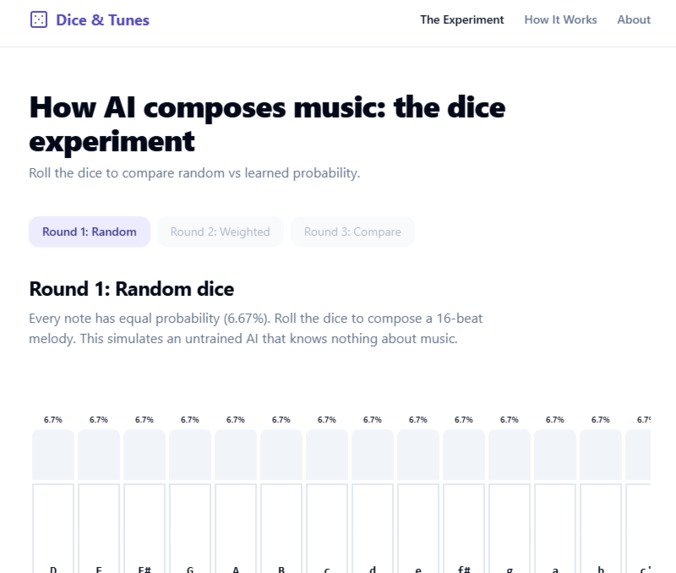
Dice & Tunes is a 3-minute interactive lesson on how generative AI works. Users compose 16-beat Irish folk melodies by rolling dice across three rounds:
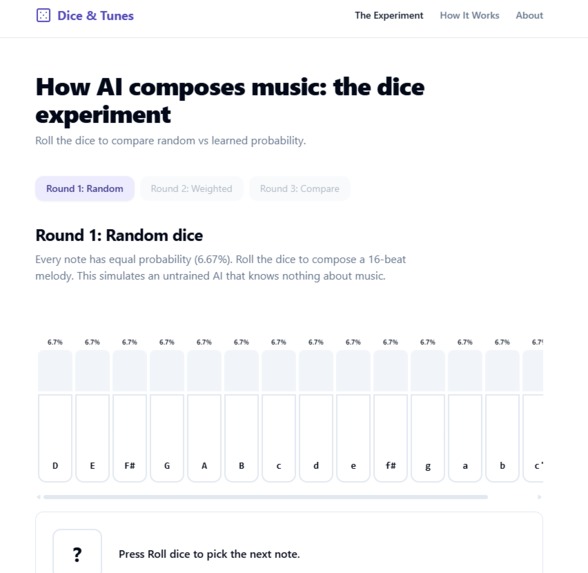
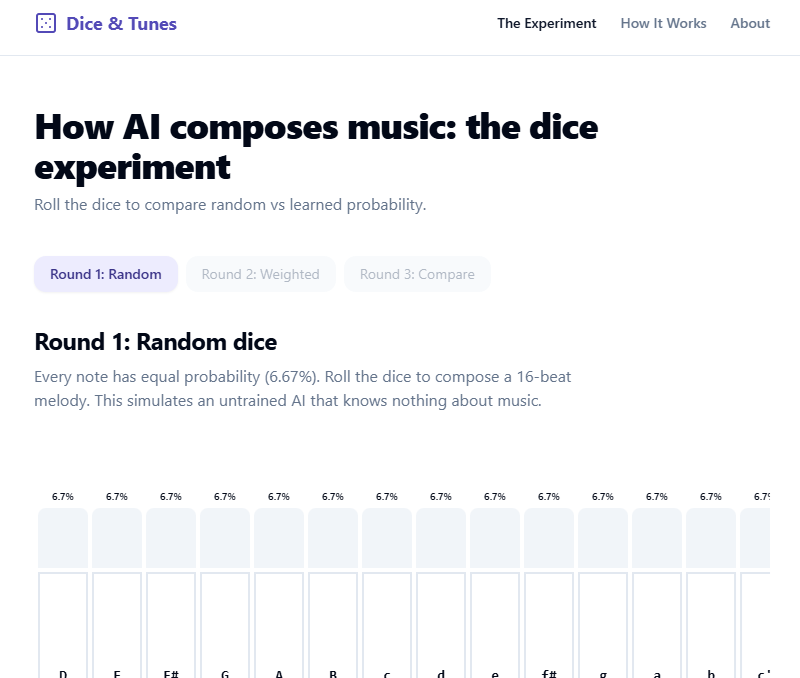
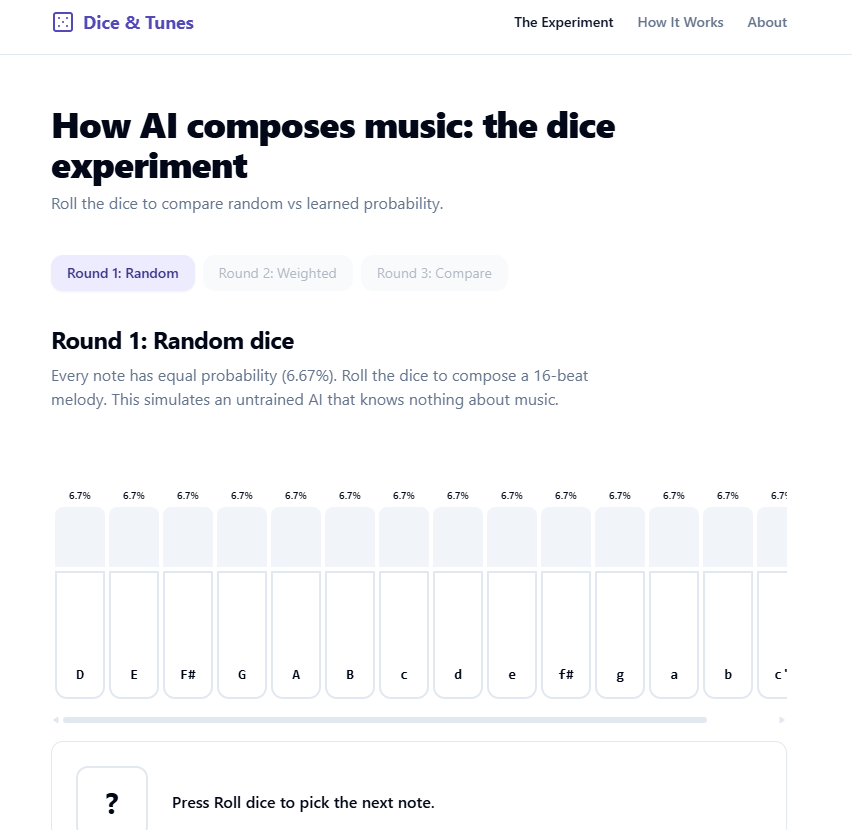
Round 1 — Random dice. Every note has equal probability (6.7% across a 15-note D-major scale). The melody sounds like noise. This is what an untrained model produces. Round 2 — Weighted dice. The probability of each note now depends on the previous notes, drawn from a transition matrix learned from 216,284 real Irish tunes. The melody sounds musical. This is what training does. Round 3 — Compare. Both melodies play back-to-back. The audible gap is the lesson.
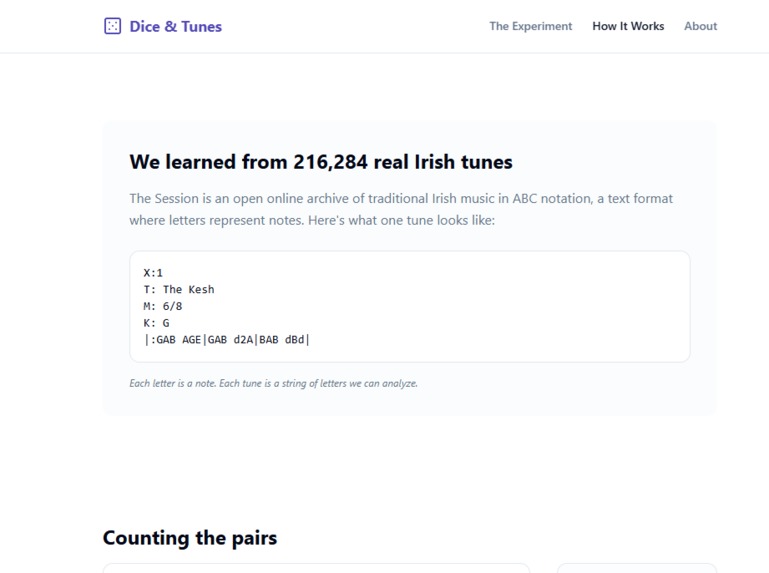
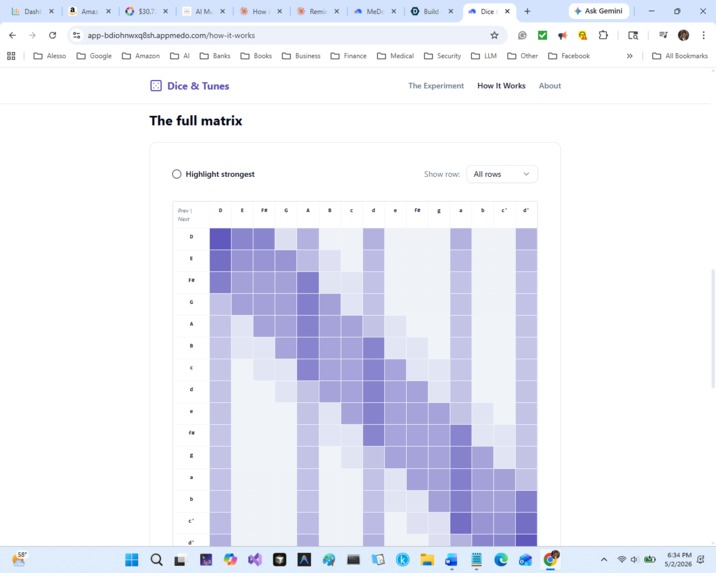
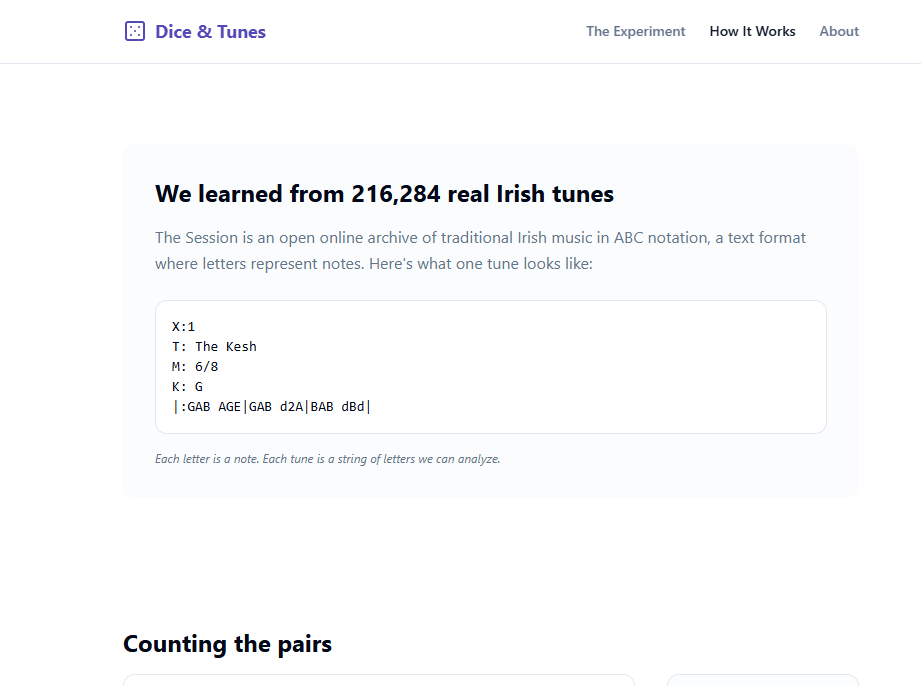
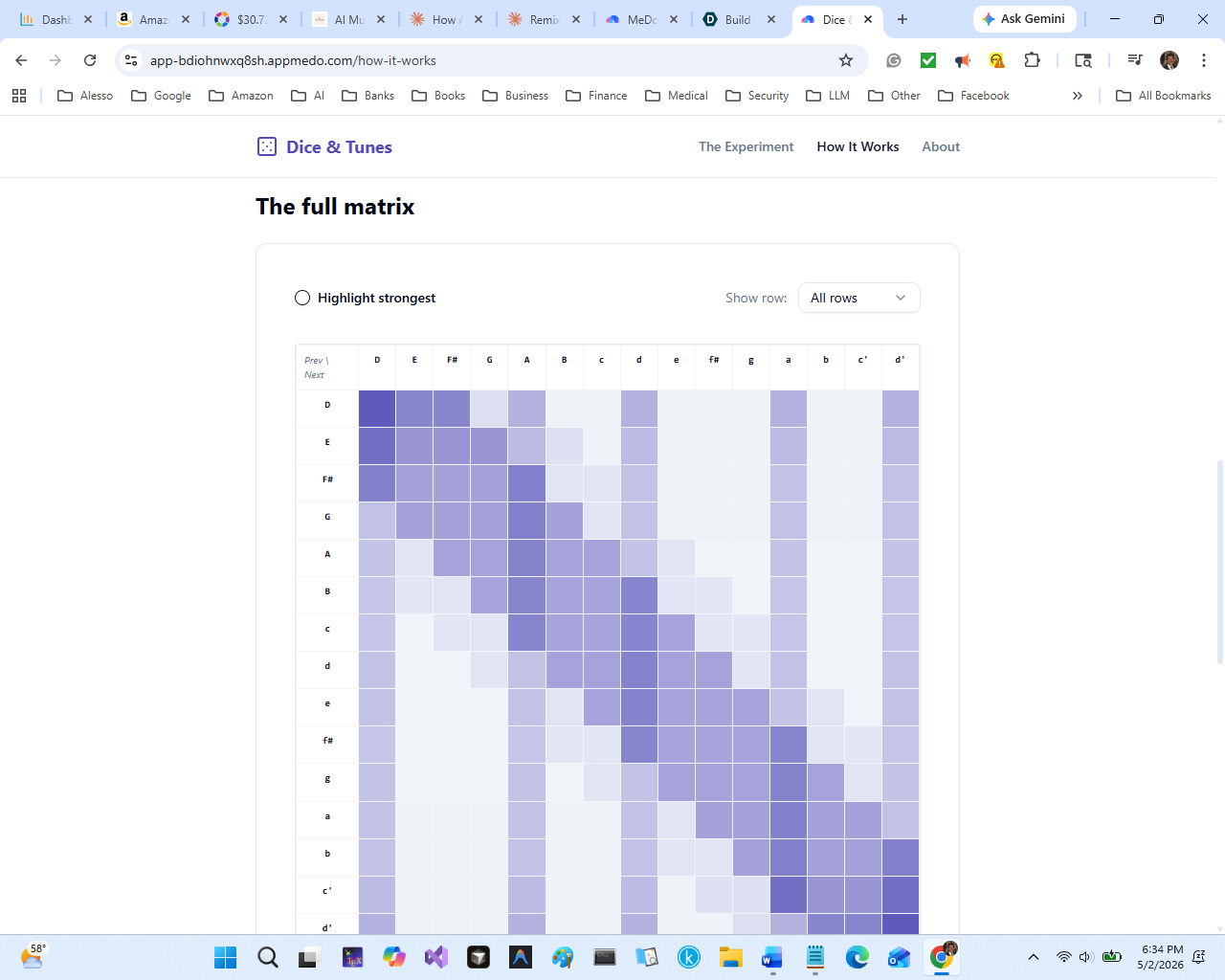
A second page, How It Works, then opens up the model itself. An animated scan watches the algorithm slide a window across a real ABC-notation tune, counting note-pairs as it goes. Those counts get normalized into probabilities that live on screen. A 15×15 heatmap reveals the full transition matrix the user just played with, with hover tooltips and a "highlight strongest transitions" toggle. A closing comparison maps the toy model directly to a real LLM (15 notes ↔ 50,000 tokens, 1 previous note ↔ 2 million tokens of context, counted pairs ↔ gradient descent across 15 trillion tokens).
The result is a complete, self-contained lesson on next-token prediction — from raw data to probability distributions to the leap into neural networks — playable in a browser, with no math required and no jargon used.
How we built it
The entire app was built through MeDo's natural-language interface, across four sequential conversations: v1 — Core experiment. A single comprehensive brief that established the concept, the 8-note D-major scale, the transition matrix, the round progression, and the visual design system. MeDo generated the Web Audio synthesis engine, the animated dice and probability bars, the multi-round state machine, and the deployment URL in one pass — 28 tasks completed from a single prompt.
Phase 1 — Musical depth. Expanded the scale from 8 notes to 15 (two full octaves of D major), added rhythm distributions (eighth, quarter, dotted-quarter notes), upgraded the transition model from bigram (last 1 note) to trigram (last 2 notes) with final-note bias toward the tonic, and replaced the single triangle wave with a dual-oscillator setup (triangle + detuned sine) plus a synthetic reverb impulse for warmth.
Phase 2 — Site architecture. Added persistent top navigation, a hamburger menu for mobile, an About modal, and a footer linking back to MeDo. The app went from a single screen to a multi-page product.
Phase 3 — The lesson. The "How It Works" page: an animated bigram-counting scan, a count-to-probability normalization animation, a 15×15 interactive heatmap with hover tooltips and row-isolation toggles, and the LLM-comparison closing card. This was the longest single prompt and the single biggest leap in pedagogical value.
The build stack underneath: vanilla HTML, CSS, and JavaScript with the Web Audio API. No frameworks, no external libraries, no backend. Every line of code was generated from prose. My job was to write clear specs, test the result, and decide what to ask for next.
The music AI weights were developed using modified Karpathy's Autoresearch ML technology (see https://github.com/alessoh/Autoresearch-Music) with API calls to Claude and HuggingFace music databases.
Challenges we ran into
Browser audio autoplay policies. Modern browsers refuse to play audio until the user has explicitly interacted with the page, which broke the first version's load-and-test workflow. The fix was lazily initializing the AudioContext on the first dice roll or key click — a one-line change in the spec, but easy to miss until you test on a fresh tab.
Designing transition probabilities that sound musical. A naively counted bigram matrix from real Irish tunes produces serviceable but not particularly good output, because it ignores phrase structure and tonic gravity. Tuning the matrix took several iterations: adding a bias toward stepwise motion, penalizing large interval leaps unless they returned to the tonic (D) or dominant (A), and applying a 3× multiplier to D and A on the final note of each phrase so melodies resolved instead of just stopping. The final-note bias alone made melodies sound finished rather than abandoned.
Making the audio contrast clearly audible. Early versions used a single triangle wave at moderate volume. The difference between Round 1 and Round 2 was real but subtle, especially on laptop speakers. Adding a second detuned oscillator and a reverb tail made the timbre richer and the contrast more emotional — the same melody felt warmer, which made the random version feel correspondingly colder.
Fitting 15 piano keys on a phone. Shrinking each key to fit a 380px viewport made them unreadable. Letting the piano scroll horizontally felt like a hack until I tested it — turns out users intuit horizontal scroll on a piano because it mirrors the physical instrument. What seemed like a compromise turned into a feature.
Making the heatmap communicate, not just decorate. A flat color-graded grid is pretty but useless. Adding the "Highlight strongest transitions" toggle (which outlines the top 3 cells per row) turned the heatmap from wallpaper into a teaching tool — users can immediately see which transitions the model "preferred."
Accomplishments that we're proud of
The "How It Works" page is a complete, self-contained lesson. Most "AI explainer" content stops at the metaphor. This page goes from raw text data → counting → normalization → matrix → comparison to real LLMs, and a curious user can follow the entire pipeline in five minutes. That's the difference between a demo and a teaching tool.
The audio contrast genuinely lands. The moment Round 2's melody plays after Round 1's, every test user has had the same reaction: a small, involuntary smile. That reaction is the whole point of the project. Building it in code would have taken weeks; building it in MeDo took an afternoon. It's mobile-responsive without compromising the experiment. The horizontally-scrolling piano on phones, the collapsing nav, the heatmap that works with both hover and tap — none of this was easy to spec, but it works on every device I've tested.
It's fast, reliable, and deployed. No backend, no API keys, no failure modes. Loads in under a second. Works offline once cached. Will keep working long after the hackathon ends.
Most importantly: the educational arc is complete. A user can land on the home page knowing nothing about AI and, 5 minutes later, understand what next-token prediction means, where probability distributions come from, and how training relates to data. That's a non-trivial intellectual transfer for a 3-minute interaction. I don't think I could have built it without MeDo, and I'm certain I couldn't have built it this fast.
What we learned
Prompting MeDo is a genre of writing. The best prompts read like product specs, not like requests. Front-load the data (exact frequencies, exact matrix values, exact text), name the out-of-scope explicitly, define "done" before you start, and write acceptance criteria as a checklist. Vague prompts produce vague apps. Specific prompts produce surprisingly polished apps.
Multi-turn beats mega-prompt for iteration. I tried a single-prompt approach early and got a v1 that worked but was hard to evolve. Splitting subsequent work into focused phases (Phase 1: music. Phase 2: nav. Phase 3: lesson) gave MeDo cleaner work units and gave me cleaner debugging. Each phase was independently shippable, which meant nothing ever broke beyond recovery.
The hardest part of teaching AI is choosing the right metaphor. Dice and music turned out to be a much better metaphor than the obvious alternatives (autocomplete, text generation, image diffusion) because the contrast is audible in seconds and the math (a 15×15 transition matrix) is small enough to actually visualize. Picking the right metaphor was 80% of the work; the other 20% was building it. Show, don't tell — but show the right thing. A heatmap of probabilities is technically informative but emotionally inert. An animated scan watching the algorithm count note-pairs in real time is the same information delivered as in a theater, and it lands. Pedagogy is at least half showmanship.
No-code doesn't mean no-thought. The shift MeDo enables isn't "anyone can build apps without thinking." It's "the bottleneck moves from typing code to making product decisions." The questions I had to answer — which metaphor, which features to skip, how long the experience should be, what the user feels at minute 2 — are exactly the questions a great product manager would ask. MeDo handles the typing. The thinking is still on me.
What's next for Dice & Tunes
ERNIE plugin integration. A small "Ask the AI to describe your melody" card on Round 3 that sends the user's composed melody to ERNIE with a prompt like "Describe this melody's mood in two sentences, and suggest what it would pair with." The lesson gets a satisfying coda — an AI describing the AI-influenced melody the user just rolled.
More genres, more matrices. The Irish tunes corpus is a starting point. A jazz matrix (denser chord-tone movement, blues notes), a J.S. Bach matrix (strict counterpoint, no tonic ambiguity), and a contemporary pop matrix would let users hear how different training data produce different models. This is the most direct way to convey that "AI" isn't one thing — it's whatever you trained it on. Higher-order models with diminishing returns. A toggle to switch between bigram, trigram, 4-gram, and 5-gram models would viscerally demonstrate why bigger context windows matter — and where they stop mattering. The melody quality would plateau, which is itself a real lesson about model scale.
"Train your own" interactive matrix. A textarea where users can paste their own sequence of letters (a melody, an alphabet, even random typing) and watch the matrix update in real time. Sample from the user's matrix and play the result. This makes the lesson genuinely participatory: users go from learning about training to doing training in the same session.
Translations. The pedagogical content is short enough to translate cleanly. Spanish, Mandarin, Hindi, Arabic, and Portuguese would multiply the audience by an order of magnitude — and the audio payoff is language-independent.
Classroom-ready version. A teacher mode with discussion prompts, a printable worksheet that maps the dice game to the LLM concepts, and a "save the class's melodies" gallery. This is where Dice & Tunes goes from a hackathon project to actual educational infrastructure. If even one CS101 instructor adopts it, the project has paid for itself.
Open-sourcing the matrix. The trigram matrix derived from The Session corpus is genuinely useful for anyone teaching probabilistic models or building generative music tools. Releasing it as a tiny open dataset (with notebooks showing how it was derived) would let other educators and tinkerers build on this foundation.
The end goal isn't really to make Dice & Tunes bigger. It's to make AI literacy easier — and prove that hands-on, audible, three-minute lessons can do work that 30-minute videos can't. If a kid plays Dice & Tunes and walks away saying "oh, that's all training is?" — the project succeeded.
Built With
- html
- javascript
- medo
- web-audio-api


Log in or sign up for Devpost to join the conversation.