-
-
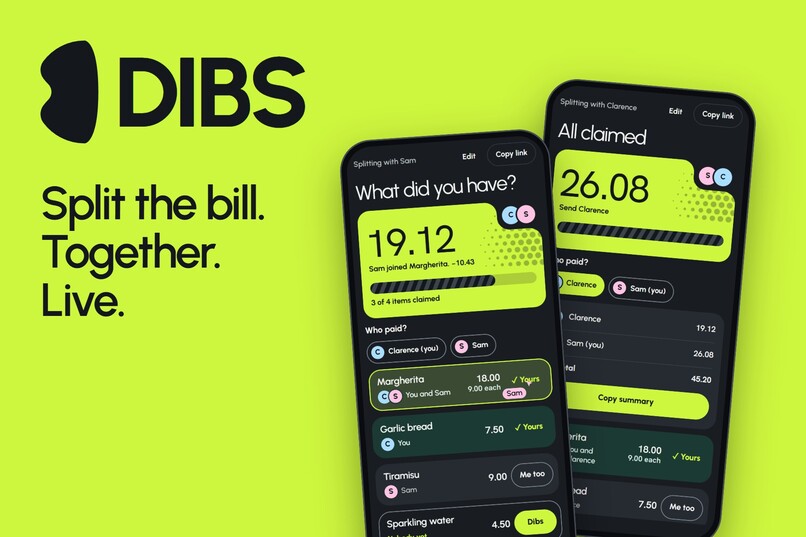
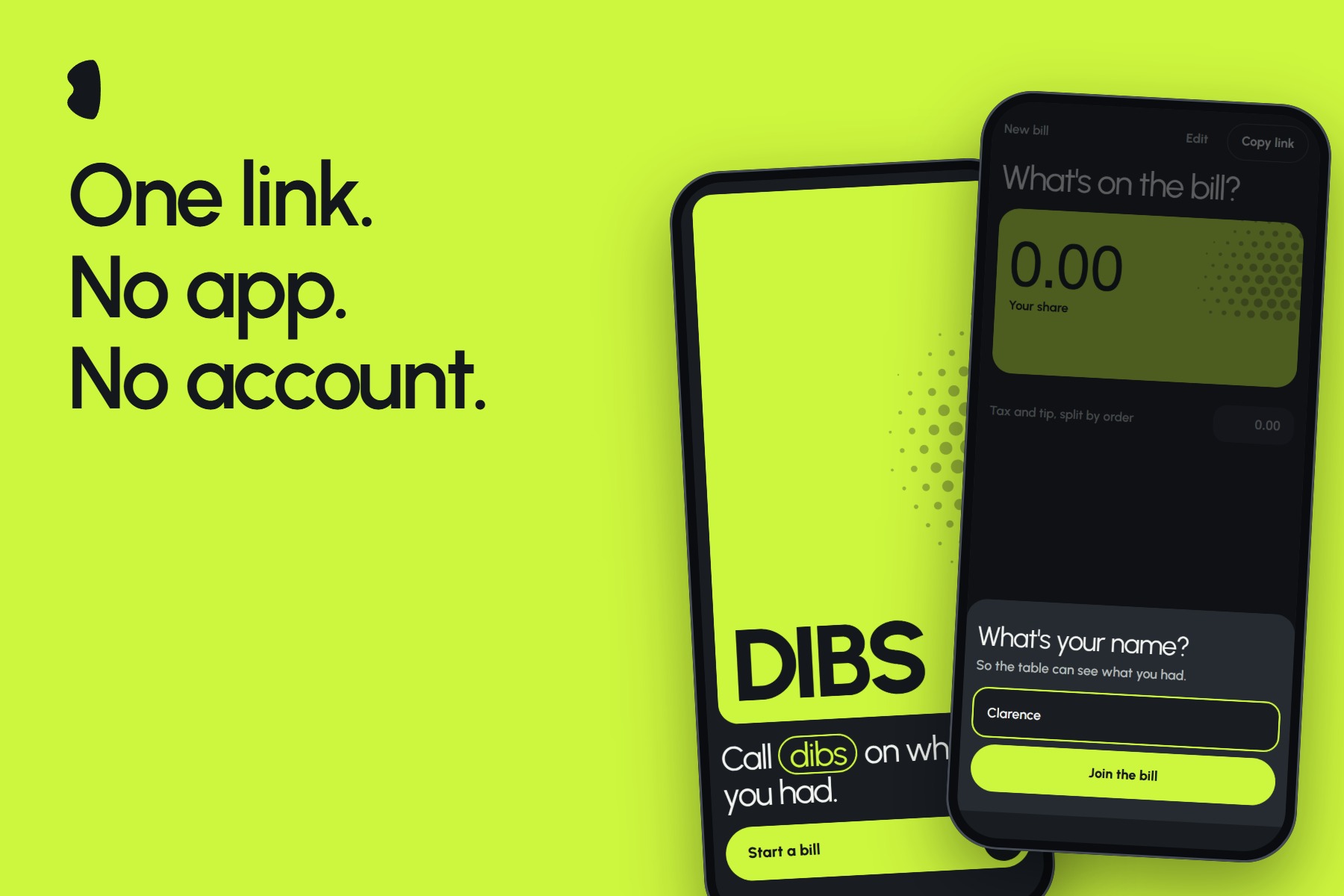
Dibs is a live receipt the whole table splits together, right from the browser.
-
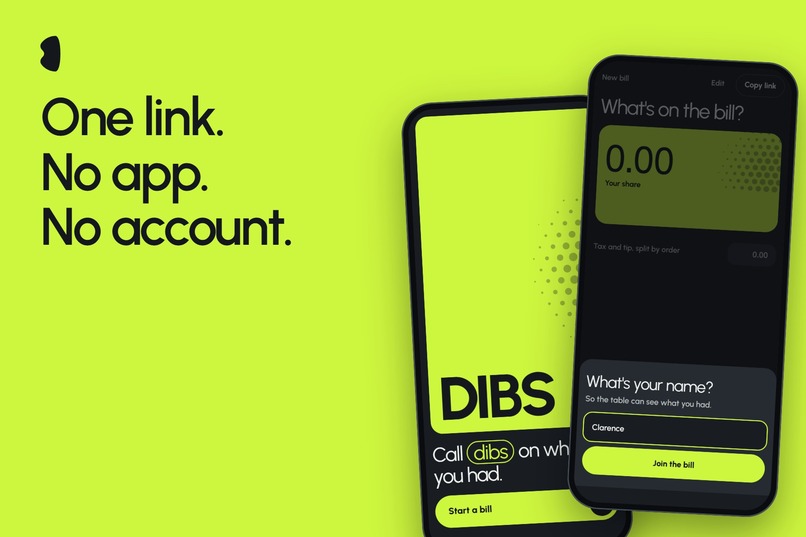
One person adds the items and shares a link. Everyone else opens it and enters a name.
-
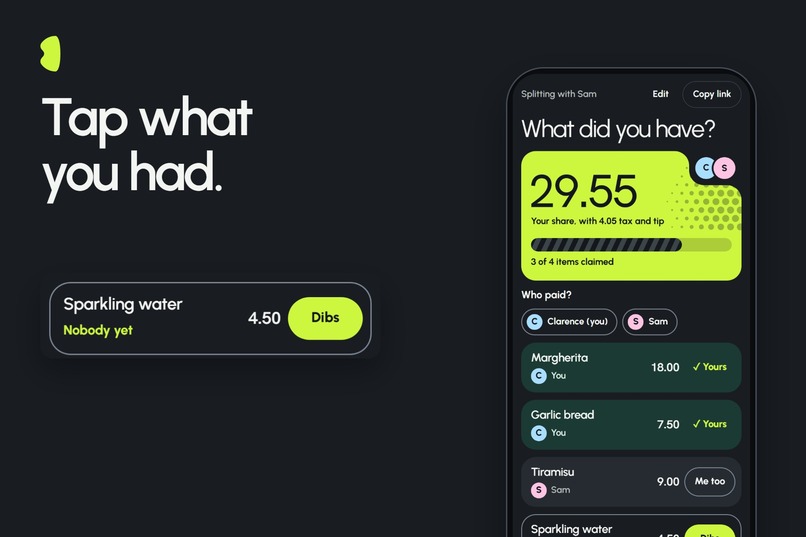
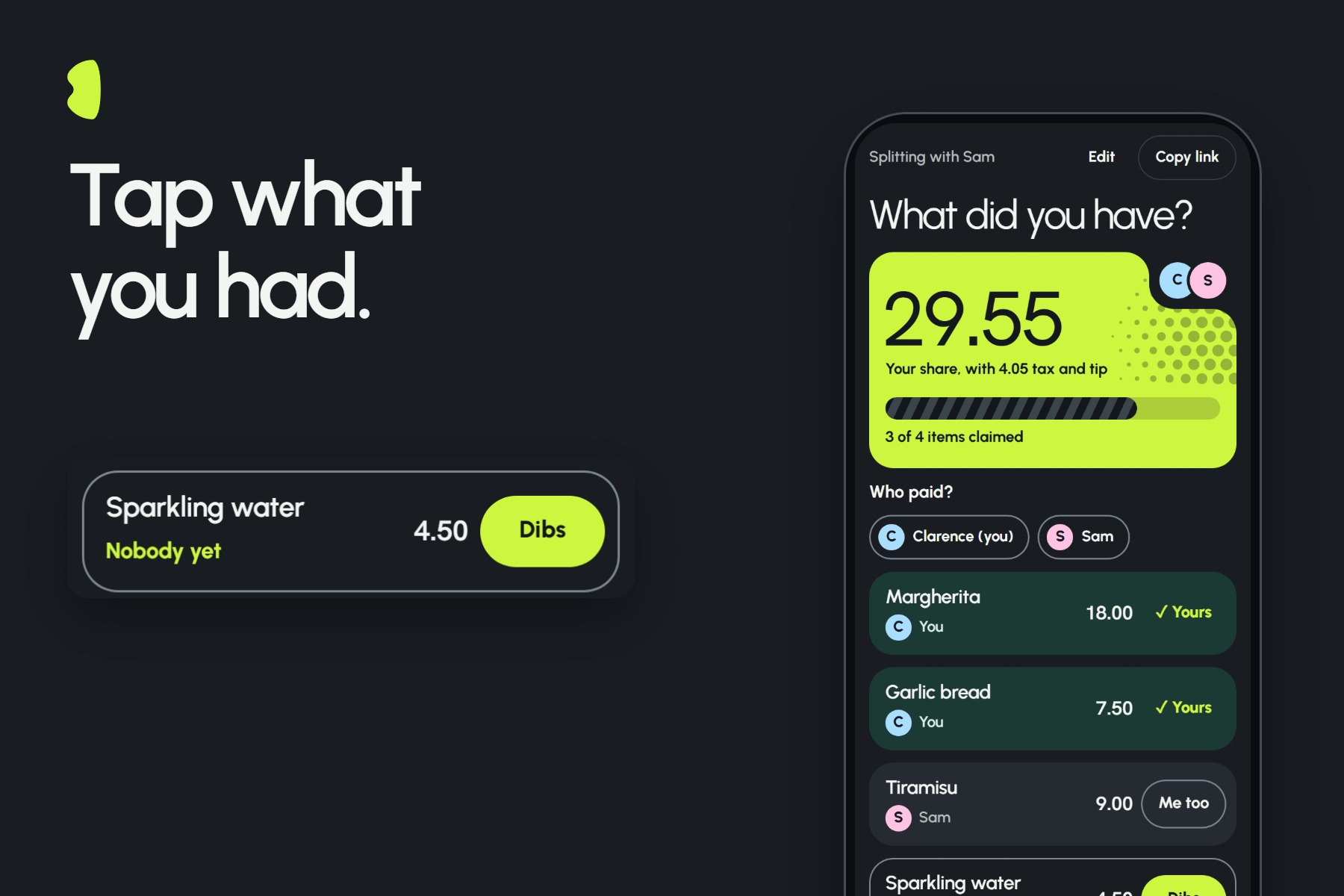
Tap Dibs on what you ordered. Everyone at the table sees it right away.
-
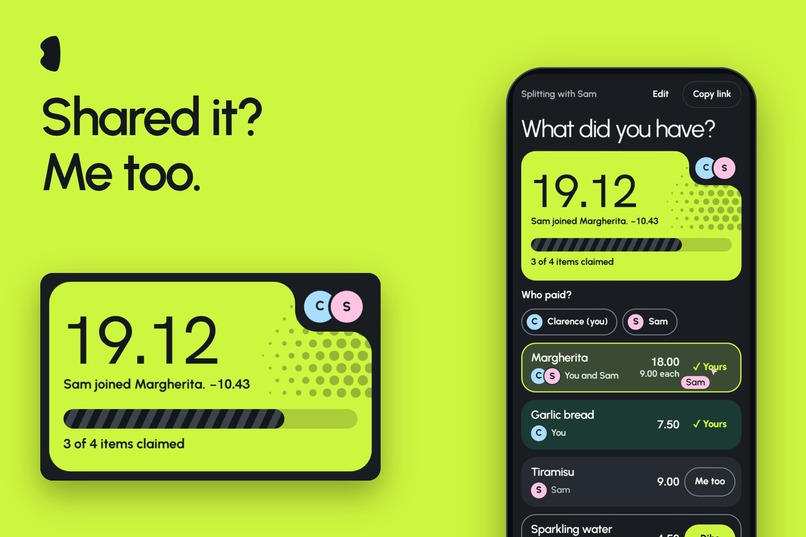
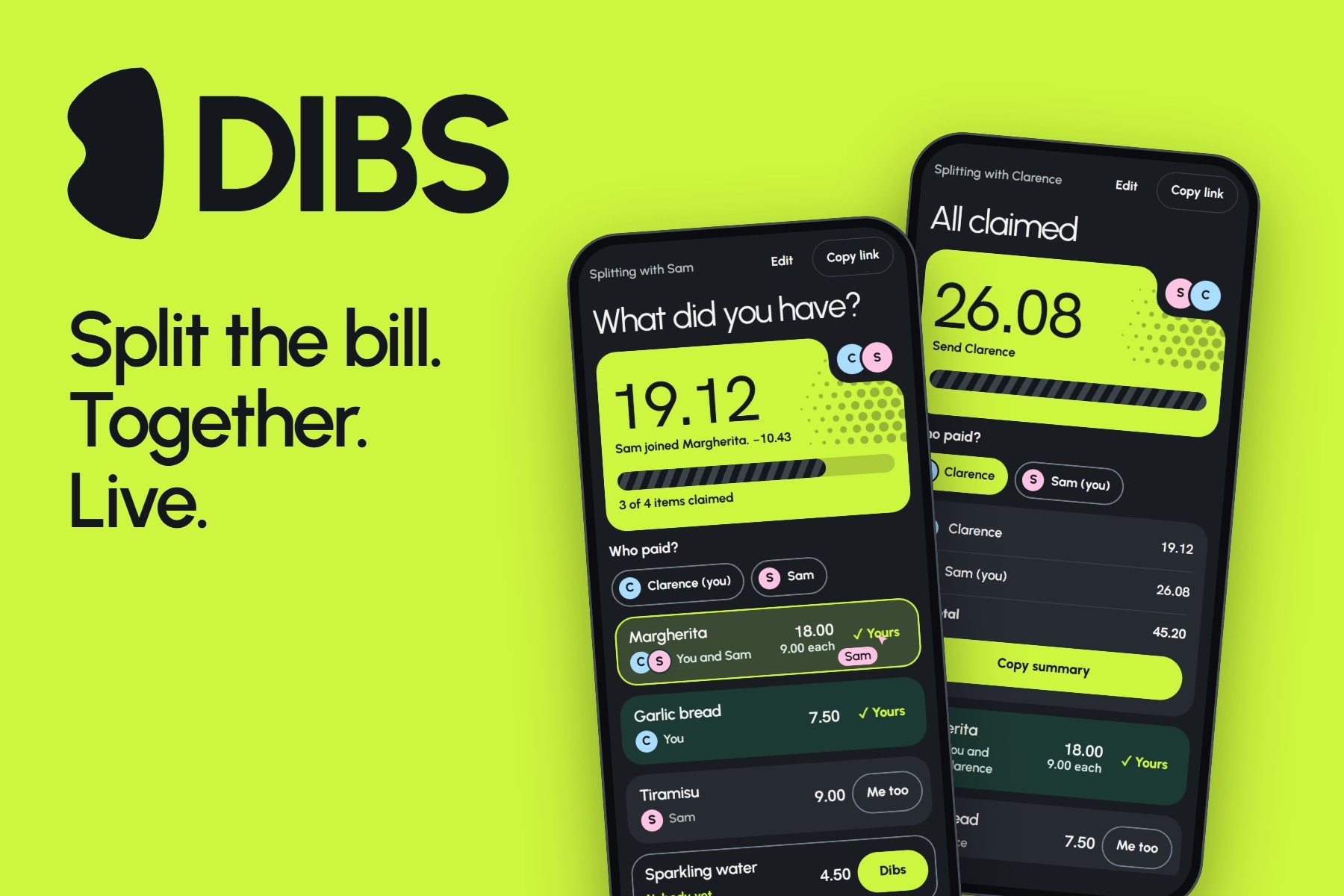
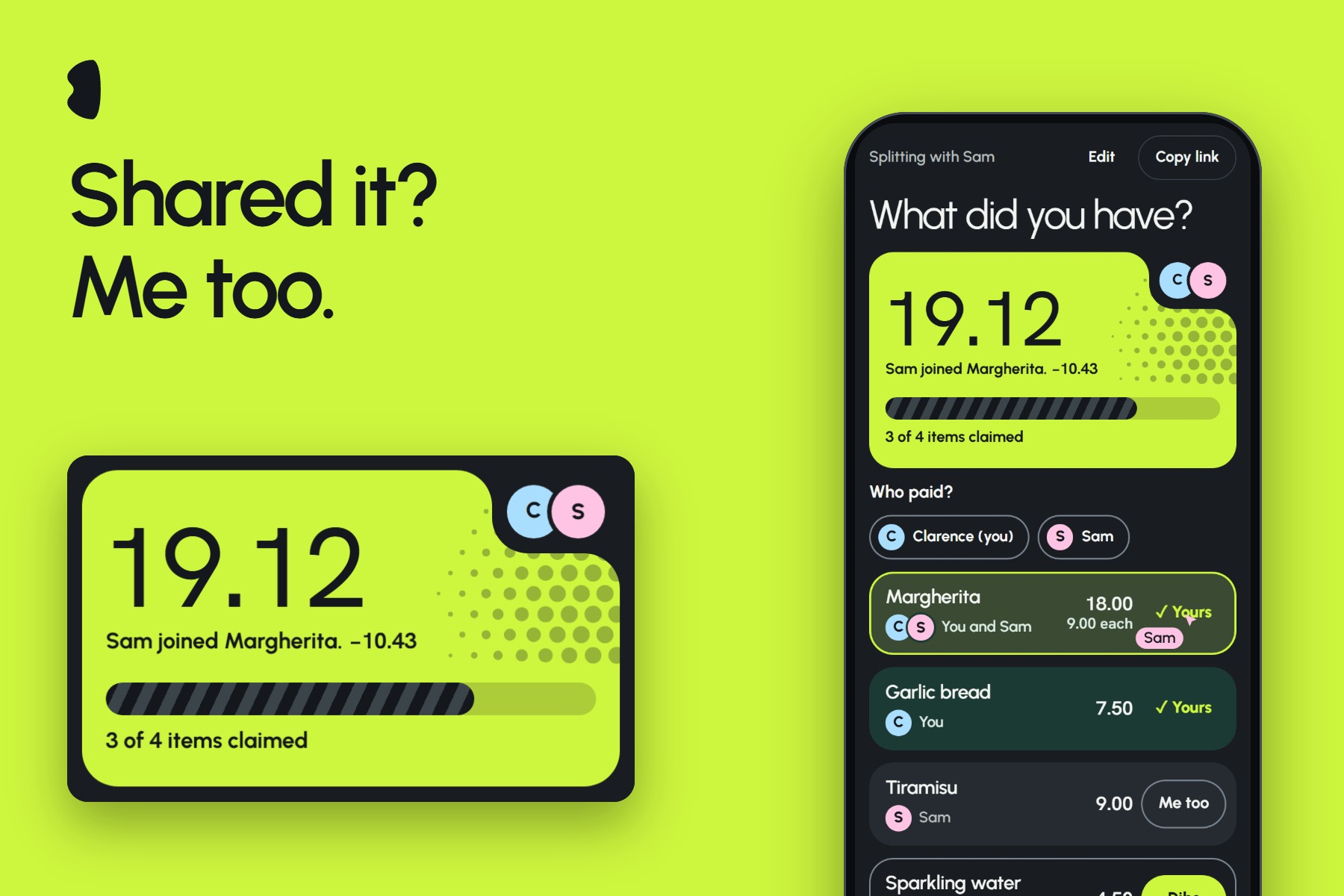
Sam taps Me too on the pizza. It splits evenly, and Clarence's total drops by 10.43 on the spot.
-
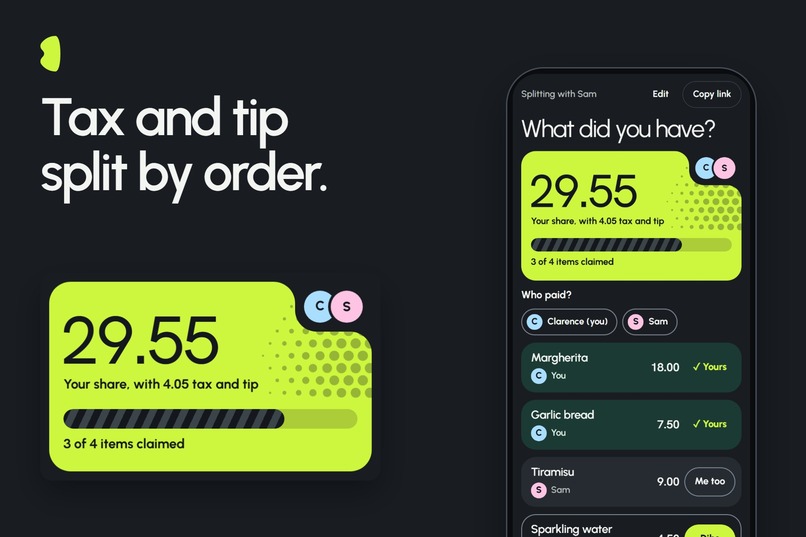
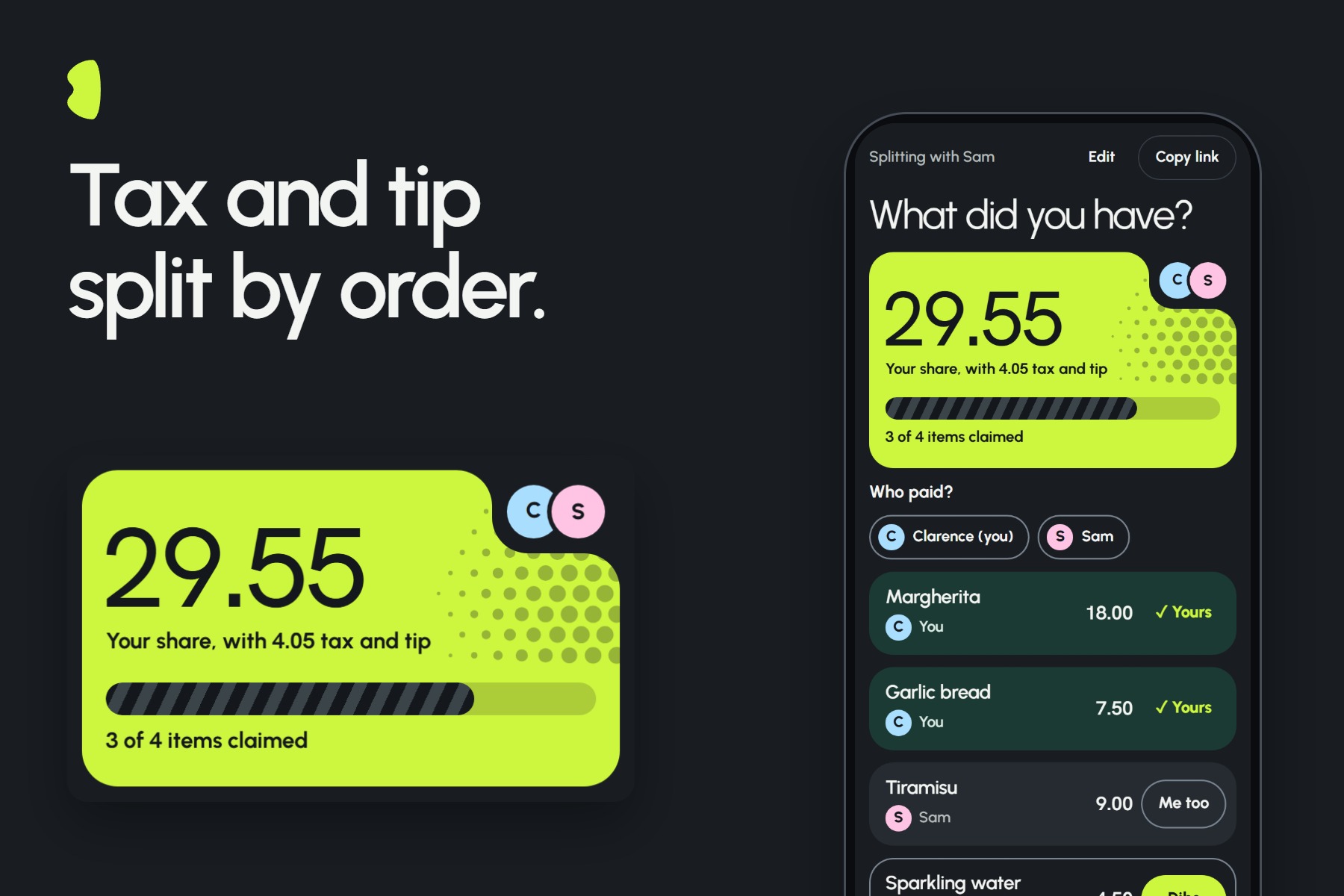
Tax and tip split by what each person ordered, not evenly, so your share stays fair.
-
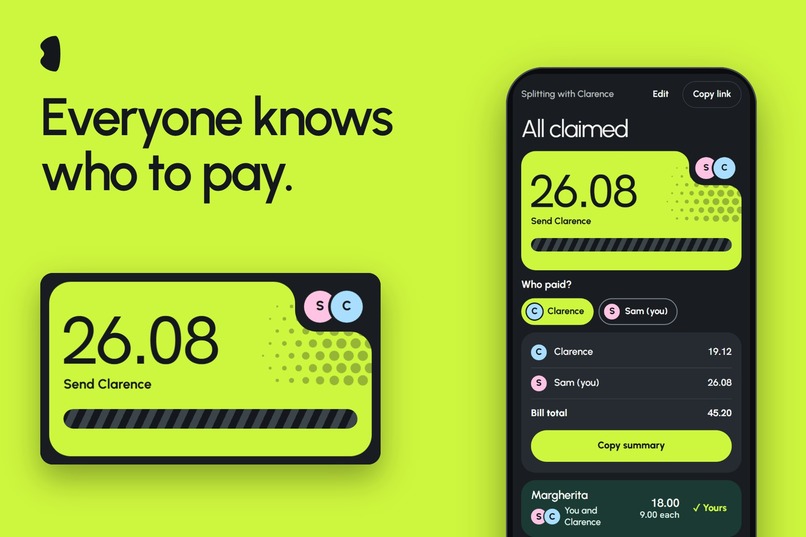
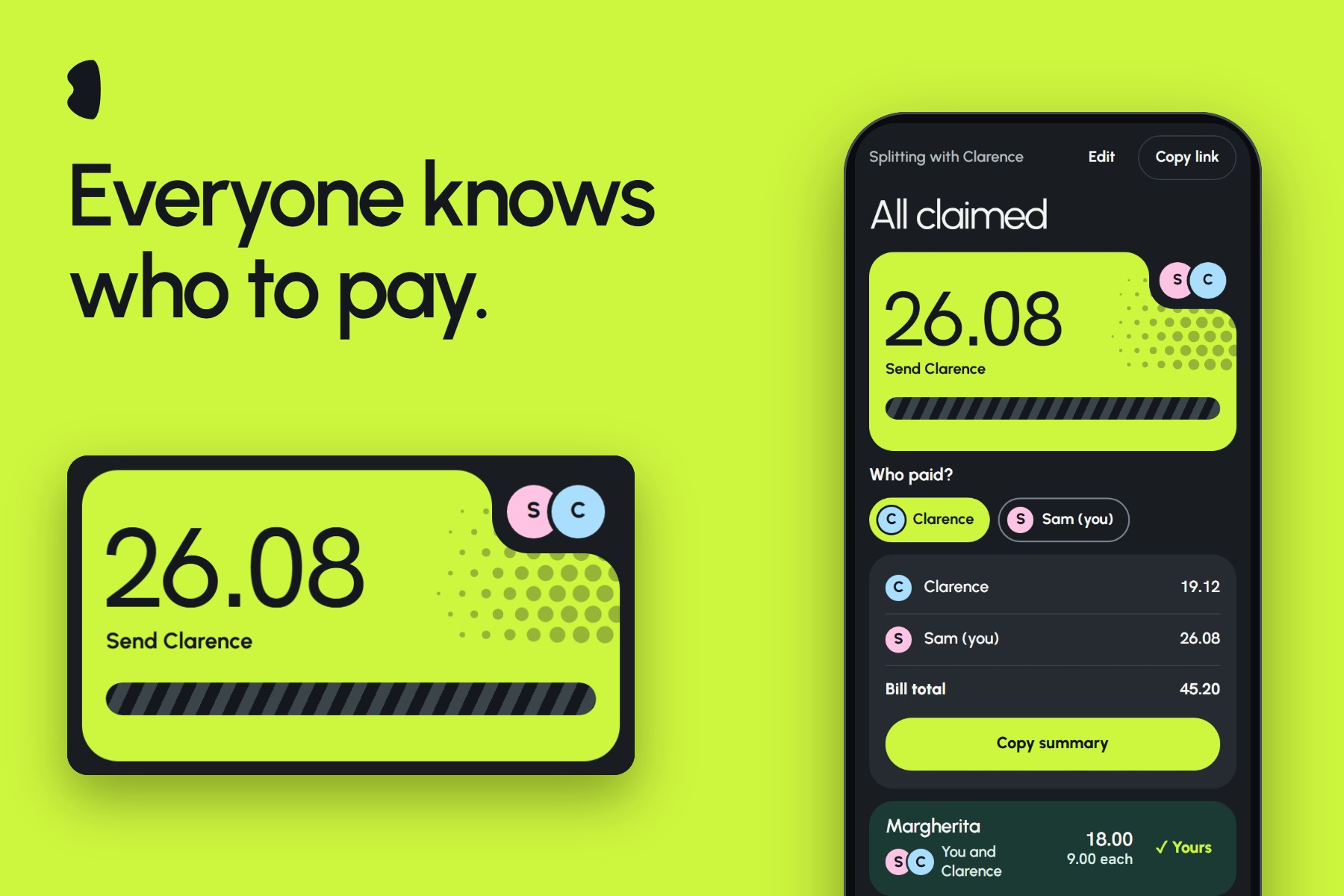
Pick who paid, and the bill tells everyone what to do. Sam sees: Send Clarence 26.08.
-
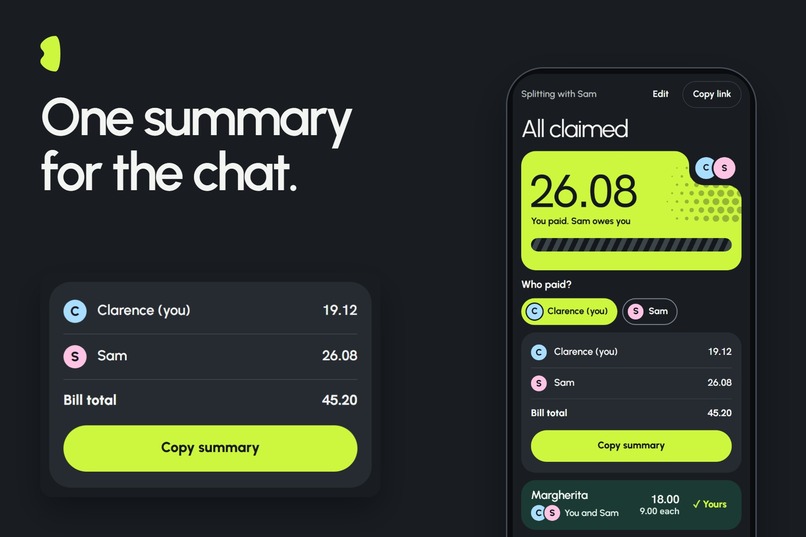
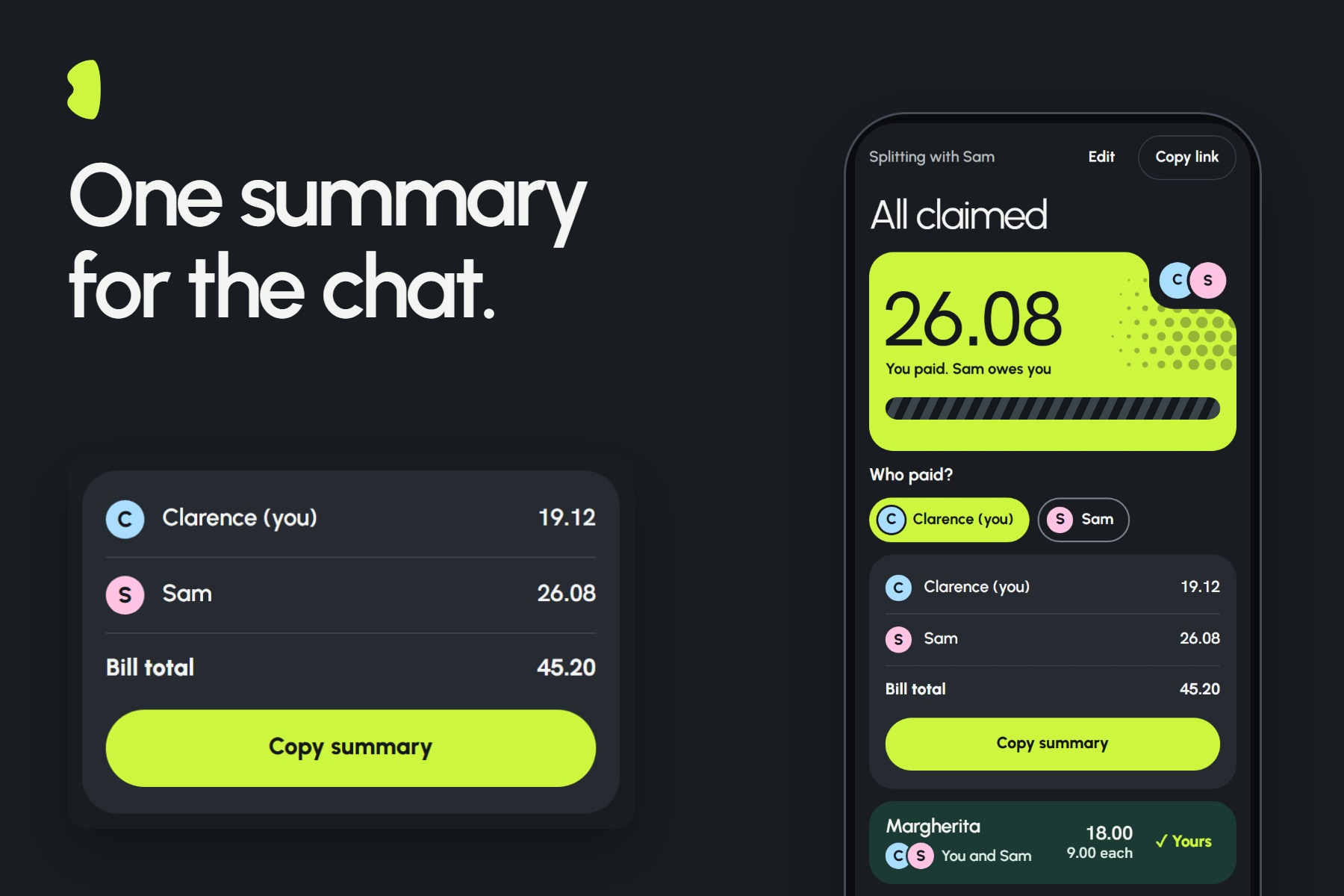
Once every item is claimed, copy the summary and paste it into the group chat.
Try it in 30 seconds, even alone: open https://dibs.dibs-bill.workers.dev, start a bill, add an item and copy the link. Open that link in a second tab, because each tab counts as its own person. Tap Dibs in one tab and Me too in the other, and watch both totals change.
Most bill splitters are one person typing numbers into a calculator. Dibs is the opposite: the bill can't finish until the people who ate claim what they ate. Multiplayer isn't a feature added on top. It's the only way the product works.
Inspiration
At the end of a meal, one person usually ends up doing the math while everyone else waits. Dibs hands the job to the whole table.
What it does
Dibs is a live receipt for a group at a table. One person adds the items and shares a link. Everyone opens it, enters a name and taps Dibs on what they had. No app and no account.
- If someone else had the same thing, you tap Me too and the item splits evenly.
- Tax and tip split by what each person ordered.
- Your total updates the moment anyone taps. When Sam joins your pizza, you see "Sam joined Margherita. −10.43" and your number drops.
- Pick who paid, and the bill tells everyone what to do: "Send Clarence 26.08". The person who paid sees what they are owed.
- The bill is finished only when every item has someone on it.
- The landing page lists the bills you have joined on this device, so you can get back to one without the link.
- Scan a receipt to fill in the items. Text recognition runs in your browser, the photo is never uploaded, and you review every item before it is added. It works best on a clear photo.
Dibs does not move money. It works out who owes what, and you pay each other however you already do.
How we built it
- Sync: one Cloudflare Durable Object per bill, using the WebSocket Hibernation API. The server owns the bill. Clients send what they want to do, and the server sends back the new state.
- Client: React, TypeScript and Vite, hosted on Cloudflare Workers.
- Money: everything is stored as whole cents. Shares use the largest remainder method, so they always add up to exactly the bill.
- People: no accounts. Reloading or reconnecting brings back the same person and their claims, and two tabs in one browser count as two people.
- Live feel: your button flips the moment you tap, but money only changes when the server confirms it, so a wrong total never shows.
- Tests: 80+ unit tests, plus a browser UI suite of 308 checks. On the public URL, 307 pass. The one failure is cosmetic: a check mark animation plays twice on a real network. We have not finished testing on real phones.
How we used trmi and AI
All the product code was written by the trmi agent in our shared project. We planned in the main session, then worked in separate lanes (sync-core, room-ui, design, design-v2) and merged through pull requests. The agent ran on Claude and, for part of the work, GLM-5.3 Flash.
Clarence wrote prompts, reviewed and merged. Samantha sent the redesign prompts and hosted that work on her own machine. Her lane's first redesign was replaced, so most of its commits are not on main.
Branding, UI direction and the video were ours. Clarence made the logo, set the UI direction and the design drafts the trmi agent built from, and edited and exported the final video. We used Claude outside trmi as a tool for design drafts, video edits, reviews and live-site testing, but no product code came from it.
About the demo video: the two phones are a scripted walkthrough on the real live site. A Playwright script drove two separate browser sessions, named Clarence and Sam, and every tap went through the real server. It is not the two of us tapping by hand. We added a small ring to show where taps land, labels, and a brief zoom. The opening and promo shots are animation built in Remotion, using screens from real bills. Sound effects are from Mixkit, and the music is from Pixabay (Indie Synth Rock Background Music by Black_Kumizhi).
Session IDs:
- main: starrayx-dibs-hcy1yv
- Scaffold PR: scaffold-pr-build-the-sc-vu3tok
- sync-core: sync-core-26pre5
- room-ui: room-ui-si6pl5
- design (Samantha): design-vcpfee
- design-v2: design-v2-26r3v0
Challenges we ran into
- Two windows were one person. Our first identity code kept one ID per browser, so opening a second window made you the same person twice. A review caught it before it reached the demo. Each tab now gets its own person.
- The screen showed wrong money. A rolling number animation in an early redesign stopped a cent short, showing 19.13 for 19.12. We removed it. Amounts now always show the exact value.
- Design took many rounds. We rejected several directions before one was both distinctive and easy to read. The main lesson was to keep bright color for what you can tap.
- Finding the real job. A product review pointed out that our first version stopped at "All claimed" without telling anyone who to pay. We added Who paid.
What we learned
A shared agent moves fast, but it still needs people checking its work. Passing tests did not catch the two-window bug, because those tests used separate browser profiles. Looking at the app as a user did.
What's next
A "Whose is this?" nudge for unclaimed items, more accurate receipt scanning, splits that are not even, and a way to mark someone as paid.
Built With
- claude
- cloudflare-workers
- durable-objects
- playwright
- react
- trmi
- typescript
- vite
- vitest
- websockets

Log in or sign up for Devpost to join the conversation.