Inspiration
Our inspiration for creating this web app stems from a desire to reduce medical errors and enhance patient care. Additionally, one of our team members was sick for the duration of the hackathon and was curious if they could get an accurate diagnosis even without a doctor, so all of these components led to us building Diagnosify.
What it does
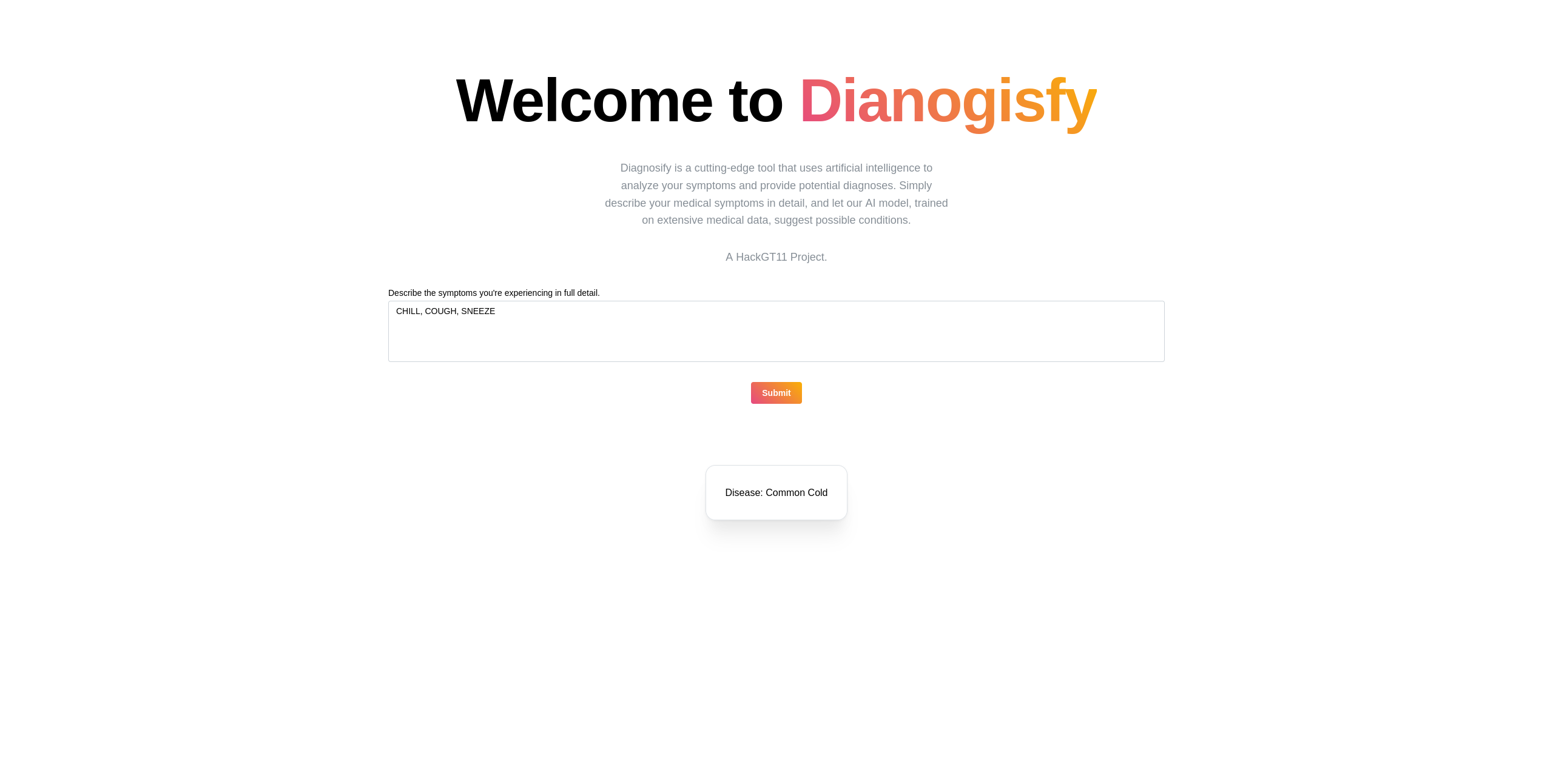
The application is designed as an AI-powered assistant that helps bridge the gap between symptoms and potential diagnoses. Users can input their symptoms into a text box, and the AI, trained in extensive medical databases, matches these symptoms with associated diseases. The primary goal of our tool is to be used alongside doctors, offering an additional layer of diagnostic accuracy. By passively listening to the conversation between the doctor and patient, the app cross-references the doctor’s diagnosis with the AI model’s suggestions. This feature aims to ensure that nothing is overlooked during the diagnostic process, ultimately reducing human error and improving patient outcomes.
How we built it
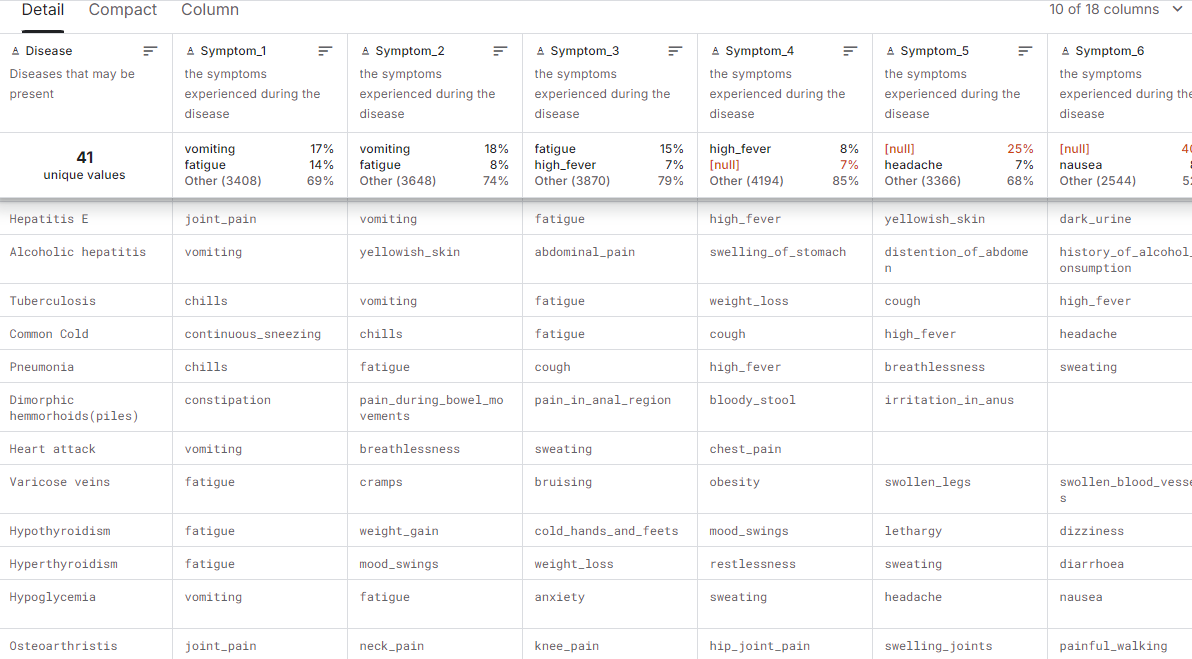
The project consists of two main parts: The AI Model and the Front End web application. The AI Model was constructed using Pytorch and a pre-trained model of GPT2 available through torch libraries that were fine-tuned to fit our Medical scenario via a database of medical symptoms associated with diseases. The front end consisted of react.js, HTML, and CSS connected with the input and output of the AI model using Python's Flask library.
Challenges we ran into
One of the challenges we encountered during the development of our project was the time-intensive process of training the AI model. Given the vast amount of medical data required to ensure accuracy, the model's training phase took approximately 8 hours to complete. This lengthy process was critical to achieving the level of precision needed for diagnosing symptoms, but it also highlighted the significant computational power and time required. Additionally, ensuring that the model could process complex medical terminology while maintaining user-friendly outputs was a balancing act that required careful optimization. Managing these time constraints while maintaining the model's performance posed a significant technical hurdle. Even after getting through the AI model training, we noticed that the model performed way worse than intended, and without the time to train, we resorted to experimenting with prompt engineering to further push toward the intended results.
Accomplishments that we're proud of
As a team of two, we are extremely proud of delving into a topic we were not super familiar with, using technology rather new to us, and coming out with a finished and semi-polished product. In the end, we better understood how everything works together in a fullstack web application and how to utilize design to better the user experience.
What we learned
We learned a great deal about the fullstack development process, how to train and fine-tune an AI model using a dataset, how to collaborate remotely using Git and GitHub, and, probably most importantly, we learned to never train your AI models last minute.
What's next for Diagnosify
As we were only given a little over 24 hours to develop this, we are especially excited about the potential of scaling and adding features to our application! In the future, we aim to update Diagnosify via improvements to the core AI model. Larger datasets, more time to train, and improved prompt engineering can go a long way toward helping to develop a truly specialized Medical Language Model. Additionally, fitting with our goal of being a doctor tool, we hope to make the program more accessible through features like speech-to-text to enable the app to be used in an office setting with more accessibility.


Log in or sign up for Devpost to join the conversation.