-
-
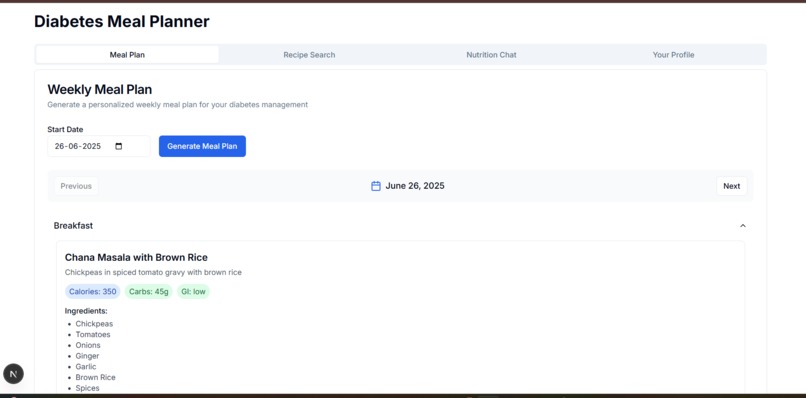
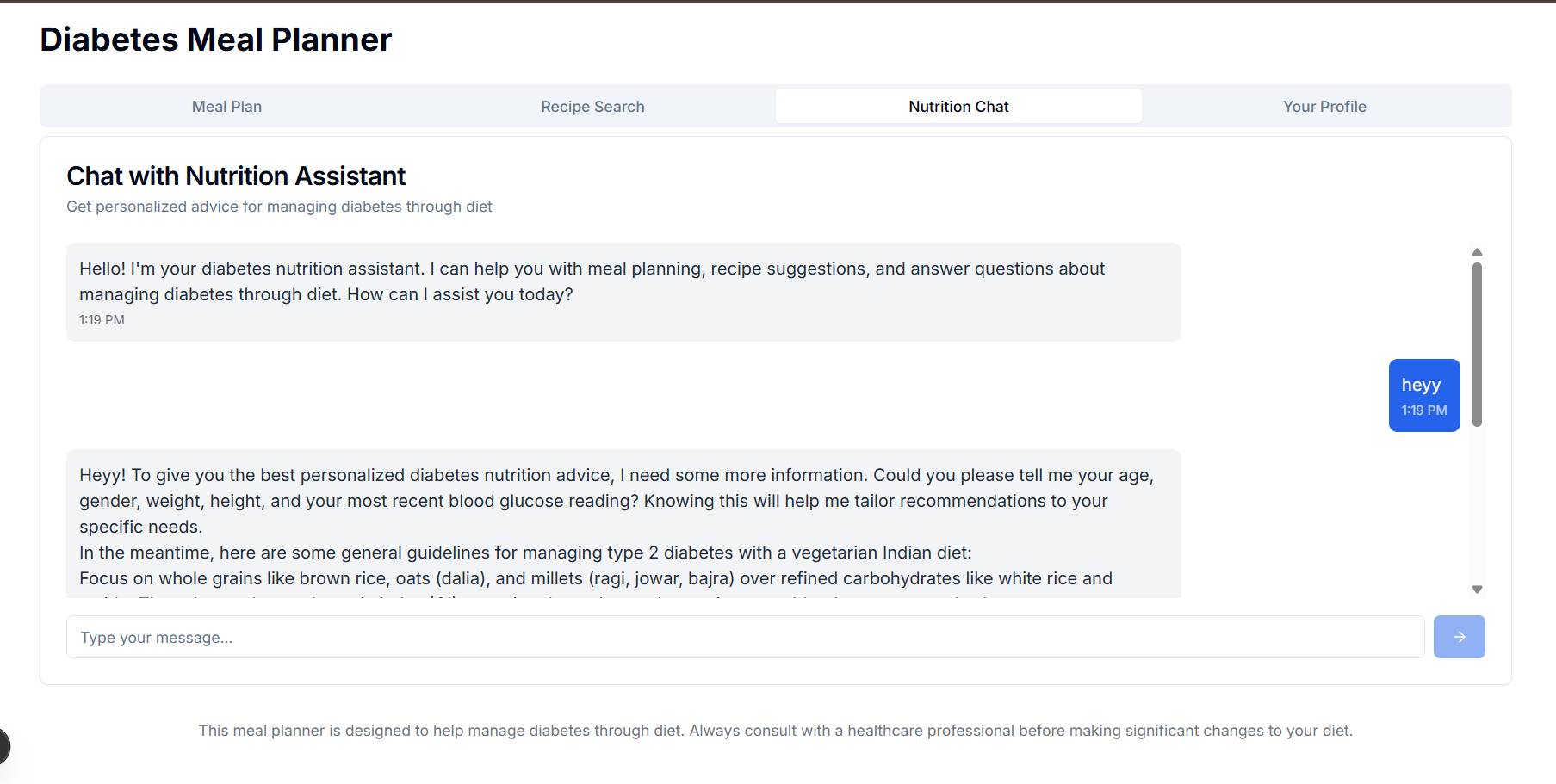
Daily meal plans
-
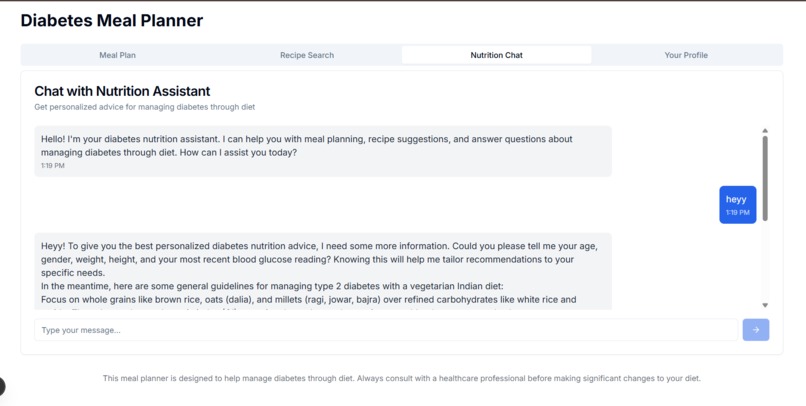
Gemini api suggestions on nutrition with prompt Engineering
-
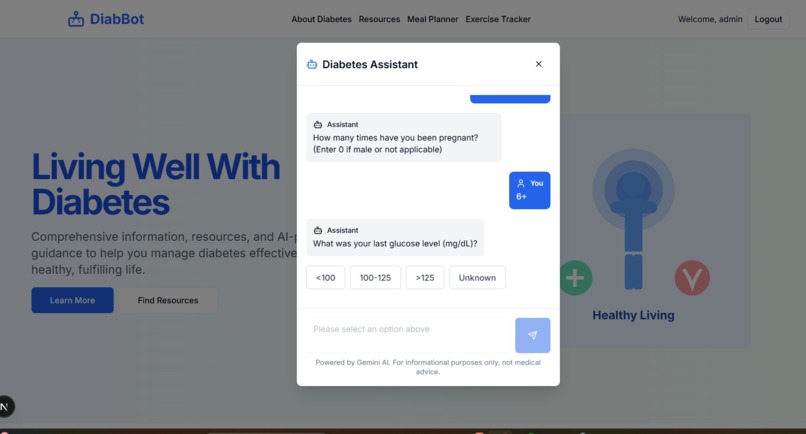
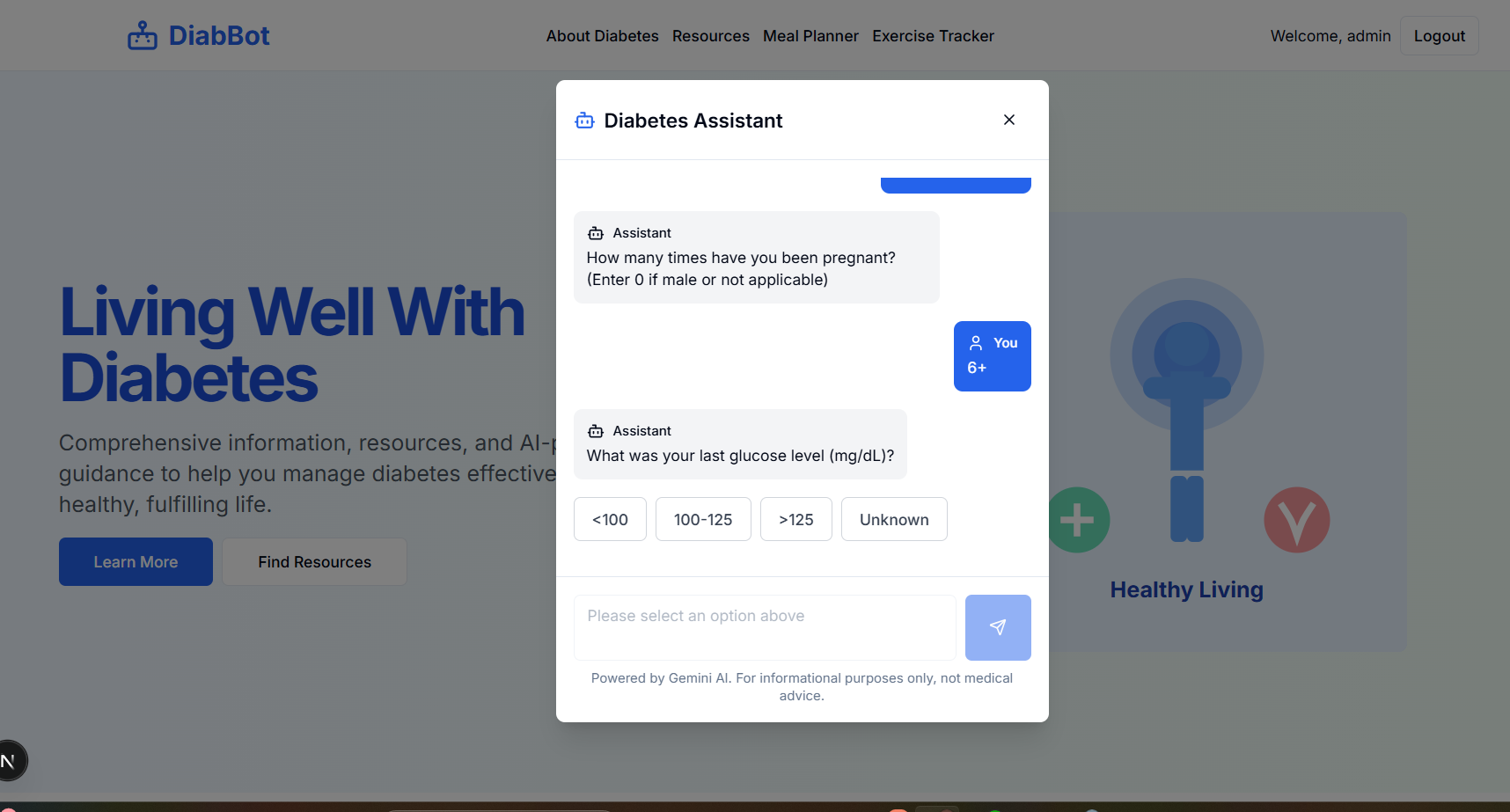
Risk prediction using ml XGBoost and RandomForest
-
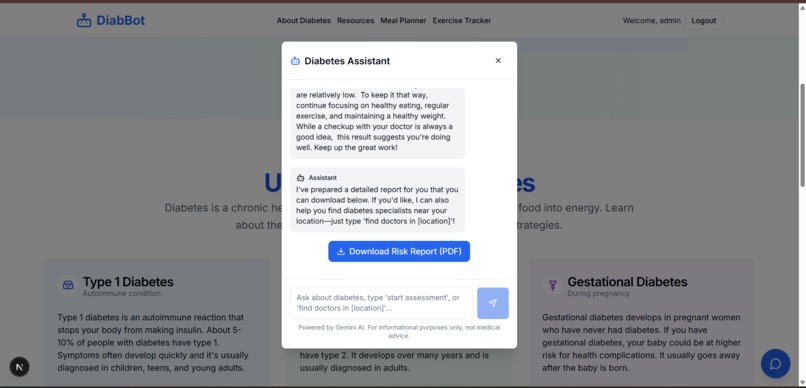
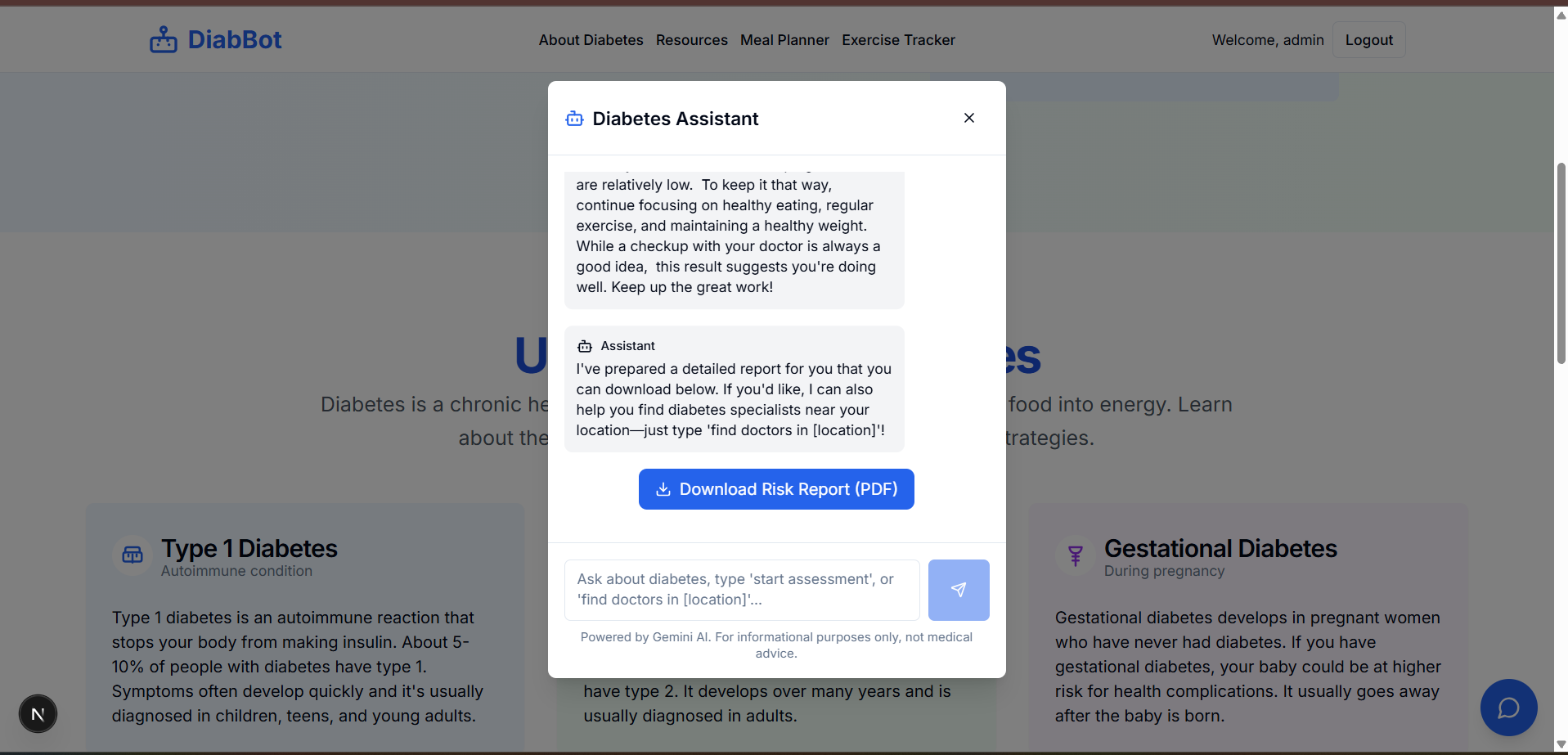
risk assessment detailed report
-
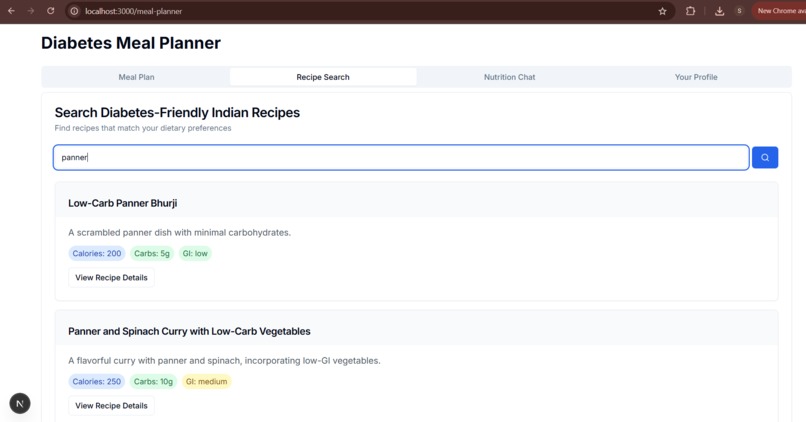
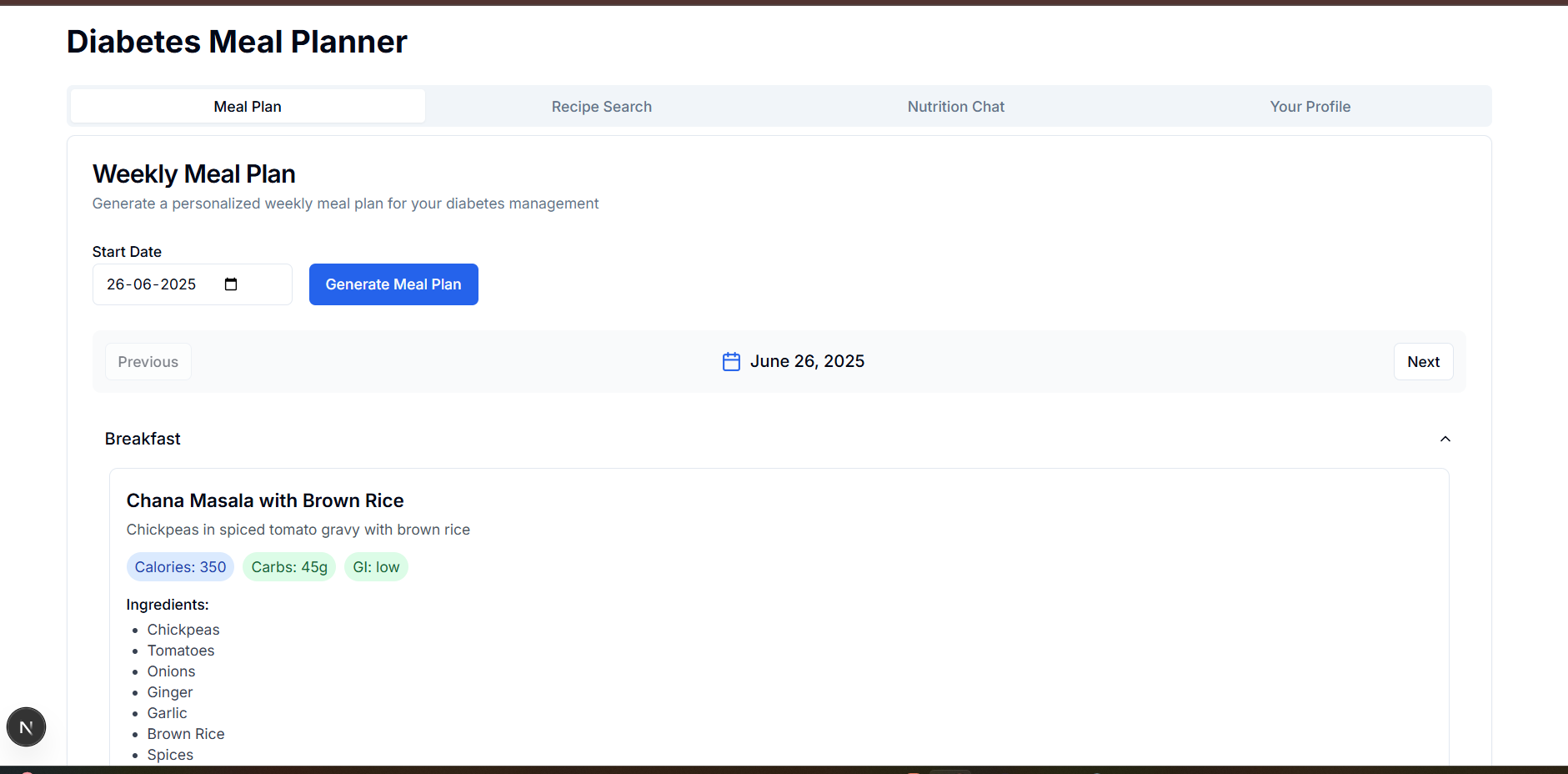
meal planning
-
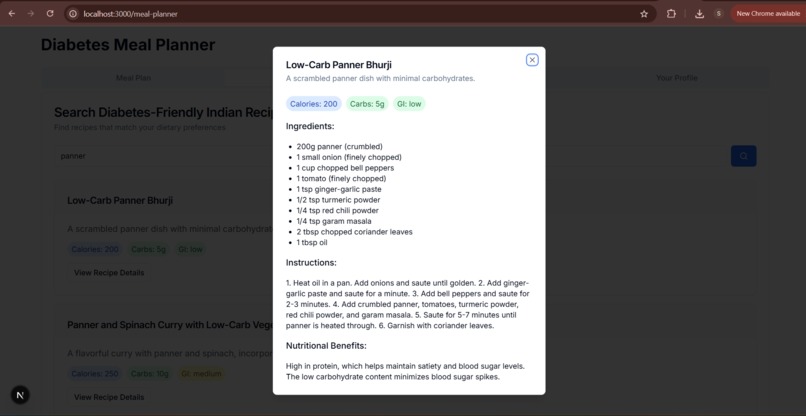
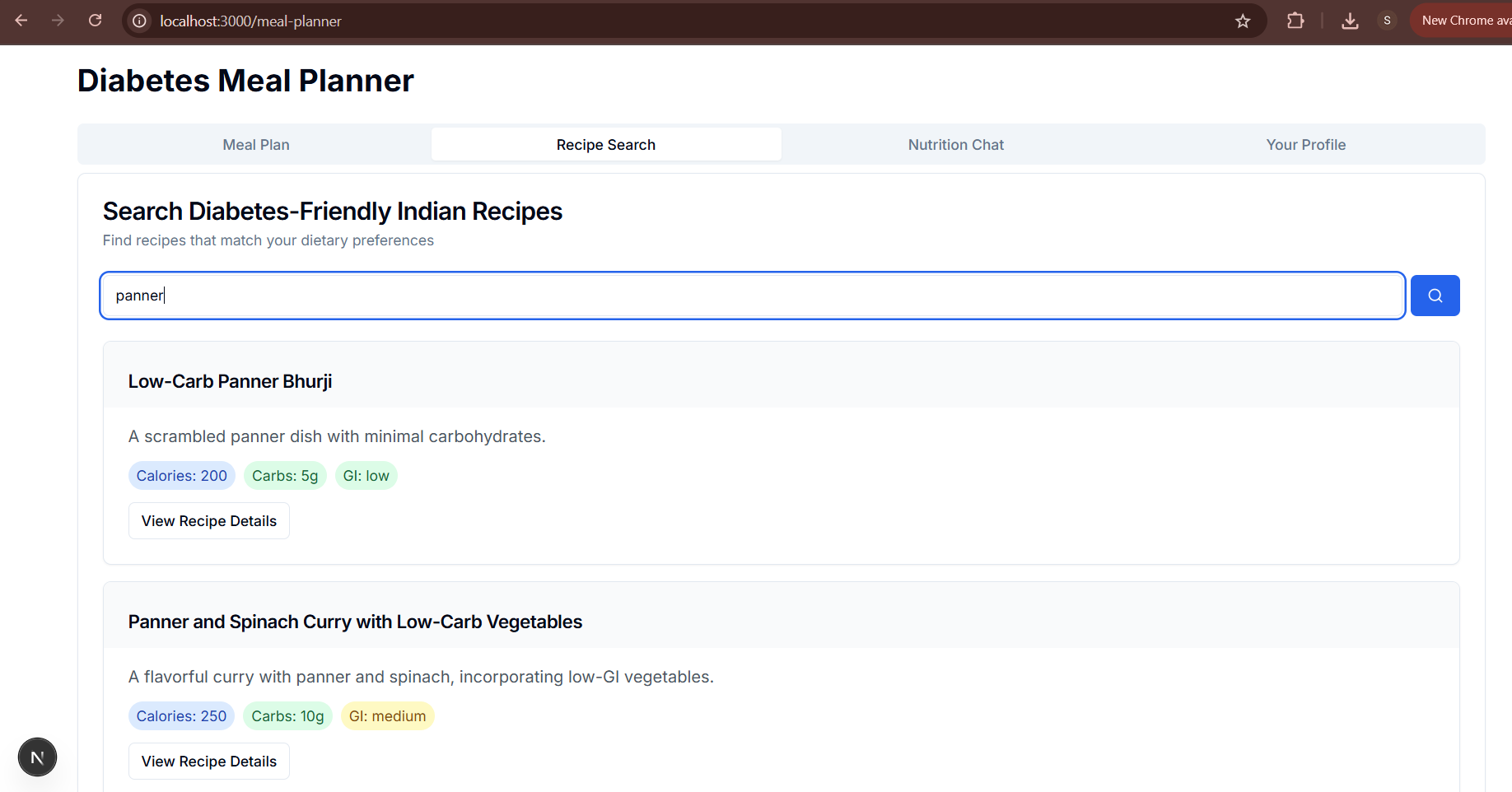
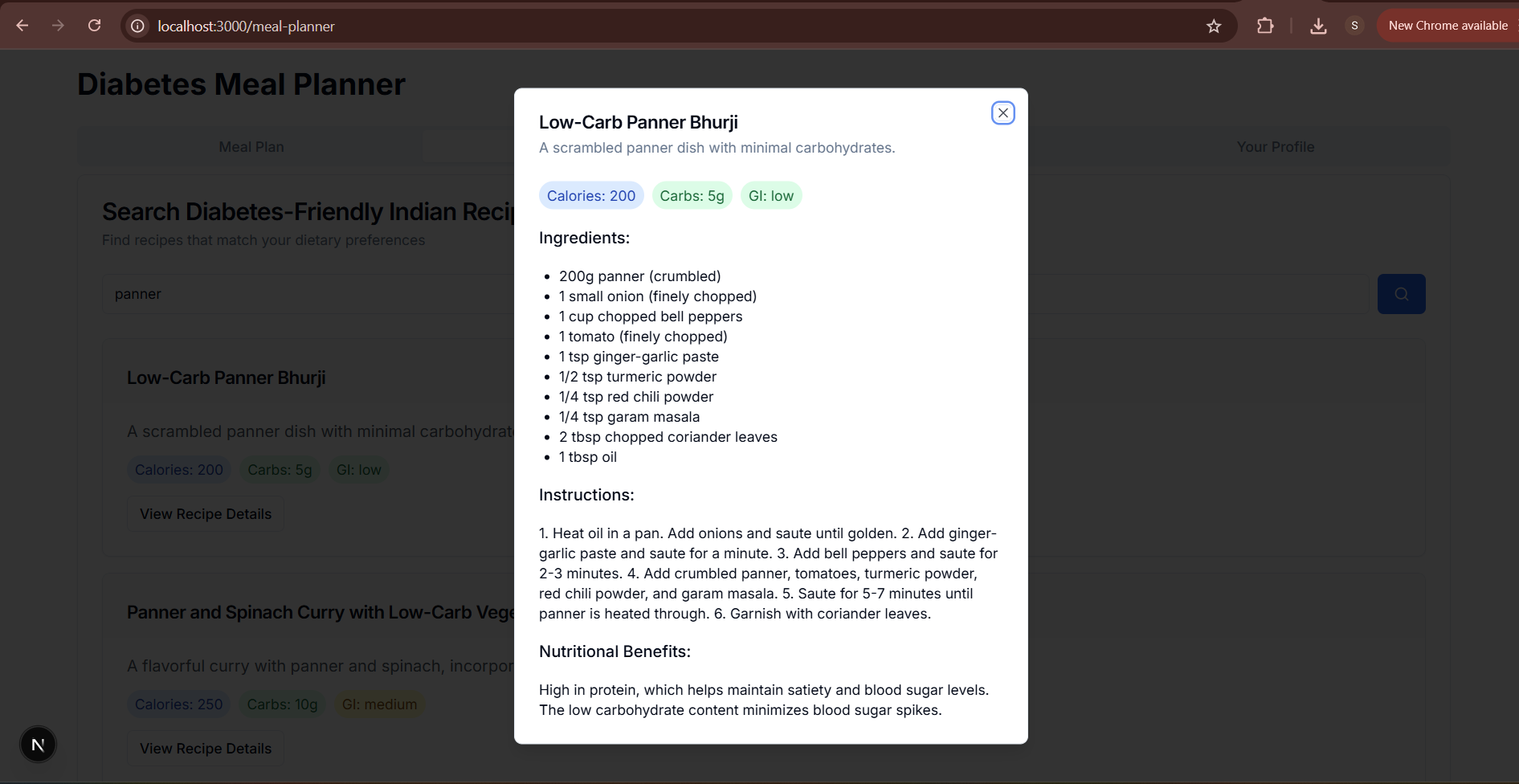
recipe suggestions
-
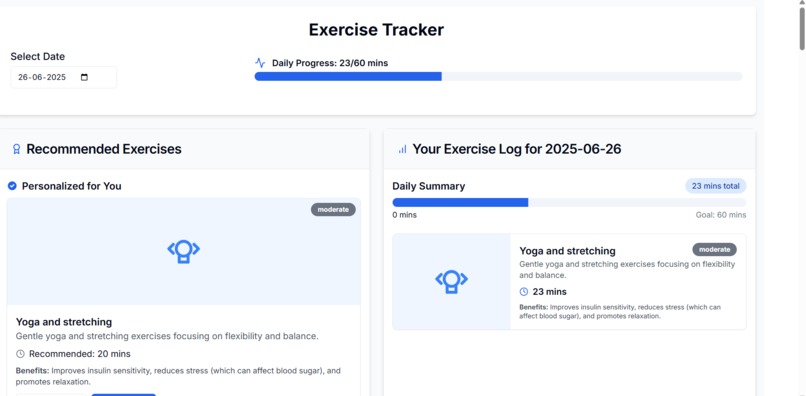
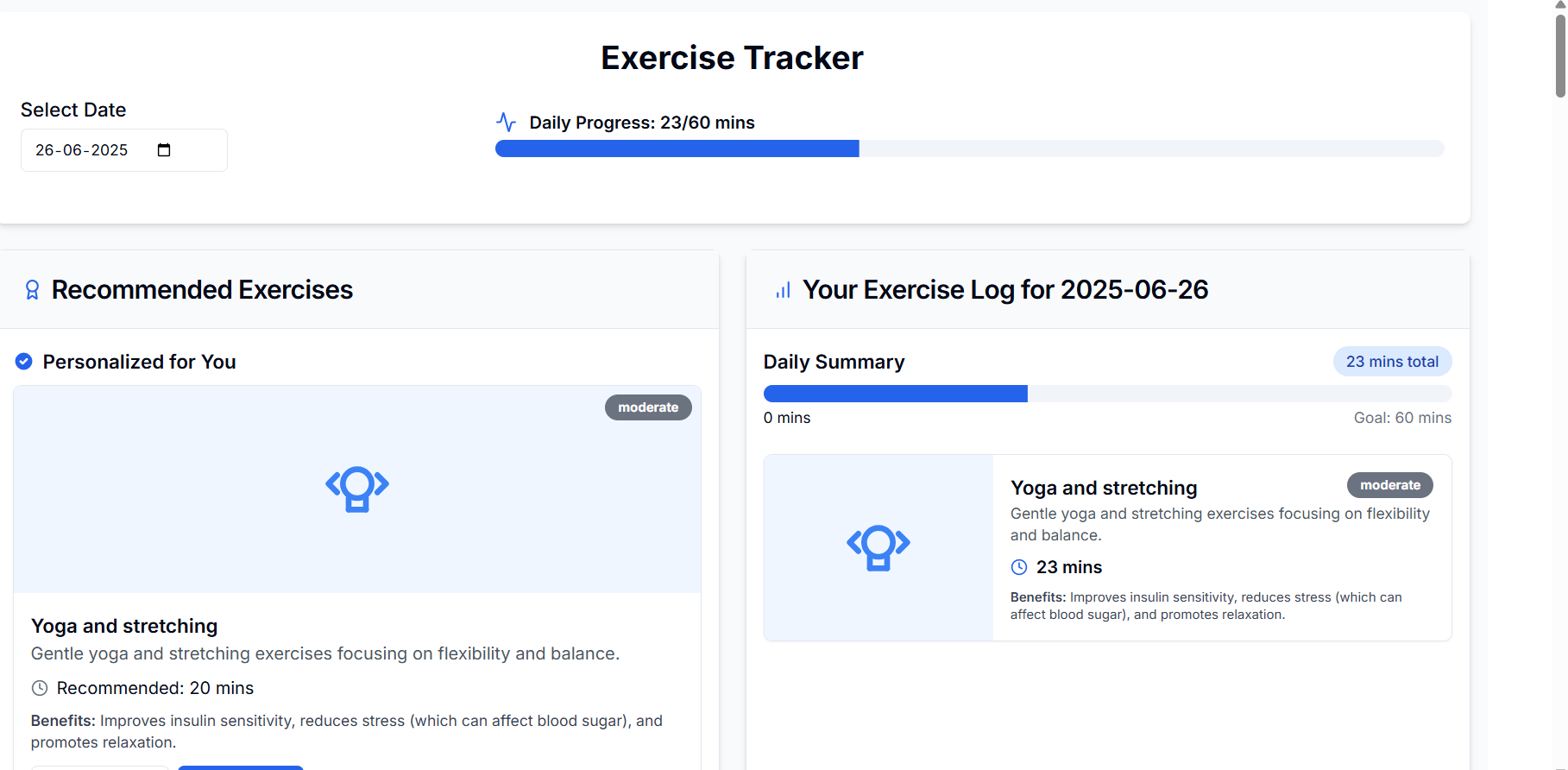
Personalized Exercise Tracking
Diabetes Risk Prediction and Management Chatbot
About the Project
Inspiration
As someone deeply interested in the intersection of healthcare and technology, I wanted to build something that had real-world impact. With diabetes affecting millions in India — and many people not even realizing they’re at risk — I felt there was a need for a tool that helps individuals take control of their health in a more informed and accessible way.
That’s where the idea for this chatbot came from: a smart assistant that doesn’t just assess your diabetes risk, but also helps you act on it with useful, culturally relevant advice.
What It Does
This web application acts as an all-in-one diabetes assistant. It allows users to:
- Start a risk assessment by entering basic health data like age, glucose, BMI, and blood pressure.
- Get a risk prediction using a machine learning model (Random Forest Classifier), along with a probability score.
- See their risk level classified as Low (< 0.3), Moderate (< 0.7), or High (≥ 0.7).
- Receive personalized lifestyle suggestions, especially around diet and exercise.
- Search for nearby endocrinologists by typing “find doctors in [location]” — results come from the Google Maps API.
- Chat with an AI-powered assistant (Gemini AI) that answers questions about symptoms, low-GI foods, Indian meals, and diabetes management.
- Generate a custom 7-day diabetes-friendly meal plan based on their dietary preferences and health profile.
- Search for Indian recipes and get nutrition details, along with diabetes-specific tips.
- Download a detailed PDF report summarizing their risk score, health metrics, and recommendations.
- Create and update a personal health profile to get more relevant suggestions.
How I Built It
The project is a full-stack web application built using the following technologies:
Frontend:
- Developed using Next.js with TypeScript and Tailwind CSS for a responsive, clean UI.
- Components like tab navigation, accordions, and modals were built from scratch.
- Used
fetch()for API calls with proper loading states and error handling.
Backend:
- Built with Flask and Python.
- Trained a Random Forest Classifier using the Pima Indians Diabetes dataset for risk prediction.
- Developed API routes for risk prediction, meal generation, recipe search, user profile management, and chat integration.
- Handled JSON response formatting, CORS issues, and retry logic for stability.
APIs:
- Google Maps API for real-time doctor search.
- Gemini AI API for conversational support and recipe generation.
PDF Report:
- Used jsPDF to create downloadable reports with scores, recommendations, and health data.
Data was stored in memory for the prototype, but the architecture is built to support future database integration.
What I Learned
This project was a deep learning experience for me — not just technically, but also in thinking through product design, user experience, and real-world use cases.
Technically, I learned how to:
- Train and use a machine learning model in a live web application.
- Build and connect RESTful APIs using Flask and Python.
- Work with external APIs like Google Maps and Gemini AI, and solve practical issues like CORS, data formatting, and latency.
- Write clean, modular frontend code using React (Next.js), Tailwind CSS, and TypeScript.
- Generate structured, dynamic PDF documents with jsPDF.
- Build responsive UI components that work well across mobile, tablet, and desktop.
On a broader level, I learned how important:
- User personalization is, especially in health-focused applications.
- Accessibility and simplicity are when designing tools that deal with serious health issues.
- Debugging and problem-solving become when integrating multiple services in one product.
- Clear planning and architecture are for building something scalable, even as a solo developer.
Challenges I Faced
Building this solo meant wearing a lot of hats — from designing the UI to writing backend logic and training ML models. Some of the challenges I faced included:
- CORS and API integration issues, especially with Gemini AI and Google Maps.
- Getting jsPDF to handle multi-line, dynamic content correctly in the PDF reports.
- Debugging TypeScript issues during API fetches, particularly when responses weren't consistent.
- Making the UI fully responsive with Tailwind CSS across different screen sizes.
- Managing state between the chatbot, user profile, and risk prediction modules.
Every issue was an opportunity to dive deeper, and solving them gave me a stronger grasp of both frontend and backend engineering.
What’s Next
I see a lot of potential for improving and expanding this project. Here are a few features I plan to add:
- Exercise Planner: Suggest customized routines based on diabetes type and activity level.
- Multilingual Support: Add support for regional Indian languages to make it more accessible.
- Health Tracker: Allow users to log daily blood sugar levels and see trends.
- Database Integration: Use Firebase or PostgreSQL to persist user data.
- Doctor Appointment Booking: Add functionality to schedule visits directly from the app.
- Mobile App Version: Build a cross-platform version using React Native or Kotlin for wider reach.
Tech Stack
- Frontend: Next.js, TypeScript, Tailwind CSS, lucide-react
- Backend: Flask, Python, scikit-learn, pandas
- APIs: Gemini AI API, Google Maps API
- PDF Reports: jsPDF
Built With
- https://drive.google.com/file/d/16uzpiolz6io6bhfu5qbwmlcschwqqixm/view?usp=sharing

Log in or sign up for Devpost to join the conversation.