-
-
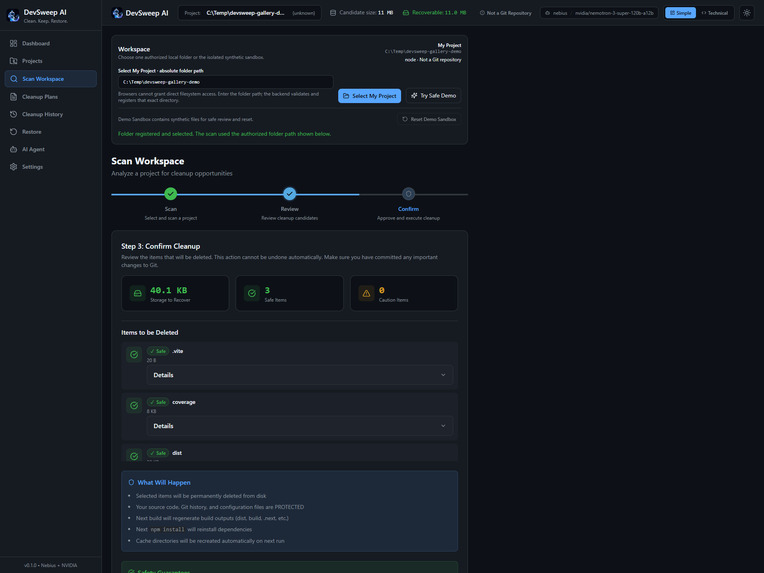
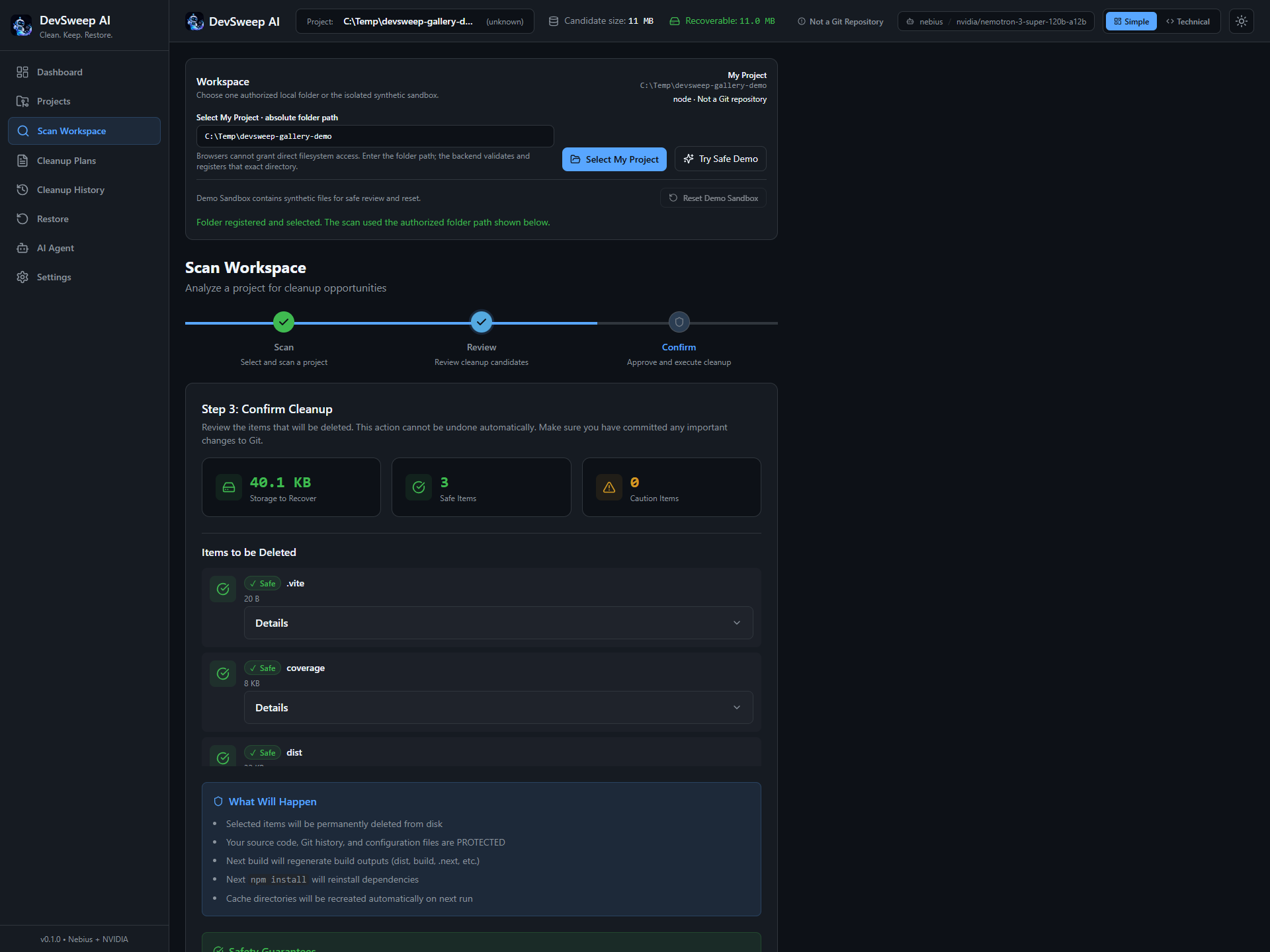
The demo reports three items deleted, zero failures, and successful backend verification.
-
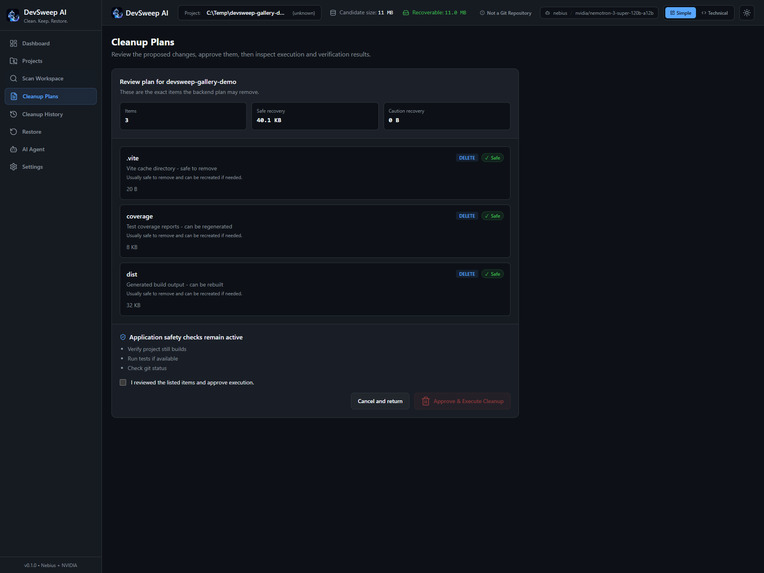
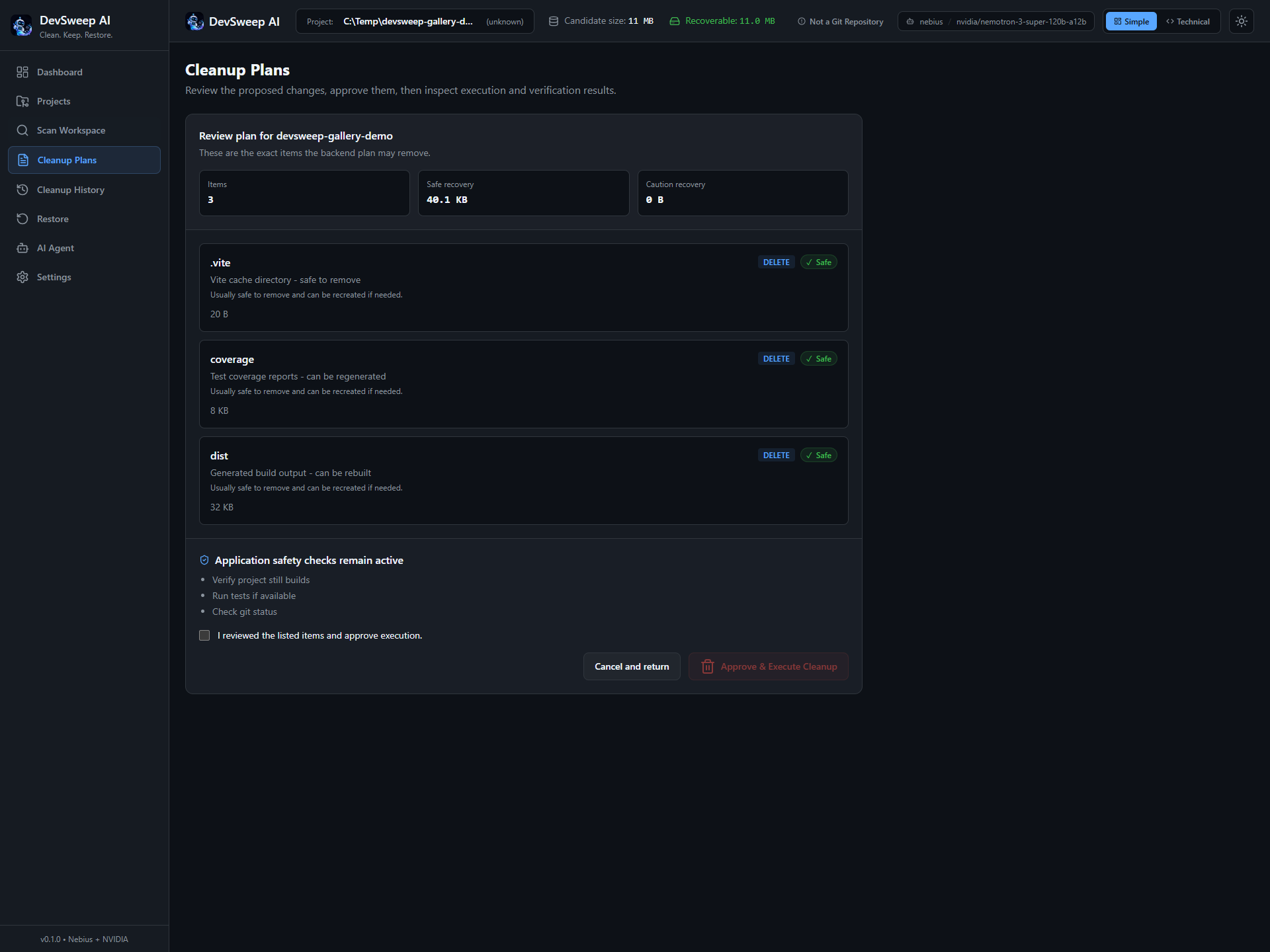
Cleanup requires explicit user confirmation; AI recommendations do not trigger deletion on their own.
-
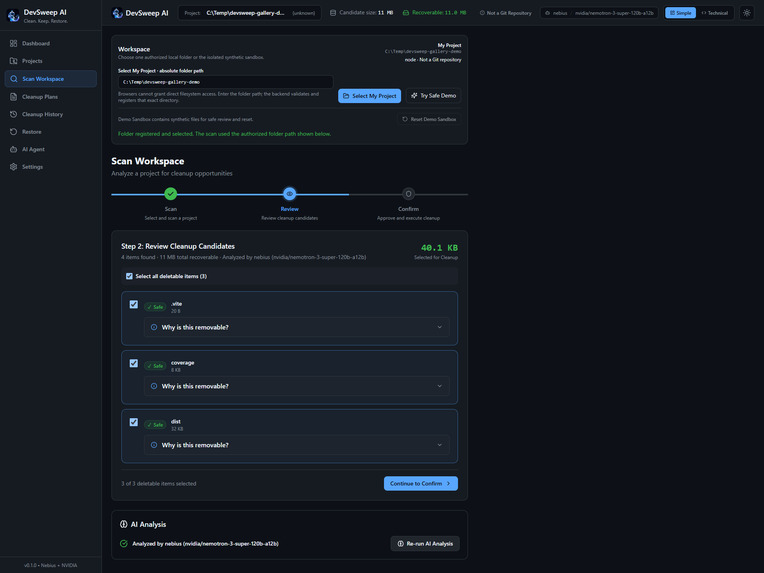
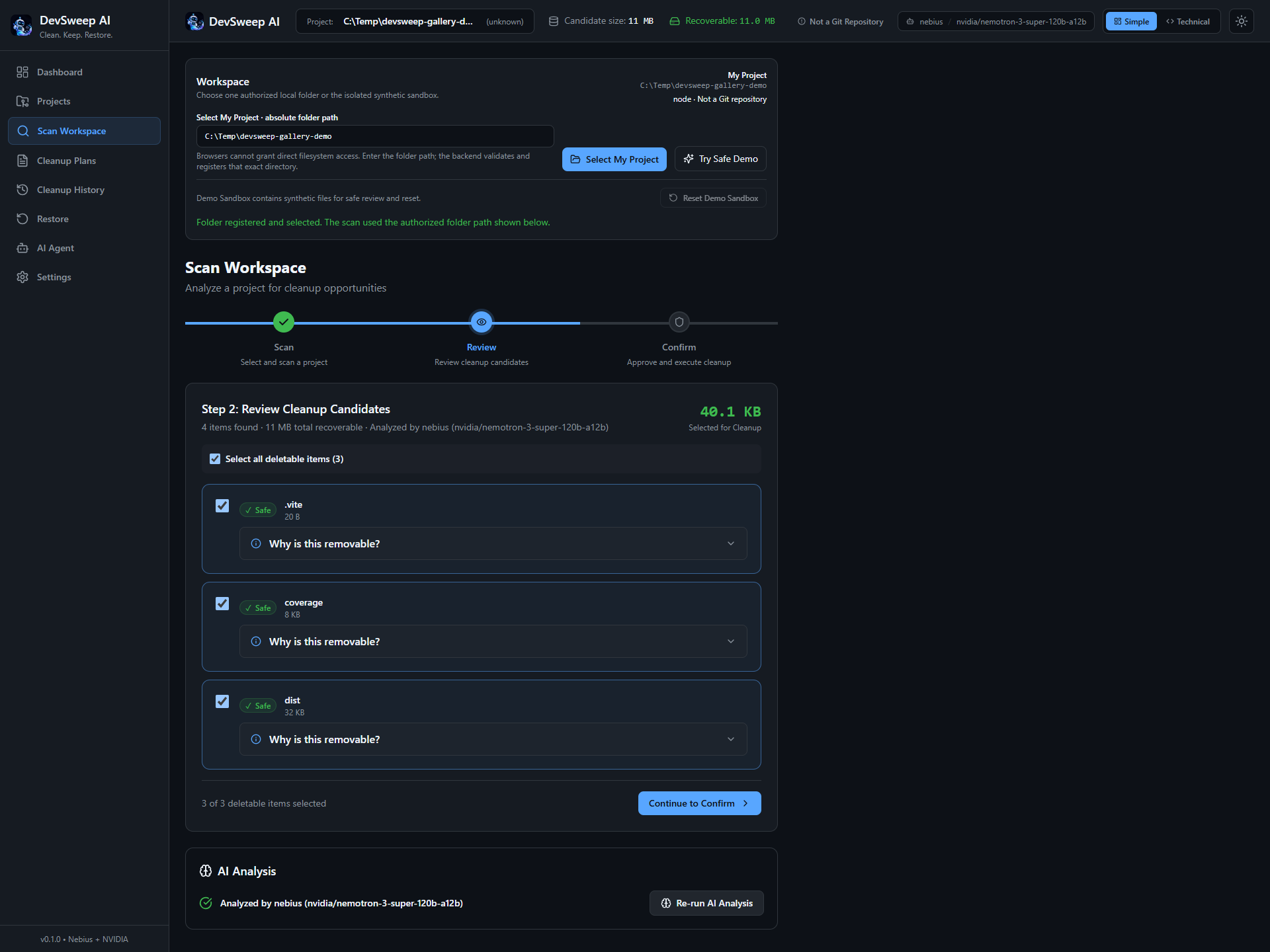
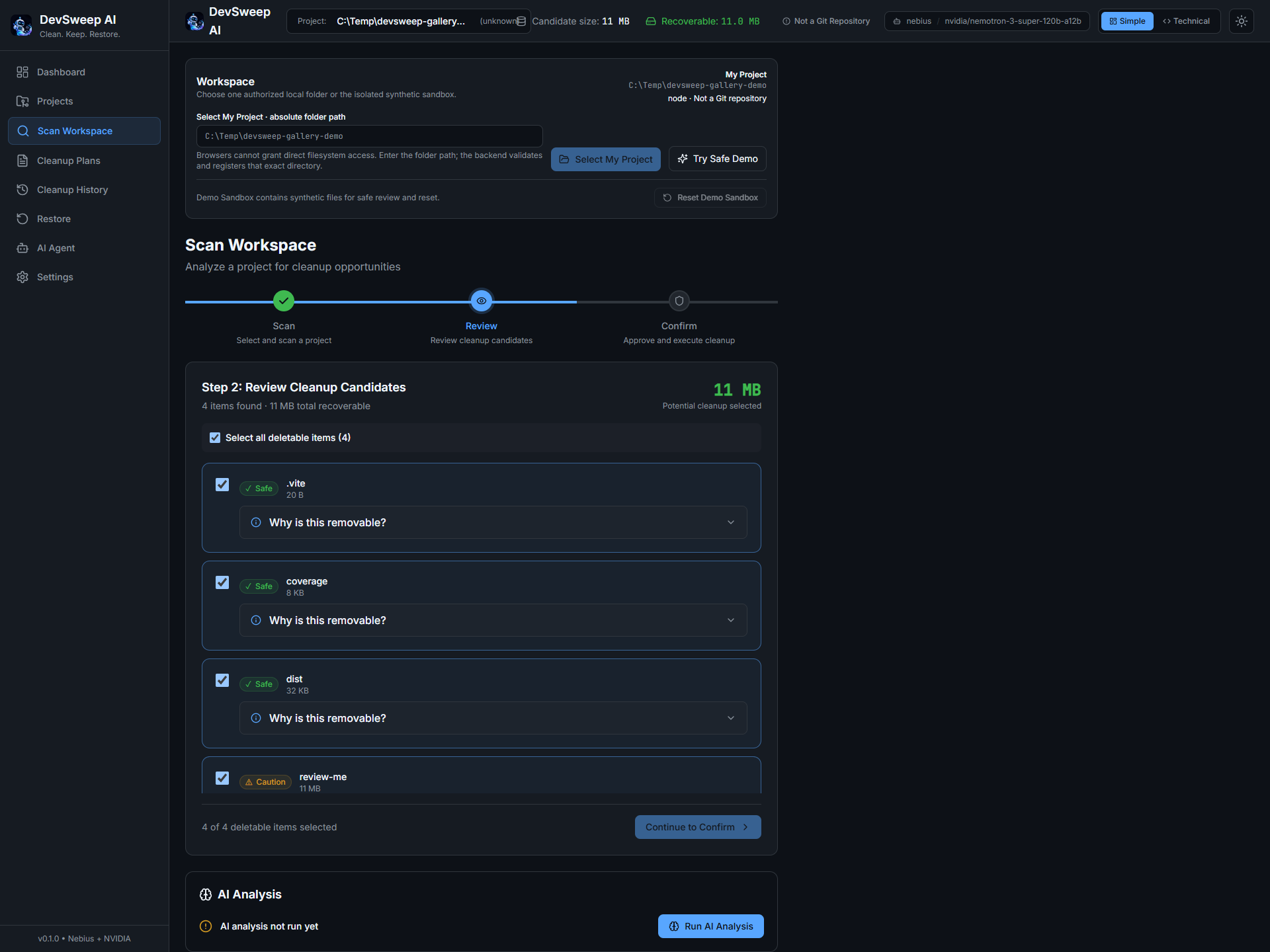
Live Nebius analysis with NVIDIA Nemotron adds AI insights to the workspace scan.
-
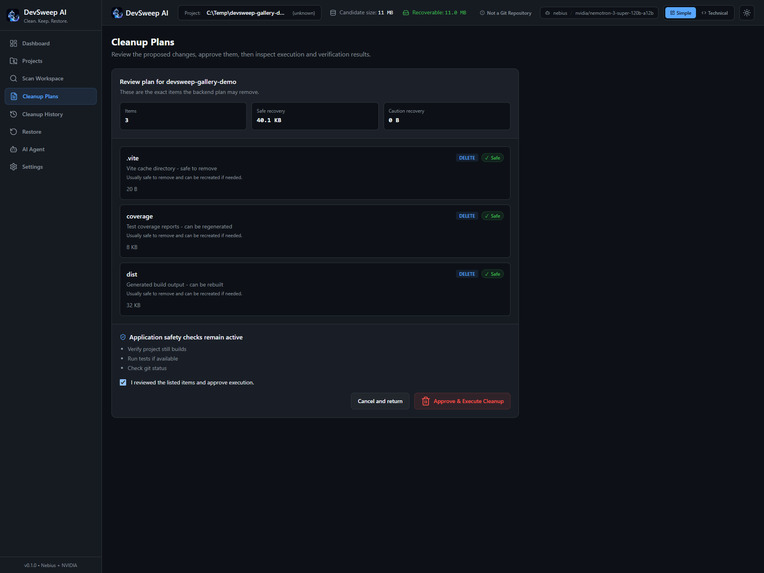
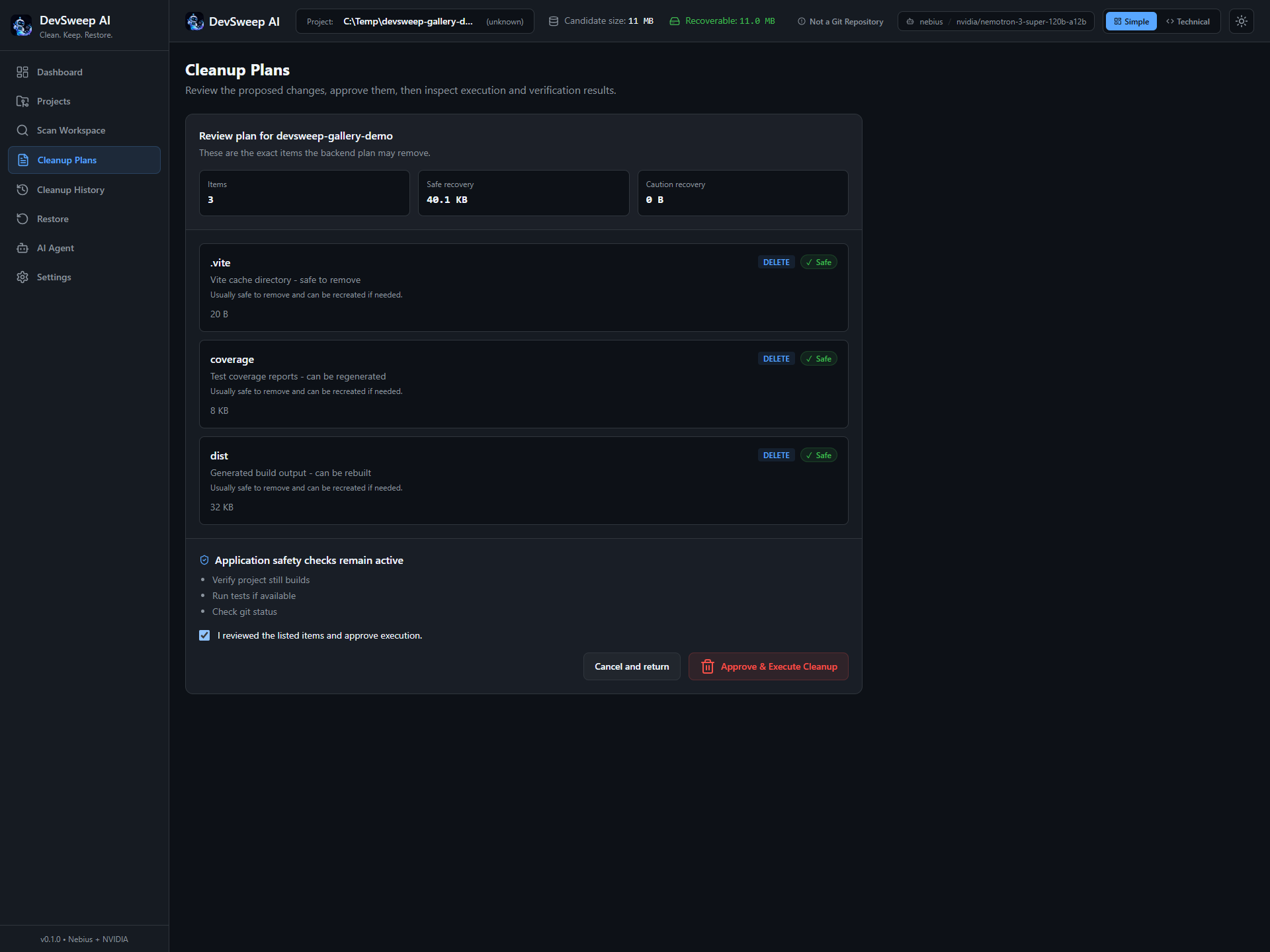
The proposed plan lists the exact cleanup candidates and recovery estimates for review.
-
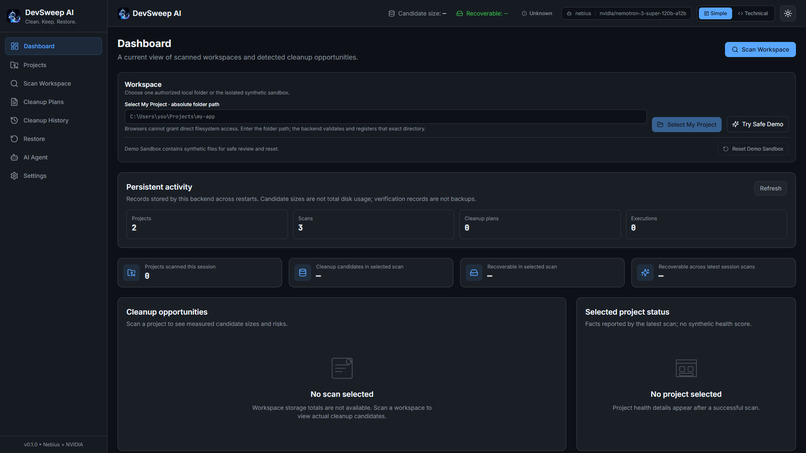
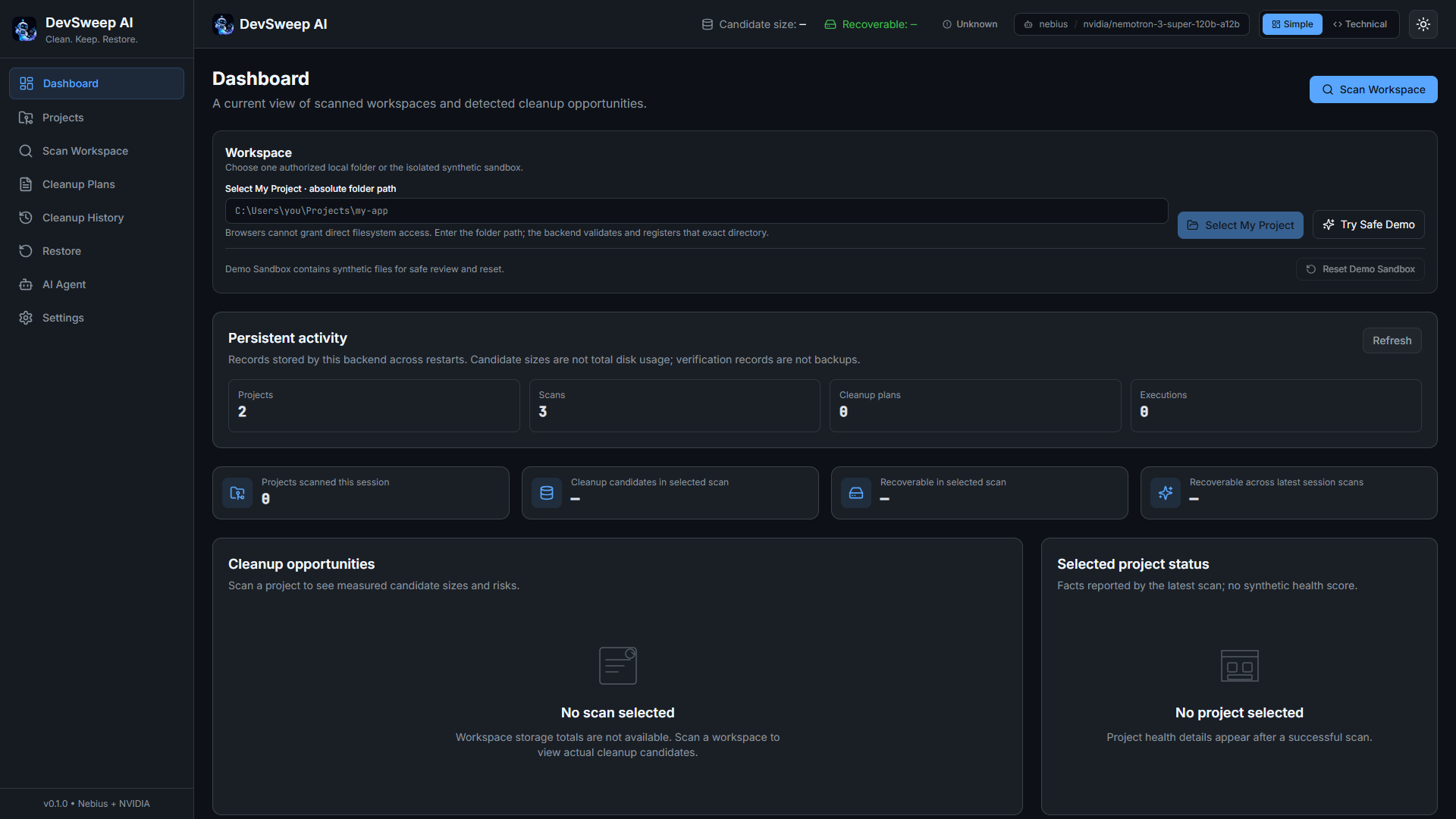
The dashboard brings workspace selection, scan activity, and cleanup opportunities into one view.
-
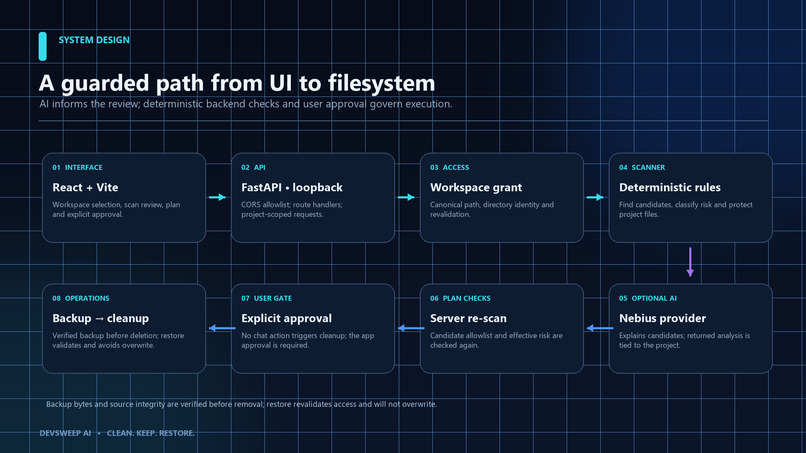
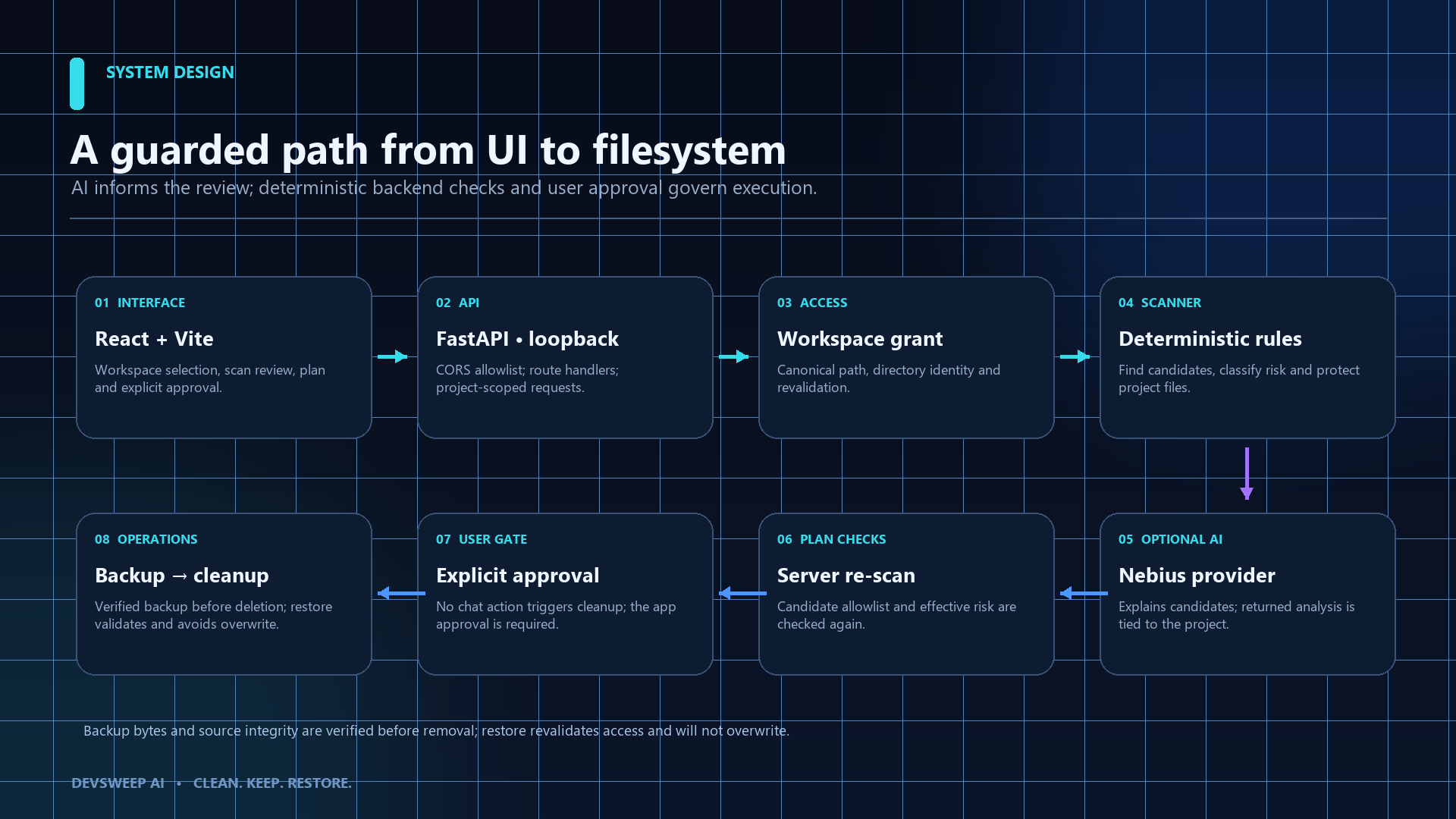
React and FastAPI connect scanning, optional AI analysis, server-side checks, approval, backup, cleanup, and restore.
-
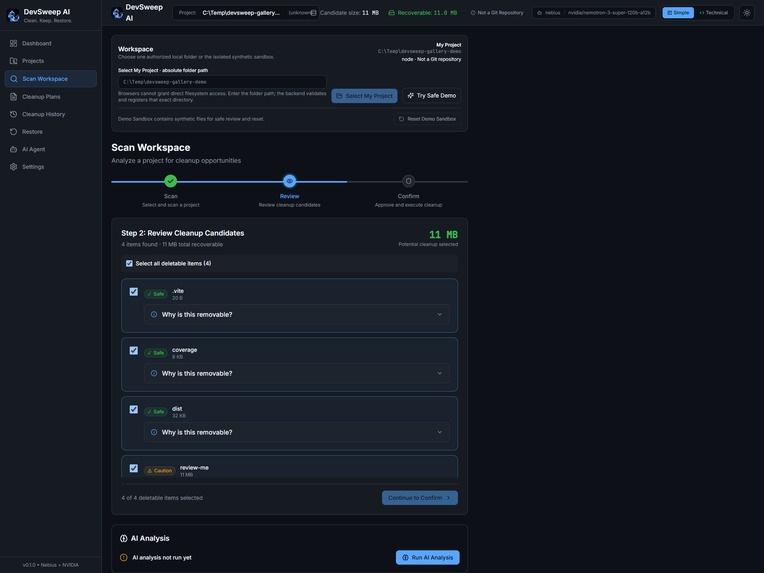
The scanner identifies cleanup candidates and distinguishes safe-to-regenerate artifacts from items needing caution.
-
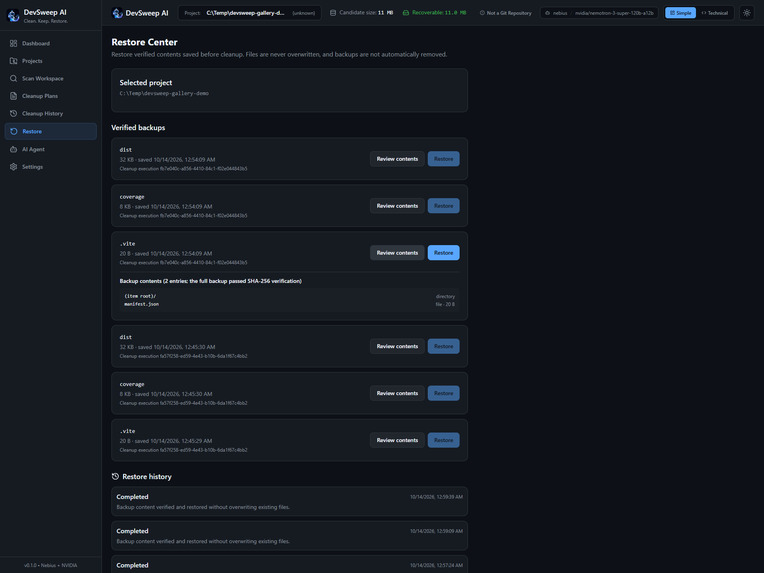
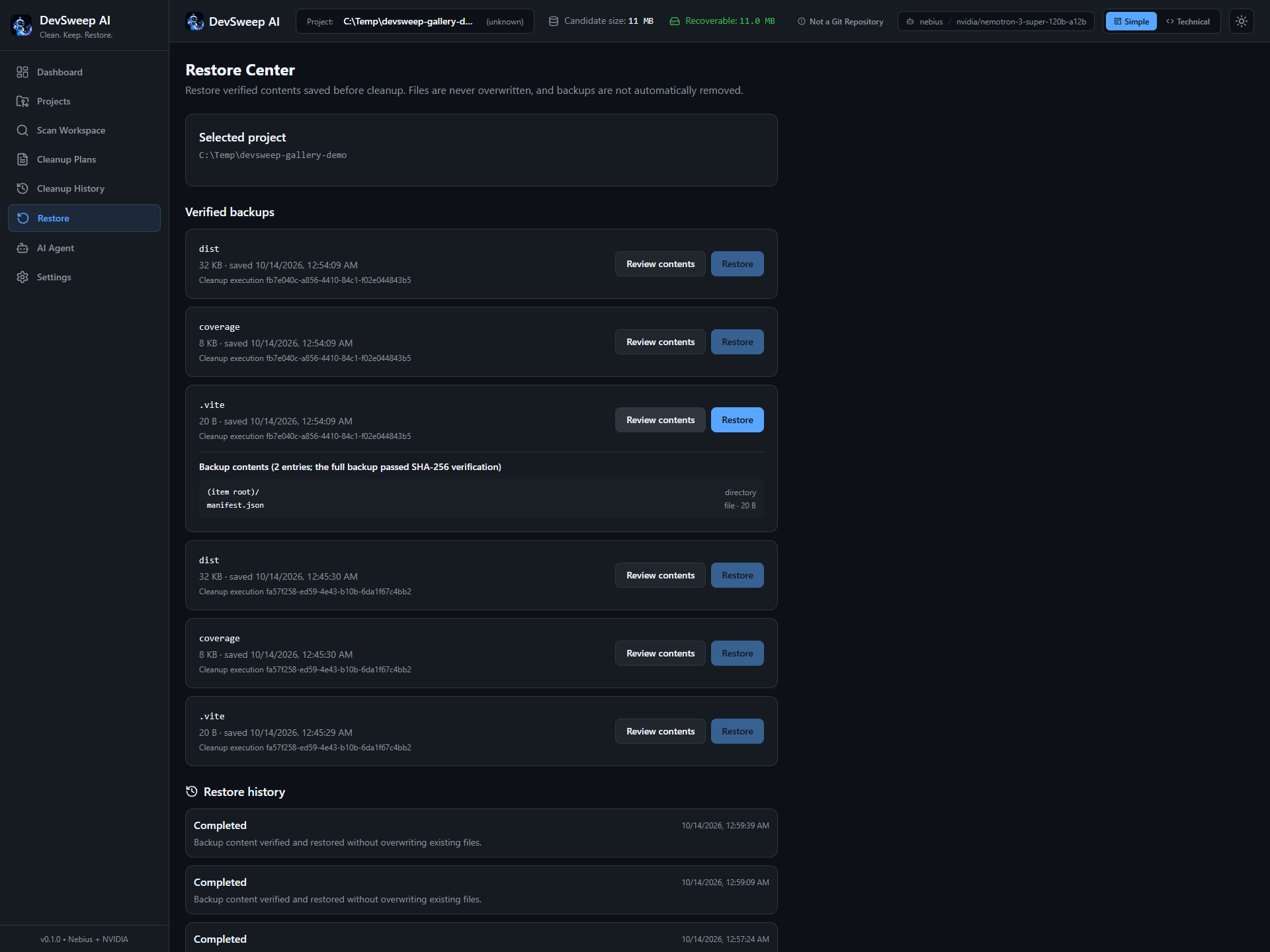
The Restore Center displays saved backups, SHA-256 verification evidence, and completed restoration history.
-
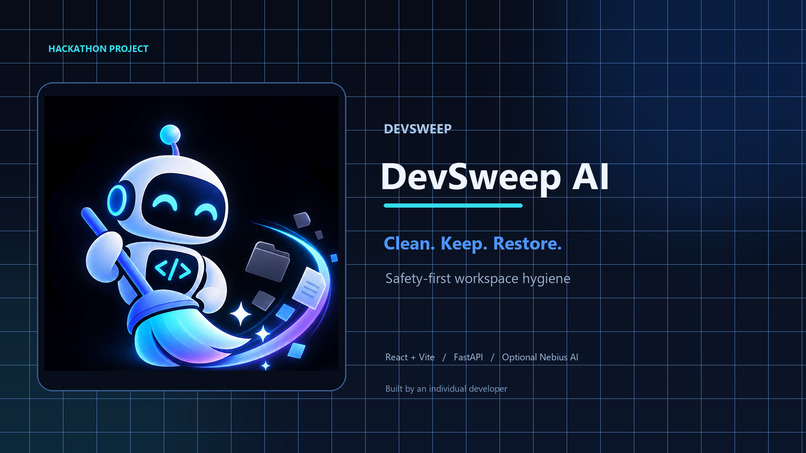
DevSweep AI: Clean. Keep. Restore. A safety-first workspace hygiene agent.
Inspiration
As a B.Tech Computer Science student, I spend time building and experimenting with development projects. Over time, these projects can accumulate temporary files, caches, and generated artifacts that consume valuable disk space. Manually deleting them can be risky because removing the wrong file may break a project.
I wanted to explore a safer approach to workspace cleanup—one that helps developers understand what can potentially be removed instead of blindly trusting an automated tool.
What it does
DevSweep AI is an AI-assisted workspace hygiene tool designed to identify potential cleanup candidates in development projects.
It aims to help developers understand which files may be unnecessary, why they were flagged, and what risks should be considered before cleanup. I designed the workflow around user approval, safety checks, and verification rather than blind deletion.
The project is intended for students, beginner programmers, and developers working with limited local storage.
How I built it
I built DevSweep AI using a React and Vite frontend with a Python and FastAPI backend. The application is organized around workspace analysis, cleanup recommendations, and controlled filesystem operations.
The AI integration is intended to assist with analysis and explanations, while deterministic safety checks validate proposed actions. This separation matters because AI-generated recommendations should never be the sole authority for destructive operations.
I also focused on reproducible testing and documentation so developers can inspect the implementation and understand how to run the project.
Challenges I ran into
The biggest challenge was balancing automation with safety. Identifying a file that looks unnecessary is relatively easy; determining whether removing it could damage a project is much harder.
I had to account for protected files, uncertain classifications, filesystem errors, workspace boundaries, and the need to verify actual changes rather than relying on success messages.
Another challenge was making AI useful without making the application entirely dependent on it. The application needs predictable safety behavior even when an AI provider is unavailable or returns an invalid response.
Accomplishments I'm proud of
I'm proud of building DevSweep AI around a practical developer problem and designing it with safety as a core principle rather than an afterthought.
I focused on making cleanup recommendations understandable, keeping destructive actions under user control, and testing important behavior instead of relying only on a successful-looking interface.
I also worked on workspace isolation, automated tests, and documentation to make the project easier to evaluate and reproduce.
What I learned
Building DevSweep AI taught me that useful developer automation requires much more than connecting an AI model to an application. It requires clear explanations, deterministic safeguards, careful error handling, and verification.
I learned that AI can help explain and prioritize recommendations, but reliable software must independently enforce its safety rules. I also learned the importance of distinguishing implemented functionality from planned improvements and verifying claims before presenting them to users.
What's next for DevSweep AI
My immediate priorities are to validate the complete workflow using an isolated sample project, test cleanup safety and recovery where supported, verify the AI integration, and make setup straightforward for other developers.
Future improvements could include broader ecosystem-specific cleanup rules, more detailed storage insights, additional developer-tool integrations, and stronger recovery options.
My long-term goal is to make development workspace maintenance more accessible and safer, especially for students and developers who are still learning how their tools manage project files.


Log in or sign up for Devpost to join the conversation.