-
-

Logo
-
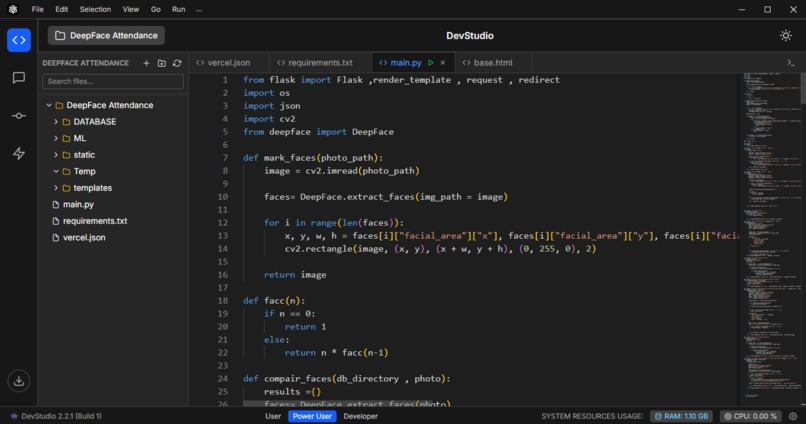
Base Editor
-
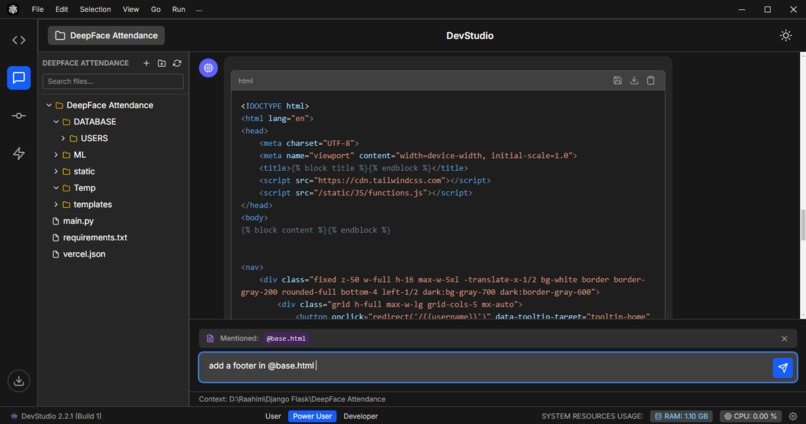
Integrated Chatbot
-
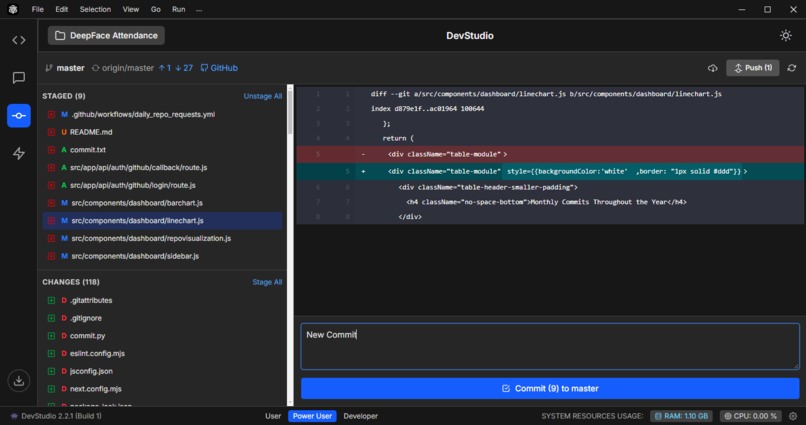
Github Commit Integration
-
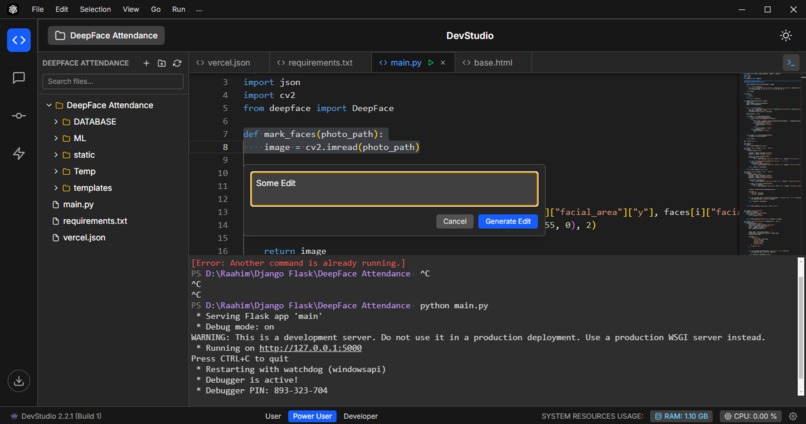
Terminal / Inline Edit

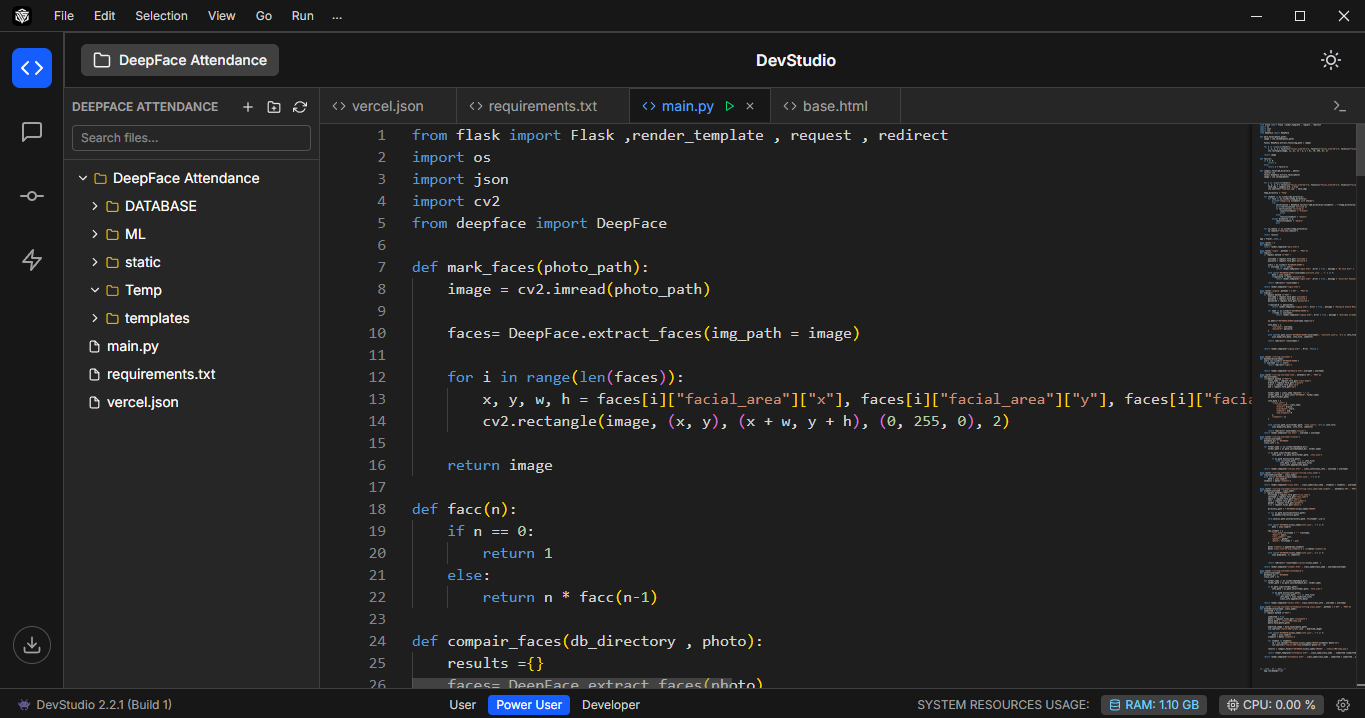
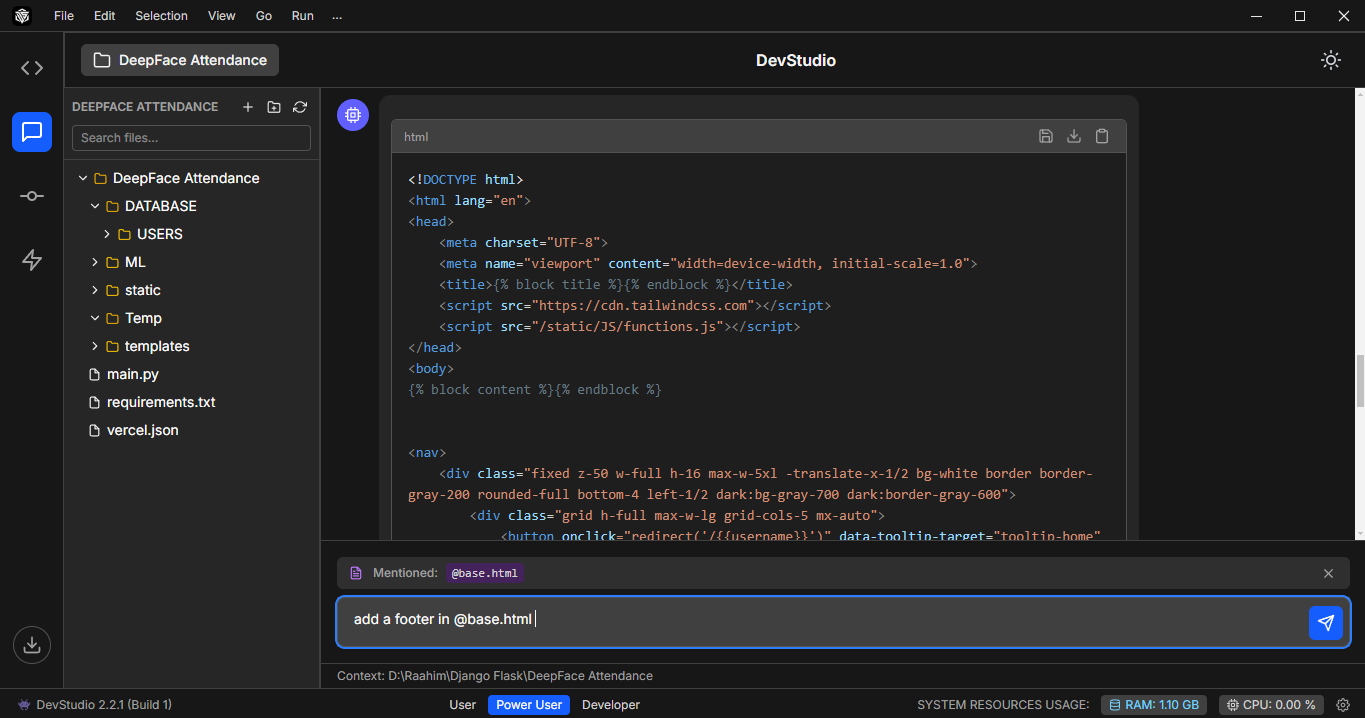
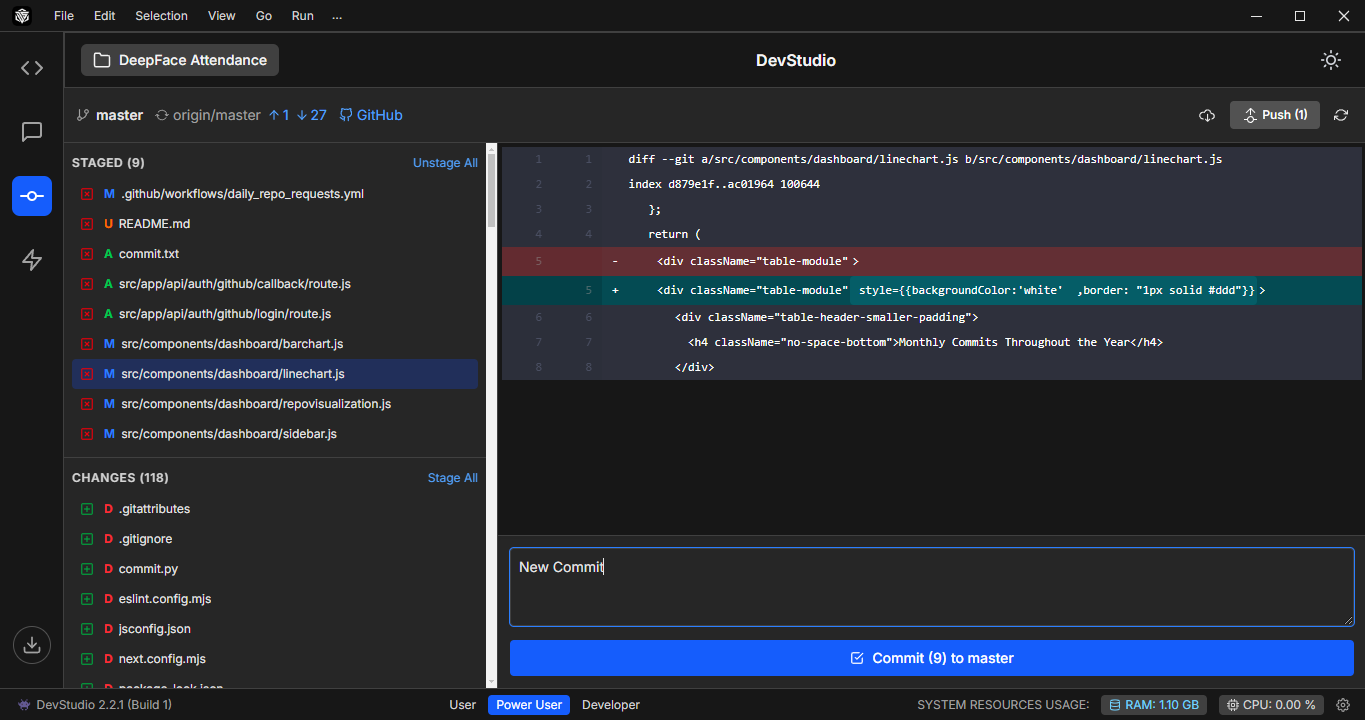
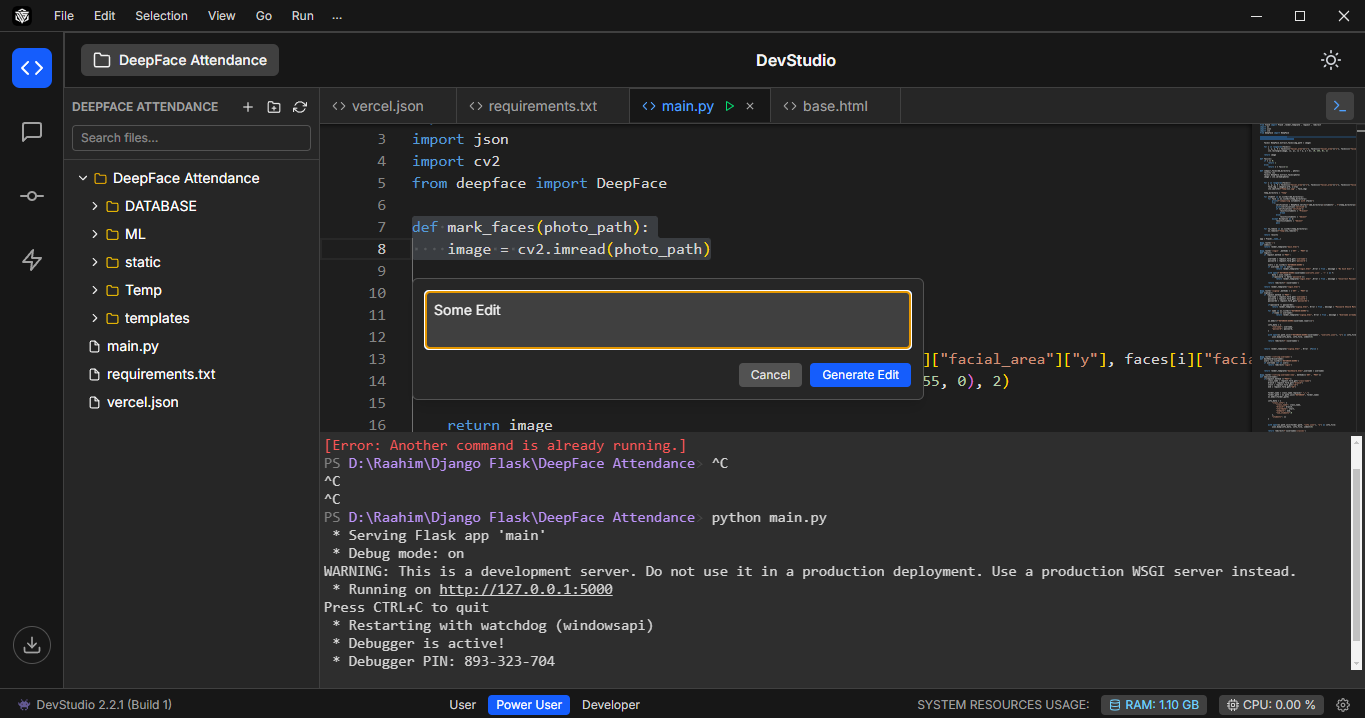
🚀 DevStudio: AI-Powered Code Editor for Modern Developers
🧠 Inspiration
As developers, we constantly switch between tools—editors, terminals, Git platforms, and browser-based AI assistants. We asked ourselves:
What if all of that lived in one intelligent, unified workspace?
DevStudio was born from this idea—an AI-enhanced code editor that doesn't just help you write code, but understands what you're building, assists in real-time, and integrates deeply with GitHub for a seamless workflow.
🛠️ How We Built It
DevStudio is built using:
- Next.js for the frontend UI and dynamic interactions
- Electron.js to wrap it into a cross-platform desktop app
- Monaco Editor (the engine behind VS Code) for the editing interface
- Gemini API for AI-driven inline edits and chatbot assistance
- GitHub API for direct repository commits
- Custom terminal shell embedded directly within the app
Key Features:
- 💬 Chatbot integration for AI pair programming
- ✨ Ctrl+K Inline AI Edits: Select text and instantly rewrite/refactor it
- 🔁 One-click GitHub Commits: Commit directly without leaving the app
- 🖥️ Integrated Terminal: Run commands, builds, and tests inside DevStudio
📚 What We Learned
- How to wrap a modern web stack (Next.js) in an Electron environment
- Real-time editor event handling and API integration with Monaco
- Using AI context windows smartly to give better inline suggestions
- GitHub API authentication, repo syncing, and error handling
- Deploying AI features with usability in mind—not just gimmicks
🧗 Challenges We Faced
- Getting Electron and Next.js to work smoothly together took time and debugging, especially around file paths and build tools
- Building a custom inline edit system (Ctrl+K) required deep integration with the editor's selection API and async AI calls
- Implementing GitHub commits securely without exposing user tokens
- Making the chatbot feel helpful and not intrusive — balancing UI space with productivity
Thanks for checking out DevStudio. We built it to save developers time, reduce context switching, and supercharge productivity — all powered by AI.
Built With
- electronjs
- gemini
- javascript
- nextjs

Log in or sign up for Devpost to join the conversation.