-
-
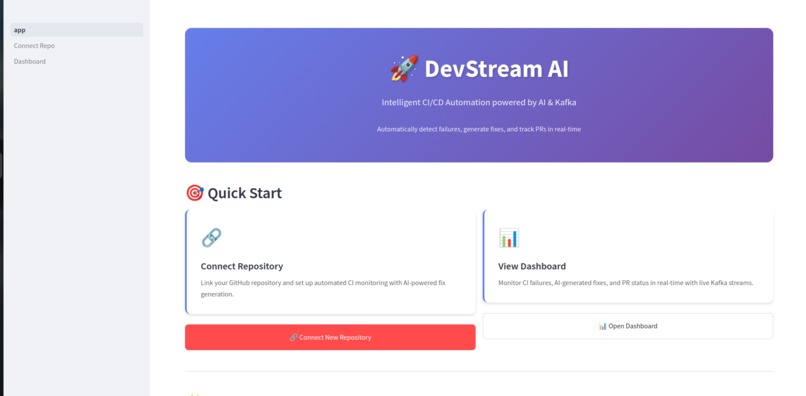
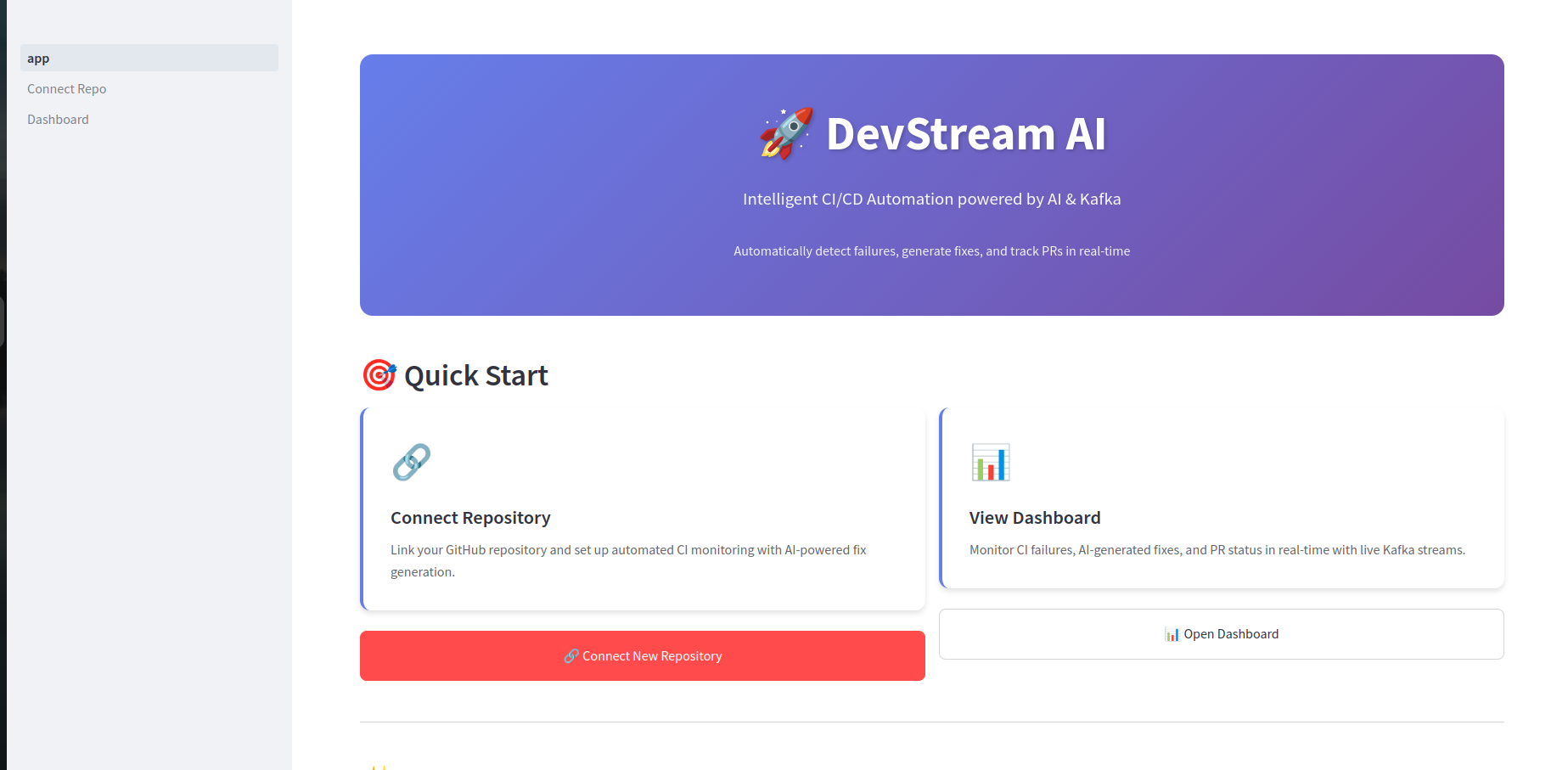
Home Page
-
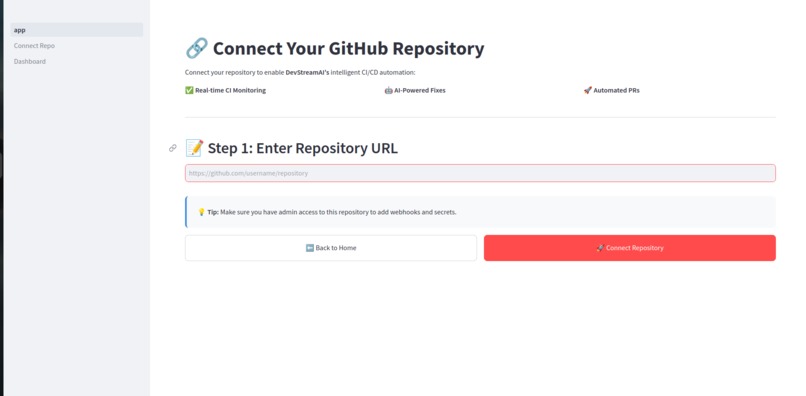
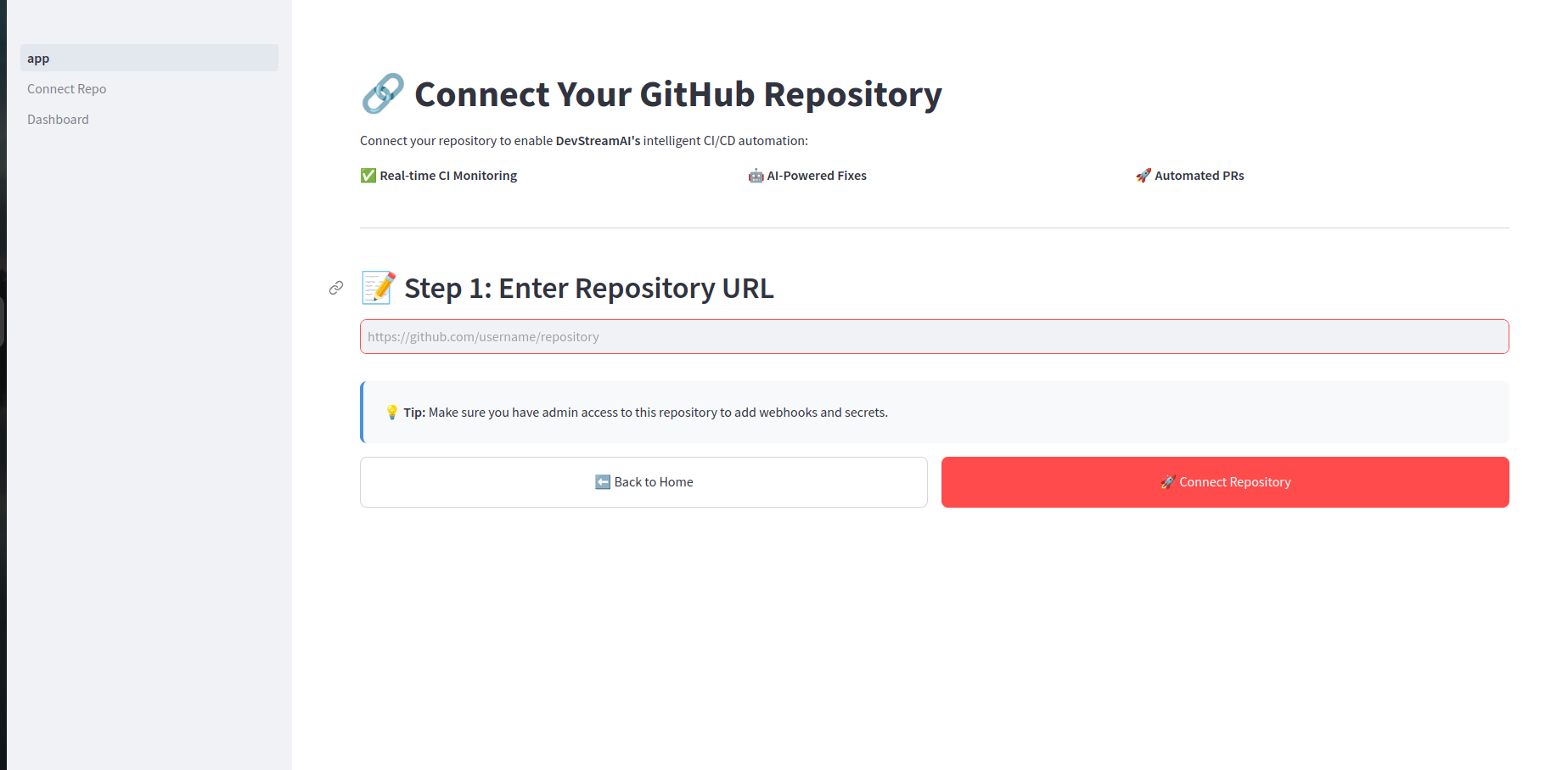
Connect Repo
-
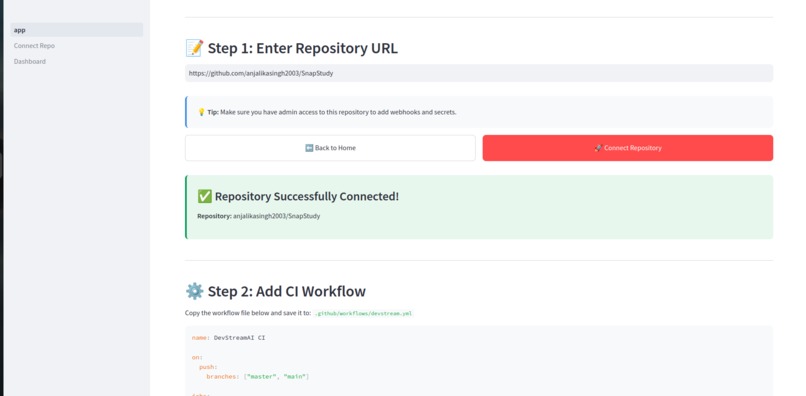
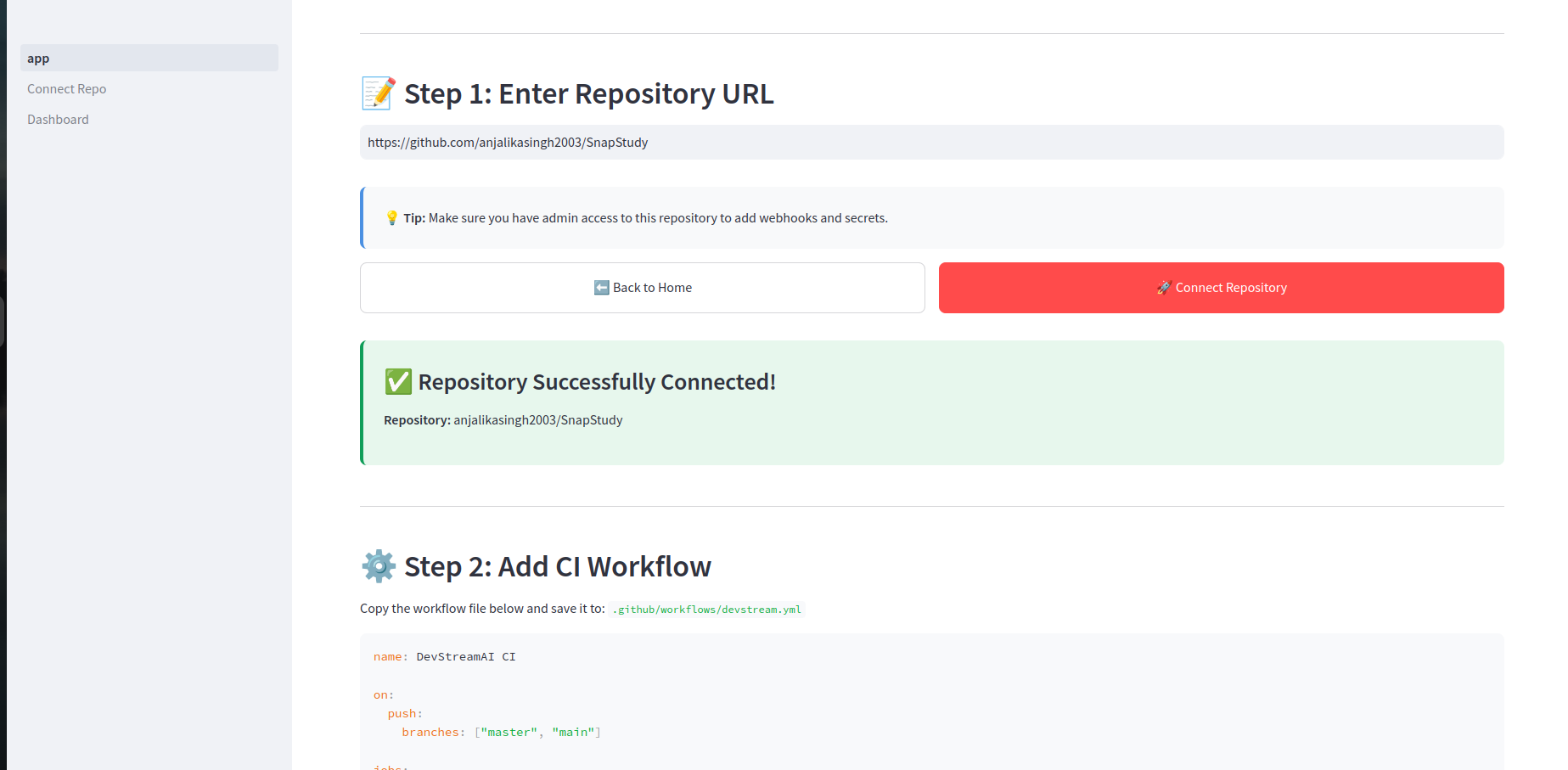
Repo Connected
-
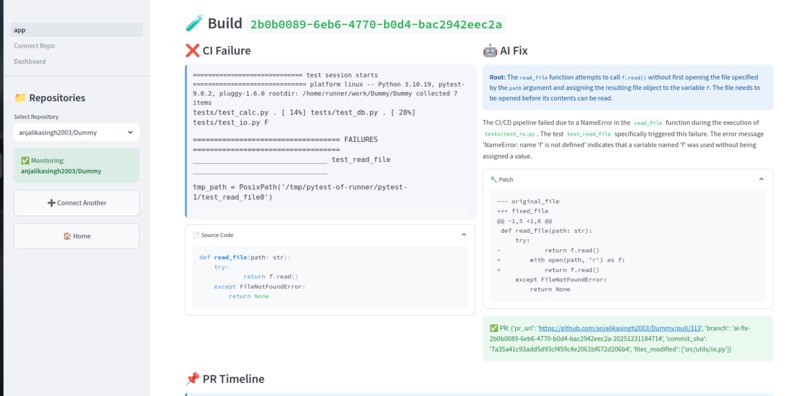
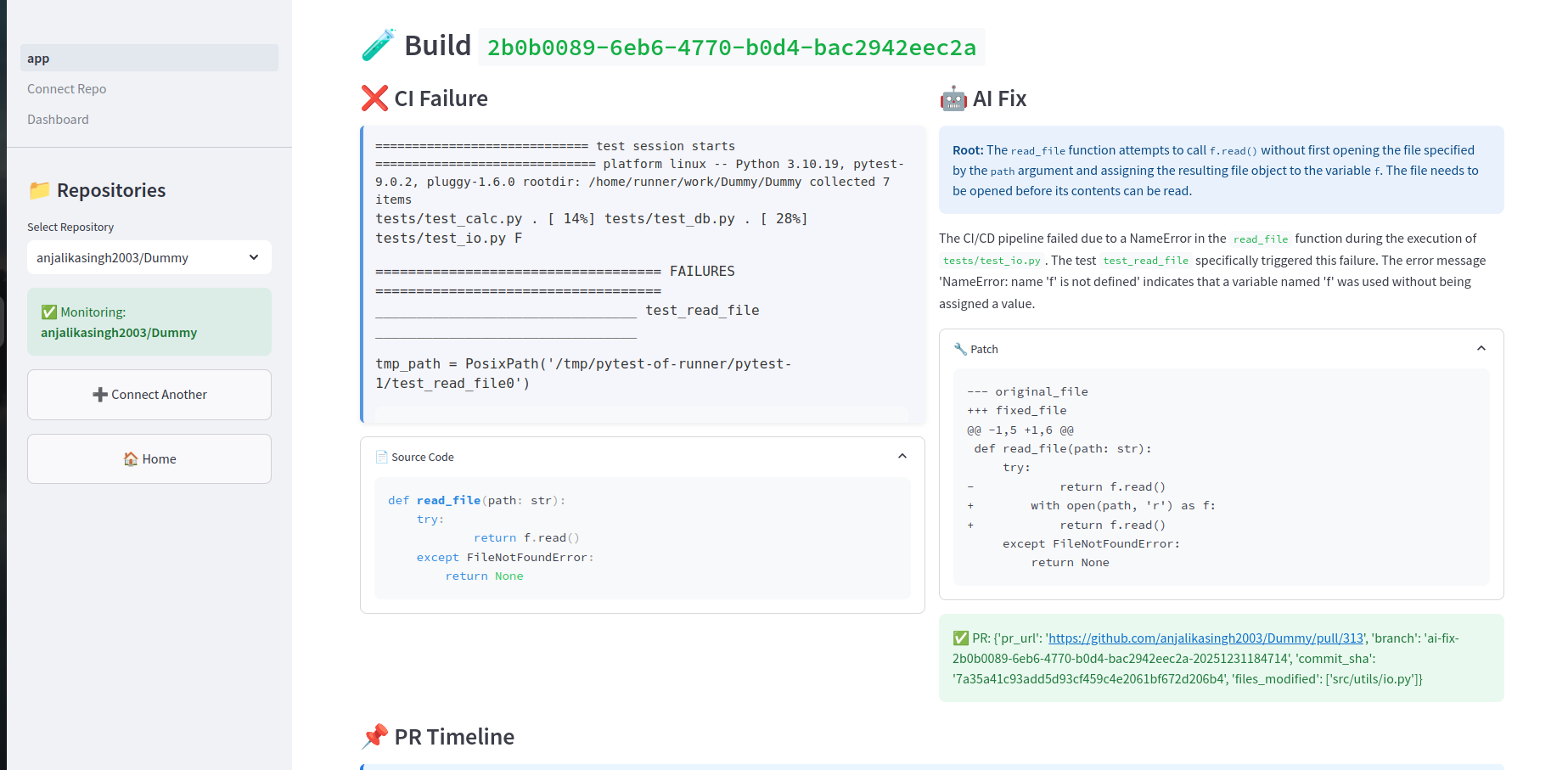
CI Failure- CI AI Fix and PR Creation
-
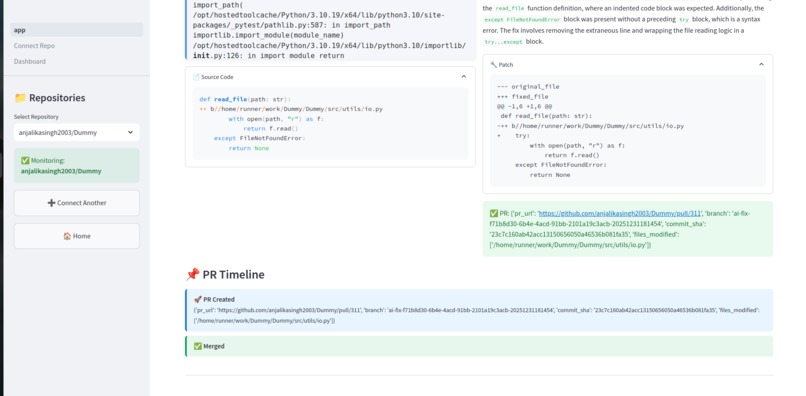
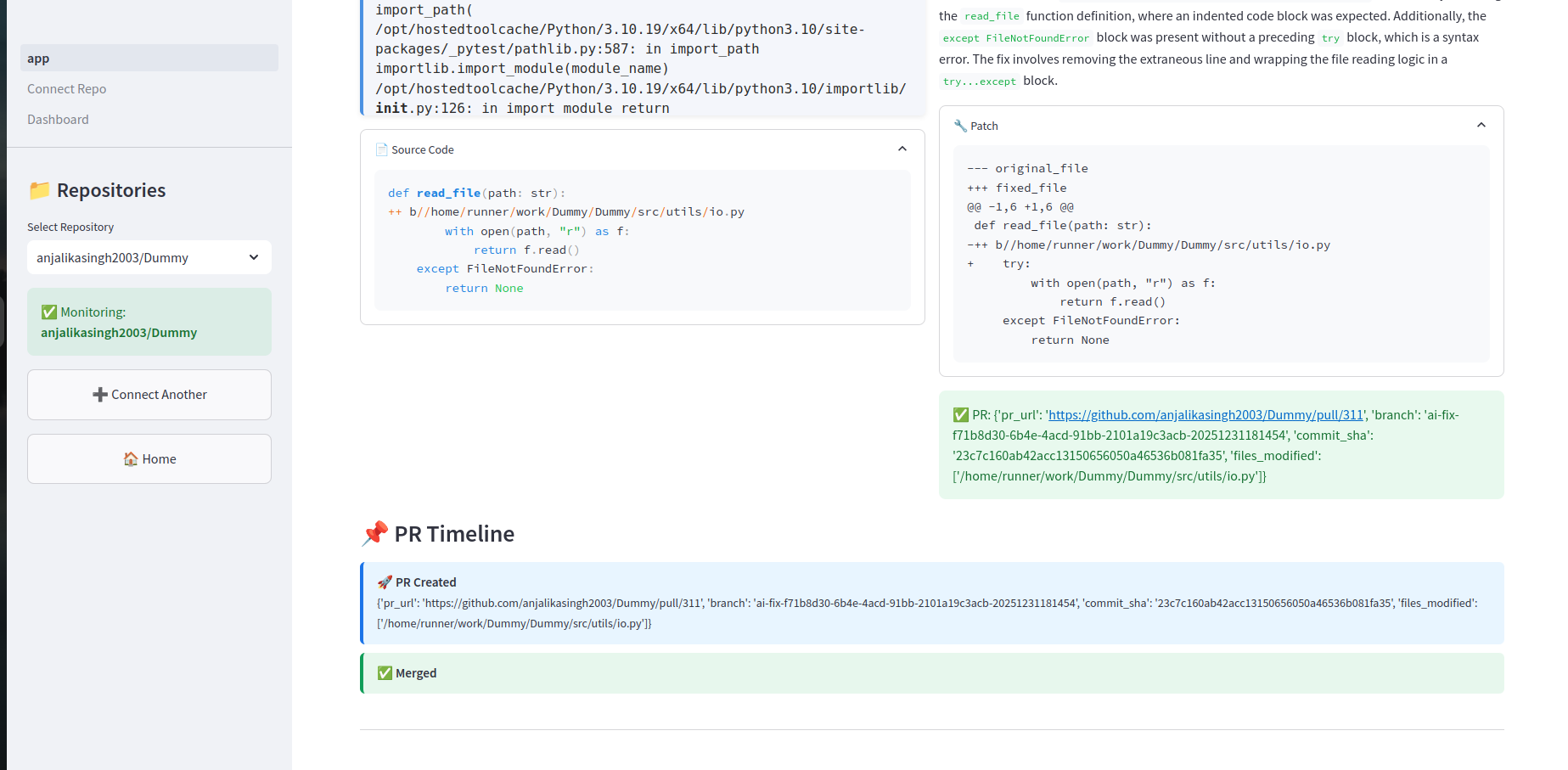
Real time status of PR (Merged or Closed)
DevStreamAI — Automated CI/CD Debugging with AI
Inspiration
CI/CD failures are unpredictable, repetitive, and time-consuming. Engineers often spend hours debugging logs, identifying root causes, and applying similar fixes across multiple repositories. We wanted to build an automated DevOps system that not only detects failures but understands them — and then actively fixes them. With GCP Vertex AI, Confluent Cloud, and serverless infrastructure, we saw an opportunity to automate CI debugging end-to-end.
What it does
DevStreamAI listens to CI/CD failure events coming from a Confluent Cloud Kafka topic, analyzes them through an AI engine powered by GCP Vertex AI, and generates human-readable explanations along with patch diffs.
The system then automatically:
- Creates GitHub pull requests
- Applies AI-generated patches
- Notifies developers via Slack or email
A Streamlit dashboard displays CI failure events, explanations, and PR activity in real time.
How we built it
Confluent Cloud (Kafka)
Acts as the central real-time streaming pipeline.
CI pipelines publish failure logs to Kafka, and the consumer triggers the full AI and automation workflow. DevStreamAI uses three Kafka topics in Confluent Cloud:
- ci_failures – Streams raw CI/CD failure logs.
- ci_pr_updates – Emits updates about PR creation, merge status, and patch operations.
- ci_ai_fix – Stores AI-generated explanations and code patches.
GCP Vertex AI
Handles the intelligence layer:
- Parsing CI failure logs
- Detecting root causes
- Generating human-readable explanations
- Generating code patch diffs
GCP Firestore
Firestore stores configuration and metadata:
- Repository list
- Project-to-repository mapping
- Dynamic system settings
Firestore makes the system scalable across multiple repositories.
FastAPI Backend on Cloud Run
A containerized FastAPI backend deployed on Cloud Run.
It exposes secure endpoints for:
- AI processing
- GitHub automation
- Dashboard data retrieval
Cloud Run API URL:
https://devstream-backend-176657413002.us-central1.run.app
GitHub Automation Layer
Uses GitHub APIs to:
- Create branches
- Apply AI-generated patches
- Open automated pull requests
Ensures end-to-end CI fix automation.
Streamlit Dashboard
A real-time dashboard that displays:
- Failure logs
- AI explanations
- Patch diffs
- PR creation activity
Everything updates live as Kafka events arrive.
GCP Compute Engine VM
A Compute Engine VM hosts:
- Kafka consumer
- Streamlit dashboard
- NGINX reverse proxy
It runs continuously to handle workloads unsuited for Cloud Run, such as:
- Long-running Kafka consumers
- Real-time dashboard updates
- Background processing
Challenges we ran into
- Managing sensitive credentials safely using GCP Secret Manager and environment variables.
- Coordinating a multi-cloud architecture (GCP + Confluent + GitHub) with consistent retries and ordering.
- Making AI-generated patches accurate and maintainable across diverse repository structures.
Accomplishments that we're proud of
- Built a fully automated AI-driven DevOps pipeline.
- Achieved end-to-end flow: CI failure → Confluent Kafka → AI analysis → patch → GitHub PR.
- Designed a scalable multi-repository architecture powered by Firestore.
- Built a real-time monitoring dashboard.
- Significantly reduced debugging time for repetitive CI failures.
What we learned
- Designing serverless AI architectures using Cloud Run and Vertex AI.
- Building reliable real-time systems using Confluent Cloud.
- Secure multi-cloud secret management.
- Event-driven architecture with retries and fault tolerance.
- Structuring repository metadata for scalable DevOps automation.
What's next for DevStreamAI
- Add support for Jenkins, GitLab CI, and CircleCI.
- Improve AI patch quality using repository embeddings and context memory.
- Migrate from Firestore to BigQuery for analytics.
- Add role-based access to the dashboard.
- Implement automatic retry and self-healing workflows.

Log in or sign up for Devpost to join the conversation.