-
-
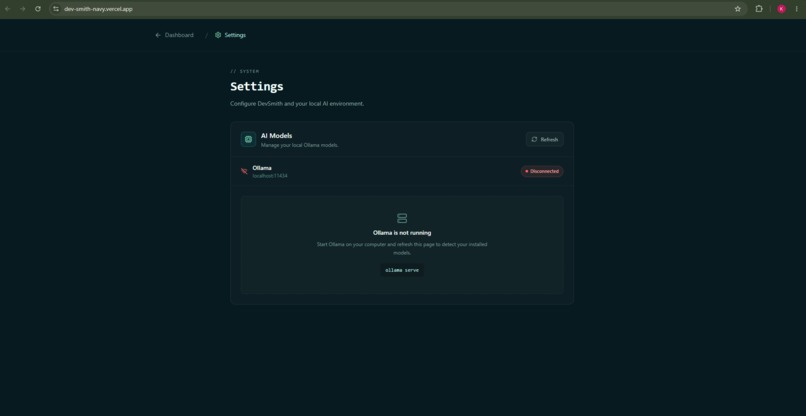
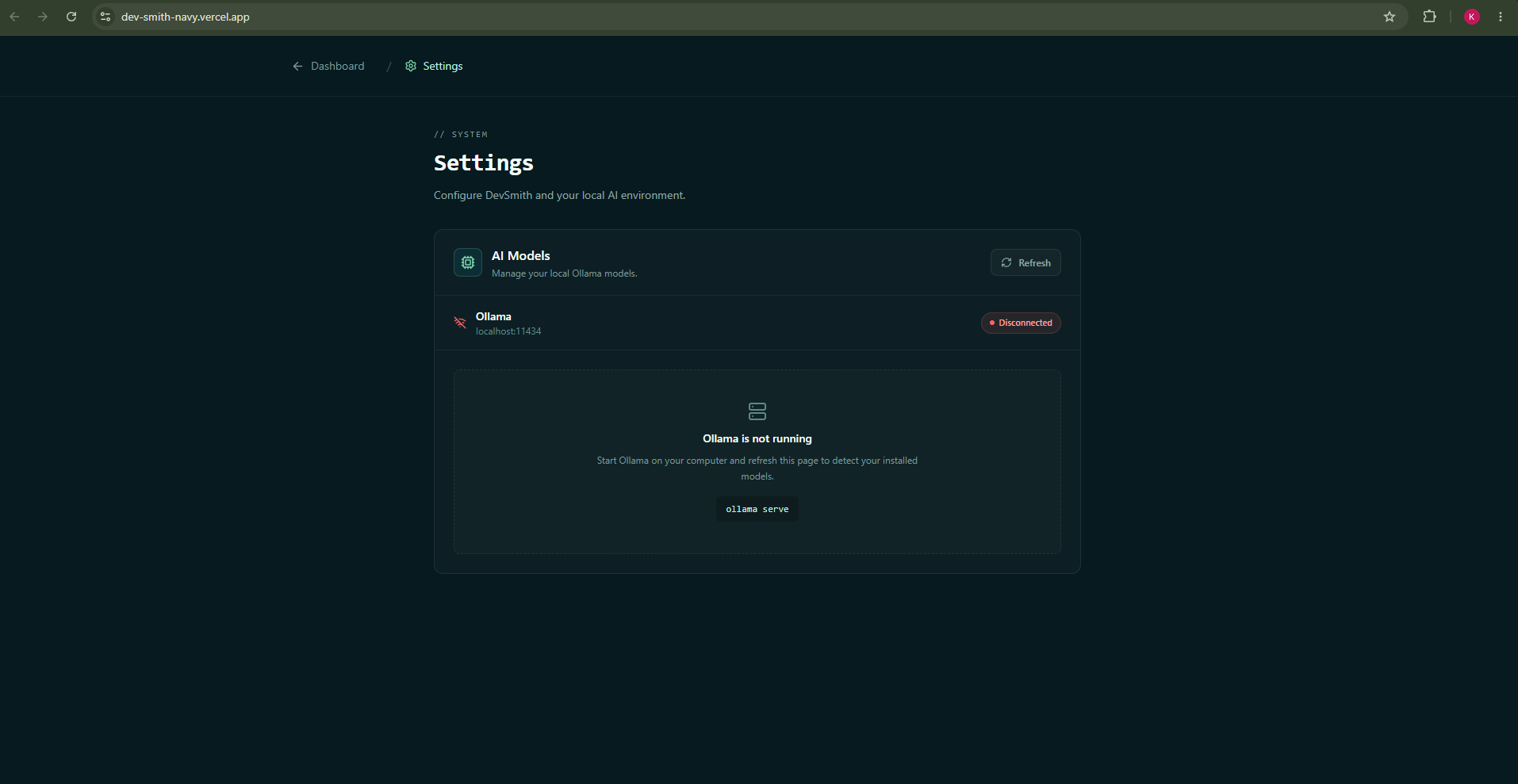
Settings and Ollama model selection when using local
-
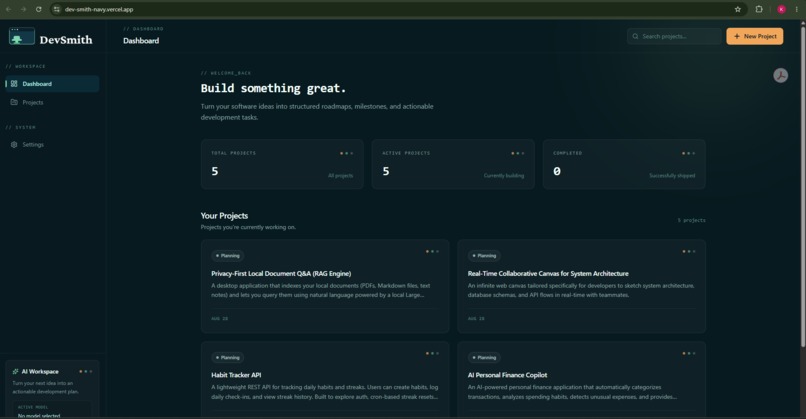
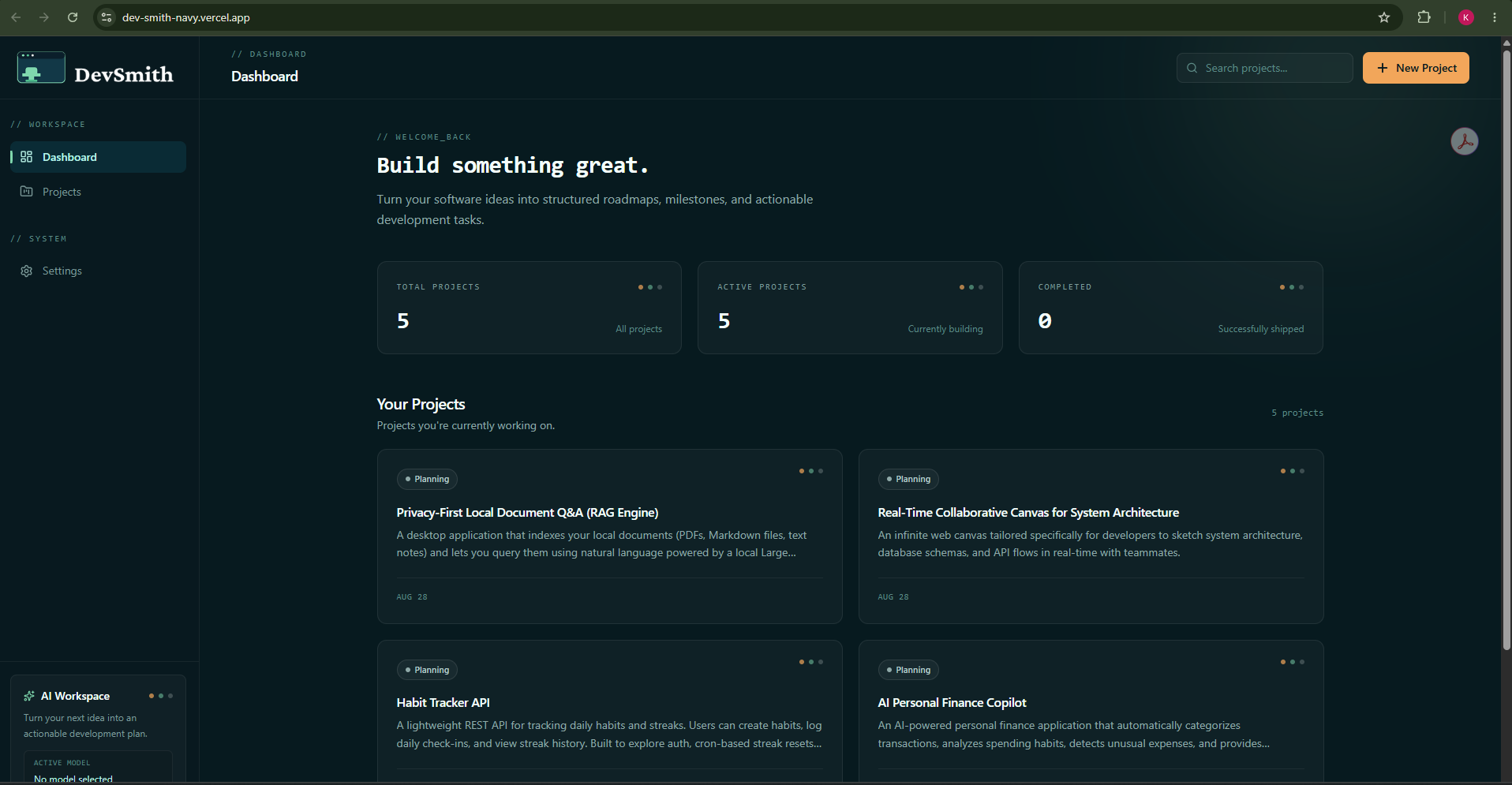
Dashboard
-
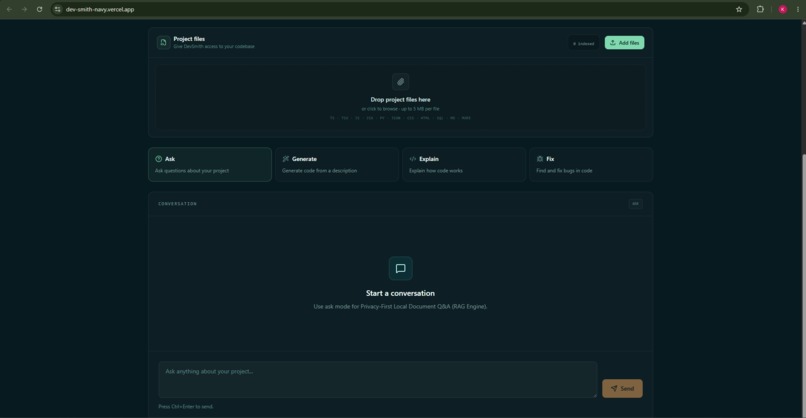
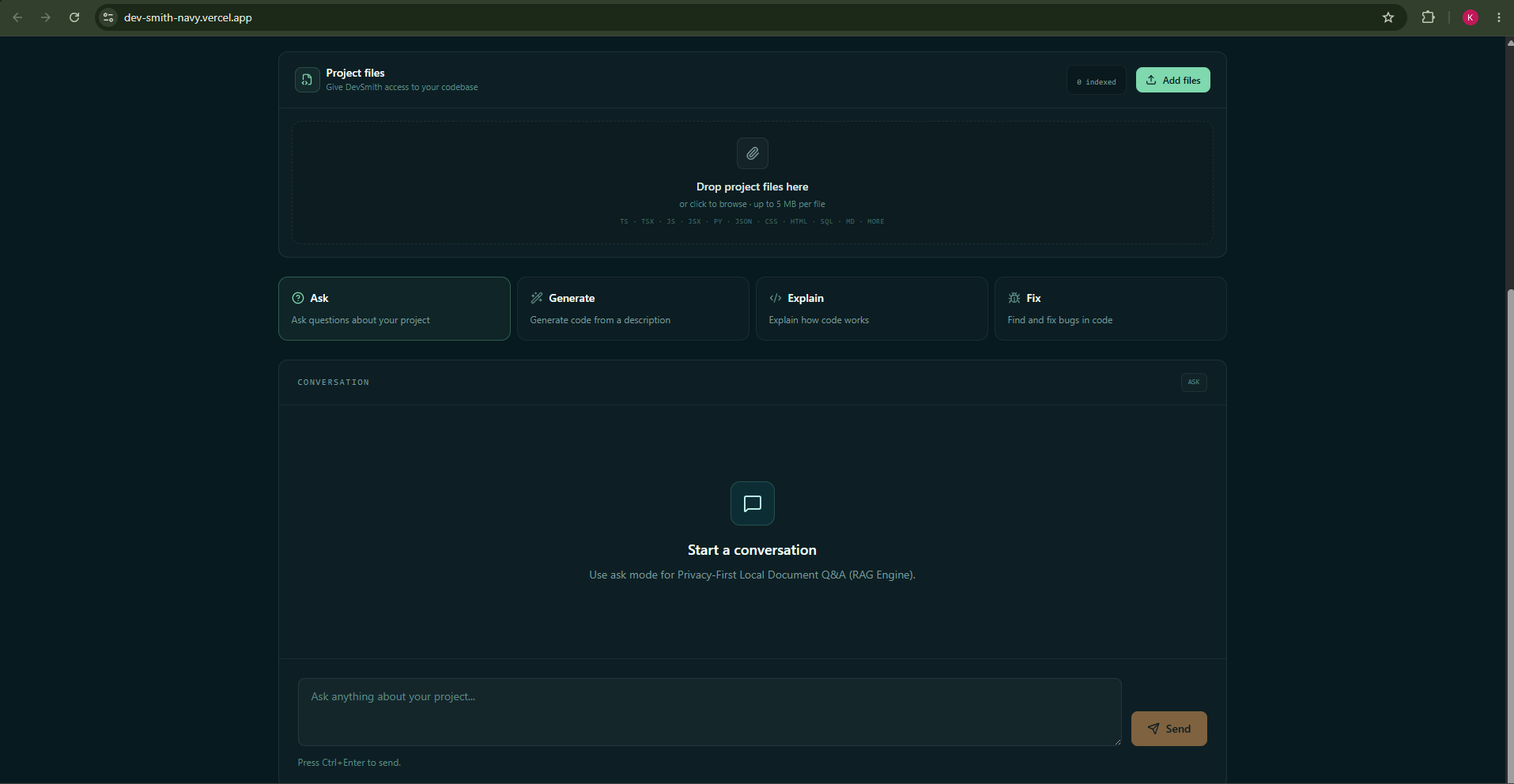
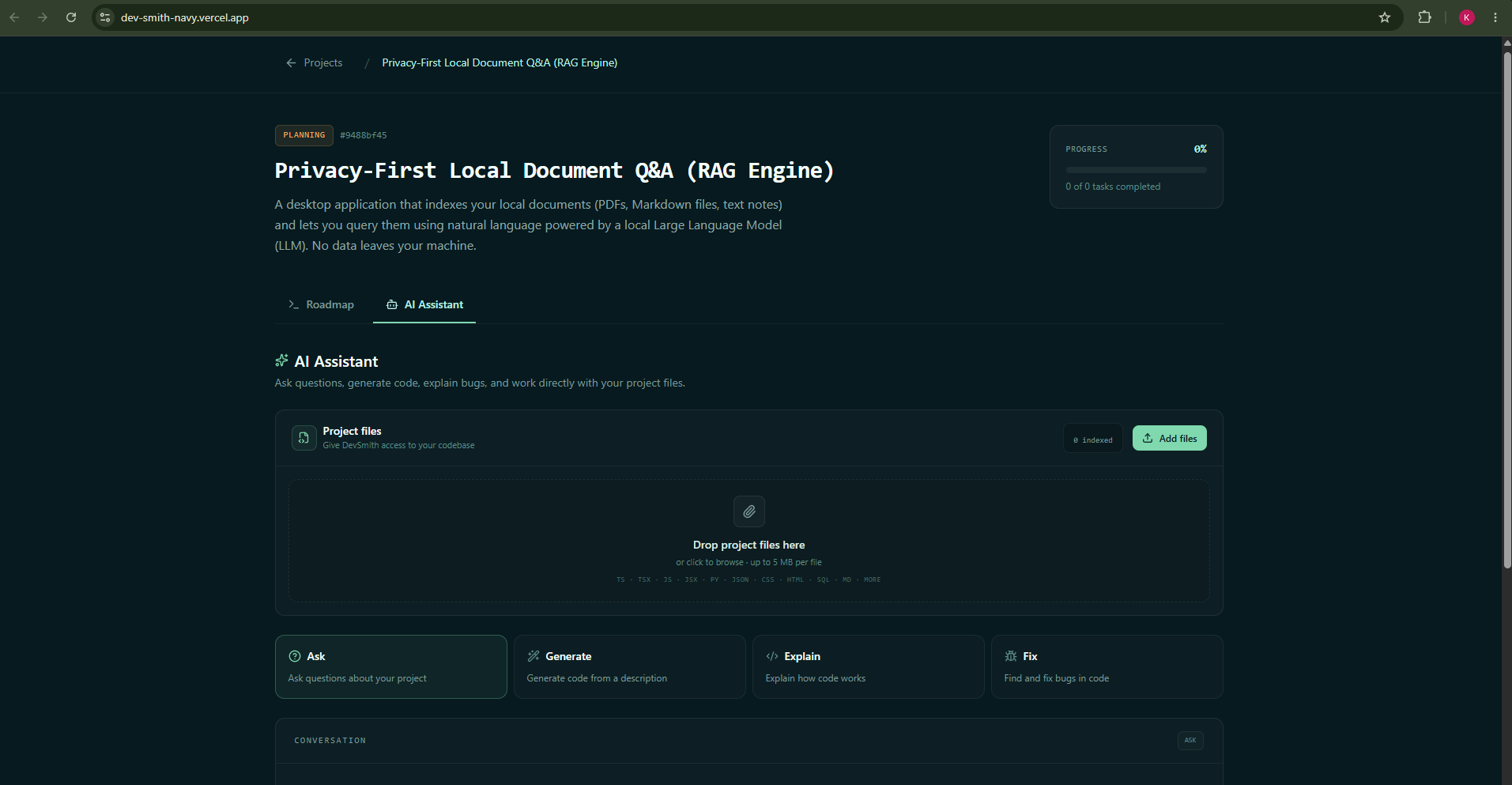
AI assistant
-
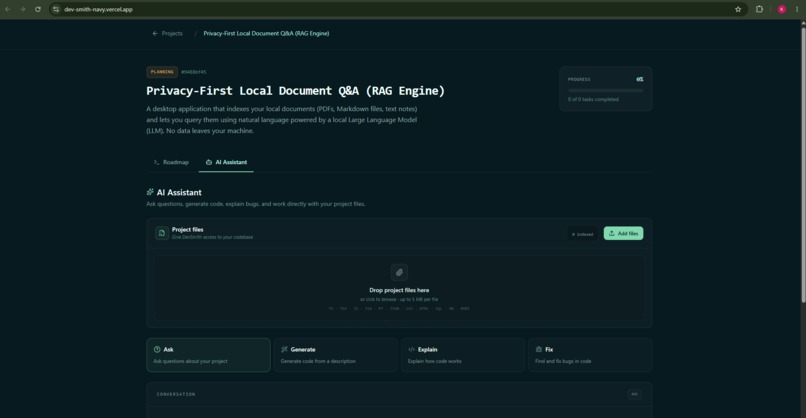
Upload files section in AI Assistant
-
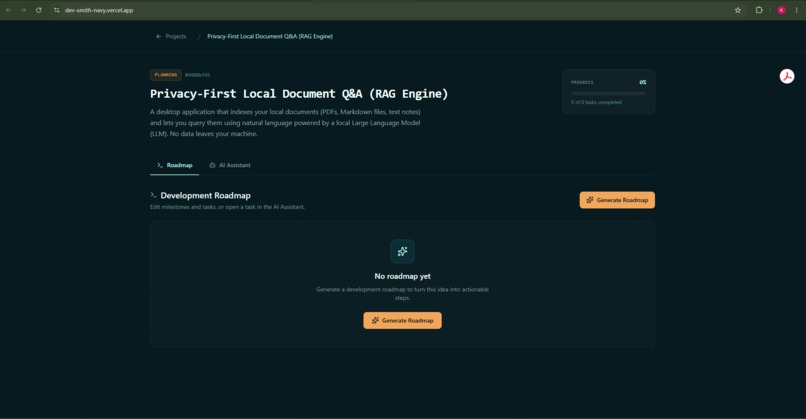
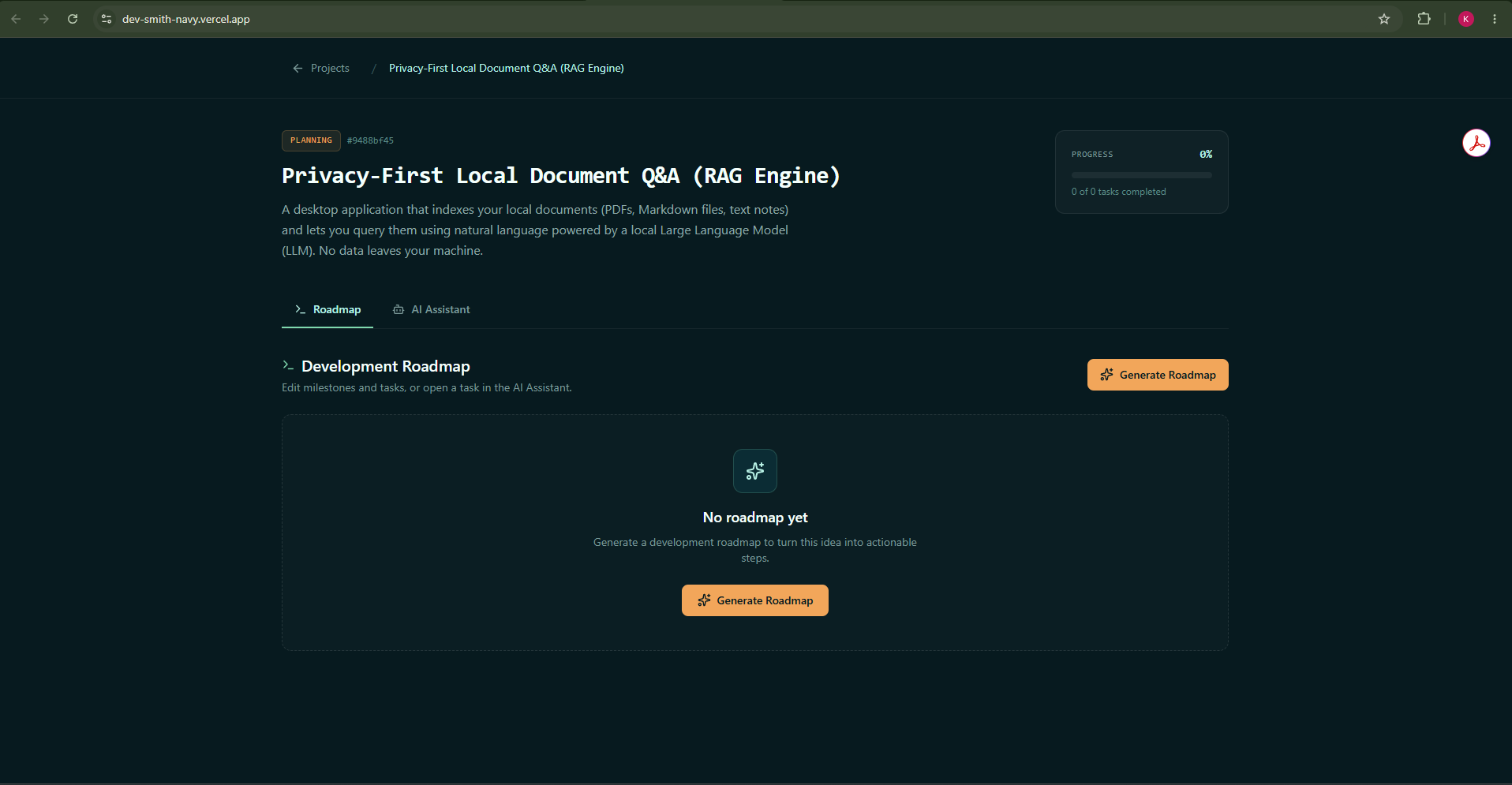
Project roadmap generation
From AI Assistant to AI Teammate
Inspiration
As developers, we use a lot of different tools to build software: an AI assistant for questions and code generation, a task manager for planning, a code editor for implementation, and documentation for figuring out how everything fits together.
I wanted to build something that brought the planning and AI development workflow into one place.
That idea became DevSmith.
DevSmith lets a developer create a project, generate an AI-powered roadmap of milestones and tasks, and then use an in-context AI assistant to ask questions, generate code, explain code, and fix problems.
But while building it, I realized there was another interesting problem:
AI agents can interact with websites, but interacting with a website through the UI isn't the same as understanding the application's actual capabilities.
An agent shouldn't have to guess which button creates a project or determine whether a status badge means "Planning" or "In Progress" from a screenshot.
That's where WebMCP became the most important part of DevSmith.
What I Built
DevSmith is a local-first AI development workspace designed to be usable by both developers and AI agents.
The workflow is simple:
Idea → Project → Roadmap → Tasks → Development
A developer can start with an idea and use AI to turn it into a structured development plan.
For example:
"Create a project for a habit tracker API and plan it out."
With WebMCP, an AI agent can perform that workflow using DevSmith's actual capabilities:
create_project
      ↓
generate_roadmap
      ↓
get_roadmap
      ↓
create_task
DevSmith currently exposes tools including:
list_projectscreate_projectget_projectgenerate_roadmapget_roadmapcreate_taskupdate_taskask_devsmith_assistant
Instead of an agent trying to navigate the DOM, it can call a structured tool with a defined schema.
For example:
document.modelContext.registerTool({
  name: "generate_roadmap",
  description:
    "Generate an AI roadmap (milestones and tasks) for a project.",
  inputSchema: {
    type: "object",
    properties: {
      projectId: { type: "string" },
      model: { type: "string" },
    },
    required: ["projectId"],
  },
  execute: async (input) => {
    const res = await fetch(
      `/api/projects/${input.projectId}/roadmap/generate`,
      {
        method: "POST",
        headers: {
          "Content-Type": "application/json",
        },
        body: JSON.stringify({
          model: input.model ?? "default",
        }),
      }
    );

    return res.json();
  },
});
This means the agent interacts with the capability rather than the visual representation of the capability.
Why WebMCP Matters
Before WebMCP, an agent interacting with DevSmith would essentially have to behave like a human using a browser:
Agent
 ↓
UI
 ↓
DOM / Screenshots
 ↓
Guess what to click
 ↓
Application
With WebMCP:
Agent
 ↓
WebMCP
 ↓
Structured Tool
 ↓
DevSmith API
 ↓
Database / AI
This makes the interaction more reliable and meaningful.
For example, instead of:
"Find the Generate Roadmap button and click it."
the agent can perform:
generate_roadmap({
  projectId: "...",
  model: "..."
})
The agent doesn't need to know where the button is.
It needs to know what capability it wants to use.
That is the part of WebMCP that I found most interesting.
How I Built It
DevSmith is built with:
- React + TypeScript + Vite for the frontend
- Tailwind CSS for the UI
- Express + TypeScript for the backend
- SQLite + better-sqlite3 for local project data
- Ollama for local AI models
- WebMCP for agent interaction
The application is designed to run locally with Ollama.
The local architecture looks like:
┌──────────────────┐
│    DevSmith UI   │
└────────┬─────────┘
         │
         ▼
┌──────────────────┐
│ Express Backend  │
└───────┬──────────┘
        │
   ┌────┴─────┐
   ▼          ▼
SQLite      Ollama
             │
             ▼
        Local LLM
For the WebMCP integration, DevSmith exposes its important application actions as tools.
The tools communicate with the same backend functionality used by the application itself.
I also created a cloud LLM fallback for the deployed version so that someone visiting the live demo doesn't need to install Ollama or download a local model.
This allowed me to keep the local-first architecture while still making the project accessible to judges.
What I Learned
The biggest lesson I learned was that adding AI to an application and designing an application for AI agents are two different things.
Initially, I was mostly thinking about AI as an assistant:
User → AI → Response
WebMCP made me start thinking about AI as an actor that can interact with the application:
User
 ↓
AI Agent
 ↓
WebMCP
 ↓
Application capabilities
That changed how I thought about application architecture.
I had to think about:
- What capabilities should an agent have?
- What information does an agent need?
- What should each tool's schema look like?
- Which actions should be separate tools?
- What information should a tool return?
- How can agents modify application data safely?
I learned that a good agent interface isn't just a collection of API endpoints.
The tools need to represent meaningful actions that make sense to an agent.
I also learned more about integrating local LLMs into a full-stack application and designing the application so it can support both local and hosted AI providers.
Challenges
One of the biggest challenges was making WebMCP more than just a checkbox feature.
It would have been easy to expose one simple tool and say that DevSmith supports WebMCP.
Instead, I wanted the tools to represent actual development workflows.
That meant connecting:
AI Agent
   ↓
WebMCP Tool
   ↓
Backend API
   ↓
SQLite / AI
Another challenge was balancing the local-first philosophy with the need for an accessible live demo.
Locally, DevSmith uses Ollama:
DevSmith → Ollama → Local Model
But requiring every judge to install Ollama and download a model would create unnecessary friction.
So I implemented a hosted LLM fallback:
DevSmith → Cloud LLM
The result is an application that can be fully local for developers who want privacy, while still being easy for someone to test through the live deployment.
I also had to work through the normal challenges of building a full-stack application while integrating a relatively new agent interaction model: connecting frontend and backend state, generating useful AI roadmaps, managing tasks and milestones, handling different LLM providers, and making the WebMCP tools work with the existing application.
What's Next
DevSmith is currently focused on project planning and AI-assisted development, but I see WebMCP as the foundation for much more.
Future possibilities include:
- GitHub repository integration
- Codebase-aware AI assistance
- Git operations through agents
- Automated task implementation
- Pull request generation
- Local code indexing
- Automated testing and debugging
- Agent-driven roadmap updates
- Specialized development agents
The long-term goal is not to replace the developer.
It's to create an AI teammate that understands the project, the roadmap, the tasks, and the tools available to build it.
DevSmith started as an AI-powered development workspace.
With WebMCP, it became something more interesting:
a development workspace that an AI agent can actually operate.
Built With
- agents
- css
- developer
- express.js
- generative
- javascript
- llm
- local
- ollama
- react
- sqlite
- tailwind
- tools
- typescript
- vite
- webmcp

Log in or sign up for Devpost to join the conversation.