Project Story: DevSheet
Inspiration
As a developer, I constantly switch between different frameworks and tools — React, TypeScript, Tailwind, Express — and I often find myself Googling the same syntax or small patterns over and over. I wanted a clean, offline-first app that would store all the essential code snippets I use every day in one place, organized by category and searchable by tag.
Participating in the One-Shot Competition at Bolt.new, where the challenge was to build a full project using a single prompt, gave me the perfect opportunity to turn this idea into something real. I challenged myself to fit all the logic, structure, and UX thinking into one prompt — no AI, no backend, just clean code and good design.
What it does
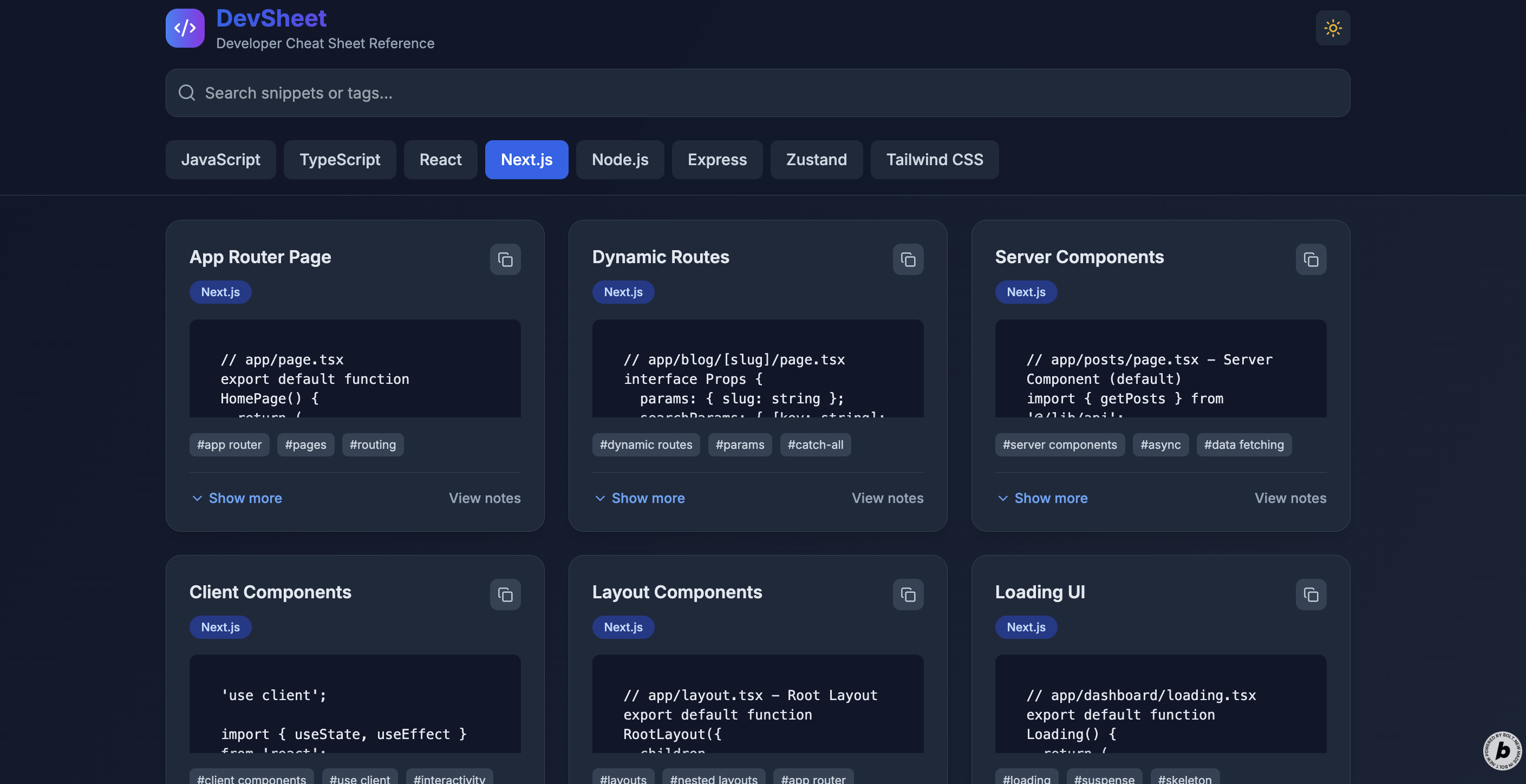
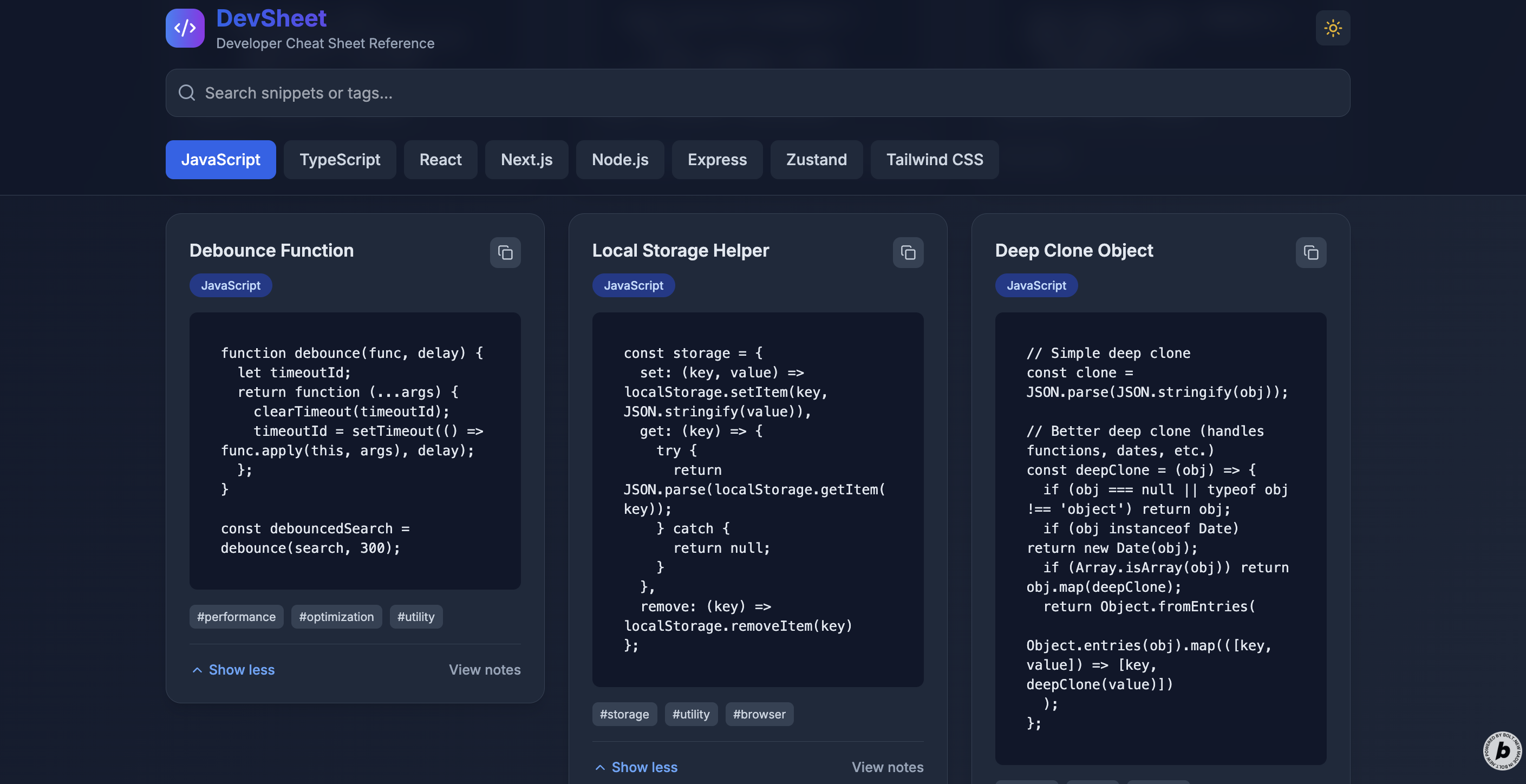
DevSheet is a responsive, dark-themed, local web app that contains over 400+ code snippets, grouped by categories such as JavaScript, TypeScript, React, Next.js, Tailwind, and more.
Key features:
- Category tabs for filtering by topic
- Search bar that filters snippets by title or tags
- Uniform card layout with expandable code blocks
- Click-to-copy functionality for quick snippet reuse
- Theme toggle (dark/light), dark by default
- Clean, responsive design built with Tailwind CSS
- Entirely client-side and offline-ready
How we built it
The entire app was generated through a single prompt using Bolt.new, which scaffolds Next.js + Tailwind projects based on natural language input. I specified layout behavior, component breakdown, UI rules, and data structures in the prompt.
Main components:
SnippetCardfor displaying code and notesCategoryTabsandSearchInputfor filteringThemeTogglefor switching themes- Hardcoded data arrays for each category with 50+ curated snippets
- State management with
useStateand filtering logic in React
Code snippets are rendered with <pre><code> blocks, styled for clarity, and truncated if they’re too long — with an “Expand” toggle for full view.
Challenges we ran into
- Fitting all UI logic and behavior into one well-structured prompt
- Designing for code readability while keeping cards uniform in height
- Ensuring responsive behavior across all screen sizes with Tailwind
- Making search work seamlessly with both titles and tags
- Implementing expand/collapse behavior while preserving layout consistency
Accomplishments that we're proud of
- Created a clean, beautiful, and fully usable developer tool from scratch with only a single prompt
- Built a scalable structure for 400+ code snippets across 8 categories
- Designed a layout that’s both readable and responsive — even for long code
- Delivered useful UX touches like copy-to-clipboard, search by tag, and theme switching
What we learned
- Prompt engineering can be incredibly powerful when combined with precise UX thinking
- Tailwind is perfect for building responsive, utility-first UI quickly
- Working within constraints (like one prompt and no backend) often results in better focus and clearer design
- Developers benefit most from tools that are offline, focused, and fast
What's next for DevSheet
- Add user-generated snippets with local storage
- Create shareable links for snippet collections
- Add "Copy as Markdown" or export to PDF
- Introduce learning mode or quiz mode ("guess the output")
- Add animations to improve UX (e.g. smooth expand/collapse)
- Expand to other stacks like Python, Go, or SQL
Built With
- next.js
- tailwind
- typescript

Log in or sign up for Devpost to join the conversation.