
Inspiration
This project was born from a simple idea: the web can be overwhelming. We're often faced with dense articles, complex documentation, or new topics that are hard to grasp. We were inspired to build a tool that acts as a "comprehension layer" for any text, making learning more accessible.
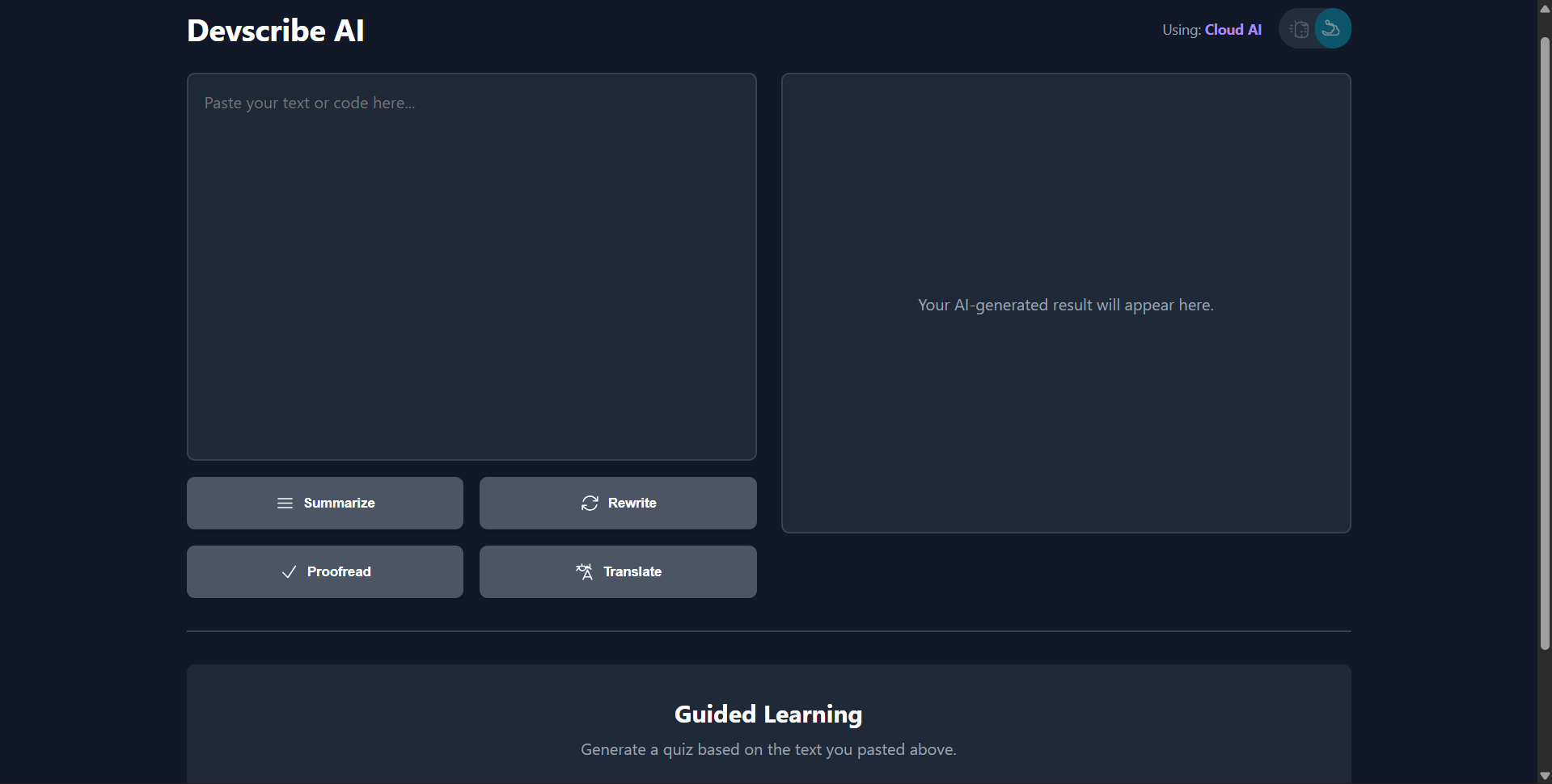
Our initial idea was a privacy-first Chrome extension using on-device AI. However, we quickly realized that while privacy is key, some of the most powerful features—like generating a structured quiz—are best handled by a more advanced cloud API. This led us to our hybrid approach: a web app that prioritizes on-device AI (window.ai) if it's available, but seamlessly falls back to the Google Gemini API to ensure the best features work for everyone.
How We Built It
The app is built as a single-page application using React.js. We chose React for its powerful state management (using useState and useEffect hooks) to handle the UI, user input, and API responses. To keep the project simple, fast, and dependency-free, we opted for vanilla CSS written directly inside a tag within the component, instead of using a framework like Tailwind.</p> <p>The core logic is centered around a handleApiCall() function that intelligently routes the user's request:</p> <p>It first checks if the browser supports on-device AI (window.ai).</p> <p>If it does, it uses the on-device model for maximum privacy and speed.</p> <p>If not (or if the on-device call fails), it falls back to the Google Gemini API (gemini-2.5-flash-preview-05-20).</p> <p>The “Guided Learning” quiz feature is a highlight. It sends the user's pasted text to the Gemini API with a specific system instruction and a JSON schema. This forces the AI to return a perfectly formatted, structured quiz, which we then parse and render as an interactive assessment.</p> <p><strong>What We Learned & Challenges Faced</strong></p> <p>This project was a fantastic learning experience in modern AI implementation.</p> <p><strong>Hybrid AI is the Future:</strong> We learned how to build a progressively enhanced application that doesn't just choose between "on-device" and "cloud," but uses both for their respective strengths.</p> <p><strong>Reliable JSON Output:</strong> Using the Gemini API’s generationConfig with a responseSchema was a game-changer. It's the key to getting reliable, structured data for building app features, not just unstructured text.</p> <p><strong>Client-Side Security:</strong> We faced the classic challenge of handling API keys on the client. For this demo, the key is in the frontend, but we learned that for a production app, this logic would move to a simple backend (like a Cloud Function) to keep the key secure.</p> <p><strong>Debugging Is Everything:</strong> We chased down several bugs, from simple typos (AiModeToggle) to incorrect function handlers for our tool buttons. It reinforced the importance of careful, iterative testing.</p>
Built With
- css3
- gemini
- html5
- javascript
- react
- window.ai


Log in or sign up for Devpost to join the conversation.