DevScout AI — Project Story
Inspiration
Finding the right software engineering opportunities can take a surprising amount of time.
Jobs, certifications, exam vouchers, hackathons, courses, and other career opportunities are spread across many different websites. Searching manually often means repeating the same queries, opening many pages, checking whether opportunities are still active, and trying to determine which ones are actually relevant to a developer's skills and career goals.
This problem inspired me to build DevScout AI — an AI-powered opportunity intelligence platform designed to help software engineers discover relevant opportunities with less manual searching.
Instead of simply asking:
"What opportunities are available?"
DevScout AI focuses on a more useful question:
"What opportunities are relevant to this particular developer right now?"
What I Built
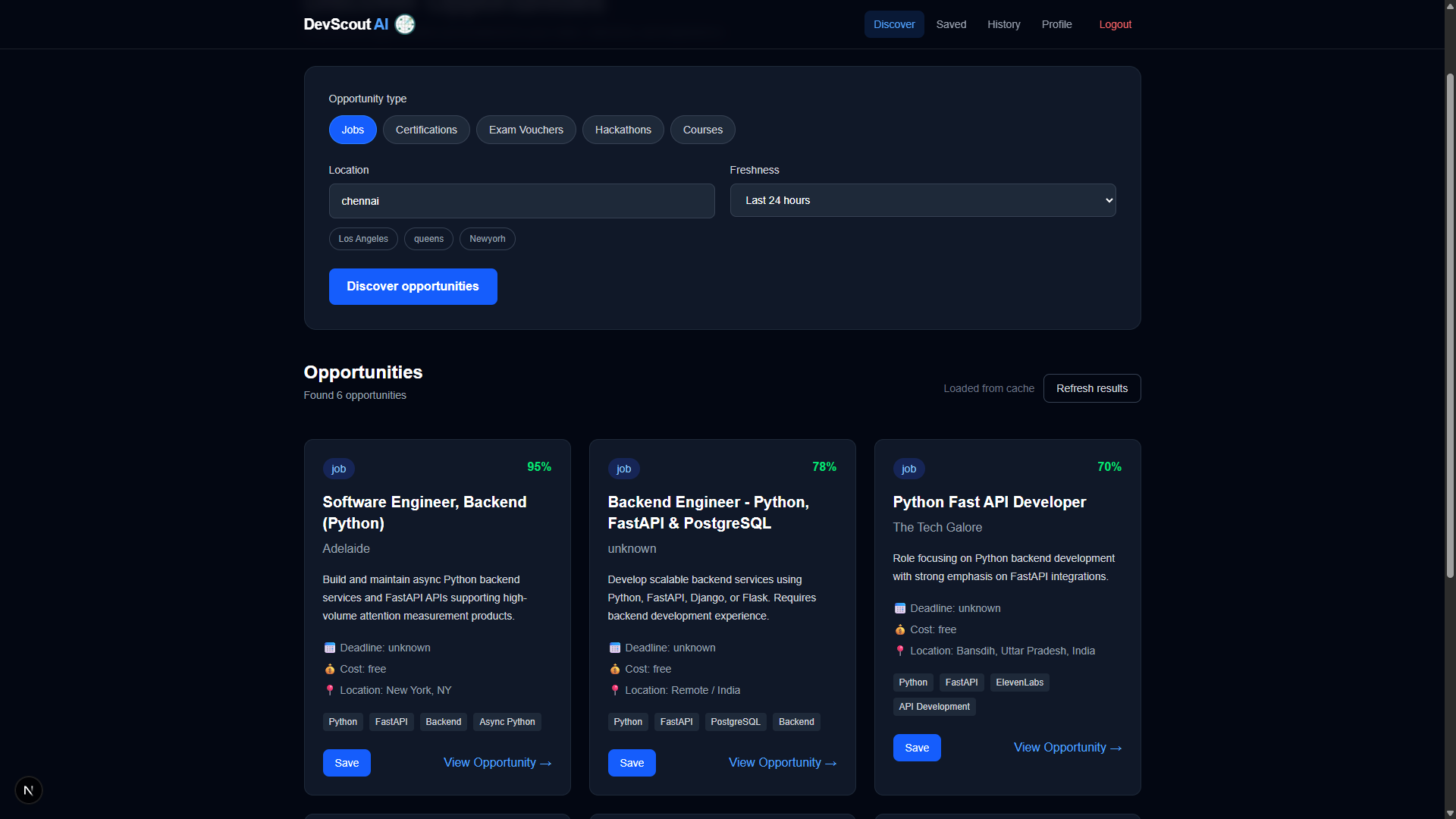
DevScout AI is a full-stack AI application that discovers and analyzes software engineering opportunities from the web.
The platform can discover:
- Jobs
- Certifications
- Exam vouchers
- Hackathons
- Courses
- Other relevant opportunities
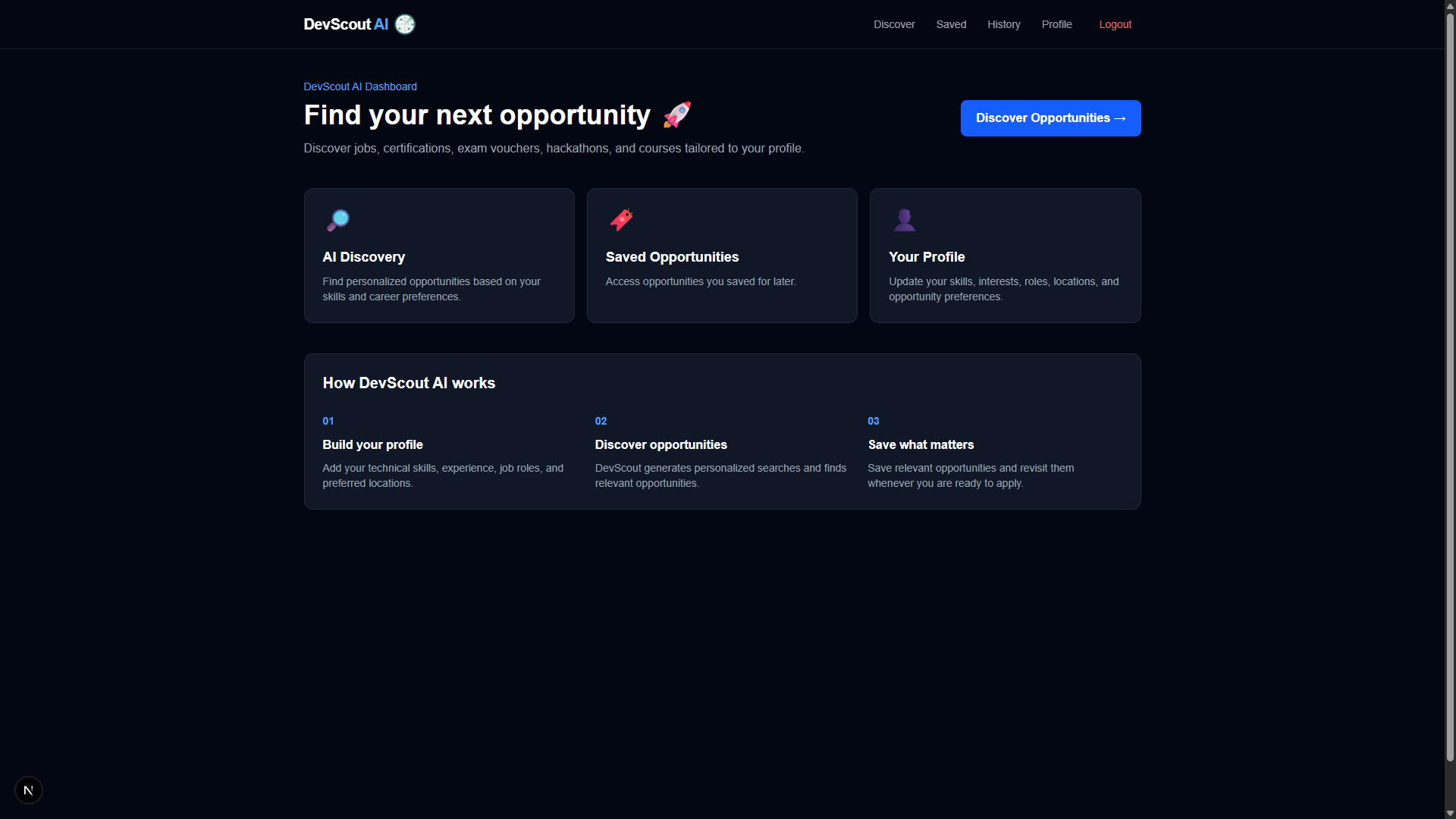
The system uses a developer's profile — including skills, experience, interests, preferred roles, and locations — to personalize the discovery process.
The goal is not just to return search results, but to turn scattered web information into a more useful, structured opportunity feed.
How I Built It
I built DevScout AI using a full-stack architecture.
Frontend
The frontend was built with:
- Next.js
- React
- TypeScript
- Tailwind CSS
The application provides responsive interfaces for:
- User authentication
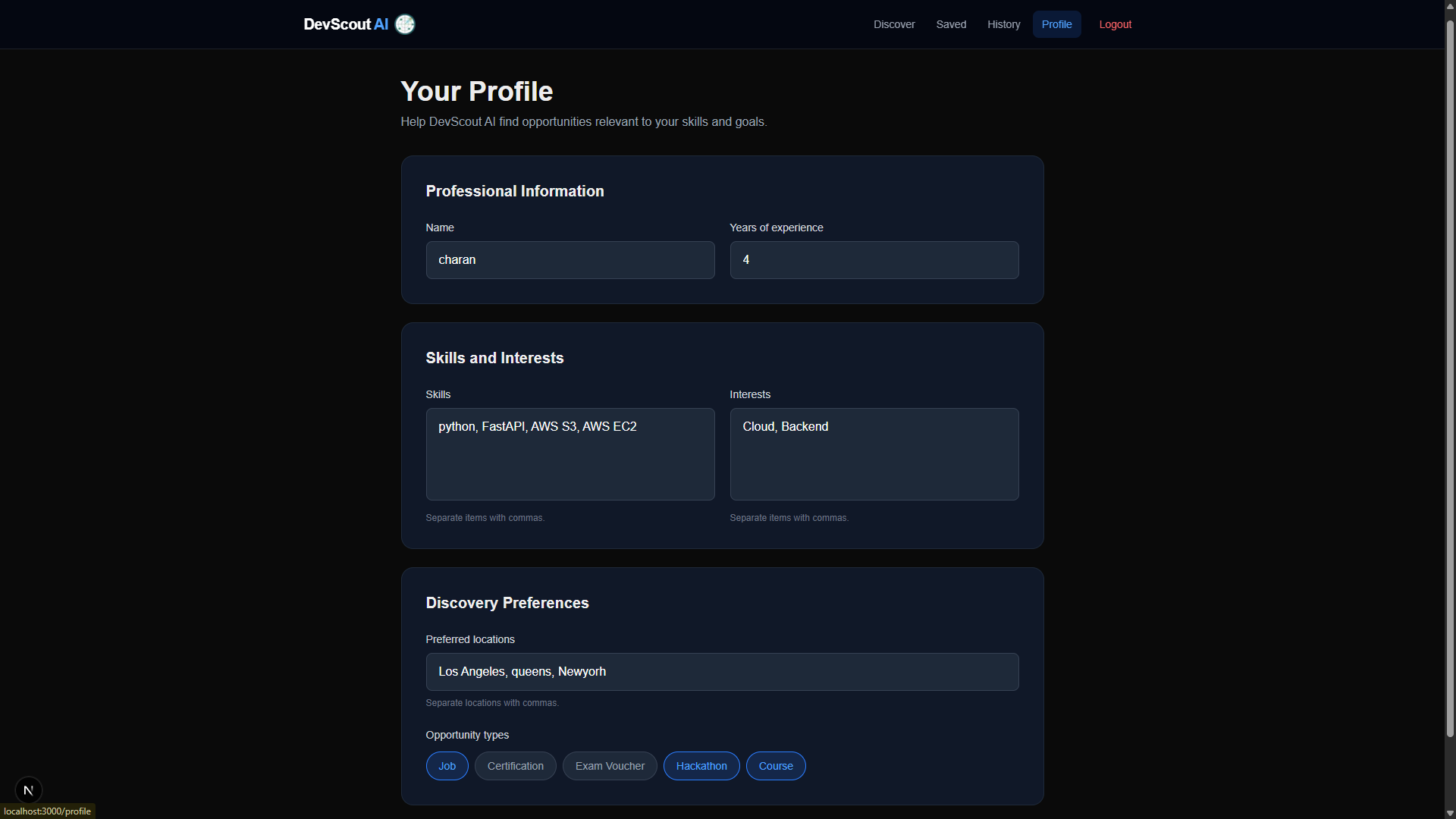
- Profile management
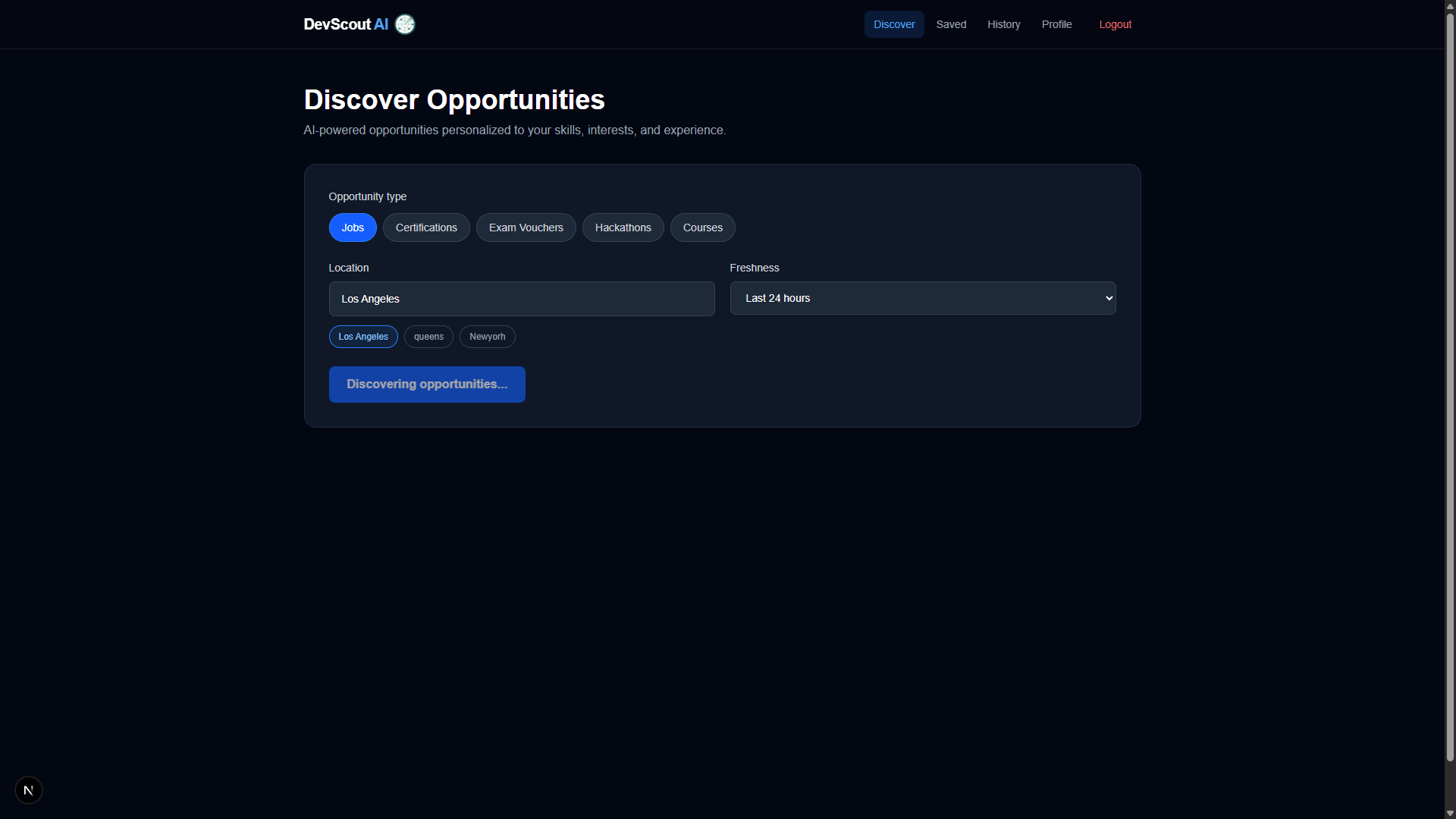
- Opportunity discovery
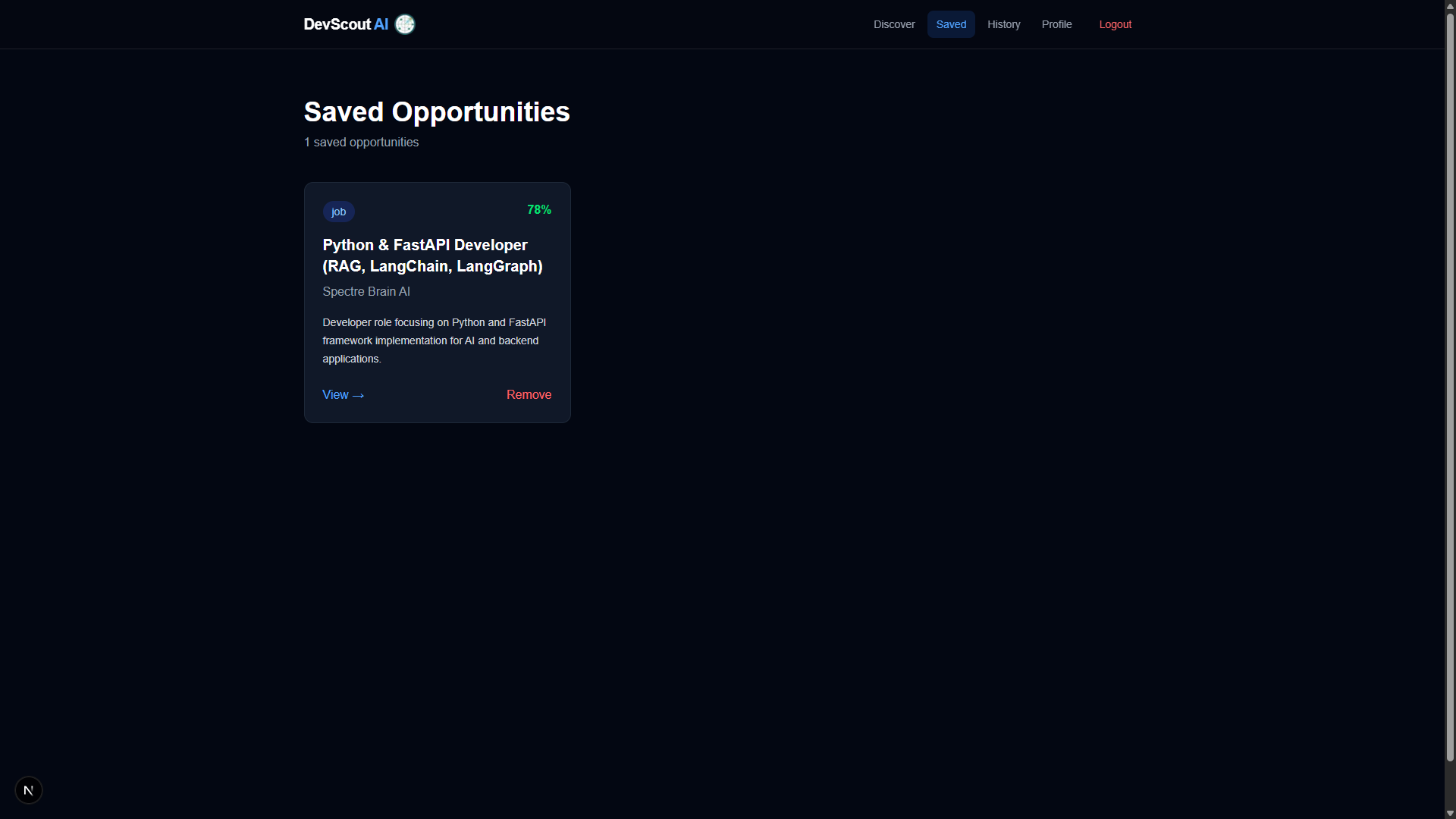
- Saved opportunities
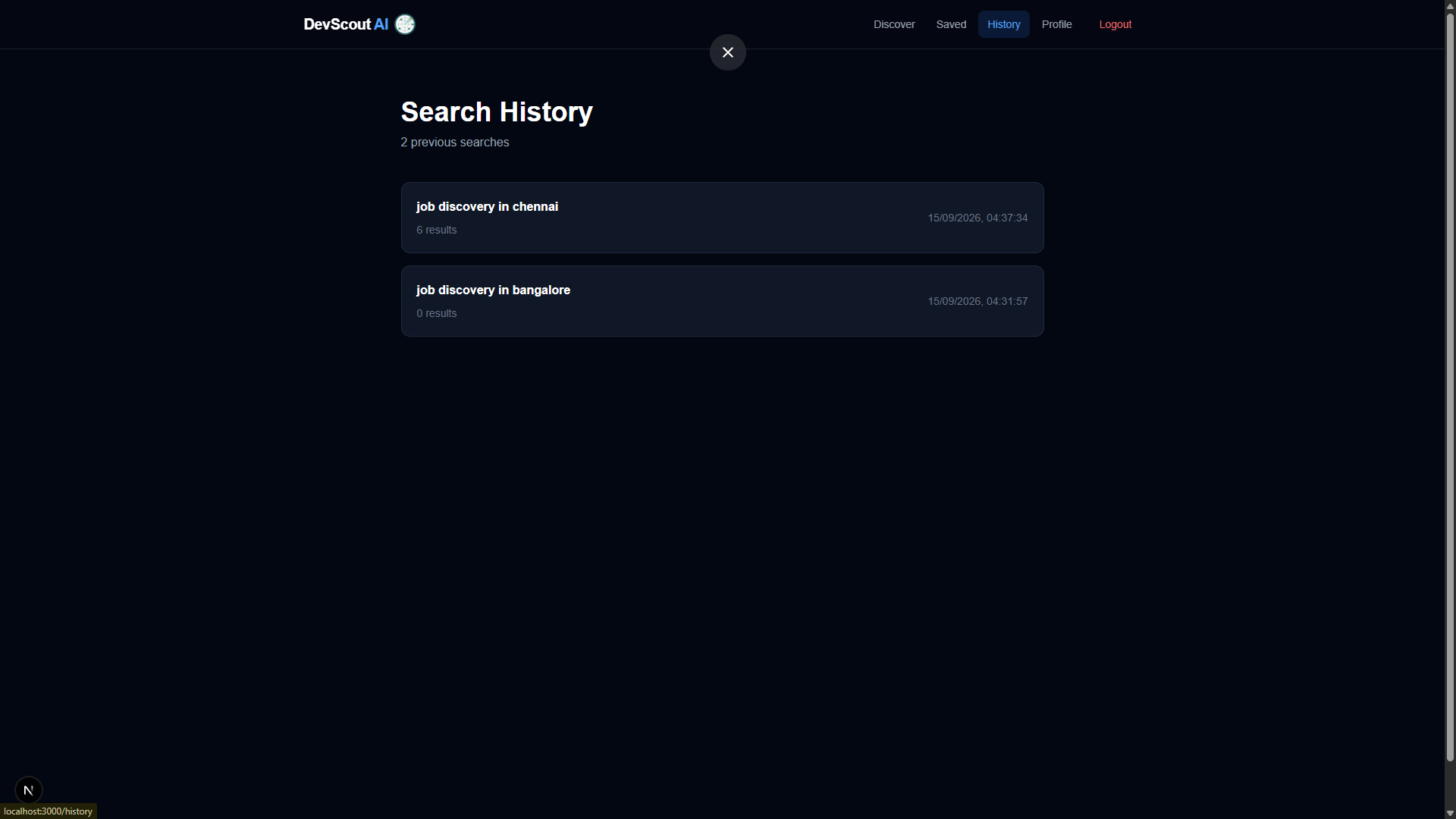
- Search history
- Personalized discovery
Backend
The backend was developed using:
- Python
- FastAPI
- REST APIs
- MongoDB
- JWT authentication
The FastAPI backend handles authentication, user profiles, opportunity discovery, search history, saved opportunities, caching, and AI-powered analysis.
AI and Web Search
The discovery workflow combines AI with real-time web search.
The general workflow is:
User Profile
     ↓
AI-generated Search Queries
     ↓
Web Search
     ↓
Search Results
     ↓
Deduplication
     ↓
Freshness Filtering
     ↓
AI Opportunity Analysis
     ↓
Personalized Opportunities
AI is used to generate search queries based on the user's profile and analyze the resulting opportunities.
Web search provides current information that would be difficult to maintain using a static database.
Personalization
One of the main ideas behind DevScout AI is personalization.
A user's profile can contain information such as:
- Skills
- Years of experience
- Interests
- Target job roles
- Preferred locations
- Opportunity types
The AI uses this information to prioritize opportunities that are more relevant to the individual developer.
For example, instead of returning every software engineering job available, the system can focus on opportunities matching technologies, career interests, experience level, and preferred locations.
This makes the discovery process more targeted than a generic search interface.
Opportunity Processing
Raw search results are not always useful by themselves.
Search engines can return duplicate results, outdated opportunities, unrelated pages, or pages that do not represent genuine opportunities.
To address this, DevScout AI processes the results through several stages.
Deduplication
Duplicate search results are removed so that the same opportunity is not repeatedly displayed.
Freshness Filtering
The platform can filter opportunities based on how recently they were published or updated.
This is particularly important for jobs and other time-sensitive opportunities.
AI Analysis
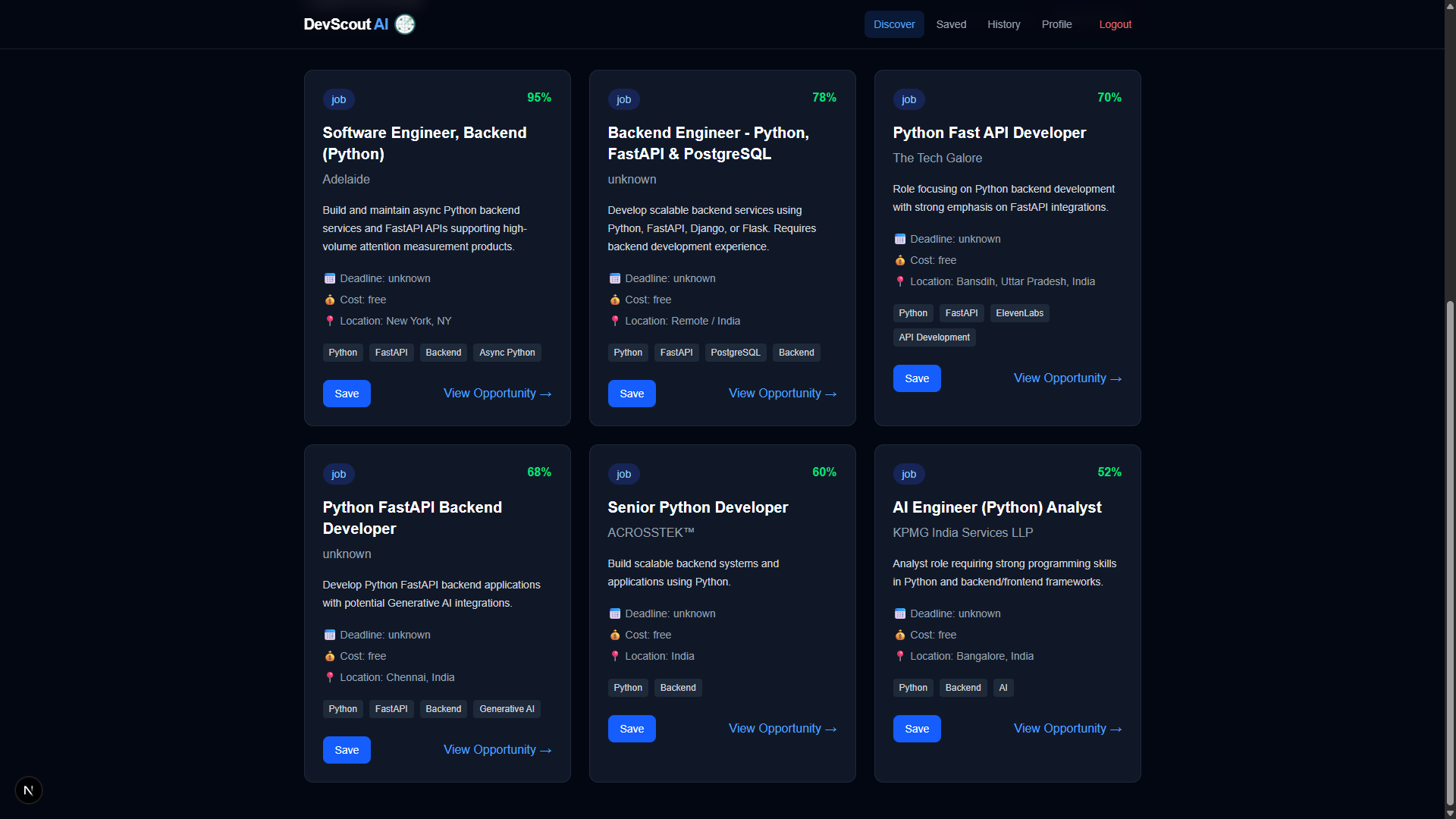
The AI analyzes the processed results and extracts structured information such as:
- Title
- Organization
- Category
- Deadline
- Cost
- Location
- Skills
- Summary
- Relevance score
- URL
This converts unstructured search results into a consistent opportunity format that the application can display.
Caching and Search History
I also implemented caching to reduce unnecessary repeated searches.
When a discovery request can be served from a recent cache, the system can return the cached results instead of repeating the entire search and AI-processing workflow.
The application also maintains search history so users can review previous discovery activity.
This helped me understand an important aspect of AI applications: performance and reliability are not only about the AI model itself. The surrounding application architecture matters just as much.
Authentication and User Data
The application uses JWT-based authentication.
Users can:
- Register
- Log in
- Maintain their profile
- Discover personalized opportunities
- Save opportunities
- Review search history
User-specific information is used to personalize the discovery workflow.
MongoDB is used to store application data such as user profiles, saved opportunities, search history, and discovery-related information.
Deployment
Deploying the project was one of the more challenging parts of the development process.
The frontend and backend are deployed separately.
GitHub Repository
       │
       ├── Frontend → Next.js → Netlify
       │
       └── Backend → FastAPI → AWS EC2
                              │
                              └── MongoDB Atlas
I had to configure:
- AWS EC2
- EC2 networking
- DNS
- HTTPS
- Nginx
- Environment variables
- systemd
- MongoDB Atlas connectivity
The FastAPI application runs as a systemd service on EC2 so that the backend can continue running without manually starting the server after every restart.
This deployment experience helped me understand the difference between developing an application locally and operating it as a continuously running production service.
CI/CD
I also wanted deployments to be repeatable instead of manually connecting to the EC2 server after every change.
I implemented a GitHub Actions workflow:
git push
   ↓
GitHub Actions
   ↓
Install dependencies
   ↓
SSH into EC2
   ↓
Pull latest code
   ↓
Install backend dependencies
   ↓
Restart FastAPI service
   ↓
Verify service is running
This gave the project a more realistic production deployment workflow and reduced the amount of manual deployment work.
Challenges I Faced
1. AI API Reliability
One of the biggest challenges was dealing with AI API limitations.
AI providers can experience:
- Rate limits
- Temporary service errors
- Model availability issues
- High-demand periods
- API failures
A discovery system that depends on a single AI provider can therefore become unreliable.
To improve resilience, I implemented an AI fallback approach where different providers can be used when the primary provider is temporarily unavailable.
The intended architecture is:
Gemini
   ↓
If unavailable
   ↓
Groq
   ↓
If unavailable
   ↓
OpenRouter
This taught me that production AI applications need failure-handling strategies rather than assuming that an external AI API will always be available.
2. Freshness of Opportunities
Another challenge was making the results useful for time-sensitive opportunities.
For example, a job posted several weeks ago may no longer be accepting applications.
I therefore added freshness filtering so discovery can focus on more recent opportunities, especially for jobs.
3. Search Result Quality
Search engines can return duplicate or irrelevant results.
The system therefore needs to combine search, filtering, deduplication, and AI analysis rather than simply displaying raw search results.
4. Production Deployment
Getting the application to work locally was only part of the problem.
I had to configure DNS, HTTPS, Nginx, EC2 networking, environment variables, and systemd so that the FastAPI backend could run continuously.
This was one of the areas where I learned the most about deploying full-stack applications.
5. CI/CD Configuration
Setting up GitHub Actions also introduced practical deployment challenges, including configuring SSH access and environment-specific secrets.
Once configured, the workflow allowed code pushed to the main branch to be deployed to the backend server automatically.
What I Learned
Building DevScout AI taught me that developing an AI-powered product involves much more than calling an AI model.
I learned about:
- Designing full-stack applications
- Building REST APIs with FastAPI
- Integrating AI APIs
- Integrating web search APIs
- Prompt design
- Structured JSON responses
- Authentication with JWT
- MongoDB data modeling
- Caching
- Deduplication
- Freshness filtering
- Error handling
- AI provider fallbacks
- Responsive frontend development
- AWS EC2 deployment
- Nginx and HTTPS configuration
- DNS configuration
- systemd services
- GitHub Actions
- CI/CD workflows
The project also taught me that the quality of an AI application depends heavily on the architecture around the model.
A good AI model alone does not automatically produce a reliable product. Search quality, validation, filtering, caching, error handling, authentication, deployment, and user experience all contribute to the final result.
What Makes DevScout AI Different
DevScout AI is not intended to be another generic job search interface.
The core idea is personalized opportunity intelligence.
Instead of asking:
"What jobs are available?"
the system asks:
"What opportunities are relevant to this particular developer right now?"
By combining a user's profile with AI-generated search queries, web search, freshness filtering, deduplication, and AI-powered opportunity analysis, DevScout AI aims to reduce the amount of manual searching required to discover useful career opportunities.
What's Next
There is still a lot I want to build.
Future improvements include:
- More intelligent opportunity scoring
- Better duplicate detection
- Application tracking
- Automated application assistance
- Personalized notifications
- More opportunity sources
- Improved AI ranking
- Skill-gap analysis
- Recommendations for certifications based on target roles
- Deeper career-path recommendations
The long-term vision is to turn DevScout AI from an opportunity discovery tool into a personal career intelligence assistant for software engineers.
Final Thoughts
The biggest takeaway from building DevScout AI was learning how to turn a real-world problem into a complete production-oriented system.
It started with a simple frustration — spending too much time searching for opportunities — and evolved into a full-stack AI application involving web search, personalization, data processing, authentication, caching, deployment, and CI/CD.
More importantly, the project taught me that building useful AI products isn't only about generating intelligent responses. It's about building the entire system around the AI so that the result is reliable, useful, and practical.
