Inspiration
I run several AI coding agents at once, each in its own terminal. Most of the time they work on their own. The hard part is noticing when one is stuck, asks for permission or has finished, because a row of terminal windows looks the same whether an agent needs you or not. I wanted a place where I could see that at a glance, answer the few things only I can decide, and get back to my day.
deVR is also my first VR project. Once I saw how well the Meta Quest 3 understands a room, putting the agents on my real desk instead of in another window seemed like the obvious answer.
What it is
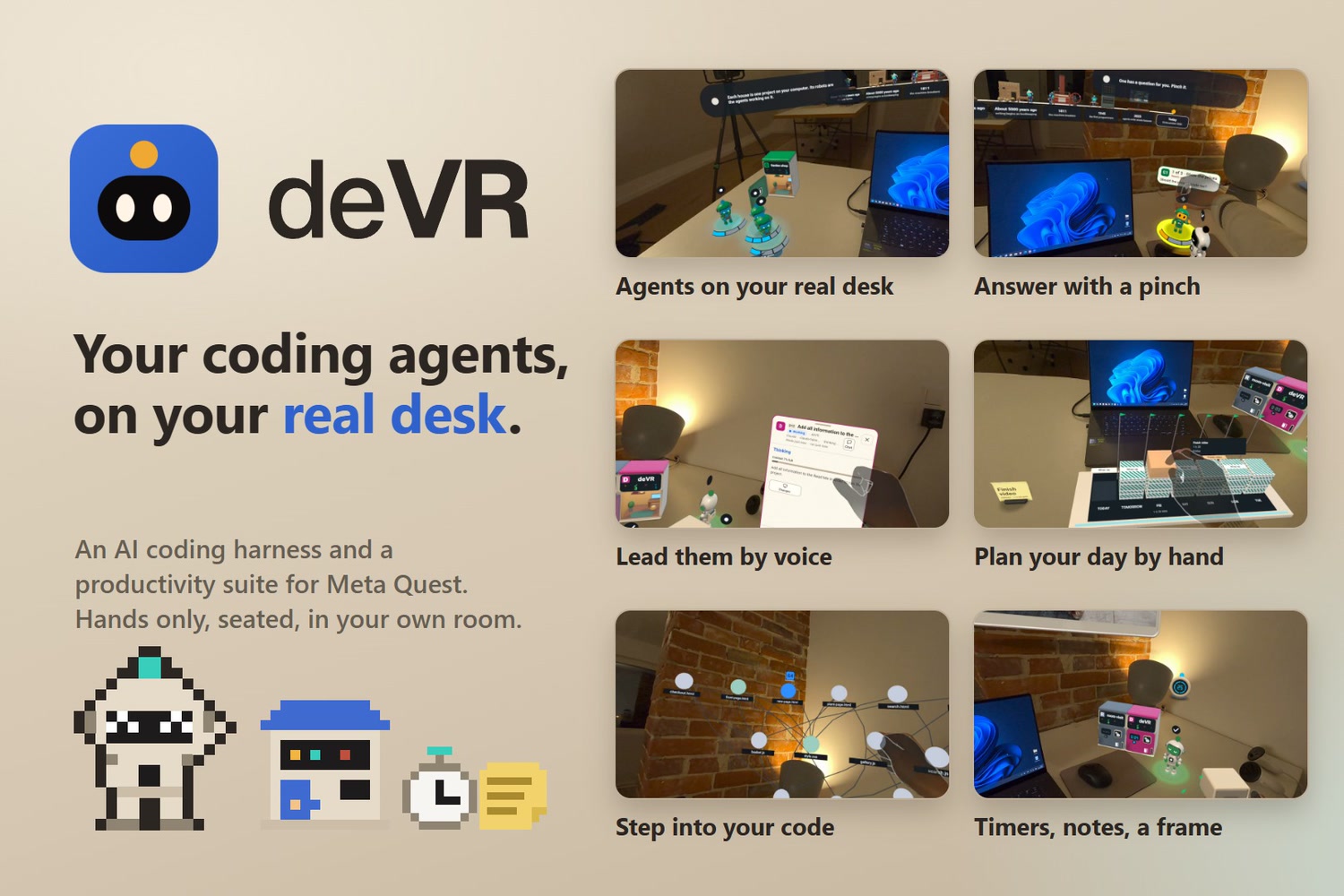
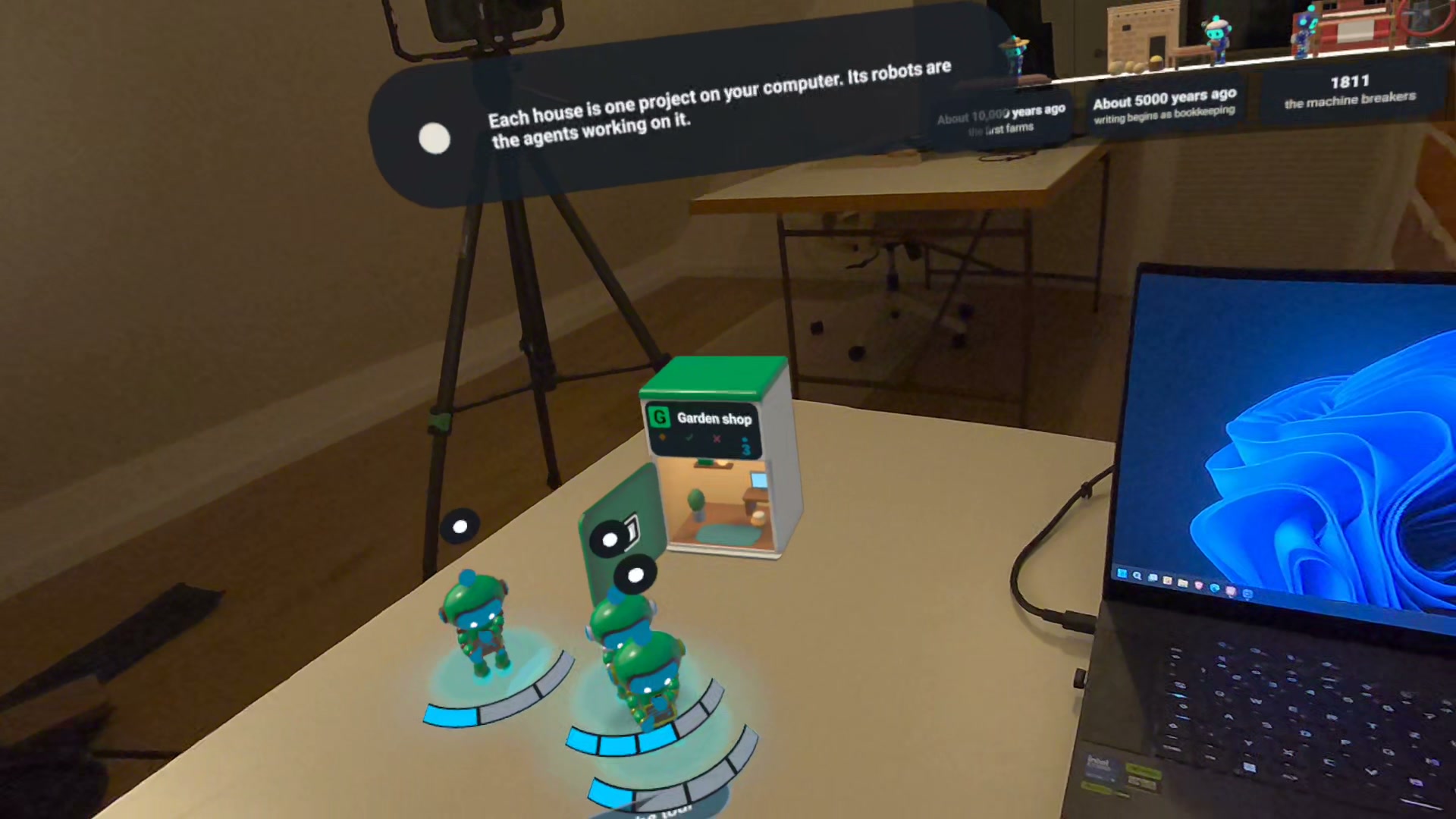
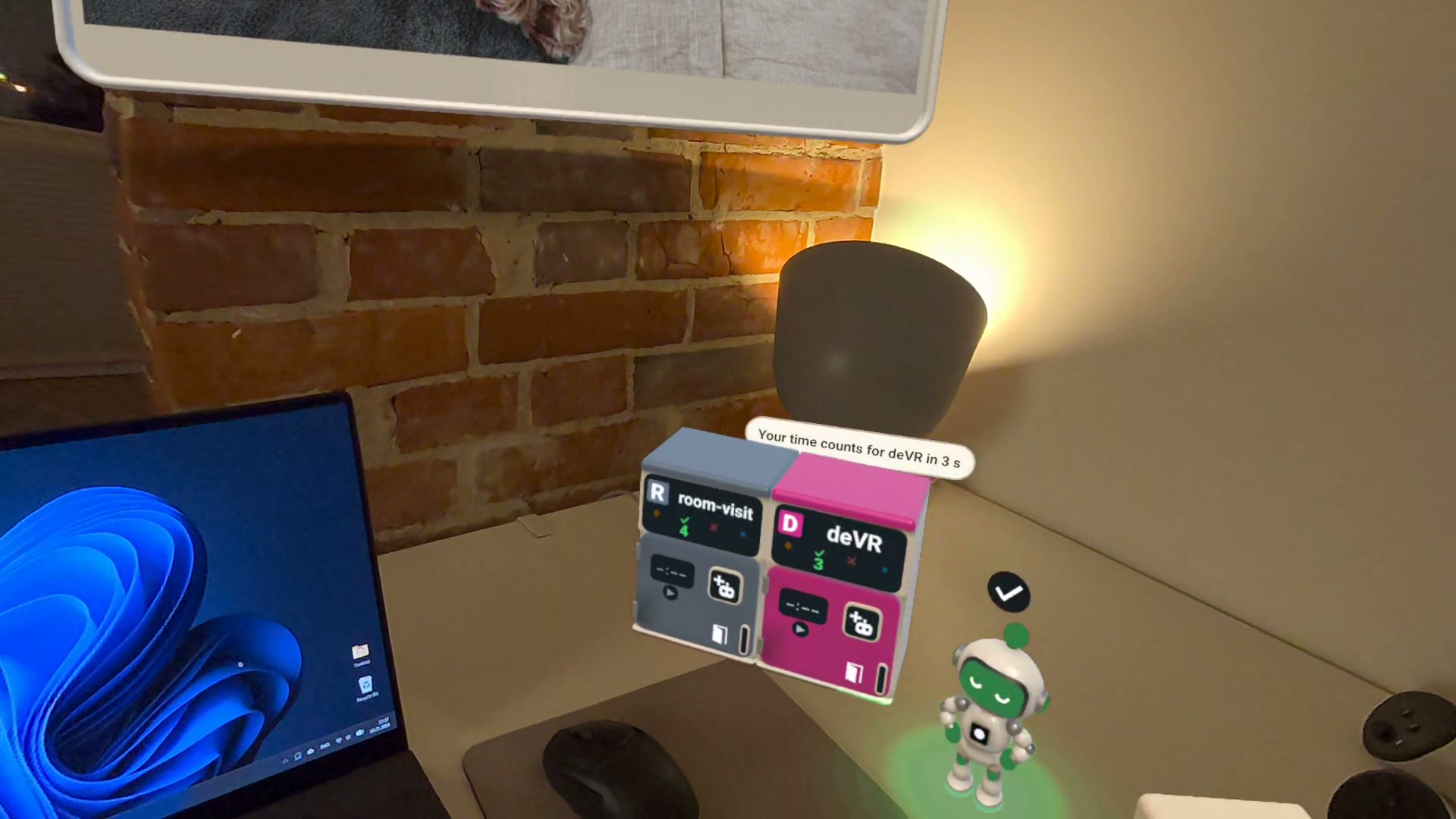
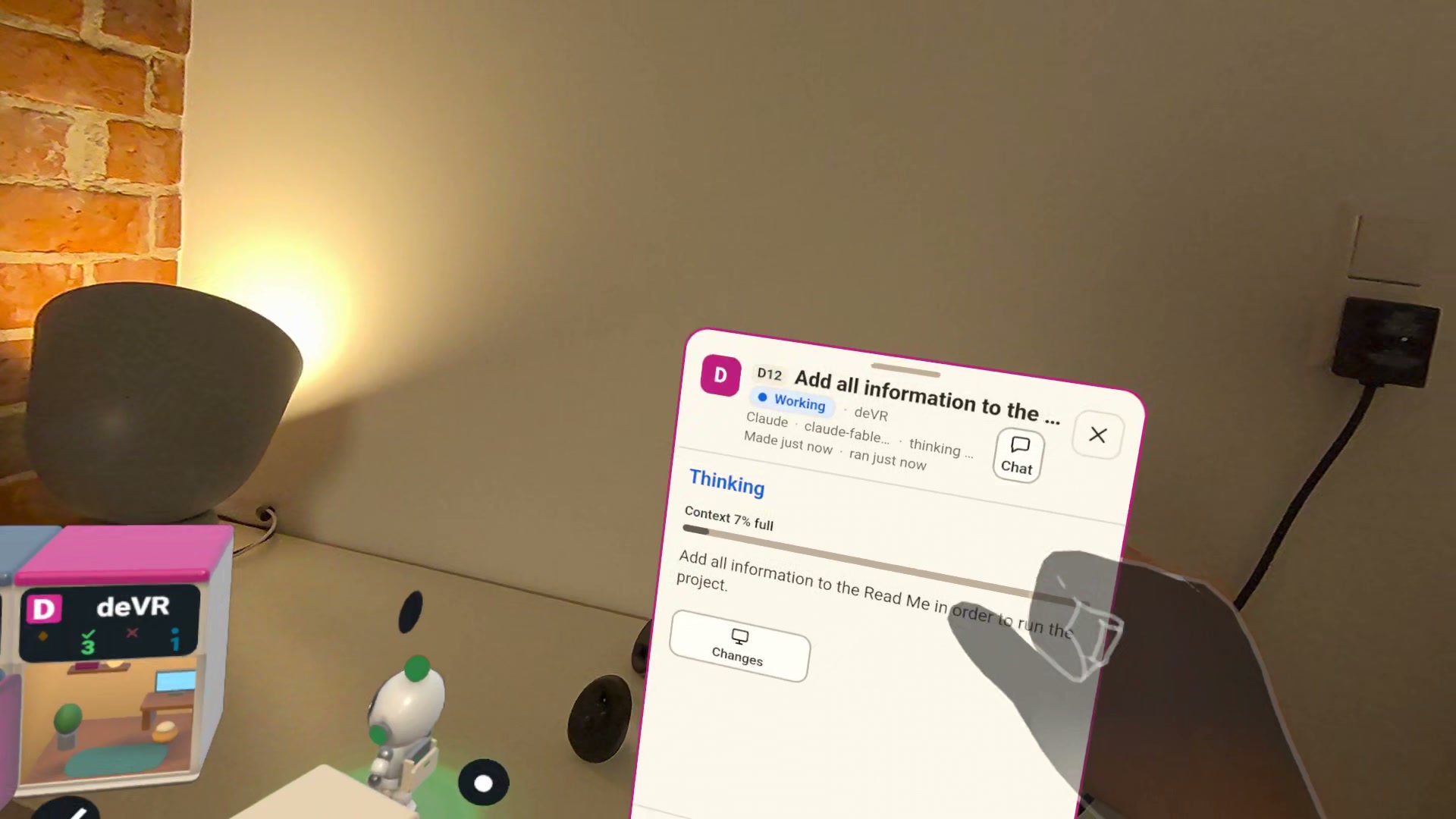
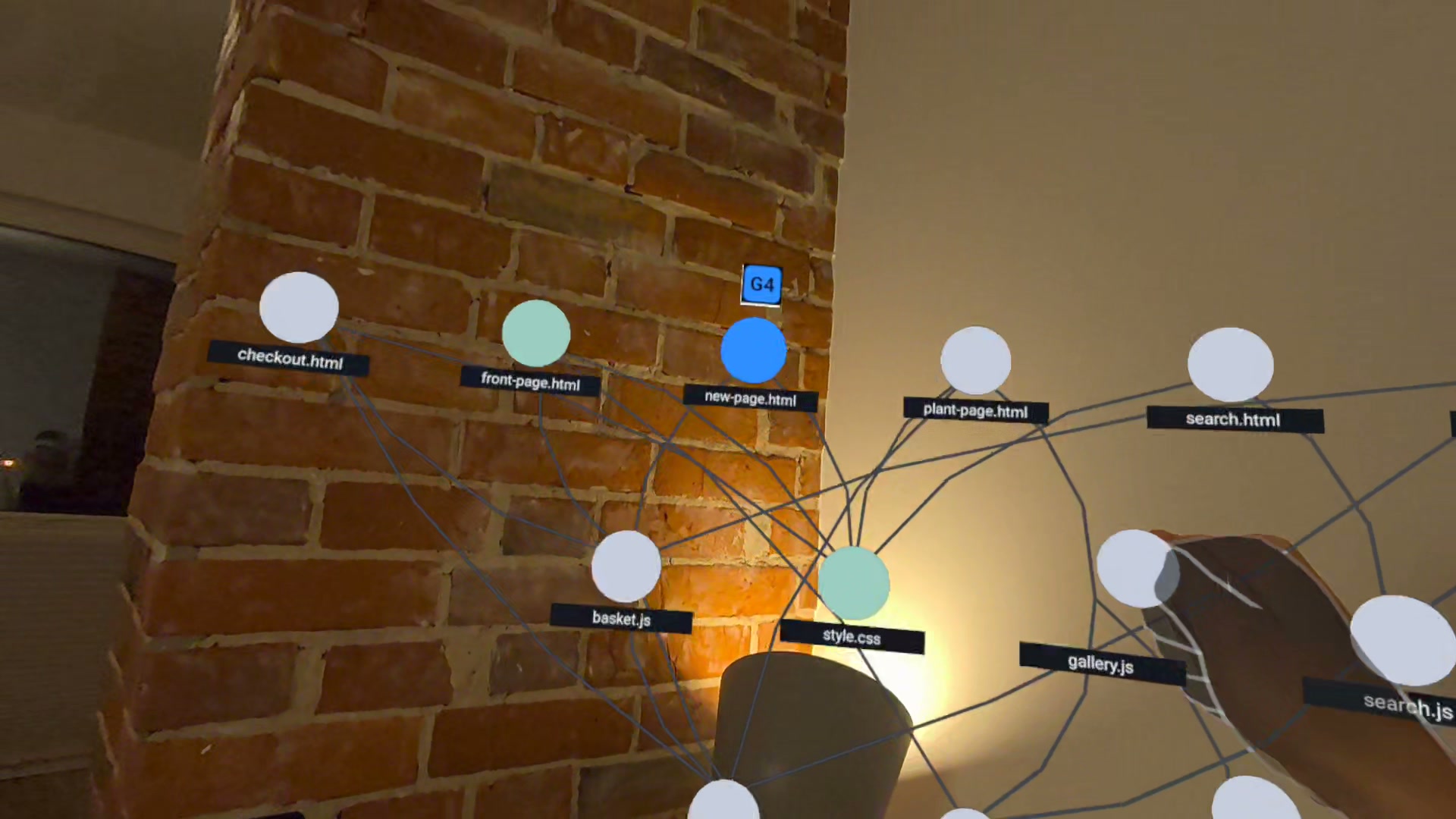
deVR is a VR-first AI coding harness. Every coding agent on your computer is a small robot on your real desk, shown in passthrough. A robot has seven states, each with its own light, posture and sign: starting, working, needs you, ready for review, failed, stopped and done. The working ones stay at the back. The one that needs you walks forward into reach. Each project is a small house in its own colour. You pinch an agent to open its card, review what it changed, and accept or reject it. Holding a pinch and speaking steers an agent or starts new work. Everything is done with hands and voice, seated, without controllers.
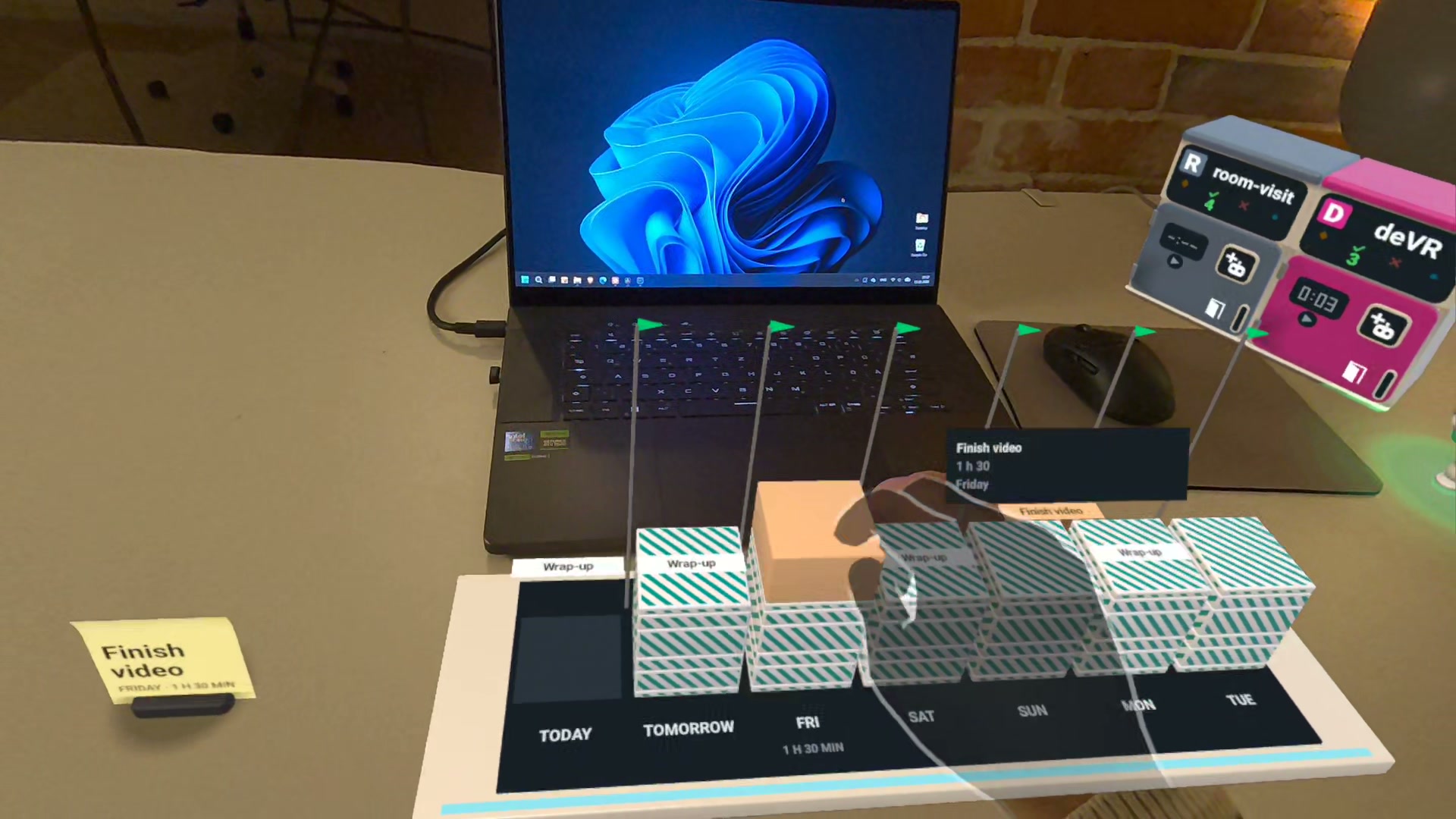
The desk is useful without an agent too. It holds a timer with countdown, pomodoro and stopwatch modes, a focus session that holds agents back, notes saved as Markdown files in your project, a time tracker per project, and your calendar.
How I built it
Headset: a native Android app in Kotlin on the Meta Spatial SDK. It uses passthrough, scene understanding (Mixed Reality Utility Kit) to find the desk, anchors to remember where things stand, and the Interaction SDK for hand tracking. The panels are React pages in WebViews, placed with the Layout SDK. Companion: a Windows app (Electron and Node) that starts and watches the coding agents you already have, through the Agent Client Protocol. Agents work in isolated git worktrees, and nothing lands without an explicit Land. The headset pairs with the companion once with a six-digit code and then talks to it over your local network with TLS. deVR runs no AI model of its own and needs no account. 3D: the robots and the houses were modelled in Blender.
What I'm proud of
- The first five minutes. deVR starts with a short scripted scene on your own desk that needs no computer at all. The robots show you what their states mean, and you try the pinch, the hold and speaking before anything real is at stake. Connecting your computer comes after that, as four steps with a picture for each: download the companion from devr.space, open it, type the six-digit code, and you’re paired.
- A bold concept. Most tools for AI agents are another window full of text. deVR turns each agent into an object in your real room, and how near it stands to you shows how much it needs you. It took many rounds on the headset to make that readable at a glance.
- My first VR application. I had never used a VR product before this project. Learning passthrough, scene understanding and hand tracking while building something I actually use every day was the best part.
- Back in Blender. I modelled the robots and the project houses myself, which was a good reason to refresh my Blender skills after a long break.
What comes next
Release on the Meta Horizon Store. A signed Windows installer, then macOS and Linux companions. Getting and leveraging user-feedback to make a better product.
Target launch: 15.12.2026 on the Meta Horizon Store, with the Windows companion at devr.space.
Built With
- agent-client-protocol
- blender
- electron
- hand-tracking
- interaction-sdk
- jetpack-compose
- kotlin
- meta-horizon-os
- meta-spatial-sdk
- mixed-reality-utility-kit
- node.js
- openxr
- passthrough
- react
- typescript
- vulkan


