-
-
High-Level Overview & Architecture — DevPilot AI Software Engineer: end-to-end task-to-code workflow
-
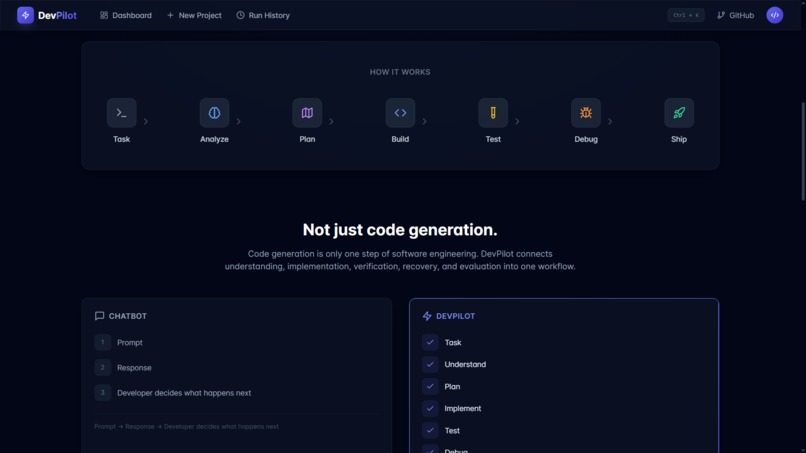
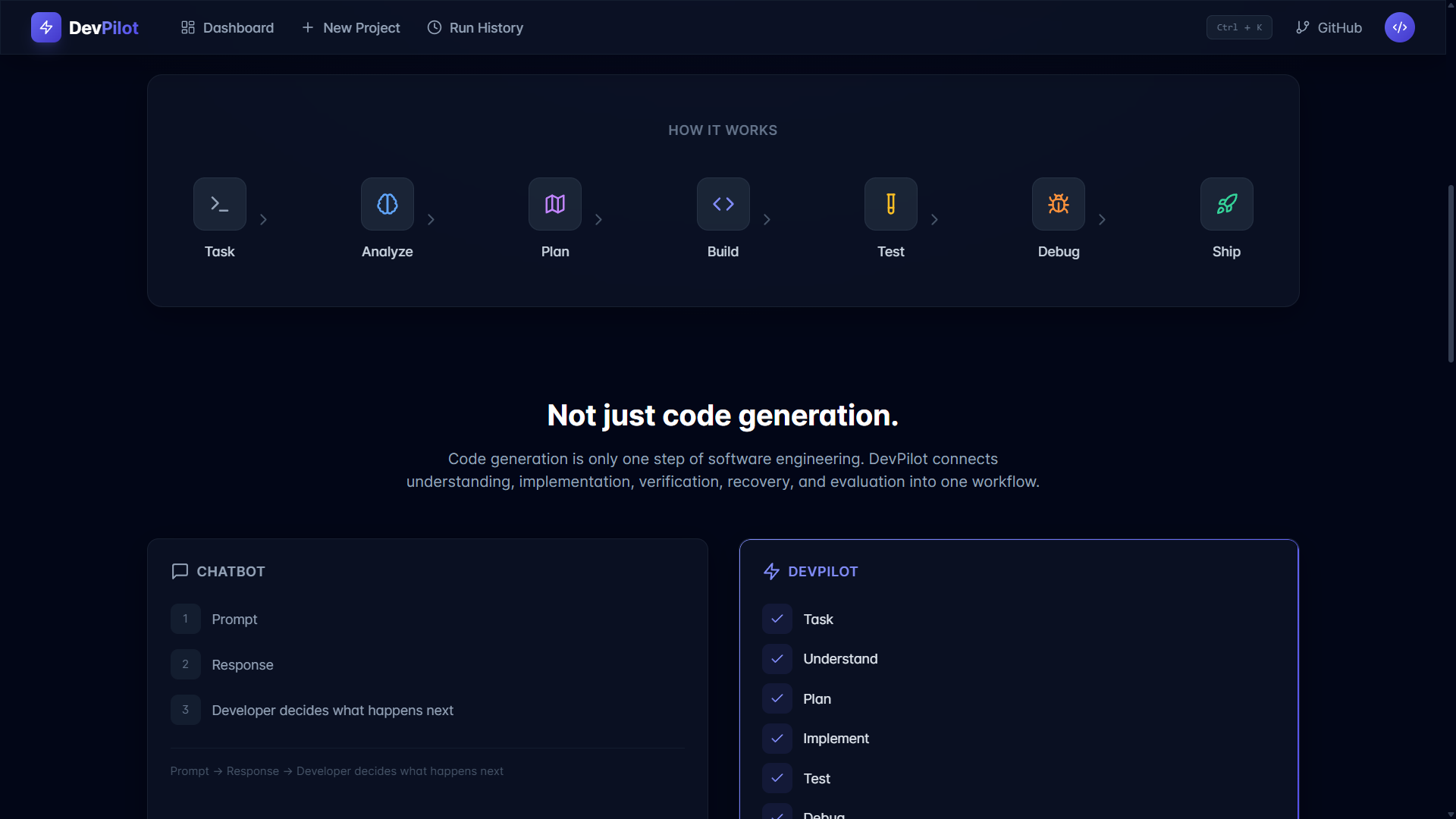
System Pipeline — The full engineering cycle: Understand, Plan, Build, Test, Debug, Verify, Evaluate, Ship
-
Problem & Solution — Moving beyond simple AI code generation to full engineering orchestration
-
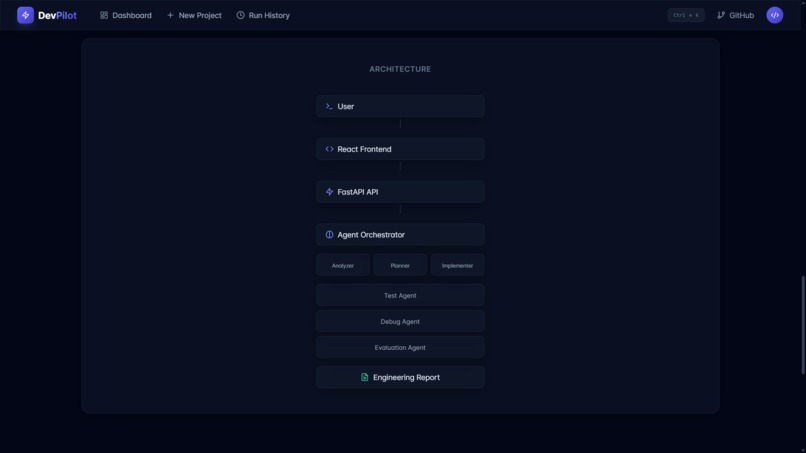
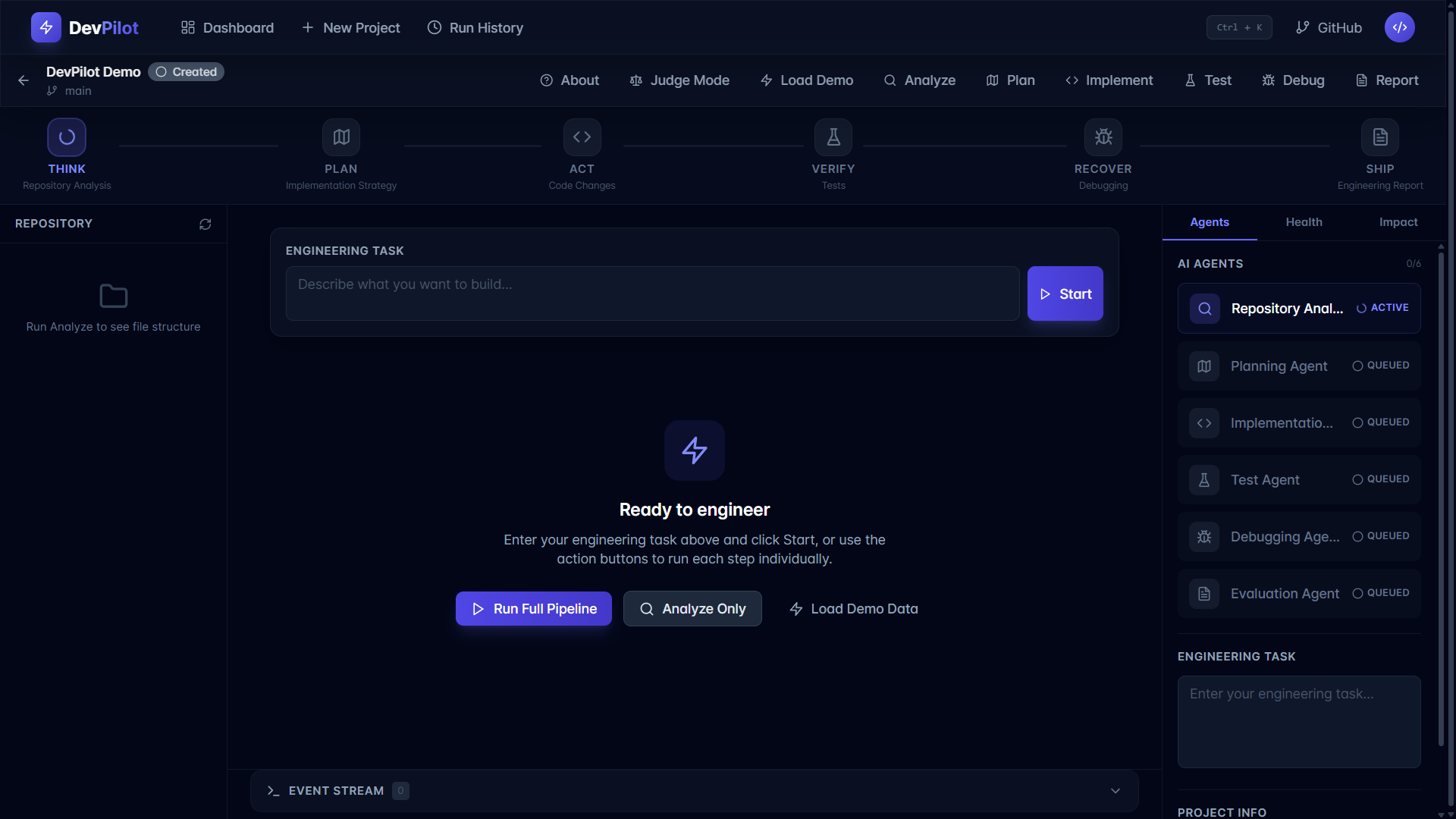
Multi-Agent Architecture — Specialized agents coordinating repository analysis, planning, building, and testing
-
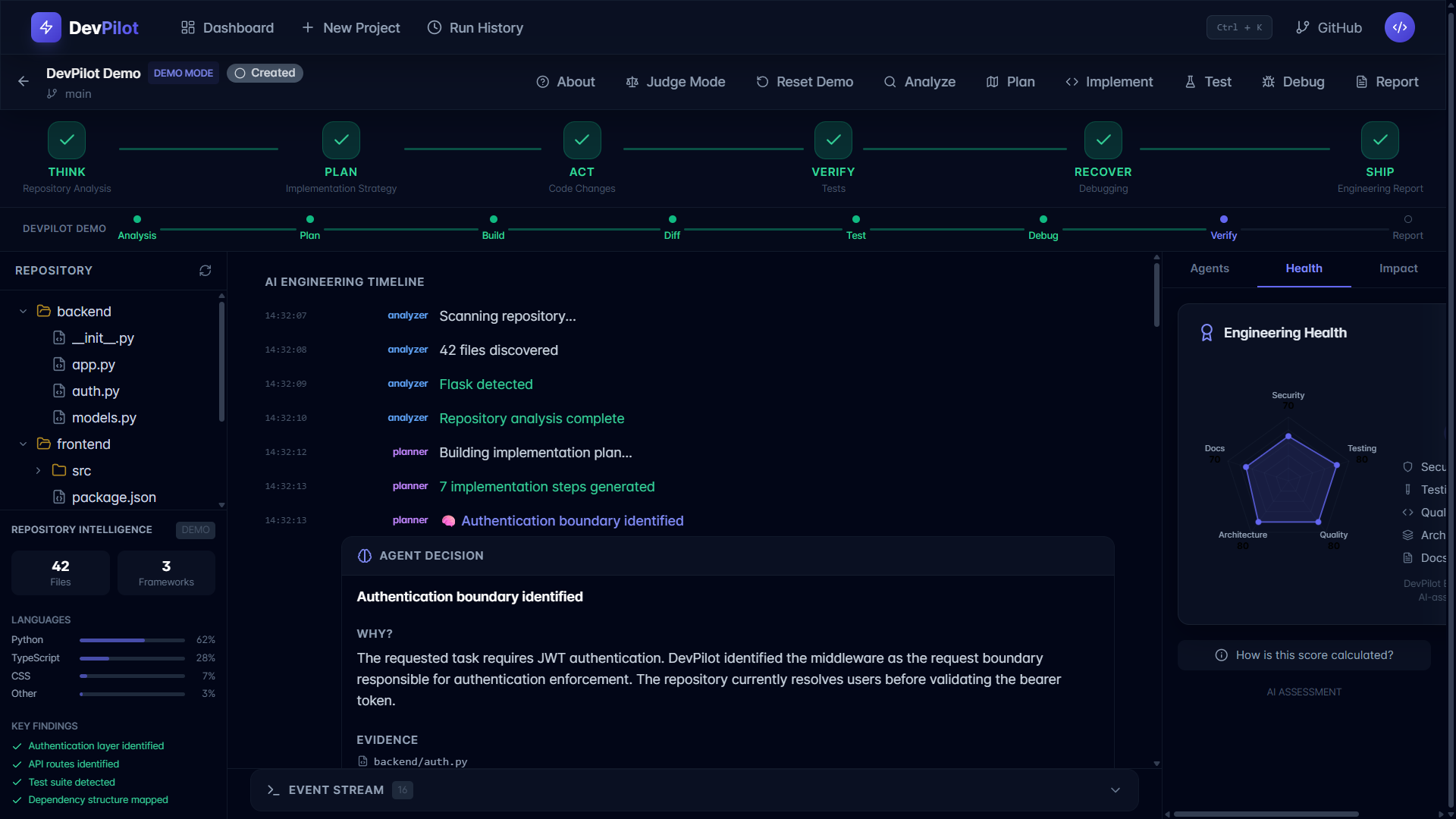
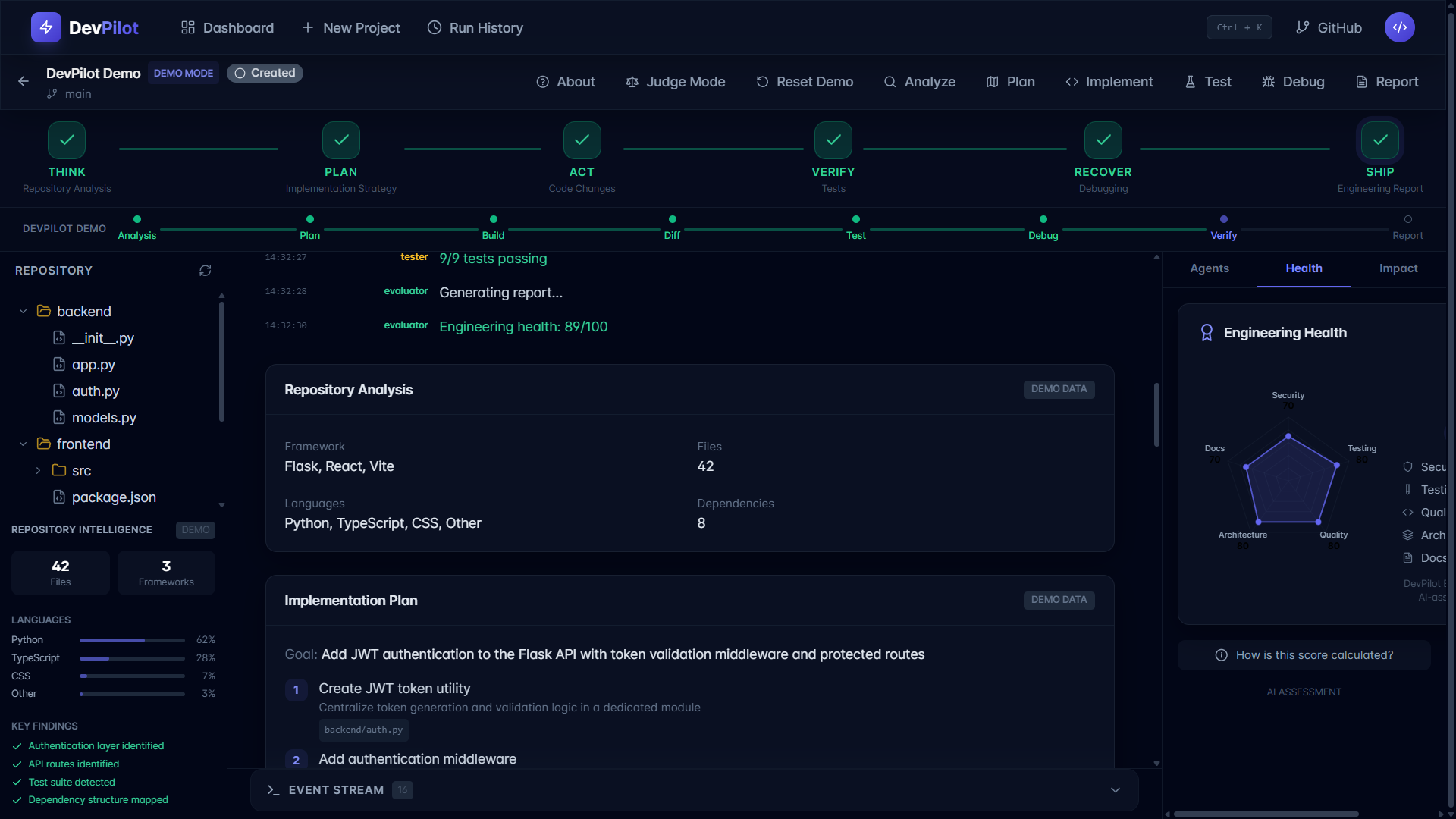
Repository Analyzer — Automating codebase exploration to map structures, dependencies, and files
-
Planning Agent — Translating high-level natural language tasks into actionable implementation plans
-
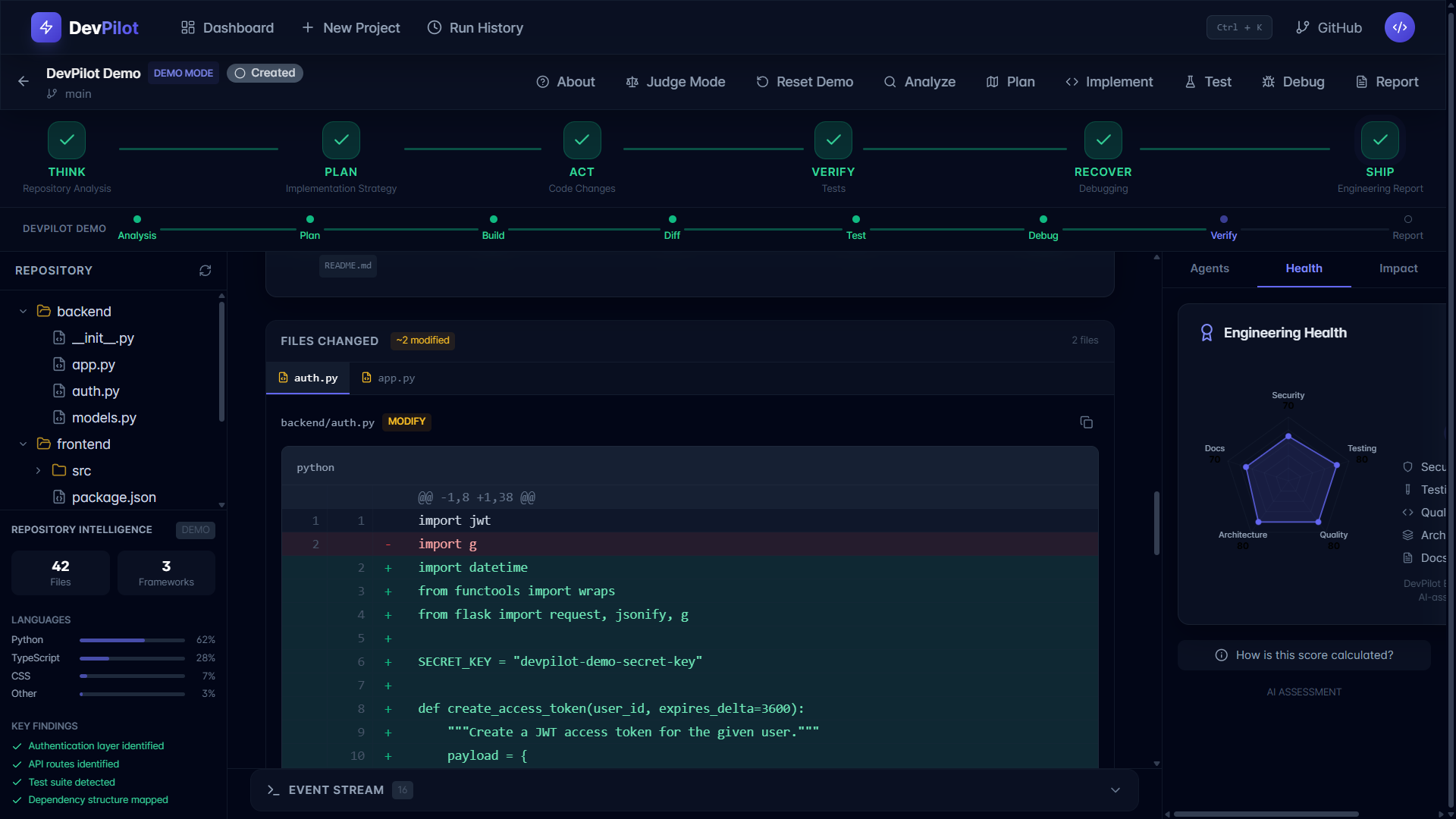
Implementation Agent — Generating code modifications with explicit, transparent code diffs
-
Test Agent — Automating test execution and capturing real-time results
-
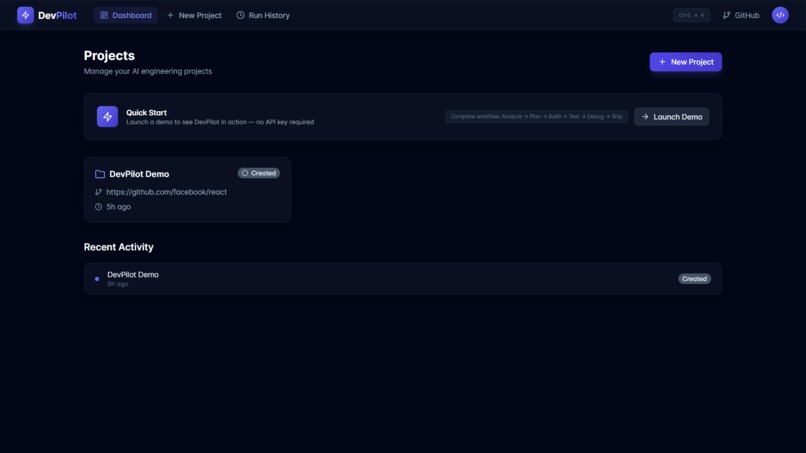
Debugging Agent — Diagnosing test failures, identifying root causes, and planning recovery paths.
-
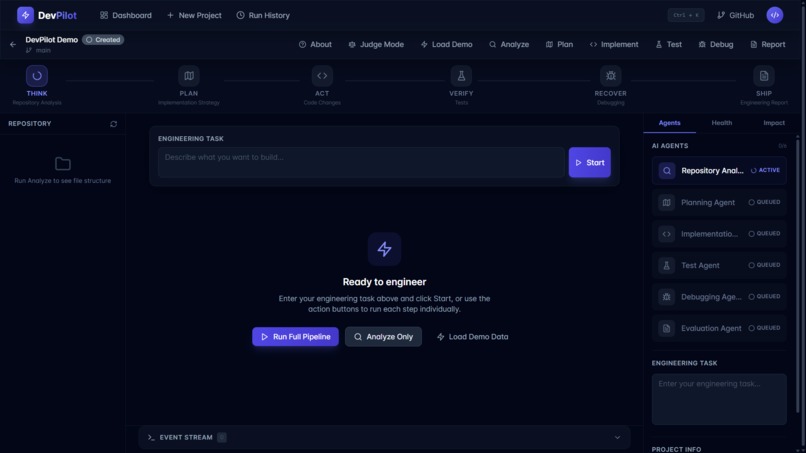
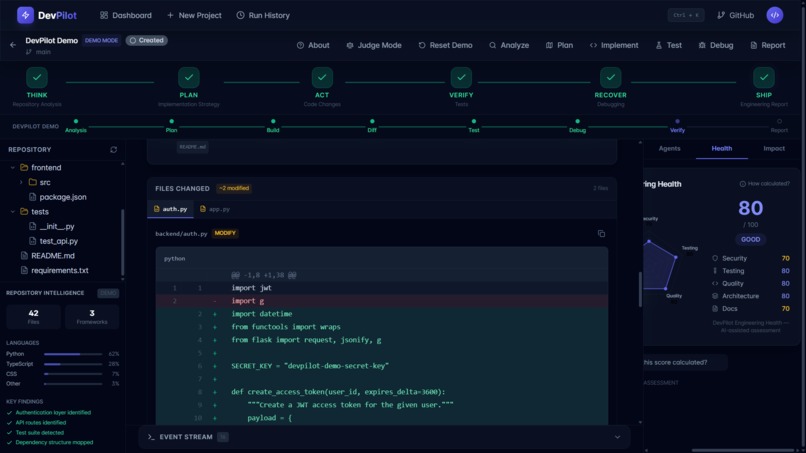
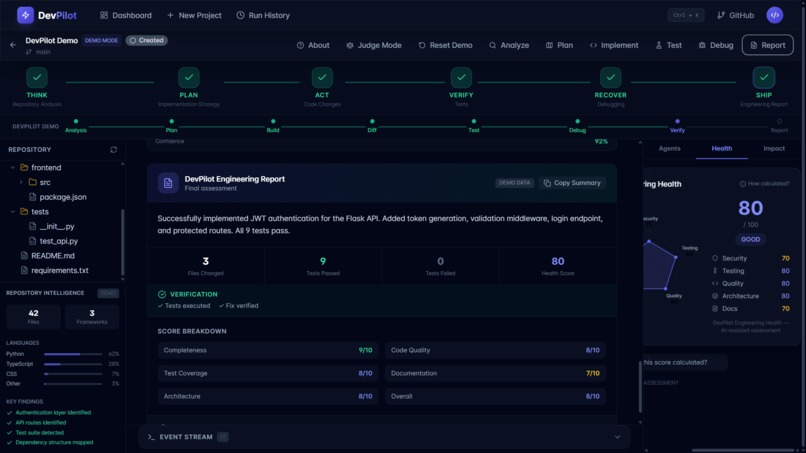
Evaluation & Engineering Health — Scoring code quality, architecture, testing, security, and documentation
-
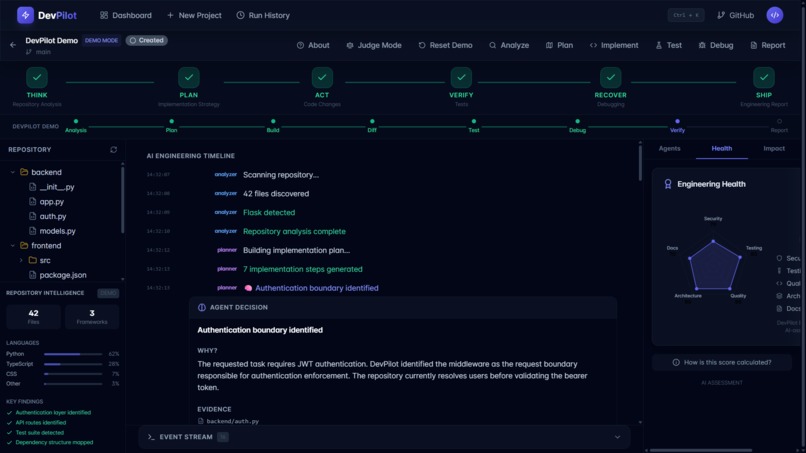
Real-Time Streaming — Live agent timeline progress powered by Server-Sent Events (SSE).
-
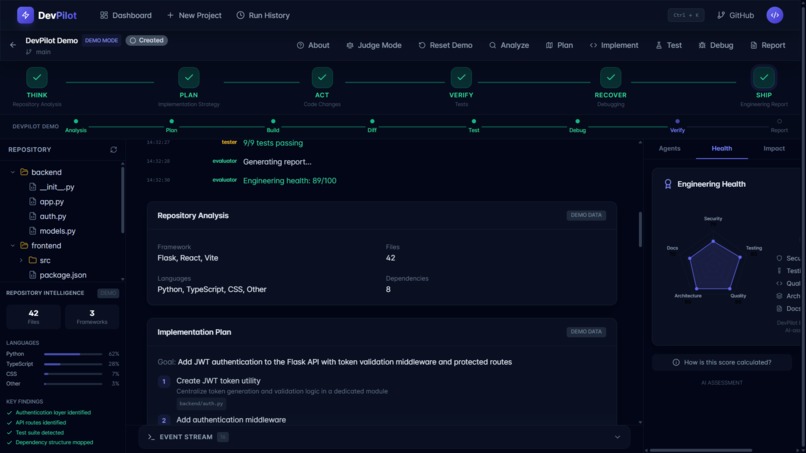
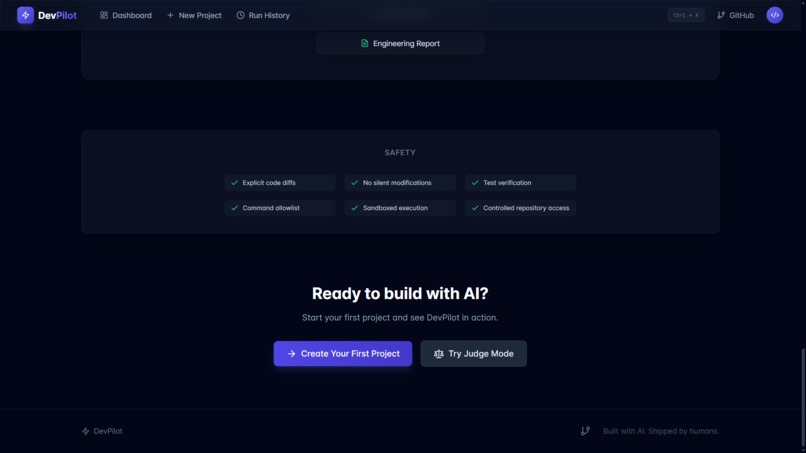
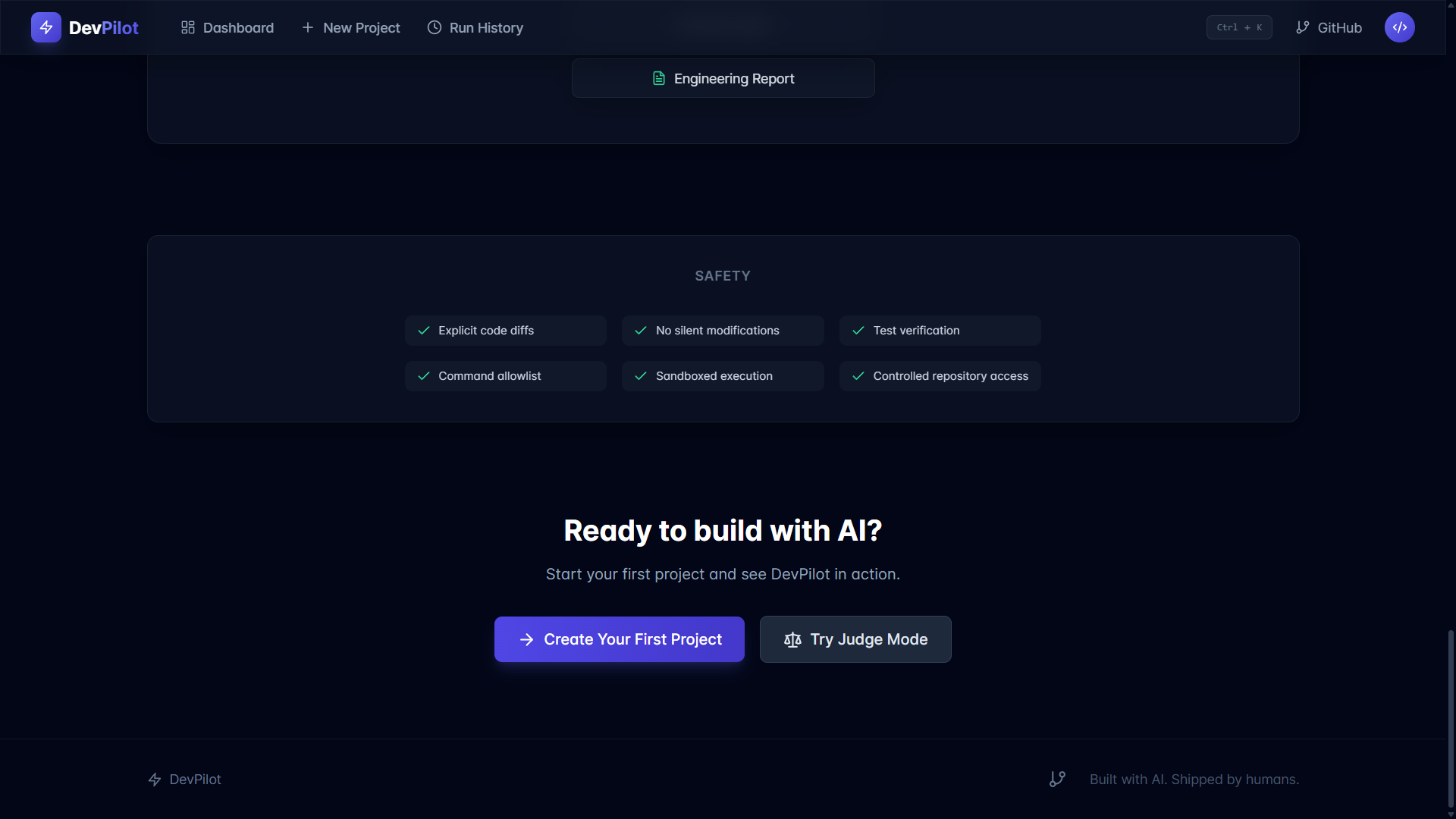
Safety & Sandboxing — Command allowlisting, explicit diff checks, and controlled repository access
-
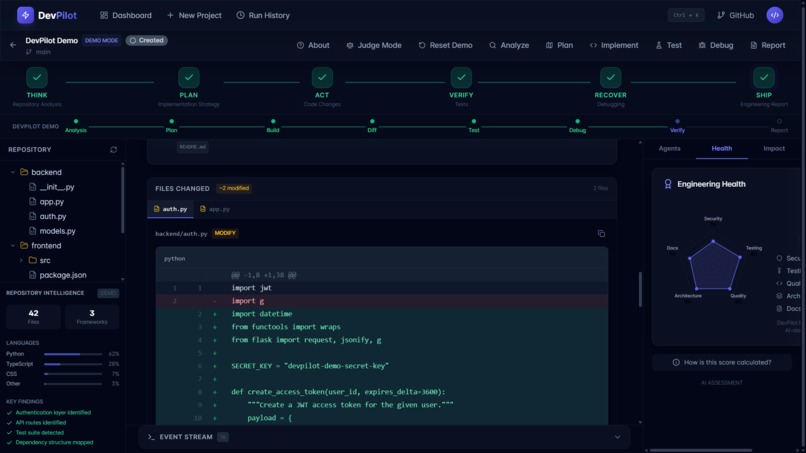
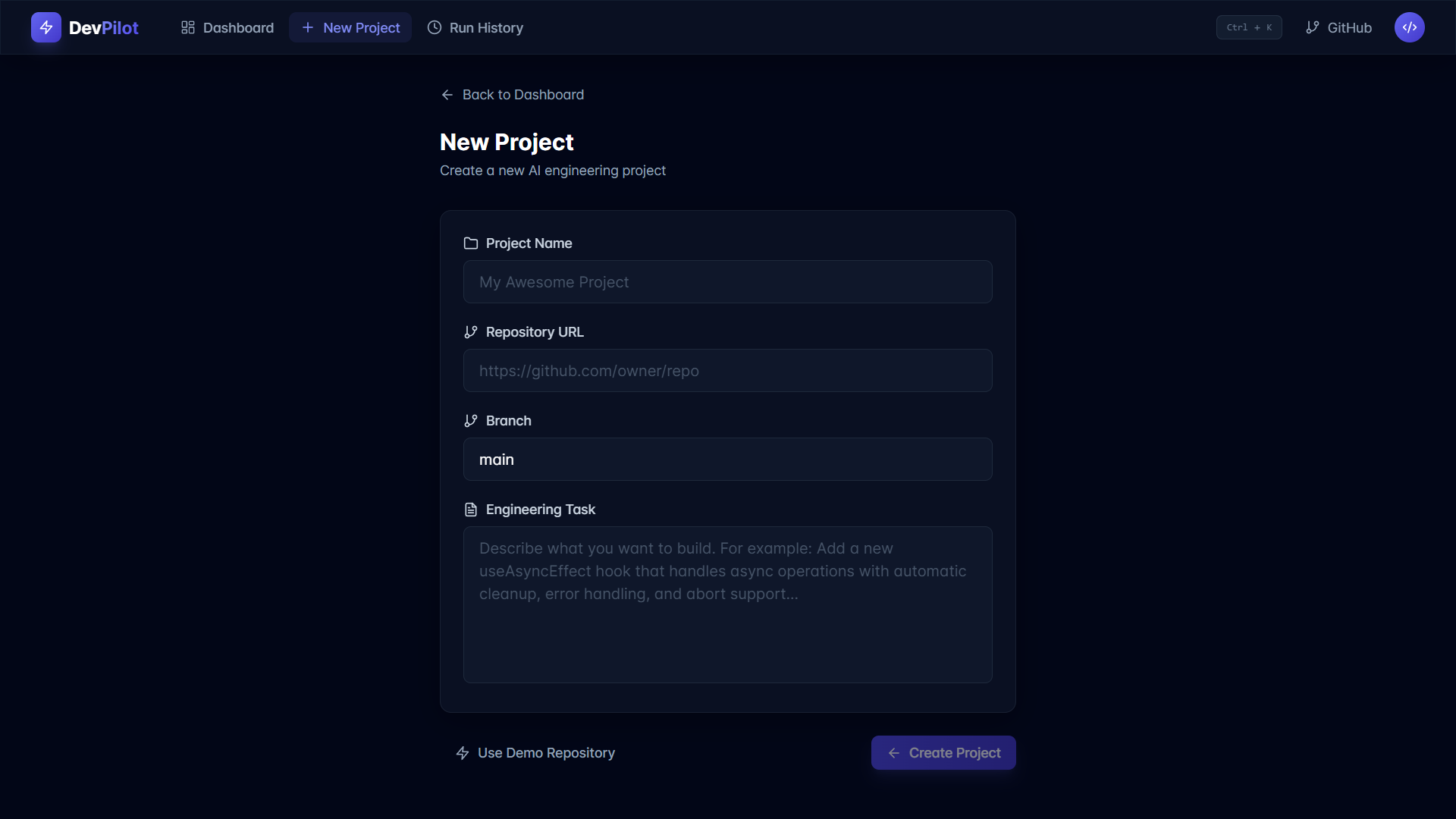
nteractive Demo Mode — Complete end-to-end workflow demonstration without requiring API keys.
-
Tech Stack & Integration — Full-stack setup featuring React, TypeScript, FastAPI, SQLAlchemy, and SQLite
-
Production Deployment — Cloud deployment architecture hosted across Vercel and Render
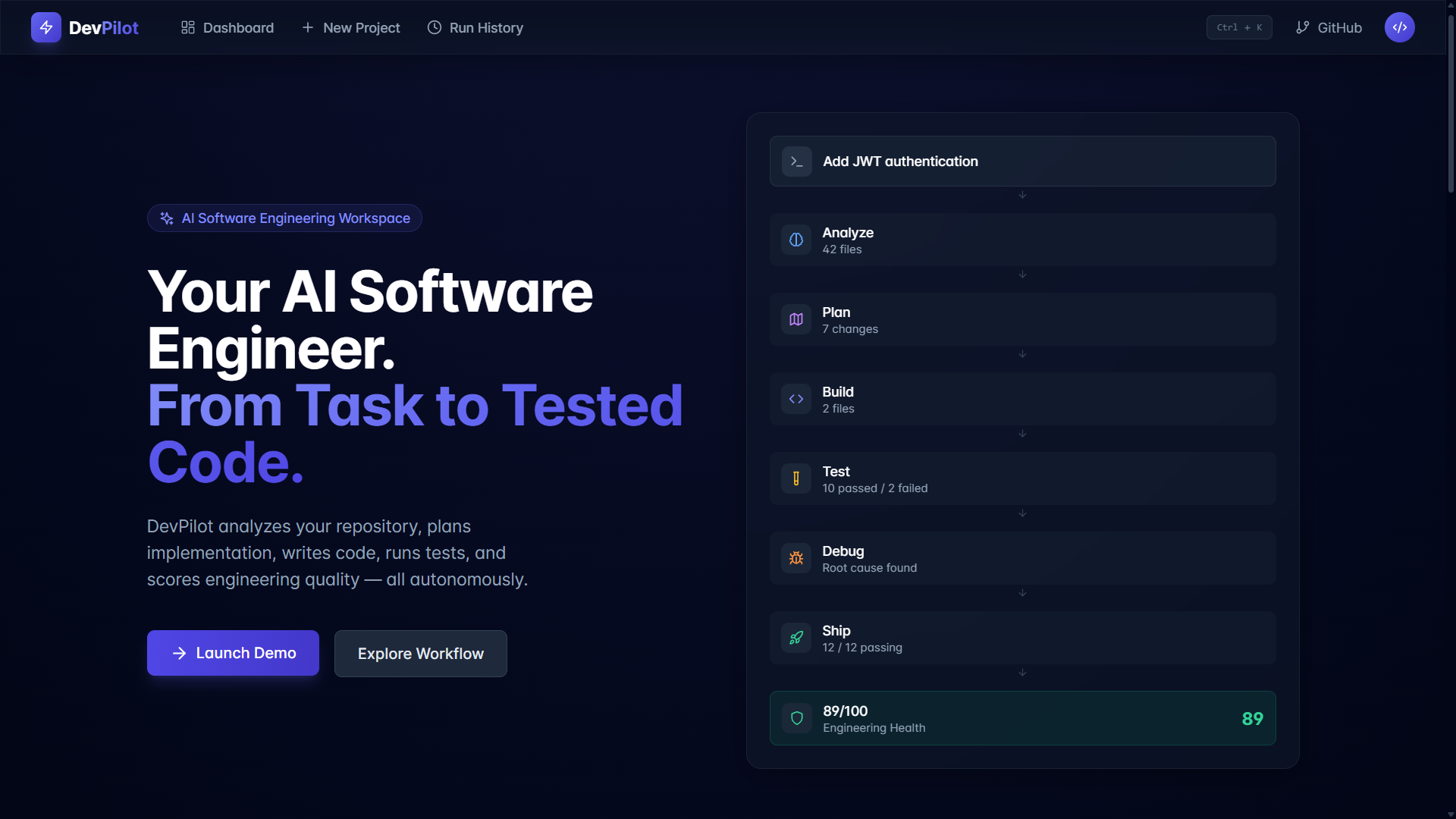
DevPilot : AI Software Engineer From Task to Tested Code.
Software development does not end when an AI generates a code snippet.
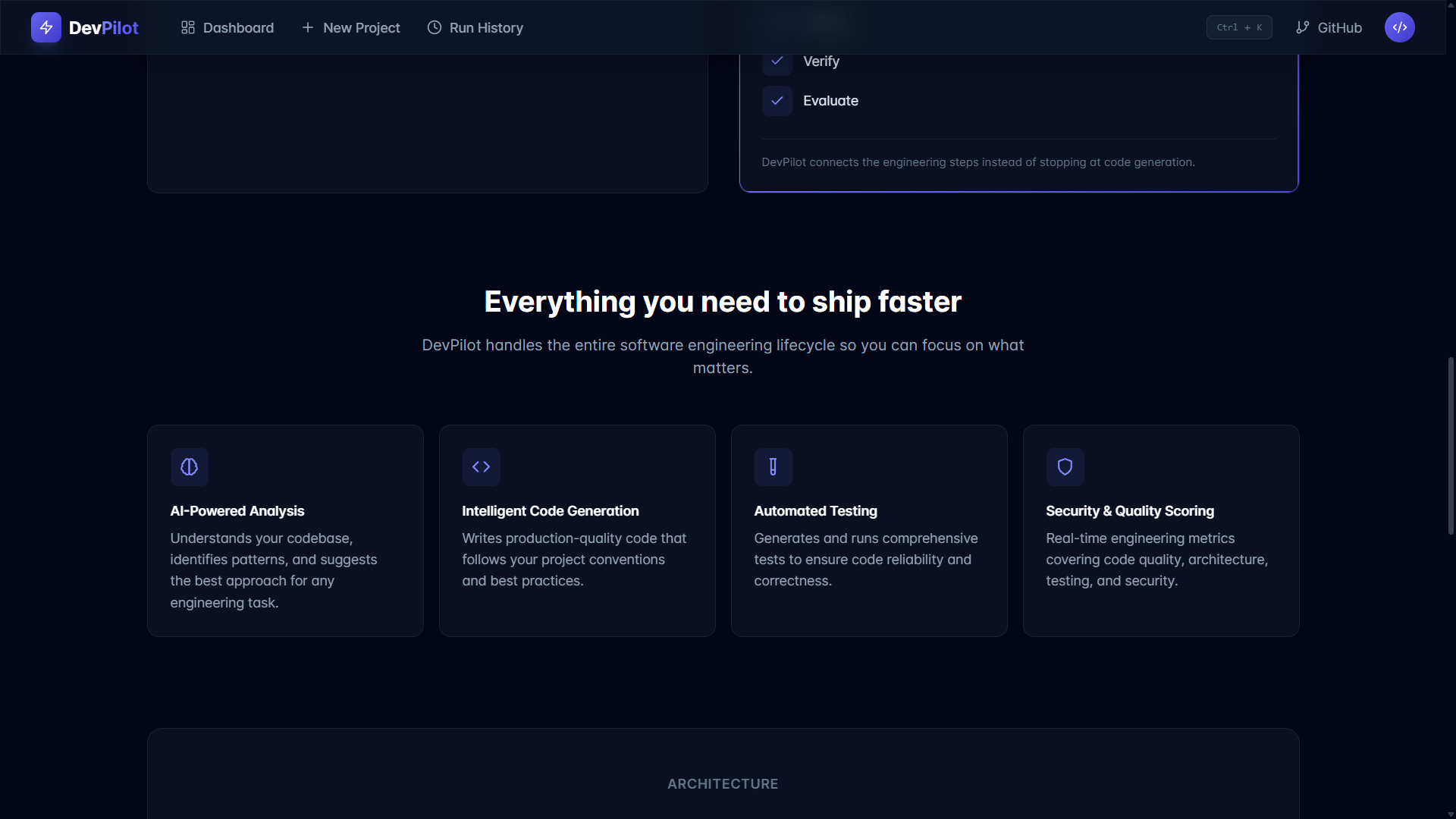
A real engineering task requires understanding an existing codebase, deciding what needs to change, planning the implementation, writing the changes, running tests, diagnosing failures, verifying the result, and evaluating whether the final solution is actually good software.
DevPilot was built to close that loop.
DevPilot is an AI-powered software engineering workspace that transforms a natural-language development task into a structured engineering workflow:
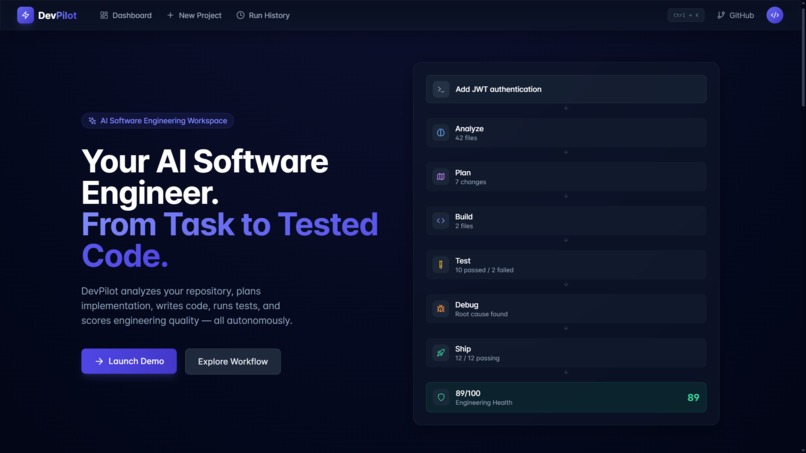
Understand → Plan → Build → Test → Debug → Verify → Evaluate → Ship
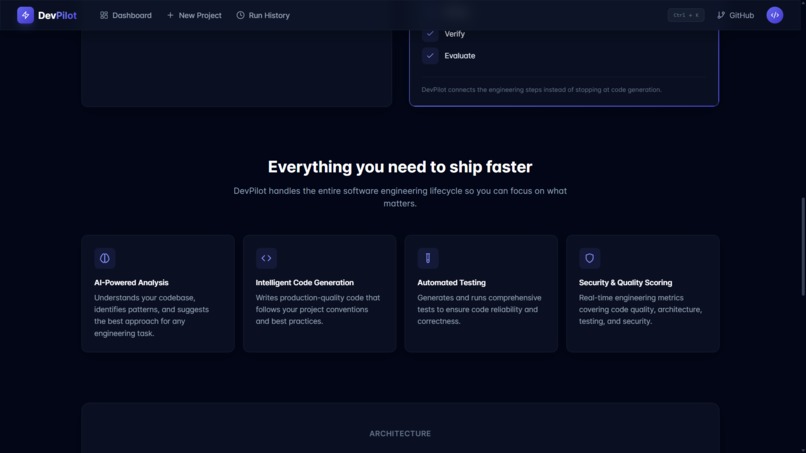
Instead of acting like a chatbot that simply returns code, DevPilot is designed around the workflow an actual software engineer follows.
The Problem
Today's AI coding assistants are extremely good at generating code, but software engineering involves much more than generation.
Developers still need to:
Understand unfamiliar repositories Identify relevant files and dependencies Decide how a change should be implemented Apply changes safely Run and interpret tests Investigate failures Verify that fixes actually work Evaluate code quality and security
This creates a gap between "AI generated some code" and "the software is ready to ship."
DevPilot is designed to bridge that gap.
Our Solution
DevPilot orchestrates specialized engineering agents around a single development task.
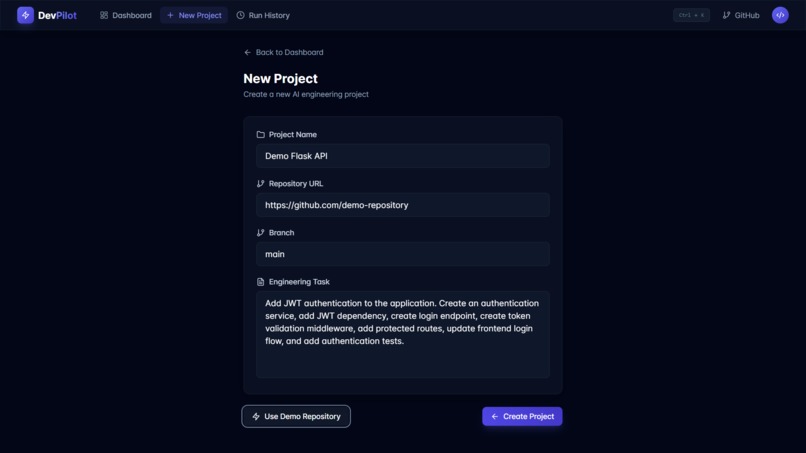
A request enters the system as a high-level task such as:
"Add JWT authentication to this application."
DevPilot then moves through a coordinated engineering pipeline.
- Analyze
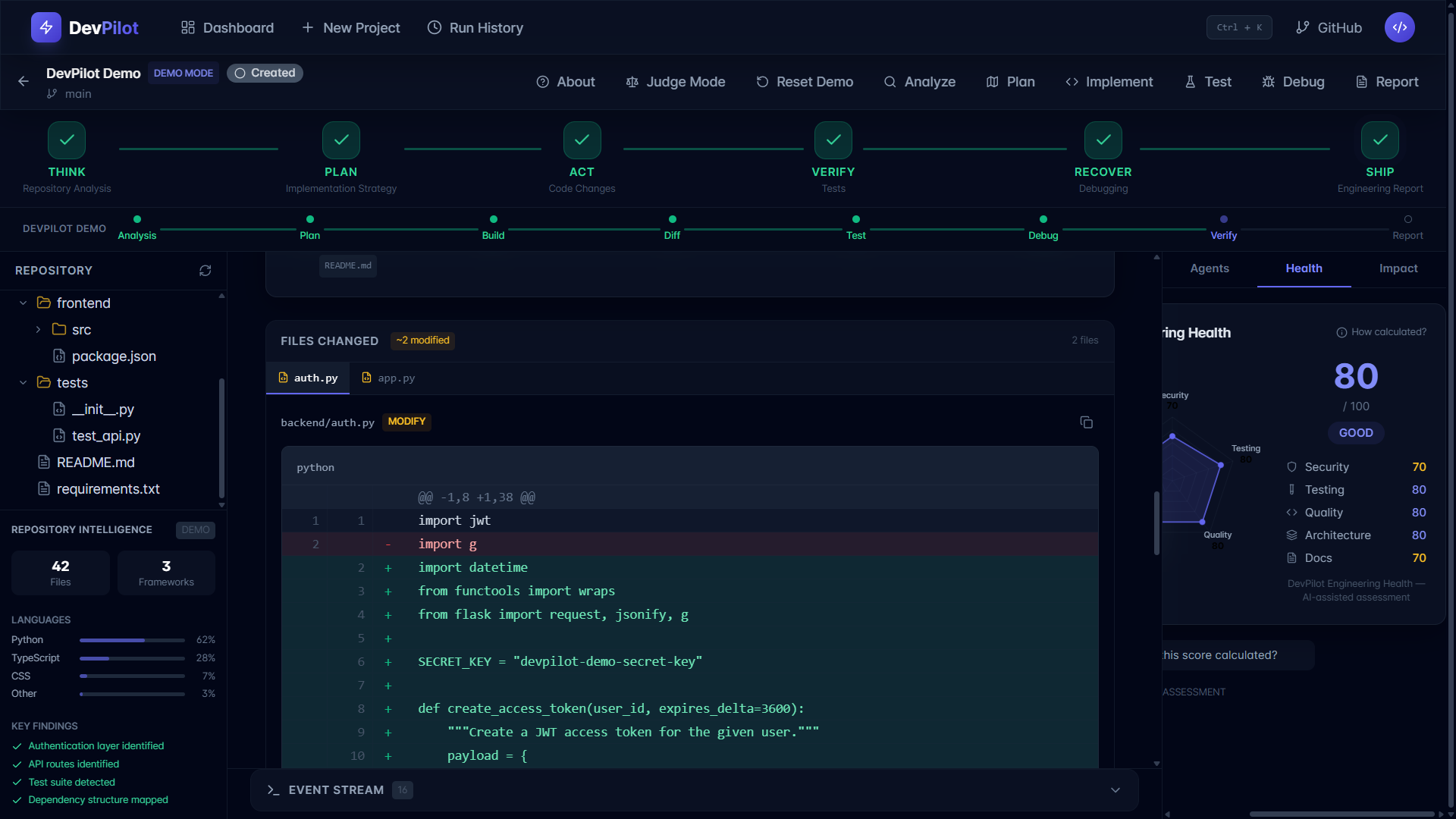
The Repository Analyzer examines the project structure, languages, frameworks, dependencies, and relevant files to build an understanding of the codebase.
- Plan
The Planning Agent converts the task into an implementation strategy and identifies the changes required across the repository.
- Build
The Implementation Agent generates the required code changes while presenting explicit diffs rather than silently modifying the project.
- Test
The Test Agent executes the appropriate tests and captures the results.
- Debug
When tests fail, the Debugging Agent analyzes the failure, identifies the likely root cause, and helps determine the required recovery path.
- Verify & Evaluate
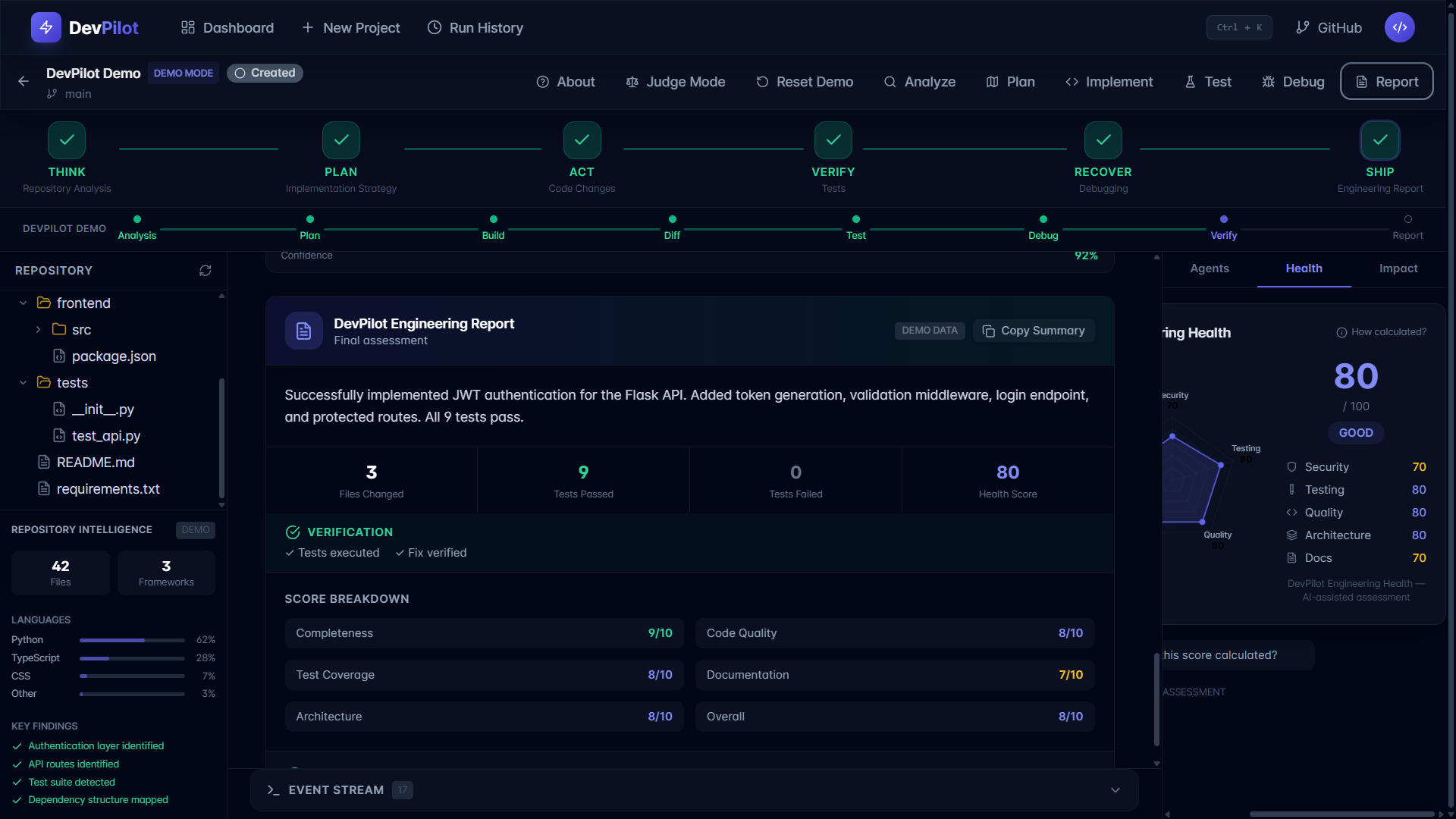
The Evaluation Agent produces an engineering report and evaluates the resulting implementation across multiple engineering dimensions.
The result is not simply generated code.
It is an observable engineering process that moves toward verified software.
Multi-Agent Architecture
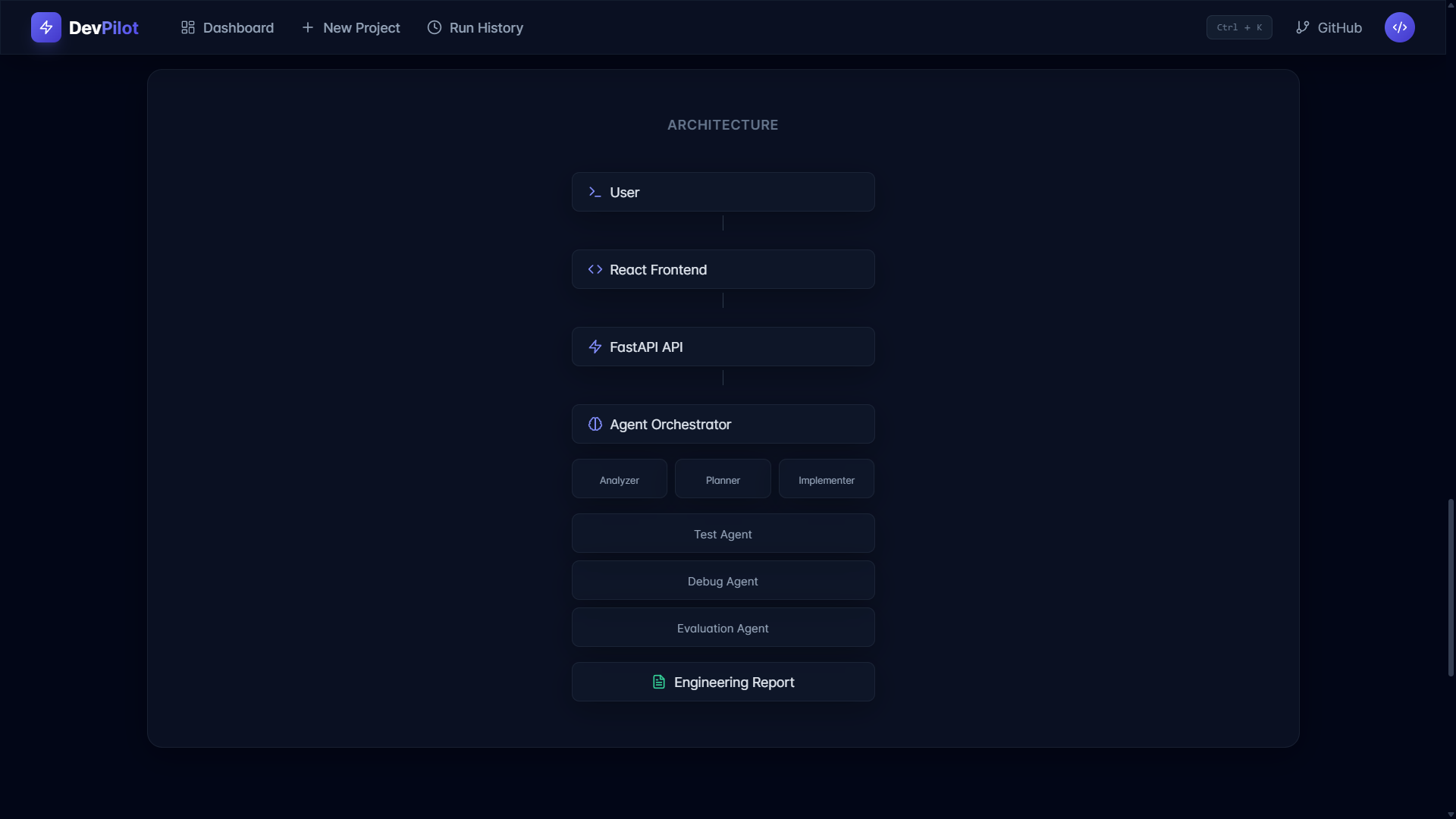
DevPilot separates responsibilities between specialized agents:
Agent Responsibility Repository Analyzer Understand the repository Planning Agent Design the implementation strategy Implementation Agent Generate code changes Test Agent Execute and evaluate tests Debugging Agent Diagnose failures and recovery paths Evaluation Agent Assess engineering quality
These agents are coordinated by an Agent Orchestrator, allowing the system to represent software development as a connected engineering workflow rather than a single AI response.
Engineering Health
DevPilot also asks an important question:
Is the resulting software actually healthy?
The Engineering Health system evaluates five dimensions:
Code Quality Architecture Testing Security Documentation
Each dimension contributes to an overall engineering health score.
This gives developers a high-level view of the quality of the implementation instead of judging success only by whether code was generated.
Real-Time Engineering Workflow
DevPilot uses Server-Sent Events (SSE) to stream workflow progress to the frontend.
This allows users to observe the engineering process as it happens instead of waiting for one large response.
The interface represents the workflow as an agent timeline:
Analyze → Plan → Build → Test → Debug → Ship
This makes autonomous engineering more transparent and easier to understand.
Safety by Design
Autonomous software engineering needs guardrails.
DevPilot therefore emphasizes:
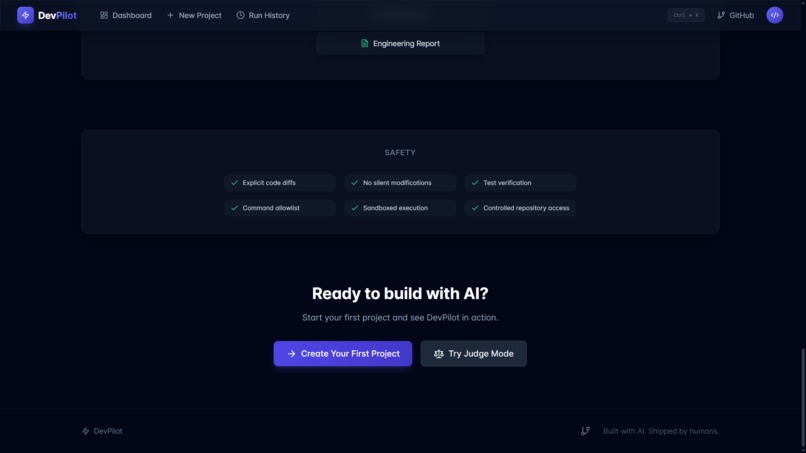
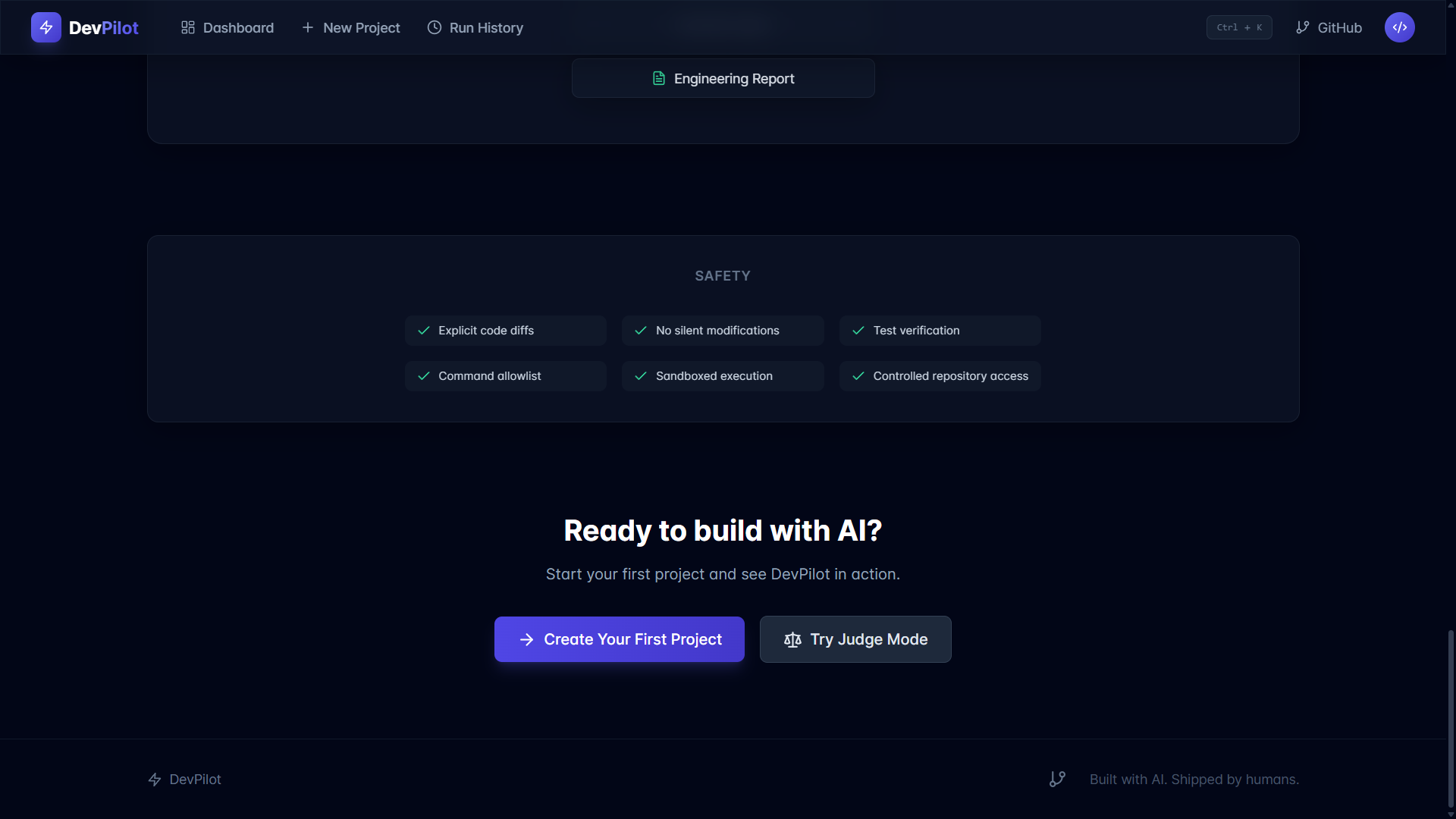
Explicit code diffs No silent modifications Test verification Command allowlisting Controlled repository access Sandboxed execution API keys kept outside the frontend
The goal is not to give an AI unrestricted control over a codebase.
The goal is to make AI-assisted engineering observable, constrained, and verifiable.
Demo Mode
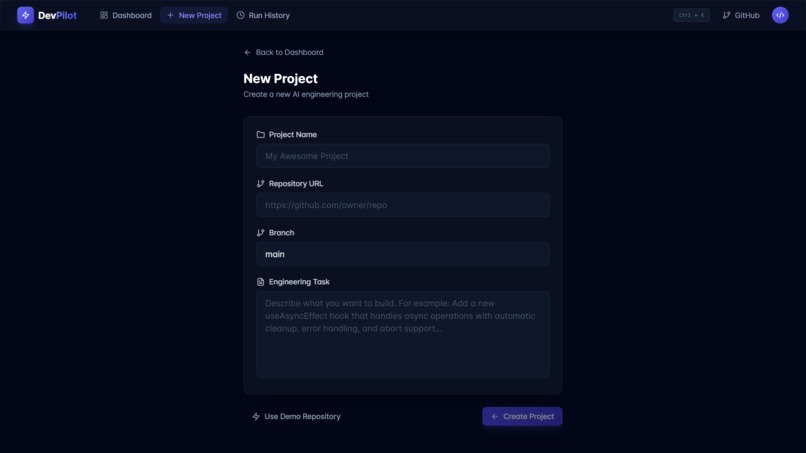
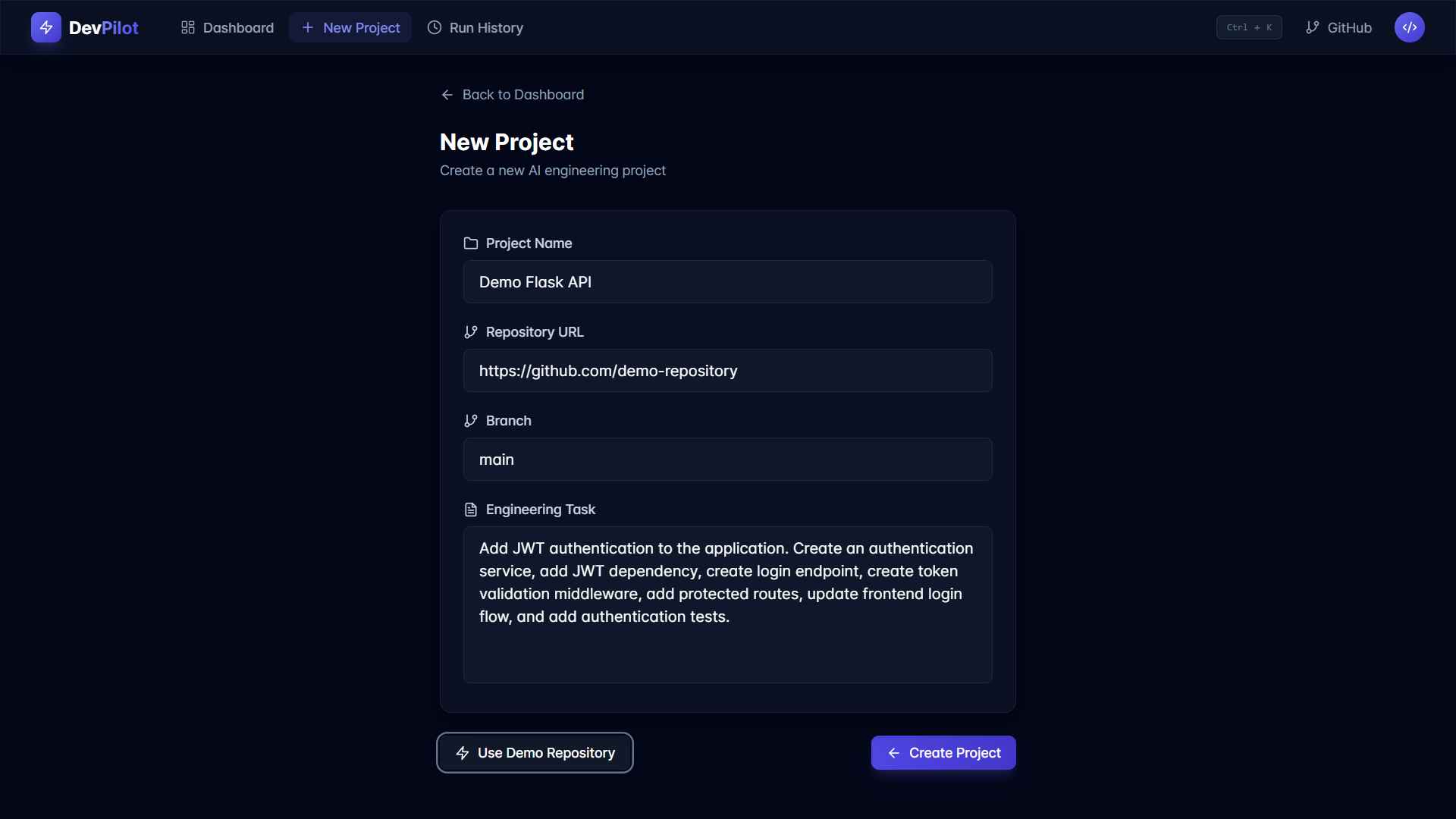
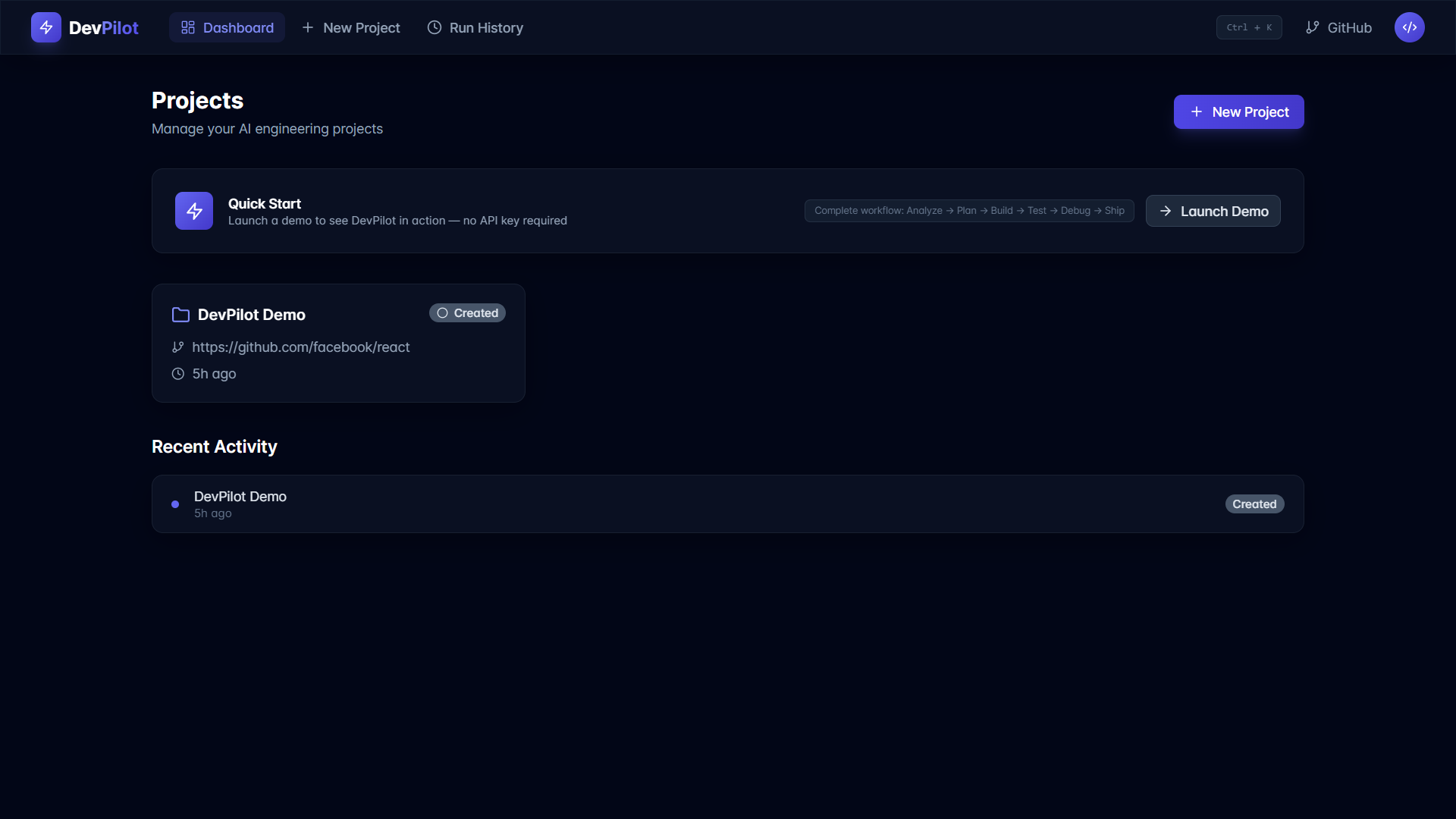
DevPilot includes a built-in demonstration workflow so the core experience can be explored without configuring an external AI provider.
The demo represents a realistic engineering task and showcases the complete lifecycle:
Repository Analysis → Planning → Implementation → Testing → Debugging → Engineering Evaluation
The example workflow demonstrates test results, code changes, agent activity, and an Engineering Health score.
How We Built It
DevPilot was built as a full-stack application with a React + TypeScript frontend and a Python + FastAPI backend.
The frontend provides the engineering workspace, project management, workflow visualization, agent timeline, reports, and real-time updates.
The backend provides the API layer, project management, orchestration logic, agent architecture, database layer, testing workflow, and evaluation services.
The application uses asynchronous backend components and Server-Sent Events to support long-running engineering workflows and live progress updates.
The production architecture is deployed with the frontend on Vercel and the backend on Render.
Technology Stack
Frontend
React TypeScript Vite Tailwind CSS
Backend
Python FastAPI Pydantic SQLAlchemy
Database
SQLite with asynchronous access
AI
OpenAI-compatible AI provider architecture
Communication
REST APIs Server-Sent Events (SSE)
Development
Git GitHub Docker
Deployment
Vercel Render What We Learned
Building DevPilot reinforced an important lesson:
The difficult part of AI software engineering is not generating code. It is coordinating the engineering process around that code.
We learned how important it is to separate analysis, planning, implementation, testing, debugging, and evaluation into distinct stages.
We also learned that autonomous systems need visibility and safety mechanisms. Showing diffs, exposing test results, controlling commands, and evaluating the final implementation makes the system easier to trust and reason about.
Challenges
One of the biggest challenges was designing the application around a workflow that can contain failures.
A normal chatbot can return an answer and stop.
An engineering system cannot.
Tests can fail. Generated changes can be incomplete. The repository can contain unfamiliar structures. Dependencies can behave differently than expected.
DevPilot therefore treats failure as part of the engineering lifecycle rather than the end of it.
The Debugging Agent and verification stages exist specifically to turn failure into another step toward a working result.
We also had to design the frontend and backend to communicate reliably while supporting real-time workflow updates and production deployment.
Why DevPilot?
There are many tools that generate code.
DevPilot focuses on something broader:
What if an AI could follow the engineering process instead of stopping after generating the code?
That is the idea behind DevPilot.
It connects:
Understanding
↓
Planning
↓
Implementation
↓
Testing
↓
Debugging
↓
Verification
↓
Evaluation
↓
Shipping
DevPilot is not designed to replace developers.
It is designed to give developers an AI engineering partner that can reason through the workflow, make its work observable, verify the result, and help move software from task to tested code.
DevPilot From Task to Tested Code.
Think. Plan. Build. Test. Debug. Verify. Ship.
Built With
- agents
- ai
- api
- css
- docker
- events
- fastapi
- generative
- github
- pydantic
- python
- react
- render
- rest
- server-sent
- software-engineering
- sqlalchemy
- sqlite
- tailwind
- typescript
- vercel
- vite

Log in or sign up for Devpost to join the conversation.