DevPath AI
"The senior developer mentor you never had available 24/7, knows your goals, and never judges your questions."
💡 Inspiration
Every year, millions of people decide they want to become developers.
They open YouTube. They watch a 12-hour tutorial. They build a todo app. Then they stop not because they lost interest, but because nobody told them what to do next.
I was one of them.
I remember the exact feeling: sitting at my desk at midnight, having just finished my third JavaScript course, staring at a blank editor and thinking "I know syntax. But I have no idea how to become a developer."
The questions piled up with nowhere to go:
- Is my portfolio good enough to apply?
- What should I learn after JavaScript, React, Node, TypeScript?
- Why does my code work but a senior dev would still reject it?
- What do I say in a technical interview?
Bootcamps cost $15,000. Mentors charge $200/hour. Most forums tell you to "just Google it."
The gap between "learning to code" and "getting hired as a developer" is where most beginners disappear.
DevPath AI was built to close that gap not with another course or another tutorial playlist, but with something that actually thinks about your specific situation and tells you exactly what to do.
🚀 What It Does
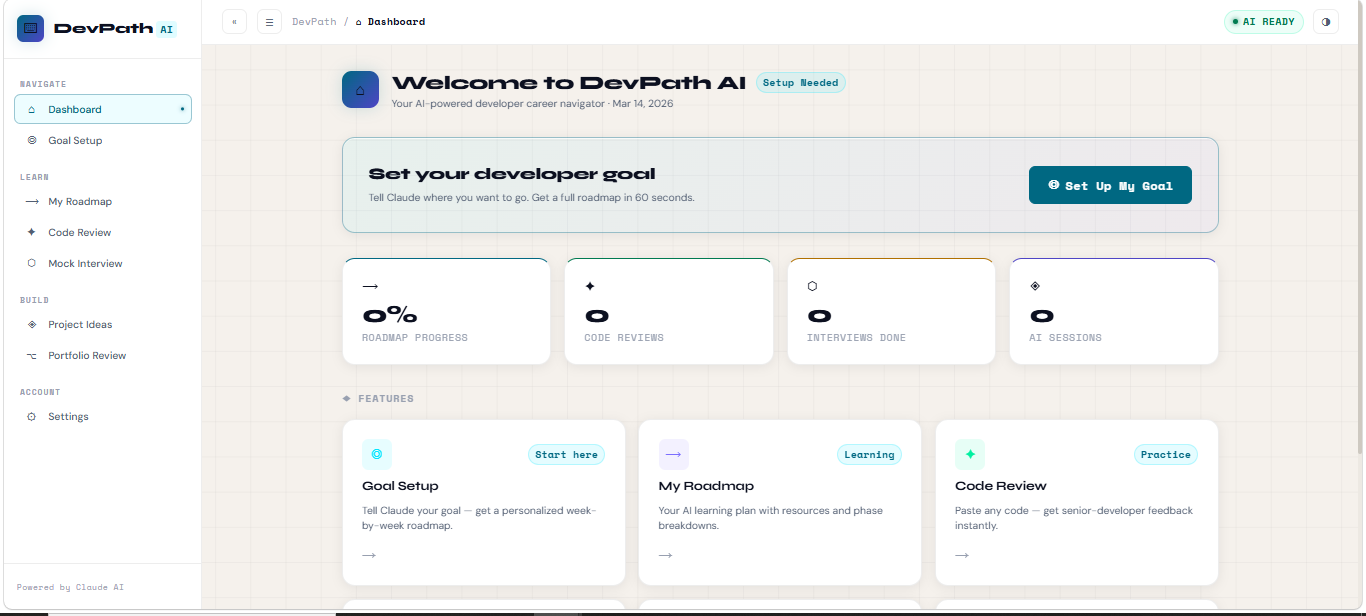
DevPath AI is a personal AI career navigator for beginner developers. It replaces the $200/hour mentor, the $15,000 bootcamp, and the 47-tab research spiral with one intelligent tool powered by Claude AI.
Six tools in one platform:
| Feature | What it does |
|---|---|
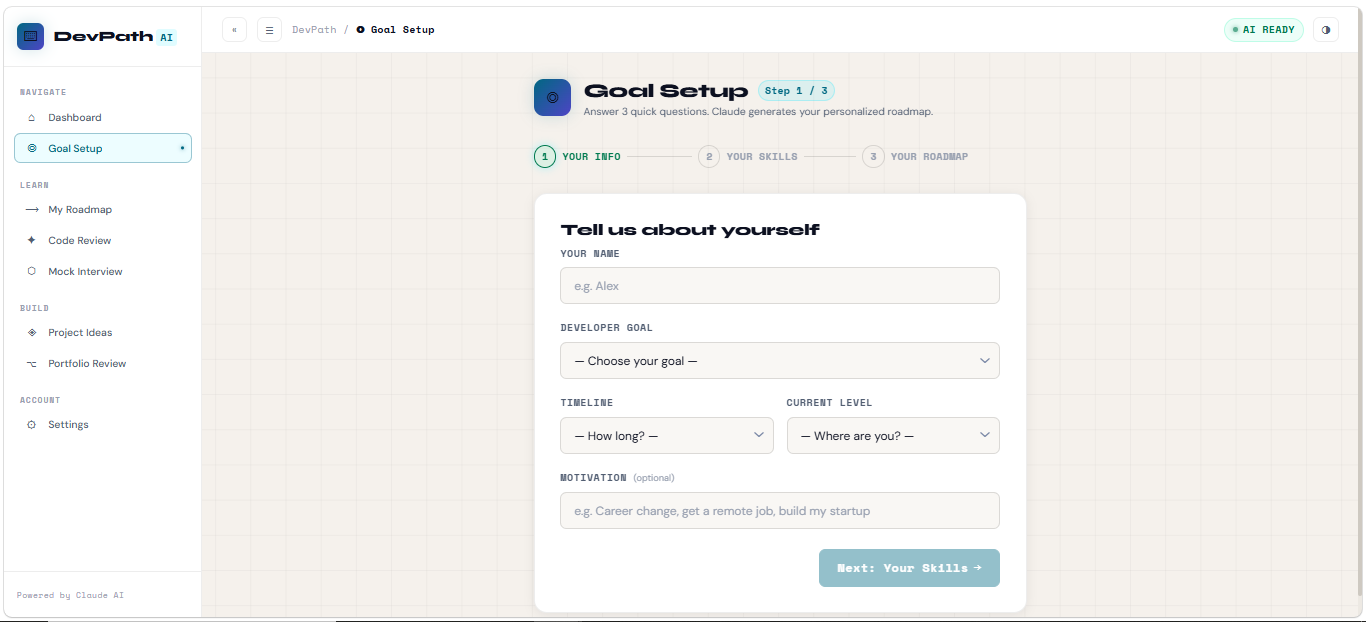
| Goal Setup & Roadmap | You answer 3 questions. Claude generates a week-by-week personalized learning plan — specific to your goal, timeline, and current skills. Not generic. Yours. |
| Code Review | Paste any code. Get a structured 7-section senior developer review: bugs, quality, best practices, security, and what you did well — with corrected code snippets. |
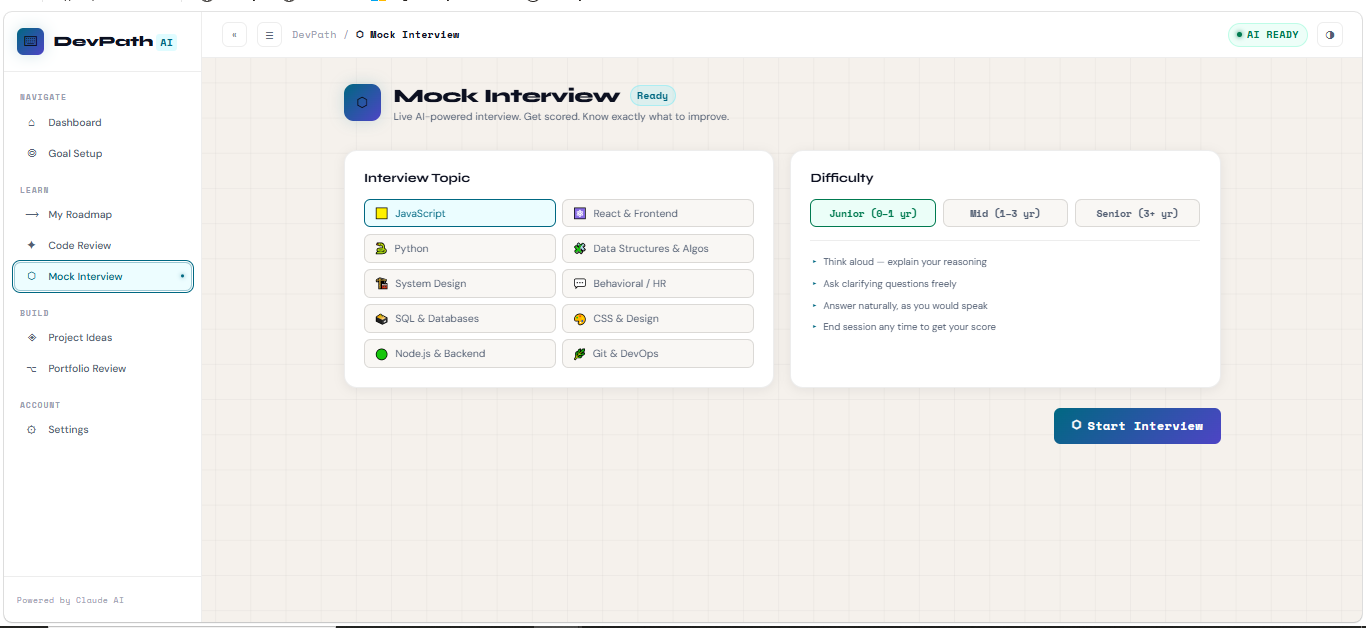
| Mock Interview | A live, back-and-forth AI interview that adapts to your answers. Pick your topic and difficulty. End anytime for a score out of 10 with a full improvement breakdown. |
| Project Ideas | Describe your skills and interests. Claude generates 5 portfolio-worthy project ideas with tech stacks, time estimates, first steps, and "why recruiters will notice this." |
| Portfolio Analyzer | Paste your portfolio description. Get honest recruiter-style feedback: a score, gap analysis, critical improvements, and a fully rewritten bio. |
| Resource Library | Curated, goal-specific learning resources — not 500 links, just the right ones for where you are right now. |
Everything runs in the browser. No signup. No subscription. Just your Anthropic API key and your ambition.
🛠️ How I Built It
DevPath AI is built with a deliberately lean, production-quality stack every technology choice was intentional.
Tech Stack
| Layer | Technology | Why |
|---|---|---|
| Frontend | React 18 + Vite 5 | Fast HMR, modern build tooling, tree-shaking |
| Styling | Pure CSS (custom properties) | Zero framework overhead, full design control, dark/light theming without JS |
| AI | Anthropic Claude API (claude-sonnet-4-20250514) |
Best-in-class instruction following, long context, structured output |
| State | React Context API | No Redux overhead for this scale clean and readable |
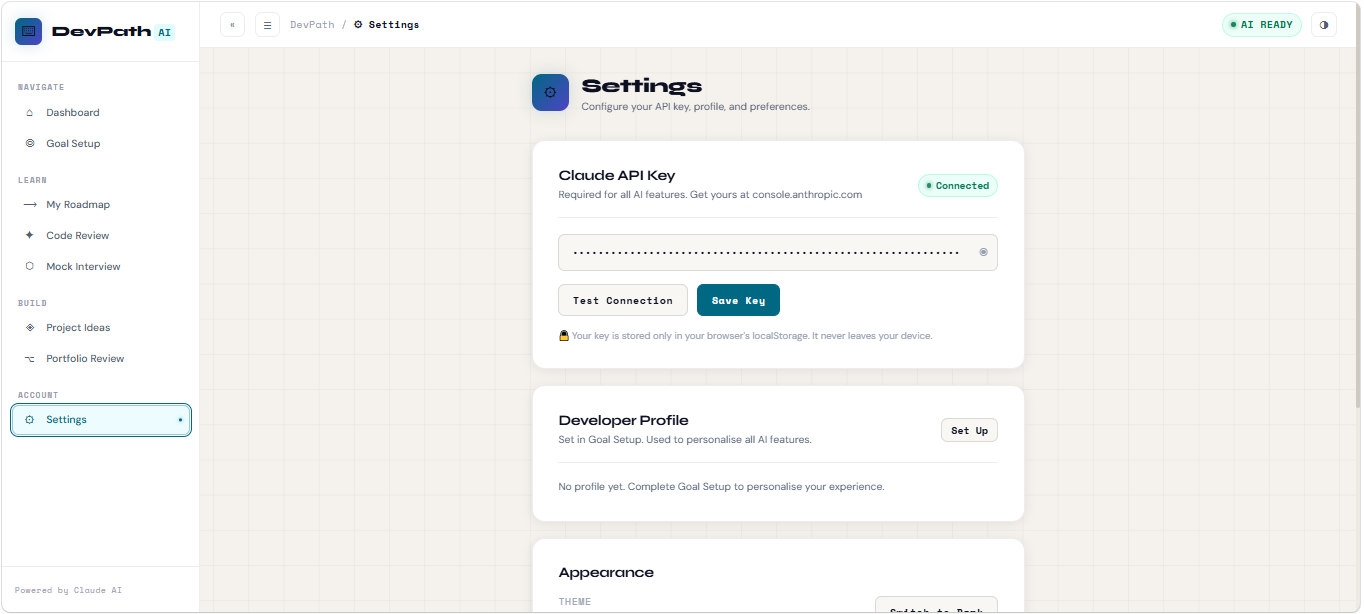
| Storage | localStorage | API key + profile persist client-side only no backend needed |
| Deployment | GitHub Pages + GitHub Actions | CI/CD on every push, zero cost, instant global CDN |
Architecture
The codebase is deliberately structured for readability built as if judges and collaborators would read every file:
src/
├── styles/          Design token system (40+ CSS variables, dark + light)
├── context/         ThemeContext + AppContext (global state)
├── hooks/           useClaude() (unified AI call hook)
├── utils/           claudeApi.js + system prompts + helpers
├── components/      Layout, UI primitives, shared components
└── pages/           8 pages, each with its own .jsx + .css
Every page is a separate file. Every component has its own CSS. Nothing is monolithic.
AI Design
Five distinct system prompts live in claudeApi.js one per feature. Each is carefully engineered to produce structured, educational, actionable output. The mock interview uses full multi-turn conversation history on every API call, making it feel like a real interviewer who remembers everything you said.
Design System
Built a complete design system from scratch:
- Dark theme:
#0A0C12deep navy +#00E5FFelectric cyan - Light theme:
#F5F1ECwarm cream +#006882deep teal - Fonts: Syne (display) + DM Sans (body) + Space Mono (code/UI)
- Responsive grid, mobile sidebar drawer, skeleton loading states, CSS animations
🧱 Challenges I Ran Into
1. Making AI output feel structured, not chaotic
Claude's raw output is markdown bullet points, headers, code blocks. Rendering it inside a React app as clean, styled HTML required building a custom mdToHtml() parser. The tricky bug: each <li> was getting wrapped in its own <ul>, producing invalid nested HTML. Fixed by grouping consecutive list items with a regex match before wrapping.
2. Stale closure in React useEffect
The Dashboard's daily brief used useState to track whether it had fired but result inside the effect was always the stale initial value. Rewrote it with useRef so the flag persists across renders without triggering re-runs.
3. CSS :has() sibling selector limitation
The Topbar's left position needed to shift when the Sidebar collapsed. The original CSS :has(.sb-mini) approach doesn't reliably target sibling elements across all browsers. Solved by passing collapsed as a prop and computing left as a JavaScript inline style more explicit, more reliable.
4. Declaration order bug in React Context
navigate() was defined before setMobileOpen in AppContext calling a function that referenced a useState setter that hadn't been declared yet (temporal dead zone). Fixed by reordering declarations so mobileOpen state is always defined before any function that references it.
5. Interview memory across turns
Each Claude API call is stateless. To make the mock interview feel like a real conversation where the interviewer remembers everything, the entire message history is serialized and sent on every turn. Keeping this performant while maintaining 2048 token responses required careful prompt engineering.
🏆 Accomplishments That I'm Proud Of
- Built 8 fully functional pages: each with real Claude API integration, not mock data
- Zero dependencies beyond React and Vite: no component library, no CSS framework, no router package
- Complete design system from scratch: dark/light themes, animations, responsive layout, all in pure CSS
- 5 distinct AI system prompts: each carefully engineered to produce structured, educational output
- Production-ready code architecture: separated by concern, documented, readable by any developer
- Multi-turn conversational interview: maintains full context across unlimited exchanges
- Covers 3 DSOC themes simultaneously: Software Engineering, AI/ML, and Business Management
- Ships in under 72 hours: solo build, from idea to deployed product
📚 What I Learned
Prompt engineering is a real skill. The difference between a Claude response that feels like a mentor and one that feels like a chatbot is entirely in the system prompt. Writing prompts that consistently produce structured, specific, actionable output took more iteration than any component.
Pure CSS is powerful. I initially planned to use Tailwind. Dropping it and writing a proper CSS custom property system gave me complete control theming, animations, responsive layout without any build complexity or class name bloat.
React Context is enough. For a project of this scale, Context + useState handles everything that Redux would handle, with half the boilerplate. The complexity ceiling of Context is much higher than its reputation suggests.
Ship with constraints. No backend, no database, no auth by constraining the architecture to a pure client-side app, every feature shipped faster and the security story became trivially simple (user's API key never touches a server).
🔮 What's Next for DevPath AI
DevPath AI is a foundation, not a finished product. The roadmap:
Near-term (next 30 days)
- Progress tracking: mark roadmap milestones as complete, visualize your learning journey
- Interview history: review past sessions, track score improvement over time
- Code review history: save and compare reviews across multiple submissions
Medium-term
- Resume analyzer: Claude reads your resume and scores it against real job descriptions
- Job match engine: paste a job description, get a gap analysis vs. your current profile
- Pair programming mode: describe a bug, Claude walks you through debugging step-by-step
Long-term vision
- Community roadmaps: share your roadmap, discover paths others took to the same goal
- Cohort mode: study groups with shared progress tracking
- Employer connections: developers who complete milestones get visibility to hiring partners
The core insight that drives everything: the most valuable thing a beginner developer needs is not more content it's a system that turns their specific situation into a specific next action. That's what DevPath AI does today, and what it will do better tomorrow.
🔧 Technical Details
- Repository: [https://github.com/codeNimra/DevPath-AI]
- Live Demo: [https://codenimra.github.io/DevPath-AI/]
- Stack: React 18, Vite 5, Pure CSS, Anthropic Claude API
- Themes: Software Development & Engineering · AI & Machine Learning · Business Management & Consultancy Solutions
- Model:
claude-sonnet-4-20250514 - Lines of code: ~3,200 across 51 files
- Build time:
npm run build→ 8.2s, 142kb gzipped
Built With
- ai
- api-key
- claude-ai
- css3
- gh-pages
- github
- html5
- javascript
- react


Log in or sign up for Devpost to join the conversation.