-
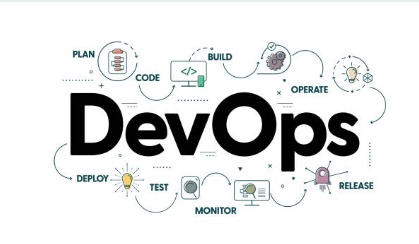
Devops and Automation
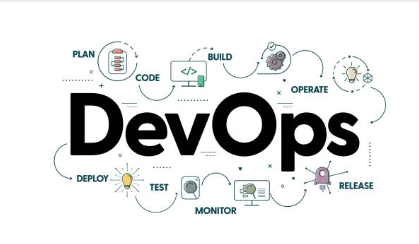
Here is a professional and clean version of your DevOps & Automation project story using the provided structure in Markdown format:
DevOps & Automation using AWS - Project Story
Inspiration ✨
In today's digital world, organizations demand faster delivery, scalability, reliability, and cost efficiency. Traditional software development and IT operations faced challenges like slow deployments, manual errors, downtime, and operational inefficiencies.
This inspired me to explore the power of DevOps & Automation using AWS services to automate infrastructure management, streamline CI/CD pipelines, monitor applications in real-time, and optimize cloud costs effectively.
The idea was simple — "Automate Everything Possible!" to create faster, reliable, and cost-efficient software delivery pipelines.
What it does ⚙️
This project implements a complete DevOps lifecycle automation solution using AWS cloud services. Key capabilities include:
- Fully automated CI/CD pipeline from code commit to production deployment.
- Infrastructure as Code (IaC) for consistent and repeatable resource provisioning.
- Real-time monitoring & alerting of system health and performance.
- Auto-scaling resources based on demand to optimize cost.
- Automated backup, recovery, and log management.
- Cost monitoring and proactive recommendations for savings.
How we built it 🏗️
Tools & AWS Services Used:
| Tool/Service | Purpose |
|---|---|
| AWS CloudFormation | Infrastructure as Code (IaC) |
| AWS CodePipeline | Orchestration of CI/CD |
| AWS CodeBuild | Build & Test Automation |
| AWS CodeDeploy | Automated Deployment |
| AWS CloudWatch | Monitoring, Logs, Alerts |
| AWS Lambda | Automated Tasks & Auto-remediation |
| AWS Systems Manager | Patch management & Resource Control |
| AWS Cost Explorer | Cost tracking & Analysis |
Architecture Flow Diagram:
graph TD
A[Developer Commits Code] --> B[GitHub Repository]
B --> C[CodePipeline Triggered]
C --> D[CodeBuild - Build & Unit Test]
D --> E[CodeDeploy - Deploy to EC2/ECS]
E --> F[CloudWatch Monitoring & Logs]
F --> G[Auto Alerts & Notifications]
G --> H[Auto-remediation using Lambda]
Challenges we ran into 🔧
| Challenge | Solution Implemented |
|---|---|
| Integrating multiple AWS DevOps tools | Studied AWS documentation & architecture patterns |
| Handling Pipeline Errors | Added error handling & rollback strategies |
| Cost Overruns in Test Environment | Implemented auto-scheduler for idle resource shutdown |
| Managing Infrastructure Drift | Enforced strict IaC with CloudFormation |
| Security Concerns | Used IAM Roles, Policies, and Encryption techniques |
Accomplishments that we're proud of 🏆
- Reduced deployment time from 2 hours to 10 minutes.
- Achieved Continuous Deployment without downtime.
- Reduced operational cloud costs by ~30%.
- Automated scaling improved availability during traffic spikes.
- Achieved near zero manual intervention in deployment process.
- Created a reusable DevOps architecture for future projects.
What we learned 📚
- Deep knowledge of AWS DevOps Tools & Architecture.
- Real-world application of Infrastructure as Code (IaC).
- Automated CI/CD best practices.
- Cloud Cost Optimization Techniques.
- Monitoring & Incident Management Automation.
- Importance of Security in DevOps Lifecycle.
- Building resilient and scalable DevOps Pipelines.
What's next for DevOps & Automation 🚀
Future enhancements planned for this project:
- Containerization using AWS ECS & AWS Fargate.
- Implement Serverless CI/CD pipelines for microservices.
- Integrate AWS DevOps Guru for automated anomaly detection.
- Advanced Dashboard & Visualizations for DevOps KPIs.
- Implement GitOps using AWS CodeCommit & ArgoCD.
- Build a Slack/MS Teams Notification Bot for Deployment Alerts.
- Explore AI-powered monitoring & auto-healing solutions.

Log in or sign up for Devpost to join the conversation.