-
-
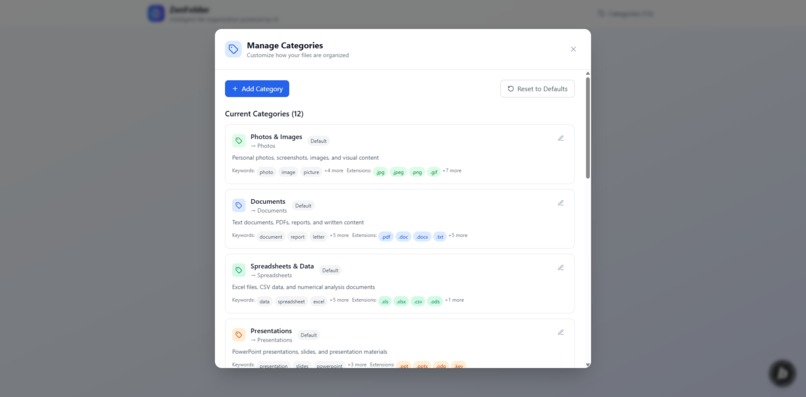
Categories
-
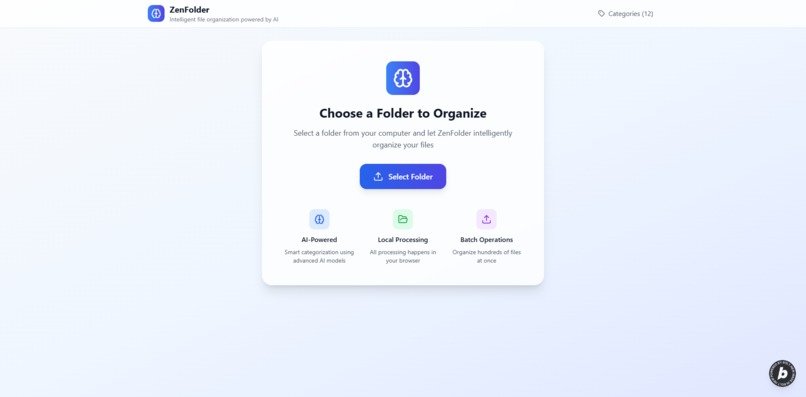
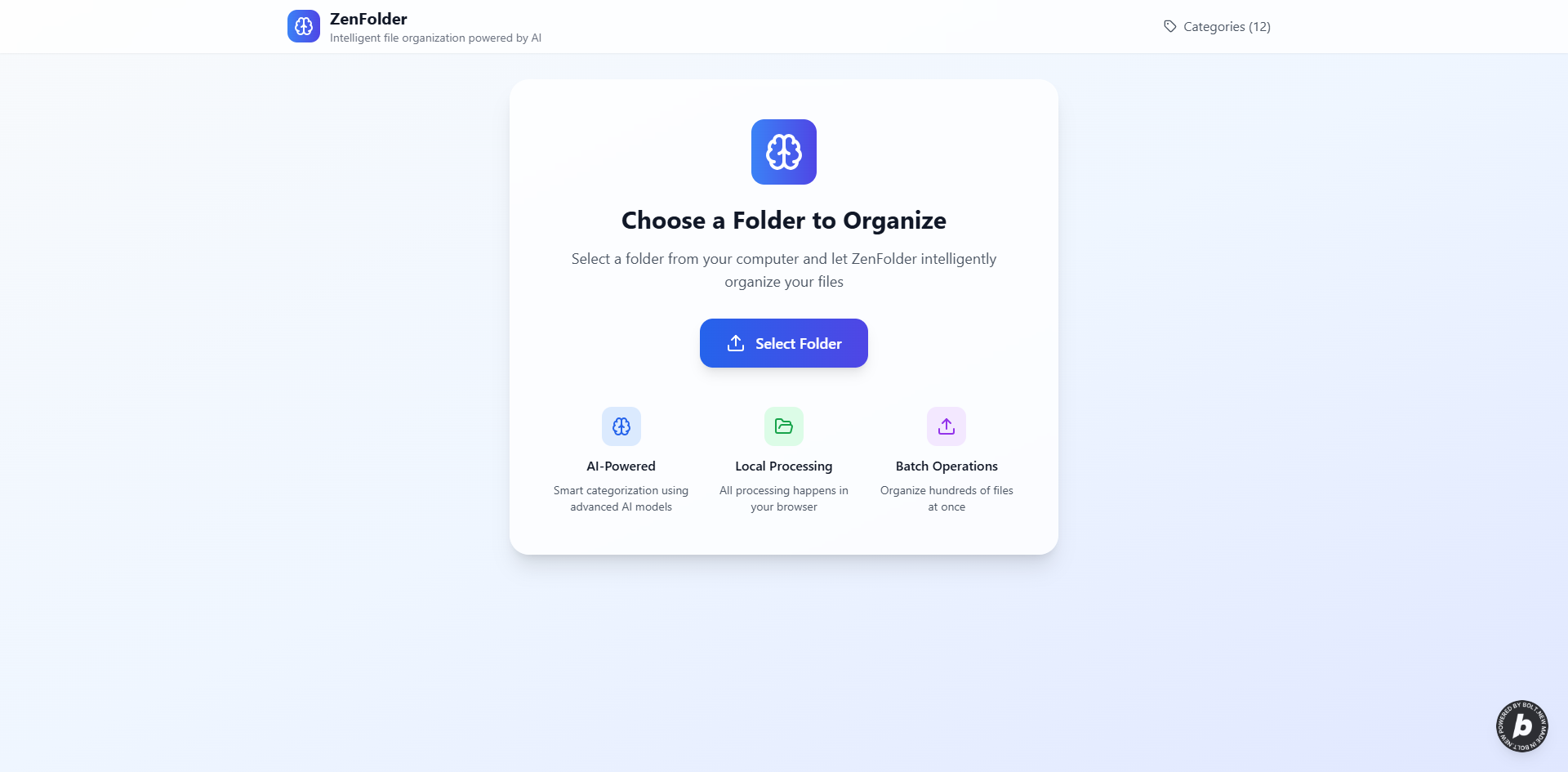
Home Page
-
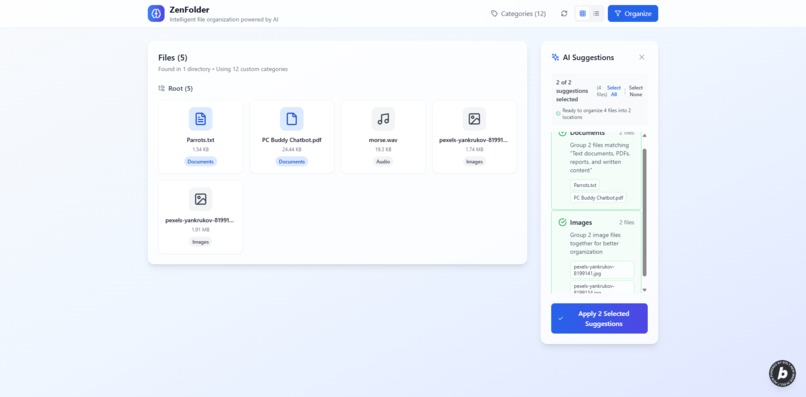
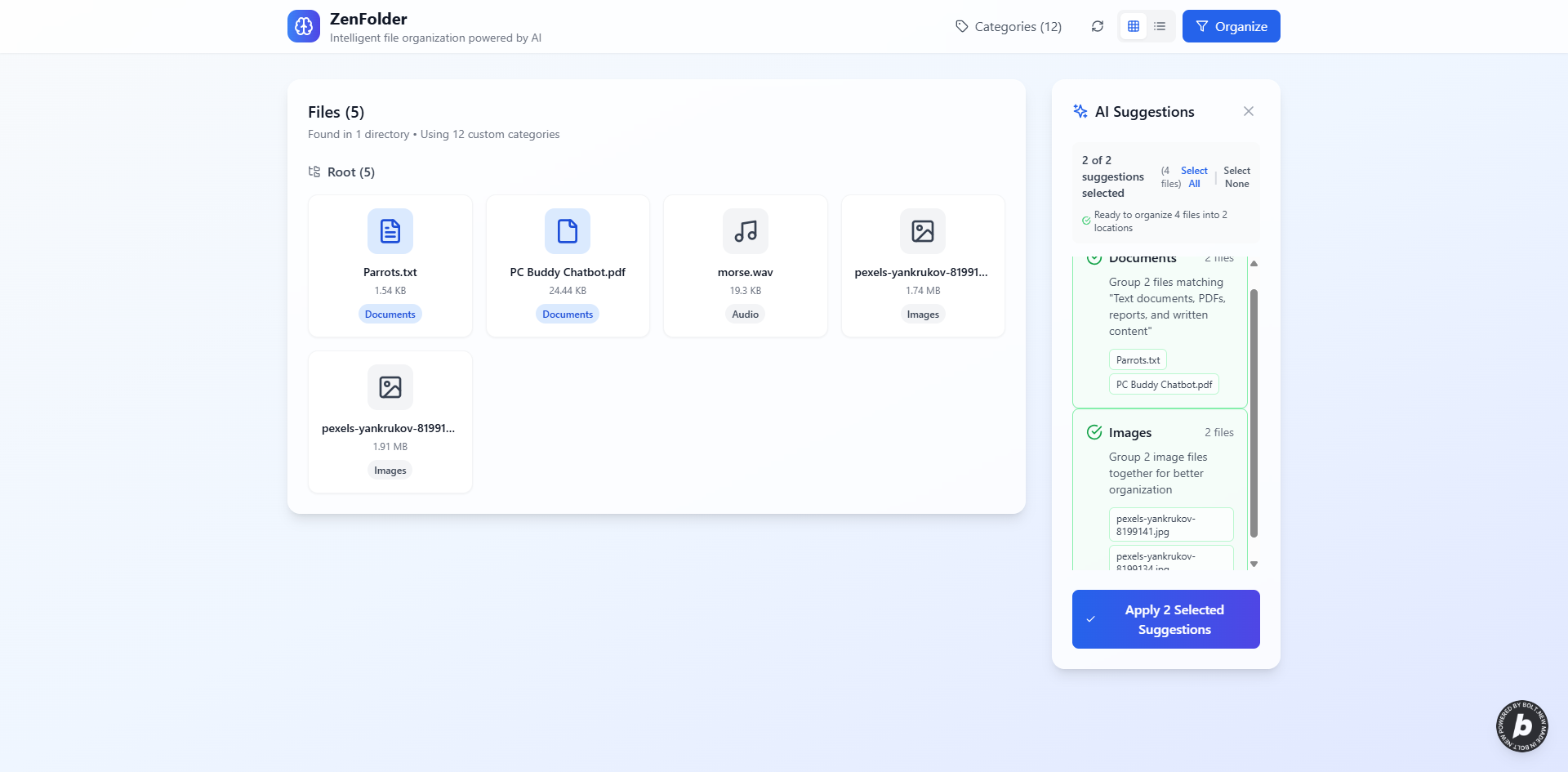
AI Suggestions
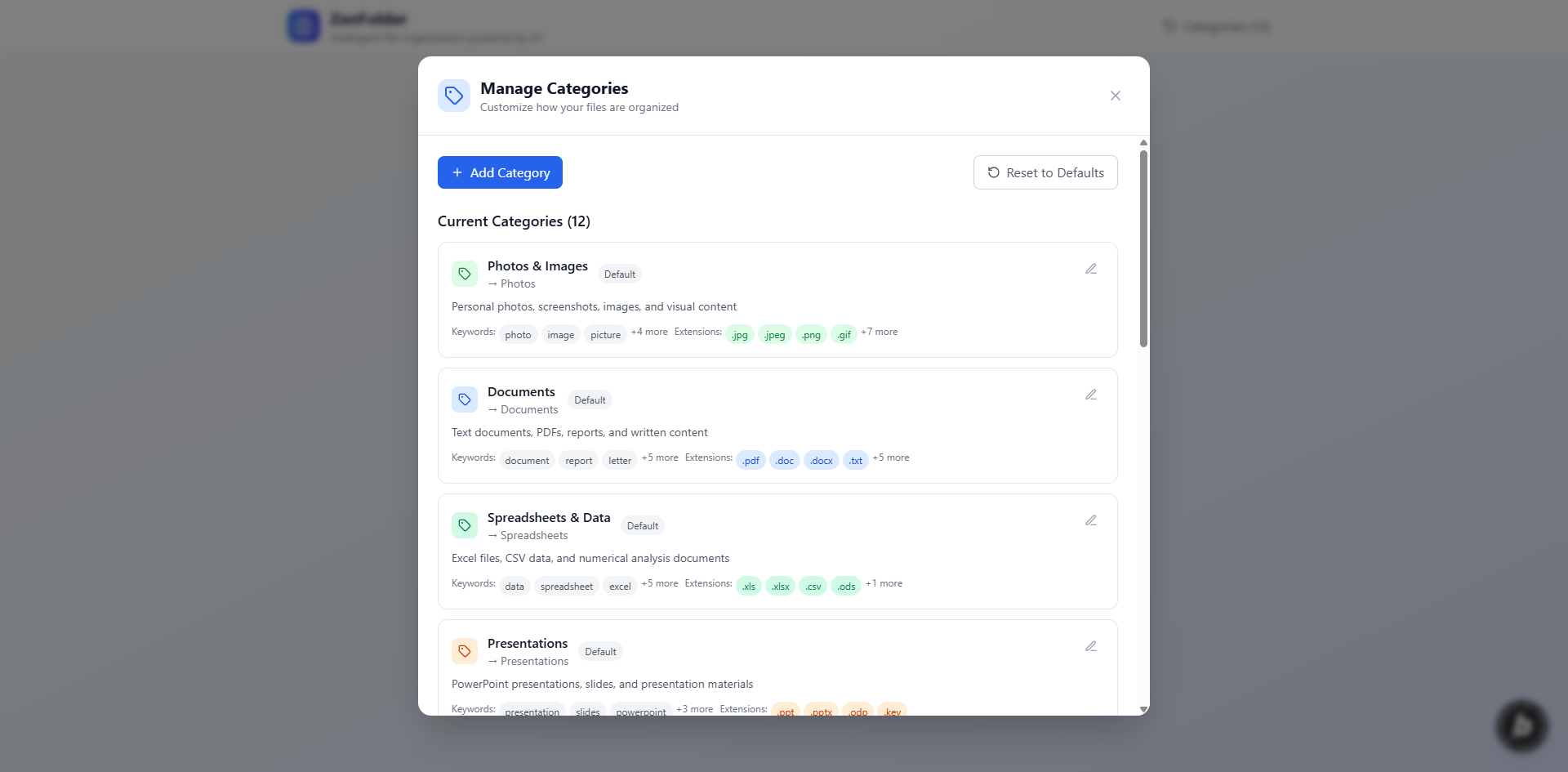
Inspiration
Digital clutter is a universal problem. My goal was to create a private, efficient, local file organizer that doesn't need cloud uploads. Inspired by on-device AI and modern browser tech, this hackathon was the perfect chance to build Zenfolder – an intelligent solution for local file management.
What it does
Zenfolder intelligently analyzes and organizes your local files directly in your web browser. It helps you declutter by suggesting categories, renaming files, and sorting them into new folder structures based on their content, all powered by on-device AI. Your data never leaves your computer, ensuring complete privacy.
How we built it
Zenfolder is built as a modern web application using React 18 and TypeScript for a robust and scalable frontend. Tailwind CSS provides a utility-first approach for rapid and consistent styling, complemented by Lucide React for crisp, functional icons.
The core intelligence is powered by a multi-layered AI architecture:
- Gemini Nano: Utilized when available in the browser for advanced, on-device natural language understanding.
- Transformer.js: Integrated as a fallback, leveraging pre-trained models like
Xenova/distilbert-base-uncased-finetuned-sst-2-englishfor zero-shot classification directly in the browser. - Rule-based Classification: A robust fallback system ensures that categorization always works, even if AI models fail to load or are unavailable. This system uses file extensions, filename patterns, file size, and content analysis (for text files) to intelligently categorize files.
For local file system interaction, we heavily rely on the File System Access API, which allows the application to read and organize files directly on the user's machine without any cloud uploads. This API is crucial for maintaining user privacy.
The application features a custom category management system, allowing users to define their own categories with keywords, file extensions, and folder names. A sophisticated project detection algorithm identifies and preserves project folder structures (e.g., development projects, design projects) during organization, ensuring that related files are moved as a single unit.
Development is streamlined with Vite for fast builds and a responsive development server. Comprehensive testing is implemented using Vitest for unit and integration tests, and Playwright for end-to-end browser testing, ensuring reliability and accuracy across all features.
Challenges we ran into
Building Zenfolder presented several interesting challenges:
- File System Access API Adoption: While powerful, the File System Access API has browser compatibility nuances (primarily Chrome/Edge support, limited Firefox, no Safari) and strict security requirements (HTTPS, top-level frame). Implementing robust error handling and user guidance for these limitations was critical. Efficiently detecting changes in large directories without constantly re-scanning the entire file system required careful design of hashing and debouncing mechanisms.
- On-device AI Integration: Integrating
transformers.jseffectively in a browser environment involved managing model loading times, optimizing bundle size, and ensuring graceful fallback when models couldn't be loaded (e.g., due to network issues or browser limitations). We had to ensure that the AI analysis was fast enough not to block the UI, especially for large numbers of files. - Complex Organization Logic: Developing intelligent categorization rules that go beyond simple file extensions was challenging. This included implementing filename pattern recognition, basic content analysis for text files, and especially the sophisticated project detection logic to identify and move entire project folders while preserving their internal structure. Balancing accuracy with performance for these rules was key.
- User Control vs. Automation: Providing users with granular control over organization suggestions (selecting/deselecting individual suggestions, confirming potentially destructive actions like deleting original files) while maintaining an intuitive user experience required careful UI/UX design.
- Performance for Large Datasets: Analyzing and processing hundreds or thousands of files efficiently in the browser without freezing the UI or consuming excessive memory was a continuous optimization task. This involved asynchronous processing, progress indicators, and optimizing file system operations.
Accomplishments that we're proud of
We are particularly proud of several key accomplishments in Zenfolder:
- Robust AI Classification System: The successful implementation of a multi-layered AI approach (Gemini Nano, Transformer.js, rule-based) ensures that the application is both intelligent and incredibly reliable. It always works, even if advanced AI models are unavailable, providing a consistent user experience.
- Intelligent Project Folder Preservation: This is a standout feature that differentiates Zenfolder. The ability to detect and move entire project folders (e.g., development, design, documentation) as single units, rather than just individual files, is crucial for maintaining complex directory structures and preventing accidental breakage of projects.
- Comprehensive Privacy: Achieving a fully on-device solution where user files never leave their computer is a significant privacy win. This was a core design principle and a major technical challenge overcome through the effective use of the File System Access API.
- User-Centric Control: The ability for users to manage custom categories and selectively apply organization suggestions empowers them with full control over their file management, making the tool highly adaptable to individual needs.
- High-Quality Codebase and Testing: The project boasts a clean, modular codebase written in TypeScript, backed by extensive unit, integration, functional, and end-to-end tests. This ensures stability, maintainability, and confidence in the application's functionality.
What we learned
Developing Zenfolder provided valuable insights into several areas:
- Deep Dive into File System Access API: We gained a comprehensive understanding of the capabilities, security models, and practical limitations of the File System Access API, including strategies for handling permissions, errors, and efficient file system traversal.
- Practical On-Device AI Deployment: We learned the intricacies of deploying and managing AI models (specifically
transformers.js) directly in the browser, including model selection, optimization for browser environments, and implementing robust fallback mechanisms for real-world reliability. - Layered AI Architecture for Robustness: The project reinforced the importance of a multi-tiered AI approach. Relying solely on complex models can lead to fragility; combining them with simpler, rule-based systems ensures a resilient and always-functional application.
- Complex State Management in React: Building a highly interactive application with asynchronous operations and complex data flows (file analysis, suggestions, organization) provided practical experience in managing application state effectively using React hooks and patterns.
- Importance of Comprehensive Testing: The development process highlighted how crucial a multi-faceted testing strategy (unit, integration, E2E) is for an application that interacts with sensitive user data and external APIs, ensuring correctness and preventing regressions.
What's next for Zenfolder
The future of Zenfolder is exciting, with several potential enhancements:
- More Advanced AI Models: Explore fine-tuning Transformer.js models or integrating other on-device AI capabilities for even more nuanced and accurate file categorization, potentially including content analysis for more file types (e.g., images, audio).
- User-Defined Automation Workflows: Allow users to create custom rules and automated workflows for file organization (e.g., "automatically move all PDFs from downloads to Documents/Invoices if 'invoice' is in the filename").
- Enhanced Project Detection: Implement more sophisticated algorithms for project detection, possibly by analyzing dependencies in code files or recognizing common project structures across various software ecosystems.
- Cross-Platform Desktop Application: Package Zenfolder as a desktop application using Electron or similar technologies to overcome browser limitations (e.g., File System Access API support on Safari, more direct system integration).
- Cloud Integration (Optional & Private): Offer optional, privacy-preserving cloud synchronization for categories and organization rules, allowing users to maintain their preferences across devices without uploading actual files.
- Advanced File Operations: Introduce features like duplicate file detection, intelligent file renaming based on content, and more flexible file tagging.
- Improved UI/UX for Suggestions: Further refine the user interface for reviewing and applying organization suggestions, making it even more intuitive for large sets of files and complex project structures.
Built With
- filesystemapi
- react
- tailwind
- transformer.js


Log in or sign up for Devpost to join the conversation.