-
-
-
-
-
my app icon(1024*1024)
-
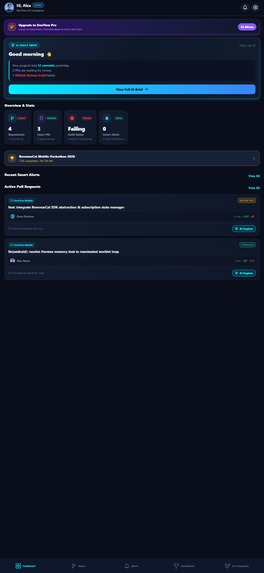
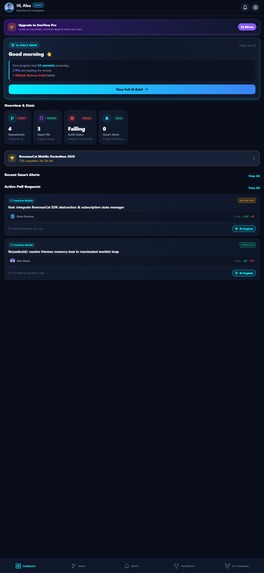
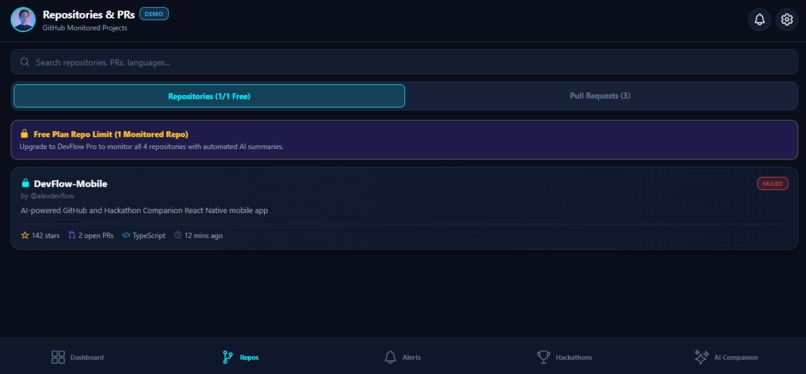
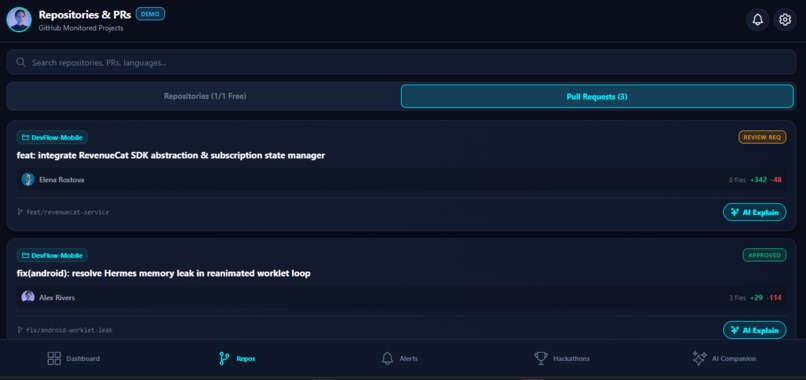
my app screenshot
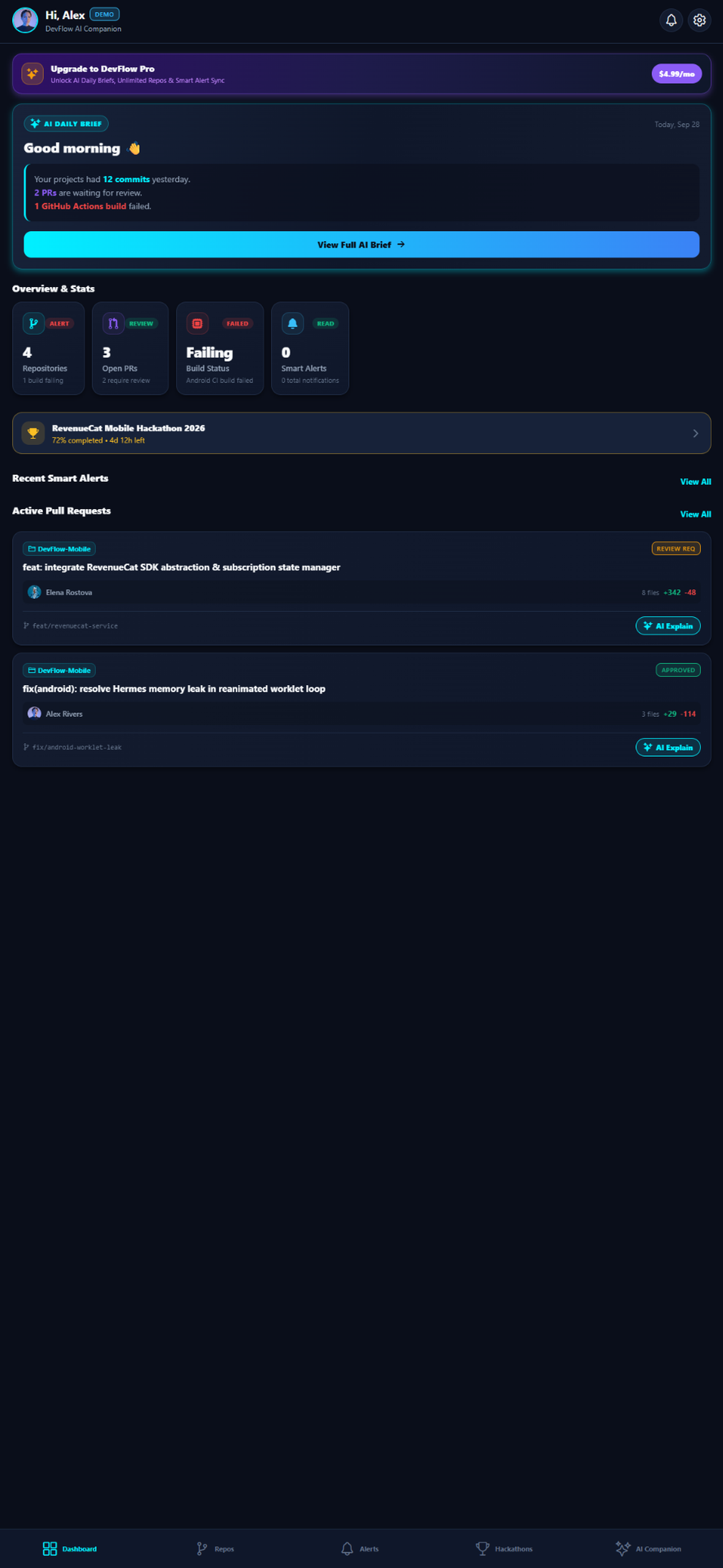
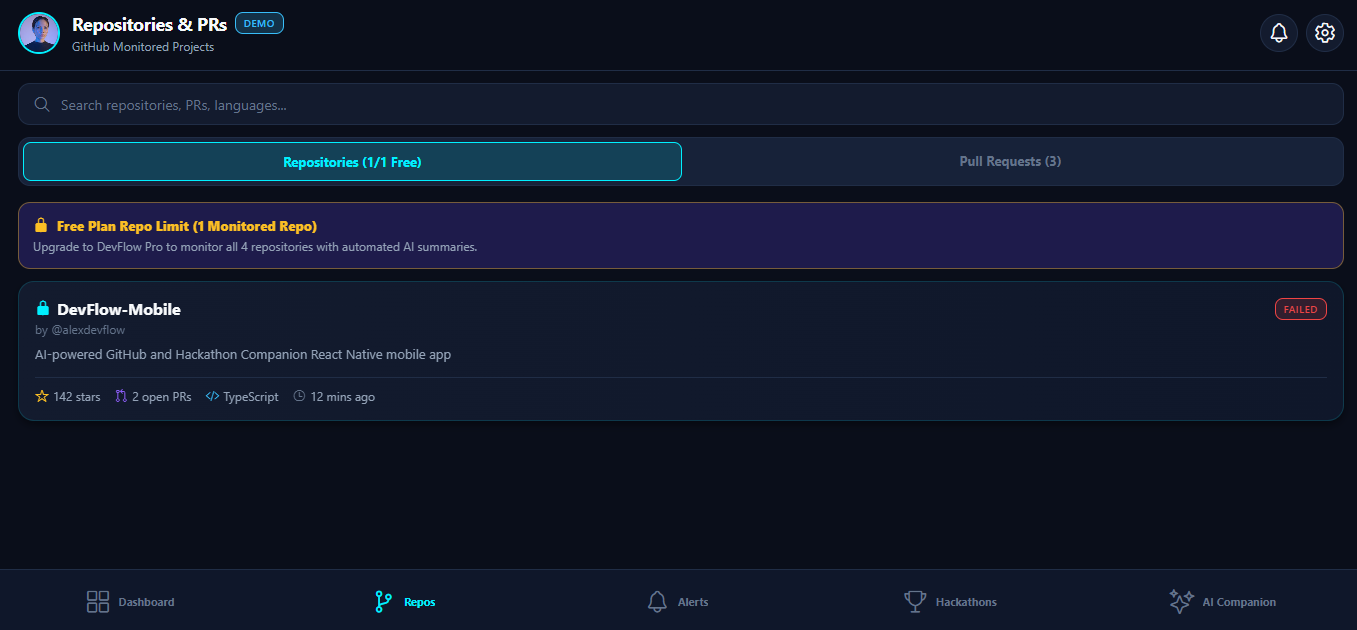
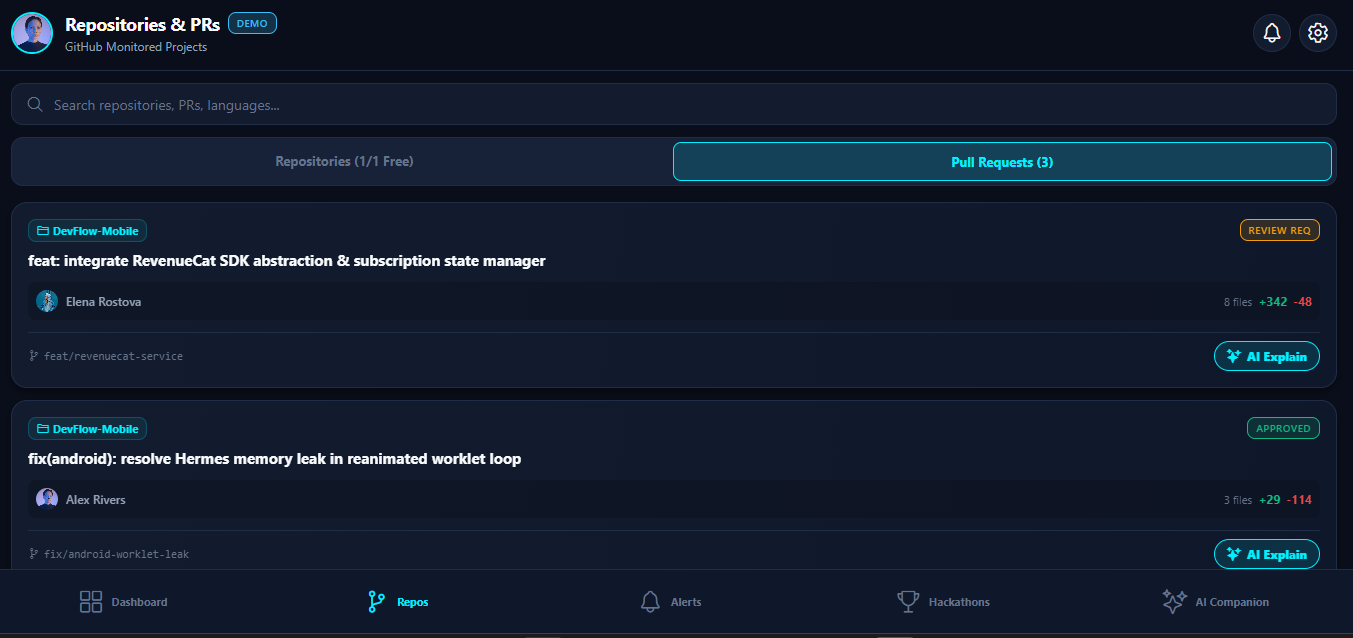
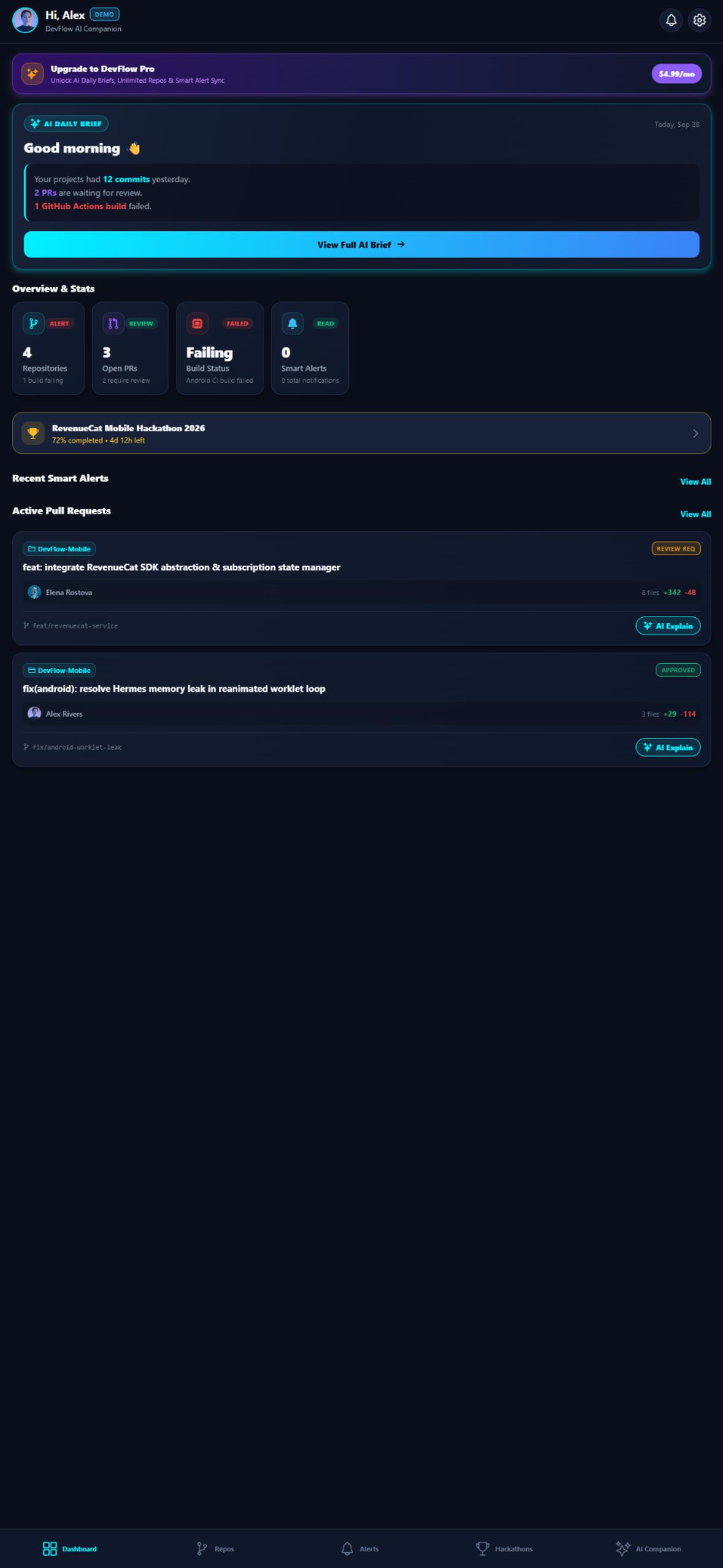
The Problem That Started DevFlow Building software is only one part of being a developer. The harder part is keeping track of everything around it — GitHub repositories, pull requests, failed builds, code changes, hackathon deadlines, deployment issues, and the constant stream of information that gets scattered across different tools. As a student participating in hackathons and building multiple projects, I found myself repeatedly switching between GitHub, calendars, notifications, and project dashboards just to answer simple questions: What needs my attention today? Did my build fail? Is someone waiting for my PR review? Which hackathon deadline is coming next? I wanted one place that could turn all of that noise into something actionable. That idea became DevFlow— an AI-powered command center built specifically for developers and hackathon builders. How DevFlow Works: DevFlow connects directly with GitHub to bring repositories, pull requests, commits, and GitHub Actions activity into a single mobile dashboard. Instead of forcing developers to constantly check multiple services, DevFlow surfaces the events that actually matter through Smart Alerts, including build failures, PR activity, deployments, and approaching hackathon deadlines. Its hackathon tracker keeps important events visible, while the AI layer transforms technical activity into useful summaries — from an AI Daily Brief to PR/code-diff explanations and commit message generation. I also wanted DevFlow to be more than another dashboard. It needed to behave like a developer companion. That is why notifications are powered through OneSignal, while RevenueCat handles the Pro subscription experience. The free tier provides the core workflow, while DevFlow Pro unlocks unlimited repositories and advanced AI-powered features. Building It: I built DevFlow as a React Native + Expo application with TypeScript, focusing on a clean, developer-first mobile experience. I designed the architecture around modular services so GitHub, notifications, AI features, hackathon tracking, and subscriptions can evolve independently. I also built a Demo Mode so the complete experience can be explored even without connecting a personal GitHub account. One of the biggest challenges was bringing several moving pieces together without making the app feel complicated. Authentication, GitHub API failures, rate limits, notification permissions, subscription state, and AI features all needed to work together while still keeping the interface simple. I spent a significant part of the development process handling these edge cases and making sure the app could gracefully fall back when a service was unavailable. What I Learned: DevFlow taught me that building a useful product isn't just about adding more features. It is about reducing the number of decisions and actions a user has to take. Every feature in DevFlow is designed around one question: "What does a developer need to know or do next?" DevFlow is my attempt to turn the scattered workflow of a modern developer into one focused experience — from the first commit to the final hackathon deadline.
Built With
- expo.io
- githubapi
- react-native
- restapi
- typescript


Log in or sign up for Devpost to join the conversation.