Inspiration
Honestly, the idea came from frustration.
Anyone who has worked on a software team knows the feeling. You get a feature request, and before you write a single line of code you are already spending hours just figuring out what to build, how to structure it, what tests to write, whether it is secure, and then writing up the merge request at the end.
We kept thinking — most of this is not creative work. It is repetitive. It is the same process every single time. Planning, coding, testing, security review, documentation. Over and over again for every feature.
So we asked a simple question. What if a team of AI agents could handle all of that automatically, and the developer just focused on reviewing and approving?
That is where DevFlow AI came from.
What it does
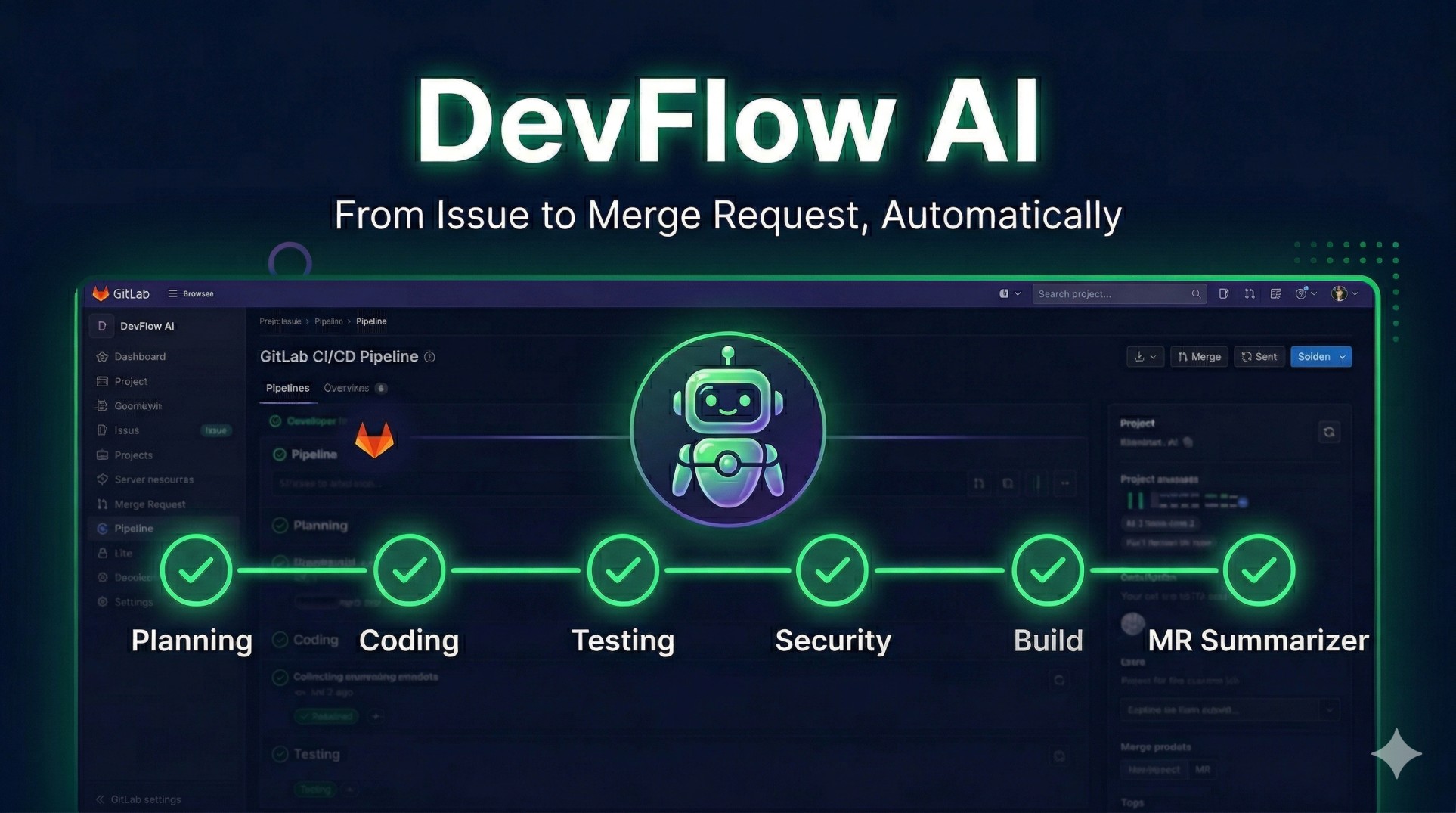
DevFlow AI takes one plain English GitLab issue and automatically turns it into production ready code with tests, security review, and a documented merge request.
A developer writes something like "Add user login with email and password" and creates a GitLab issue. That is literally all they do.
The complete automated flow:
Developer writes plain English issue
              ↓
   🤖 Agent 1 — Planning Agent
   Reads issue → Creates implementation plan
              ↓
   💻 Agent 2 — Coding Agent
   Writes real code → Commits to new branch
              ↓
   🧪 Agent 3 — Test Agent
   Generates 20 unit tests → Commits to branch
              ↓
   🔒 Agent 4 — Security Agent (Claude-powered)
   Scans OWASP Top 10 → Explains fixes in plain English
              ↓
   🌱 Agent 5 — Green Agent
   Measures CO2 saved → Posts sustainability report
              ↓
   📝 Agent 6 — MR Summarizer
   Creates fully documented merge request
              ↓
   Developer clicks Merge ✅
   That is their only job.
Before and after comparison:
BEFORE DevFlow AI          AFTER DevFlow AI
──────────────────         ────────────────
Planning:   30 mins   →    0 mins (automated)
Coding:    180 mins   →    0 mins (automated)
Testing:   120 mins   →    0 mins (automated)
Security:   60 mins   →    0 mins (automated)
MR Docs:    20 mins   →    0 mins (automated)
─────────────────────────────────────────────
Total:     410 mins   →    2 mins
Savings:   408 minutes per feature
By the end, the developer has a complete feature ready to merge in under two minutes. Their only job is to click merge.
How we built it
Everything runs inside GitLab using the GitLab Duo Agent Platform.
The agent is registered through an agent.yml file published to the
GitLab AI Catalog — the official way to build on the platform.
The technical architecture:
GitLab Issue Created
        ↓
GitLab CI/CD Pipeline triggers
        ↓
┌─────────────────────────────────────┐
│         Python Agent Scripts        │
│                                     │
│  planning_agent.py                  │
│  coding_agent.py                    │
│  test_agent.py                      │
│  security_agent.py  ← Claude via    │
│  green_agent.py       GitLab Duo    │
│  mr_summarizer.py                   │
└──────────────┬──────────────────────┘
               ↓
        GitLab REST API
               ↓
┌──────────────────────────────────────┐
│           GitLab Project             │
│                                      │
│  Issue comments (agent reports)      │
│  New feature branch                  │
│  src/auth_service.py                 │
│  tests/test_auth_service.py          │
│  Merge Request (auto-documented)     │
└──────────────────────────────────────┘
The six agents are Python scripts that communicate through the GitLab REST API. Each agent reads from the issue, posts comments, creates branches, commits files, and opens merge requests.
The Security Agent uses Claude through the GitLab Duo Agent Platform to explain vulnerabilities in plain English rather than just listing error codes that most developers would not understand.
The whole thing runs entirely inside GitLab with no external services, no extra costs, and no complicated setup.
Challenges we ran into
Building on a brand new platform during a hackathon was genuinely difficult at times.
Challenge 1 — Agent communication
The first big challenge was figuring out how agents pass information to each other. Each agent needed to know what the previous one had done, and we ended up using the GitLab issue comment thread as shared memory between all six agents.
Agent 1 posts plan as comment
         ↓
Agent 2 reads issue → finds plan comment → writes code
         ↓
Agent 3 reads branch → finds code → writes tests
         ↓
Agent 4 reads branch → finds code → scans security
         ↓
Agent 6 reads all comments → creates MR
Challenge 2 — CI/CD variable scoping
We spent a lot of time debugging 401 unauthorized errors that turned out to be caused by this exact problem in the pipeline YAML:
# This does NOT work — passes literal string
variables:
  GITLAB_TOKEN: $GITLAB_TOKEN

# This WORKS — GitLab injects it automatically
# Just remove the variables block entirely
Challenge 3 — Pipeline triggering too often
The pipeline was triggering on every git push and running all agents repeatedly. Getting the workflow rules right to prevent accidental runs took more iterations than expected.
None of these were insurmountable but they all taught us something useful about building reliable automated systems.
Accomplishments that we're proud of
The thing we are most proud of is that it actually works.
Not as a demo or a proof of concept but as a real working system that goes from a plain English issue to a merge request with real code, real tests, and a real security report in under two minutes.
Security Agent output example:
🔴 CRITICAL — Plain Text Password Storage
OWASP: A02:2021 Cryptographic Failures

What is the problem?
Passwords are stored in plain text. If data is ever
persisted to a database, passwords would be fully exposed.

How to fix it?
Use bcrypt to hash passwords before storing them.

Fixed code example:
import bcrypt
hashed = bcrypt.hashpw(password.encode(), bcrypt.gensalt())
Green Agent sustainability report example:
Time saved per feature:    408 minutes
CO2 saved per feature:     1.6 grams
Monthly (100 features):    680 hours saved
Trees equivalent/year:     2 trees
Getting the agent properly published to the GitLab AI Catalog with a verified tag and a passing validation pipeline was also a big moment. It means anyone can discover and use DevFlow AI directly from GitLab.
What we learned
The biggest thing we learned is that the hardest part of building multi agent systems is not writing the individual agents. It is making them work together reliably.
Each agent needs context from the previous one. If one agent fails or posts its comment in the wrong format, the next agent might not find what it is looking for. Building that kind of resilience into the system took more thought than the individual agent logic itself.
We also learned that making AI output readable matters as much as making it correct. An agent that finds a security vulnerability but explains it in technical jargon is not actually helpful to most developers. Spending time on how agents communicate their results is just as important as what they find.
And honestly, we learned a lot about GitLab CI/CD, the Duo Agent Platform, and the GitLab REST API just by building this. The documentation is still new and there were gaps we had to figure out through trial and error.
What's next for DevFlow AI
We want to keep building on what we started here.
Planned next agents:
Current Pipeline (v1.0.0)        Future Pipeline (v2.0.0)
─────────────────────────        ────────────────────────
🤖 Planning Agent       ✅       🤖 Planning Agent
💻 Coding Agent         ✅       💻 Coding Agent
🧪 Test Agent           ✅       🧪 Test Agent
🔒 Security Agent       ✅       🔒 Security Agent
🌱 Green Agent          ✅       🌱 Green Agent
📝 MR Summarizer        ✅       📝 MR Summarizer
                                 👀 Code Review Agent  (new)
                                 📋 Compliance Agent   (new)
                                 🚀 Deployment Agent   (new)
                                 💬 Slack Notifier     (new)
The most obvious next step is a Deployment Agent that takes the merged code and deploys it to a staging environment automatically, completing the full loop from issue to live feature.
A Compliance Agent would automatically generate compliance evidence for SOC2 or GDPR based on what changed in each release, saving security teams significant time.
Longer term we want to publish DevFlow AI as an official GitLab Duo Flow so any team can enable the entire six agent pipeline with a single click from the GitLab AI Catalog without any setup required.
The goal has always been simple. Make every GitLab issue automatically become a production ready feature so developers can spend their time on the work that actually requires human creativity and judgment.
Built With
- agent
- ci/cd
- duoagent
- elevenlabs
- gitlab
- owsp
- pytest
- python
- vscode


Log in or sign up for Devpost to join the conversation.