-
-
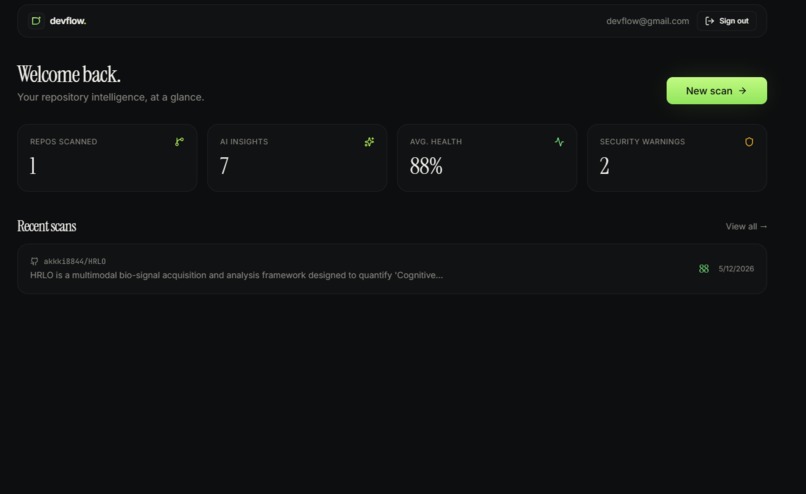
Main dashboard
-
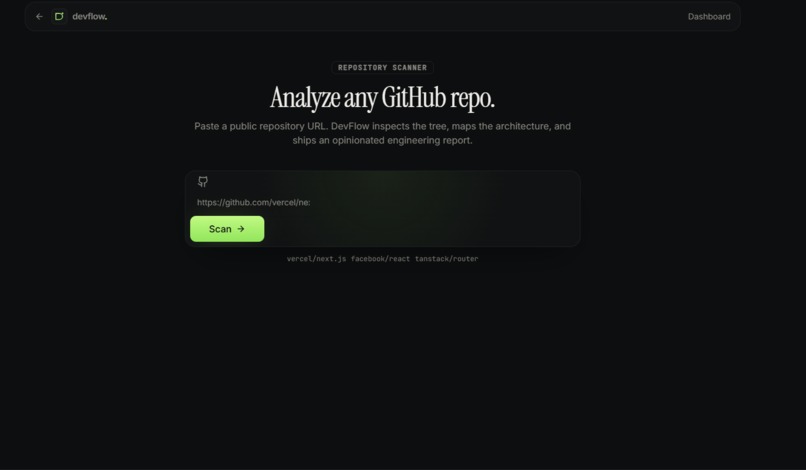
Repo analyzer
-
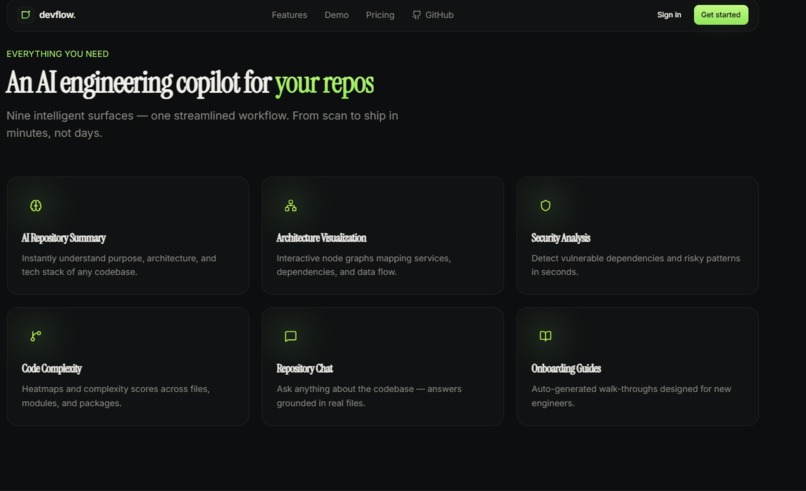
Features
-
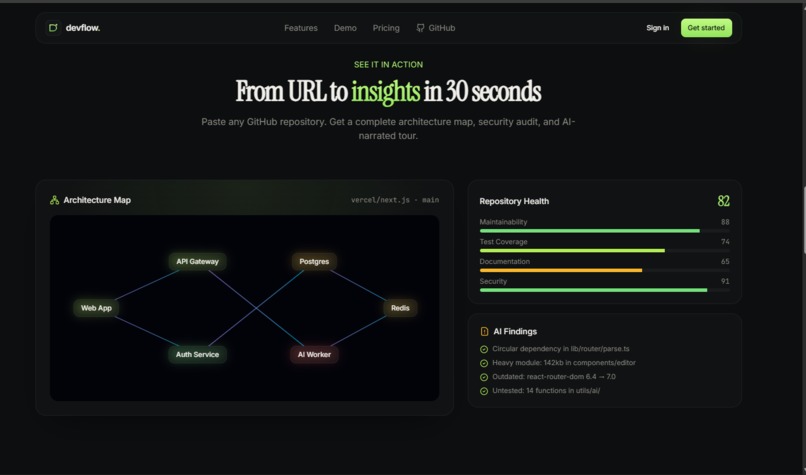
Demo
-
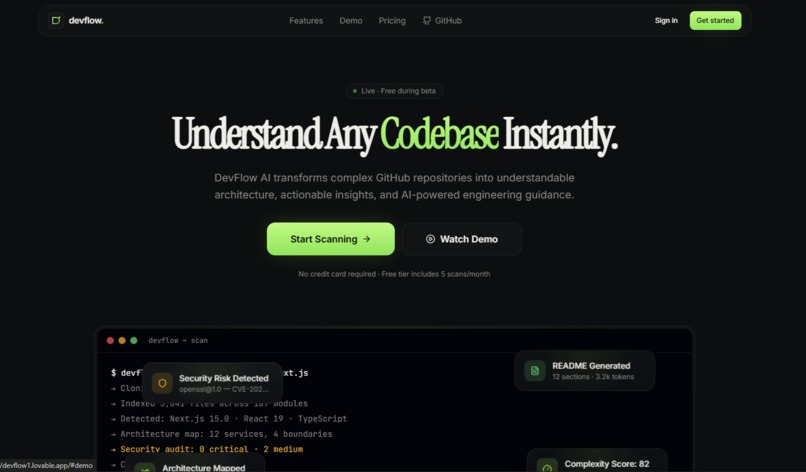
Landing page
-
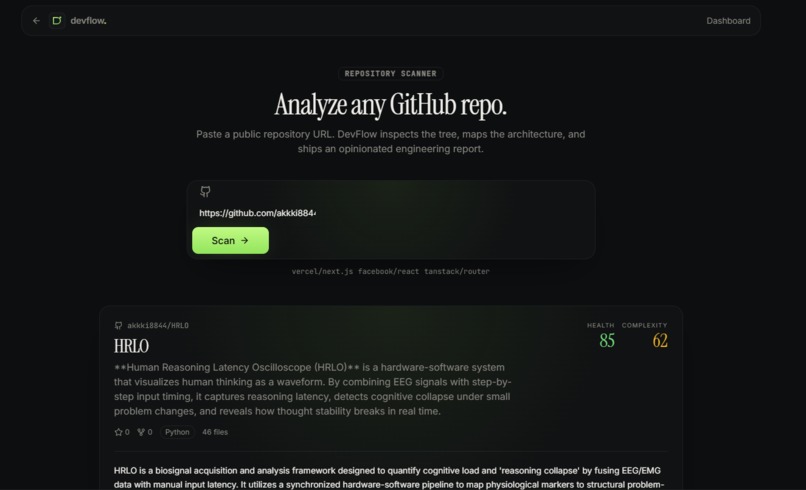
Post analyzing
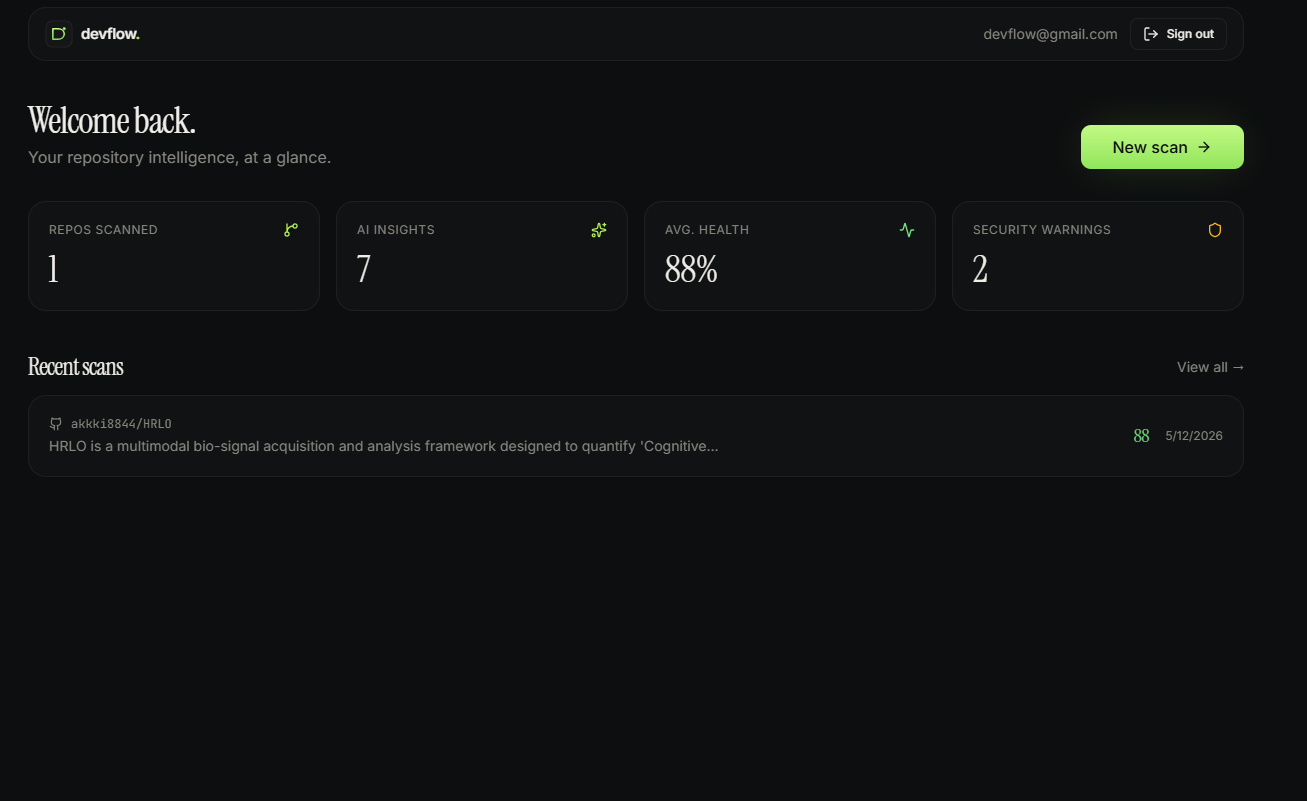
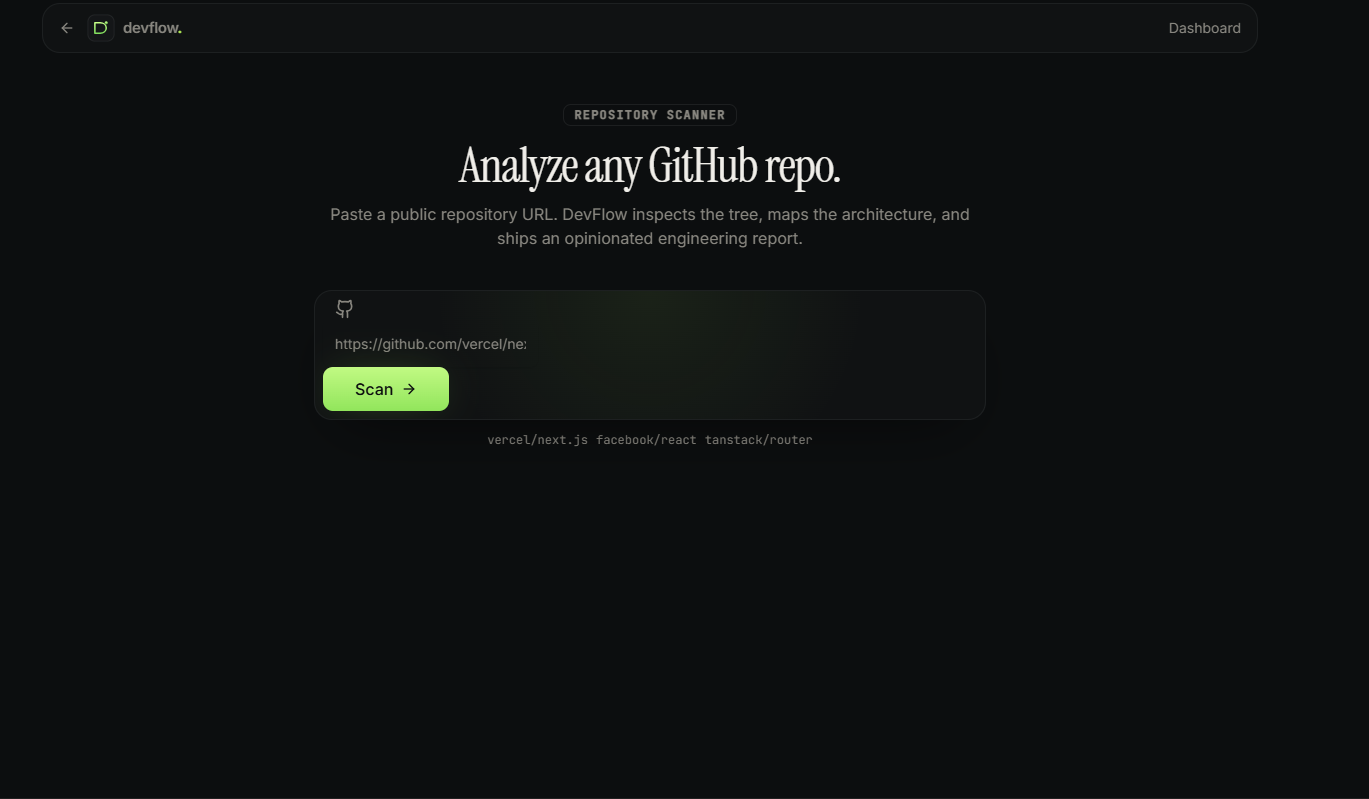
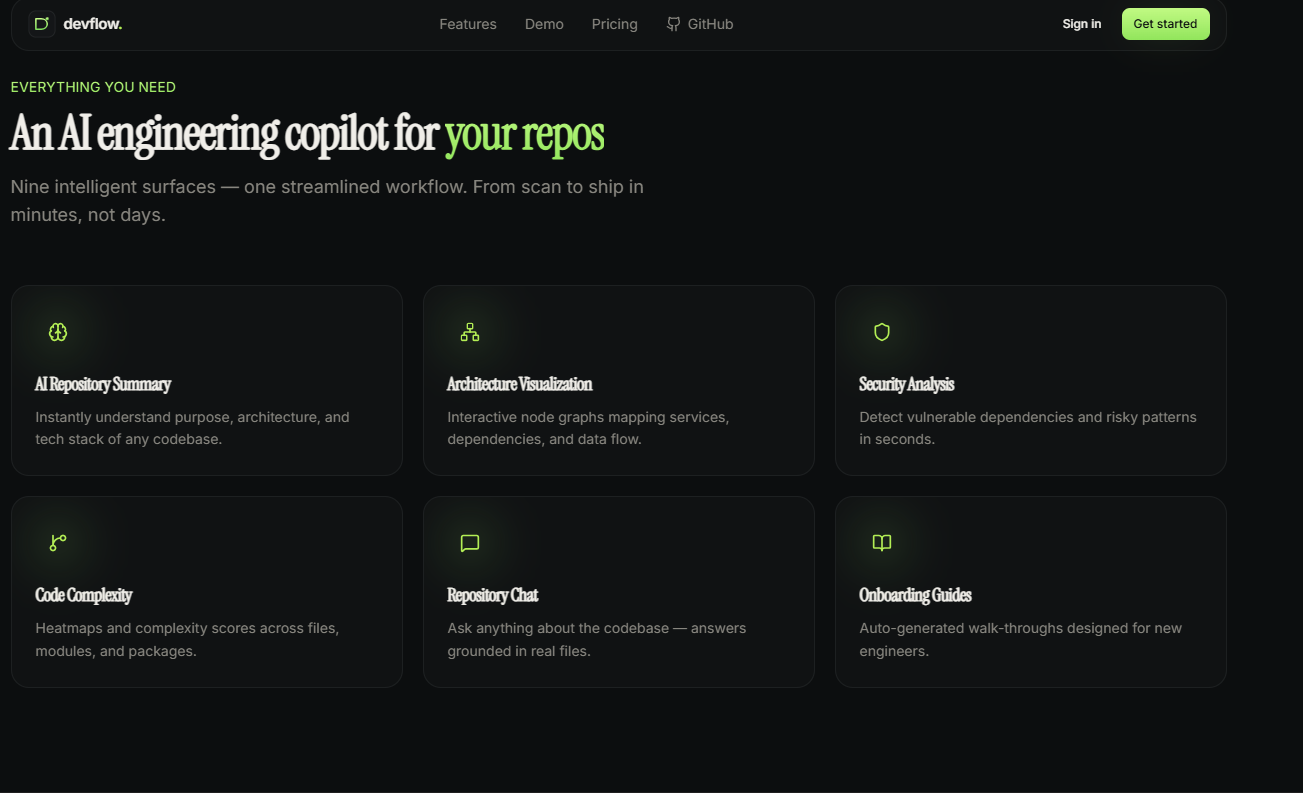
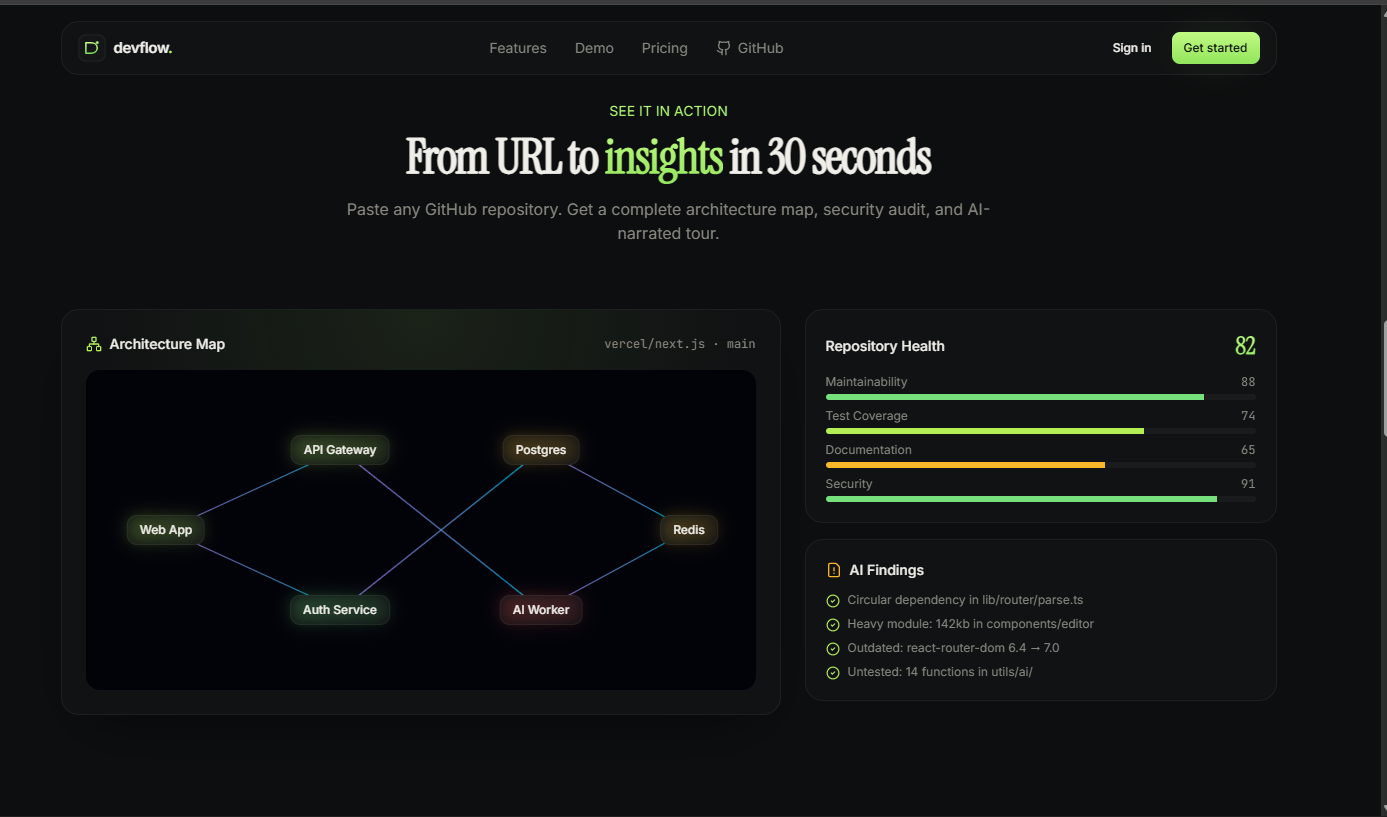
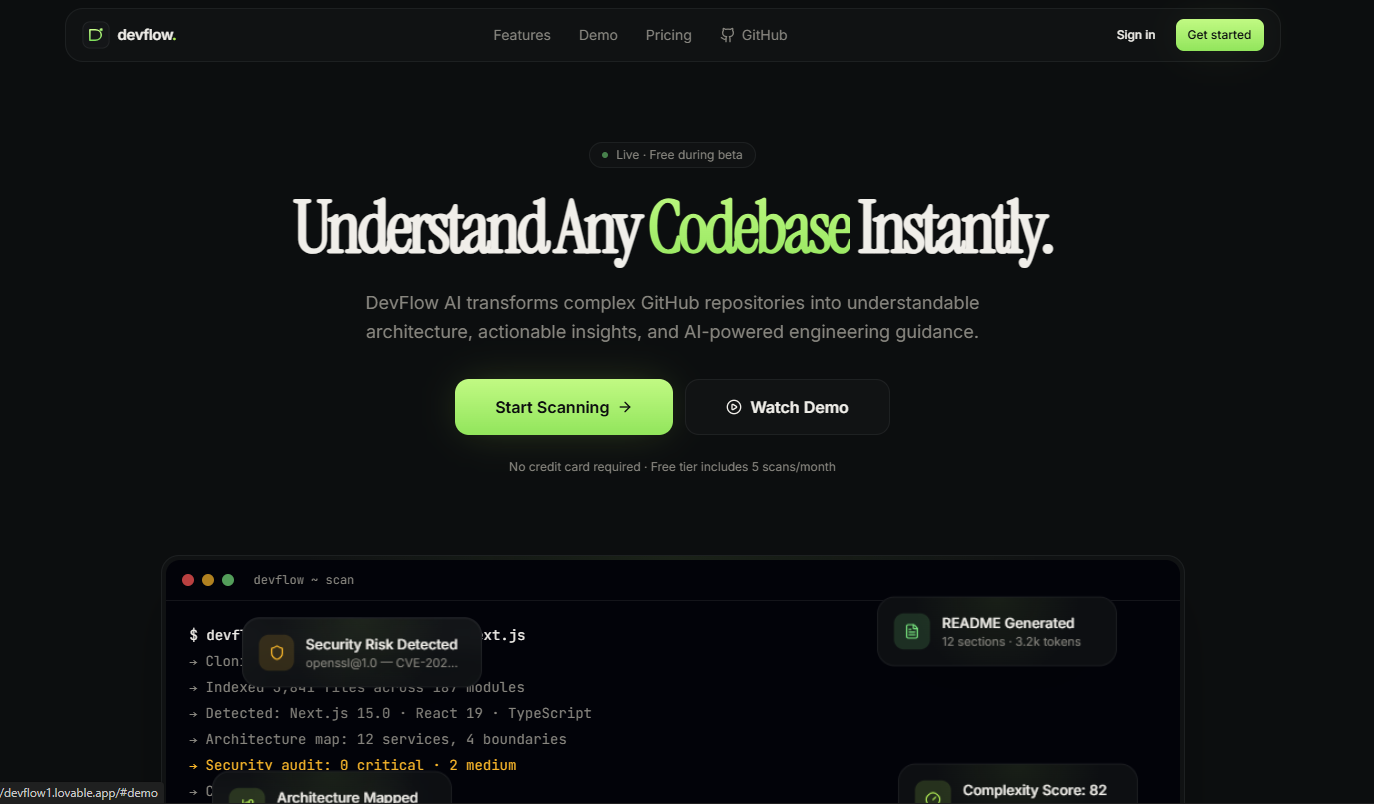
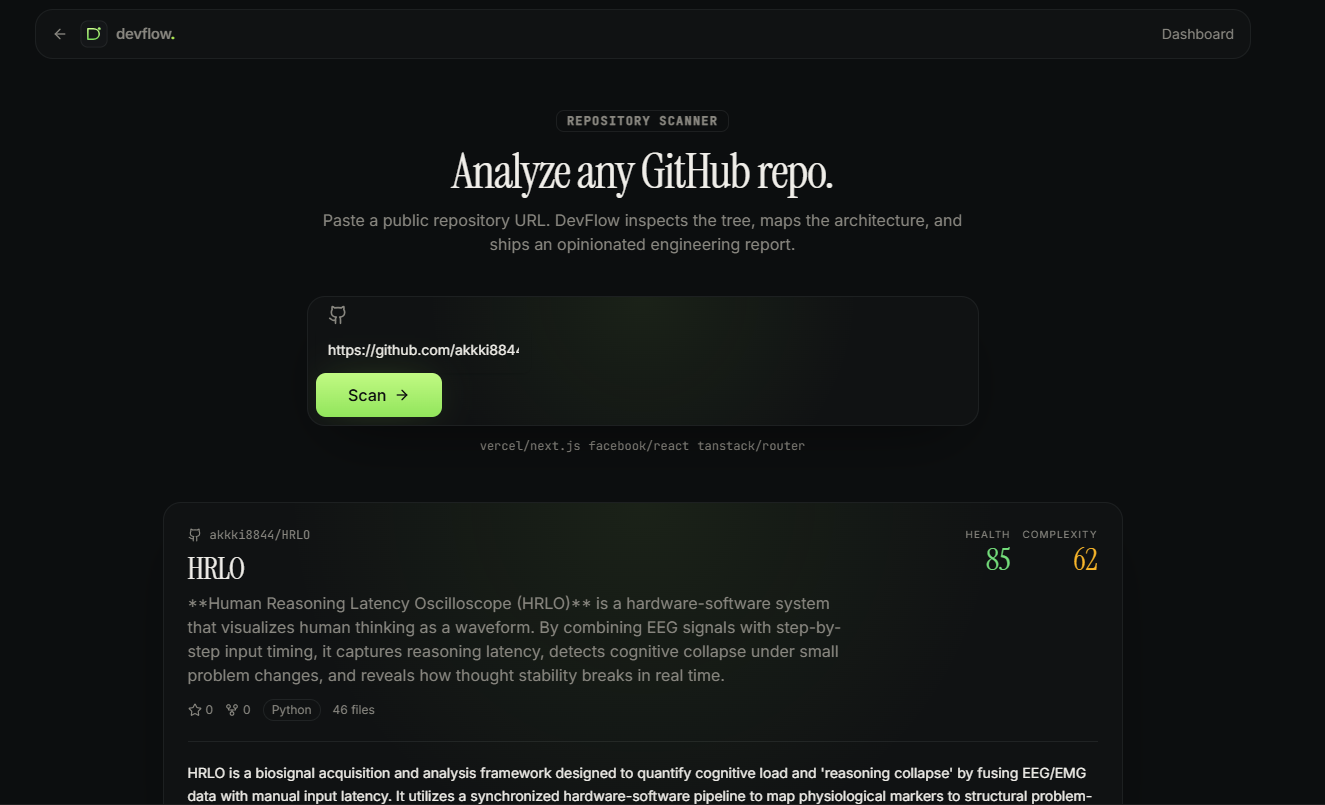
Thought for 28s Fixed AI analysis output flow
Details
Preview AI analysis fixed (switched from unsupported Output.object to JSON-prompt + Zod parse) and the CSS @import ordering is corrected. Try a scan now — and tell me which feature to wire up next (chat-with-repo, scan detail page, or landing polish).
May 12 at 4:06 PM General info
Project name You can change this at any time.
60 characters left
Elevator pitch Provide a short tagline for the project. You can change this later.
200 characters left
Save & continue Cancel
ansqwertehse questions for me
Thought for 16s Here are suggested answers for your DevFlow AI project:
Project name:
DevFlow AI Elevator pitch:
Paste any GitHub URL and get an instant AI-powered repo audit — architecture insights, complexity scores, security warnings, and chat-with-your-codebase, all in one beautiful dashboard. Alternative shorter pitches if you prefer:
Understand any codebase instantly. DevFlow AI turns GitHub repos into clear architecture, health scores, and AI-powered engineering insights. AI co-pilot for code review. Paste a GitHub repo, get instant audits, security warnings, and chat-with-your-code answers. Want me to tweak the tone (more technical, more playful, more enterprise)?
May 12 at 4:07 PM Project Story
About the project Be sure to write what inspired you, what you learned, how you built your project, and the challenges you faced. Format your story in Markdown, with LaTeX support for math.
Markdown tips (learn more)
Text formatting
Headline bold
_ italics _
link
Alt text
Code block example
puts "Hello World!" La ...
Show more
DevFlow AI — Understand Any Codebase Instantly Inspiration Every developer knows the pain of opening an unfamiliar GitHub repo for the first time. You stare at hundreds of files, cryptic folder names, and a README that's either missing or out of date. New hires spend weeks ramping up. Open-source contributors abandon issues because they can't find their bearings. Code reviewers approve PRs they don't fully understand.
We wanted to build the tool we wished existed: paste a GitHub URL, get an instant AI-powered audit of the entire codebase — architecture, complexity, health, security risks, and a chat interface to ask anything about the code.
What it does DevFlow AI is an AI co-pilot for understanding any GitHub repository:
Instant repo audit — paste a public GitHub URL and get a structured analysis: summary, tech stack, architecture overview, complexity score (0–100), and health score (0–100). Security & risk warnings — surface potential issues, outdated dependencies, and architectural smells. AI Repo Chat — ask questions like "Where is auth handled?" or "Explain the data flow for checkout" and get grounded answers. Beautiful dashboard — track every scan you've run, with charts, history, and exportable insights. How we built it The stack is intentionally lean and modern:
Frontend — React 19 + TanStack Start (SSR + file-based routing) with Tailwind CSS v4 and shadcn/ui. We designed a fully custom dark-mode design system with a violet→cyan signature gradient, glass cards, and Framer Motion micro-interactions. Backend — Lovable Cloud (managed Postgres + Auth + Edge Functions) for persistence, RLS-secured tables (profiles, repo_scans, chat_threads, chat_messages), and server-side logic via TanStack createServerFn. AI layer — Lovable AI Gateway streaming google/gemini-2.5-flash for repo analysis and chat. We pass a structured JSON schema in the prompt and validate responses with Zod for reliable, typed output. GitHub ingestion — unauthenticated GitHub REST API to fetch repo metadata, file tree, and key files. Optional user PAT for higher rate limits and private repos. The core scan pipeline:
// src/lib/scanner.functions.ts const result = await generateText({ model: gateway("google/gemini-2.5-flash"), system: "You are a senior staff engineer auditing a repo. Return JSON only.", prompt: buildPrompt(repoMeta, fileTree, readme), });
const analysis = analysisSchema.parse(JSON.parse(result.text)); await supabase.from("repo_scans").insert({ user_id, repo_url, results: analysis }); What we learned Structured output is harder than it looks. Our first version used Output.object() and broke silently across models. Switching to a JSON-prompt + Zod parse made the pipeline rock-solid. SSR-safe server functions matter. TanStack Start's import protection caught a half-dozen sneaky client-only modules leaking into server bundles — a great forcing function for clean architecture. Design is a feature. Spending the time on a real design system (gradients, glass, motion) made every other feature feel 10× more polished. RLS is non-negotiable. Every table has row-level security from day one. No shortcuts. Challenges we ran into Build-time import protection failures — TanStack Start refuses to bundle client-only code into the server. We refactored the router and Supabase client setup multiple times until the boundaries were clean. AI reliability — early versions hallucinated fields and broke the UI. We added a strict Zod schema, retries, and human-readable error messages for rate limits (429) and credit exhaustion (402). GitHub API limits — unauthenticated requests cap at 60/hour. We added clear 403/429 error states and a settings page for users to add a personal access token. Streaming + persistence — coordinating streamed AI tokens with database writes without dropping data took a few iterations to get right. What's next Architecture visualization with React Flow (interactive node graph of the codebase). Contributor insights dashboard with commit/PR analytics. AI-generated README and migration guides, exportable as PDF. Team workspaces with shared scan history.
Built With
- ai-sdk
- edge-functions
- framer-motion
- github-rest-api
- google-gemini
- lovable-ai-gateway
- lovable-cloud
- lucide-react
- postgresql
- react
- react-19
- recharts
- row-level-security
- shadcn-ui
- supabase
- supabase-auth
- tailwindcss
- tailwindcss-v4
- tanstack-query
- tanstack-router
- tanstack-start
- typescript
- vite
- zod

Log in or sign up for Devpost to join the conversation.