Inspiration
Every developer has felt this gap: you can spend weeks building something meaningful, but when it is time to explain it in an interview, on a resume, or to a recruiter, the story collapses into vague phrases like “built a full-stack app” or “used React and AWS.” The code exists, but the context behind the code is hard to surface quickly.
We built DevContext.AI to close that gap. We wanted to turn a GitHub repository into something far more useful than a code dump: a structured, evidence-backed explanation of what the project does, how it is designed, where it is strong, where it is weak, and how its creator can talk about it with confidence.
For a Diff hackathon, that felt like the right challenge: not just generating text, but generating useful technical understanding from messy, real-world codebases.
What it does
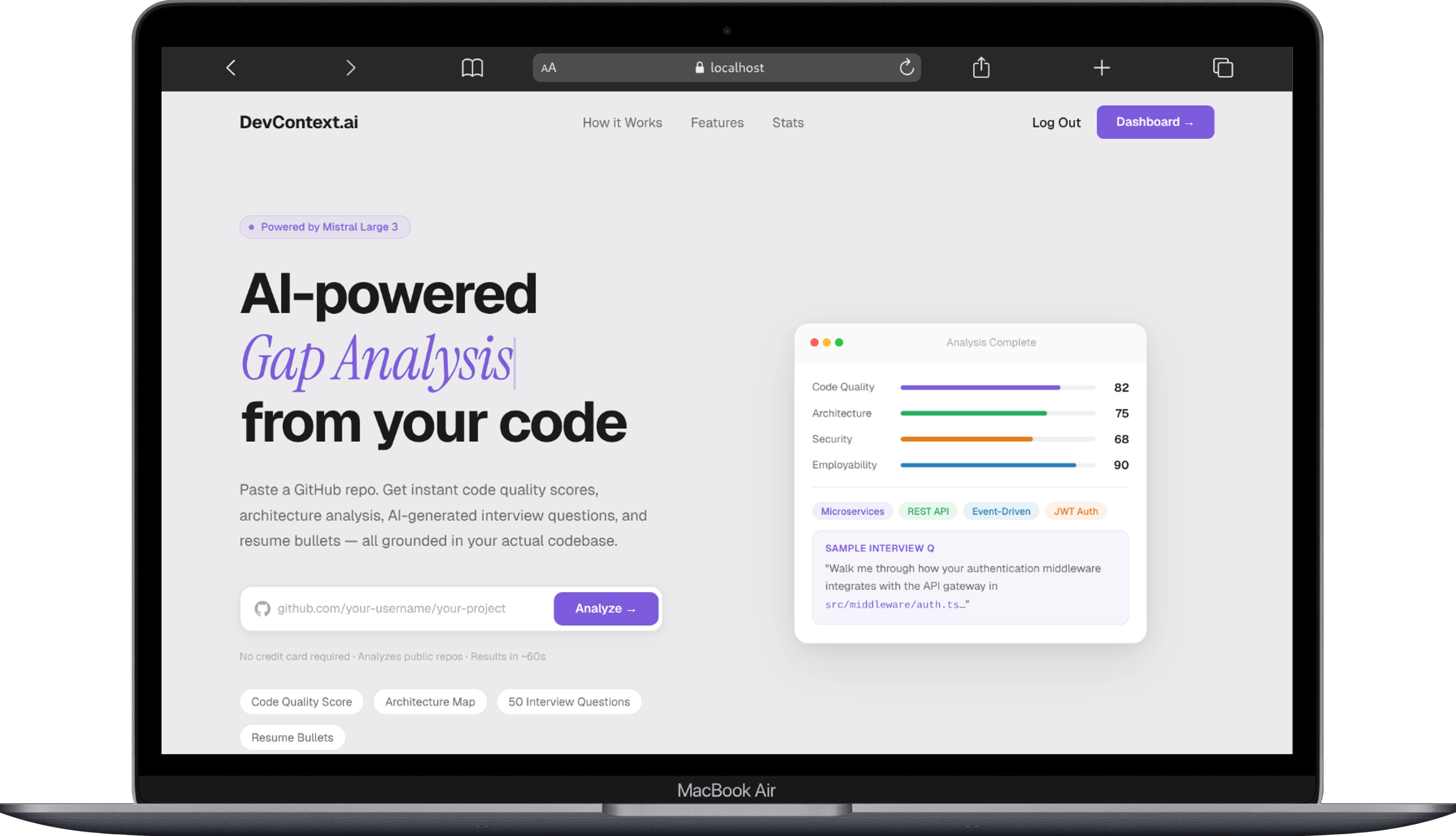
DevContext.AI analyzes a GitHub repository and turns it into a recruiter-ready, interview-ready intelligence report.
The platform runs in three progressive stages:
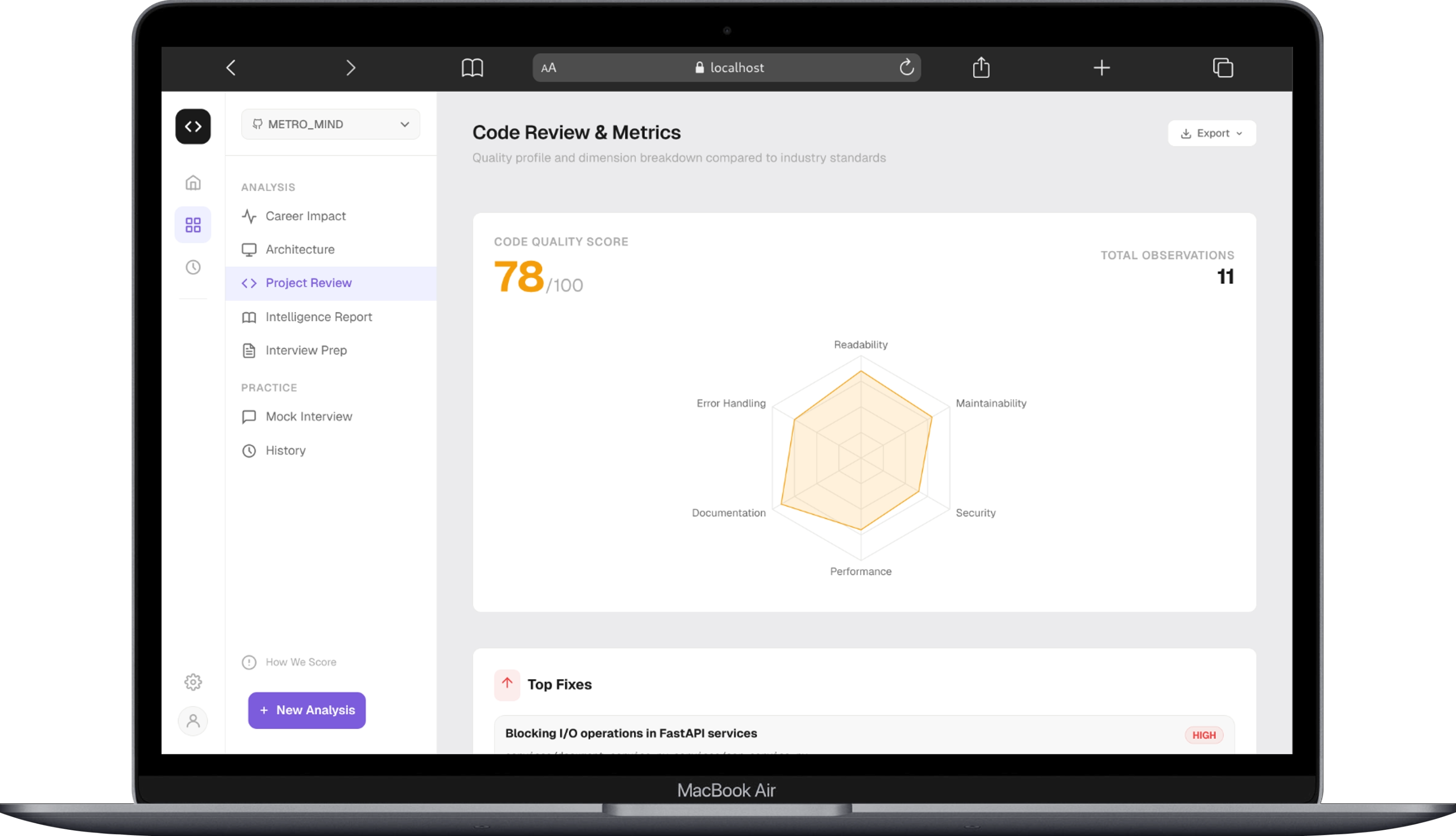
Project Review
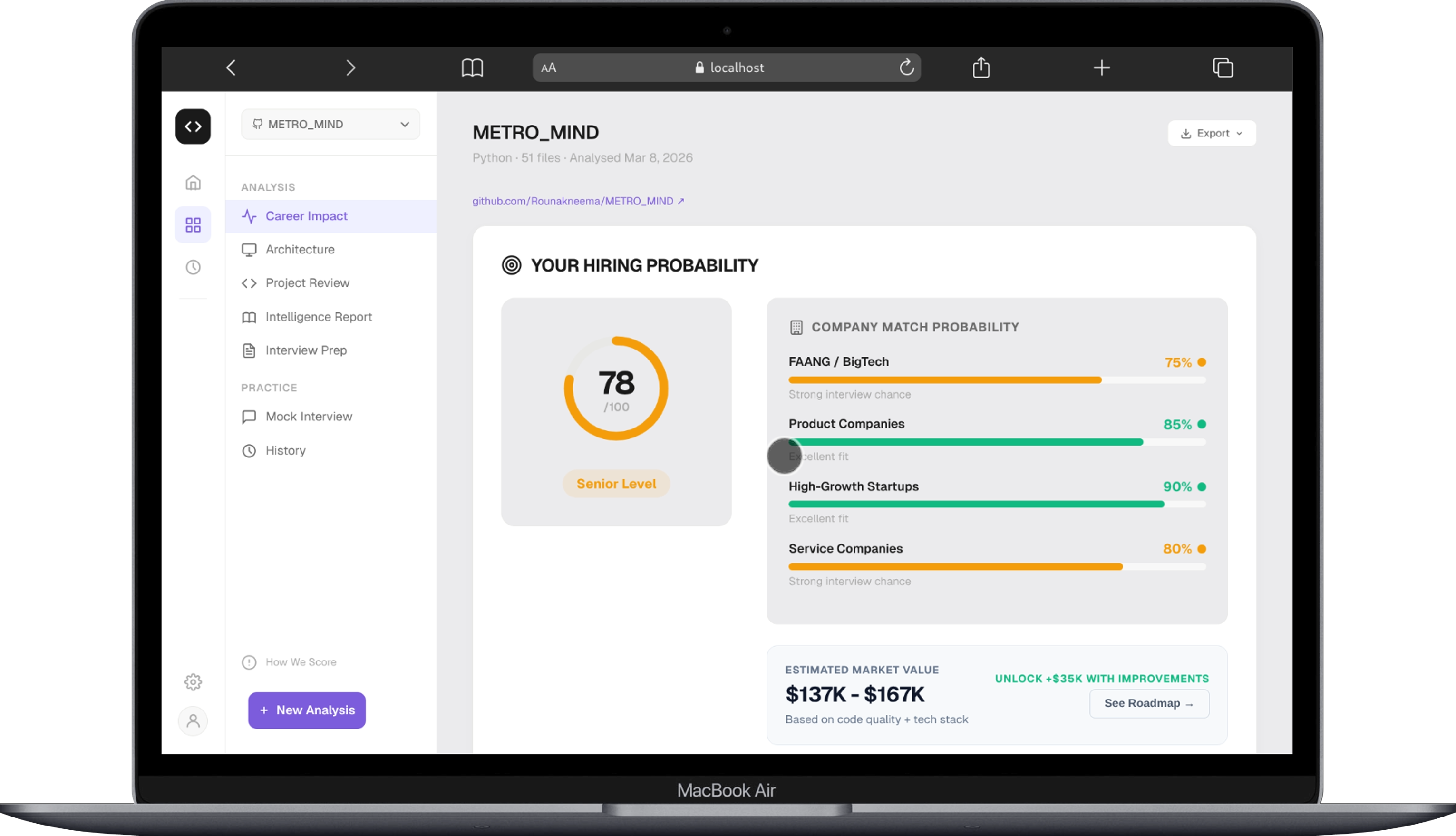
It evaluates code quality, architecture clarity, employability signals, and project authenticity based on the repository and commit history.Intelligence Report
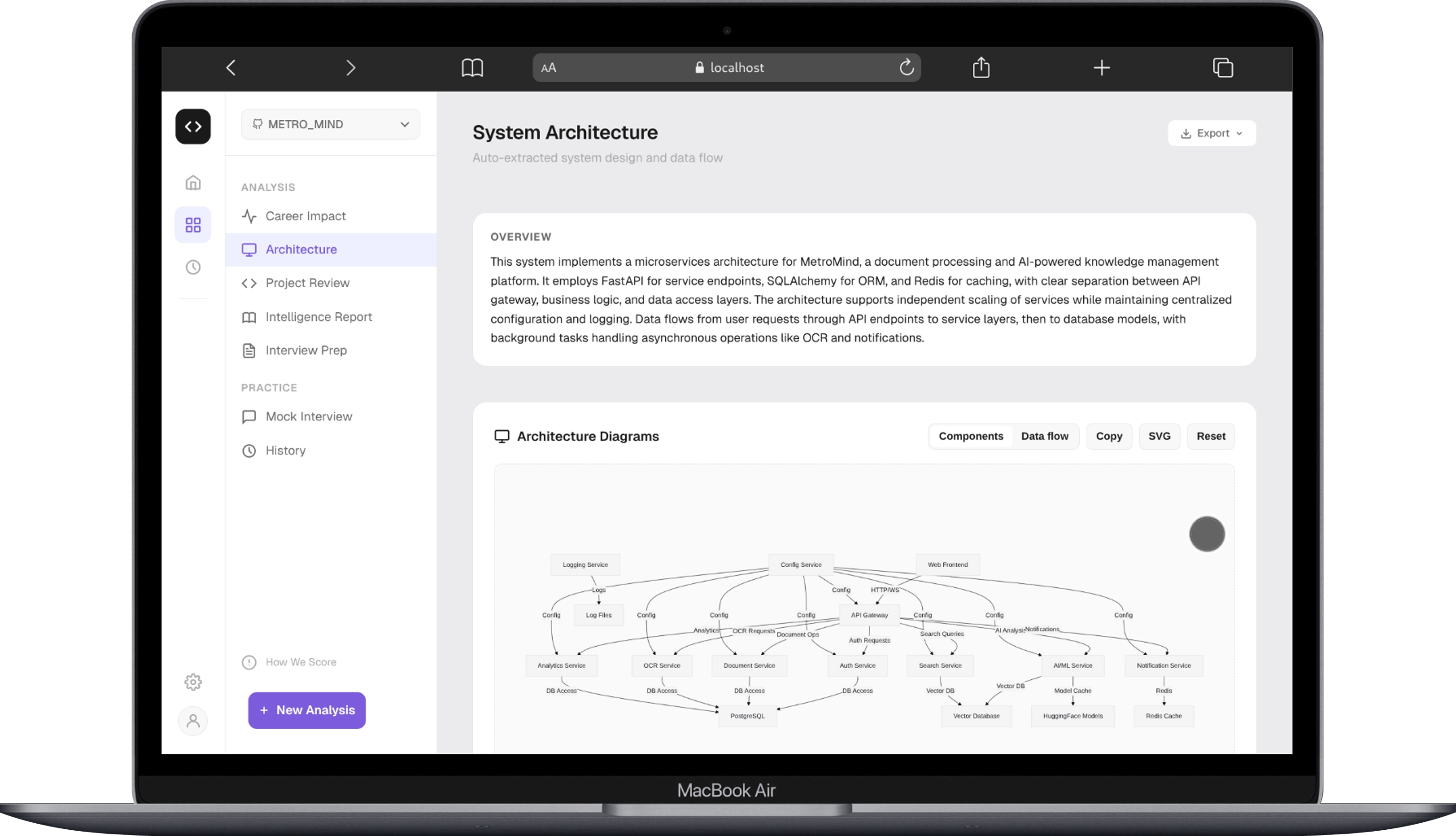
It reconstructs the architecture, identifies design decisions and trade-offs, highlights bottlenecks, and generates resume-ready bullet points grounded in the actual codebase.Interview Simulation
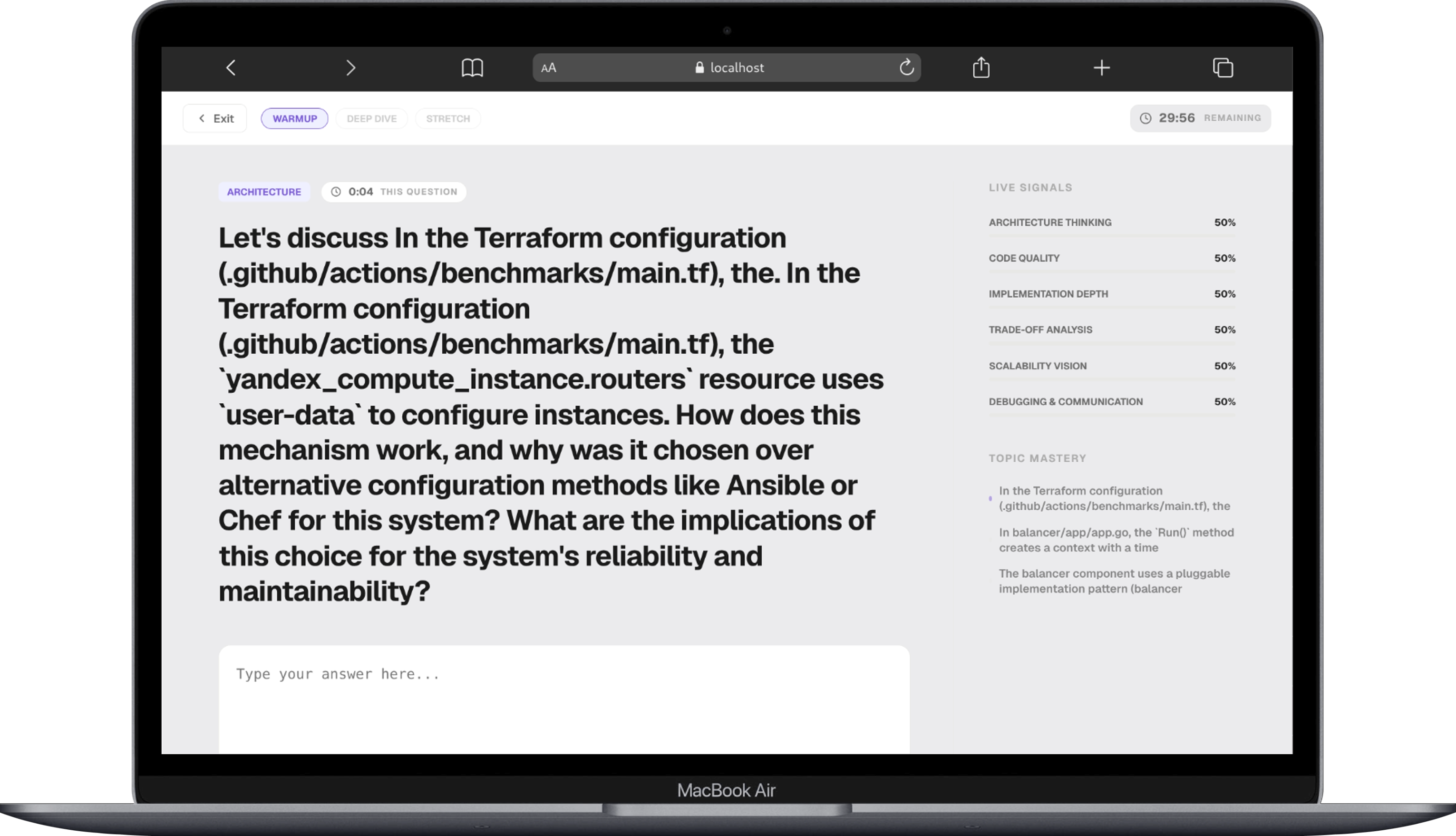
It creates project-specific interview questions based on the user’s own code and lets them practice with AI-powered evaluation and follow-up feedback.
What makes the product especially useful is that it is not trying to be vague or motivational. It is designed to be grounded:
- Claims are tied back to actual files and code structure
- Framework boilerplate is filtered out so the focus stays on user-written logic
- Results are streamed progressively so users get value fast instead of waiting for one giant batch job
- The interview layer goes beyond question generation and helps users practice communicating technical decisions clearly
In short, DevContext.AI helps developers move from “I built this project” to “I can explain exactly why it works, what trade-offs I made, and how I’d defend those decisions in an interview.”
How we built it
We built DevContext.AI as a full-stack AI system with a React + TypeScript frontend and a serverless AWS backend.
On the frontend, we created a dashboard-driven experience where users can:
- submit a GitHub repository URL
- see progressive analysis results as stages complete
- browse quality metrics, architecture insights, resume bullets, and improvement areas
- launch interview sessions and get evaluated in real time
On the backend, we designed a multi-stage orchestration pipeline using:
- AWS Lambda for serverless execution
- API Gateway for REST and WebSocket-based communication
- DynamoDB for analysis and session storage
- S3 for repository caching and intermediate assets
- Amazon Bedrock for model access and AI orchestration
- AWS Cognito for authentication and user isolation
A big part of the implementation was the repository-processing pipeline. Before asking a model to reason about a project, we first:
- parse the GitHub repository structure
- filter out non-user code such as build artifacts, binaries, lockfiles, and framework noise
- prioritize important files with a token-budget manager
- construct a compact project context map the models can reason over efficiently
We also built reliability layers around generation:
- a grounding checker to validate that AI outputs actually point to valid code references
- a self-correction loop to repair invalid or hallucinated outputs
- a multi-model strategy so faster/cheaper models handle structured tasks while stronger reasoning models handle deeper architectural analysis and answer evaluation
That combination let us build something that feels less like a chatbot and more like an AI analysis workflow tailored for software projects.
Challenges we ran into
One of the hardest parts was making the AI outputs feel trustworthy instead of just polished.
Codebases are noisy. They contain generated files, dependencies, configuration, and patterns copied from tutorials or frameworks. If we fed everything directly to a model, we got answers that sounded smart but were not always focused on the user’s real engineering decisions. We had to build aggressive filtering and prioritization so the system stayed centered on the code that actually matters.
Another challenge was token and cost management. Repositories can get large very quickly, and naïvely passing everything to a model is both expensive and ineffective. We solved this by introducing a token budget manager that allocates attention to the most important files first.
We also had to deal with grounding and hallucination risk. Since DevContext.AI generates architecture explanations, trade-off analyses, and interview questions, even small inaccuracies can ruin trust. Building validation and self-correction loops became essential.
Finally, the product experience depended on speed. Users should not have to wait minutes before seeing anything useful. That pushed us toward a progressive, staged architecture where the first layer of insight appears quickly while deeper analysis continues in the background.
Accomplishments that we're proud of
We are proud that DevContext.AI is not just a demo of “AI talking about code.” It is a system that turns repositories into structured technical intelligence with real product depth.
A few things we are especially proud of:
- We built a three-stage progressive pipeline that gives users immediate value and then deepens the analysis over time.
- We created a grounded analysis workflow that focuses on real repository evidence instead of generic AI summaries.
- We combined architecture review, employability scoring, resume support, and interview simulation into one coherent experience.
- We designed a cost-aware multi-model backend that balances speed, reasoning quality, and scalability.
- We shipped a product that can help users not only understand their project better, but also communicate it better.
The part we are proudest of is the product direction itself: DevContext.AI does not just analyze code for engineers, it helps engineers advocate for their own work.
What we learned
We learned that the hardest part of building with AI is not generating output, it is designing the system around that output so it becomes reliable, actionable, and worth trusting.
We also learned that:
- Context quality matters more than prompt size. Better repository filtering and prioritization improved outputs more than simply adding more code.
- Grounding is a product feature. Users trust insights much more when they can trace them back to their own files and implementation choices.
- Latency shapes user perception. Progressive delivery made the app feel dramatically more usable, even when deeper stages still needed time.
- AI is strongest when paired with workflow design. The real value came from orchestration, validation, and UX decisions, not just model calls.
- Developers want help telling the story behind their code. Technical work is only half the challenge; communication is the other half.
What's next for DevContext.AI
Our next step is to make DevContext.AI even more useful as a long-term developer companion, not just a one-time analysis tool.
Here is where we want to take it next:
- Add deeper repository understanding across larger and multi-repo projects
- Improve architecture visualization and make generated system maps more interactive
- Expand interview simulation with richer follow-up questioning and adaptive difficulty
- Add personalized improvement roadmaps so users can go from feedback to concrete engineering upgrades
- Support export formats tailored for resumes, portfolios, recruiter packets, and mock interview prep
- Build stronger collaboration features so mentors, recruiters, or peers can review the same analysis together
The bigger vision is simple: help developers turn code into clarity. If GitHub shows what you built, DevContext.AI should help explain why it matters.
Built With
- amazon-bedrock
- amazon-dynamodb
- amazon-web-services
- aws-api-gateway
- aws-cognito
- aws-lambda
- aws-sam
- github-api
- githubapi
- mistral-large-3
- node.js
- react-19
- tailwind-css
- typescript
- websockets


Log in or sign up for Devpost to join the conversation.