Inspiration
Debugging a web app means constantly switching between Chrome DevTools, GraphQL Playground, GitHub, and form fillers. After spending 10 minutes manually copying error messages, stack traces, and network requests just to file one GitHub issue, we asked: "Why are we still doing this manually?"
Multiple tools. Constant context switches. Zero flow state.
The breaking point came after spending 10 minutes manually copying error messages, stack traces, network requests, and browser info just to file one GitHub issue. That's when we asked: "Why are we still doing this manually?"
But the inspiration went deeper. We realized this isn't just a developer problem—QA engineers test the same forms 50 times a day, designers can't understand why an API failed, and product managers want to file detailed bug reports but lack technical context.
Then we discovered Raindrop's aspect of memory from the hackathon and saw an even bigger opportunity: What if our video calls could remember context across meetings? Every standup, every debugging session, every decision—stored and searchable. That became "Rooms with Memory."
DevConsole was built from the belief that debugging tools should work for everyone, and conversations shouldn't be forgotten.
What it does
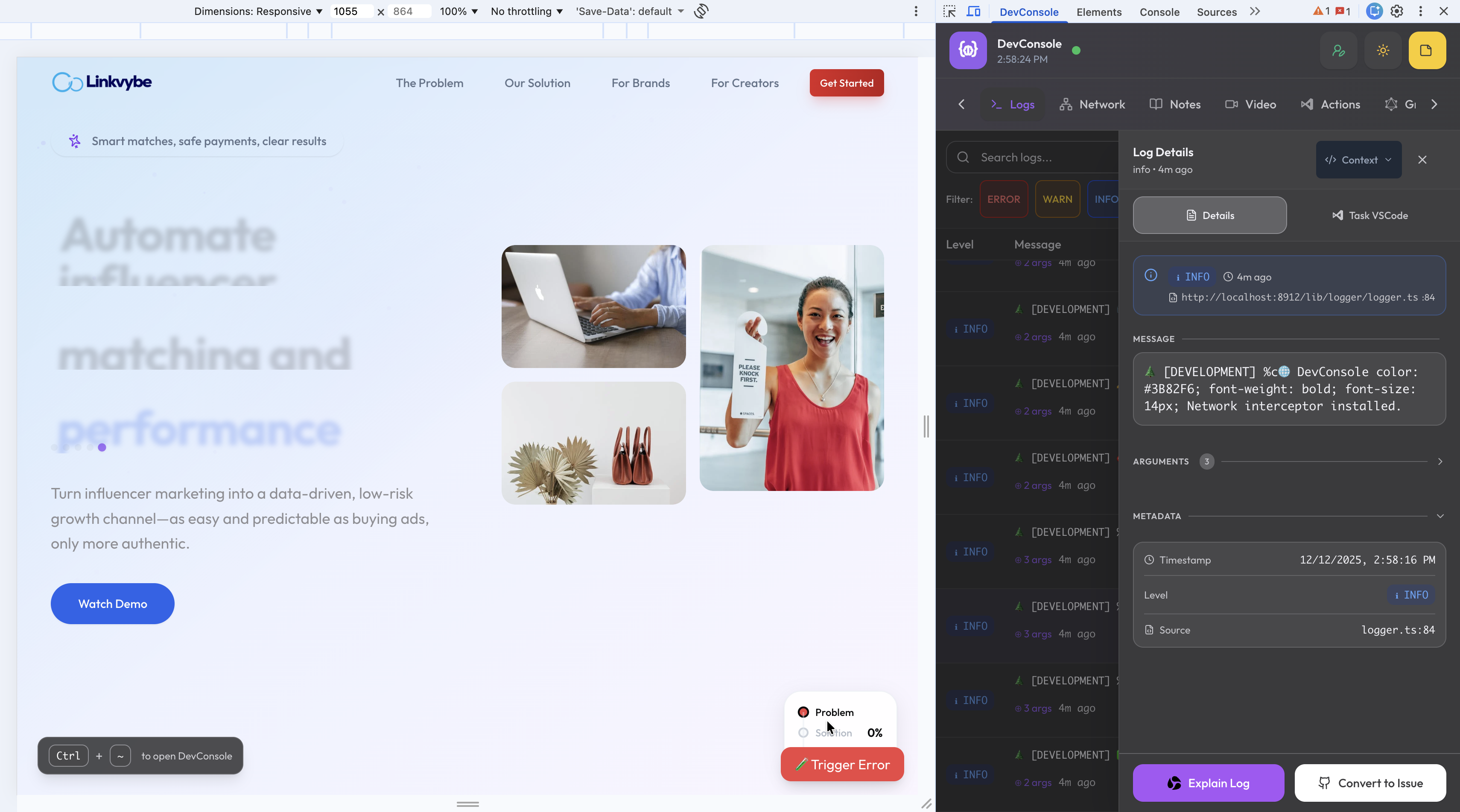
DevConsole is a Chrome DevTools extension with AI capabilities and persistent video call memory.
DevTools Features:
Enhanced Console with persistent logs and custom loggers Network Monitor with automatic GraphQL detection Built-in GraphQL Explorer (GraphiQL IDE) One-click GitHub issue creation with full context Smart form autofill with rotating personas and Unsplash images AI Features:
AI Log Explainer for root cause analysis Super Write AI to transform rough notes into professional issues Rooms with Memory:
LiveKit video calls with Deepgram transcription Raindrop SmartMemory stores every conversation Insights Panel extracts questions, decisions, and action items in real-time
How we built it
Frontend: React 18, TypeScript, Vite, TailwindCSS, Framer Motion Extension: Chrome Manifest V3 with message-passing architecture AI: Vercel AI SDK supporting OpenAI, Anthropic, Google Video: LiveKit + Deepgram STT agent deployed on Vultr VPS Memory: Raindrop SmartMemory SDK with Working Memory → Episodic Memory pipeline
Challenges we ran into
Chrome context isolation — Page scripts can't talk directly to service workers. We built a robust message relay with batching for high-frequency logs.
Transcription timing — Segments arrive with isFinal: false. We implemented deduplication by segment ID to capture complete conversations.
Memory session lifecycle — Transcripts could arrive before SmartMemory connected. Solved with React refs to avoid stale closure issues.
Performance at scale — Hundreds of logs per second required careful batching and debouncing to keep the extension responsive.
Accomplishments that we're proud of
10x faster GitHub issues — 30 seconds instead of 10 minutes Rooms with Memory — Video calls that remember decisions across sessions Real-time insights — Questions, decisions, and action items extracted live Seamless Raindrop integration — TranscriptMemoryStream with retry logic and batching Production deployment — LiveKit agent running on Vultr VPS
What we learned
Raindrop SmartMemory makes persistent conversation memory surprisingly straightforward Chrome extensions require a different mental model—context isolation forces better architecture Batching is essential for handling high-frequency events without killing performance LiveKit + Deepgram delivers reliable real-time transcription
What's next for DevConsole
Semantic Memory — Knowledge graph from all past meetings Meeting Summaries — Auto-generated post-call summaries Time-Travel Debugging — Session recording with DOM snapshots and replay Collaborative Debugging — Share live sessions with teammates
Built With
- chrome-manifest-v3
- deepgram
- framer
- graphiql
- livekit
- raindrop-smartmemory-sdk
- react
- tailwindcss
- typescript
- vercel-ai-sdk
- vite
- vultr-vps
- zustand

Log in or sign up for Devpost to join the conversation.