-
-
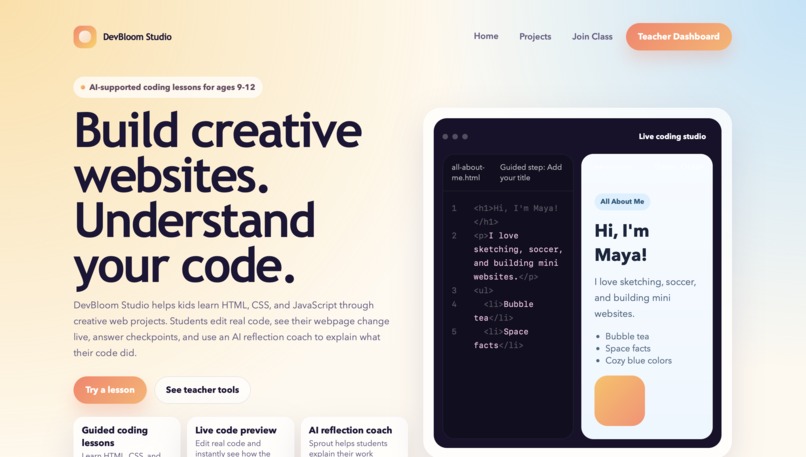
DevBloom Studio helps kids learn real code through creative projects, live preview, and AI-guided reflection.
-
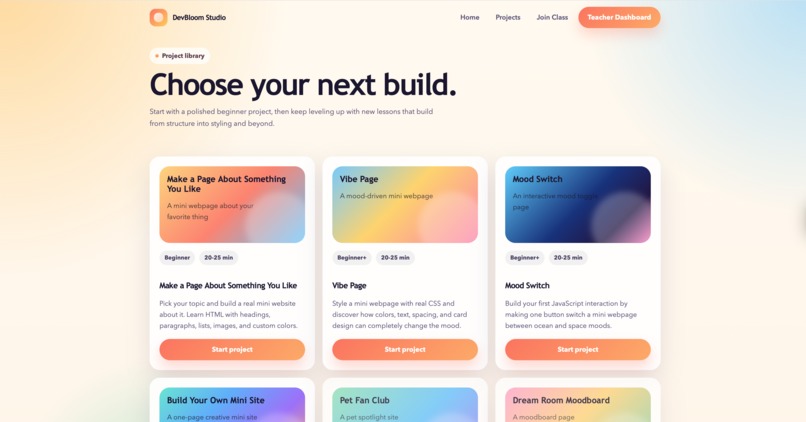
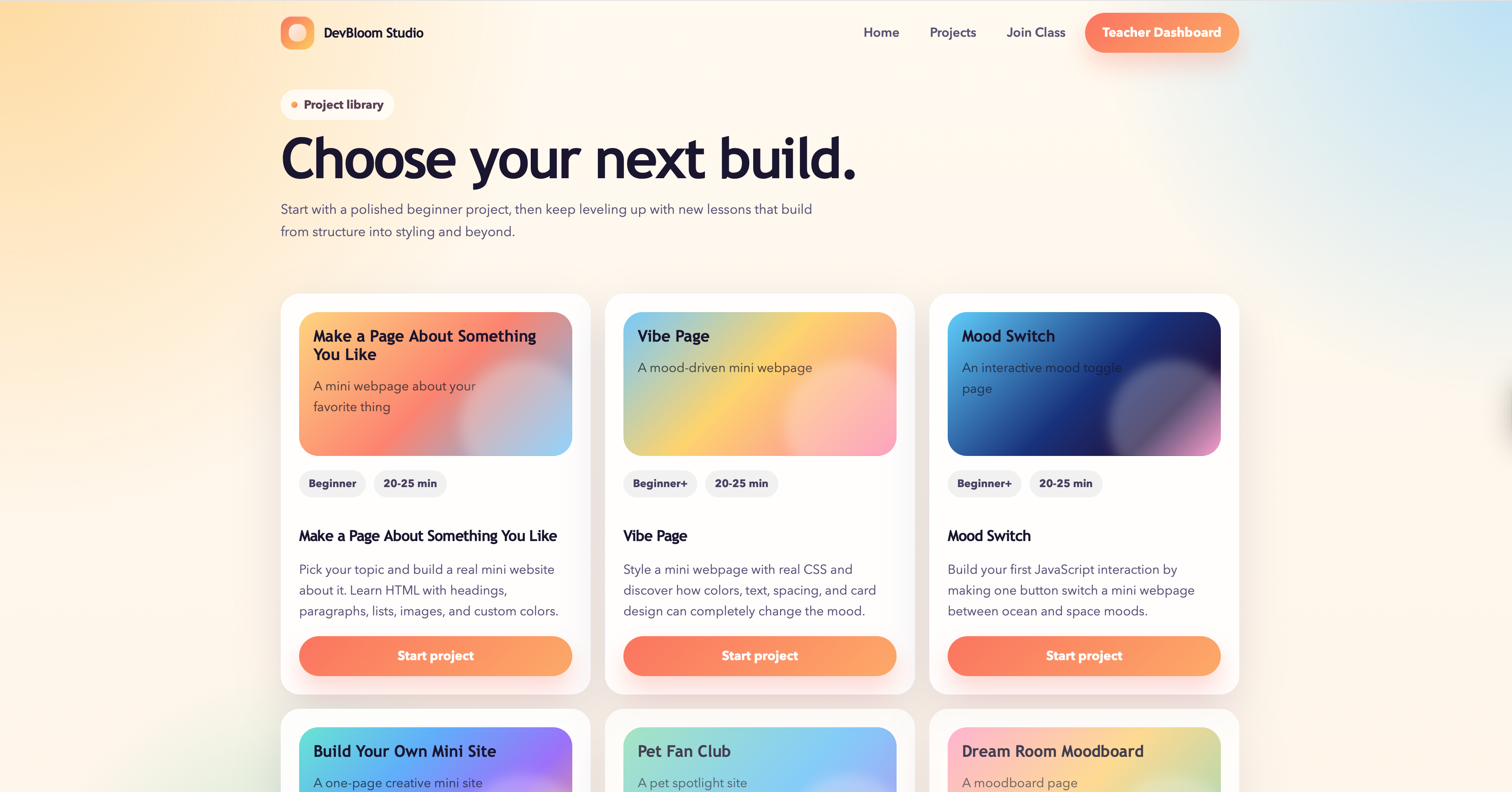
Students can choose from four guided projects that build HTML, CSS, and JavaScript skills.
-
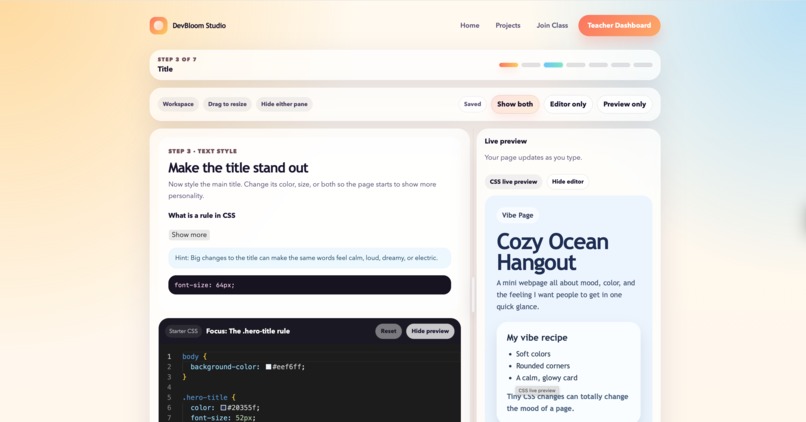
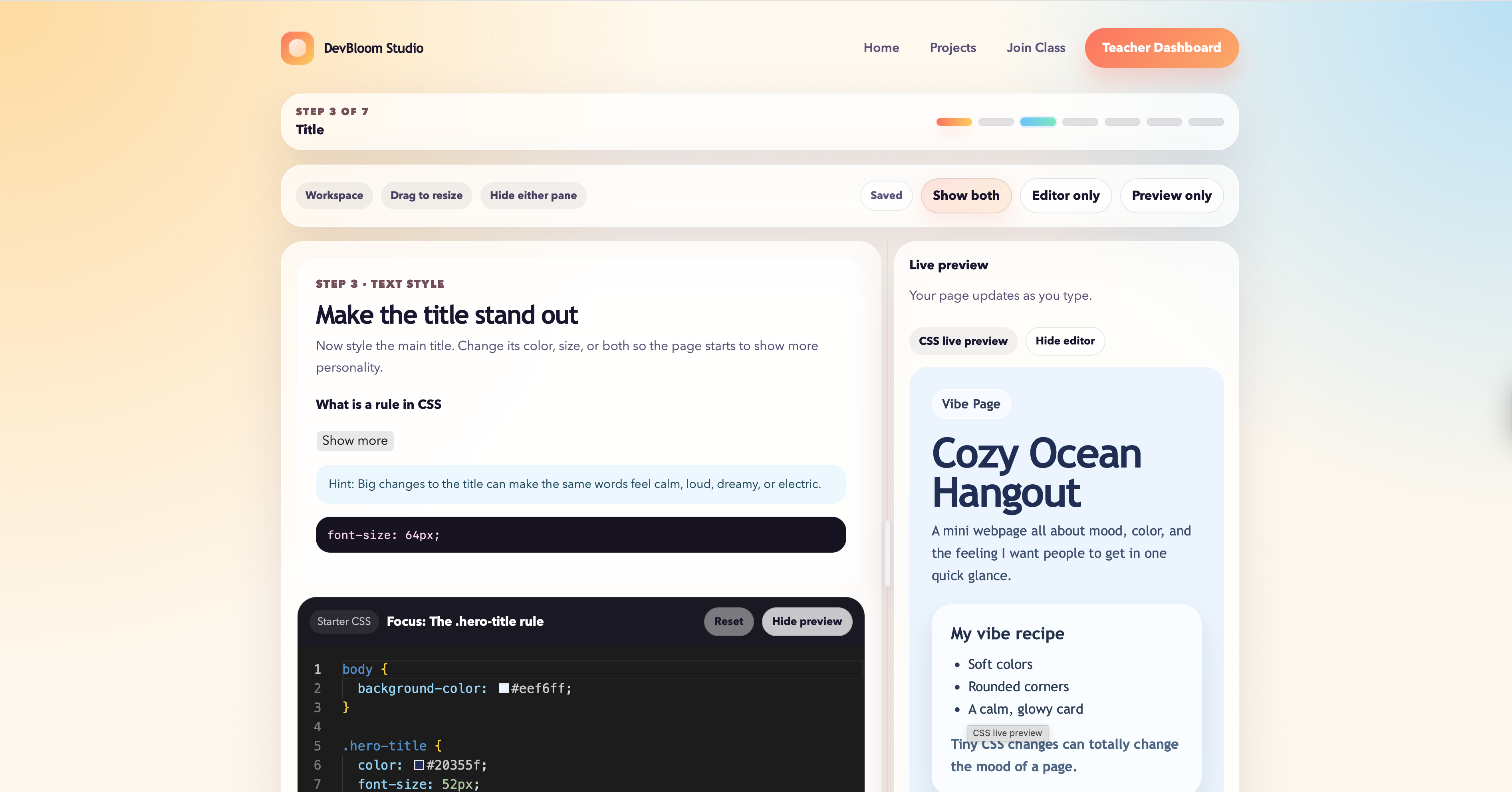
Each lesson combines short instructions, a real code editor, live preview, and progress tracking.
-
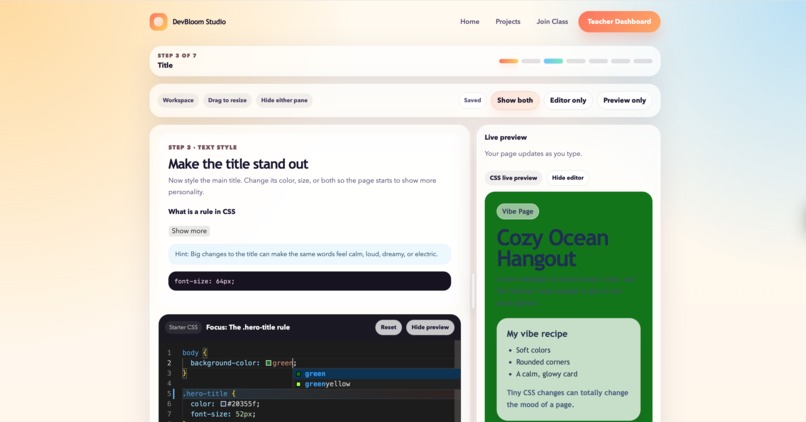
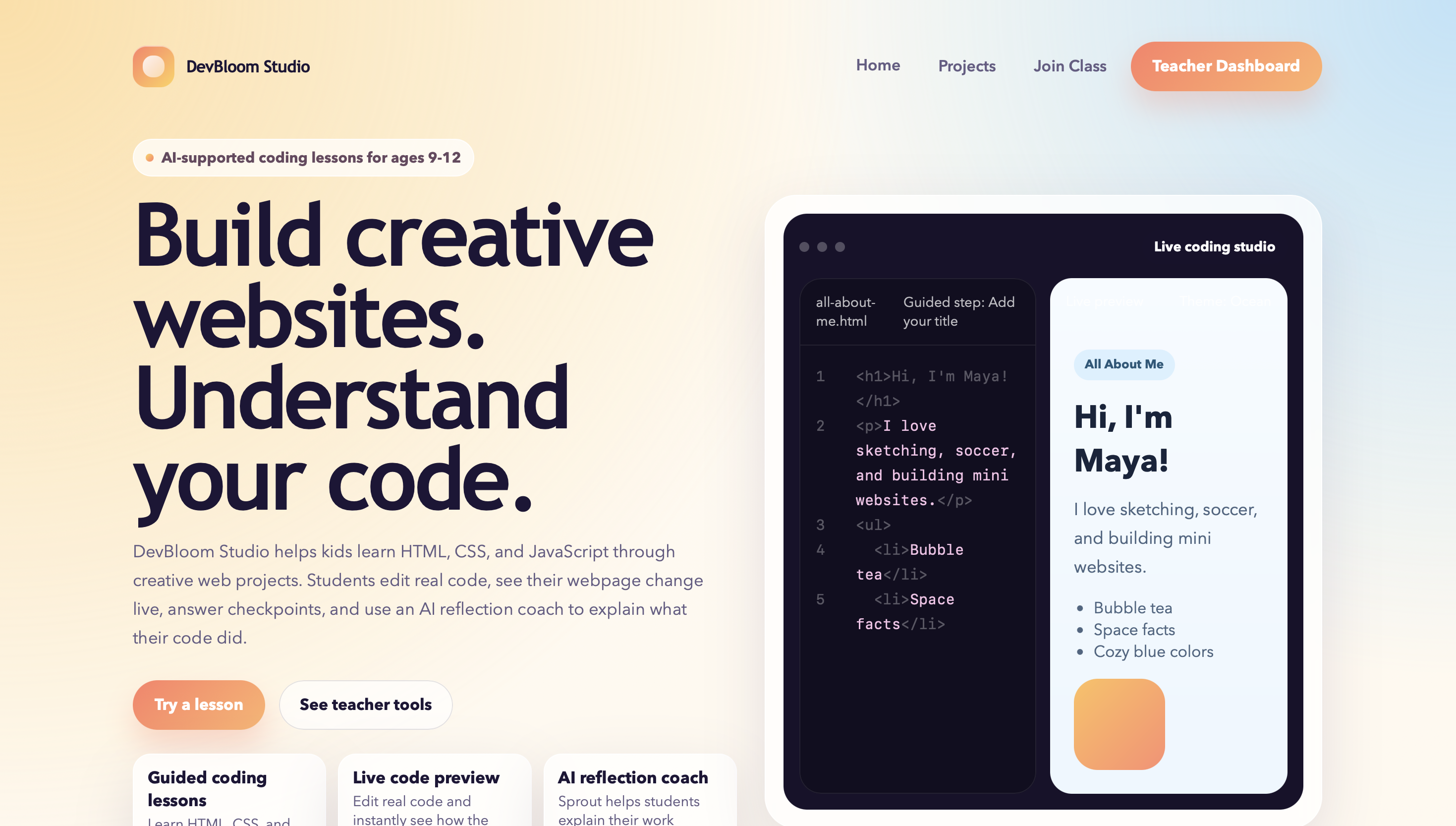
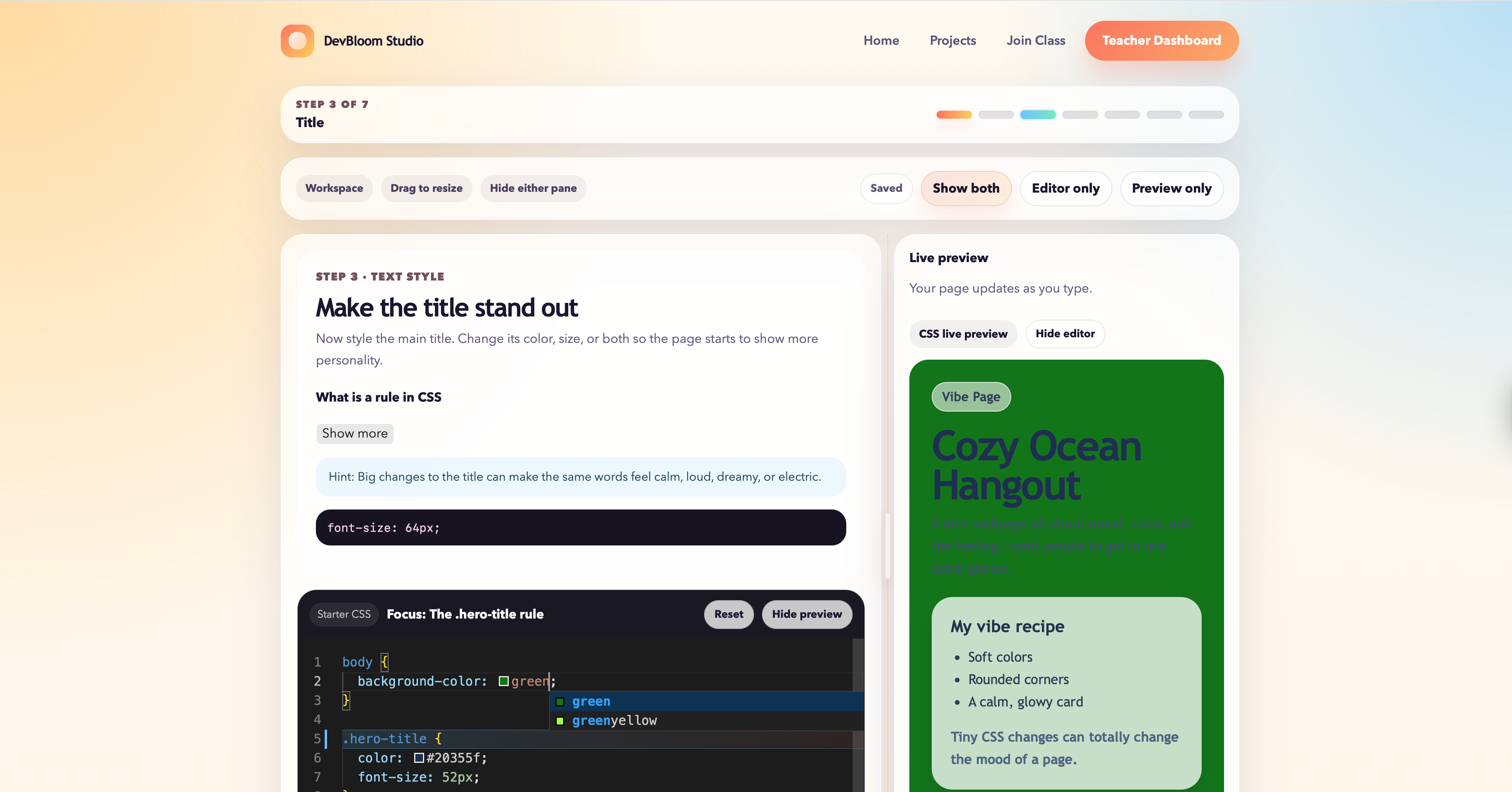
Students edit real code and immediately see how their changes affect the page.
-
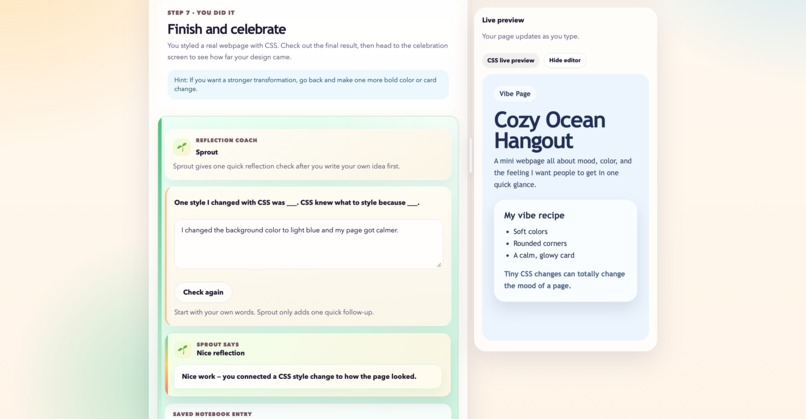
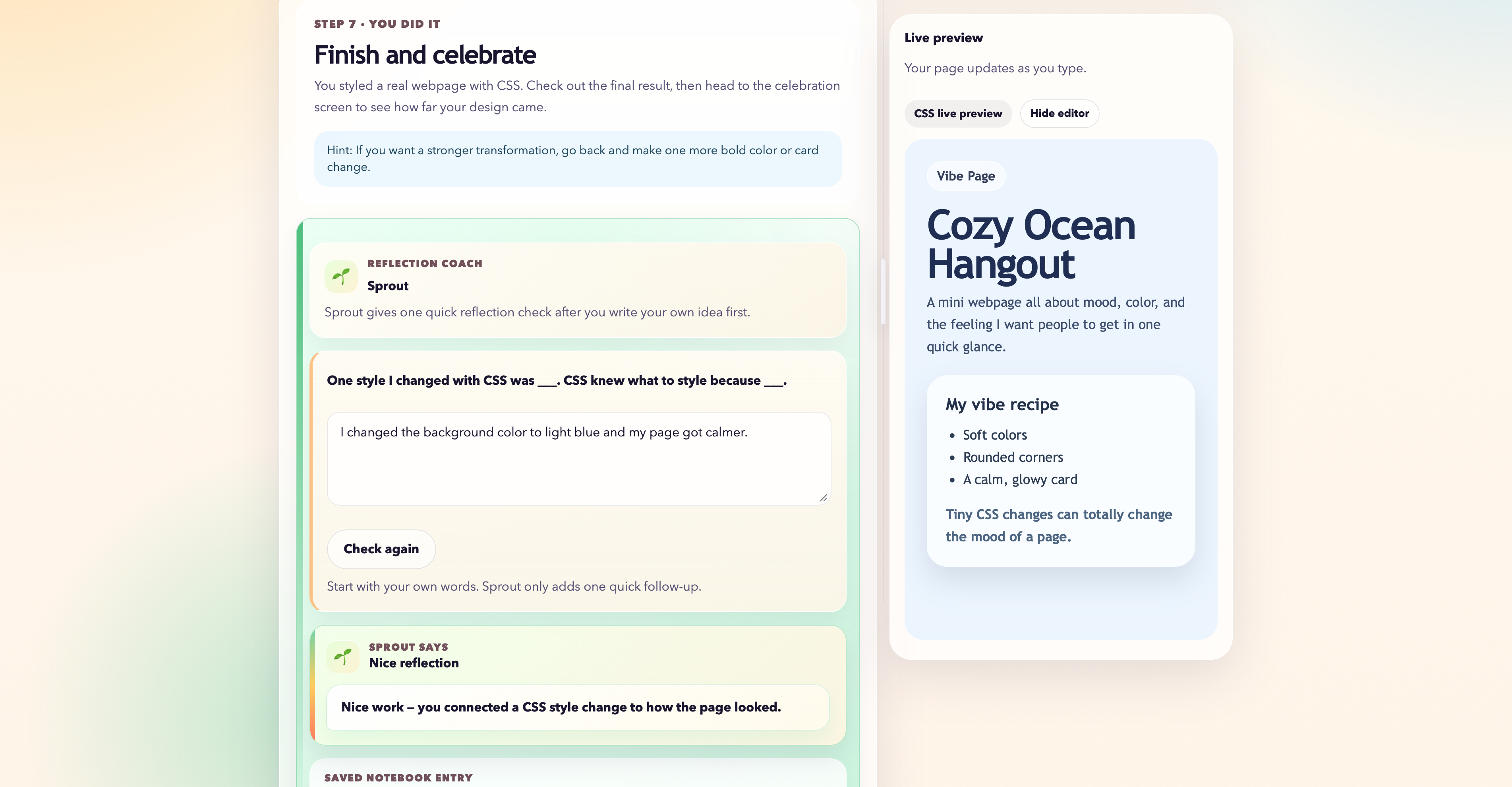
Reflection prompts help students explain what they changed, while Sprout asks gentle follow-up questions to make their thinking clearer.
-
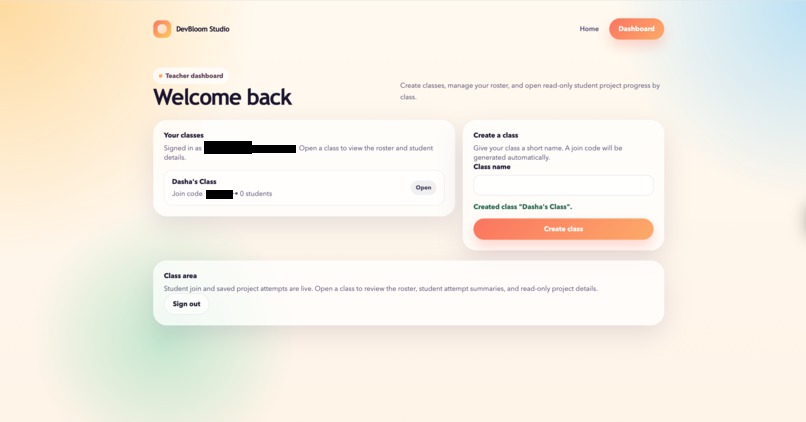
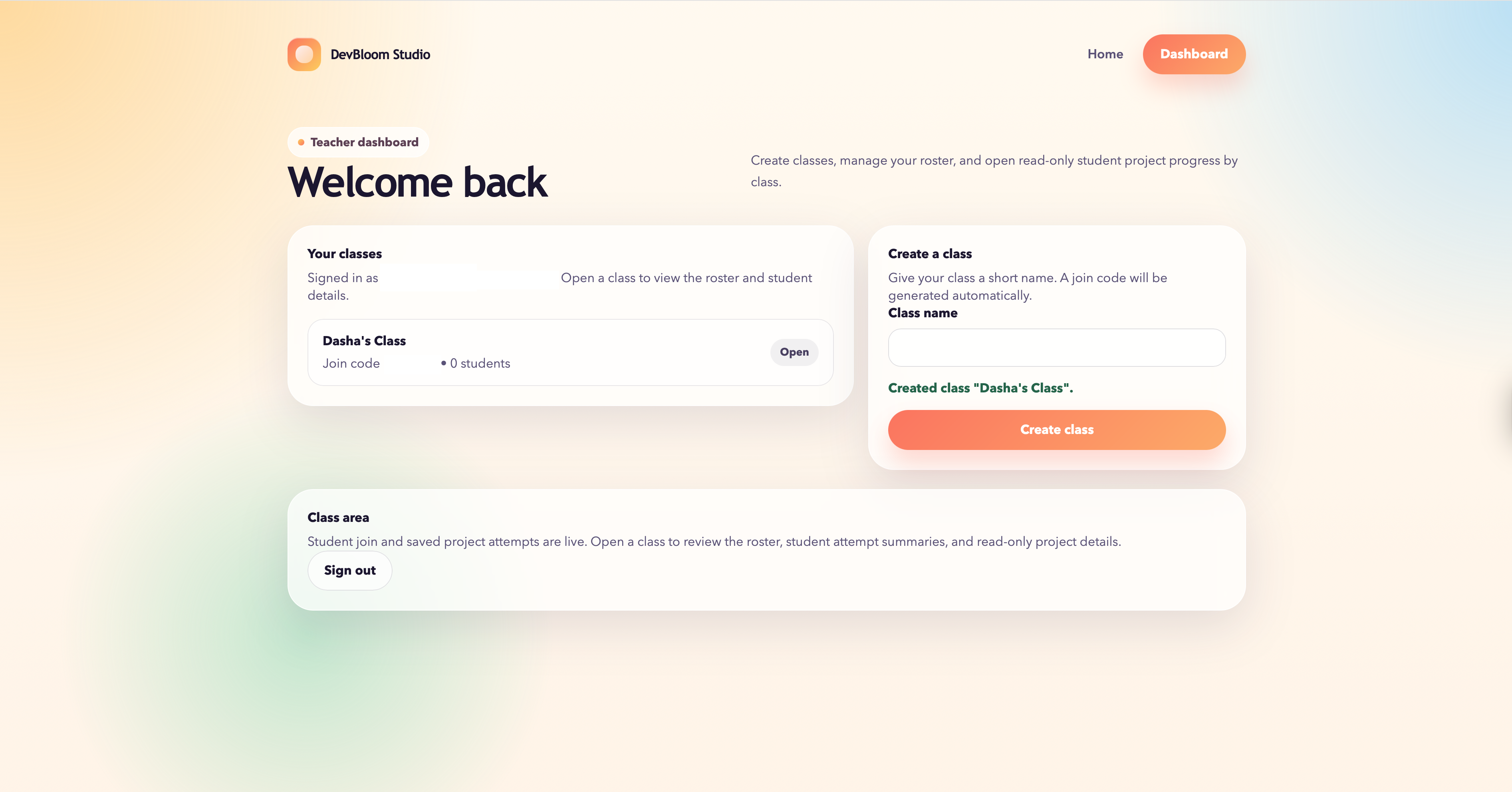
Early classroom tools allow teachers to create classes, manage students, and support saved progress.
-
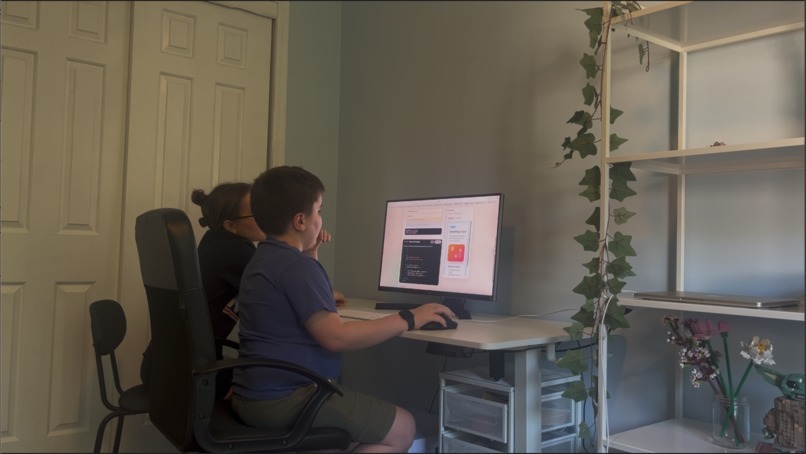
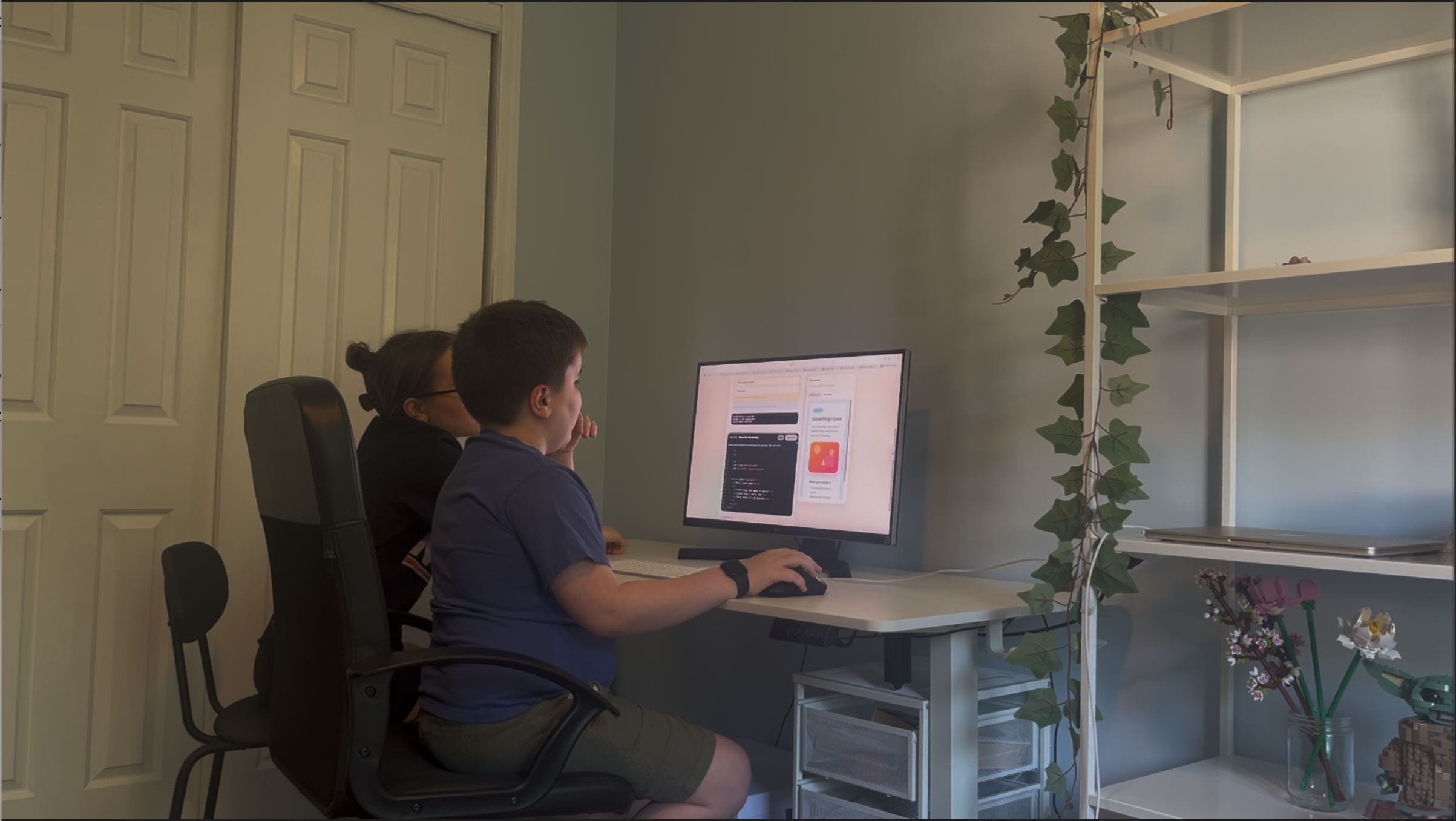
Real student testing helped shape DevBloom’s lesson design, pacing, and feedback features.
Inspiration
DevBloom Studio started from a problem I kept seeing while teaching children coding: many kids decide coding is hard, boring, or “not for them” before they get to make anything they actually care about.
A lot of beginner coding tools start with abstract syntax, rigid exercises, or instructions that feel like copying. For younger learners, that can make coding feel disconnected from their own ideas, hobbies, stories, and style.
I wanted DevBloom to make coding feel more approachable by starting with creativity. Instead of asking students to memorize concepts in isolation, DevBloom helps them build small web projects about things they care about, see their changes instantly, and explain what their code did.
AI is part of that vision, but not as a shortcut. I built DevBloom so AI could support reflection and understanding while keeping the student’s own creativity at the center. The goal is to help kids see coding not just as a technical skill, but as a way to express an idea, customize a project, and make something feel like their own.
What it does
DevBloom Studio is a guided creative coding platform for kids ages 9–12. Students learn HTML, CSS, and JavaScript by building visual web projects, editing real code, previewing changes instantly, and reflecting on what they made.
Each lesson follows a learning loop: students read a short prompt, predict what code might do, edit code in a Monaco-powered editor, watch the live preview update, complete checkpoints, and reflect on how their code changed the project. These steps are designed to help students slow down and think about what the code is doing, not just whether they completed the task.
The current version includes four playable projects:
- A beginner HTML project where students make a page about something they like
- A CSS “Vibe Page” where students style a page with color, layout, and mood
- A JavaScript “Mood Switch” where students create a click-based interaction
- A build-your-own mini site project that combines HTML, CSS, and JavaScript choices
At the end of lessons, students write reflections about what they changed and what happened on the page. In the Sprout Reflection Coach version, Sprout responds with a short follow-up question after the student writes their own idea. Sprout is not designed to write the answer for them. It helps students add missing detail, connect code edits to visible results, and explain their work more clearly.
DevBloom also includes a local reflection evaluator that identifies whether a reflection is weak, close, or strong. This gives structure to reflection quality without making AI the final authority. The evaluator looks for signs that a student named a specific edit, connected it to the page, or explained the coding idea behind the change.
The app also includes early classroom support: teacher accounts, class creation, join codes, student PINs, rosters, autosave, resume functionality, and server-backed student project attempts. Teachers can review student progress and project work, making DevBloom a foundation for classroom, library, or workshop use.
How I built it
I built DevBloom Studio as a full-stack Next.js app using React and TypeScript. The lesson experience is built around a reusable lesson shell that connects the guided step flow, Monaco code editor, live preview, prediction cards, checkpoints, reflection screens, progress tracking, and finish screens.
Each project is defined through configuration files that include starter code, lesson steps, prompts, checkpoints, reflection questions, preview behavior, and metadata. This lets each project feel different while still using the same core lesson system.
For persistence, public lessons can save progress locally, while classroom attempts are saved through a server-backed attempt system. Autosave keeps track of code, lesson progress, prediction answers, checkpoint answers, reflections, selected themes or images, and completion state.
For classroom features, I used Supabase for teacher authentication and Postgres with Drizzle ORM for the database layer. This supports teacher accounts, classes, join codes, student profiles, PIN-based student access, rosters, project attempts, and teacher views of student progress.
The reflection system combines local evaluation with optional AI support. The local evaluator checks student reflections using project-specific signals and rubrics. Sprout, the AI reflection coach, can then provide a bounded, student-centered follow-up. The AI is used as a scaffold for reflection, not as a code generator or replacement for student thinking.
I also used AI-assisted development while building DevBloom. ChatGPT and Codex helped me plan features, draft implementation ideas, and debug parts of the app, but I made the product decisions, tested the experience with students, and shaped the learning flow around what younger learners actually needed.
Challenges and testing
One of the biggest challenges was designing reflection support that felt helpful instead of judgmental. DevBloom is built around the idea that children should not just finish a project — they should understand what their code changed and be able to describe it in their own words.
That was harder than it sounds because young students often write reflections that are short, vague, or only partly connected to the concept. A student might write “I changed the color” or “I clicked the button,” which is a real start, but does not always show whether they understand what part of the code caused the visible result.
To support this, I built a reflection evaluator that looks for signals such as whether the student named a specific edit, connected it to something visible on the page, or explained the coding idea behind the change. Sprout can then respond with a short follow-up question when the student needs more detail.
This mattered because I wanted AI to act as a scaffold, not the final authority. The goal is not for Sprout to write better reflections for students. The goal is to help students notice what is missing and explain their own work more clearly.
Student testing also shaped the lesson design. Some students skipped instructions, missed prediction moments, or edited the code without explaining the concept behind the change. Those tests led me to shorten lesson text, make checkpoints clearer, strengthen reflection prompts, and put more emphasis on connecting code edits to visible results in the live preview.
These challenges shaped DevBloom’s direction. The app is not just trying to teach syntax. It is trying to make coding feel more approachable by helping kids build projects about things they care about, see their ideas come to life, and practice explaining how their code made that happen.
What I’m proud of and what I learned
I am most proud of the learning design behind DevBloom. The project is not only about getting students to finish a webpage. It is about helping them feel that coding can belong to them.
Seeing students become more engaged when they could make a project about something they liked was one of the most important parts of the process. A small choice, like letting a student pick their topic, colors, mood, or message, made the coding feel more personal and less intimidating.
I am also proud of the reflection flow. Many beginner coding projects end when the code works, but DevBloom asks students to take one more step: explain what changed and why. That helps students move from copying instructions to understanding their own decisions.
This project taught me that teaching coding to kids is not just about simplifying syntax. It is about designing moments where students can connect code to something visible, meaningful, and theirs. I also learned that real student testing is essential. Features that seem clear to an adult can feel confusing to a child, and small changes to wording, pacing, and prompts can make a big difference.
What’s next
Next, I want to keep improving Sprout so it can look at both a student’s reflection and their code, then use that context to ask better follow-up questions. I also want Sprout to give teachers more useful insight into student progress and understanding, such as where a student may be stuck, which concepts they seem to understand, and where they may need extra support.
I plan to expand the lesson library with more creative HTML, CSS, and JavaScript projects, especially projects that let students build around their own interests. I also want to improve teacher visibility so instructors can more easily see where students are stuck, review reflections, and identify common misunderstandings.
Longer term, I want DevBloom to become useful in real learning environments like classrooms, libraries, coding clubs, and workshops. The goal is to keep building it into a beginner-friendly creative coding studio where students can make projects they care about, understand what their code is doing, and feel more confident seeing themselves as creators.
Built With
- chatgpt
- codex
- css
- drizzle-orm
- html
- javascript
- monaco-editor
- next.js
- postgresql
- react
- supabase-auth
- typescript
- vercel

Log in or sign up for Devpost to join the conversation.