-
-
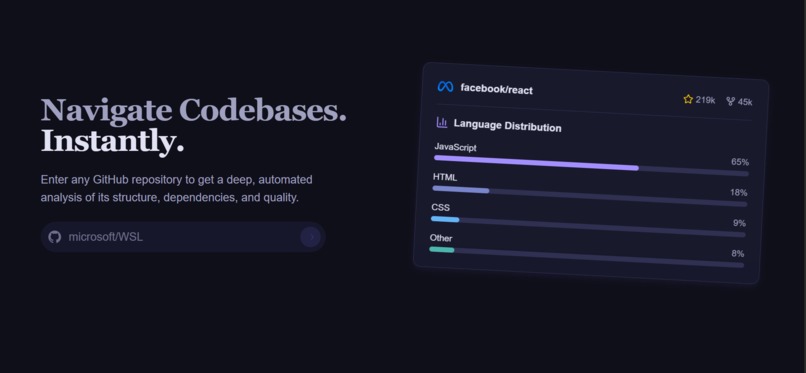
devcompass homepage
🚀 Inspiration
As developers, diving into large, unfamiliar codebases can be overwhelming. While contributing, I spent hours trying to find the entry point and understand the project’s structure. That frustration sparked the idea for Dev Compass—a developer tool designed to eliminate confusion and save time by making codebase understanding simple, fast, and intuitive.
💡 What it does
Dev Compass empowers developers to quickly grasp any codebase using AI-powered features:
- 🧠 AI Chat Assistant: Ask anything about the codebase and get instant, context-aware responses.
- 🗂️ File Structure Diagrams: Automatically visualize the repository’s architecture for quick orientation.
- 🔊 Audio Previews: Listen to concise audio summaries of code files for hands-free code exploration.
Whether you're onboarding a new project, contributing to open source, or reviewing legacy code, Dev Compass helps you spend less time wondering and more time building.
🛠️ How I built it
- FastAPI powers the backend, ensuring seamless API performance.
- Groq’s free LLaMA API provides powerful, cost-efficient LLM support.
- ChromaDB stores vector embeddings for relevant, contextual query results.
- SQLite is used to manage repositories locally and ensure a fast, lightweight experience.
- React + Tailwind CSS were used to build a responsive, user-friendly frontend interface.
⚡ Challenges I ran into
- Handling large repositories: To manage memory efficiently, the tool splits the repo into individual files and generates concise summaries before processing.
- Managing multiple repositories: Developers often juggle multiple codebases. We created a Repo Structure DB that enables seamless switching between projects.
- Ensuring 100% privacy: Many developers aren’t comfortable sending their private codebases to the cloud. That’s why Dev Compass processes everything locally, with no cloud or server-side storage—ensuring full user data privacy.
🏅 Accomplishments we're proud of
✅ Seamless, context-aware codebase understanding through AI chat. ✅ A visual and auditory way to explore and learn codebases. ✅ Efficient handling of large repositories with memory-friendly architecture. ✅ Full offline support with privacy-first design—no cloud required.
📚 What we learned
- How to tackle real-world developer pain points with AI-driven solutions.
- Optimizing memory and storage for large data processing in local environments.
- The importance of user privacy and building trust through local-first design.
- Designing tools that integrate naturally into a developer’s workflow.
🚀 What's next for Dev Compass
✨ Cross-repository support including GitLab and Bitbucket integration. ✨ Advanced analytics to show file dependencies and hotspots. ✨ IDE plugins for seamless in-editor use. ✨ Make Dev Compass an indispensable part of every developer’s toolbox to boost productivity and confidence in navigating codebases.
Dev Compass isn't just a tool—it’s your personal guide to mastering any codebase with clarity and speed. 🧭👨💻


Log in or sign up for Devpost to join the conversation.