-
-
home
-
analyze
-
plan
-
after
-
riverside
-
method
Social Cause ("improve accessibility, support underserved communities")
Inspiration
A well-known study of blind and sighted web users (Bigham et al., WebinSitu, 2007) found blind participants taking 1.5 to 4.5 times as long as sighted ones on matched tasks (2.2 times just to issue a search query). Almost 20 years on, the WebAIM Million 2026 found detected WCAG failures on 95.9% of the top million home pages, 56 per page on average. We know pages are broken. We rarely know what the breakage costs a person, because measuring it takes a user study with disabled participants, and those are slow, expensive and rare.
So audits hand a team a list of hundreds of violations and a score. A page can score well and still make a blind user listen to 60 menu items before "Add to cart", because a long menu with no skip link is not a rule violation. Teams fix whatever is easy. We wanted accessibility work to be prioritised the way performance work is: by a number a decision maker understands. Seconds.
The Social Cause angle is concrete. The pages where lost seconds hurt most are public ones: benefits, applications, forms. Our Riverside County demo is a food-assistance page. A keyboard-only user cannot switch it to Spanish, and the table that answers "can I qualify?" is under a heading that says "More information".
What it does
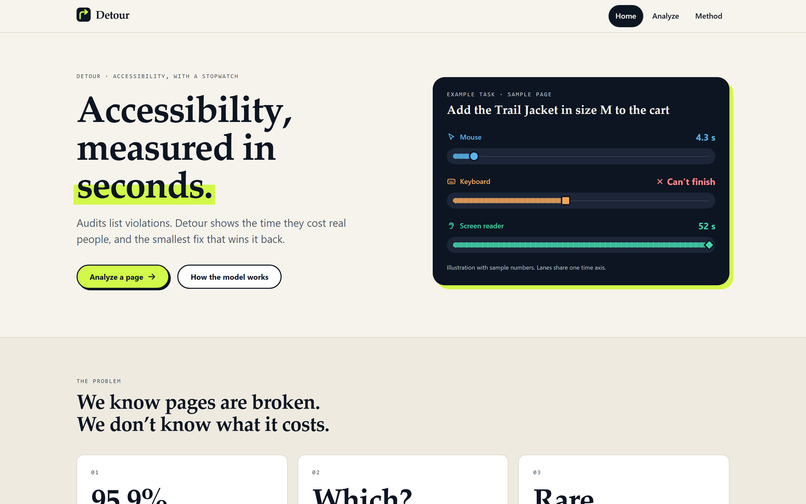
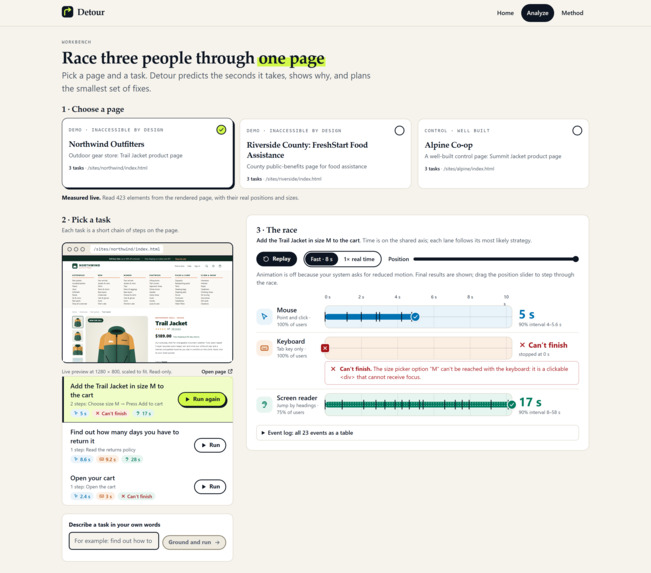
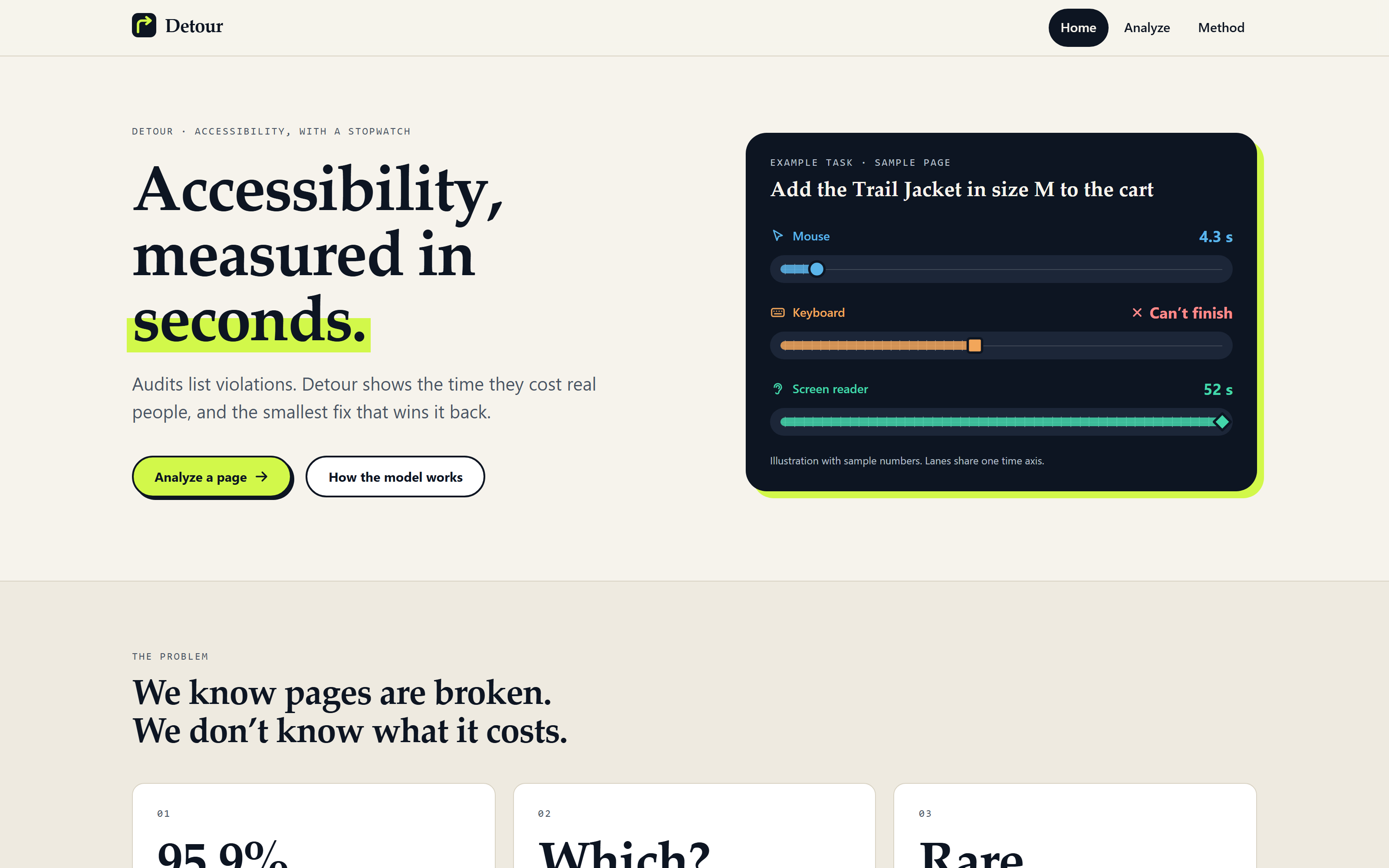
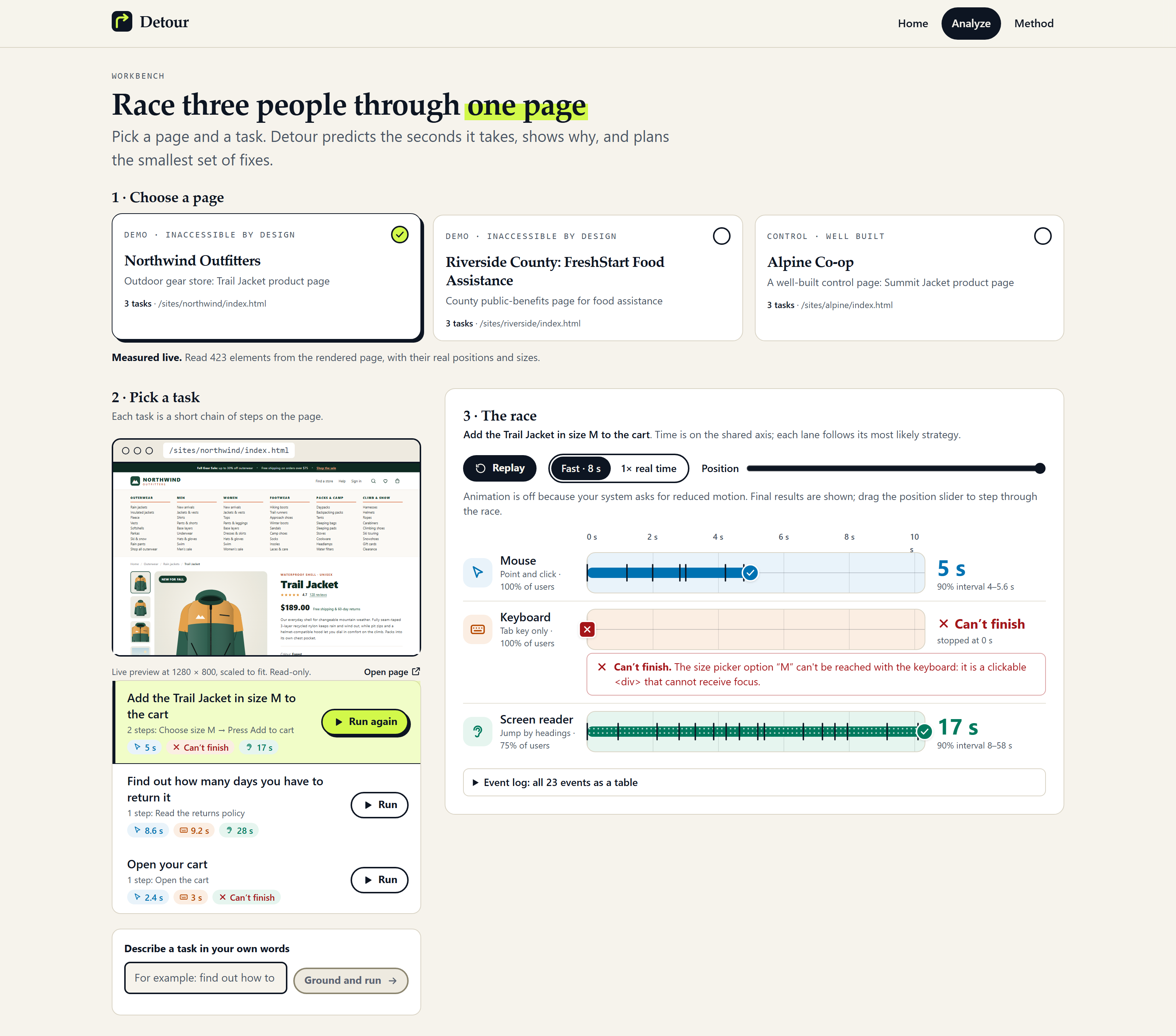
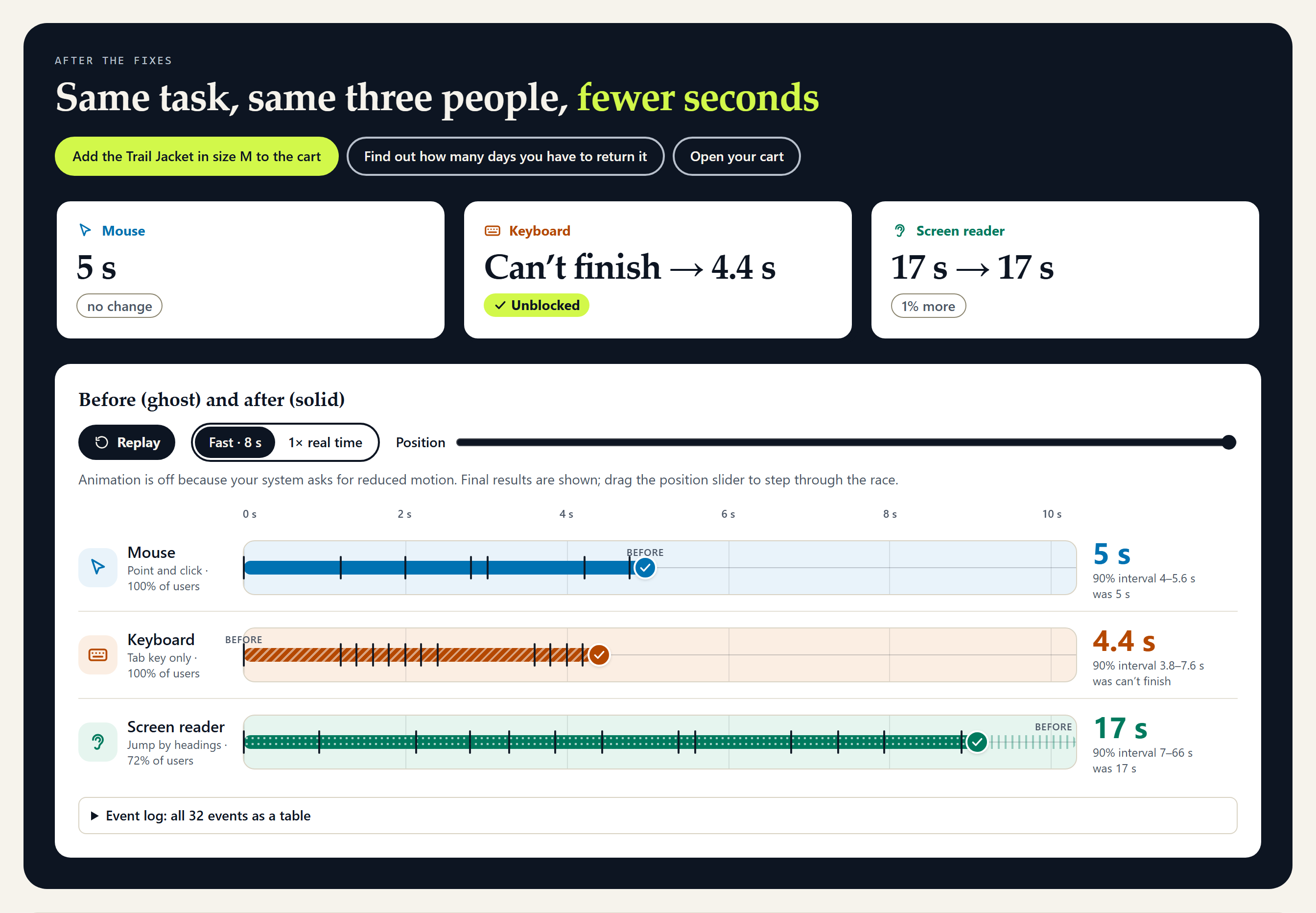
Detour takes a web page and a task ("Add the Trail Jacket in size M to the cart", "Find the monthly income limit for a household of 3") and predicts how many seconds it takes three people:
- a mouse user,
- a keyboard-only user, and
- a blind screen-reader user.
You watch them race on one clock. Where a page stops someone completely, Detour says so, in a plain sentence: "A keyboard user cannot choose size M. The option can't be reached with the keyboard: it is a clickable div that cannot receive focus." You can press Hear it and listen to what the screen-reader user hears, at the modelled speaking rate.
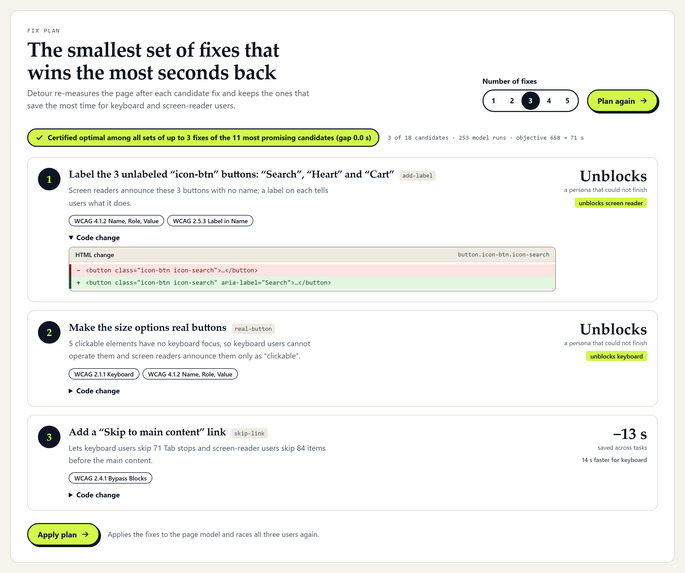
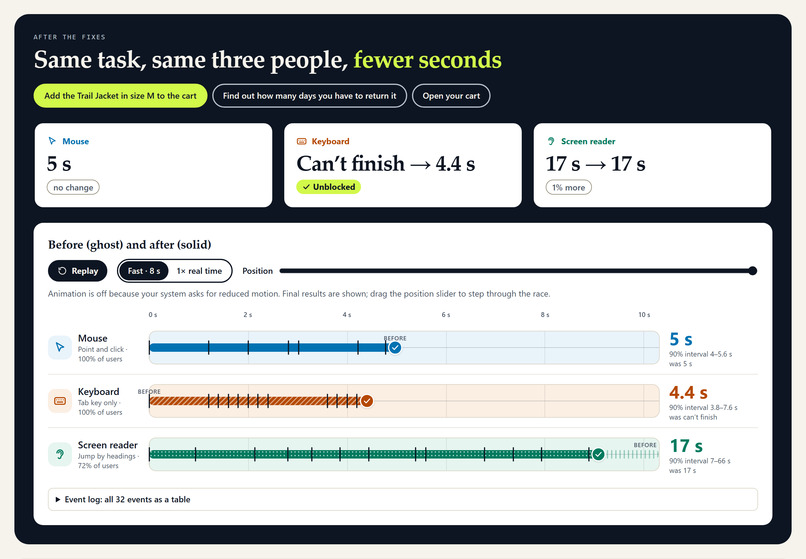
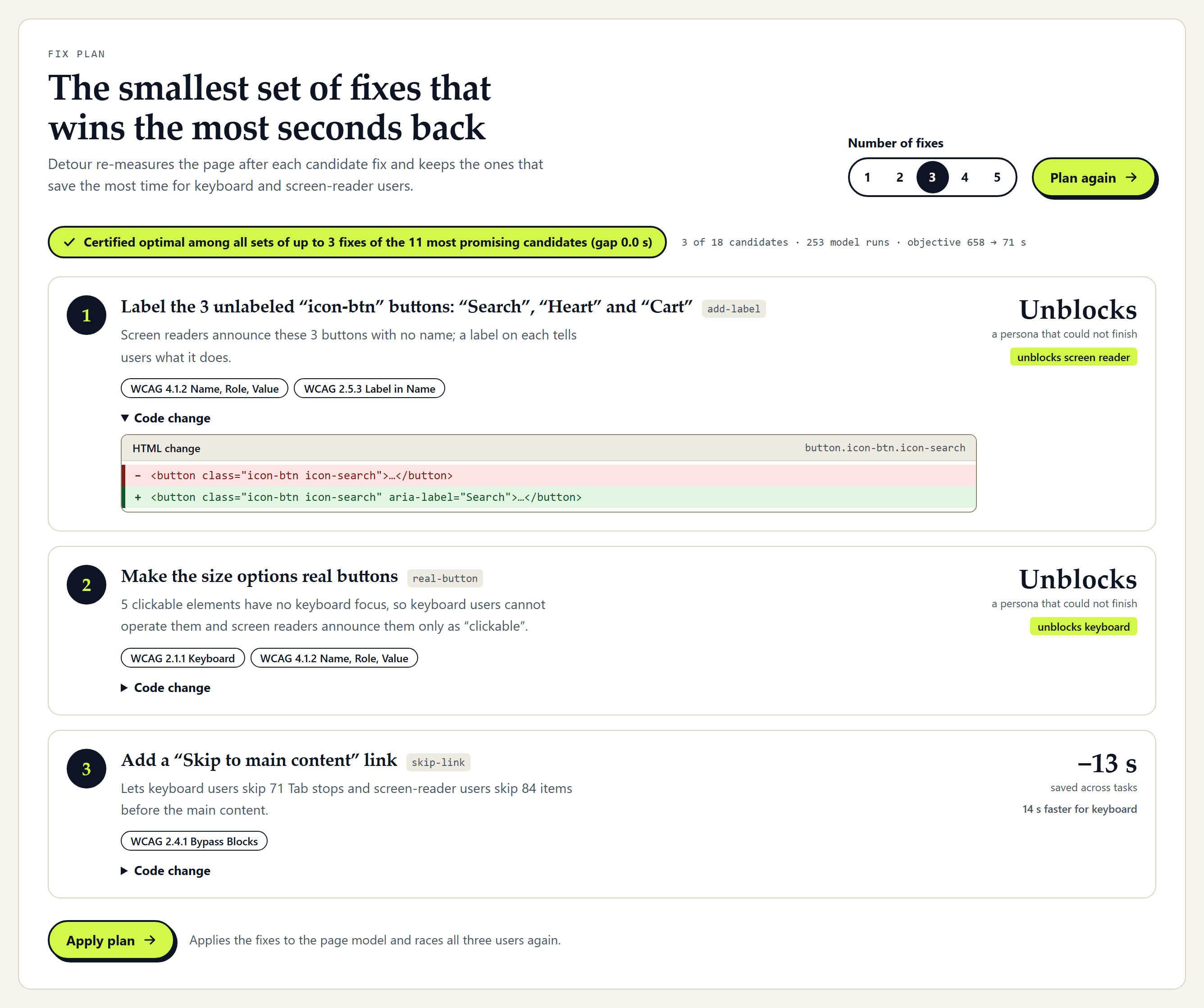
Then it plans the fix. From every candidate code change (skip link, real headings, landmarks, labels, real buttons) it picks the smallest set that wins the most seconds back, shows each as an HTML before and after with its WCAG 2.2 criterion, and races the three people again with the before as a ghost. On our Northwind demo store, three fixes out of 18 candidates unblock two users who could not finish at all, and the plan is certified against exhaustive search (optimality gap 0.00). On a properly built control page, Detour finds nothing to fix and says so.
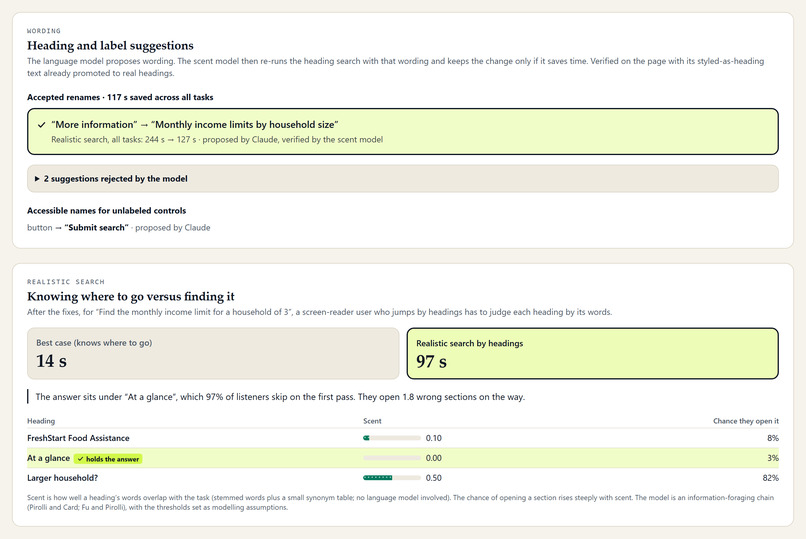
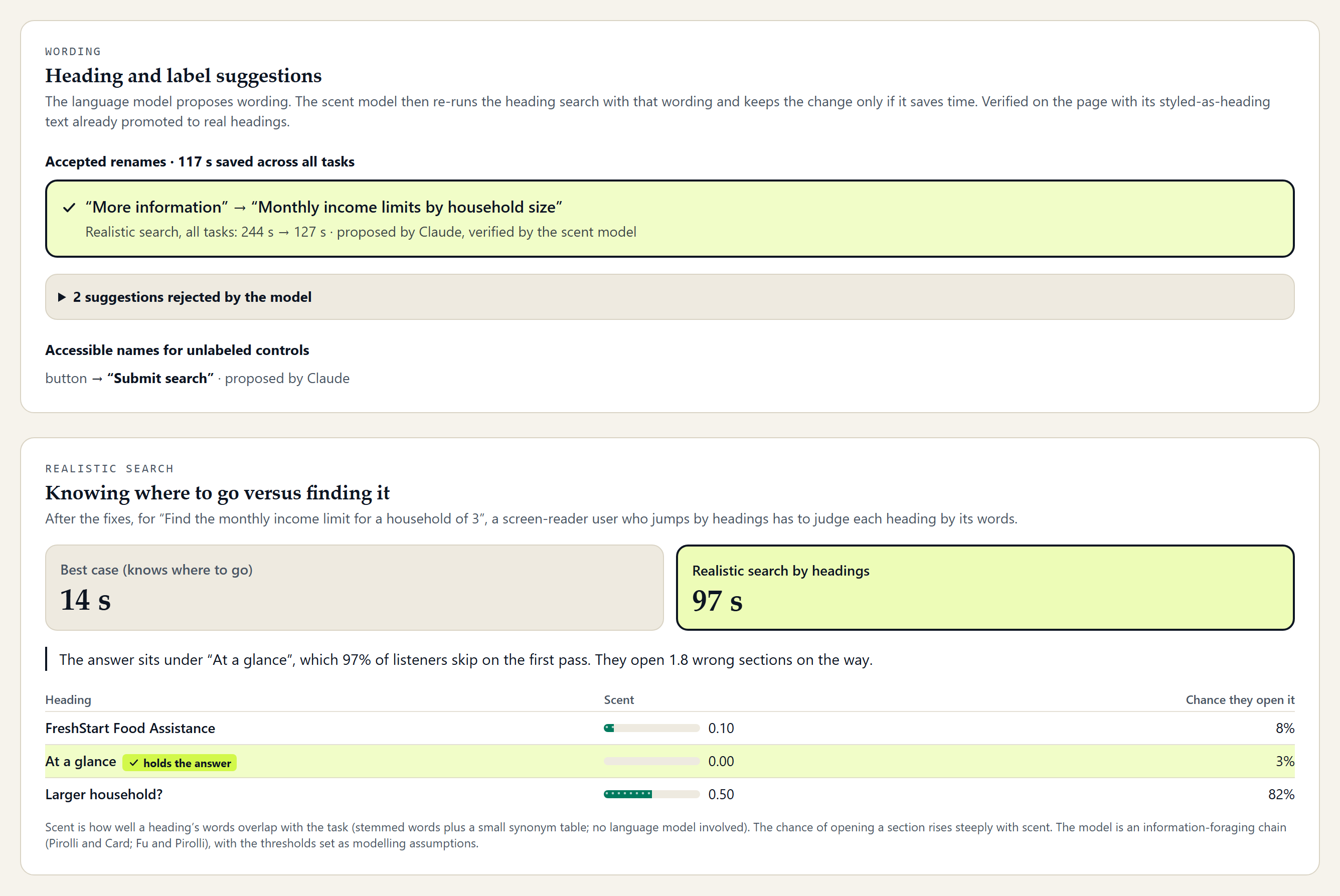
It also models what happens when a user has to guess. A blind user who navigates by headings must judge each heading by its words. On the Riverside page, once the headings are real, the income table's "More information" heading makes that search take a predicted 160 s against a best case of 18 s; a clearer heading ("Monthly income limits by household size", proposed by Claude and then verified by the model) brings it to 42 s. The model also rejects Claude suggestions that would make search slower, and the app shows them.
It is not limited to our demo pages. Paste the address of any public page: Detour fetches it through a guarded proxy, reads the rendered page, and lets you click the element a person needs to reach (no AI involved, with a searchable list for keyboard users) or describe the task in your own words for Claude. The same race, fix plan and wording checks run on it.
How we built it
The numbers come from established human-performance models, not from an LLM.
- Page to PageModel. A live same-origin iframe is walked to recover what assistive technology sees: roles and accessible names (
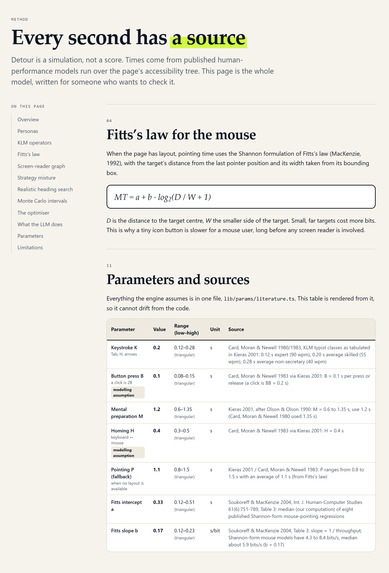
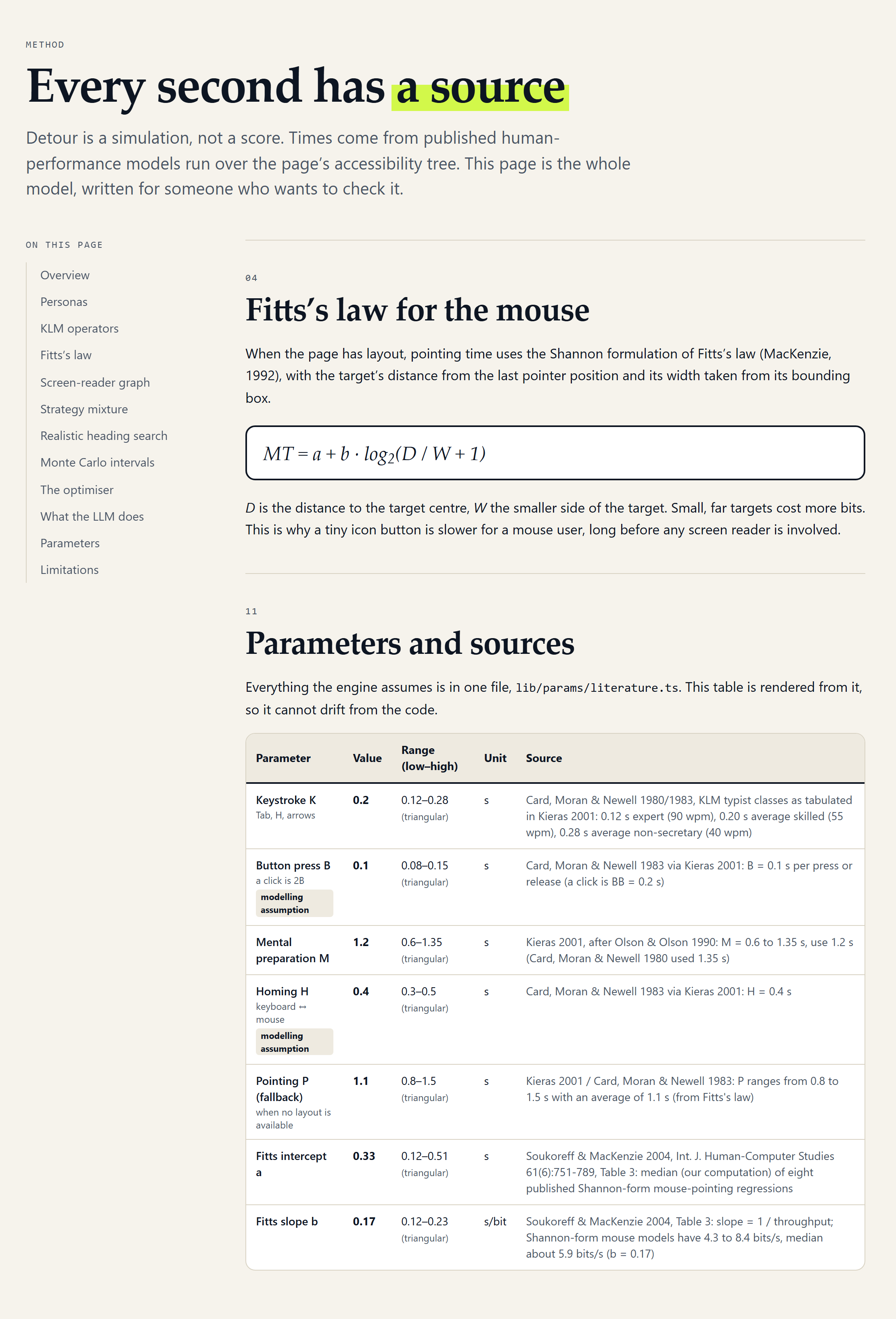
dom-accessibility-api), NVDA-style browse-mode reading order, focus order, headings, landmarks, skip links and layout rectangles. - Three cost models. Mouse: KLM-GOMS operators with Fitts's law (Shannon form). Keyboard-only: shortest paths over Tab, Shift+Tab and skip-link edges. Screen reader: Dijkstra over the reading order, where every command (next item, heading, landmark, Tab, Find) is an edge costing a keystroke plus the speech it triggers; five navigation strategies.
- A strategy mixture and honest uncertainty. The strategies are weighted by the WebAIM Screen Reader User Survey #10 (headings 71.6%, Find 13.6%, ...). 400 seeded Monte Carlo samples over parameter ranges taken from the literature give every number a 90% interval. Every parameter has a citation (Card, Moran and Newell; Kieras; Soukoreff and MacKenzie; Brysbaert; Bragg et al.; Dhakal et al.; Trewin), and a test fails if
docs/MODEL.mddrifts from the code. - Information scent. An absorbing Markov chain over the heading order (
N = (I - Q)^-1) turns the "user already knows where to go" lower bound into a realistic search time. - A fix optimiser that had to be plain greedy. Fixes are complementary: a skip link helps a keyboard user only after the size picker becomes focusable. Lazy greedy (CELF) assumes the opposite, so we removed it, re-evaluate every candidate each round, and certify the result against exhaustive search for k up to 3.
- Any public page, safely. Browsers forbid reading another site's DOM, so a server route fetches the page and serves it from our origin. It is guarded against server-side request forgery (DNS resolved and private, loopback and cloud-metadata addresses refused, every redirect re-checked, the connection pinned to the checked address), strips every script and event handler with a real HTML parser, and the page is shown in a sandboxed iframe that cannot run scripts.
- Claude on Amazon Bedrock, behind two server routes.
/api/groundmaps a task to page elements;/api/repairproposes clearer headings and labels. Forced tool use with a JSON schema, validation against the PageModel, one retry, and an offline fallback for both. Renames are accepted only if the scent model verifies they save time. - The UI is Next.js 16, React 19 and Tailwind 4. The engine runs in a Web Worker in the browser, so the whole analysis is client-side. It is built to the standard it measures: WCAG 2.2 AA, fully keyboard operable, reduced motion respected.
- Built with Claude Code as an AI pair-programming assistant.
Challenges we ran into
- Keeping the LLM out of the numbers. The tempting design is to ask a model "how long would this take a blind user?". It would be unfalsifiable. We used the model only for words (task grounding, proposed wording), validated everything it returns, and made deterministic code produce every number and every explanation.
- Complementary fixes. Our first optimiser used the textbook lazy greedy and quietly missed the skip link, whose value appears only after another fix. Finding that, and then proving the replacement correct against exhaustive search, was the most interesting bug of the project.
- Honest modelling with thin data. Nobody has measured how many seconds an experienced screen-reader user spends per keystroke, or what fraction of each announcement they hear before moving on. We took ranges from the closest studies, marked the two parameters that are judgements as judgements, sampled them, and wrote the limitations down next to the results.
- Reading pages we don't own. Our extractor needs the rendered DOM with real layout, which the browser only exposes for same-origin frames. Serving arbitrary pages from our own origin is exactly what an attacker would want, so the proxy had to strip active content and refuse internal addresses before it could exist at all.
- Making a stopwatch legible. A table of seconds is not persuasive. The race, the transcript you can listen to, and a one-sentence reason for every blocked user are what make the cost visible.
Accomplishments that we're proud of
- A quantitative, explainable answer to a question audits do not answer: what does this failure cost, and for whom?
- Cross-checked rather than just tested: Dijkstra and the screen-reader and keyboard graphs against brute-force oracles; the Monte Carlo shortcut against full re-optimisation; the Markov chain against an independent reference and a 20,000-user simulation (worst difference 0.53%); the greedy plan against exhaustive search. 601 unit and property tests.
- It does not cry wolf: the control page produces an empty plan.
- It works on real pages, not just our demos: usa.gov pages and Wikipedia articles of up to 3,500 elements are read in about 2 seconds.
- Our own UI passes an axe scan with 0 violations and can be driven end to end with the keyboard alone.
- Candour. The README and the model specification list what the model cannot do, including that it is not yet validated against a live screen reader.
What we learned
- Complementarity matters in accessibility: single-fix rankings miss fixes that unlock each other. Plan sets, not lists.
- A vague heading can be worse than no heading. With real but uninformative headings, a screen-reader user can do worse than reading the page straight down.
- Unblocking someone can make an average slightly worse (a real button is announced with more words than a clickable div, and a slow strategy rejoins the mix). A model that shows that, instead of hiding it, earns more trust than one that always improves.
- Verification beats generation. Letting a language model propose and a deterministic model decide was easier to build, to test and to trust.
What's next
- Validate against real screen readers (NVDA through Guidepup) and run a small study with blind and keyboard-only participants.
- A CI check that comments the predicted seconds and the top three fixes on a pull request.
- A browser extension that runs the extractor in the user's own tab, so client-rendered and logged-in pages can be analysed too.
- More personas (low vision with zoom, switch users, other screen readers' verbosity) and mobile.
- An LLM-backed scent scorer next to the lexical one, with the same verification.
Built With
- accessibility
- amazon-bedrock
- anthropic-claude
- aws-sdk
- axe-core
- claude-code
- fast-check
- fitts-law
- hci
- jsdom
- klm-goms
- markov-chains
- next.js
- playwright
- react
- tailwindcss
- typescript
- vitest
- wcag
- web-workers
- zod
