Inspiration
Labeled LiDAR data is scarce and expensive to make. Every point cloud has to be annotated by hand, 3D box by 3D box, and a team of annotators can spend weeks labeling enough scans to train a strong detector. That data is also tied to where it was recorded. A model trained on highway driving data doesn't know what your hallway, your living room or your street corner looks like from where your sensor is mounted.
Synthetic data is the obvious answer: simulate the sensor, simulate the people, and the labels come for free. But generating good synthetic data is a specialized skill. You need 3D environments that match the real site, a correctly modeled sensor, realistic pedestrian motion, careful label filtering and a training setup that fits it all together. Building one scene by hand can take days before a single scan is generated.
We wanted to remove that barrier. Film a walkthrough of a place, and in under two hours get a pedestrian detector trained specifically for that place, sensor and mounting position.
What it does
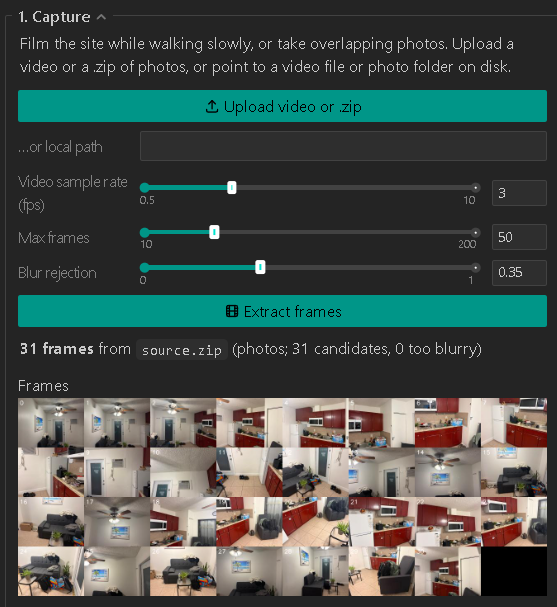
Our app turns a walkthrough video of a real site into a trained LiDAR pedestrian detector for that exact site, all in one guided browser interface:
- Capture: import a phone video or photos of the location.
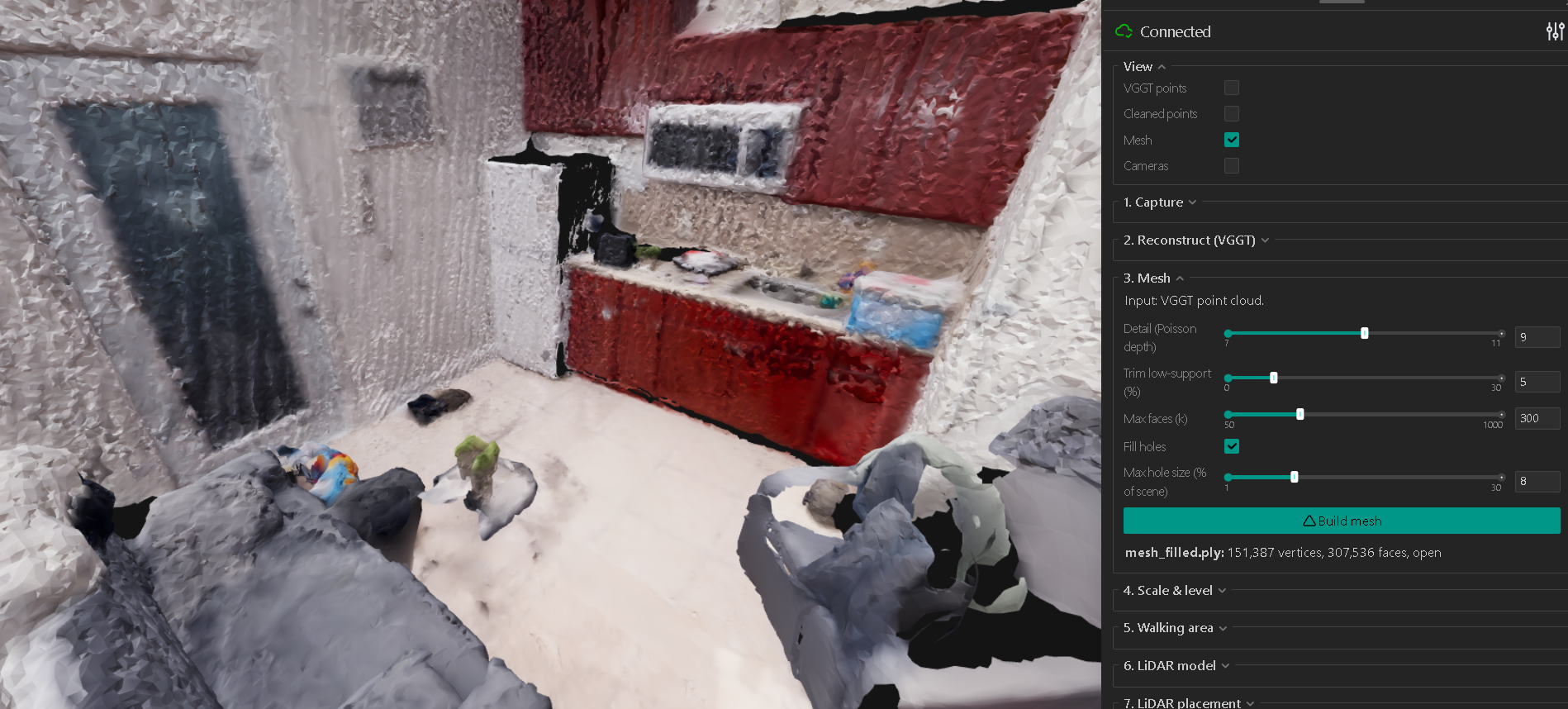
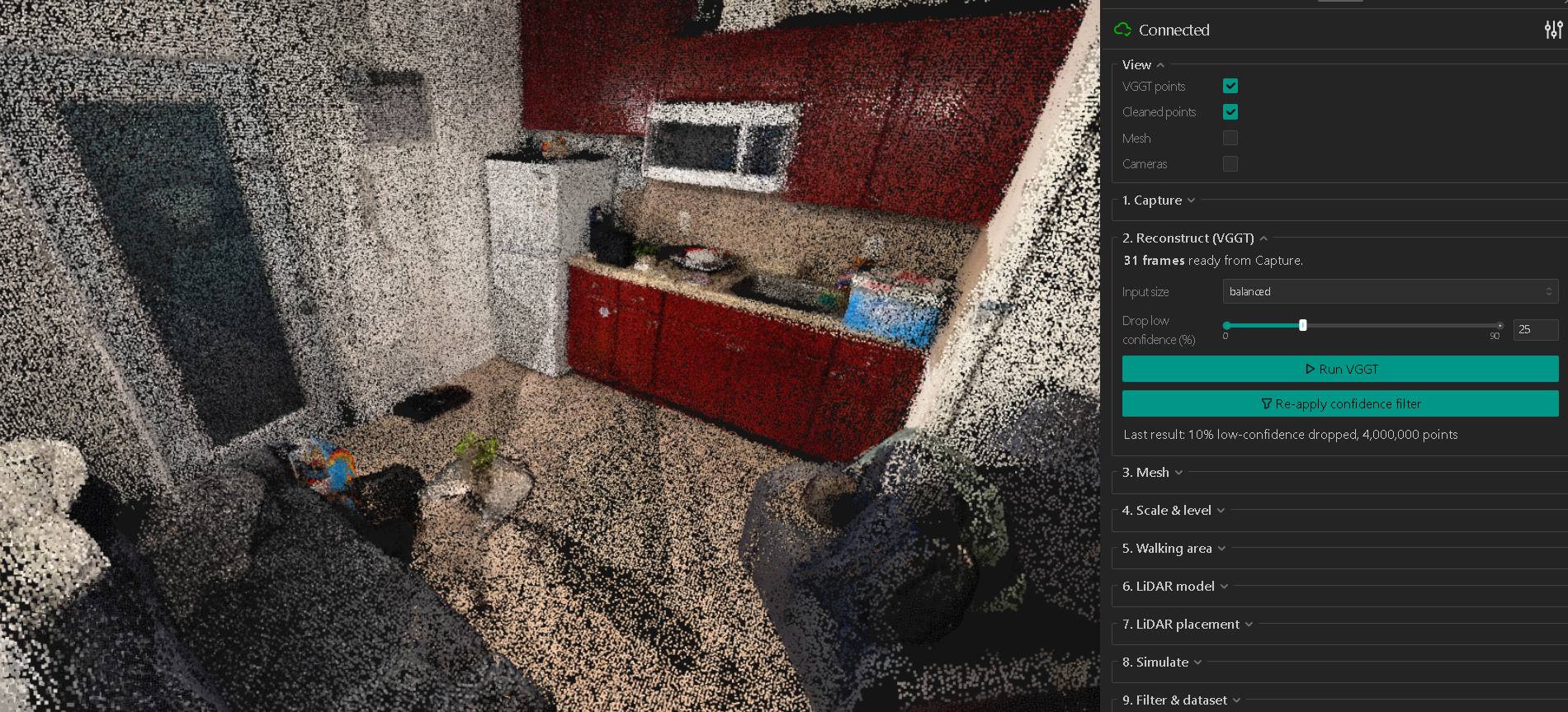
- Reconstruct: rebuild the scene in 3D and turn it into a mesh.
- Calibrate: set the real-world scale and level the floor.
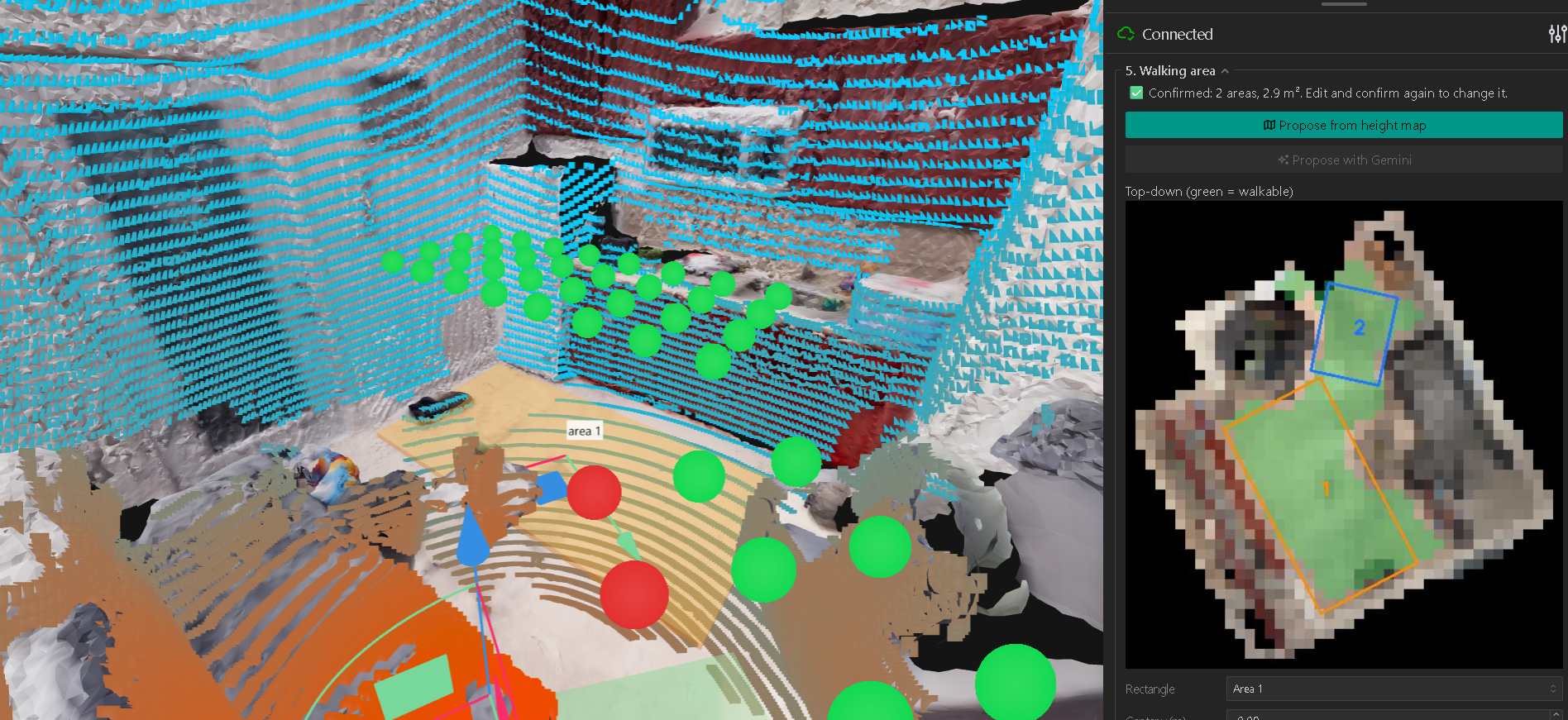
- Define walking areas: mark where people walk, or let AI propose them from a top-down view.
- Pick and place the LiDAR: choose your sensor model and position it, with a live coverage preview.
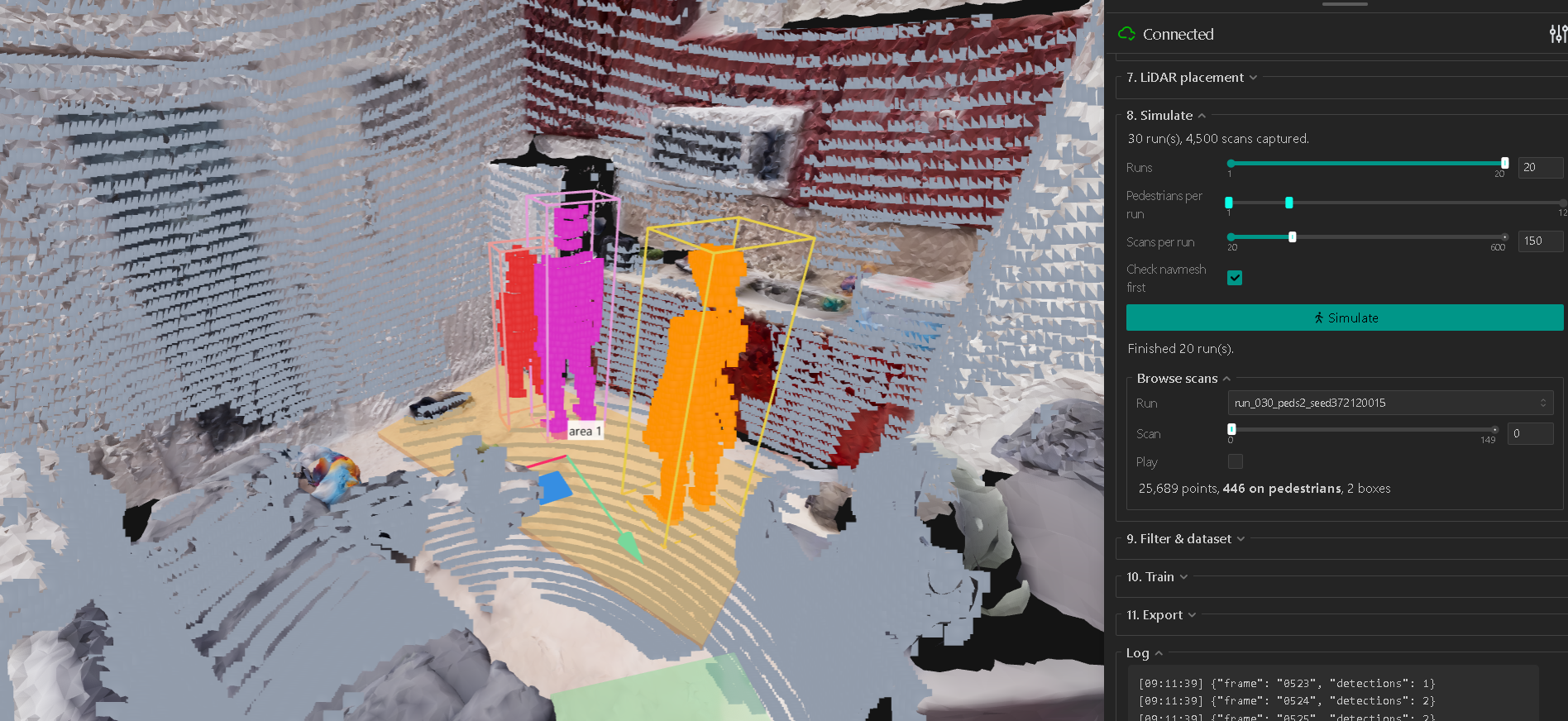
- Simulate: NVIDIA Isaac Sim fills the digital twin with walking pedestrians while a simulated RTX LiDAR scans them, producing perfectly labeled point clouds.
- Filter and build the dataset: automatically drop bad scans (overlapping people, boxes that don't match the points, too few points).
- Train: fine-tune a PointPillars detector, with live metrics.
- Export: get the model weights, config, inference code, sensor placement and a model card.
No annotation, no 3D modeling and no simulation expertise needed. The result is a detector tuned to the real conditions it will be deployed in, which is where general-purpose public models struggle.
Applications
- Pedestrian flow at intersections and public spaces: cities and planners can count people, measure crossing behavior and study foot traffic at a specific intersection with a model built for that intersection.
- Privacy-preserving monitoring at home: LiDAR sees shape and position, not faces. That makes it suitable where cameras are too intrusive, like a bedroom or bathroom. A family could build a model for an elderly relative's home that tracks where a person is and serves as the base for detecting falls, without ever recording video of them.
- Any site, any sensor: retail spaces, hospitals, warehouses, building entrances. Wherever someone can walk through with a phone, they can build a custom detector.
Anyone can now build an accurate model for their own space in under two hours.
How we built it
- Interface: Python and Viser, for a browser GUI with interactive 3D views at every stage.
- Reconstruction: VGGT-Omega recovers scene geometry and camera poses from images. Open3D and Trimesh handle point clouds, meshing, hole filling and geometry.
- World building: we convert the reconstruction into a metric, leveled world and write a USD stage for Isaac Sim, with navigation volumes limited to the walking areas.
- Simulation: NVIDIA Isaac Sim with the Replicator Agent for pedestrians and an RTX LiDAR for scans. Each scan gets per-point labels and 3D boxes.
- AI assistants:
- Gemini looks at a top-down render of the scene and proposes walking areas.
- A Claude-powered sensor agent searches the web for a LiDAR's datasheets and manuals, pulls out the beam pattern and specs, and writes a ready-to-simulate sensor model. Any LiDAR can be supported, not only ones Isaac ships with.
- Dataset quality: automatic filters for overlapping pedestrians, boxes that don't contain their points and pedestrians with too few points. Train and validation data come from separate simulation runs, so neighboring scans don't leak between them.
- Training: PyTorch and OpenPCDet PointPillars in WSL, starting from KITTI-pretrained weights, with range noise, point dropout and occlusion augmentation to narrow the gap between simulated and real data.
Challenges we ran into
- Coordinate frames everywhere: the reconstruction starts with arbitrary scale and orientation, simulation needs meters with z up, and the detector needs a consistent, leveled sensor frame. Keeping these aligned from video to model was the hardest part.
- Synthetic data isn't automatically good data: some raw simulated scans contain labels that would teach the model the wrong thing. We built filtering and visual inspection tools so users can see exactly what gets dropped and why.
- One 8 GB GPU: reconstruction, simulation and training all compete for the same GPU, so the app schedules one heavy job at a time.
- Sim-to-real gap: simulated LiDAR is cleaner than a real sensor, so we train on geometry only and add augmentation that mimics real noise and occlusion.
Accomplishments that we're proud of
- Turning a specialist workflow that usually takes weeks into a guided pipeline that goes from a phone video to a deployable model in under two hours.
- Making every intermediate step inspectable: reconstructed geometry, sensor coverage, filtered scans, training curves and predicted boxes on real scans.
- A sensor agent that can bring a new LiDAR model into simulation from its public documentation.
What we learned
A model is only as good as the pipeline around it. Scale, coordinate frames, sensor placement, label quality and how you split validation data all decide whether results mean anything. We also found a practical role for generative AI in technical workflows: doing the tedious research and setup while keeping every output visible and editable.
What's next
- Broader benchmarking of our site-specific models against public pretrained detectors on real LiDAR recordings across more locations.
- Activity and event detection, such as falls, on top of person detection for in-home health monitoring.
- More sensor support, better scene cleanup, and tests of robustness to sensor placement, occlusion and crowd density.


Log in or sign up for Devpost to join the conversation.