Inspiration
Wheelchair-accessible parking spaces are essential for people who have disabilities, but in dense areas like the Bay Area, these spaces are easy to not notice. Parking symbols are faded, partially blocked, or unclear, and signs are not always immediately visible. I’ve also seen many drivers unintentionally park in restricted areas simply because the markings were confusing. This inspired me to build a tool that helps visually identify accessibility-related parking markings from images.
What it does
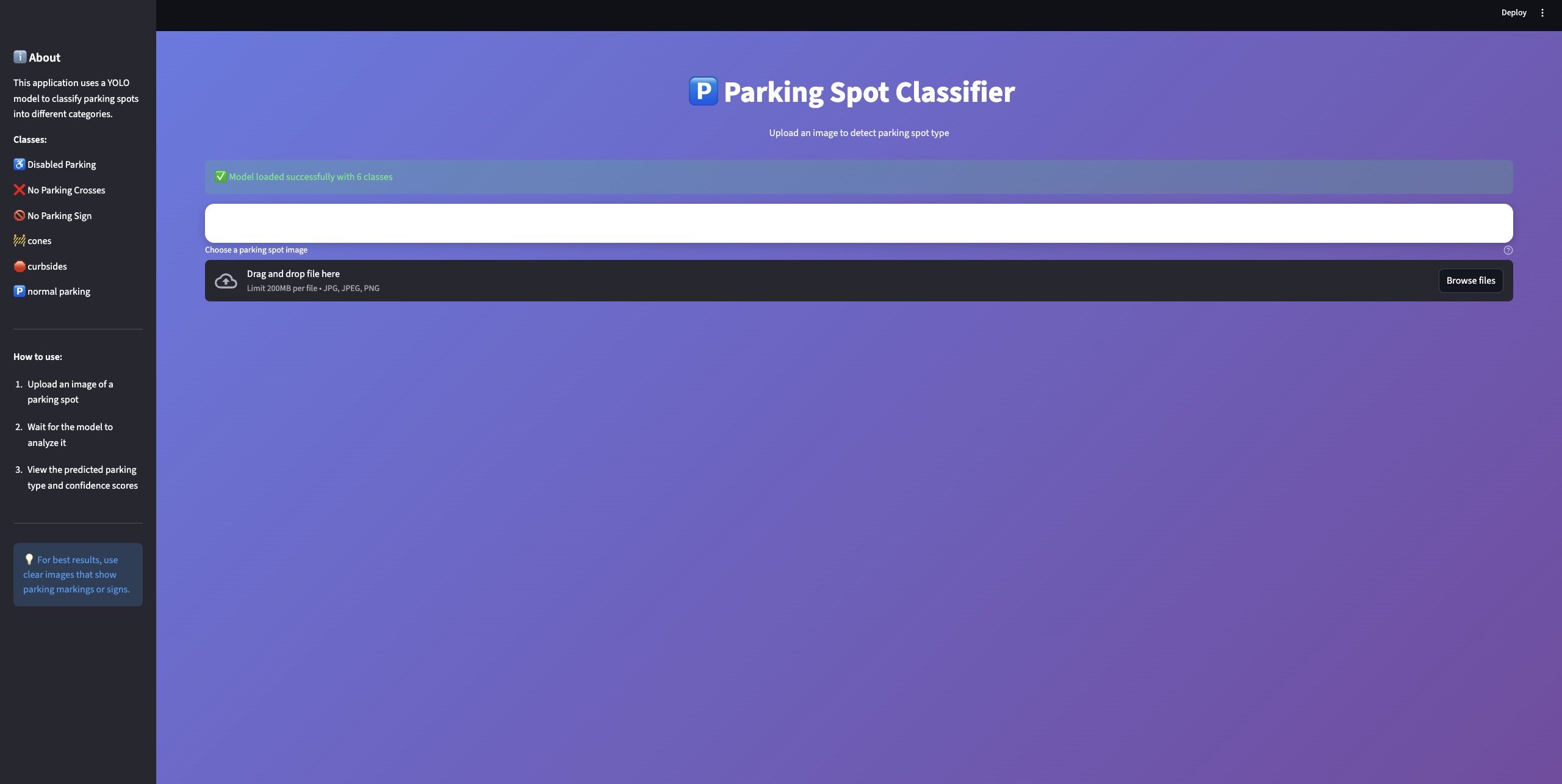
My project uses computer vision to analyze when a user uploads an image of a parking area and determines whether it contains markings for wheelchair-accessible (disabled) parking, normal parking, or restricted / no-parking indicators. The project renders whether the parking spot is disabled parking or normal parking. The model focuses on detecting visual cues such as wheelchair symbols and related signs to help users understand what type of parking is present.
How I built it
I collected my own dataset by capturing parking images from Google Maps, mostly from locations across the Bay Area so the model would perform better on local environments. I uploaded around 350 images to Roboflow, added a filter, such as 90-degree rotations, and manually labeled the visual objects. After grouping the classes, I exported the dataset and trained an object detection model using YOLOv8 in Google Colab. I built the frontend using Streamlit, with Cursor being a coding assistant to speed up development.
Challenges I ran into
First, I attempted to solve the problem using image classification, but this approach performed poorly because disabled parking spaces often look almost identical to normal parking spaces except for symbols around it. After analyzing these failures, I realized that object detection was a better approach, since there are common patterns in small symbols.
Accomplishments that I'm proud of
I am proud that I was able to
- make a working model from scratch by hand taking the image for the training data.
- train and test the model with my own images and see it working well. I created a local server using Python Streamlit and tested my model for accuracy.
What I learned
I learned that image classification is not always the best method and sometimes ML can be used to search for objects that give clues to classify different images as a whole.
What's next for Detecting Wheelchair-Accessible Parking in the Bay Area
The app could also be trained for different variables such as how much a user might need to pay for the parking or how long they are allowed to park. It would also be expanded into more cities, because the laws on signs in different states slightly vary.
Dataset
To address this problem, I created a custom dataset by collecting parking images primarily from Google Maps locations across the Bay Area. The dataset consists of approximately 350 images, including wheelchair-accessible parking symbols. I uploaded around 350 images to Roboflow, added a filter, such as 90-degree rotations, and manually labeled the visual objects. After grouping the classes(Disabled Parking, Normal Parking, Cones, No parking Crosses, No parking sign), I exported the dataset and trained an object detection model using YOLOv8 in Google Colab. I split the dataset into training, validation, and test sets using Roboflow’s standard workflow.
Model
At first, I tried using an image classification approach, but it didn’t work well because disabled parking spaces usually look very similar to normal parking spaces. The main difference is often just a small symbol or marking, which image classification struggled to pick up. Because of this, I researched better image classification and switched to object detection, which is better at finding specific features within an image.
Results
The object detection approach was able to successfully identify wheelchair-accessible parking symbols and signs across many real-world situations, including different camera angles and lighting conditions. Compared to my earlier image classification attempt, the detection model gave more consistent and easier-to-understand results because it visually showed bounding boxes around the detected features. While the model is not perfect and can struggle with heavily blocked or worn-out markings, it shows that object detection is a reliable and effective way to identify accessibility-related parking spaces.
Conclusion
My project shows that detecting wheelchair-accessible parking is best approached as an object detection problem rather than a scene classification task. By collecting and annotating a custom Bay Area focused dataset and training a YOLOv8 model, I developed a system that can help users in recognizing accessibility markings from images. The results highlight the importance of choosing the correct machine-learning formulation and demonstrate how computer vision can be applied responsibly to community-focused accessibility challenges.


Log in or sign up for Devpost to join the conversation.