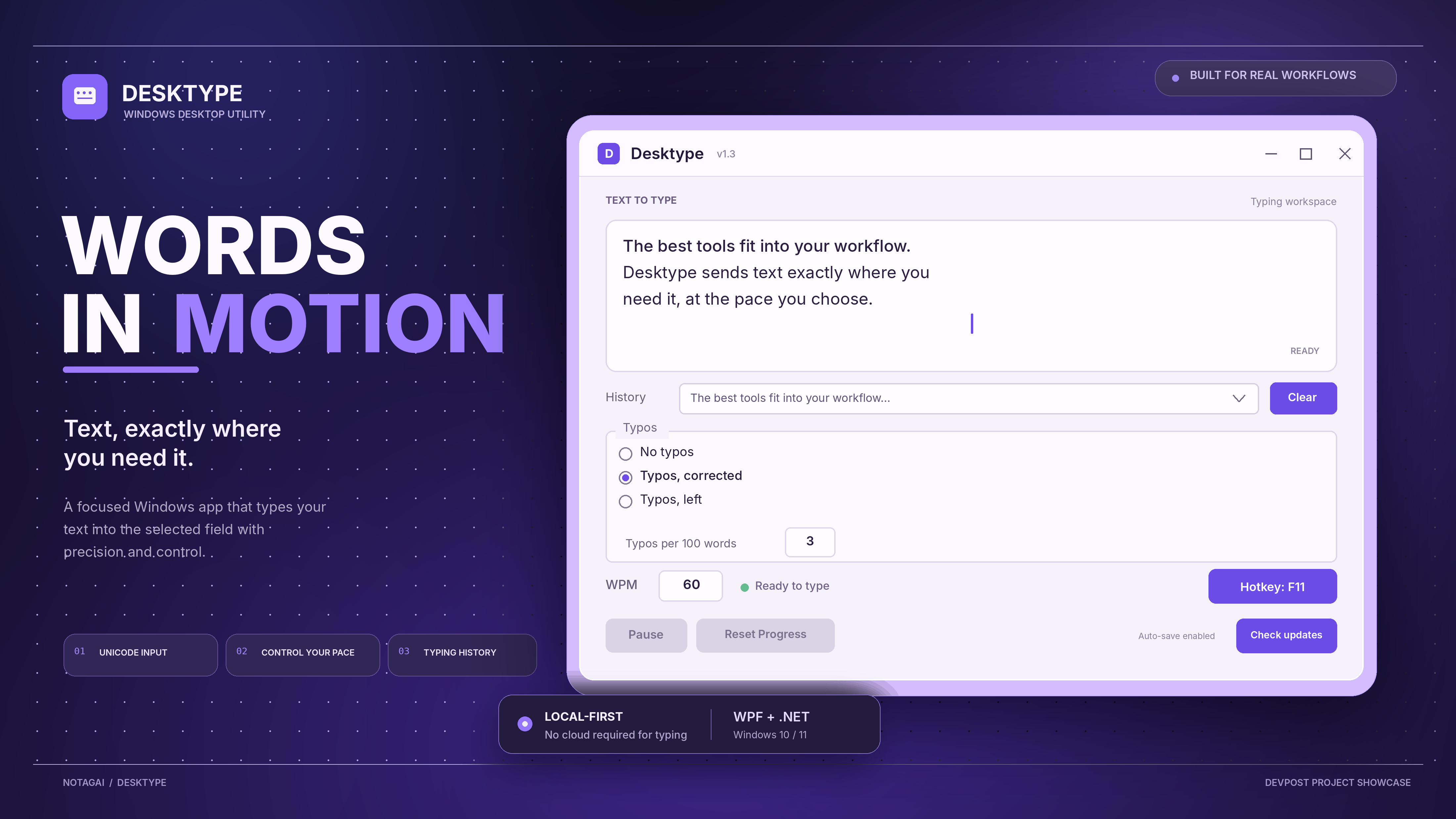
Desktype
A tiny Windows desktop utility that types supplied text into whichever text field currently has focus.
Download for Windows
Open the latest GitHub Release:
- Desktype.exe — portable, standalone Windows x64 download. No separate .NET installation is needed.
- Desktype-Setup.exe — installer with a Start Menu shortcut, optional desktop shortcut, and a Windows uninstaller.
Existing releases may be unsigned, so Windows SmartScreen may show a warning. New version-tag releases are signed by the release workflow when the repository's signing secrets are configured; without those secrets, releases are published unsigned. Download only from this repository's Releases page. The release includes SHA256SUMS.txt to help verify download integrity. See distribution notes for setup details and limitations.
Current features
- WPF desktop interface
- Enter or edit the text to type
- Sends Unicode keyboard input to the focused field using Windows SendInput
- Pause/stop and resume typing, with destination-focus protection
- In-memory typing progress, percentage reporting, and Reset Progress control
- Configurable typing settings and typo behavior as implemented in the app
- Local typing history with up to 20 recent entries, reusable from the history dropdown and clearable at any time
- Defers the startup update check until the first UI frame has rendered to keep launch responsive
- Checks GitHub Releases for newer versions and shows a live update popup with download progress and verification status
- Limits update downloads to 250 MiB and times out stalled downloads, with visible failure feedback
Keep the test in a harmless text field first. The app types into whichever field has focus when the countdown ends; it does not verify the destination.
Requirements
- Windows 10 or 11, 64-bit
- .NET 10 SDK only if running from source
Run from source
- Install the .NET 10 SDK.
- Open PowerShell in the folder containing Desktype.csproj.
- Run:
dotnet run
Build and release
The GitHub Actions workflow builds a self-contained Windows x64 EXE and Inno Setup installer. Push a tag such as v1.3.1 to create a GitHub Release with both downloads and SHA-256 checksums. See DISTRIBUTION.md for build details, installer behavior, signing considerations, and the pre-release checklist.
Notes
- Windows only; x64 release builds.
- Typing itself needs no backend. Update checks contact the public GitHub Releases API and verify the downloaded executable against the release SHA-256 checksum.
- Text is sent as Unicode keystrokes. Very large text and some special application fields may behave differently.

Log in or sign up for Devpost to join the conversation.