-
-
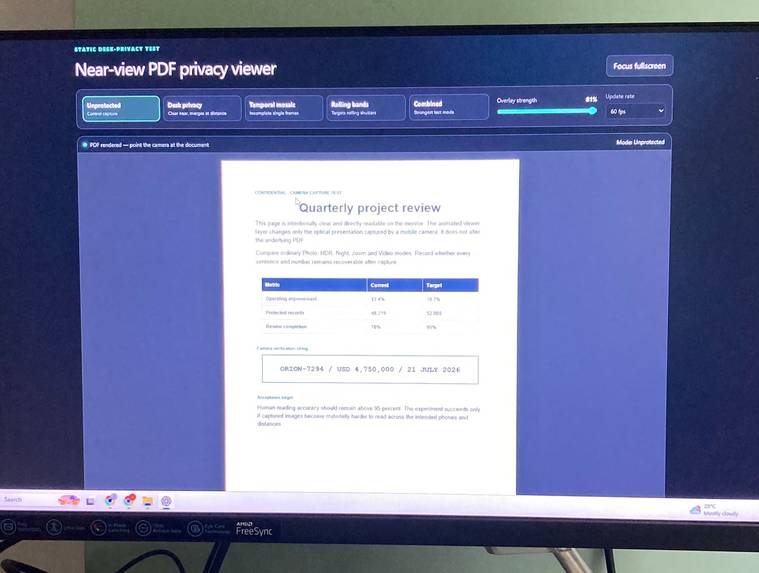
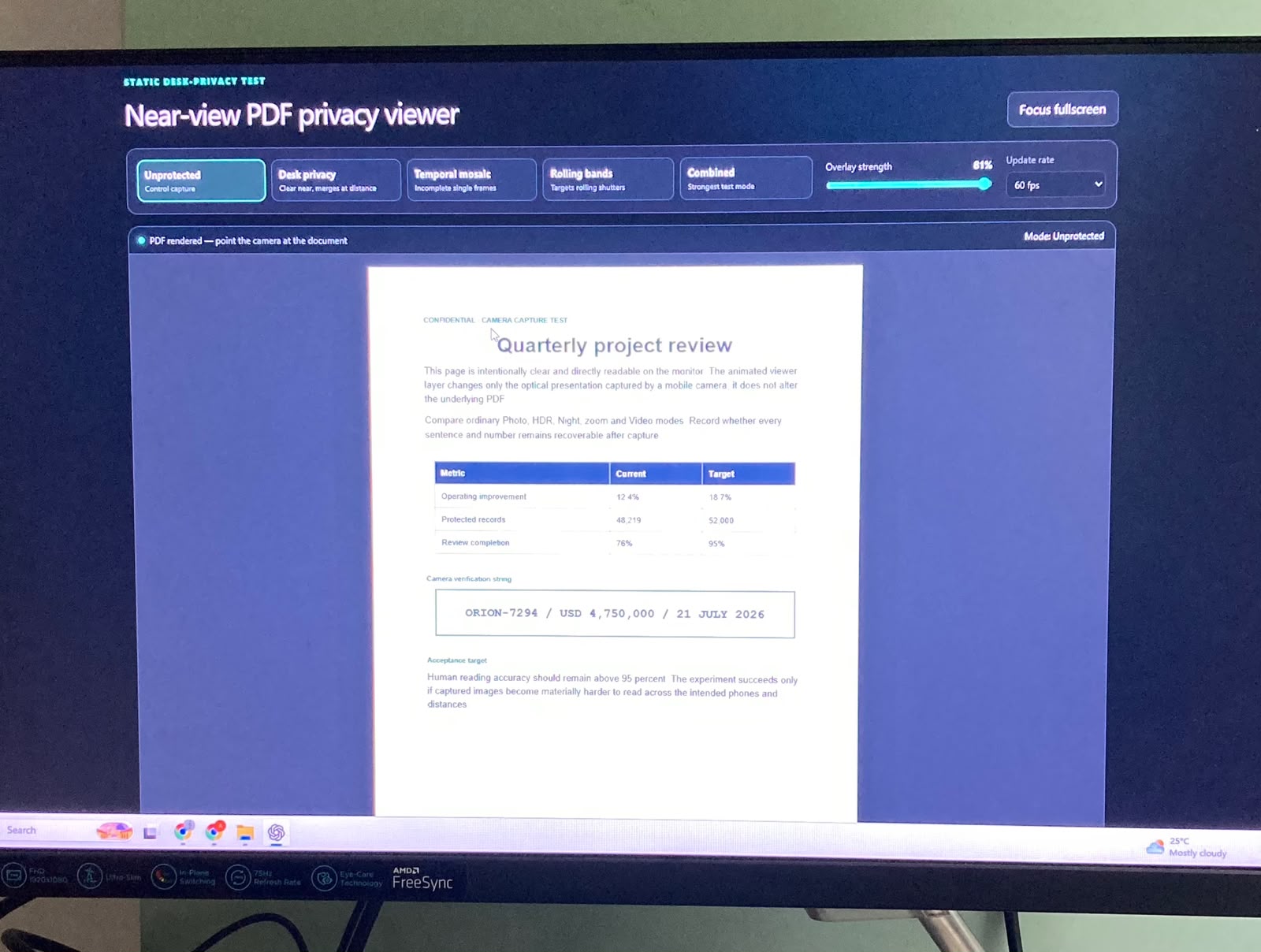
unprotected pdf camera photo
-
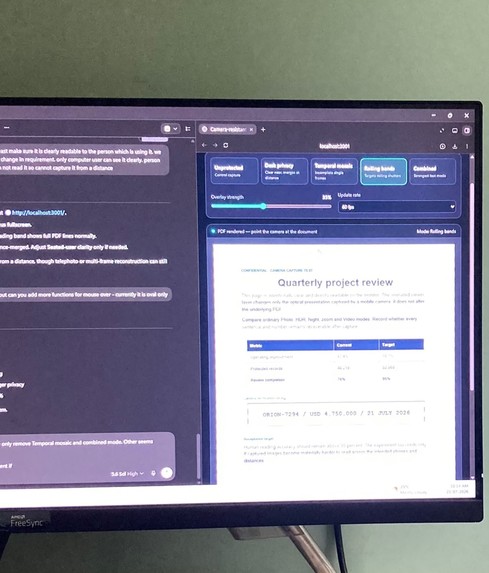
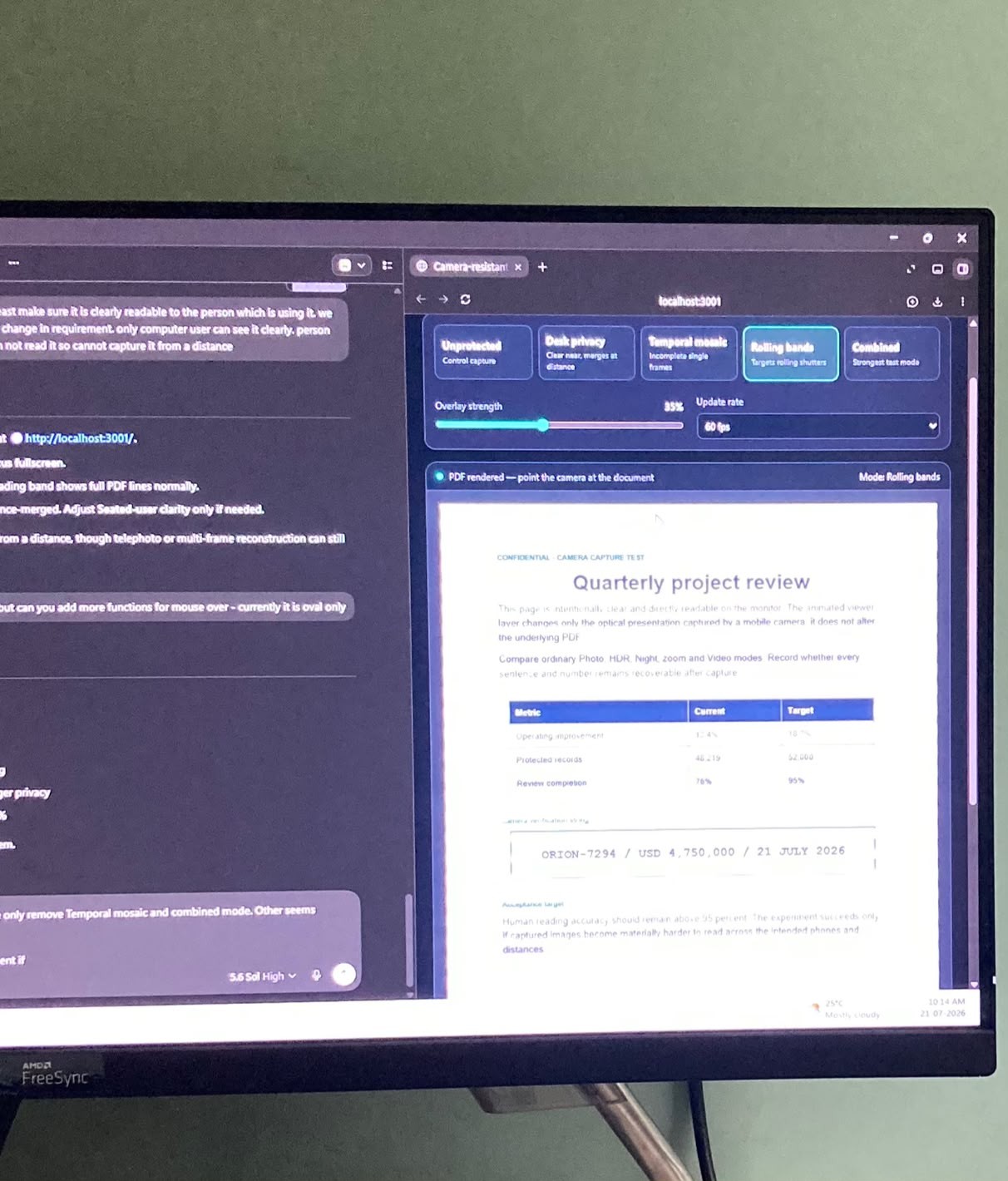
protected pdf camera photo
Inspiration
Normal PDF viewers manage files, pages, and permissions, but once a document is open they render every pixel at full clarity, creating exposure to shoulder surfing, phone photography, and oversharing during screen shares. We wanted privacy to be a normal viewer control that the operator can tune, not something handled only by physical filters or locking a workstation.
What it does
DeskShield PDF is a local-first PDF viewer with three tunable visual privacy controls. Seated-user clarity overlays a tunable high-frequency texture across the whole page so a seated reader stays comfortable while distance, zoom, and resampling degrade recovery for anyone else. Mouse-window keeps the page obscured except for a pointer-controlled reveal region (oval band, rectangle, full row, or spotlight), which is ideal for walking through non-contiguous content on a call without exposing the whole page. Rolling bands animate opaque horizontal stripes at 20, 30, or 60 fps aimed at disrupting captures from rolling-shutter phone cameras. Every mode is toggled and tuned from a single compact toolbar, and PDFs are opened locally and never uploaded.
Why this matters in practice
A common workaround for sharing sensitive PDFs is to manually split or "cut" the document — extracting only the pages or sections someone is allowed to see, then generating a new, separate file for each recipient or each screen-share session. DeskShield avoids that workflow entirely, and the savings are concrete:
Disk space: Splitting a PDF typically produces one or more duplicate copies of the original file (one per redacted variant, per recipient, or per session). For frequently shared or multi-recipient documents, this can multiply storage use several times over. Since DeskShield applies its privacy overlays live in the viewer, no extra copies are ever created — the original file is opened once, locally, and nothing new is written to disk. File transfer: Split files still need to be moved — emailed, uploaded to a shared drive, or sent over a call — which repeats the transfer cost every time the audience or context changes. With DeskShield, the same single file can be reused across different viewers and situations, since the privacy behavior is controlled live in the viewer rather than baked into a new file. Time: Manually cutting a PDF means opening an editor, selecting pages or regions, exporting, renaming, and redistributing the new file — repeated for every audience. DeskShield removes that entire prep cycle; a presenter just toggles a privacy mode from the toolbar in seconds. Energy: Each round of splitting, re-encoding, and re-uploading a PDF consumes CPU cycles and network energy, both locally and on any server or cloud storage involved. Because DeskShield runs its overlays client-side on a single already-open file with no uploads, it avoids that repeated compute and network cost.
Storage impact, in more detail
Every time a PDF is split or redacted into a new version, that version is stored somewhere — locally, in an inbox, or in cloud storage — on top of the original. For a document shared with, say, 10 different recipients each needing a different redacted view, that's potentially 10 extra full or partial copies of the same underlying file sitting on disks and servers indefinitely, since these "cut" copies are rarely cleaned up afterward. DeskShield sidesteps this by keeping exactly one file: the original PDF stays in place, and the privacy behavior lives in the viewer session, not in a new artifact on disk. Fewer stored copies also means a smaller attack surface — there simply are no extra redacted files lying around that could later be found, forwarded, or leaked.
How we built it
The viewer is built with React and PDF.js, rendering each page to a base canvas with a second canvas stacked above it for the active privacy effect. The spatial texture is generated from the page's own luminance data using weighted RGB channels, blended via alpha compositing. Mouse-window uses destination-out compositing to cut a shape out of the texture layer that follows the pointer. Rolling bands advance a phase counter on a requestAnimationFrame-driven loop gated to the selected fps. We also packaged a Manifest V3 Chrome/Edge extension that bundles PDF.js and its worker locally, requests no host permissions, and opens a dedicated viewer tab only after an explicit file picker selection.
Challenges we ran into
The hardest part was staying honest about the limits of the approach. Camera physics such as sensor resolution, focal length, shutter type, and HDR or multi-frame fusion mean no purely software overlay is camera-proof, since a close, zoomed, or computational camera can still recover content. We designed a full camera-test protocol with fixed distances, phone settings, and human, manual, and OCR accuracy targets so the privacy claims stay measured instead of overstated, and we separate what is already validated, the build and automated checks, from what remains pending, a named-hardware camera matrix.
Accomplishments that we're proud of
Combining three complementary privacy mechanisms, spatial, interaction-driven, and temporal, into one low-friction PDF workflow that runs on an ordinary monitor with no special hardware, plus a minimal-permission browser extension and a documented, reproducible validation protocol.
What we learned
That privacy for an already-open document is a distinct design problem from access control, and that framing matters. DeskShield is a risk-reduction and selective-disclosure tool, not a replacement for DLP, DRM, screen locks, or physical security.
What's next for DeskShield PDF
Running the multi-phone, multi-monitor camera matrix to turn the mechanism into reproducible evidence, adding saved profiles per task, building a calibration wizard for finding the lowest usable clarity setting, adding keyboard control of the mouse-window for accessibility, and reviewing any faster or higher-contrast animation for flicker and seizure safety before considering production use.
