-
-
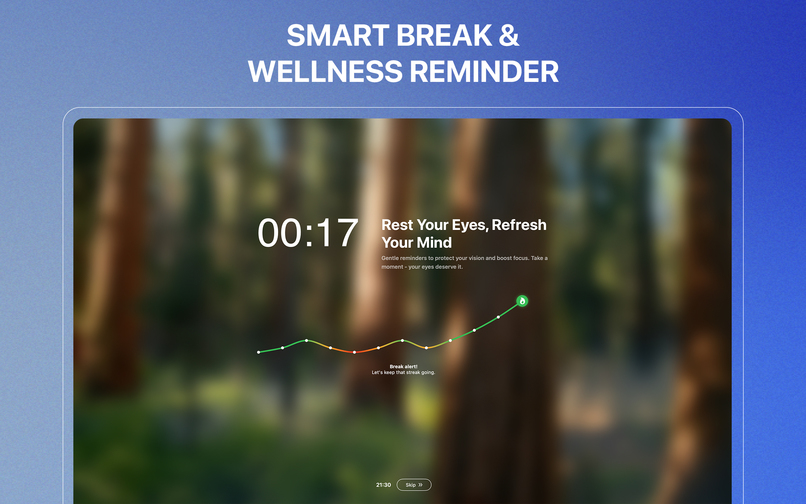
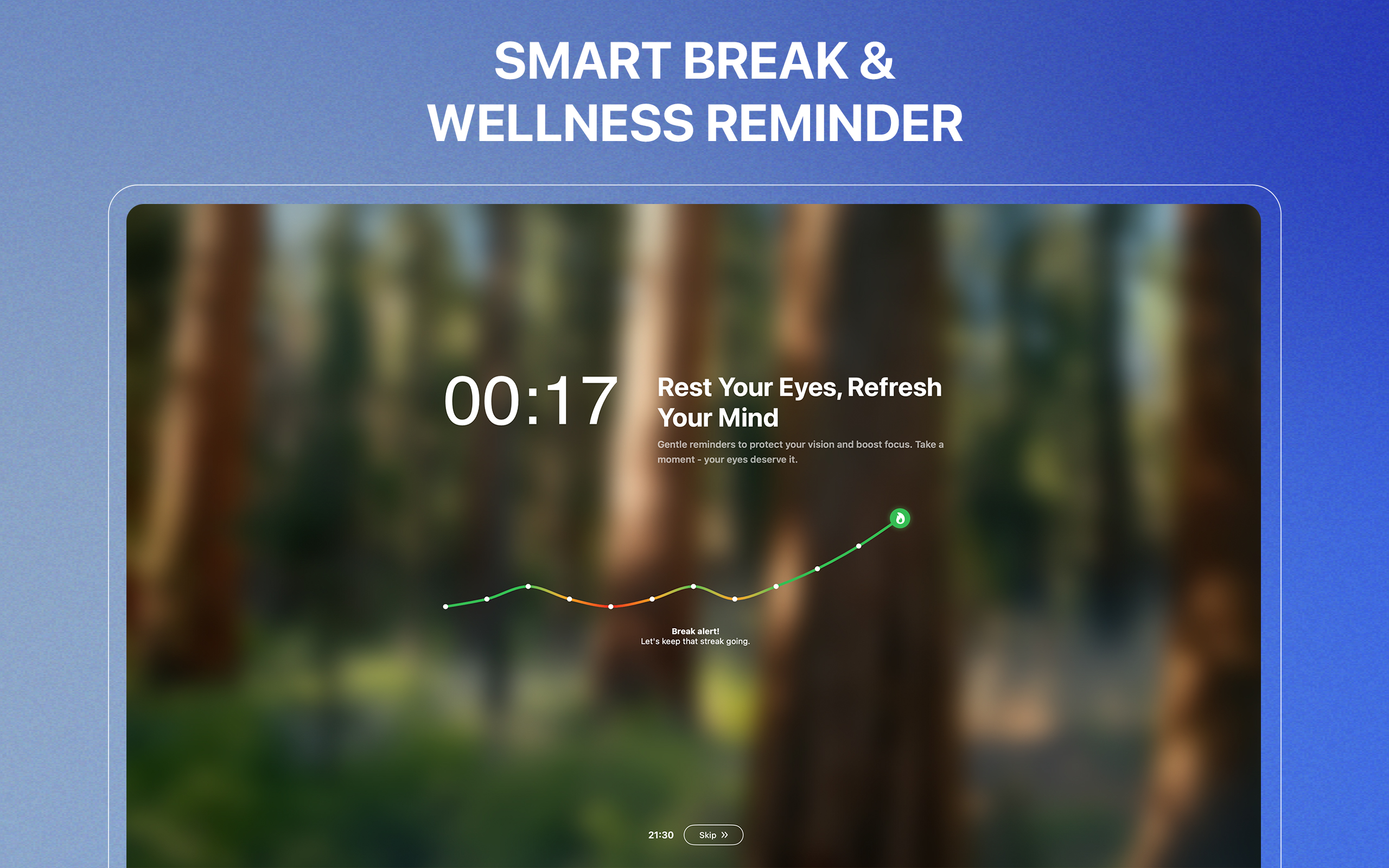
Smart break & wellness reminder
-
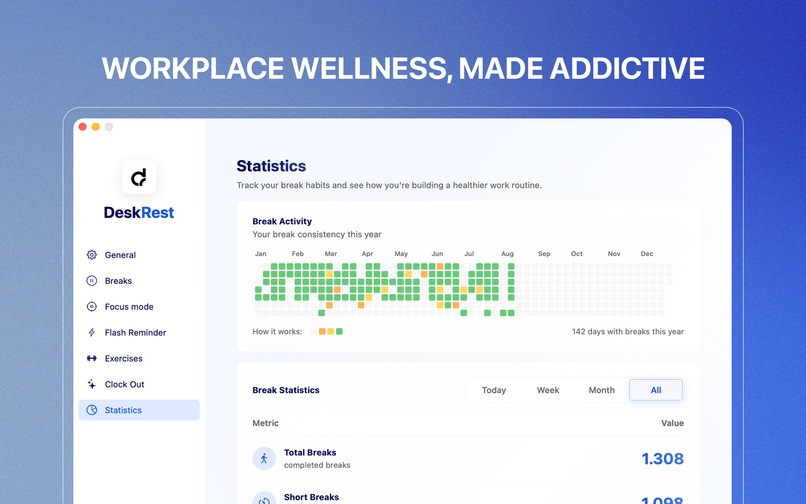
Workplace wellness, made addictive
-
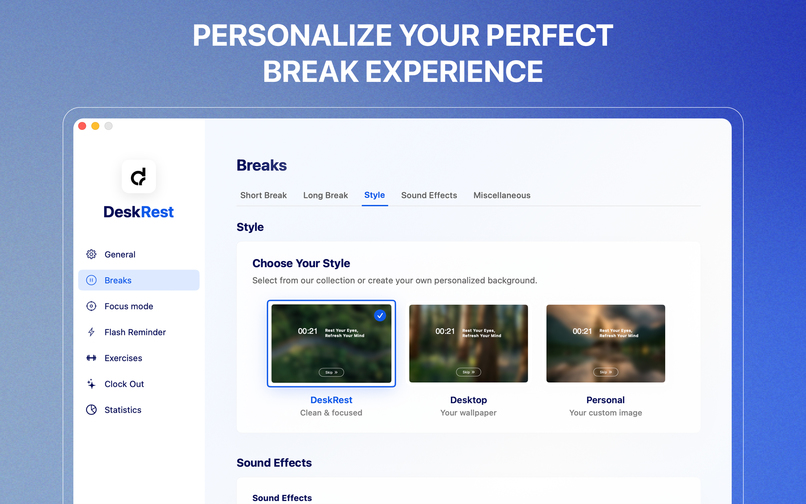
Personalize your perfect break experience
-
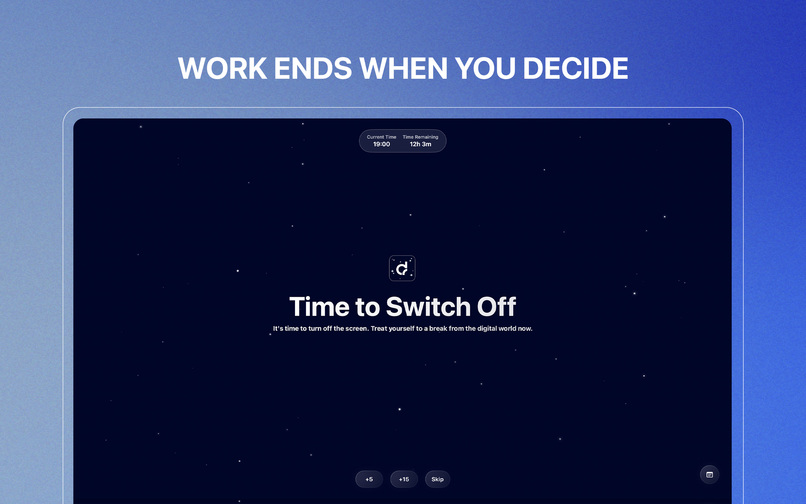
Work ends when you decide
-
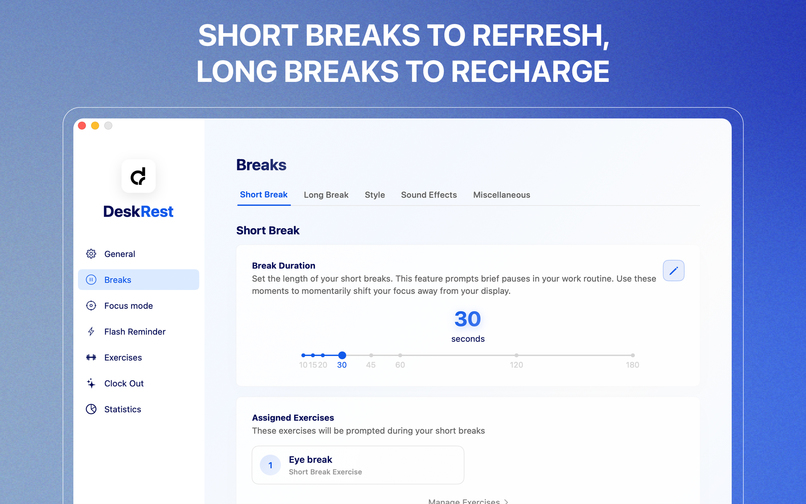
Short breaks to refresh, long breaks to recharge
-
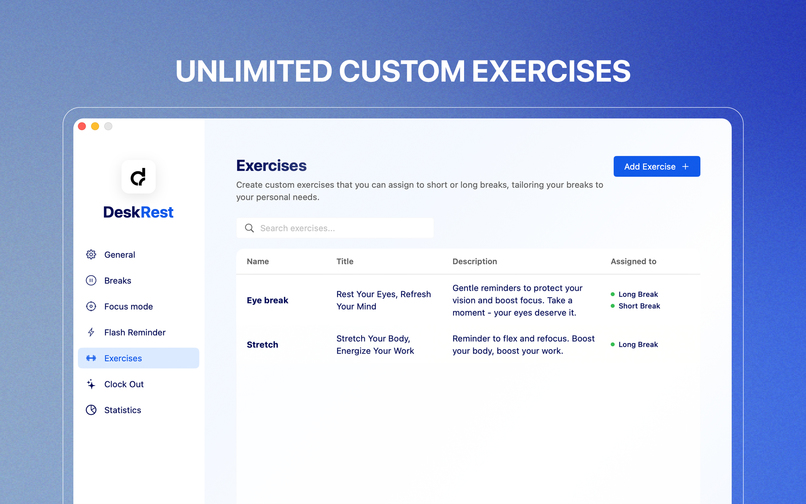
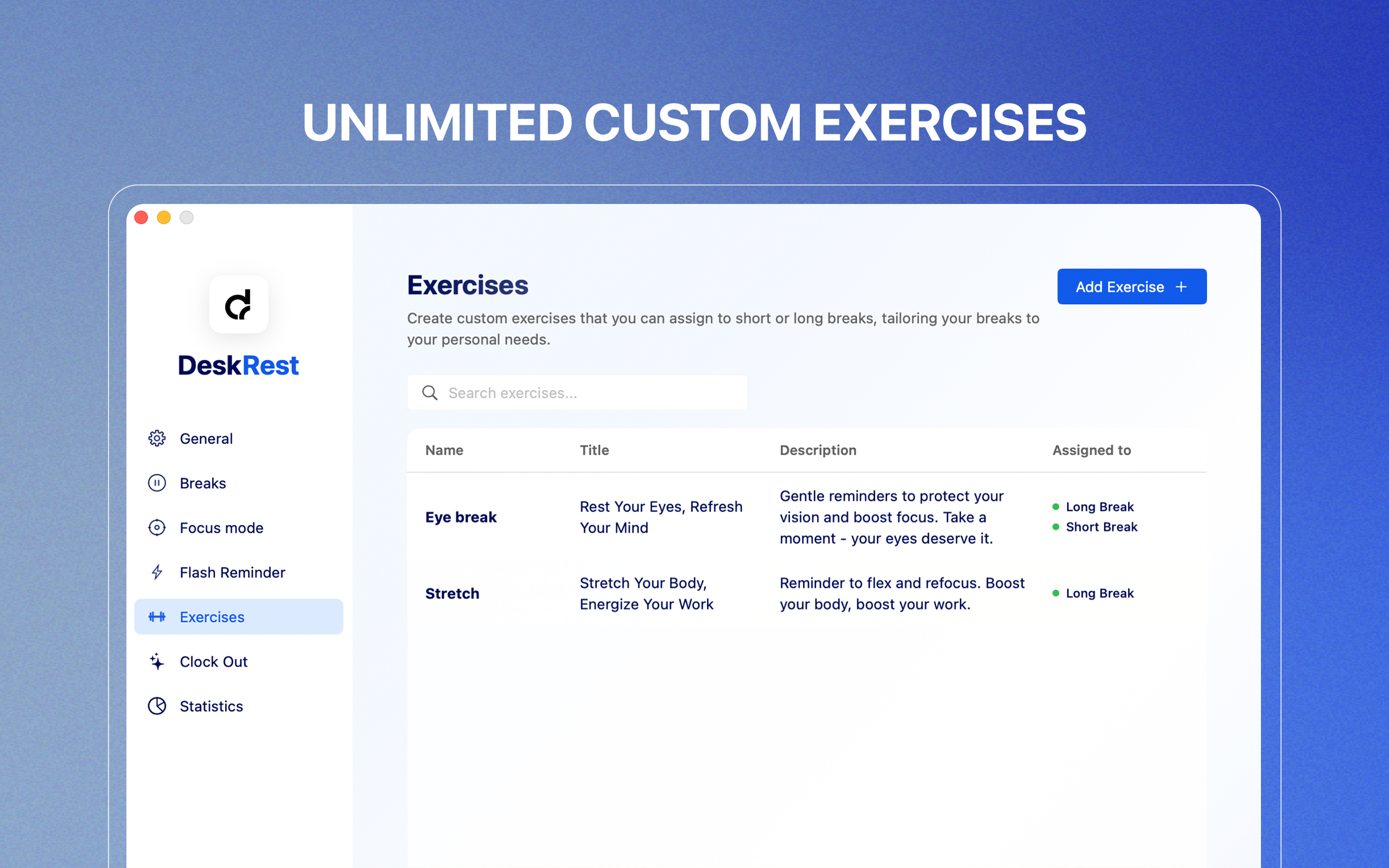
Unlimited custom exercises
-
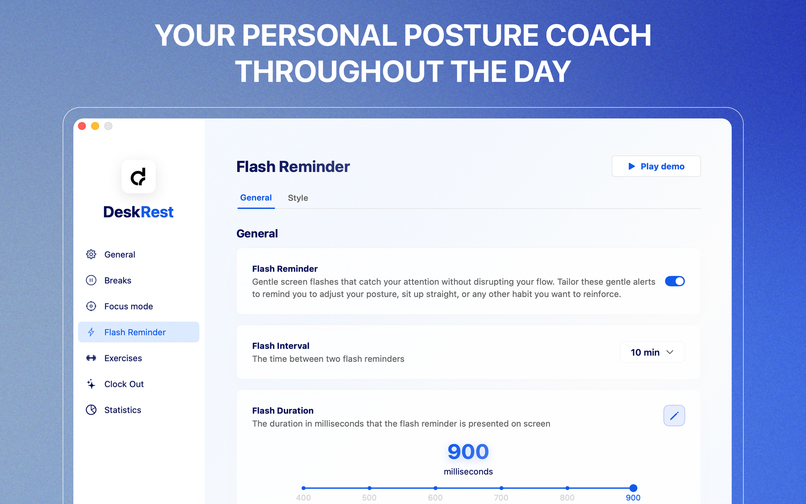
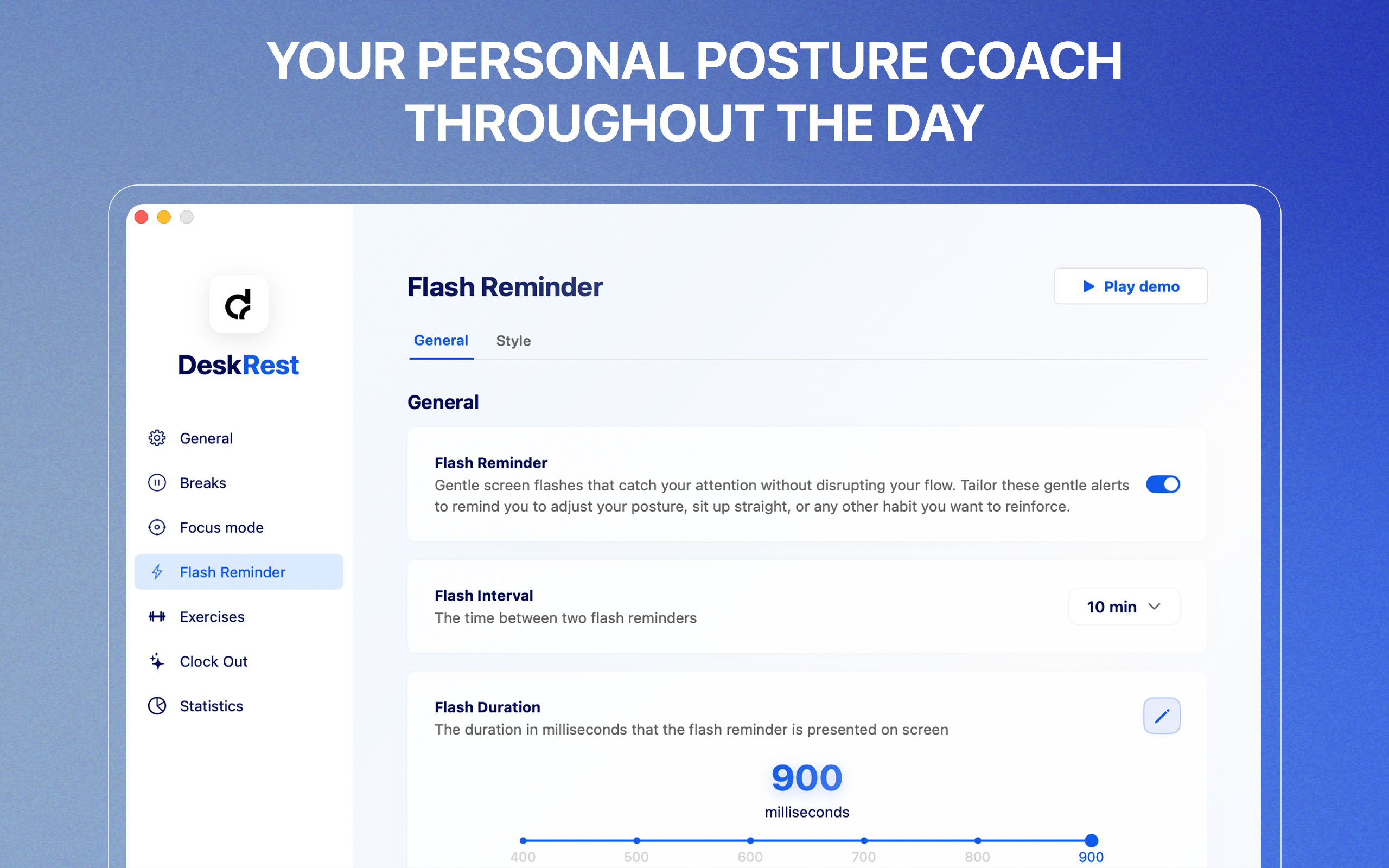
Your personal posture coach throughout the day
Inspiration
I've been an iOS developer for several years now, with a degree in computer science focused on app development. The idea for DeskRest actually came from my own health struggles from sitting at a desk all day. In my early 30s, I experienced firsthand the physical consequences of years of computer work – tension, eye problems, and chronic fatigue. Reading "Deskbound: Standing Up to a Sitting World" opened my eyes to the far-reaching health risks of our modern work habits.
I was looking for an app to remind me to take breaks and do some desk exercises, but couldn't find anything that truly fit the bill. The existing solutions were either too simplistic or overly complicated. So, I decided to create DeskRest myself. My fiancée is a designer and I'm a programmer, making this our joint project. What started as a personal solution has grown into a comprehensive wellness tool that I use daily and continuously develop for a growing community of health-conscious professionals.
What it does
DeskRest is an intelligent macOS wellness app that transforms how people work at their desks by creating a sustainable balance between productivity and health. It's much more than a simple break reminder, it's a comprehensive workplace wellness system.
Core Features:
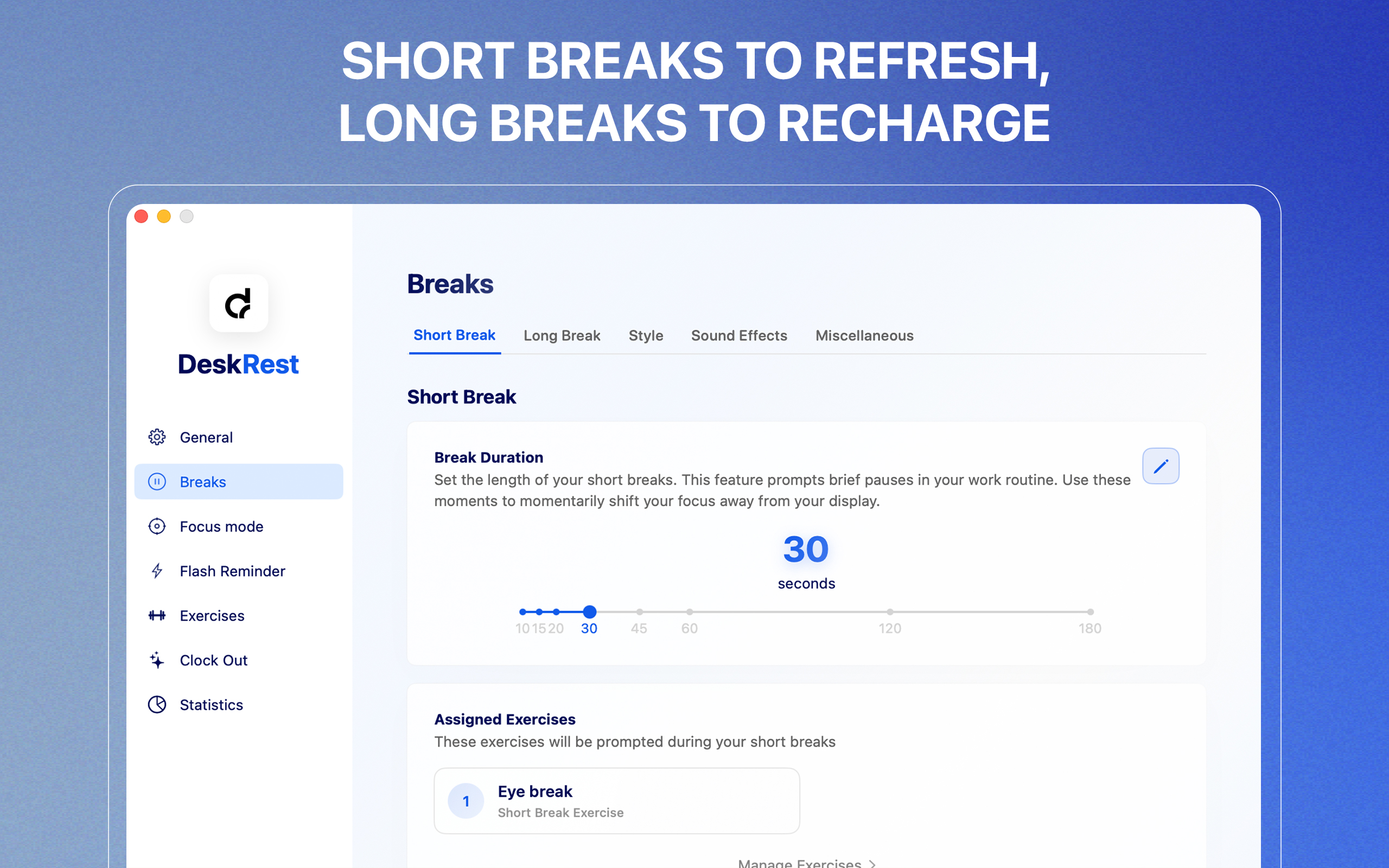
- Smart Break Reminders: Customizable wellness breaks, define when and how long your breaks should be, along with your longer recovery phases
- Posture Flash Reminders: Adjustable gentle screen flashes that catch your attention without disrupting work, prompting regular posture checks
- Custom Exercise System: Users can create personalized break activities tailored to their specific needs, with custom titles and descriptions
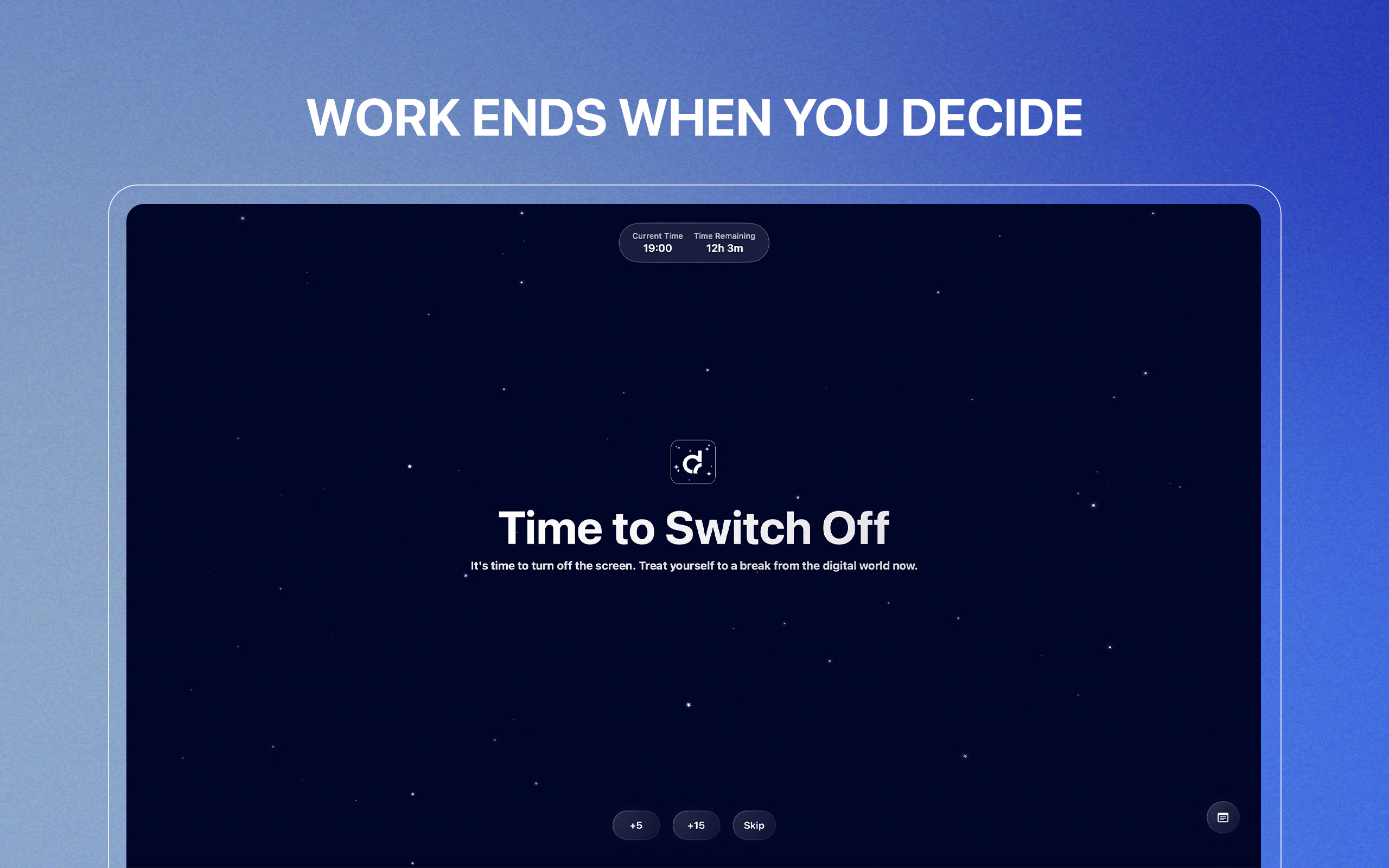
- Clock Out Feature: Enforces work-life boundaries by locking the screen at a designated end-of-workday time
- Intelligent Video Detection: Automatically pauses break reminders during important video content, preventing interruptions during meetings or educational videos
- Meeting Detection: Automatically pauses reminders during video calls and important work sessions
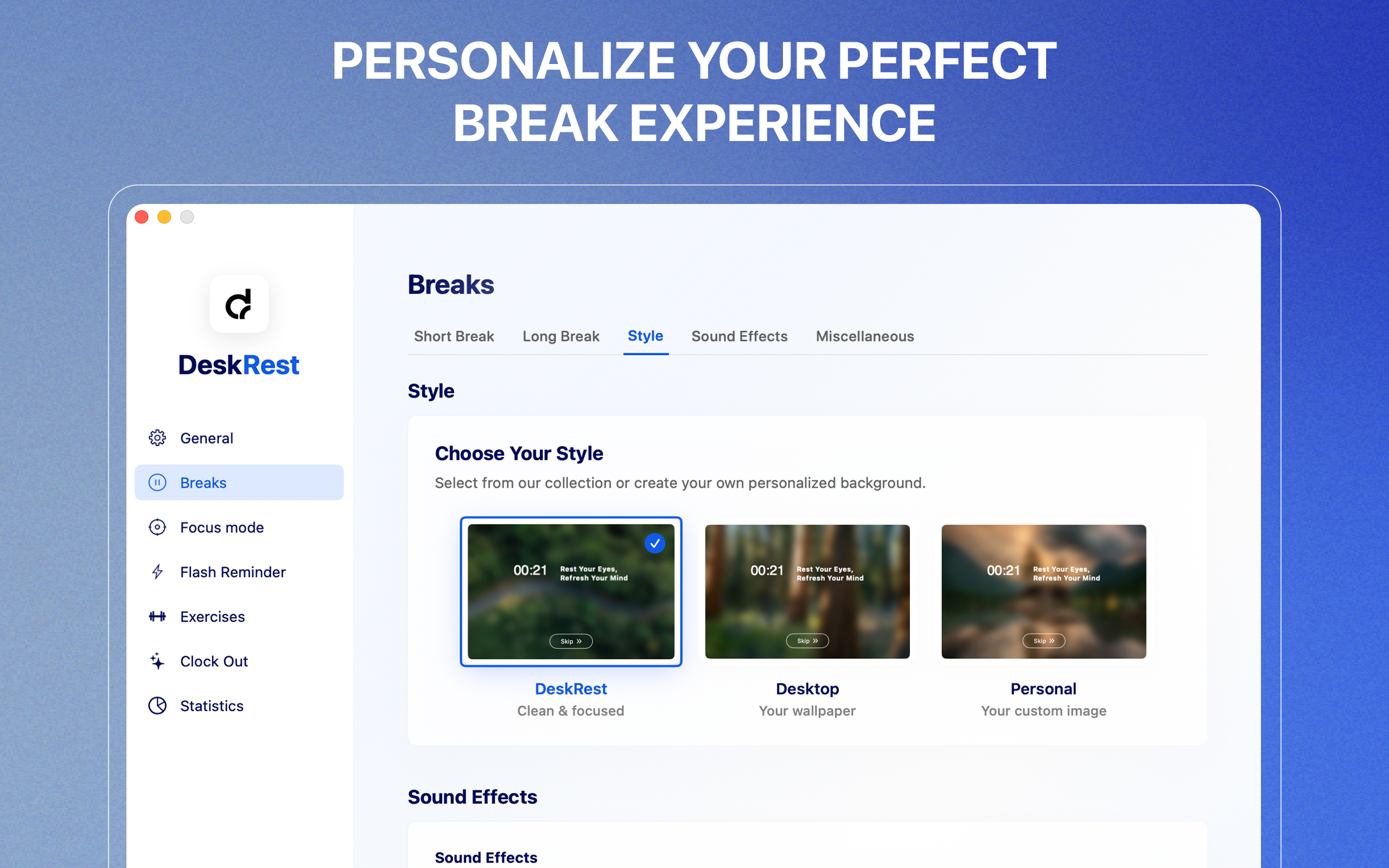
- Break Screen Customization: Personalize break backgrounds with custom images, system wallpaper, or default designs
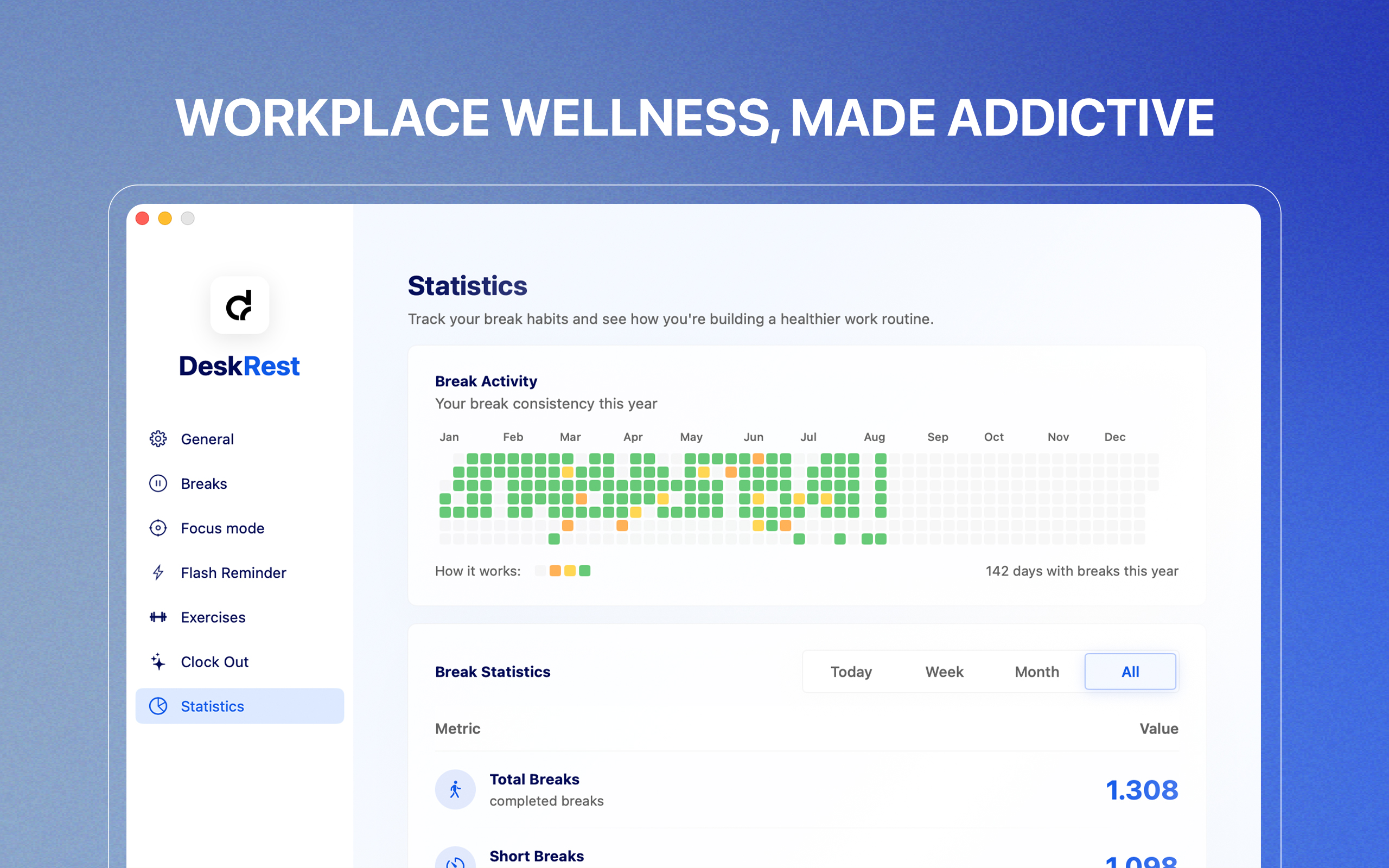
- Performance Analytics: Calendar showing break adherence, streak tracking, and skip rate analysis
The app integrates seamlessly into macOS, residing unobtrusively in the menu bar while providing intelligent, context-aware wellness interventions throughout the workday.
How we built it
DeskRest is built as a native macOS application using SwiftUI, ensuring optimal performance and seamless integration with the macOS ecosystem. This was my first macOS app after +13 years of iOS development, which presented both challenges and opportunities.
Challenges we ran into
Video Detection Complexity The most requested feature was also the most technically challenging. Users were frustrated when break reminders interrupted important videos. Building a system that could reliably detect video playback across different players (YouTube, VLC, native players) while maintaining performance required extensive testing.
From Launch to the Real Work Initially, our mindset was to power through development until the release, thinking we could then finally take a breath. However, the reality of launching a product changed everything. Immediately following the release, we were flooded with such a volume of positive user feedback and highly valuable improvement suggestions that the real work had only just begun. Instead of slowing down, we accelerated, prioritizing and implementing these community-driven features, to ensure DeskRest evolved rapidly to meet the real-world needs of its growing user base.
Accomplishments that we're proud of
1. Streak Tracking & Statistics Drive Real Behavior Change We're incredibly proud that our visual progress tracking system has become one of the most loved features. The calendar, streak counters, and skip rate analytics don't just display data, they genuinely motivate users to maintain their break habits. Users tell us they check their streaks daily and feel genuine accomplishment when maintaining consistency. Seeing the community embrace gamification as a path to healthier habits validates our approach of making wellness engaging rather than prescriptive.
2. Thriving User Community & Feedback Loop Our user community grows every day, and the feedback we receive is extraordinary. Without the direct email and message contact with our users, DeskRest wouldn't be what it is today. Every major feature, from statistics to cursor countdowns to the Clock Out feature – came directly from user requests and conversations. This collaborative relationship has transformed DeskRest from a personal project into a community-driven wellness platform. The trust users place in us to share their challenges and suggestions is something we never take for granted.
What we learned
1. User Feedback is Gold The most impactful features came directly from user requests. Building in public and listening to the community transformed DeskRest from a personal tool to a comprehensive solution.
2. Context Awareness is Crucial Generic, one-size-fits-all approaches fail. Users need apps that understand their workflow. Intelligent detection (videos, meetings, focus modes) makes the difference between an annoying interruption and a helpful intervention.
3. Small Changes, Big Impact The cursor break reminder seemed minor but became beloved. The 20-20-20 rule is simple but effective. Sometimes the smallest features have the biggest impact on daily use.
4. Solo Development Has Limits Working solo (with design support) taught me both the power of focused vision and the challenges of wearing every hat. Some features took longer because I was simultaneously developer, marketer, support, and product manager.
What's next for DeskRest
1. Enhanced Posture Reminder System (Next Update) Complete overhaul of posture reminders allowing users to create multiple reminders with individual customization. Each reminder will have its own:
- Timing intervals
- Visual style and colors
- Custom messaging
- Specific trigger conditions
This addresses the need for different reminder types throughout the day (e.g., shoulder checks, neck stretches, wrist positions, drinking reminder).
2. iOS Companion App (Major Focus) A dedicated iPhone app designed specifically to prevent users from switching to their smartphones during breaks. Features will include:
- App blocking
- Synchronized break timing with the Mac app
The goal is to make breaks truly restorative by eliminating the phone distraction that undermines break effectiveness.
3. Advanced Analytics Dashboard Deeper insights into break patterns, productivity correlations, and health metrics. Users will see:
- Break quality scores
- Long-term trend analysis
- Personalized recommendations
The vision is to evolve from a break reminder app into a comprehensive digital wellness platform that actively helps people build sustainable, healthy work habits across all their devices.


Log in or sign up for Devpost to join the conversation.