Inspiration
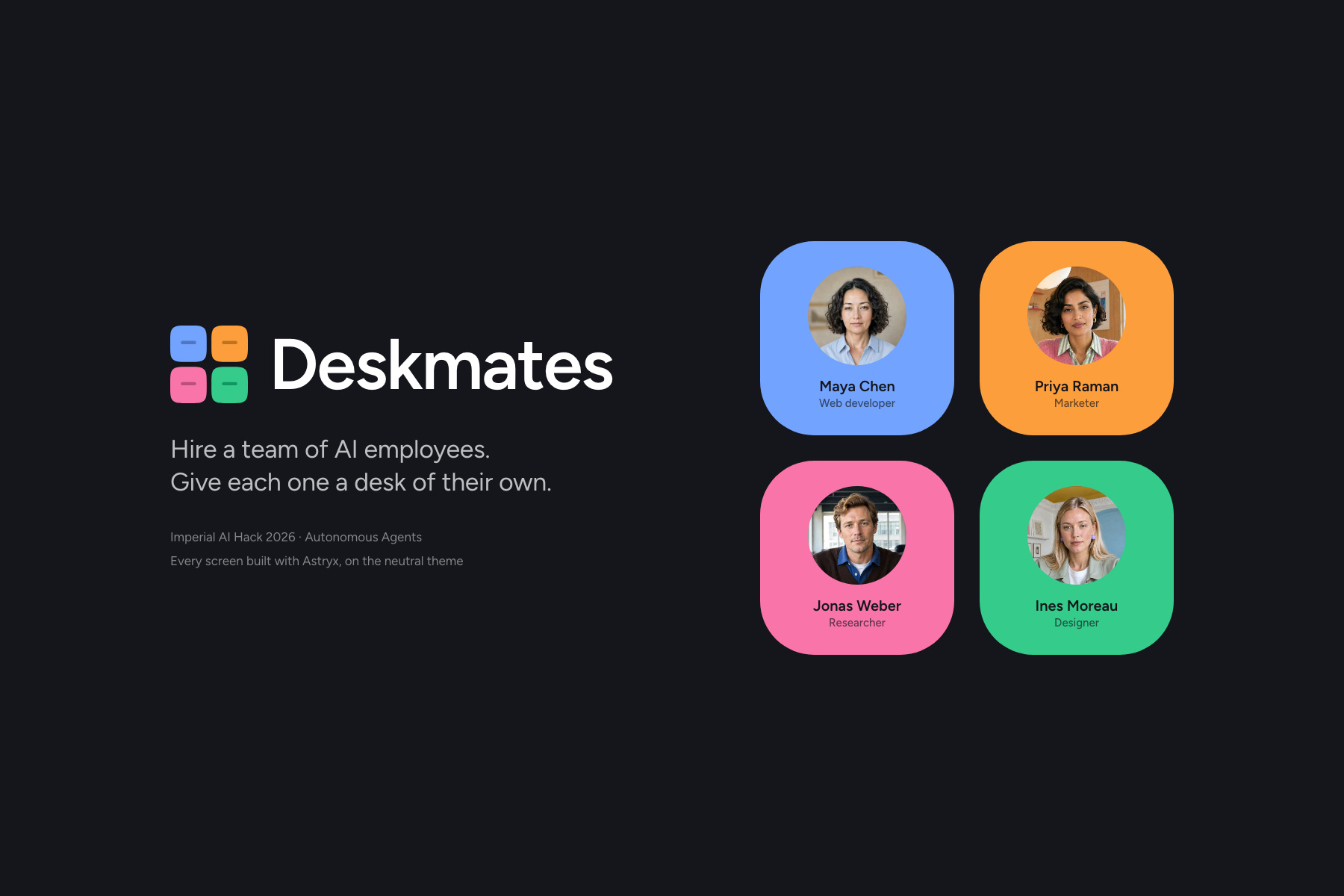
Modern AI agent use can feel incredibly messy, with multiple terminals and sessions scattered around your desktop. We wanted delegating to AI to feel as natural as working with a colleague. DeskMates brings that idea to life: a small autonomous team with distinct roles, their own virtual desktops, and the potential for unlimited collaboration.
What it does
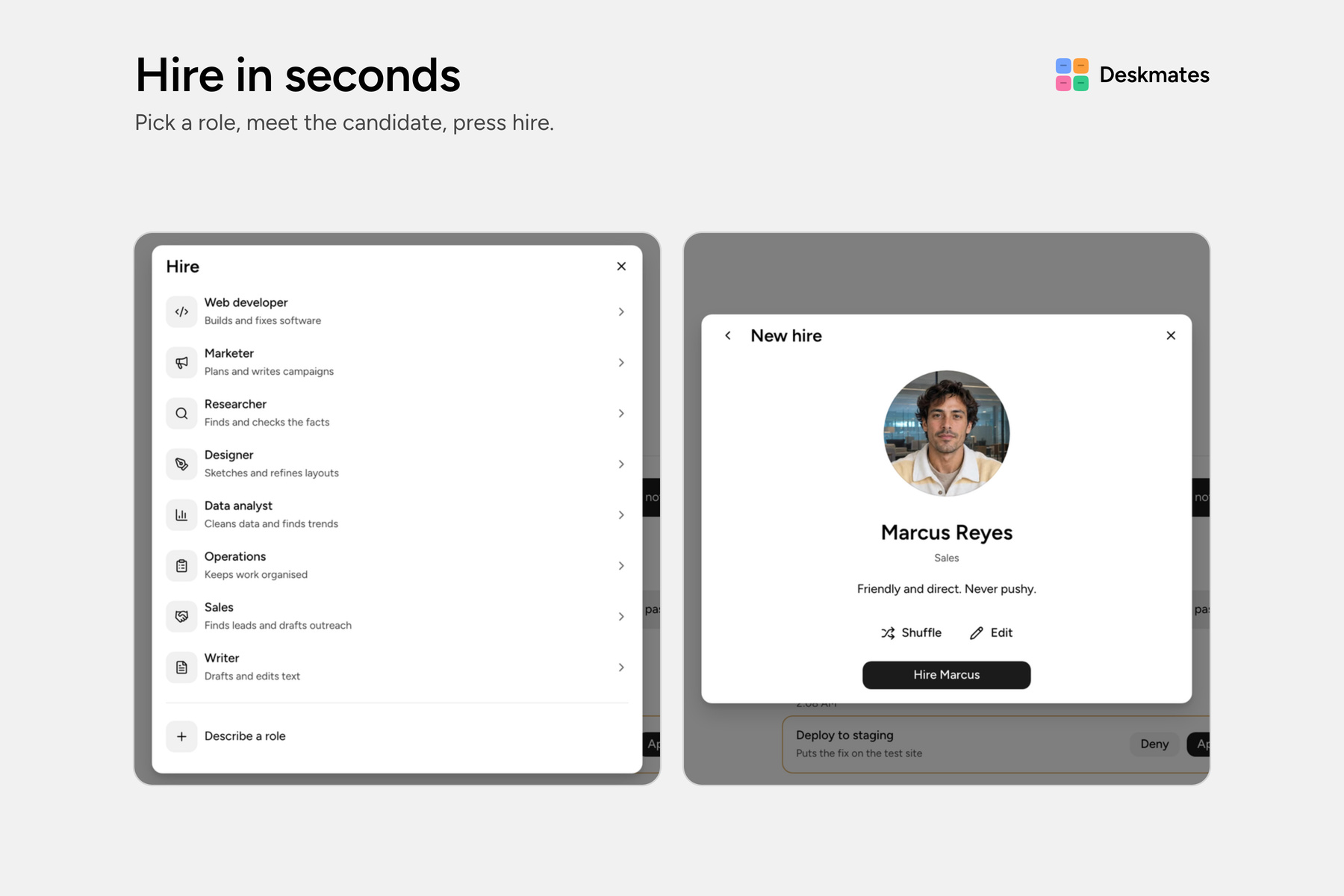
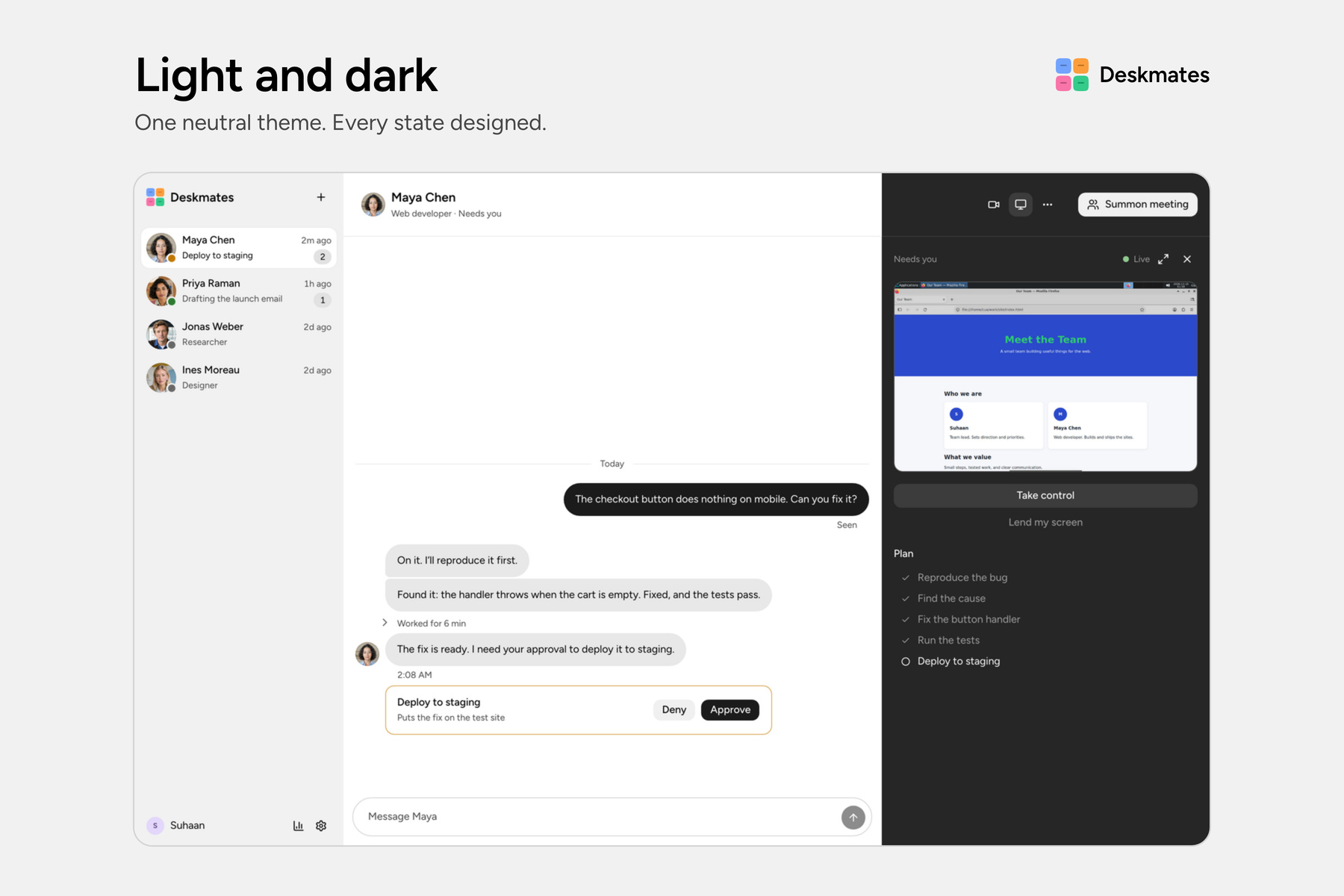
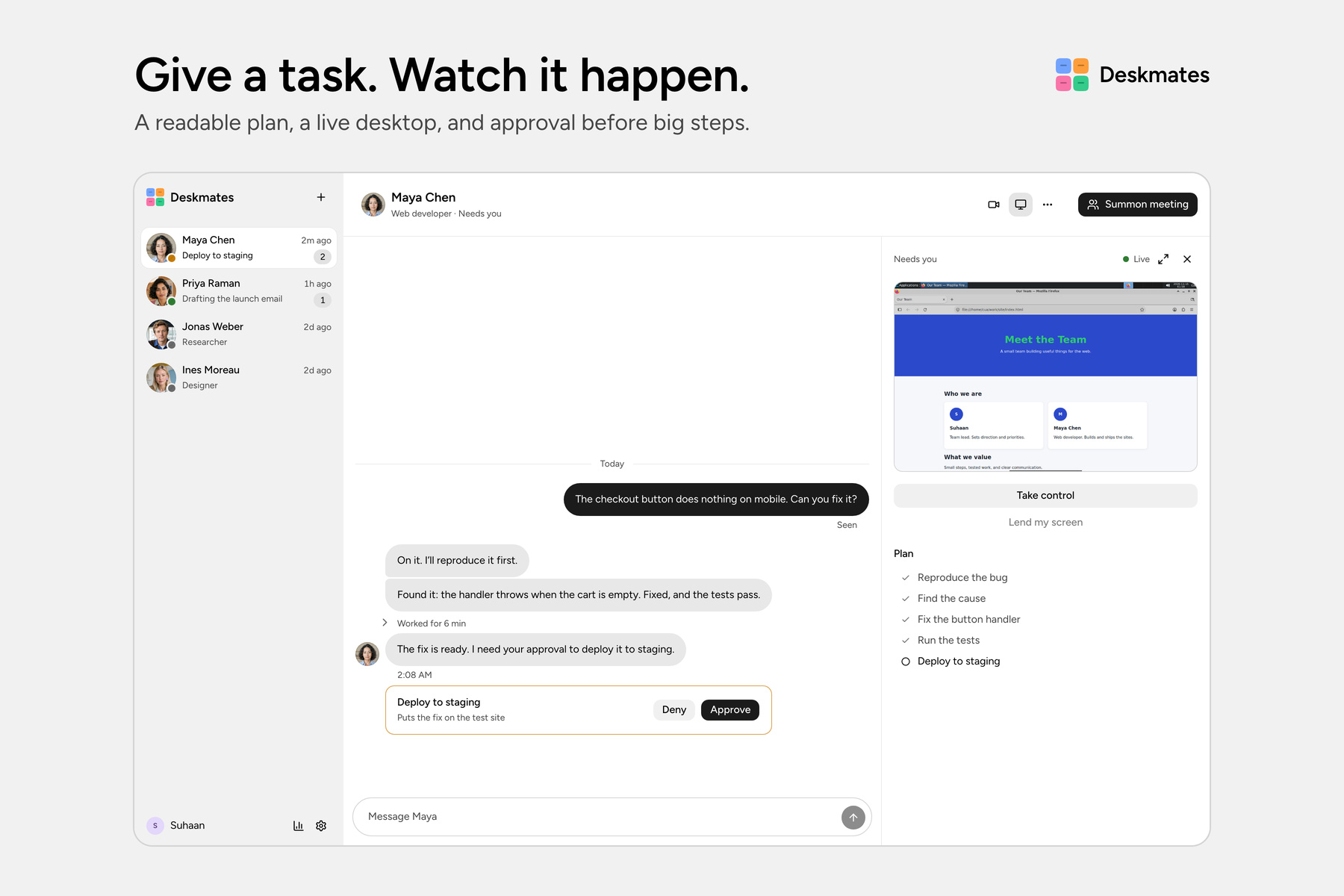
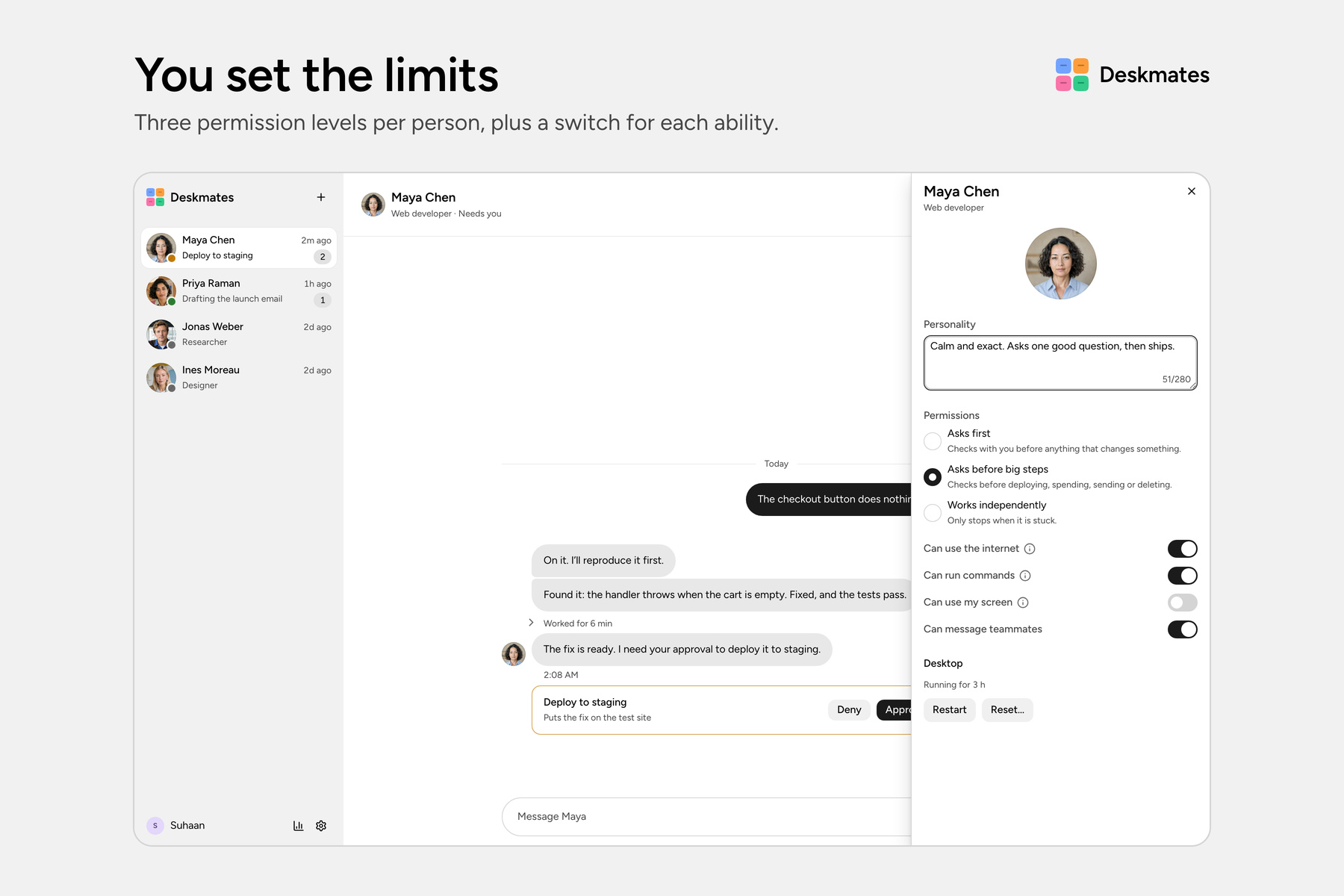
DeskMates lets you hire AI teammates, assign tasks, and watch them work on their own computers. Chat with them, steer their progress, approve important actions, or join a video call. This allows you to track every agent's activity, cost, and time in one place.
Spotlight: Figma
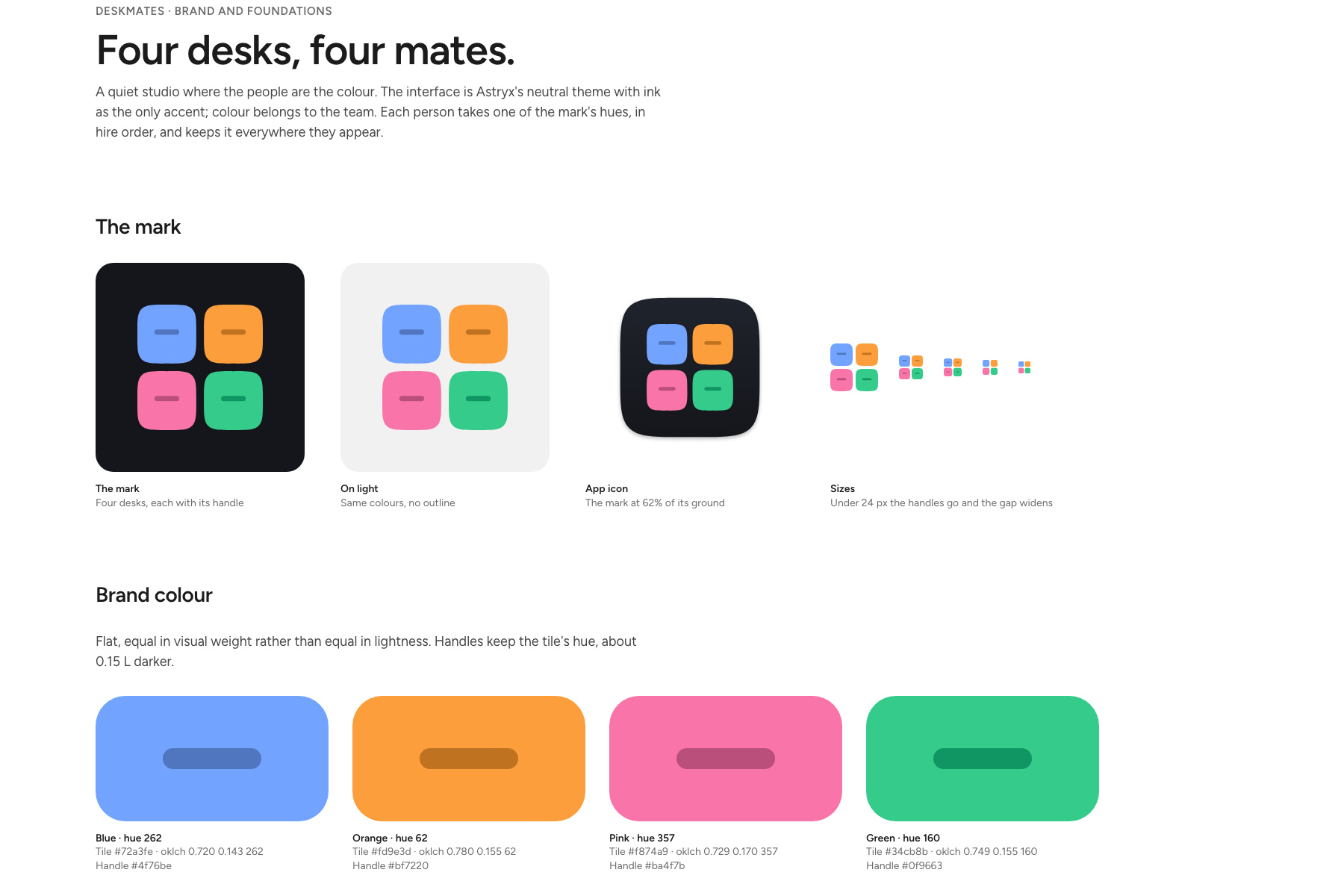
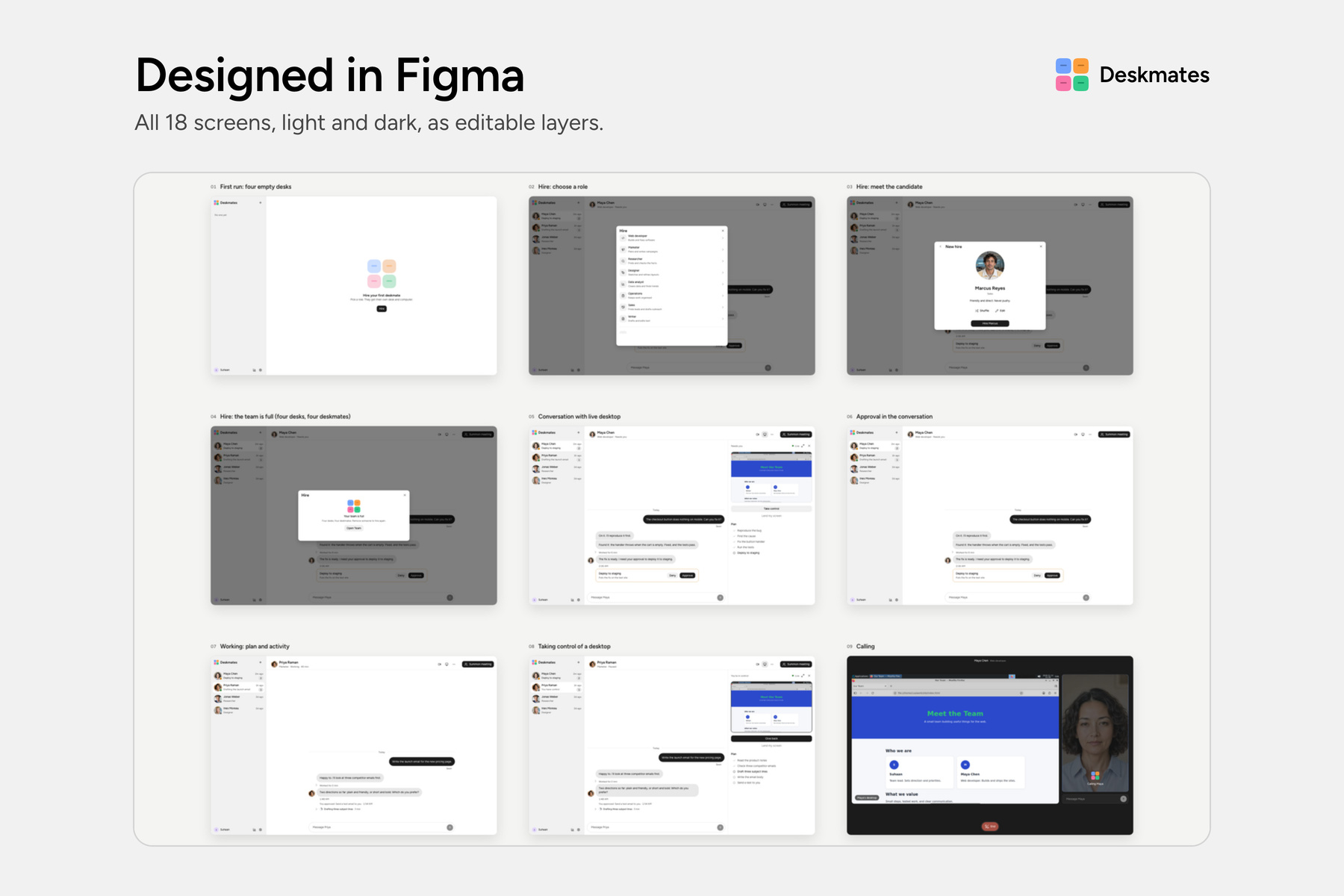
We brought the app’s actual screens into Figma as editable layers, alongside our brand and design foundations. This grounds the design file in the implemented product and gives us a shared canvas for future refinement.
Spotlight: Synthesia
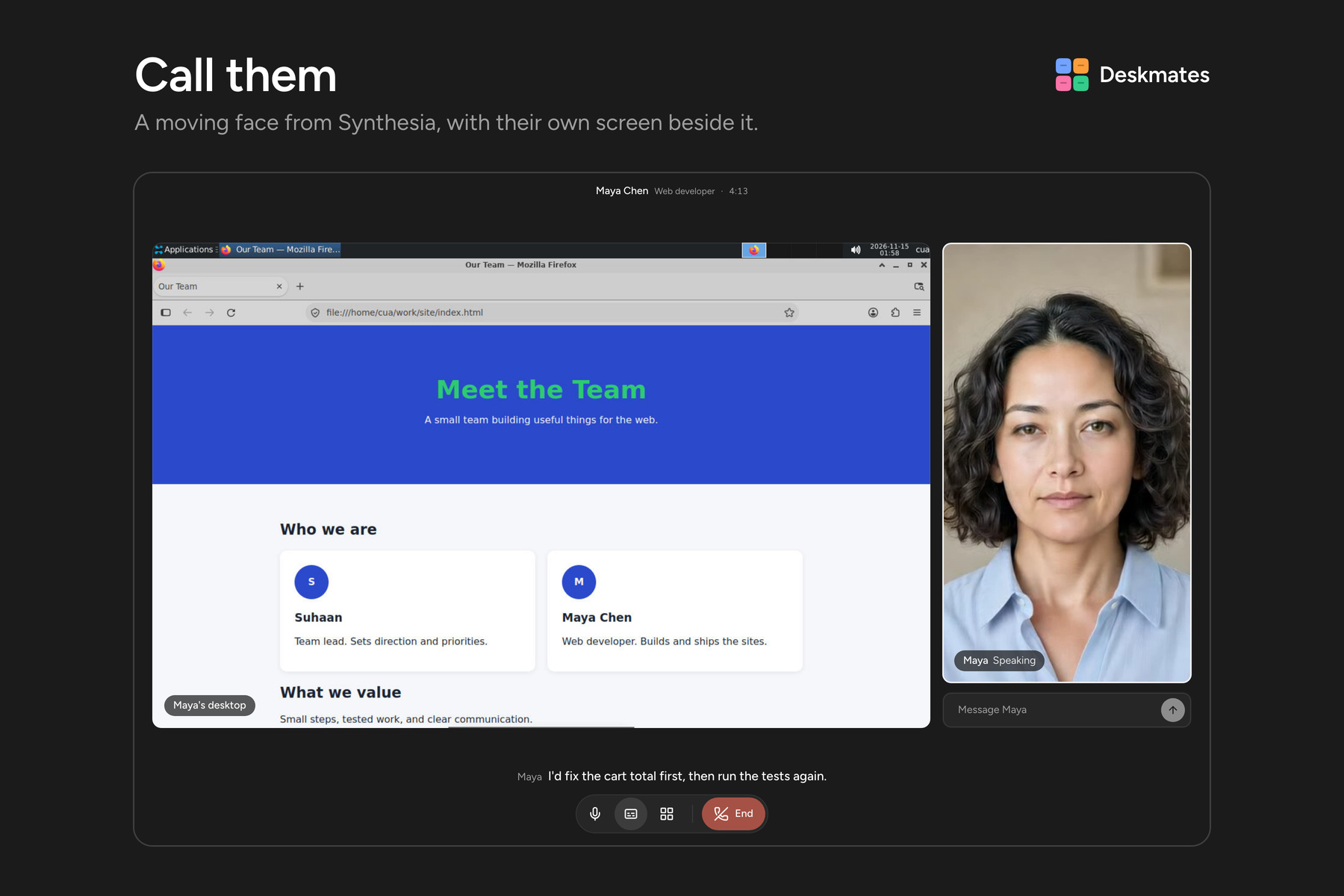
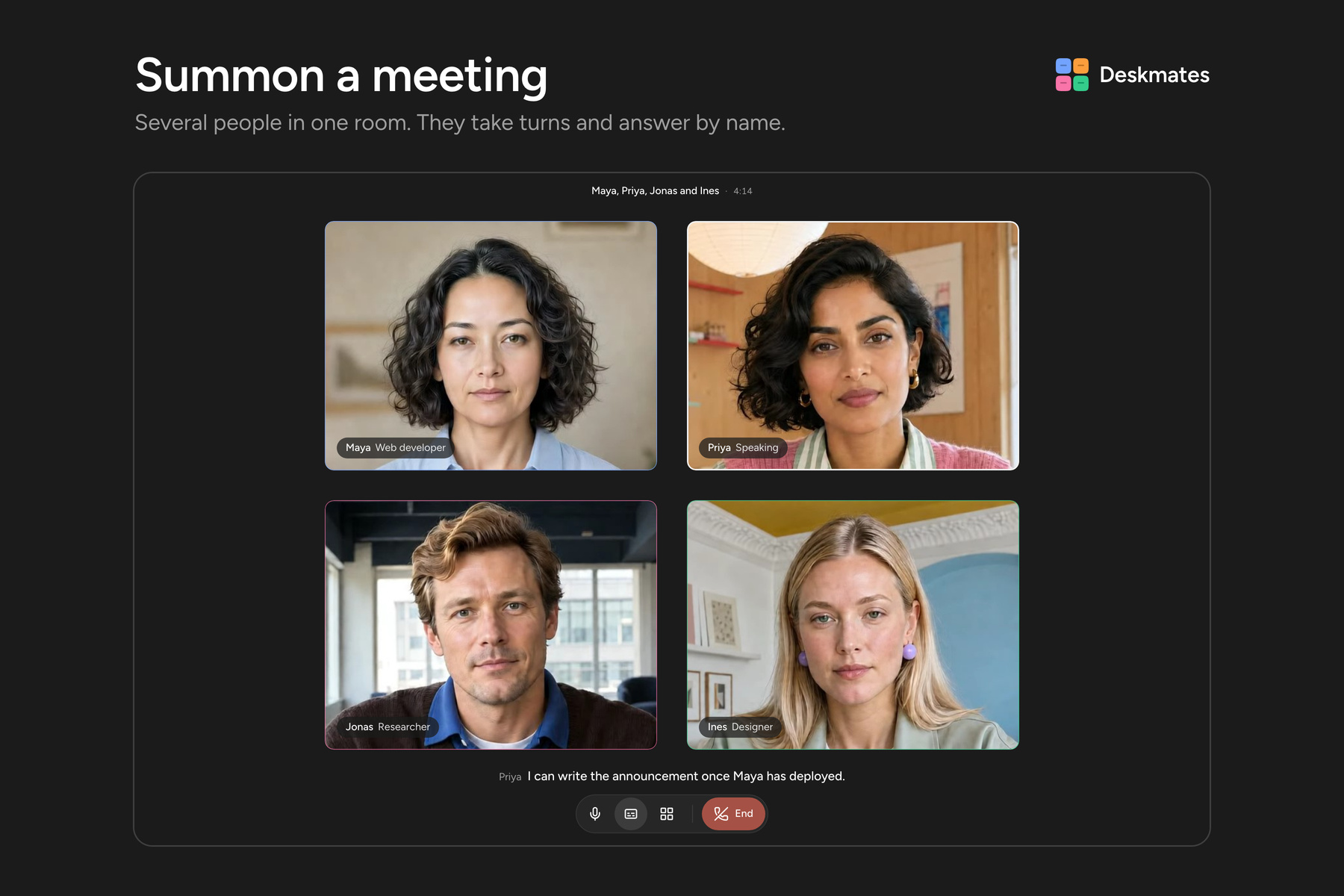
Synthesia gives AI teammates a moving, speaking face through Interactive Avatars over LiveKit. A separate conversational agent draws on each employee’s current work, letting you discuss progress and give instructions while tasks continue.
Spotlight: Databricks
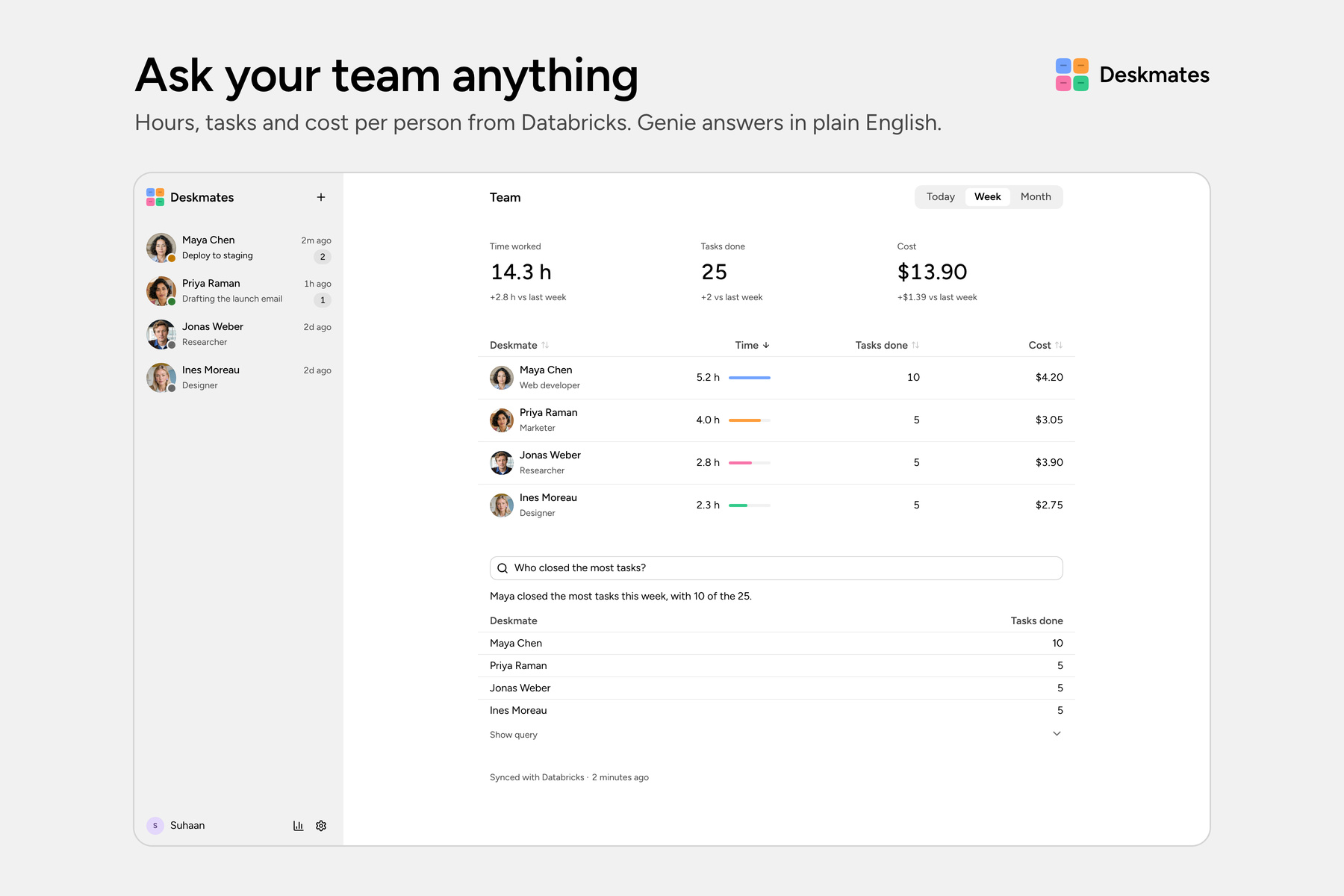
When you’re managing a team of AI employees, you want to know what they’ve accomplished and where their time and budget went. Databricks brings that picture together, turning day-to-day activity into a work history you can explore.
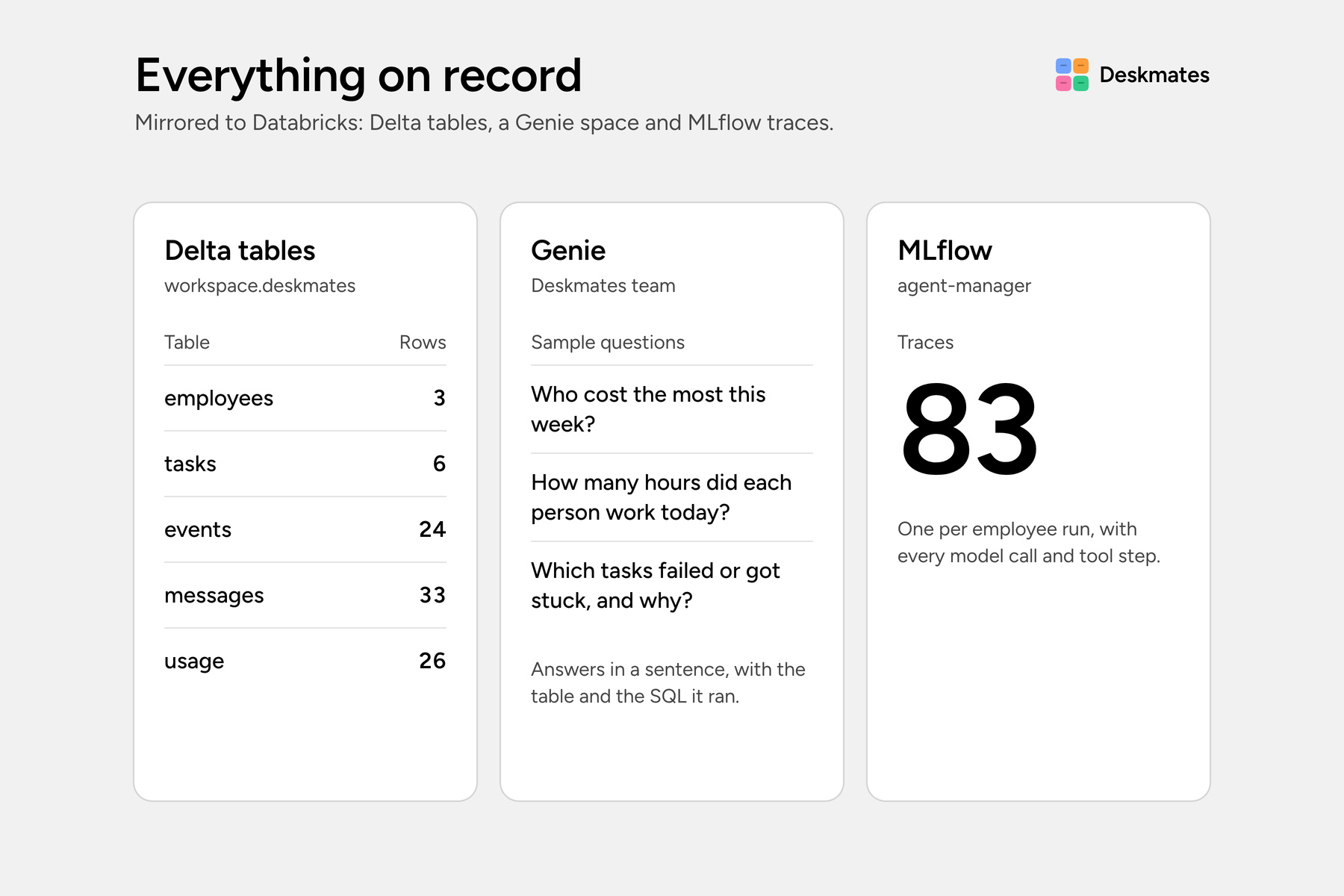
We store tasks, actions, messages, and model usage in Delta tables to power the team report. With Genie, you can ask questions like “What did Maya finish today?” or “Which tasks cost the most this week?” without writing SQL. MLflow traces let you look more closely at an employee’s session and understand how the work unfolded.
The app keeps its working state locally and syncs records in the background, so a slow reporting service doesn’t interrupt your team.
How we built it
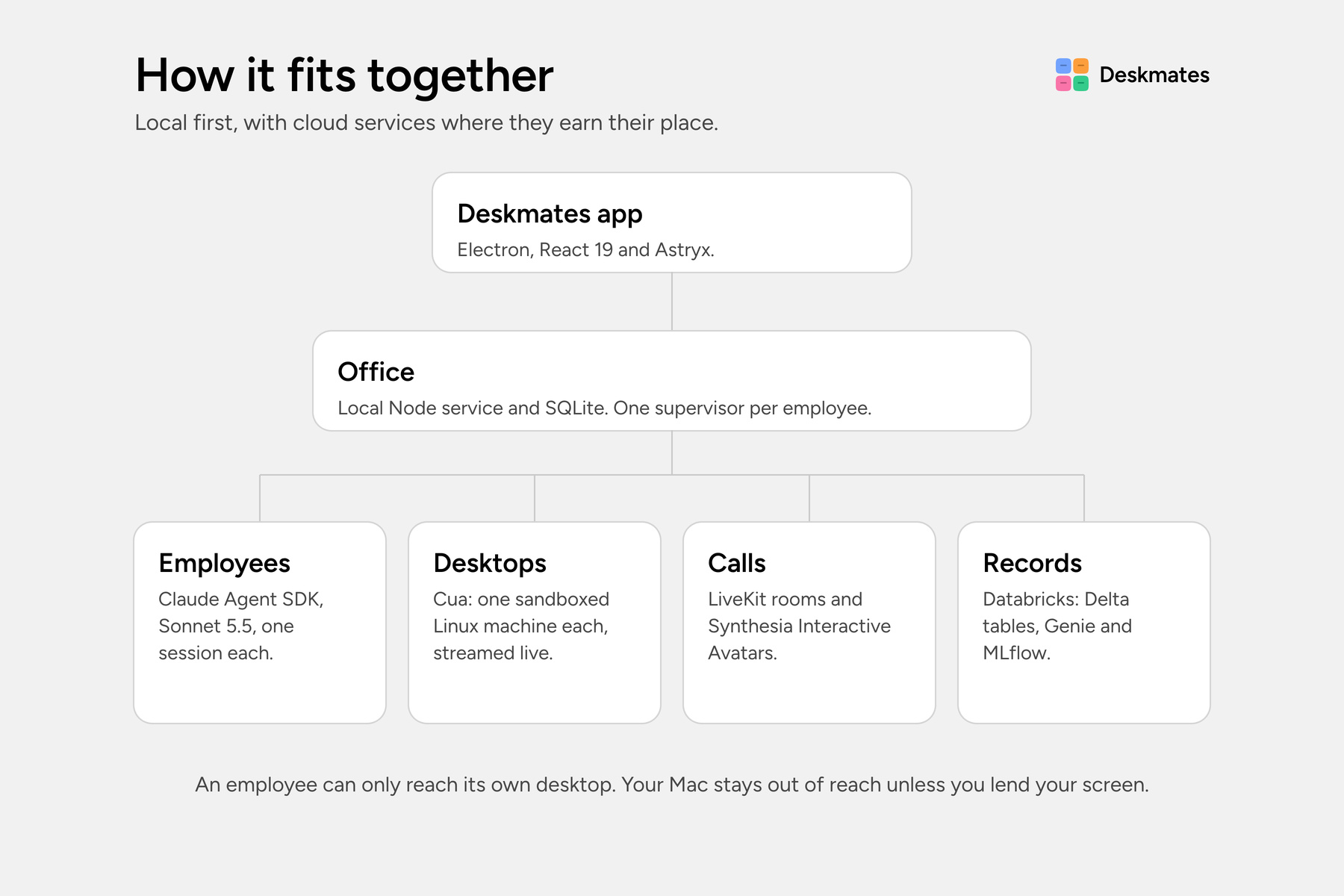
We built DeskMates with Electron, React, Astryx, and a Node.js backend, bringing the app’s screens and design foundations into Figma as editable layers. Claude Agent SDK powers persistent employees, while Cua gives each a sandboxed Linux desktop inside a shared local VM. LiveKit and Synthesia enable video calls, and Databricks powers team reporting and agent tracing.
Security by design
Each agent works in its own sandboxed Linux desktop inside a shared local VM. This separation helps contain mistakes and keeps agent tools away from your personal files and desktop by default. Per-agent permissions and approval prompts give you control over important actions.
Challenges we ran into
The hardest part was keeping long-running work, live desktops, and natural conversation in sync. We tackled session recovery, permission gates, colleague coordination, and voice latency, while keeping the app usable when external services were slow or unavailable.
Accomplishments that we're proud of
We brought autonomous work and human collaboration into one coherent experience. An employee can build a page, ask a teammate for copy, request approval to publish, and explain its progress on a call—with its work reflected in Databricks reporting.
Built With
- anthropic-claude
- astryx
- claude-agent-sdk
- cua
- databricks
- databricks-genie
- delta-lake
- electron
- fastify
- figma
- livekit
- mlflow
- model-context-protocol
- node.js
- python
- react
- sqlite
- synthesia
- typescript
- unity-catalog
- vite
- websockets
- zod
- zustand
