-
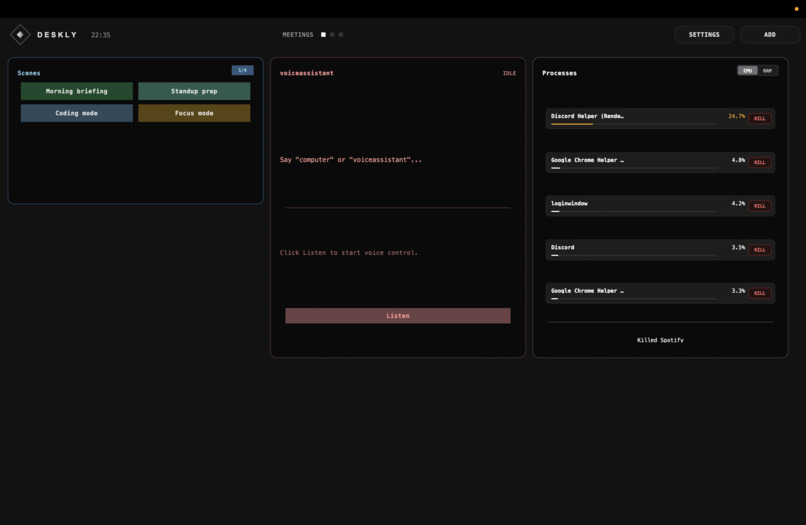
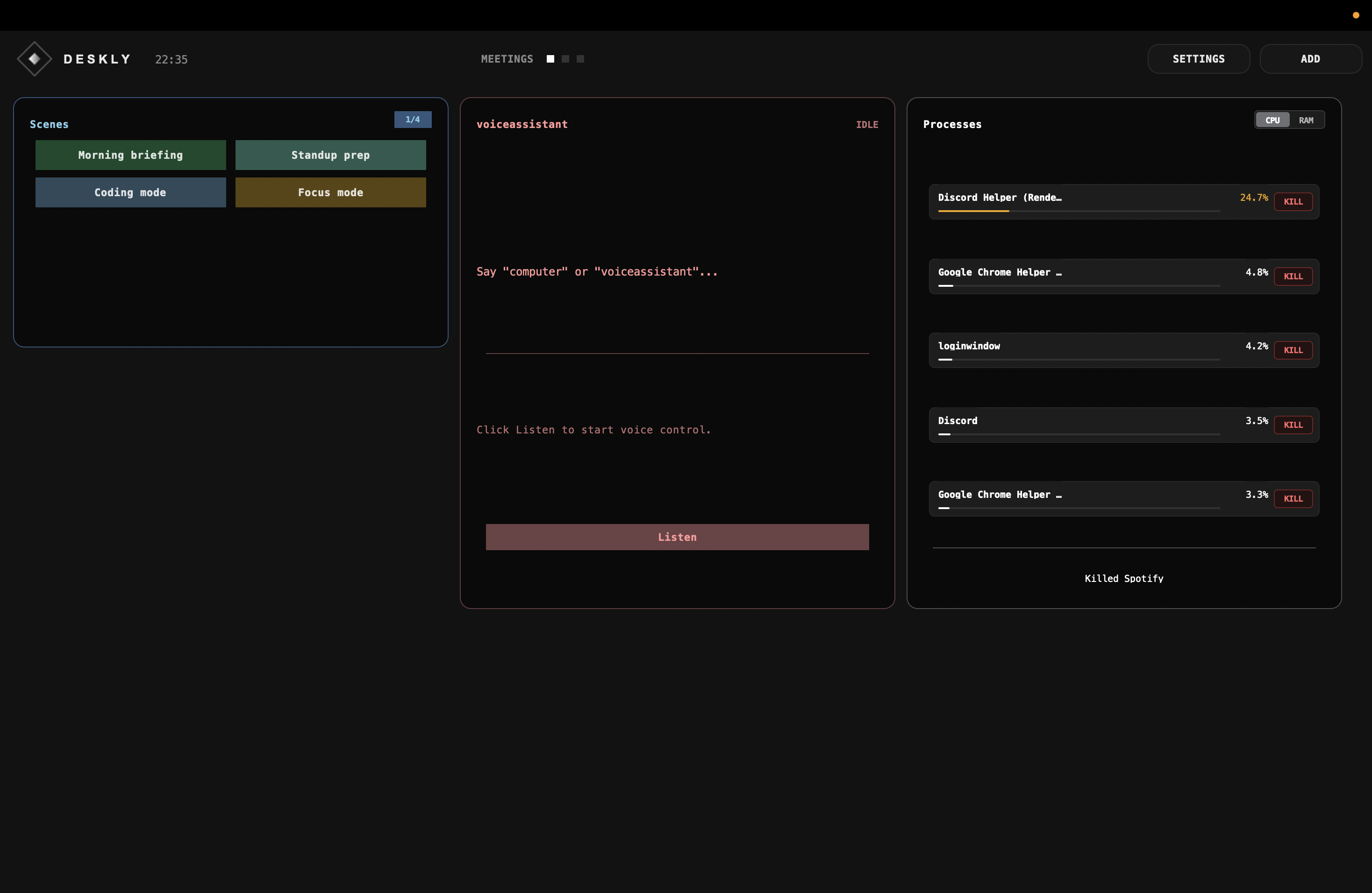
Sample GUI
-
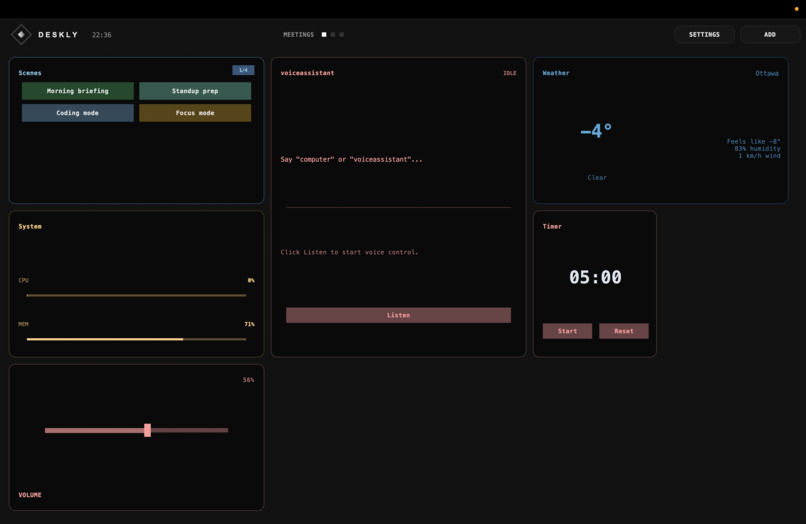
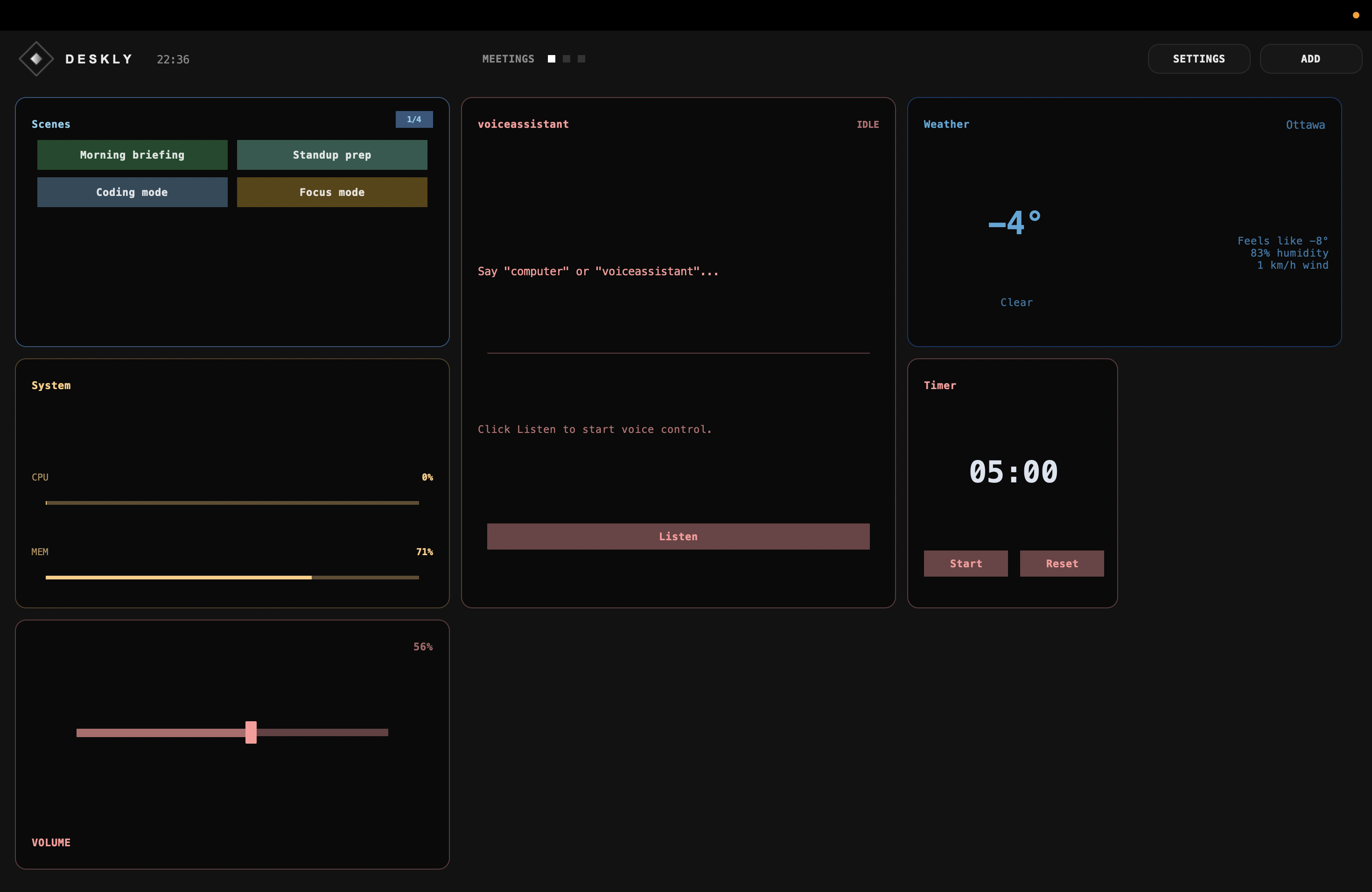
Sample GUI pt2
-
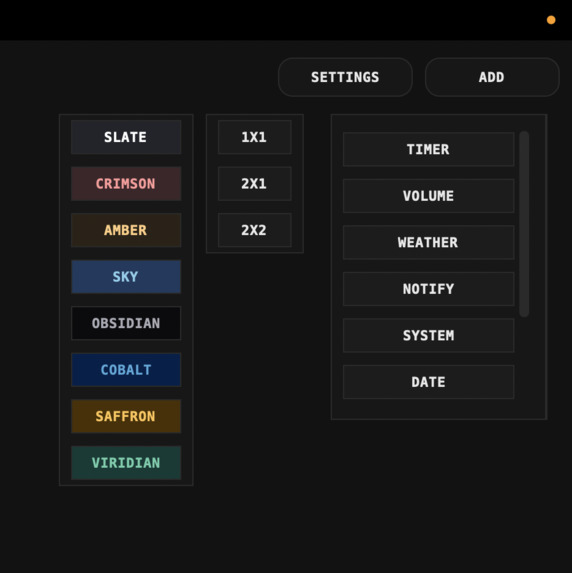
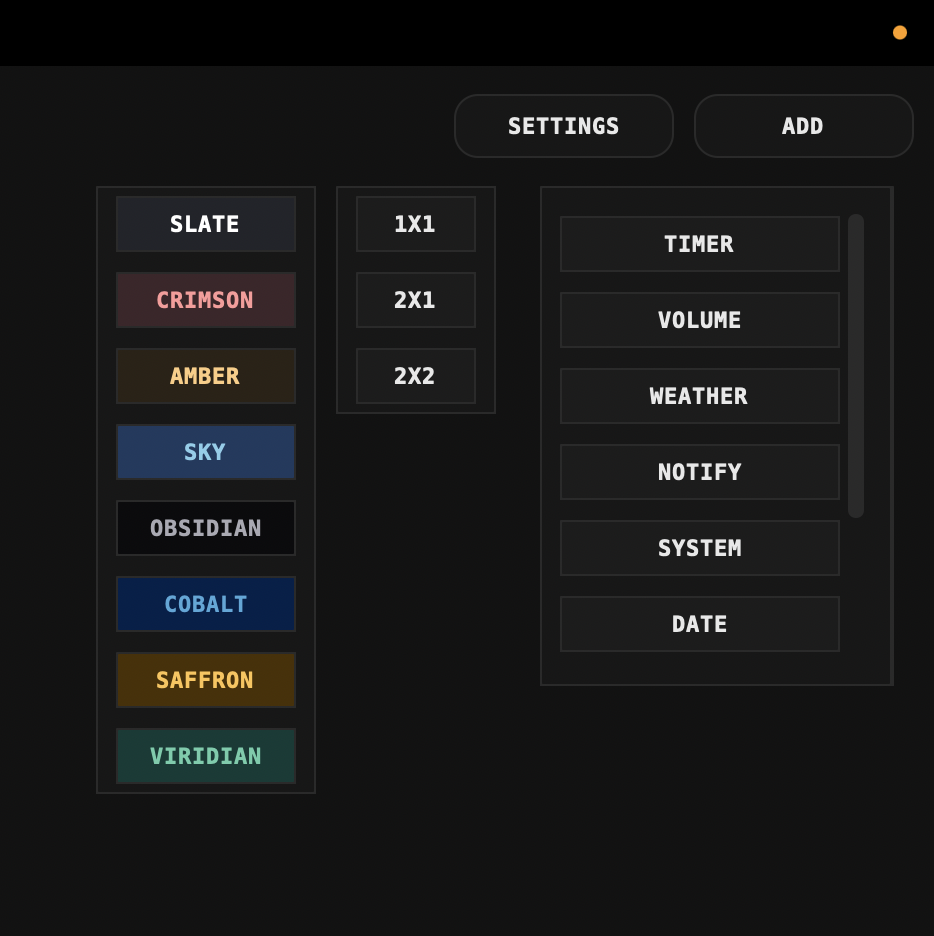
Adding a widget
-
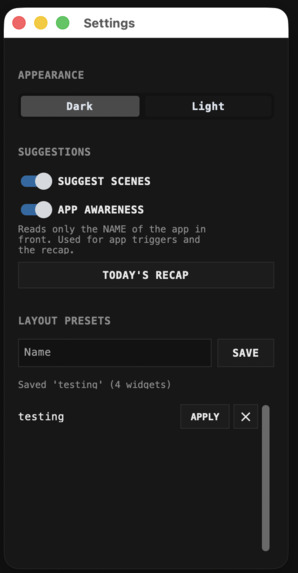
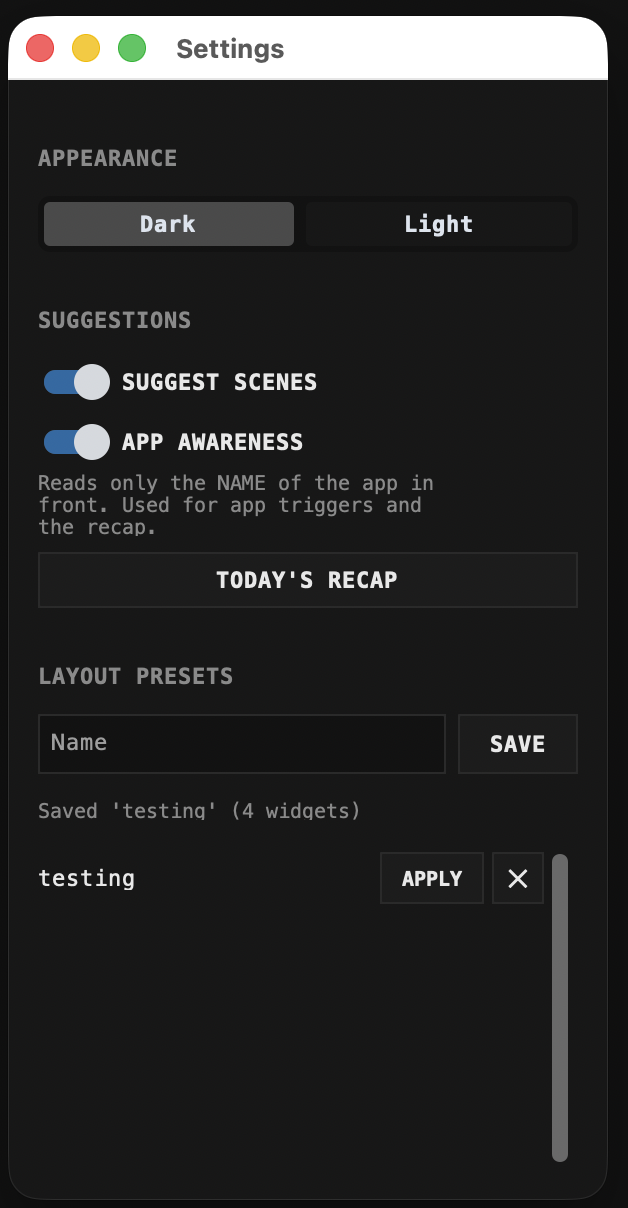
Settings Menu
Inspiration
Small tasks interrupt our work. Most of us work at a desk everyday, and the technology on it is typically scattered and disconnected. Your computer has features all over the place, like a volume slider in one spot, a timer in another app, a calendar in an app or browser, and the weather somewhere else. All those trips pulls you out of what you were doing. We wanted to build a desk dashboard shaped around how an office really works, where the things you reach for most are at one glance or voice command away. We call it Deskly, when TECH MEETS YOUR DESK.
What it does
Deskly is one app for everything you need on one screen at your desk.
- A grid you design. Drop widgets onto a three-page grid, resize them (1x1, 2x1 or 2x2) and drag them around. Hold any tile and the whole grid jiggles into edit mode, like a phone Home Screen.
- Widgets. Volume, system info, date, timer, weather and notifications, plus a process monitor that shows CPU and RAM use with a kill button.
- Voice assistant. Say "computer" and run a command hands-free.
- Scenes. One tap runs a whole routine: open a link or app, run a command, set the volume, jump to a page, copy text, wait, etc. A live checklist ticks each step off, and a STOP button ends it at any time.
- Quick layouts. Save the current arrangement under a name and switch to it later.
- Suggestions. Deskly can offer a scene when an app has been in front for a seconds, at a set time of day, or after you've been idle.
- Daily recap. A summary of the scenes you ran and how your time split between meetings, coding, docs and so on.
How we built it
Deskly is written in Python with customtkinter. We split it into small modules that each do one job: a grid manager, a drag-and-drop layer, a trigger engine, etc. The scene runner never freezes the interface. Each step is a small object that the runner checks every 100 ms, so a slow command or long wait can be stopped at any time. To know which app is in front and how long you've been idle, we use tools macOS already has ('lsappinfo' and 'ioreg'), so there is nothing extra to install. Volume changes run on a background thread. Layouts, scenes and settings are saved as plain JSON files, which makes them easy to inspect and edit.
Challenges we ran into
- The pivot. Our first idea was a shared office panel with status, hot-desking, air quality and desk lights. We pivoted to a software-first app that anyone can run on their own desk, and rebuilt it in customtkinter.
- Voice. A voice assistant has to feel dependable and it was difficult to get the algorithm built.
- Saving and loading. Layouts, scenes, presets and settings all have to survive a restart, even if a file is missing or damaged, so we write files safely and rebuild every tile from saved data.
- Scenes. Steps have to run without freezing the screen, be stoppable halfway, and report what failed. Suggestions had to focus on what you were doing on the computer and reading it from the file which was tricky to set up.
- Surprises on screen. Our settings panel left a ghost image on one machine, so we moved it into its own window.
Accomplishments that we're proud of
- We pivoted and still shipped. We changed direction early, started again in customtkinter, and ended up with a working app instead of a mockup.
- Learning customtkinter. We haven't built a full interface with it before. We learned how it lays out everything properly and built it step by step, getting more complex along the way.
- Voice that works hands-free. You can say "computer", run a command.
- Scenes that run safely. One tap runs a whole routine. It never freezes and shows each step ticking off and what reports fail.
- Built as a team. We split the work and properly came together to end up with one app that works together.
What we learned
Keep logic separate from the interface, because that is what makes it testable. And when something works on one computer but not another, the fastest fix is to make the program show you what it is seeing.
What's next for Deskly
- Windows. Bring Deskly to Windows so more people can use it.
- Your own grid size. Let people set their own grid instead of the fixed 3x6.
- Habits. Learn from your history to recommend scenes at the times you usually need them.
- More widgets and voice. More widgets, longer and more complex voice commands, and better documentation
Built With
- customtkinter
- json
- os
- pyaudio
- python
- speechrecognition
- weatherapi
