-
-
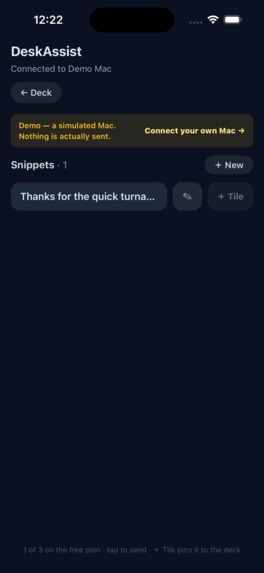
Additional Features - Add new text string/query at your fingertips
-
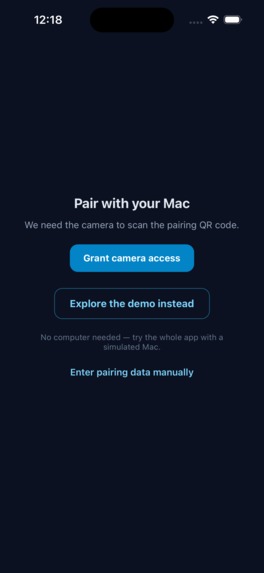
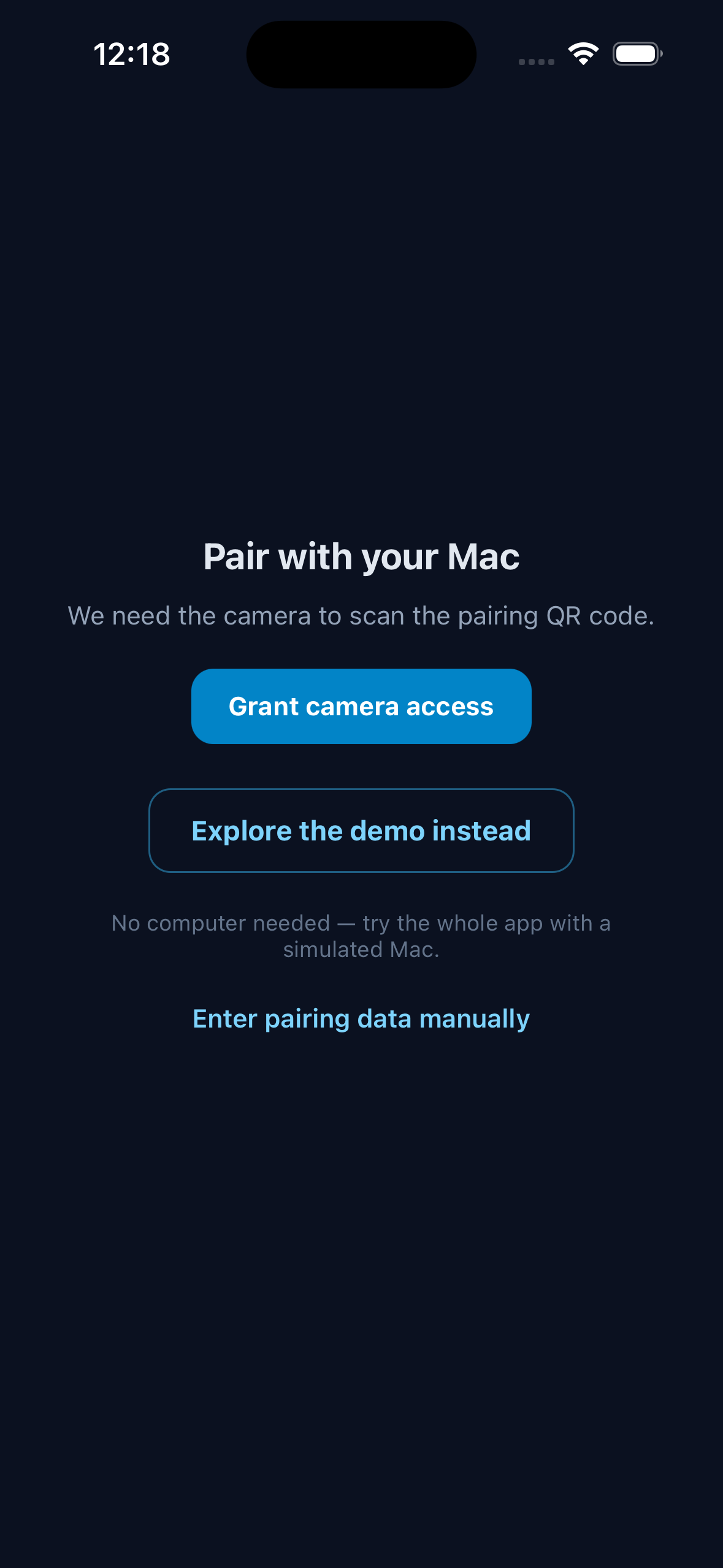
Pairing screen
-
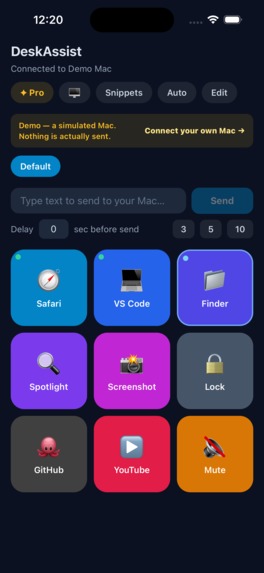
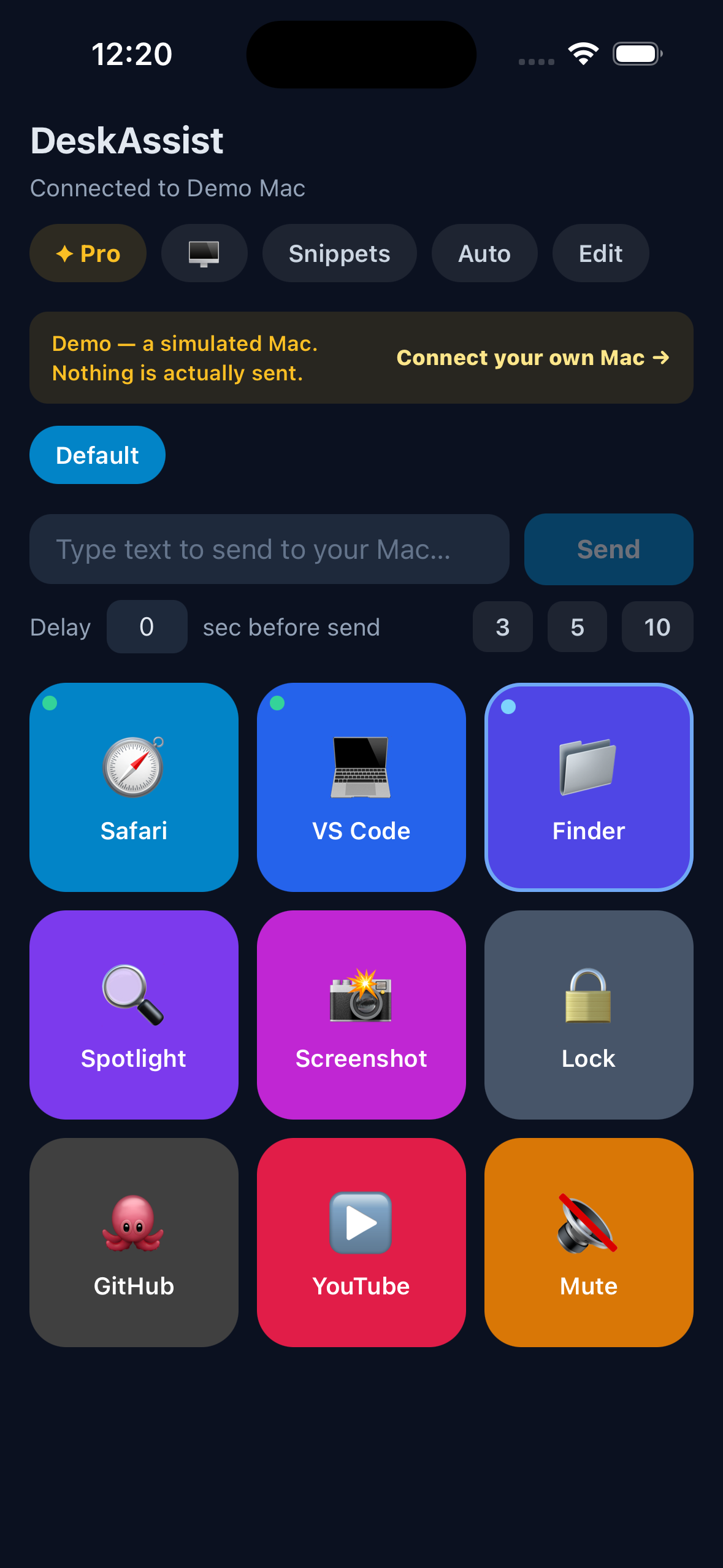
Home Screen
-
App Icon

▸ Project name
DeskAssist
▸ Elevator pitch
Your phone is the button. Tap a tile, your Mac responds — end-to-end encrypted, no account, no cloud.
▸ Built with (tags)
expo react-native typescript electron node.js next.js revenuecat x25519 aes-256-gcm applescript vercel
▸ Description — paste everything between the lines
Inspiration
A Stream Deck is a grid of buttons that costs $150 and lives permanently on your desk. It's a genuinely useful thing: one press launches an app, fires a shortcut, or types a canned reply.
The observation that started this: almost everyone who wants one is already holding a better version of it. A phone is a touchscreen that sits next to the keyboard anyway, and unlike the hardware it can relabel its own buttons, hold as many pages as you like, and rearrange itself for whatever you happen to be doing.
The reason nobody just does this is that it's genuinely awkward to build. A browser can't launch an app on your machine, so a web page is out. Anything that routes your keystrokes through someone else's server is a thing most people should refuse to install. Doing it properly means a real process on the computer and a real cryptographic handshake between the two devices — which is what we built.
What it does
DeskAssist turns your phone into a Stream Deck — a grid of tiles that control the computer in front of you. Tap a tile and an app launches, a link opens, a keyboard shortcut fires, or saved text types itself into whatever window you're working in.
The deck. Nine tiles to a page, as many pages as you need. Drag to rearrange. Give any tile an emoji, a short label, or your own image. Make a tile span two cells so the one you reach for most is impossible to miss.
Profiles that follow you. Build a deck per context — writing, calls, coding. Switch on Auto mode and the right deck appears by itself as you move between apps on your Mac. The phone watches the host's focused application and switches on the edge, so a manual override sticks until the focused app actually changes.
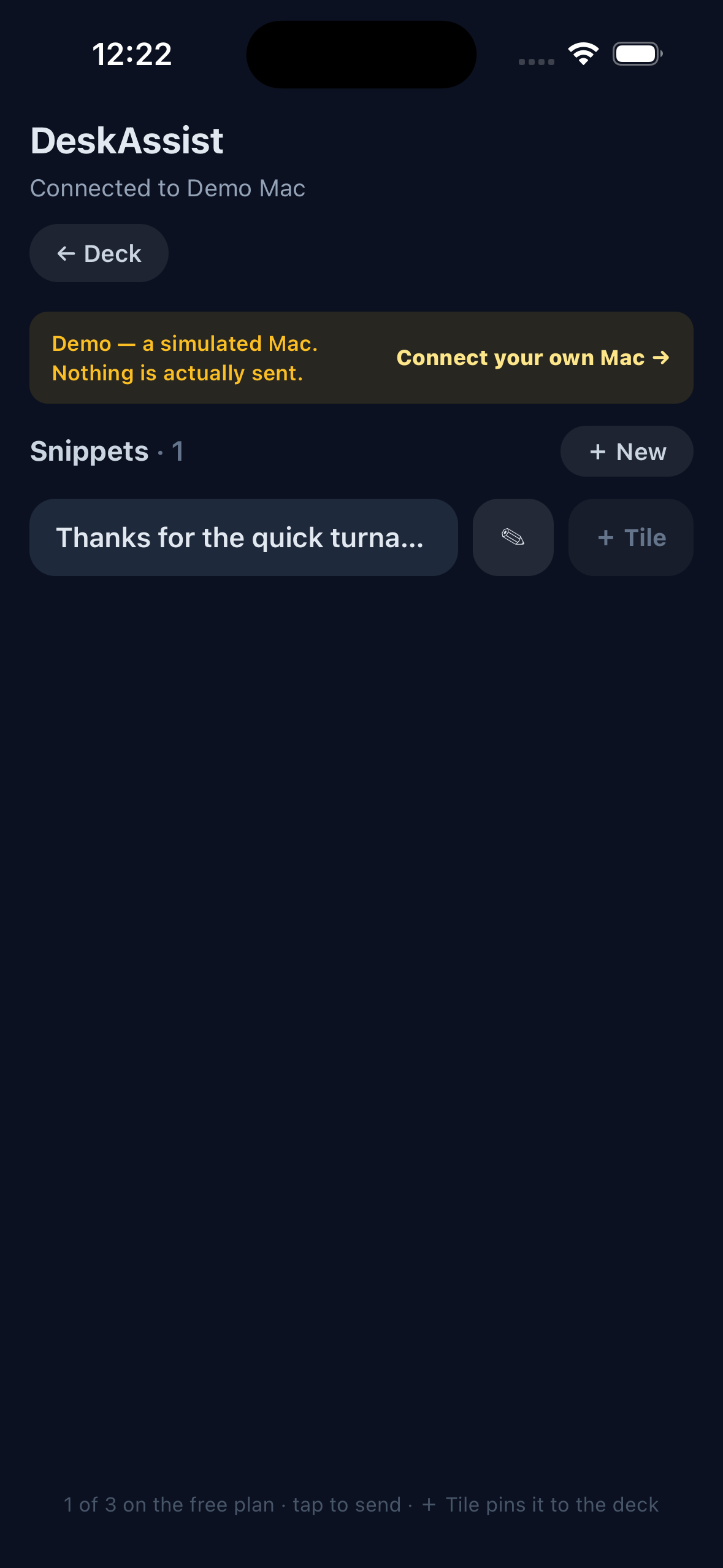
Snippets. Save the text you retype — an address, a command, a paragraph you send every week — and send it with one tap. Set a delay first so you have a few seconds to click the window that should receive the typing. A snippet you reach for constantly can be promoted onto the deck as a permanent tile.
Running apps. See what's open on your Mac, jump straight to any of it, and pin an app to your deck while you're there. Tiles carry a live dot for running and frontmost state, so the deck reflects the machine rather than guessing.
Demo mode. Tap "Explore the demo instead" on the first screen and the whole app runs against a simulated Mac — no install, no pairing, no network. Built so anyone can evaluate the product without owning the other half of it.
How we built it
Three processes, because a browser is sandboxed and cannot control an operating system. That single constraint shaped the whole architecture.
phone  (Expo / React Native)
   |   X25519 key exchange at pairing, then AES-256-GCM per command
   v
host   (Electron + Node)
   |   AppleScript System Events / open / exec
   v
macOS
Pairing is a real handshake, not a shared password. The host shows a QR code carrying an ephemeral X25519 public key and a pairing id. The phone generates its own ephemeral key, derives a shared secret, runs it through HKDF, and proves it saw the QR with an HMAC confirmation tag. Every command afterwards is sealed with AES-256-GCM under that device key, with a monotonic counter for replay protection. The wire format is implemented independently on both sides and checked by interop scripts that fail the build if the two ever disagree.
No server sees your data. There is no DeskAssist account and no relay. The phone talks directly to the computer over your own network. The deck layout, the snippets and the device key never leave the two devices — the key lives in the OS secure store, everything else in local storage.
One switch for demo mode. A single module decides between the encrypted transport and the simulated host, and the branch happens before any sealing, so no demo path can reach the crypto. The UI imports that module rather than the transport and genuinely cannot tell which is live.
Dangerous capability is opt-in. The host can run shell commands, which is arbitrary code execution, so it ships disabled. Enabling it is a deliberate tray toggle with an optional exact-match allowlist, enforced in one function. A paired phone — or a leaked token — cannot execute code unless the human at the computer turned it on.
Monetization (RevenueCat)
Built on RevenueCat with one entitlement (deskassist_pro) and a default offering carrying monthly, annual and lifetime packages. Entitlement state is always read from RevenueCat's CustomerInfo rather than a local flag, so lapses, refunds and restores on a second device resolve correctly with no logic of our own.
The tier split is deliberate: the wall sits in front of growth, never in front of function.
| Free | Pro | |
|---|---|---|
| Profiles | 1 | Unlimited |
| Pages per profile | 1 (nine tiles) | Unlimited |
| Snippets | 3 | Unlimited |
| Image tile faces | — | yes |
All five action types — launch an app, open a URL, send a shortcut, type text, run a shell command — are free, as is unlimited ad-hoc text sending. A free user gets a fully working Stream Deck, and nothing that works on day one ever stops working.
Two choices worth calling out. Free gets three snippets rather than none, because a feature nobody can try is a feature nobody buys, and three is enough to feel why you want the fourth. And Auto mode is free but self-limiting — it switches decks to match your focused app, which does nothing useful with one profile. The feature demonstrates its own value and creates the want without a lock icon.
The paywall is reason-aware: reaching for a second profile shows "One deck isn't enough"; a fourth snippet shows "Room for every snippet". The ask names the thing you just reached for.
Challenges we ran into
A companion app is nearly unreviewable. DeskAssist does nothing without a Mac running the host. A reviewer opens it, finds a QR scanner, has no host, and rejects it under guideline 2.1 — the standard death of companion apps. Demo mode exists because of that, and it turned out to be a better product for everyone: you can evaluate the whole app before installing anything.
A purchase that granted nothing. The first test purchase completed and unlocked nothing. The code looked for an entitlement named pro; the dashboard's was deskassist_pro. That would have shipped as an app that takes money and gives nothing back — the worst failure available. It's now self-diagnosing: a purchase that doesn't unlock prints which of the three possible causes it was.
A test key kills a release build. RevenueCat's SDK detects a Test Store key in a Release configuration and deliberately terminates the app on launch. A build with no key at all runs fine but cannot sell anything. Both failures are silent until you try them on a real build.
Nine tiles, one page, and a dead button. On the free tier the seed deck fills every slot, so "pin this snippet to the deck" had nowhere to go — a permanently disabled control with no explanation. Found by using the app, not by reading the code. It now names the limit it hit and offers the upgrade that removes it.
A screen with no way back. The pairing screen only rendered when camera permission was denied. Grant it once and every launch dropped straight into a live camera with no exit — and a reviewer following our own instructions to "tap Explore the demo on the first screen" would never see that screen. The camera is now an explicit step you can leave.
Accomplishments that we're proud of
The cryptography is real and it is checked. Not a shared secret in a QR code — an ephemeral X25519 exchange with HKDF, an HMAC confirmation that proves the phone saw the code, AES-256-GCM per command, and a monotonic counter that rejects replays. Two independent implementations, kept honest by interop scripts wired into the build.
Nothing leaves your network. No account, no relay, no telemetry, no analytics SDK. The two devices talk to each other and to nobody else. That's a product decision as much as a technical one, and it's the reason the app can be trusted with the ability to type into your windows.
The paywall has an argument. Every free limit is one a real user grows into, and every free feature works completely. Auto mode shipping free — while being nearly useless until you own a second profile — is the part we're happiest with.
Demo mode turned a review problem into a product feature. It exists because of guideline 2.1, and it ended up being the best way for anyone to try the app.
What we learned
The interesting constraints are never the ones you plan for. The cryptography was the part we designed carefully. The parts that actually cost days were an unreviewable app shape, a one-word entitlement mismatch, a key type that makes a release build commit suicide, and a permission dialog that silently changes which screen your users land on.
Also that "it compiles" and "it works" are very different claims. Every feature described here was verified by driving the built app — demo mode from a cold launch, a snippet round-tripping with its confirmation, a purchase lifting the gates — rather than by reading the diff.
What's next
Windows and Linux hosts (launching apps and opening URLs already work cross-platform; keystrokes and focus detection are macOS-only today). A formal test runner around the pure helpers, which are already exported for exactly that. Optional server-backed deck sync for people who want one deck across several phones — opt-in, and never the default, because the current answer to "where is my data" is "on your two devices" and that's worth keeping.
Status
iOS version 1.0.0 was submitted to the App Store on 29 September 2026 and is in review. The source is open under MIT, and the demo video shows the app running on a physical iPhone driving a Mac.
Note - Demo is also available on GitHub
Built With
- aes-256-gcm
- applescript
- electron
- expo.io
- next
- node.js
- react-native
- revenuecat
- typescript
- vercel
- x25519

Log in or sign up for Devpost to join the conversation.