Inspiration
Every desk already has controllers on it. They just don't know it yet.
We kept staring at the stuff next to our laptops (a soda can, a water bottle, a cup, a sticker) and asking why controlling a computer still means buying plastic. Gamepads cost money, adaptive controllers cost far more, MIDI controllers cost more than that, and some people can't comfortably use a keyboard or mouse at all.
$$\text{controller} = \text{the object you already own} + \text{one camera} + \text{one sentence}$$
We wanted the opposite of new hardware: point one camera at your table, say what you want in plain English, and use what's already there.
What it does
DESK is a voice-configured physical input system. Show it an object, click Talk to map, and say what it should be:
- "Use this can for the flight simulator."
- "Make this bottle a brightness slider."
- "Cover the cup to open Calculator."
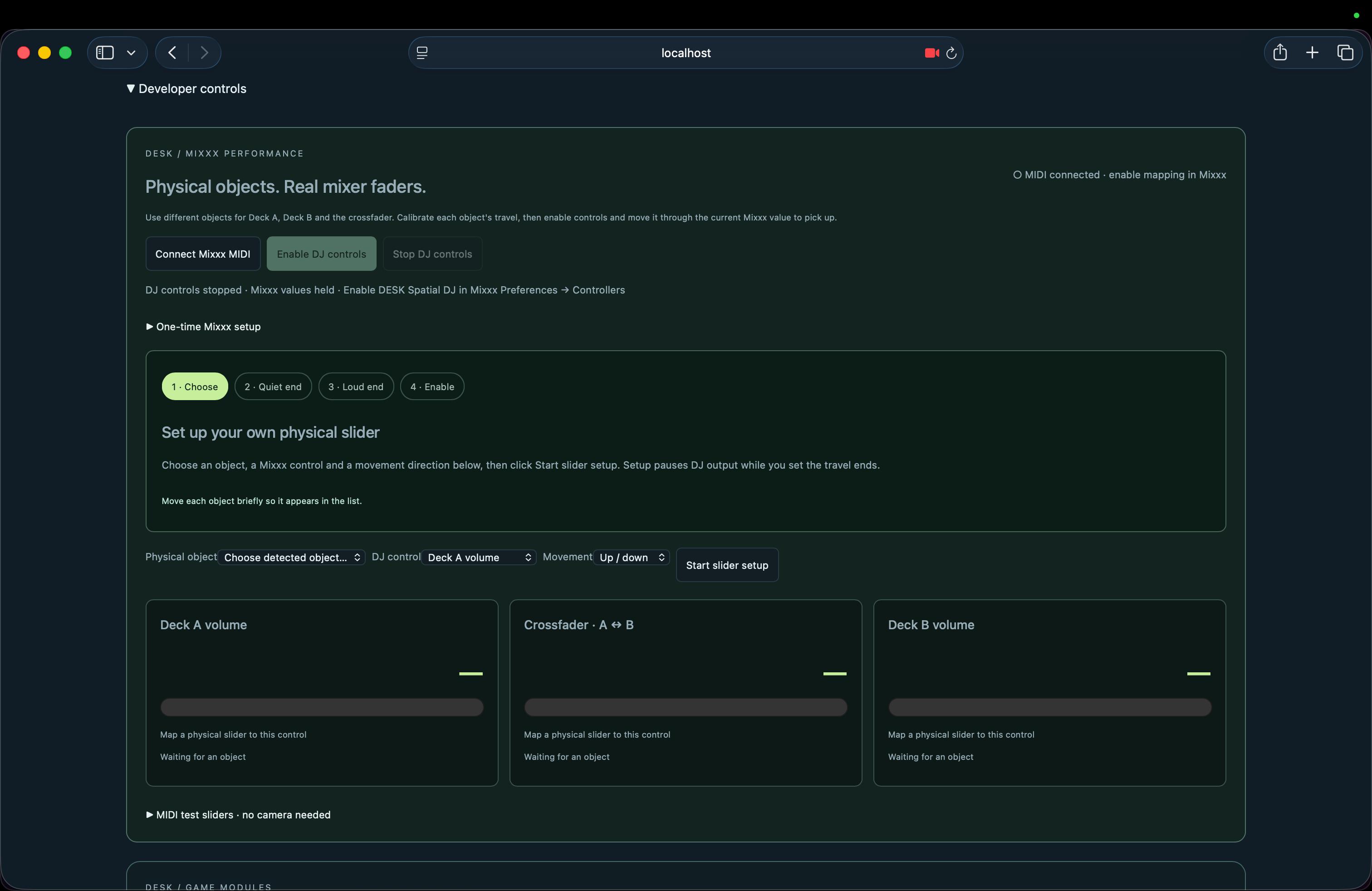
- "Use this slider for Deck A volume."
$$\text{voice} \xrightarrow{\text{Cartesia Ink}} \text{text} \xrightarrow{\text{Fetch.ai ASI:One}} \text{validated plan} \xrightarrow{\text{Cartesia Sonic}} \text{spoken confirmation}$$
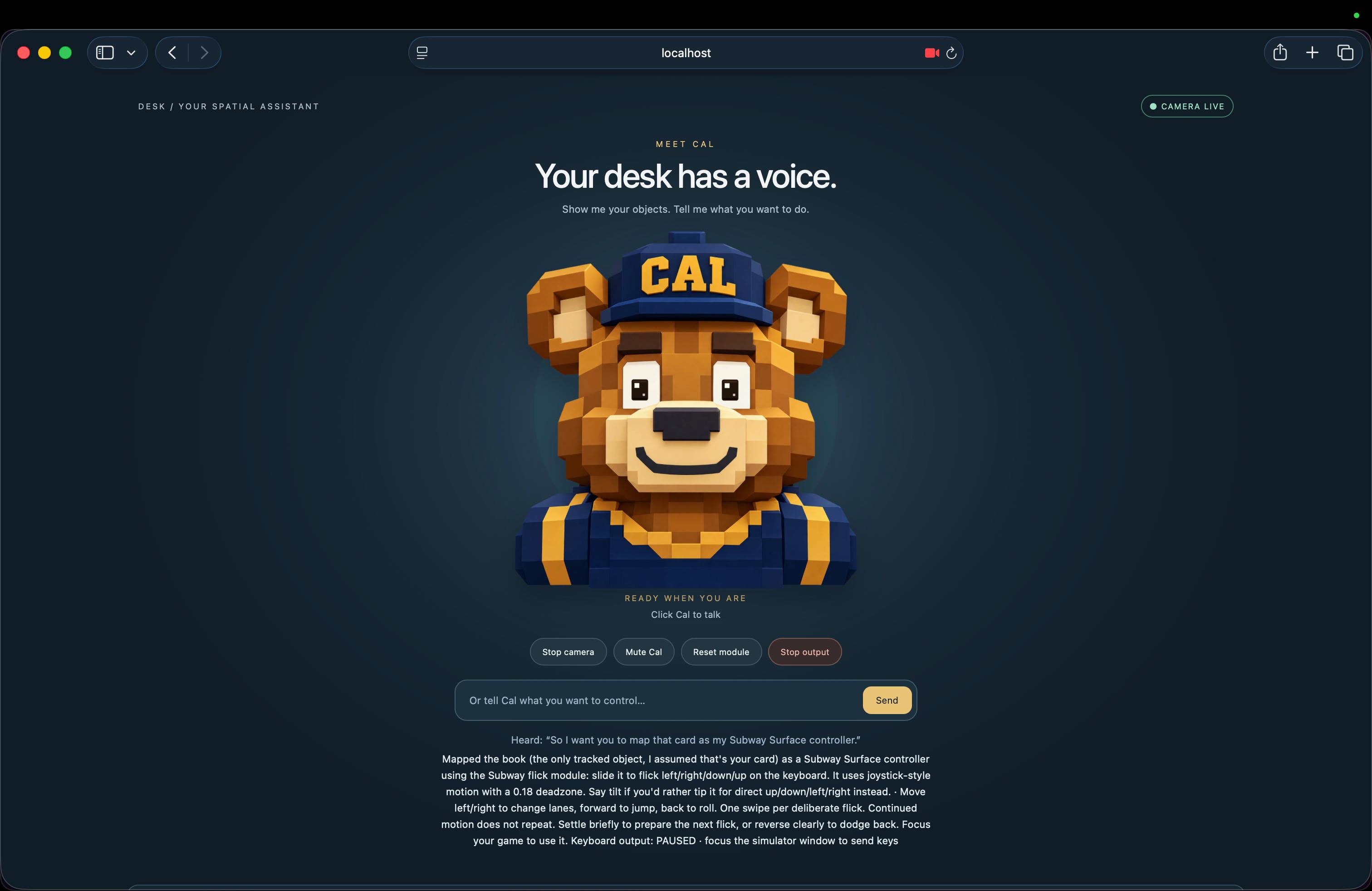
Cal, our animated bear host, confirms each mapping out loud with her mouth moving to the audio. If two objects could match, the agent asks which one you meant.
Three kinds of input, from any tracked object:
$$\text{tilt or slide} \mapsto \lbrace W, A, S, D \rbrace \qquad \text{position} \mapsto v \in [0, 1] \qquad \text{hand covers object} \mapsto \text{press}$$
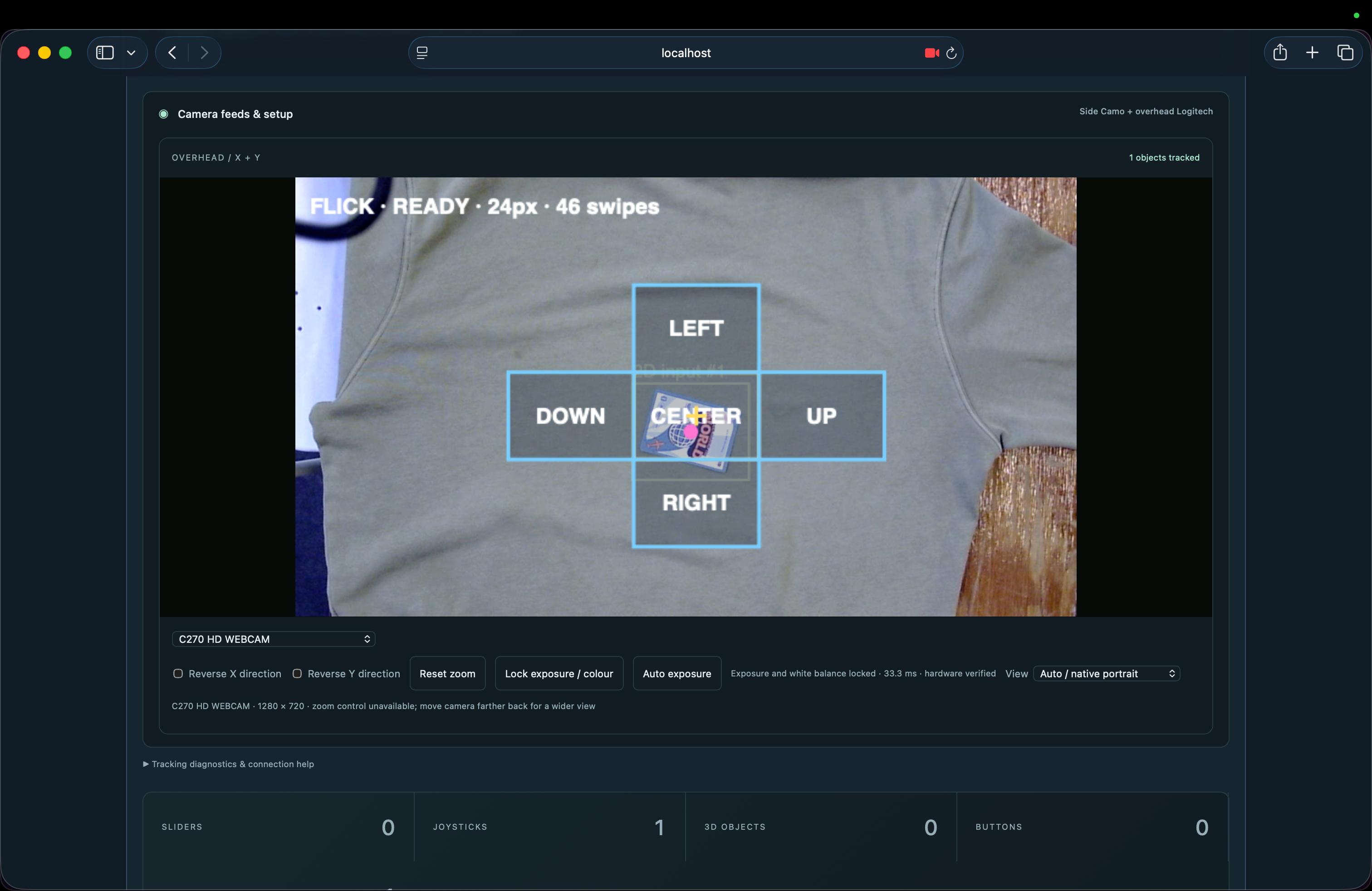
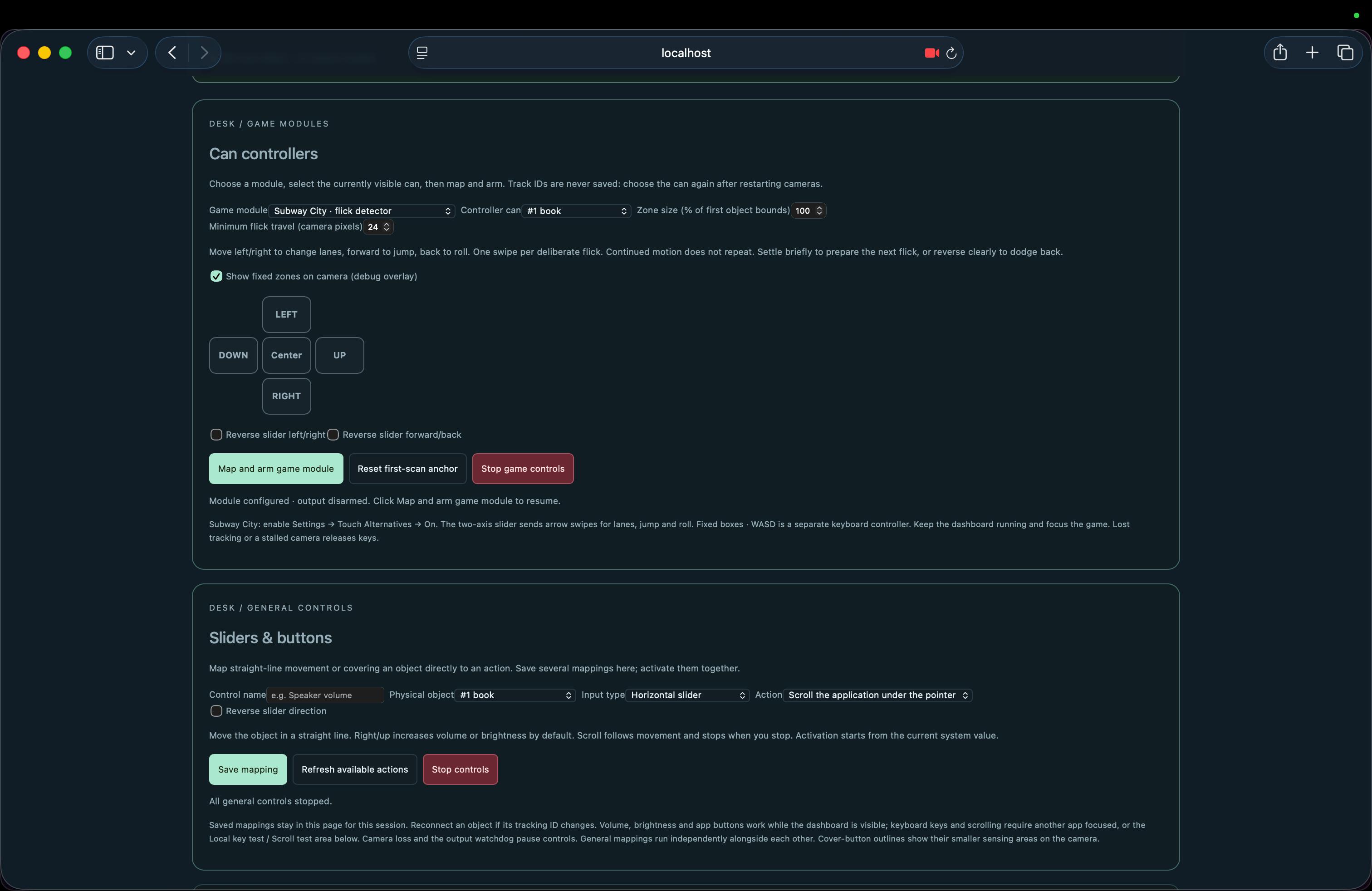
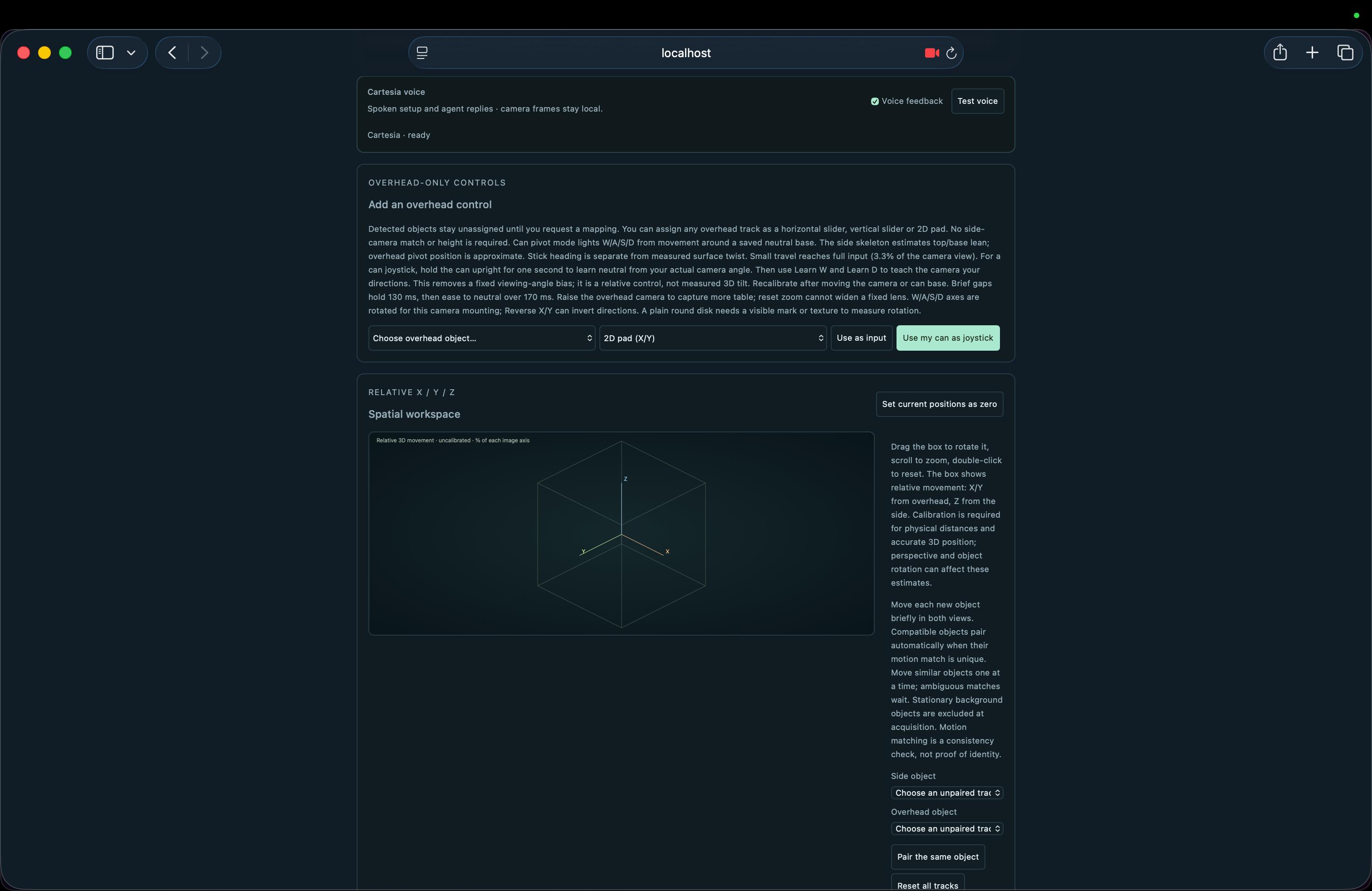
- Joysticks: tilt or slide a can for W/A/S/D, including diagonals, held for as long as you lean.
- Sliders: move an object along a line for a smooth continuous value.
- Buttons: cover an object with your hand to press.
Real outputs on a real Mac: held game keys or repeated typing, scrolling, system volume, screen brightness, opening any installed app, a flight-simulator joystick, Subway City lane swipes, and Spatial DJ: separate objects become Deck A/B volume, the crossfader, and EQ in Mixxx through a virtual MIDI controller, with live feedback from the real mixer.
Reset module clears everything, so the same objects can run a different interface a minute later.
How we built it
DESK has two brains: a fast one that never stops and a smart one that only speaks when spoken to.
$$\underbrace{\text{YOLOE-26} + \text{optical flow}}_{\text{fast brain: every frame}} \quad \Big| \quad \underbrace{\text{ASI:One planner}}_{\text{smart brain: only when you talk}}$$
The fast brain runs locally on Apple Silicon. YOLOE-26 open-vocabulary segmentation finds desk objects from a 12-category profile on a background thread, while Lucas-Kanade optical flow follows each object on every frame. We seed the flow with a constant-velocity guess:
$$\hat{x}_{t+1} = x_t + v_t \cdot \Delta t$$
That way, fast flicks don't escape the box. We also top up features inside the mask, use SIFT to recover lost objects, and re-identify by appearance so a can keeps its identity after leaving the frame. An optional EdgeTAM mode propagates masks between detections, and MediaPipe hand detection confirms a "cover" is really a hand, not a shadow.
The smart brain (Morph) is the ASI:One planner. It receives the transcript, the tracked objects, and a catalog of registered actions, and it returns a declarative plan. It never receives camera frames and never writes or runs code. Sources are separated from destinations:
$$\lbrace \text{joystick}, \text{slider}, \text{button} \rbrace \longrightarrow \lbrace \text{keys}, \text{scroll}, \text{volume}, \text{brightness}, \text{apps}, \text{MIDI} \rbrace$$
Adding a new destination means writing one adapter, not a new gesture.
Safety runs everything. Output flows only while the dashboard heartbeat is fresh:
$$\text{output active} \iff \Delta t_{\text{heartbeat}} < 350 \text{ ms} \quad \land \quad \text{object tracked}$$
Tracking loss releases keys, DJ faders use "pickup" so volume never jumps, app launches use only discovered app paths, and STOP ALL OUTPUT kills everything instantly.
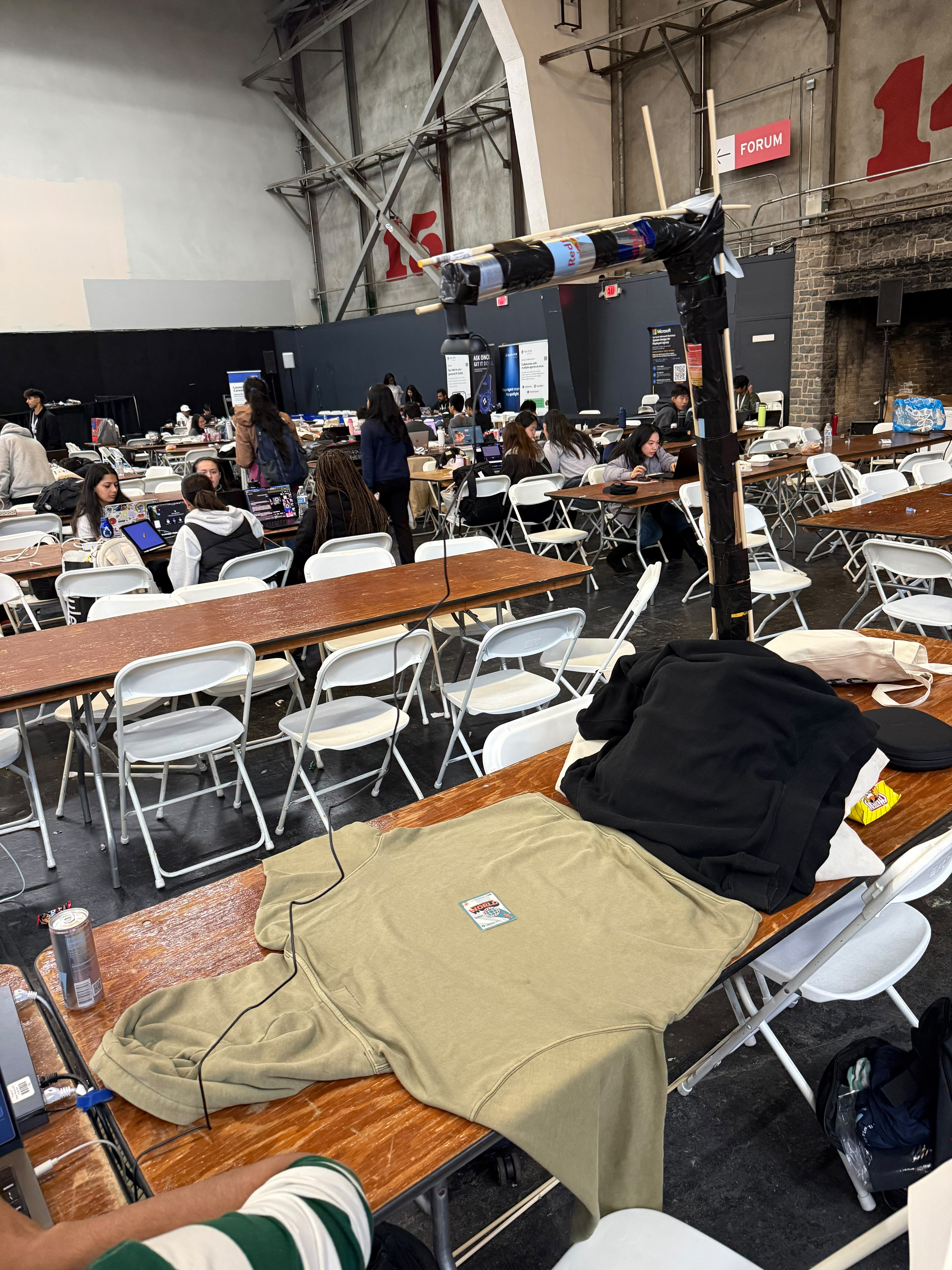
We built hardware too: a 3D-printed camera boom with a weighted base, a 1 m leg, and a Logitech C270 looking straight down, covering about 0.83 × 0.46 m of table at roughly 0.65 mm per pixel. We also designed printable iPhone cradles and a calibration toolkit that turns the overhead view into real table coordinates in centimetres.
Challenges we ran into
- Flicker. A tilt sitting right on the line between W and W+D made keys strobe. Hysteresis on both angle and magnitude fixed it.
- Hands get in the way. You have to touch the can to tilt it, and your hand blocks the camera. We had to decide carefully when to trust a frame, when to hold the last state, and when to let go of the keys.
- Mid-hackathon pivot. Our agents were first written for a simulated two-camera setup. Partway through, the engine moved to a real single-camera can tracker, so we rebuilt the agent integration on top of the new pipeline.
Accomplishments that we're proud of
- You can talk to a soda can, and it becomes a flight stick.
- Objects on a table mixing real music in Mixxx, with feedback from the actual mixer.
- One voice pipeline that maps joysticks, sliders, buttons, games, system controls, apps, and DJ faders.
- Very fast motion (over 1,000 px/s) now stays tracked 72% of the time, up from 48%.
- A 3D-printed camera rig designed to fit Cal Hacks print jobs.
- 260+ Python tests plus JavaScript test suites covering key safety, watchdogs, mappings, voice, and tracking.
- Zero required controller hardware.
$$\text{cost of a DESK controller} \approx \text{the price of a drink}$$
What we learned
- Keep the AI out of the real-time loop. The agent decides the mapping and the tracker drives it.
- An AI that can act on your computer needs a menu, not a blank check. A validated action catalog made the agent both safer and more useful.
- Smoothing, deadzones, hysteresis, and pickup are the difference between "cool demo" and "I'd actually use this."
- "Release every key" is the most important line in any input system.
- Hardware placement is part of the software. A camera that shifts 2 cm breaks calibration silently.
What's next for DESK
Accessibility first. We'll work with adaptive-controller users to build mappings around the movements they can do comfortably. That's where we see DESK's biggest public benefit.
$$\text{your movement} \rightarrow \text{your controller}$$
Zero-waste input. Every object that becomes a controller is one less piece of hardware that gets made and thrown away.
$$\sum (\text{cans} + \text{bottles} + \text{cups}) = 0 \text{ new plastic}$$
Beyond keys. Keys and MIDI already work. Next up is virtual gamepad output, so a can becomes a true analog stick in real simulators.
$$\text{tilt} \mapsto \lbrace \text{WASD}, \text{MIDI}, \text{gamepad} \rbrace$$
Built With
- agentverse
- anthropic
- asi-one
- claude
- computer-vision
- fastapi
- fetch.ai
- html
- javascript
- mana
- mediapipe
- one-euro-filter
- opencv
- pynput
- pytest
- python
- uagents
- websockets


Log in or sign up for Devpost to join the conversation.