Inspiration
What it does
How we built it
Challenges we ran into
Accomplishments that we're proud of
What we learned
What's next for Desk Bloom
Inspiration
Focus apps live on the same screen as the things that distract us. Most "productivity in VR" means virtual monitors that wall you off from your room, need controllers, and take minutes to set up. I wanted the opposite: a tiny, physical ritual that lives on the desk you already sit at. You put the headset on, do one thing, and something visibly grows.
What it does
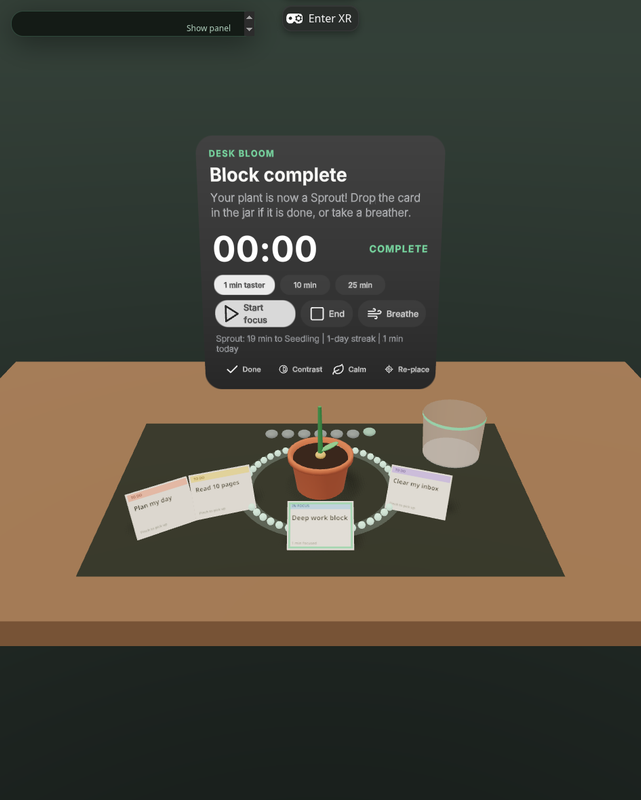
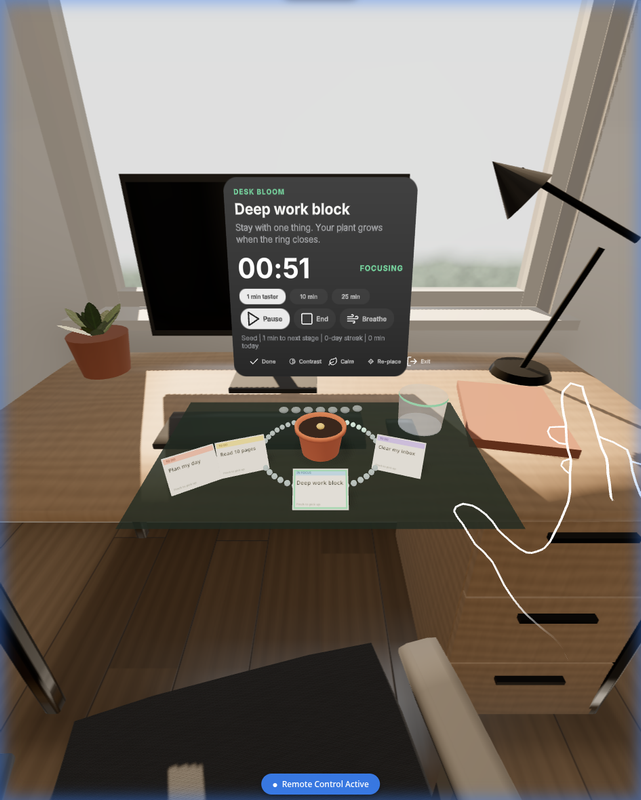
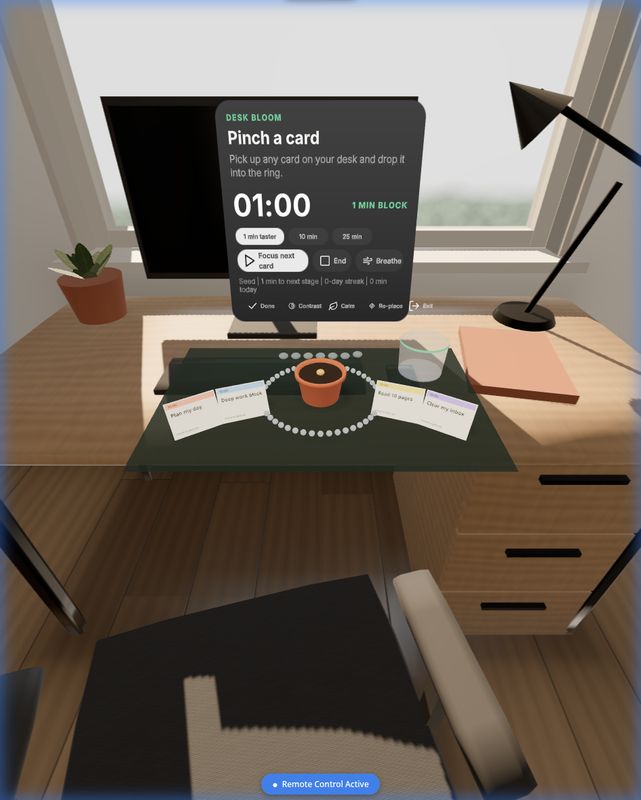
Desk Bloom keeps passthrough on and places a small kit on your real desk: a mat, a pot, four task cards, a progress ring and a done jar.
- You pinch a card and drop it into the ring. That card becomes the only thing you are doing, and the timer starts.
- As the ring closes, your plant grows through seven stages, from Seed to Full Bloom.
- Finished cards go into the jar.
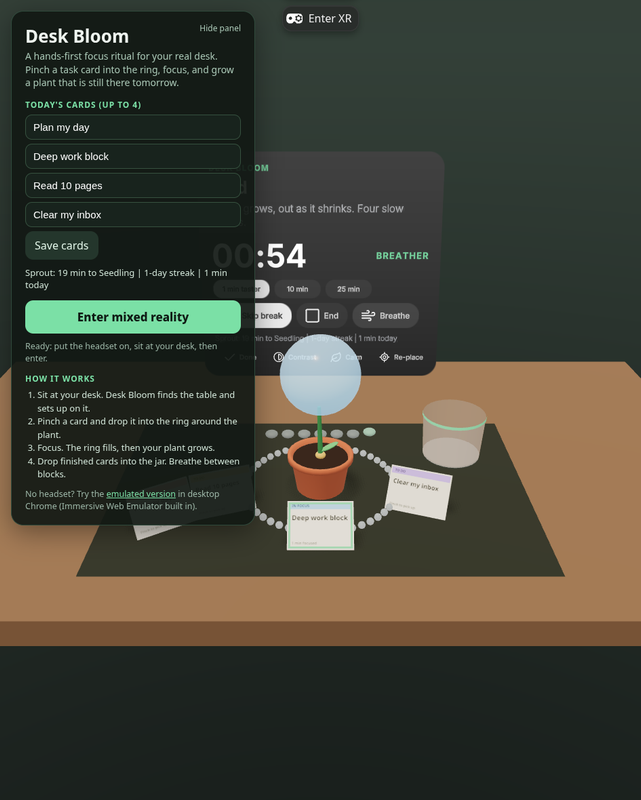
- Breaks are a guided box-breathing orb.
- Week stones track your streak, so there is a reason to come back tomorrow.
- The first run is a 1-minute taster, so a new user sees the whole loop in their first minute.
How I built it
- Engine. Immersive Web SDK (WebXR, three.js), as an ECS system on top of a pure TypeScript core. The core is a reducer for session, garden, tasks and breathing, covered by 42 Vitest unit tests.
- Hands first. Cards use IWSDK OneHandGrabbable with hand-pinch grab. The spatial panel (UIKitML, Horizon kit) works with poke or ray. Controllers are optional.
- Scene understanding. It reads XRMesh semantic labels (table, desk, counter) and XRPlane, then picks a surface within seated reach (0.15–0.95 m below the eyes, at most 1.1 m away). If there is none, it falls back to a comfortable spot in front of you, and it upgrades automatically when the room mesh arrives. Re-place recomputes the spot.
- FoV-aware layout. It reads the real field of view from the XR projection matrix and fits the panel and the card arc into an ergonomic comfort zone (±30° horizontal, +15°/−35° vertical, capped at 80% of the device FoV).
- Comfort and lifecycle. Seated design with no locomotion. Losing visibility (headset off) auto-pauses the block. State persists, and an interrupted block revives as Paused with its time kept. Cold start is fast: all geometry is procedural and every sound is synthesized with WebAudio.
- Accessibility. High-contrast mode, Calm mode (no motion), large text, and a button equivalent for every gesture.
- Deployed as static GitHub Pages, in two variants: the native build and one with the Immersive Web Emulator built in.
Challenges
- Making placement robust when the room mesh arrives late.
- Keeping the timer correct when frames are slow: it is driven by the wall clock and clamped.
- Fitting spatial UI to the actual lens FoV instead of guessing.
What's next
- Gaze-assisted selection.
- Spatial anchors, so the kit stays on your desk between sessions.
- Shared "focus rooms" with a friend's plant on your desk.
- Optional voice commands, for an accessibility alternative to pinching.
- A packaged Quest PWA for the Meta Horizon Store.
How hand interactions are implemented
- Primary action: pinch-grab a task card (IWSDK OneHandGrabbable, useHandPinchForGrab). Carry it and release it over the ring to start focusing, or over the jar to mark it done. Drop zones are generous (17 cm ring radius, 10 cm jar radius) and give audio feedback.
- Panel: index-finger poke or hand ray with pinch (PokeInteractable + RayInteractable).
- Comfort: no action requires controllers, standing, or reaching beyond seated arm's length.
What excites me about VR: mixed reality that respects the room you are in, where software sits on your desk like an object and you use it with your hands.
Built With
- github
- hand-tracking
- immersive-web-sdk
- iwsdk
- meta-quest
- mixed-reality
- three.js
- typescript
- uikit
- vite
- vitest
- webxr

Log in or sign up for Devpost to join the conversation.