

The Problem: A $2.4 Billion Blind Spot
Every year, enterprises lose an estimated $2.4 billion to design-development misalignment. The symptoms are familiar to every product team:
- A developer spends 15 minutes hunting through Figma layers for a hex code
- A designer updates a mockup after sprint planning—but nobody notices until QA
- A feature ships with last month's color palette because the spec wasn't updated
- Code reviews catch visual bugs that could have been prevented at handover
These aren't edge cases. They're the daily reality for millions of Atlassian users who work at the intersection of design and development.
Use Cases: Who Benefits from DesignOps Nexus
The Frontend Developer
Sarah is a senior frontend developer at a fintech startup. She's assigned a Jira ticket to implement a new payment confirmation modal. Today, her workflow looks like this:
- Open Jira ticket → click Figma link → wait for Figma to load
- Select the modal frame → hunt through 47 layers to find the background color
- Copy
#1E40AF→ switch to VS Code → paste → repeat for 12 more properties - Designer updates the modal padding mid-sprint → Sarah doesn't notice
- PR review catches the discrepancy → 2 hours of rework
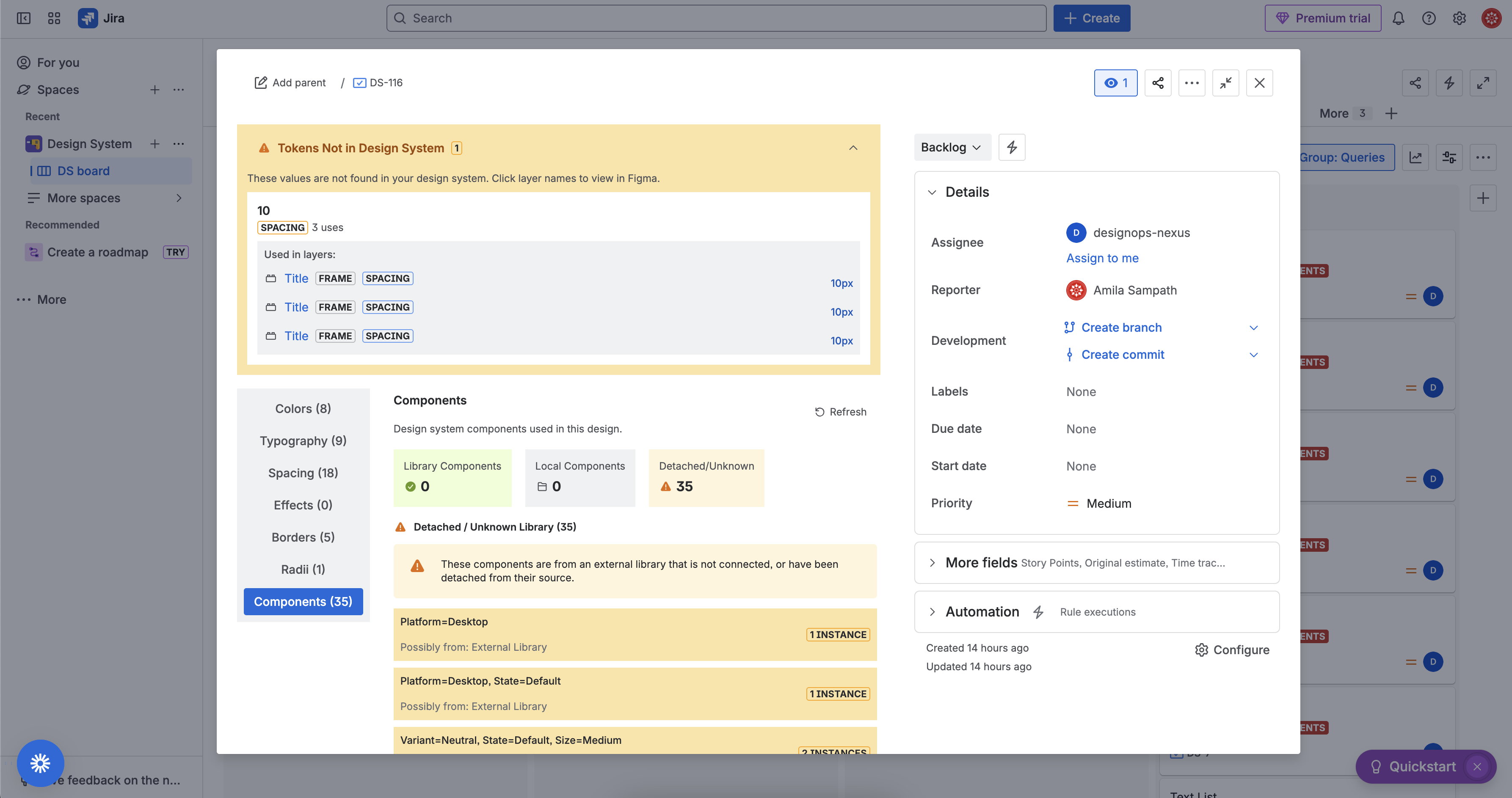
With DesignOps Nexus: Sarah opens the Jira ticket and sees every design token instantly—colors with visual swatches, typography with live previews, spacing with scale bars. When the designer updates padding, a drift alert appears in Jira before she starts coding. Time saved: 45 minutes per ticket. Rework eliminated.
The Design System Team
Marcus leads design systems at a 200-person company with 8 product teams. His challenge: ensuring consistency across 15+ designers and 40+ developers.
- Teams copy hex codes instead of using design tokens
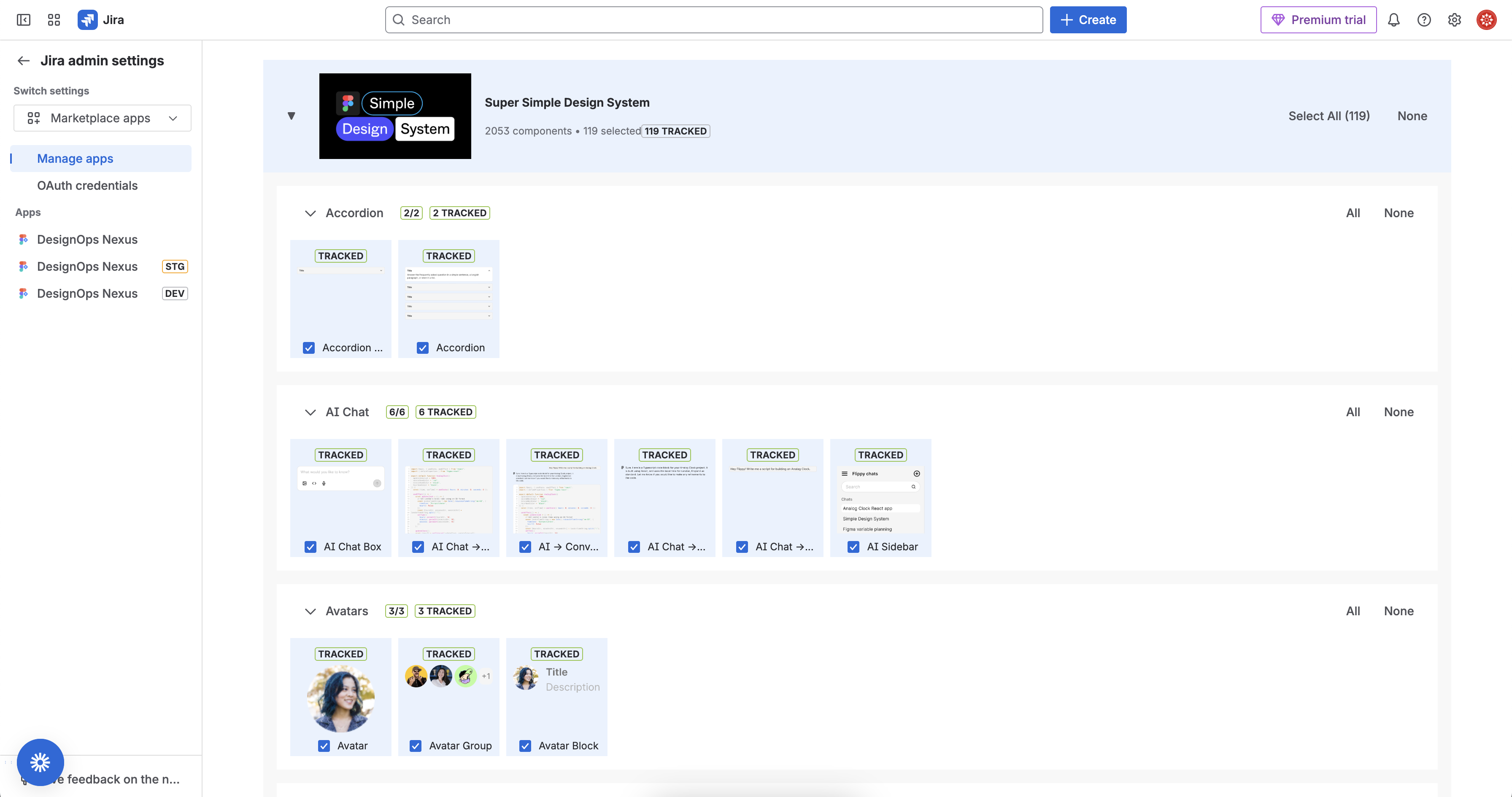
- Nobody knows which components are actually being used
- Design drift accumulates silently until quarterly audits
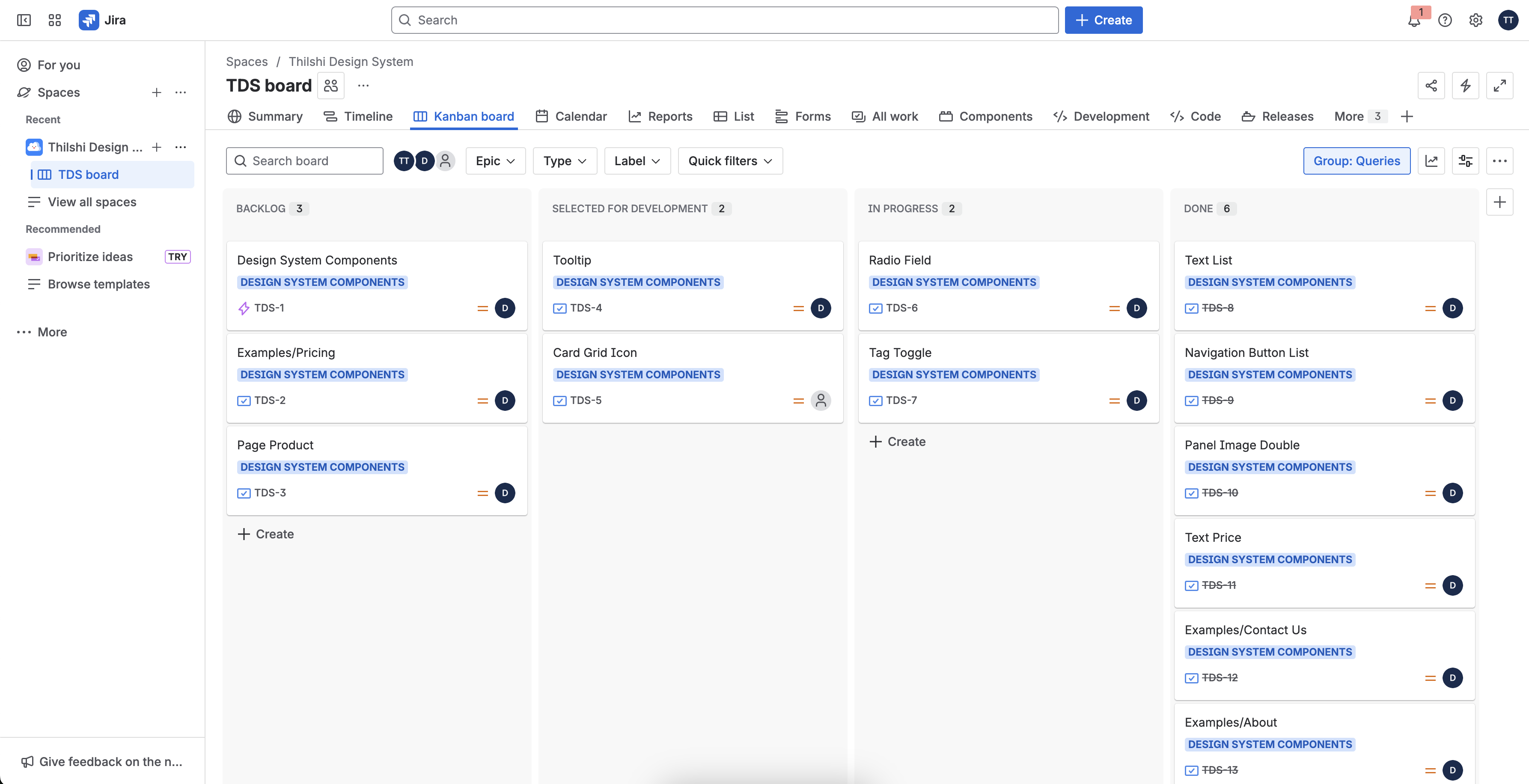
With DesignOps Nexus: Every Jira ticket shows which design system tokens are in use. Drift detection catches inconsistencies in real-time. Dashboard gadgets reveal adoption metrics across all teams. Design system adoption increases from 60% to 95%.
The Product Manager
Priya manages a mobile app team. Her nightmare: shipping features that don't match approved designs.
- Designers sign off on mockups, then keep iterating
- Developers implement outdated specs
- QA catches visual bugs in staging—delaying releases
- Stakeholders lose trust when shipped features don't match expectations
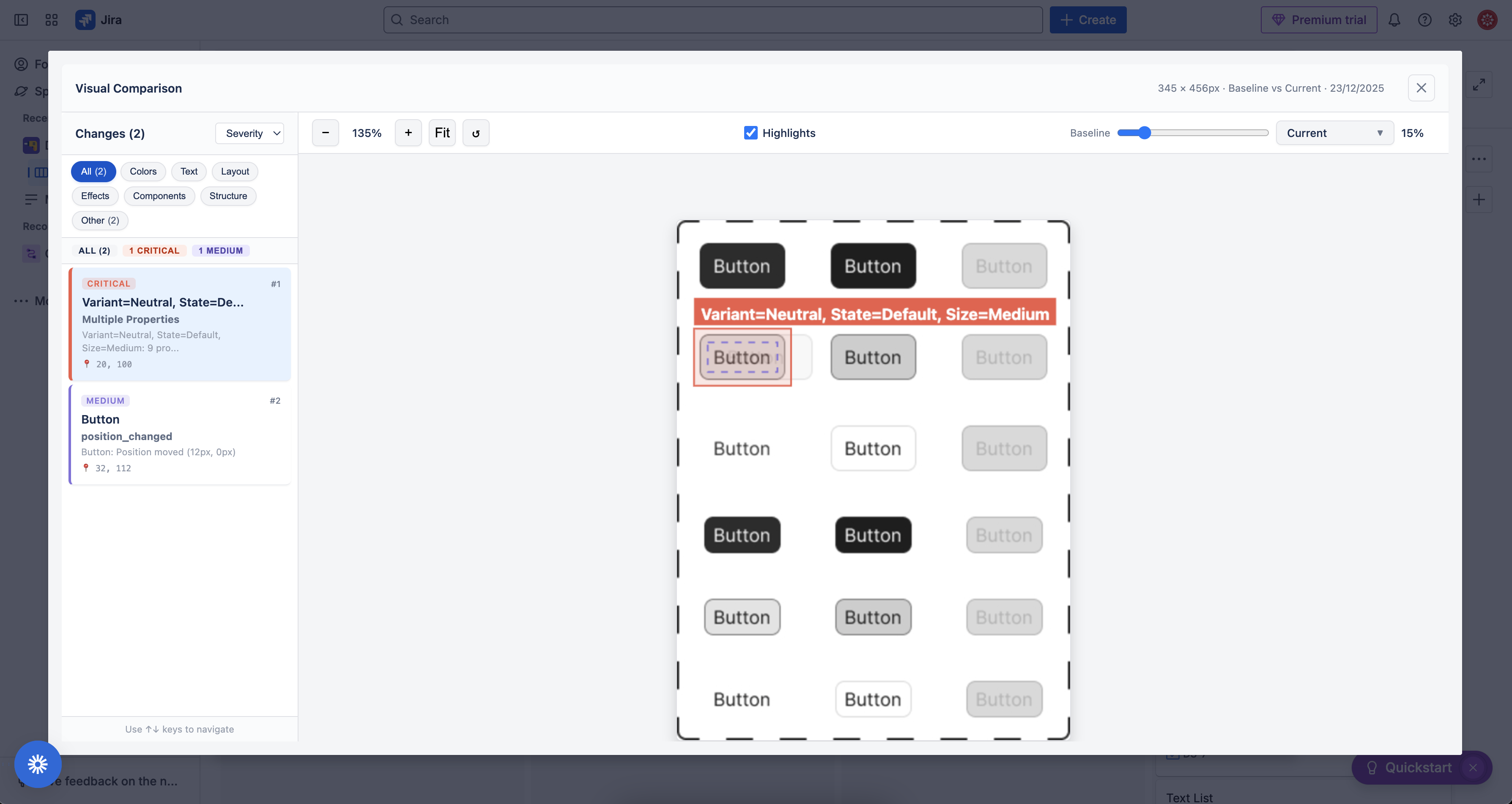
With DesignOps Nexus: Priya sees drift alerts in her Jira dashboard. The visual comparison overlay shows exactly what changed. She can freeze designs at sprint start and track accountability. Release delays from design drift: reduced by 80%.
The Enterprise Team
Acme Corp has 500 developers across 50 teams, all using Jira and Figma. They face:
- No visibility into design-dev alignment across the organization
- Inconsistent handover quality between teams
- Compliance requirements for design approval workflows
With DesignOps Nexus: JQL queries surface issues with design drift. Dashboard gadgets aggregate design health metrics. Entity properties enable custom reporting. Organizational visibility: achieved without new tools.
Potential Impact: Helping Millions of Atlassian Users
By the Numbers
- 50,000+ companies use both Atlassian and Figma
- Millions of Jira tickets involve design implementation every month
- Average developer spends 4.5 hours/week on design-dev handover friction
- 23% of bugs in production are visual discrepancies from design specs
Who This Helps
| User Type | Pain Point | Solution |
|---|---|---|
| Frontend Developers | Context-switching to extract specs | Live specs in Jira with one-click copy |
| Designers | No visibility into implementation accuracy | Drift alerts when designs change |
| Design System Teams | Low adoption, inconsistent usage | Token tracking and adoption metrics |
| Product Managers | Visual bugs discovered late | Real-time drift detection |
| QA Engineers | Manual design-vs-implementation checks | Automated visual comparison |
| Engineering Managers | No metrics on design-dev alignment | Dashboard gadgets and JQL queries |
Why This Matters for Atlassian's System of Work
Atlassian's System of Work is built on a core principle: teams accelerate when work is visible and aligned across functions. Yet the design-development boundary remains one of the last major blind spots in the modern software development lifecycle.
DesignOps Nexus extends the System of Work into this critical gap by:
- Making work visible: Design specs surface directly in Jira—no context switching
- Sharing knowledge: Design decisions are accessible where developers work
- Keeping goals aligned: Drift detection prevents work from diverging from intent
- Enabling measurement: Entity properties and JQL bring design metrics into Atlassian analytics
What Makes This Original
A Novel Approach to an Unsolved Problem
Existing solutions fall into two camps:
- Design handoff tools that live outside the developer workflow
- Figma plugins that require designers to manually export specs
DesignOps Nexus is different: It brings design intelligence into Jira where developers already work, with automated drift detection that no existing tool provides.
Technical Innovation
- Visual token rendering in Forge's native mode—SVG generation enables rich previews within strict platform constraints
- Real-time drift detection—algorithmic comparison of Figma node trees with severity classification
- Multi-connection architecture—up to 4 Figma links per issue with independent feature toggles
- Hybrid library approach—graceful degradation provides value without requiring full library access
First-of-Its-Kind Features
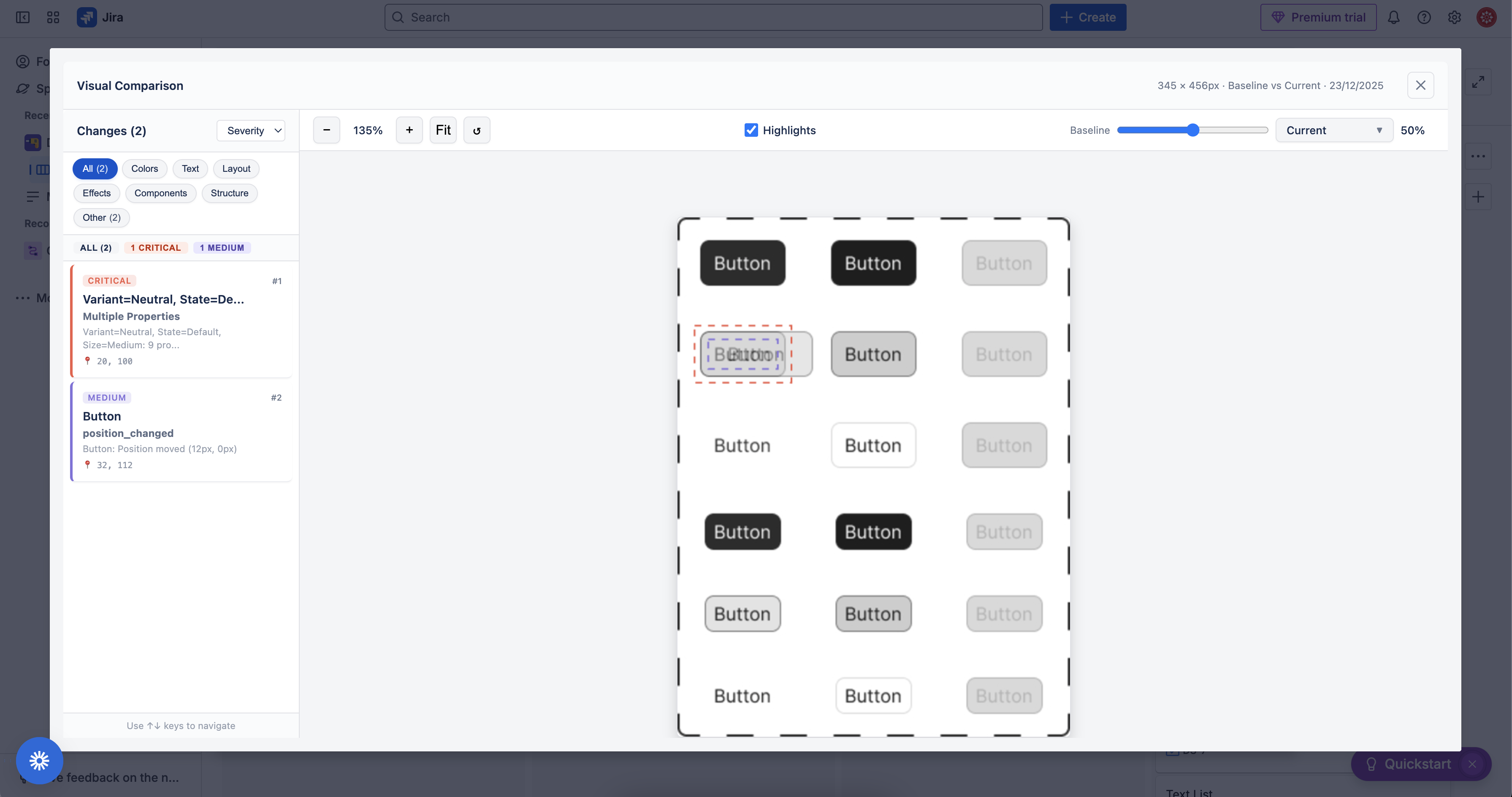
- Visual comparison overlay with adjustable opacity slider—no other Jira app offers this
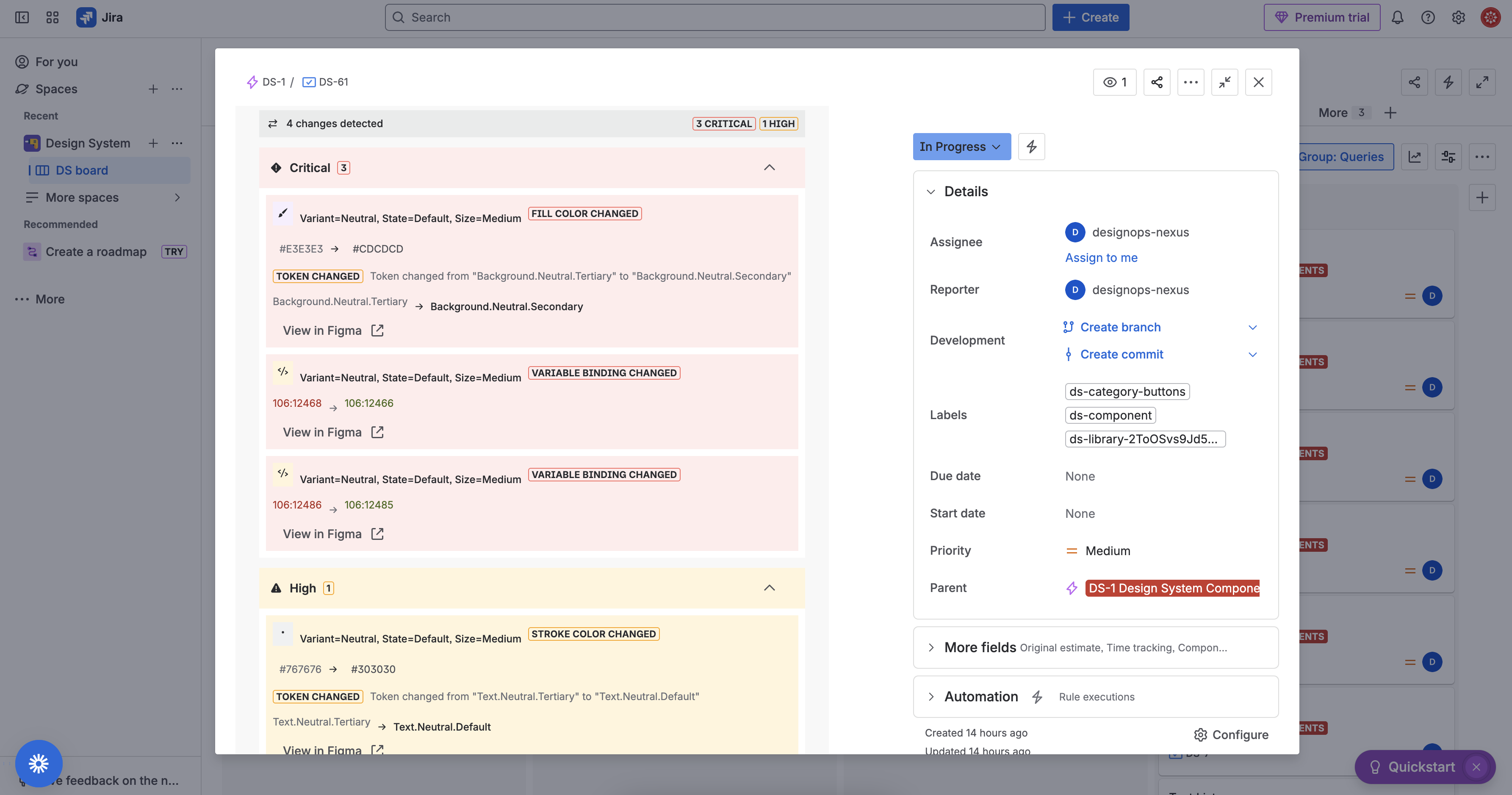
- Drift severity classification—distinguishes critical color changes from minor position shifts
- ready-to-use variables, to copy
Inspiration
Every frontend developer knows the pain: you open a Jira ticket, click through to Figma, wait for it to load, hunt through layers to find the exact hex code, copy it, switch back to your IDE, paste it, then repeat for typography, spacing, and every other property. Meanwhile, designers keep iterating on the mockups—sometimes after development has already started—leading to costly rework and "zombie code" that implements outdated designs.
This friction is a symptom of a larger problem that Atlassian's System of Work addresses: technology-driven teams lack a shared way of working, creating misalignment and inefficiency. The System of Work emphasizes that companies succeed when work aligns to goals and is visible across all teams, and teams accelerate when they share understanding of "who, what, when, and how" behind their work.
Yet between design and development, there's a persistent blind spot:
- Work isn't visible: Design specs are trapped in Figma, invisible to the Jira workflow
- Knowledge isn't shared: Developers can't access design decisions without context switching
- Goals drift out of alignment: Design changes go unnoticed until code review or QA
We built DesignOps Nexus to bridge this gap—surfacing design knowledge directly in Jira where developers work, tracking changes that could derail a sprint, and creating shared visibility between designers and developers. It's the System of Work applied to the design-dev handover.
What it does
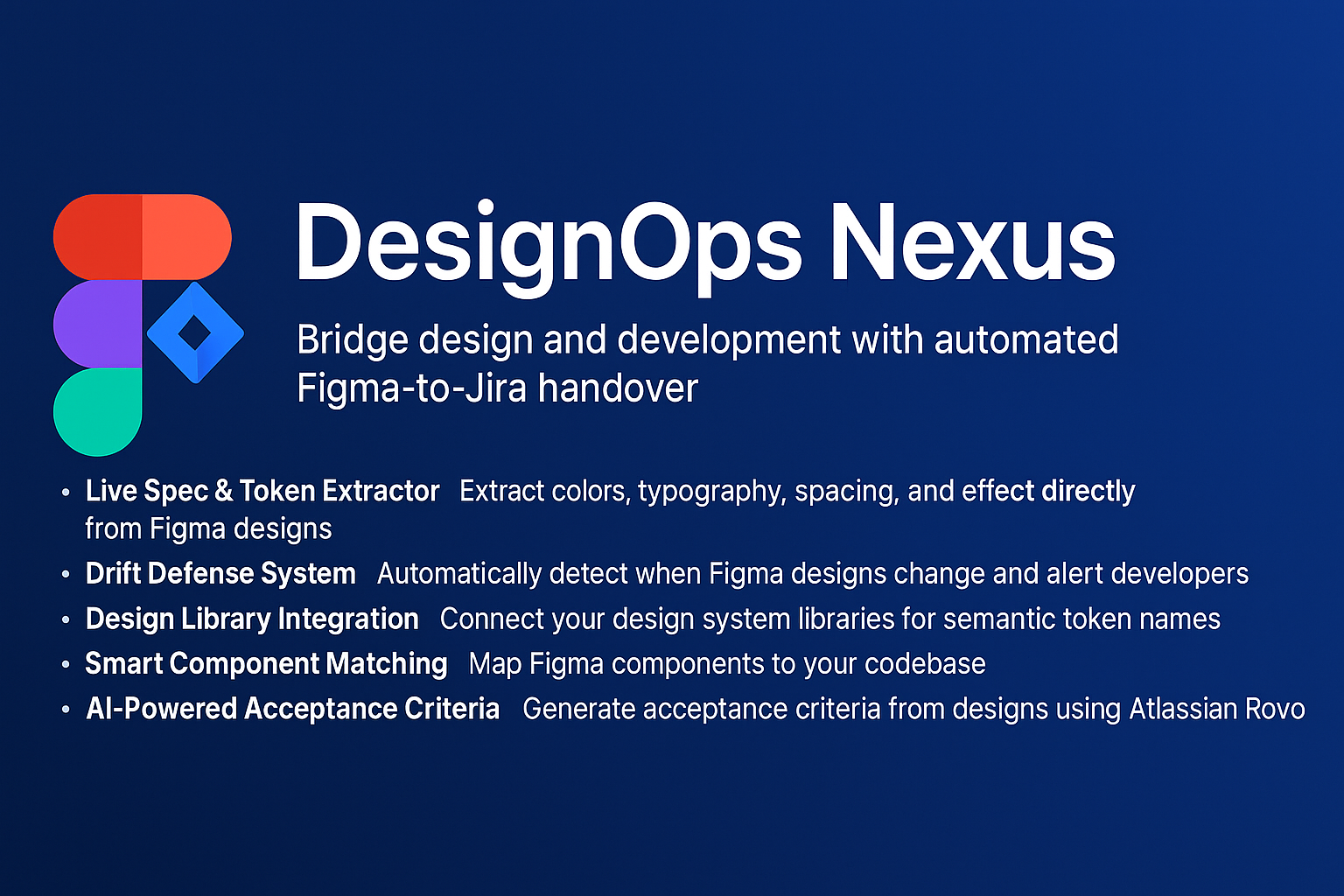
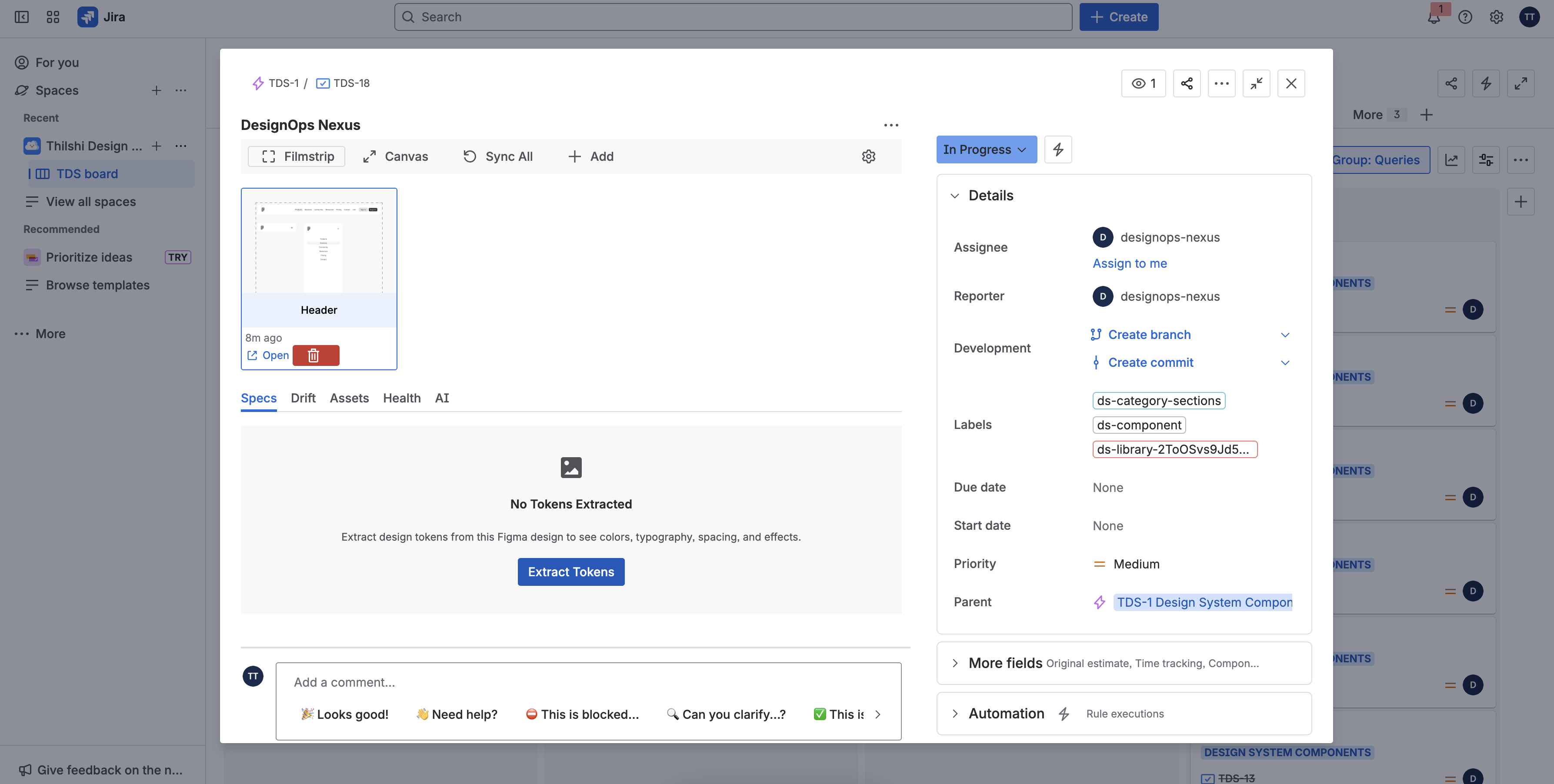
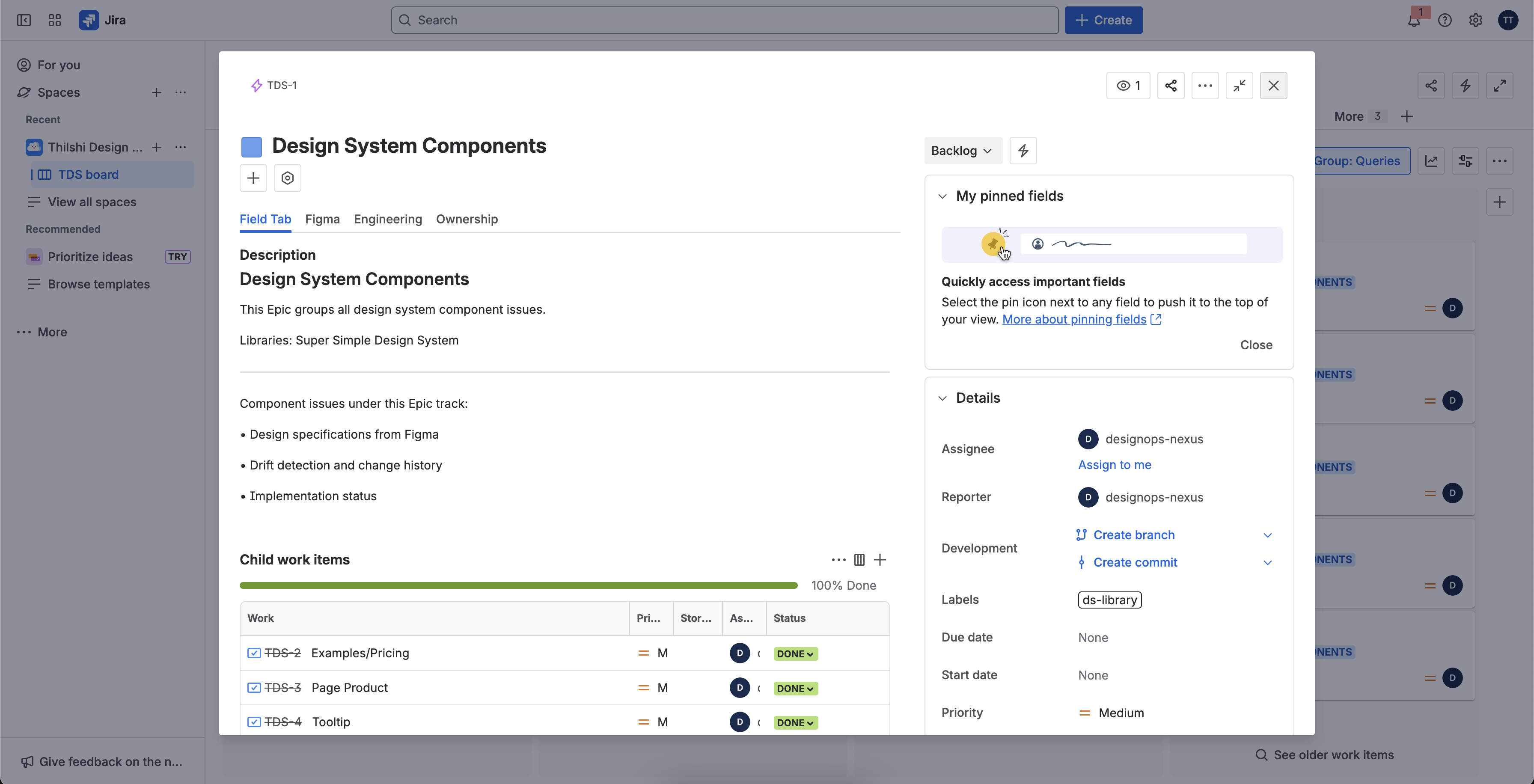
DesignOps Nexus is a Jira Issue Panel that transforms how teams bridge design and development.
Live Specs with Visual Previews
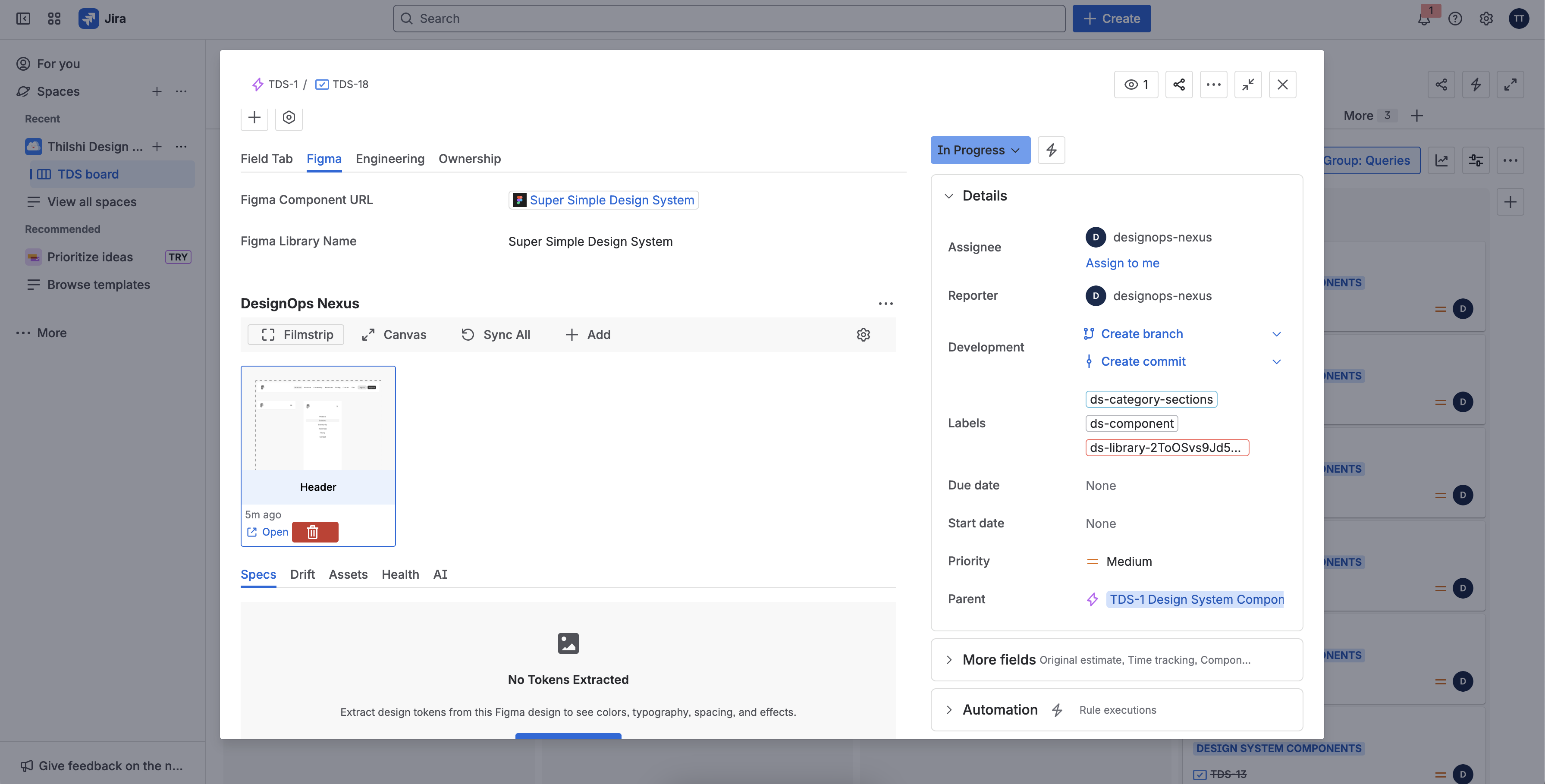
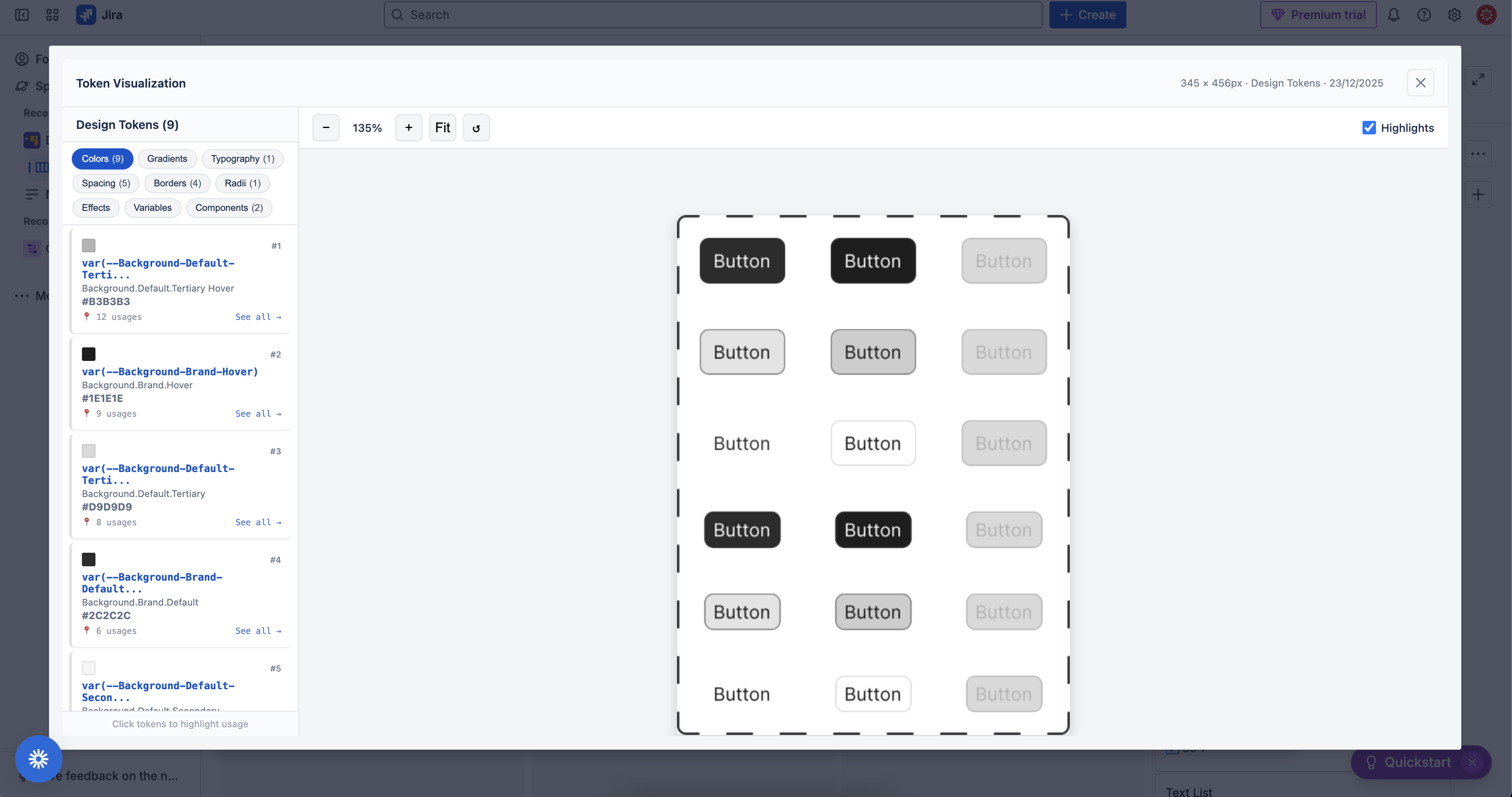
- Extracts colors, typography, spacing, effects, borders, and corner radii directly from linked Figma frames
- Displays visual swatches for colors, typography previews with sample text, and spacing bars showing relative scale
- Generates ready-to-use CSS variables that developers can copy with one click
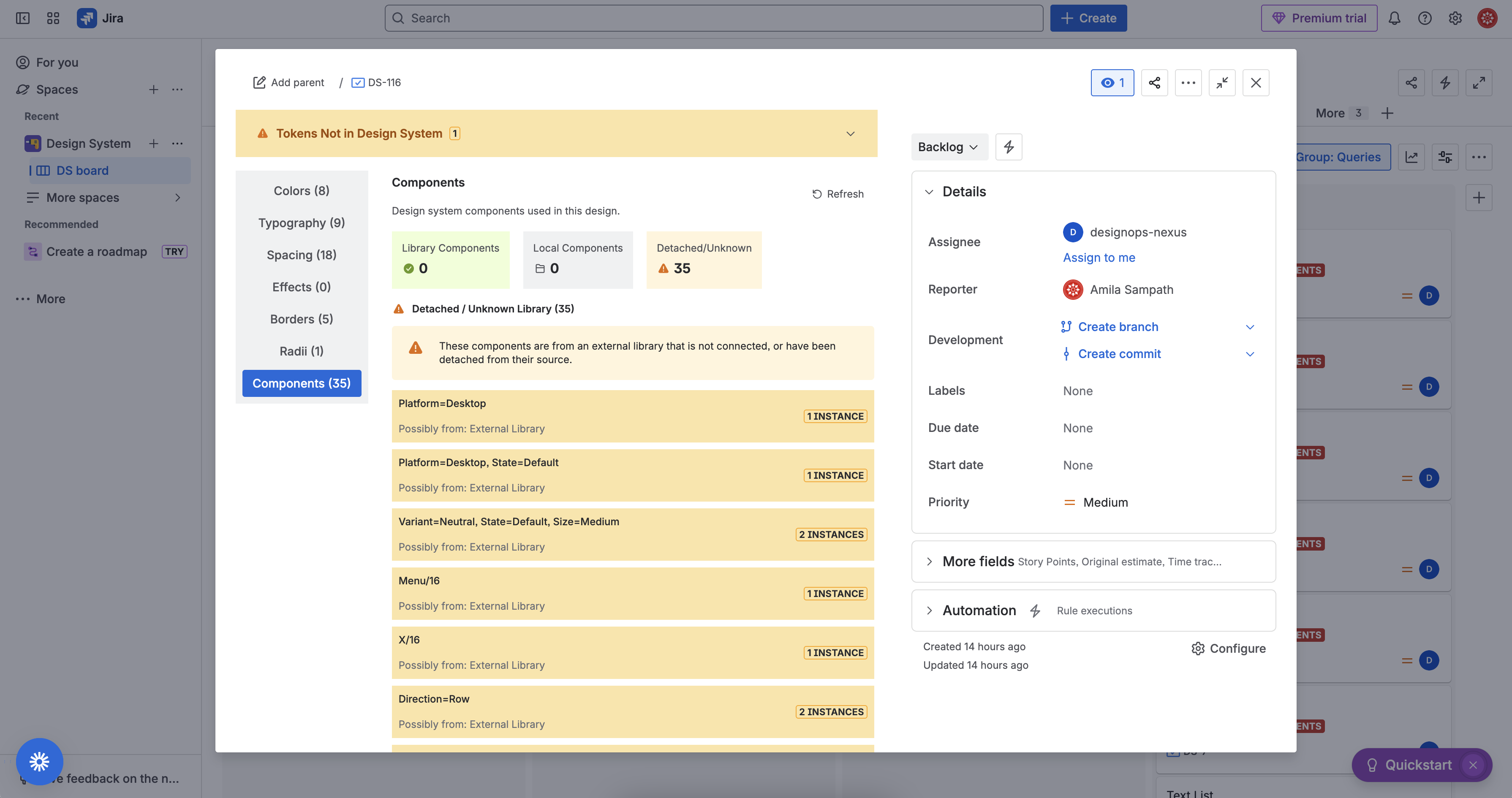
- Shows component usage and tracks which design system elements are being used
Drift Detection & Visual Comparison
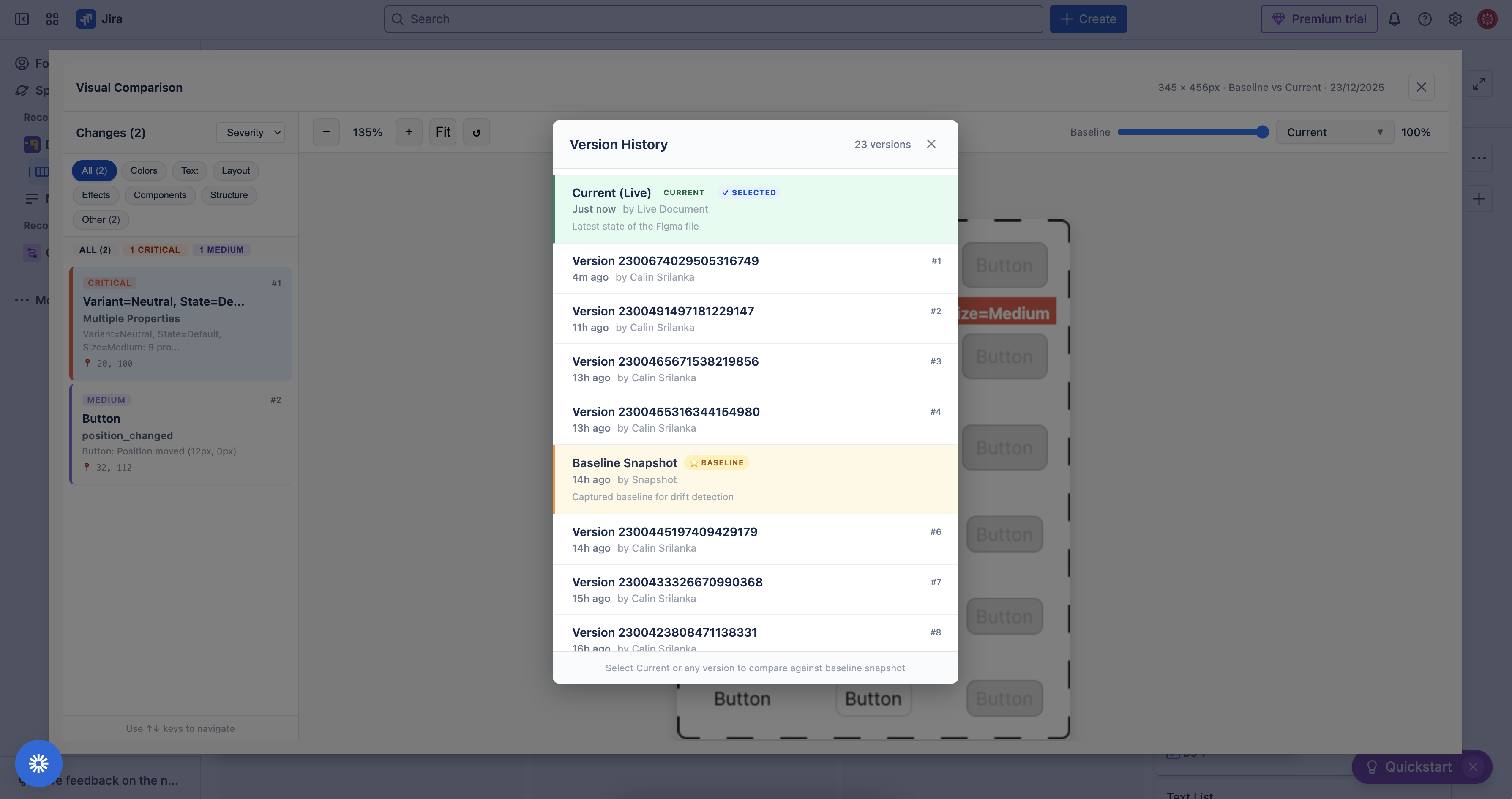
- Creates a baseline snapshot when work begins on a ticket
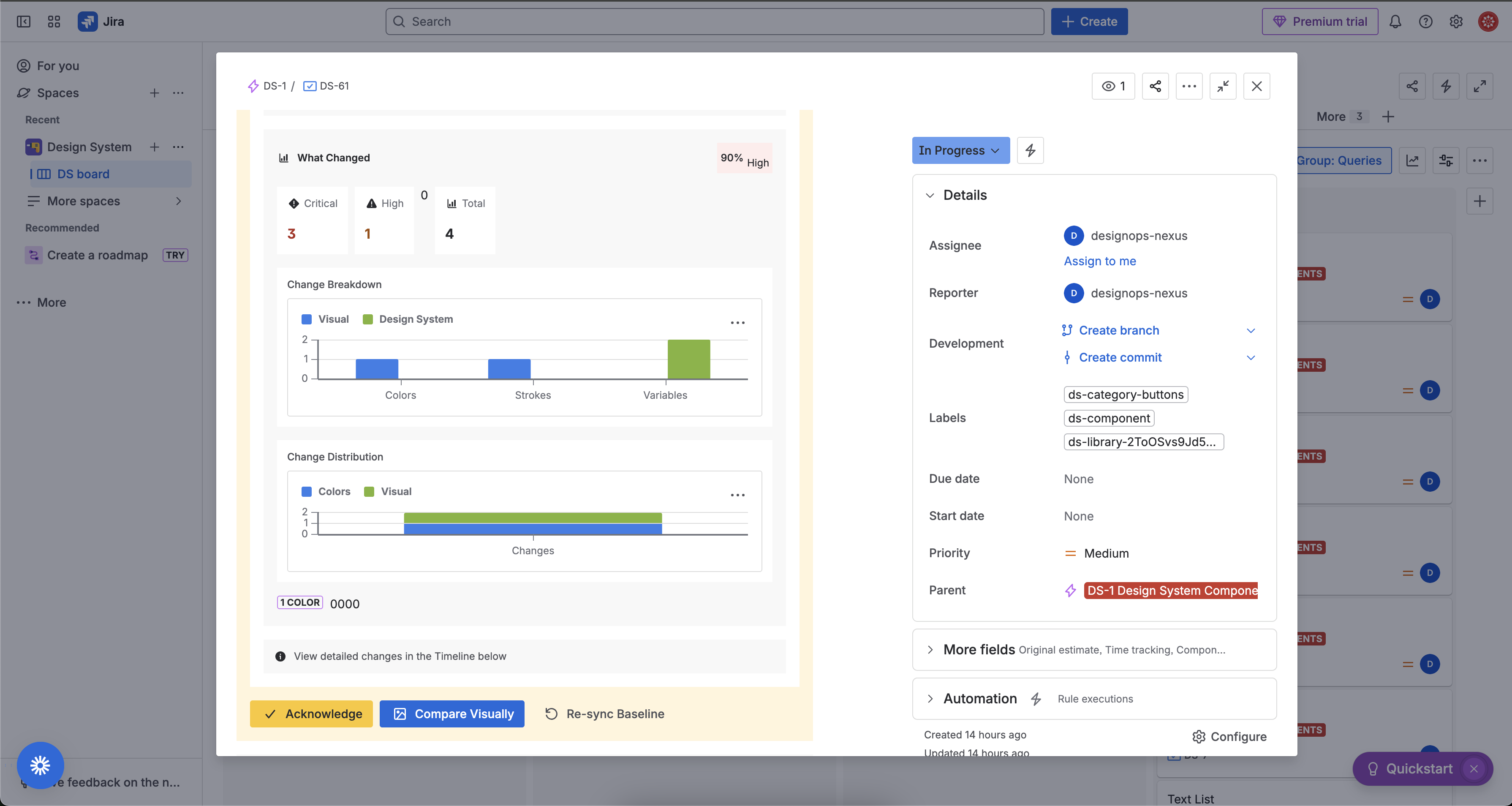
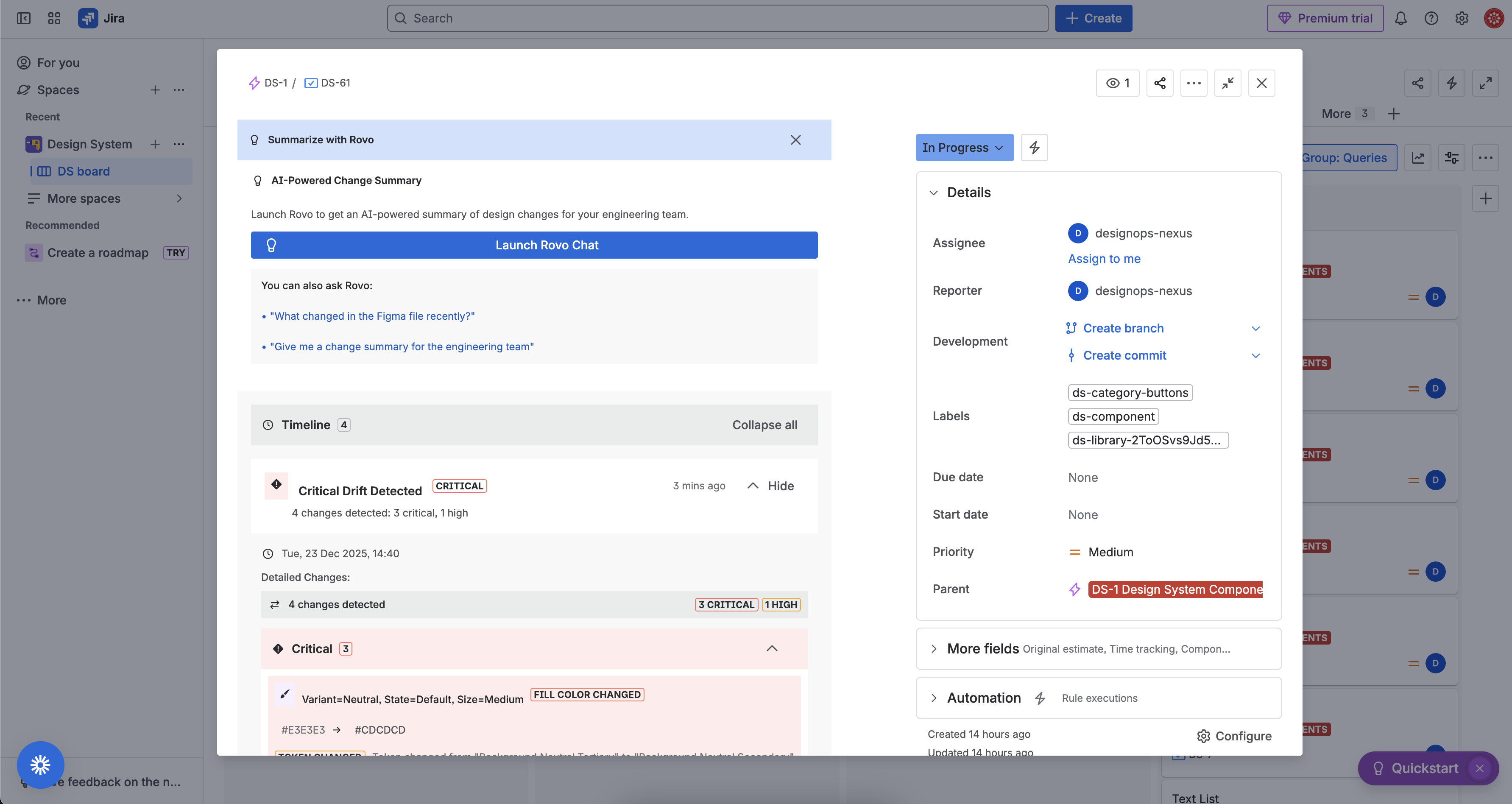
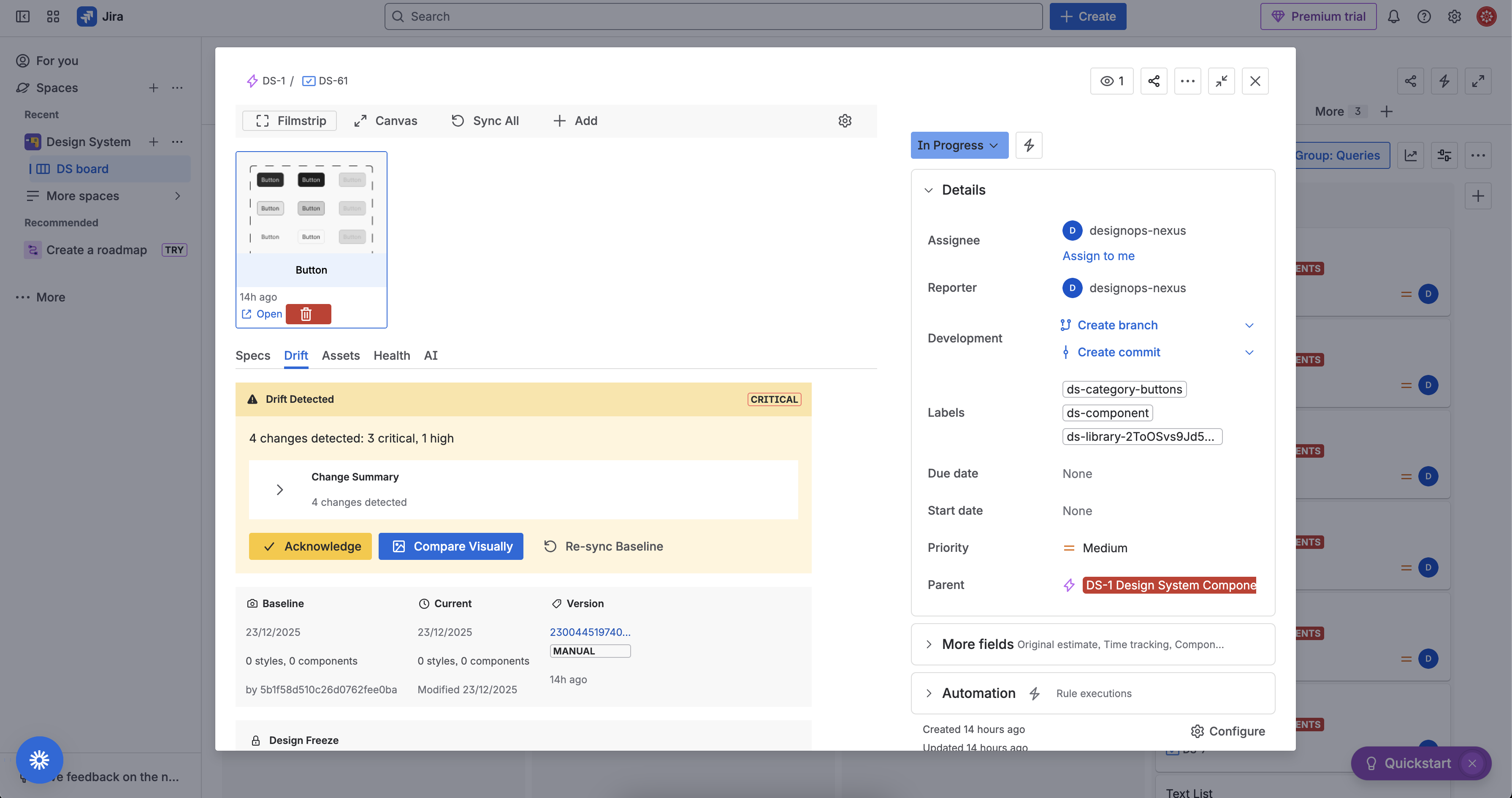
- Monitors the Figma file for changes and alerts when designs drift from the baseline
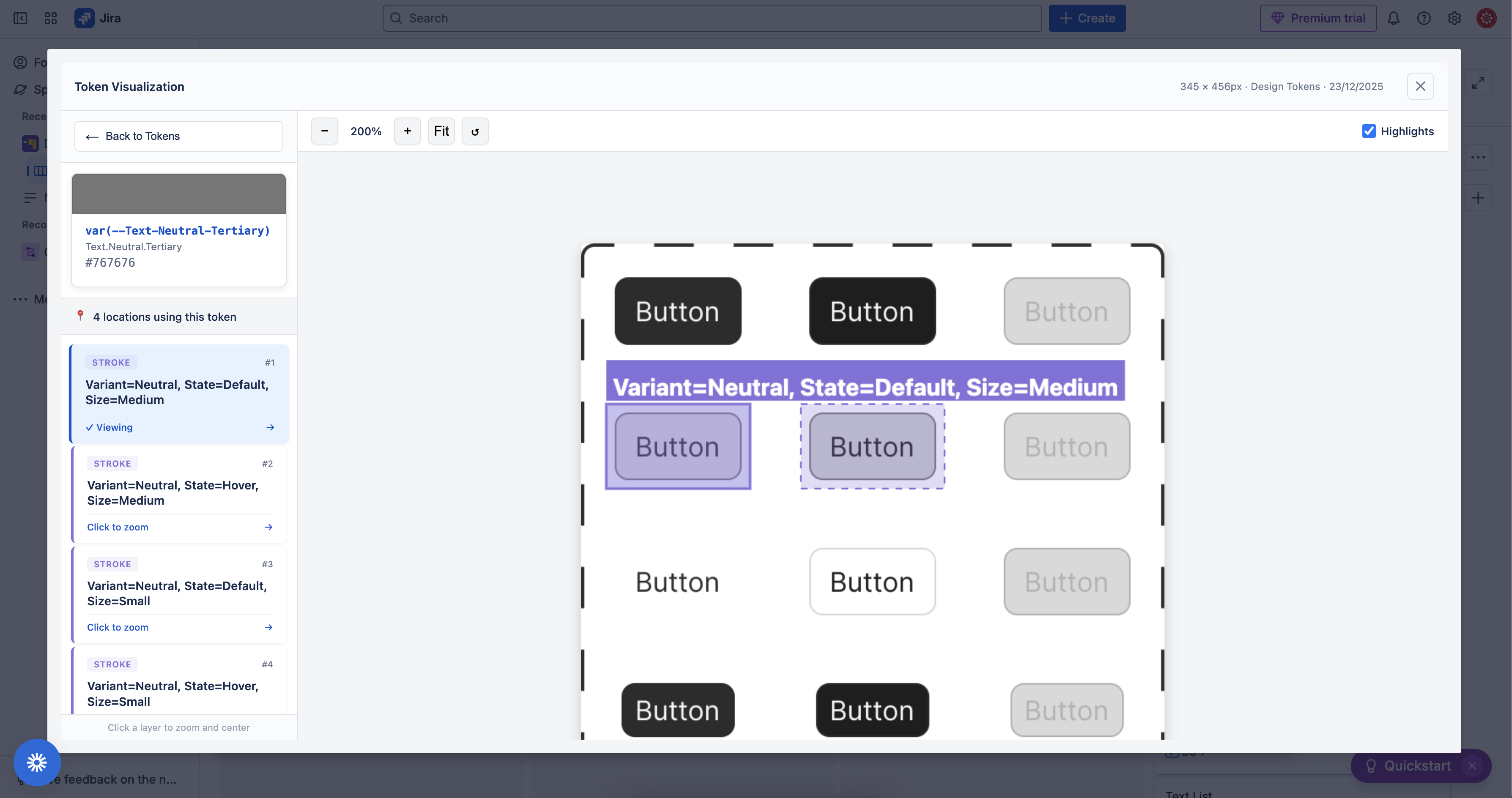
- Provides a visual comparison modal with adjustable opacity slider to overlay baseline vs. current state
- Highlights exactly what changed with color-coded severity (critical, high, medium, low)
- Supports zoom controls and keyboard navigation to inspect changes in detail
Multi-Connection Support
- Link multiple Figma files or frames to a single Jira issue
- Manage connections with drag-to-reorder, labels, and feature toggles
- Filmstrip view shows thumbnails of all connected designs at a glance
How we built it
We built DesignOps Nexus on Atlassian Forge using the native render mode with React and UI Kit 2.0 components. The architecture includes:
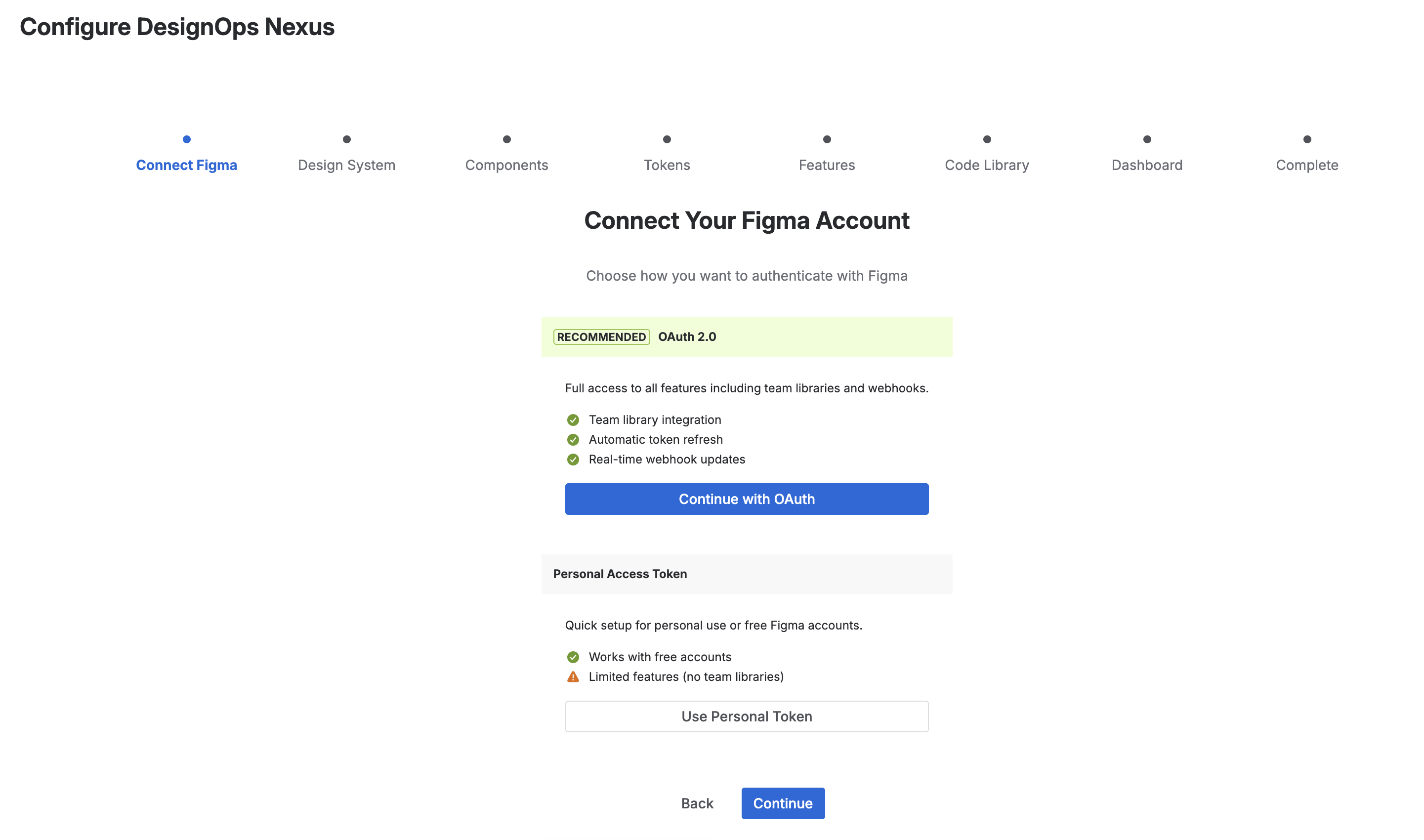
- Figma OAuth2 Integration with 12 scopes for comprehensive file and library access
- Forge Storage API for persisting connections, snapshots, and cached tokens per issue
- SVG Generation for visual token previews—color swatches, effect shadows, and spacing bars are rendered as inline SVGs for fast, crisp display
- Multi-Connection System supporting up to 10 Figma links per issue with independent feature toggles
- Rate Limiting with in-memory throttling (25 req/min) to respect Figma API limits
- Entity Properties for JQL searchability—you can query issues by their design system properties
Challenges we ran into
Forge's Single Frame Limitation
Forge only allows one Frame component per module. Our app needed multiple modals (filmstrip, visual comparison, canvas embed), so we built a frame mode state machine that carefully mounts/unmounts the correct Frame based on user actions.
Visual Token Rendering in Native Mode
Native render mode doesn't support CSS-in-JS or arbitrary HTML. We solved this by generating SVG data URLs for color swatches, effect previews, and spacing visualizations—allowing rich visual output while staying within Forge's constraints.
Figma API Complexity
Extracting meaningful design tokens required deep traversal of Figma's node tree, resolving style references against file-level style maps, and handling edge cases like nested components, overrides, and external library references. We built a hybrid approach that provides basic values without library access and semantic token names when libraries are connected.
Drift Detection Accuracy
Determining what actually "changed" required comparing nested node structures, handling property normalization, and categorizing changes by impact. A color change on a primary button is critical; a 1px position shift might be low priority.
Accomplishments that we're proud of
- Zero context switching: Developers can extract every design spec without leaving Jira
- Visual-first approach: Every token type has a meaningful visual preview, not just raw values
- Drift visualization: The overlay comparison with opacity slider makes design changes immediately obvious
- Production-ready architecture: Multi-connection support, rate limiting, error handling, and caching built from the start
- System of Work alignment: Breaks down silos between design and development, making work visible across teams
What we learned
Building on Forge taught us to embrace constraints creatively. The native render limitation pushed us toward SVG-based visualizations that ended up being faster and crisper than DOM-based alternatives would have been.
We gained deep expertise in Figma's API structure—understanding how styles, components, and variables interconnect, and how to efficiently traverse large design files without hitting rate limits.
Most importantly, we learned that the design-dev handover problem isn't just about copying hex codes. It's about visibility, communication, and preventing work from going stale—the same principles at the heart of Atlassian's System of Work. The drift detection feature addresses a pain point that developers rarely articulate but immediately recognize.
What's next for DesignOps Nexus
Dashboard Gadgets
Dashboard gadgets including Drift Monitor, Design System Health, Token Coverage, and Activity Feed to track design health across your entire project from a single dashboard.
- Asset Health Checks: Pre-flight validation to catch missing exports, fractional pixels, and unapproved fonts before development starts
- Design Freeze Workflow: Formal sign-off process to lock designs and track accountability
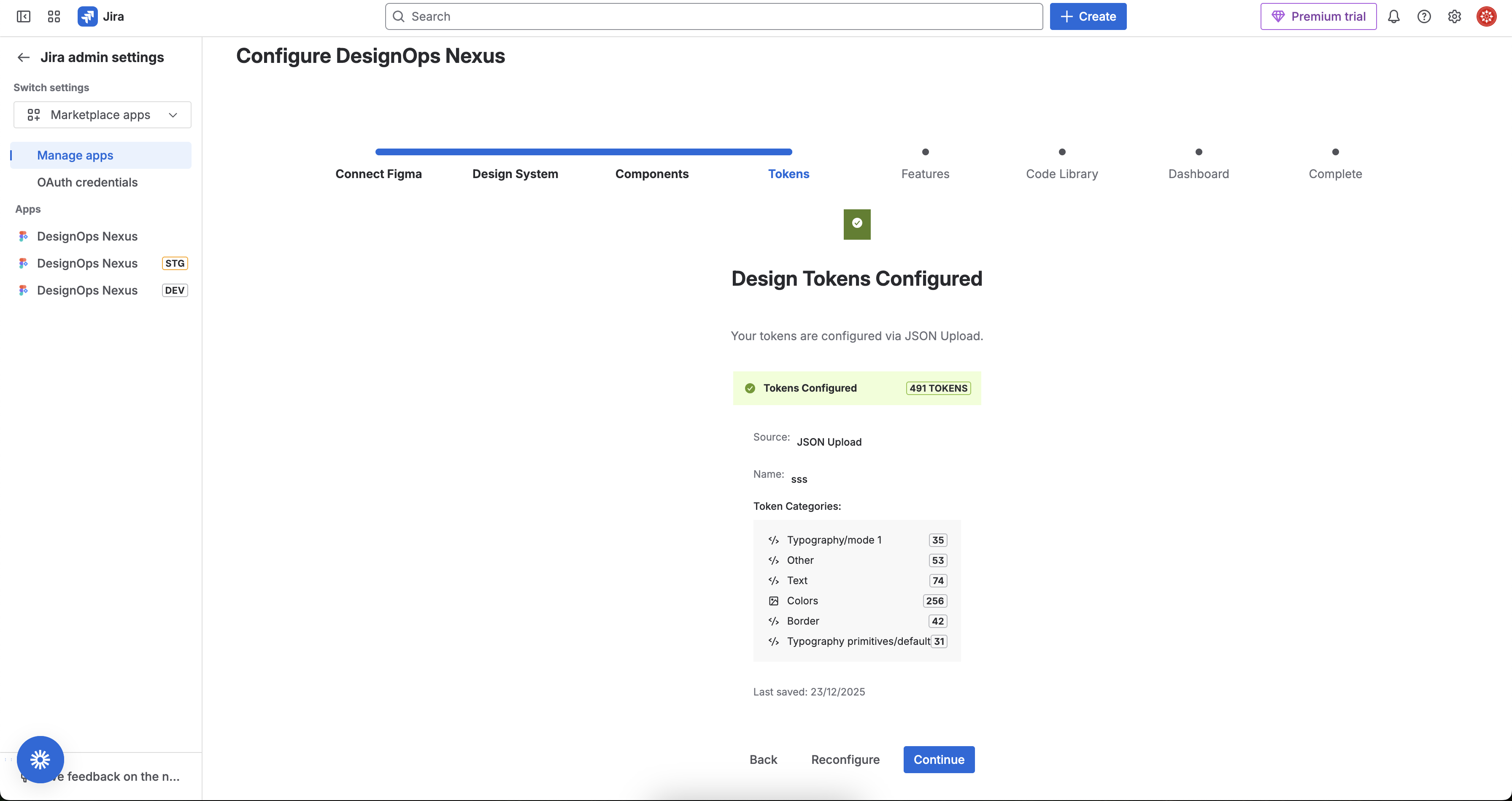
- Expanded Token Providers: Support for Tokens Studio and external design token sources
- Accessibility Audits: Automated contrast checking and touch target validation based on Figma data


Log in or sign up for Devpost to join the conversation.