

Inspiration:
Some of our group members had previously experimented with AR and had created a very basic app to place items on flat planes. Taking inspiration from that event, we sought to create redesign of the project that was executed with far more proficiency and capable of doing more, while using completely new code.
What it does
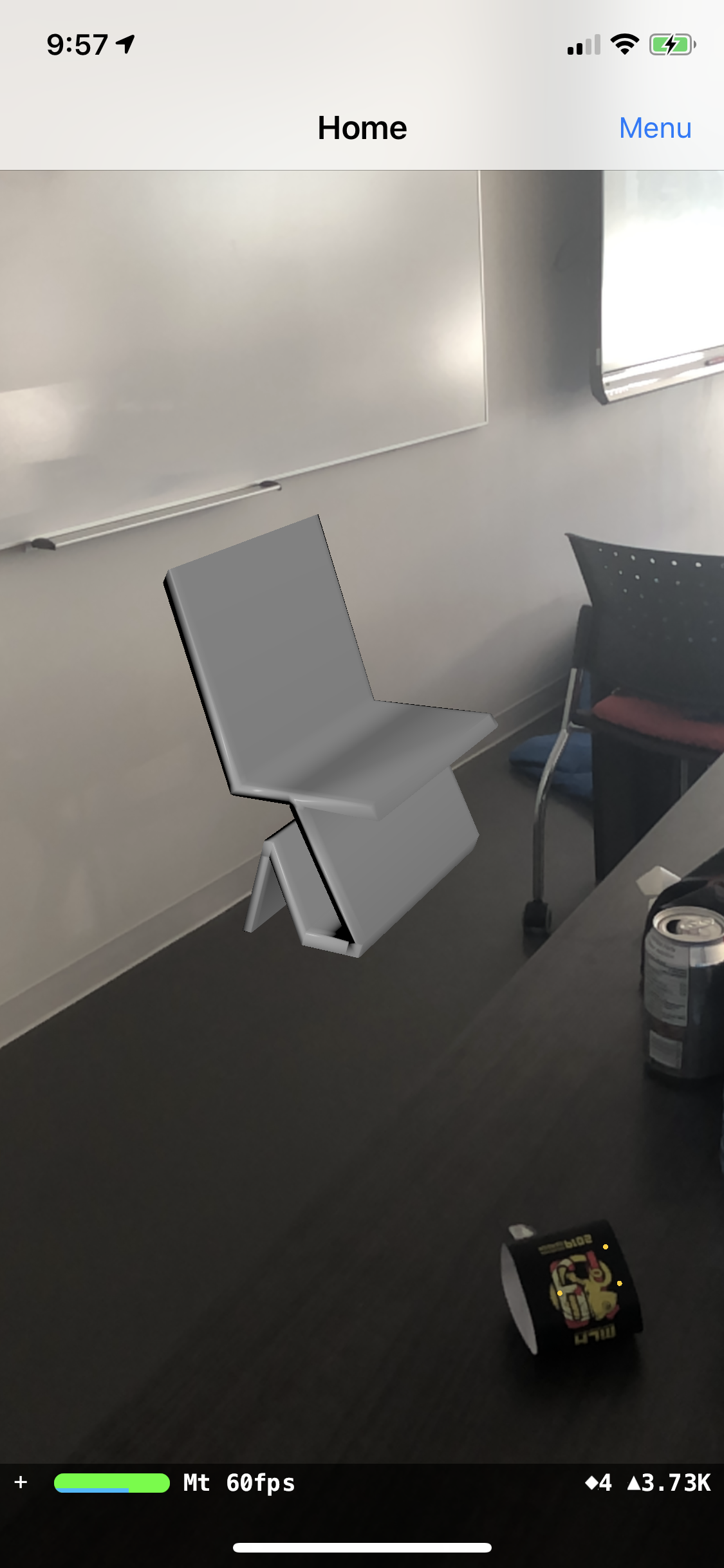
Our application detects flat planes and allows users to place objects from a list of items on to the flat planes in order to allow them to visualize how those items would look like in their homes.
How we built it
We used Swift and ARkit in the newest version of Xcode in order to code the app and downloaded assets from online platforms.
Challenges we ran into
We hoped to integrate a whole bunch of other concepts such as measurement tools that could measure objects in the house and placed objects, along with having re-sizable objects. This idea whoever, wasn't working with our code and so it was a concept that we had to forgo..
Accomplishments that we're proud of
We built an app from scratch even though we had little experience with Swift Created a functional product with an intuitive UI
What we learned
How to use Swift & ARkit on Xcode How to modify ideas on the fly in order to still have a finished product at the end
What's next for Design-AR Homes
- Include a measurement feature
- Allow for re-sizable items
- Create rotation features and allow users to screenshot through the app

Log in or sign up for Devpost to join the conversation.