Inspiration
Millions of visually impaired people navigate digital content built almost entirely for sighted users — even "accessible" tools tend to just read text aloud, without helping someone feel a space or scene. We wanted to explore what happens if sound itself becomes the interface: instead of describing a room in a flat sentence, what if you could hear it, with objects placed around you in audio space, and ask an AI questions about what's there in real time.
What it does
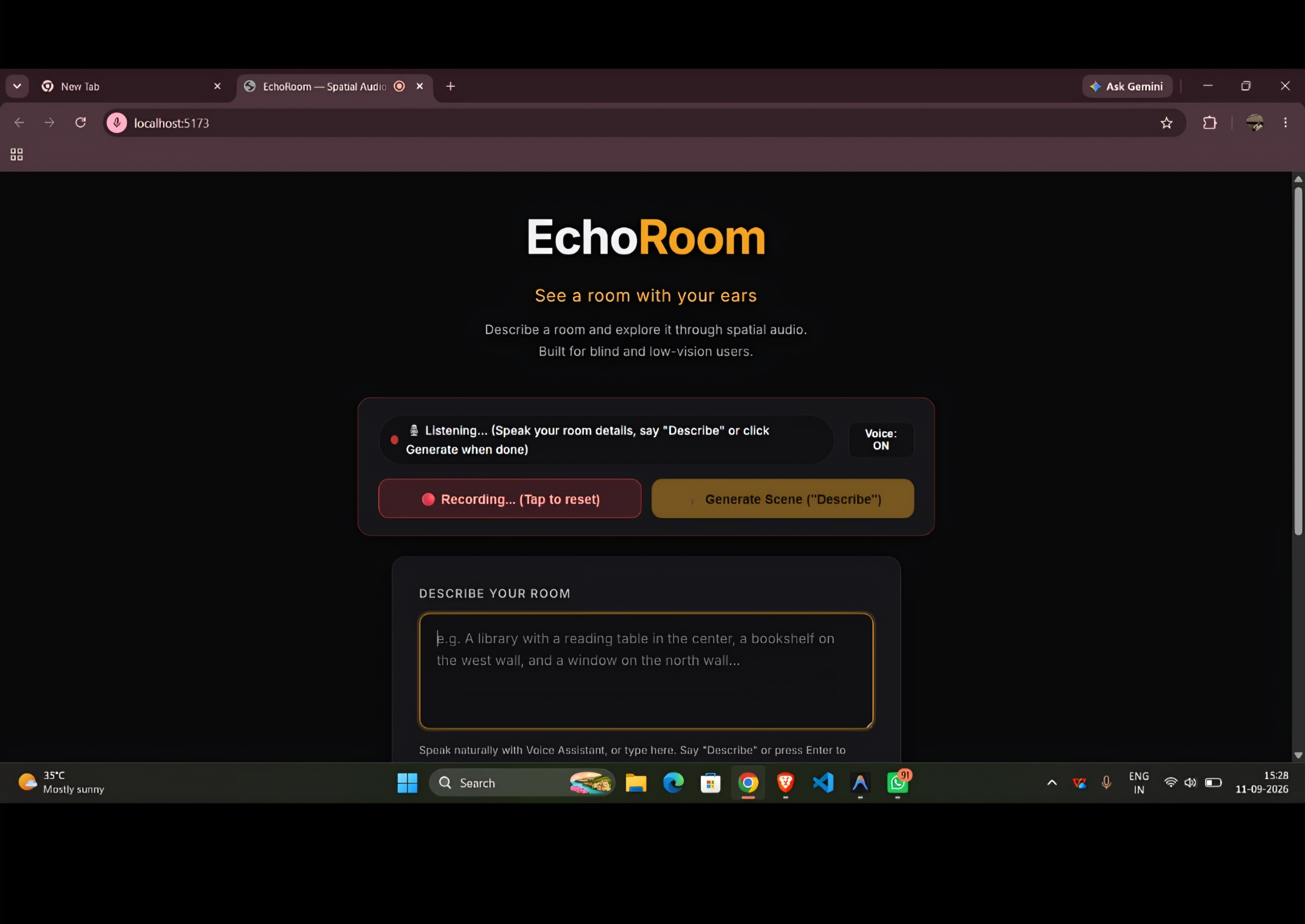
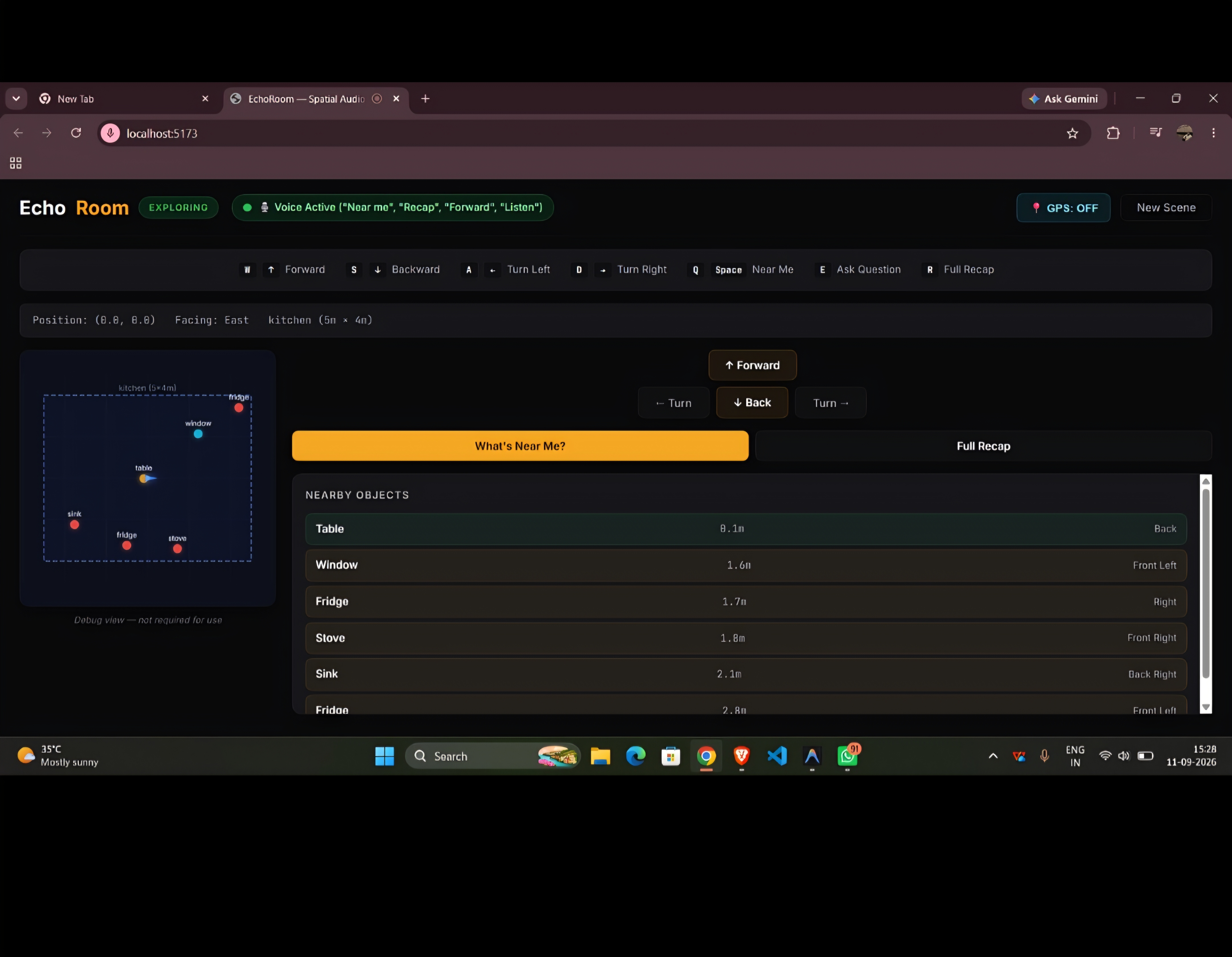
Describe & Feel (EchoRoom) turns a described or uploaded scene into an explorable spatial-audio environment. Users navigate by ear — directional audio cues mark where objects are relative to them — while a grounded AI Q&A layer lets them ask natural-language questions about the scene ("what's to my left?", "how far is the door?") and get accurate answers based on the actual scene data, not hallucinated guesses. It's built to run entirely in the browser, using the Web Speech API for voice input/output.
How we built it
EchoRoom is built as three strictly separated layers so the AI never has to be trusted with things it's bad at. On the backend, an LLM generates a room description into a scene graph — but the output is validated against a Zod schema (room dimensions, objects, positions, materials) so malformed generations never reach the frontend. For navigation, we built a real spatial audio engine directly on the native Web Audio API: each object gets its own OscillatorNode → GainNode → PannerNode chain running in HRTF mode, the same 3D-audio model used in VR, and the listener's position/orientation updates in real time via audioContext.listener as the user moves — so direction and distance are computed by the browser's actual audio engine, not simulated. Movement feedback is semantically split: footstep sounds (which vary by floor material) for forward/backward, and a distinct higher-pitched tick for turning, since rotating in place isn't the same physical action as walking. Voice control runs on the Web Speech API, but raw speech recognition is noisy, so we layered Levenshtein-distance and phonetic-skeleton fuzzy matching on top so "for word" or "four word" still resolves to "forward." For spatial Q&A, when a user asks "what's near me," the LLM never guesses — it receives the real scene graph, the user's live position, and a pre-computed list of real distances/angles (calculated with actual trigonometry, not by the model), and its system prompt hard-bans inventing any object, distance, or direction not explicitly given. That separation — AI never touches raw audio or raw geometry, the audio/math engines never interpret meaning — is what lets the whole system stay reliable enough to demo live, since a hallucinated direction for a blind user isn't a cosmetic bug, it's actively disorienting.
Challenges we ran into
common candidates for this kind of project: getting spatial/positional audio to sound convincing and directionally accurate in-browser; keeping the AI's answers grounded to only what's actually in the scene instead of hallucinating; making voice interaction robust across browsers/accents; testing accessibility with limited time
Accomplishments that we're proud of Built a genuinely novel interaction model — navigating a scene by ear rather than by screen Kept the whole experience running in-browser with no installs, so it's actually usable by the people it's meant for Grounded the AI Q&A to real scene data instead of shipping "just another chatbot"
What we learned accessibility design, spatial audio, prompt grounding, or working as a team under time pressure
What's next for Describe and Feel
1.Expand beyond described/pre-built scenes to real-time scene generation from photos or live camera input
2.Add customizable audio profiles (different users perceive directional cues differently)
3.Partner with accessibility organizations to test with actual visually impaired users and refine based on real feedback
4.Explore mobile/wearable deployment for everyday use, not just browser sessions
Built With
- llm
- node.js
- rag
- react.js
- scenegraph
- typescript

Log in or sign up for Devpost to join the conversation.