-
-

Depresso Logo
-
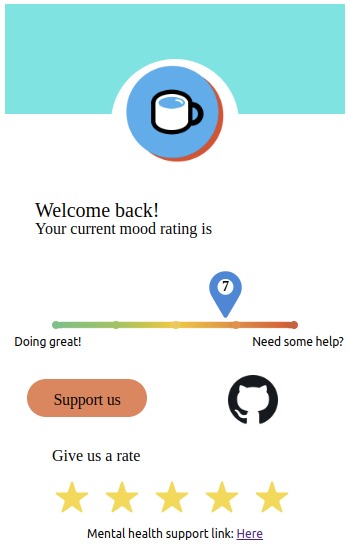
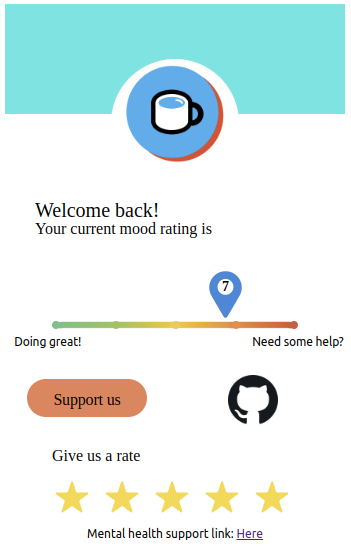
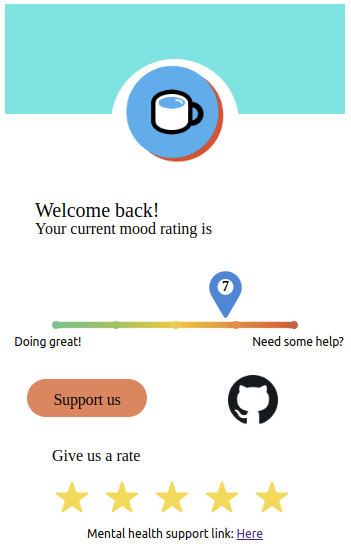
Depresso Chrome Extension UI
-

Depresso Icon
-
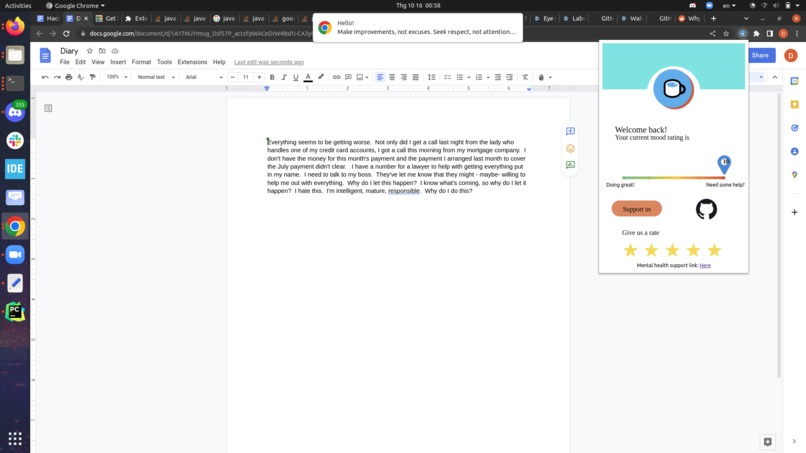
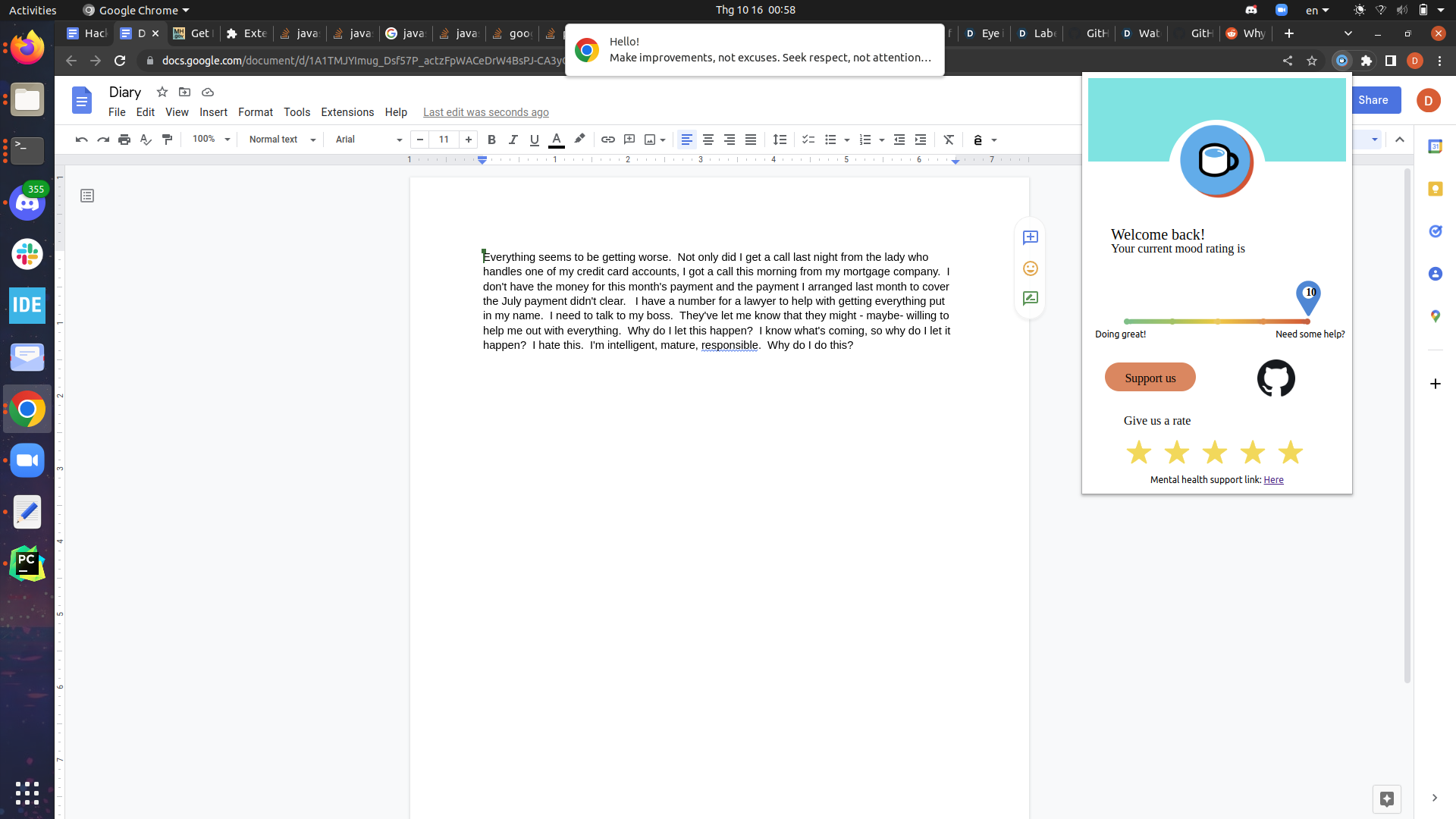
Depresso analyzing a passage and gives a notification


Depresso - An NLP-based Depression Helper Chrome Extension
Overview

Mental health crisis is now one of the rising problems in the modern world. Nearly 50 million Americans are experiencing a mental illness, that’s more than the population of California and Texas combined source.
Depresso can eliminate depression in teens and young adults, the most affected age group, by offering text-based and real-time monitoring of users’ mental health.
Approach
- UI
- The user interface is a web-based Chrome extension.
- When Depresso is enabled, it rates the depression levels of the user on a scale of 0 to 10. A rating of 0 would indicate low levels of depression, while a rating of 10 indicates otherwise.
- Depresso suggests professional resources if the user wants additional support.
- Backend
- The backend consists of a natural language processing model (NLP) to classify depression levels and a Flask server to bridge the NLP and frontend.
- User-produced text is extracted using Google Docs API.
- The textual data retrieved is analyzed using the NLP algorithm to produce a prediction
NLP algorithm overview
At the core of this project is sentiment analysis technique with the pre-trained "en-sentiment" model from the Flair Project. The Flair sentiment classifier was originally trained on IMDB movie review data. This model produces an output label "NEGATIVE" or "POSITIVE" as well as a confidence value to indicate the sentiment of a sentence or a piece of text. We have tried several methods, including logistic regression with frequency count vector and TFIDF, and we found that Flair's model outperforms others in cases of using negation. For example, the traditional logistic regression method identified the sentence "I am not happy" as "POSITIVE" because of the word "happy", while Flair's model correctly classified it as "NEGATIVE" with high confidence.
Dependencies
- Mac/Linux:
python3 -m pip install -r requirements.txt - Windows:
py -m pip install -r requirements.txt
Running the Extension
- Extract the compressed zip file or clone this repository.
- Start the backend server:
python3 app.py- Wait for some time for the server to be completely up and running
- Loading the Chrome Extension
- Open Google Chrome browser
- Click on the 3 dots on top right corner of the browser window
- Choose
More tools>Extensions - In the extensions browser tab, switch-on the Developer mode on the top right side
- Choose
Load unpacked - Locate and choose the extension folder from extracted file
- The extension icon appears. You can navigate through the extension and view its features!
Next steps
We plan to continue improving our extension to publish it on the Chrome Web Store, extend support for more text editors, add chatbot functionality, and add support for mobile platforms.
References and Credits
NLP solution from the Flair project
@inproceedings{akbik2019flair,
  title={{FLAIR}: An easy-to-use framework for state-of-the-art {NLP}},
  author={Akbik, Alan and Bergmann, Tanja and Blythe, Duncan and Rasul, Kashif and Schweter, Stefan and Vollgraf, Roland},
  booktitle={{NAACL} 2019, 2019 Annual Conference of the North American Chapter of the Association for Computational Linguistics (Demonstrations)},
  pages={54--59},
  year={2019}
}
Inspirational quotes provided by ZenQuotes API
Contributors
- Duc Doan
- Nhi Nguyen
- Thinh Nguyen
- Hien Pham
Built With
- flair
- flask
- javascript
- python
- sentiment-analysis


Log in or sign up for Devpost to join the conversation.