
Deoit
Free browser-based code editor for HTML, CSS & JavaScript
Write, run, and preview code instantly — no downloads, no setup.







What is Deoit?
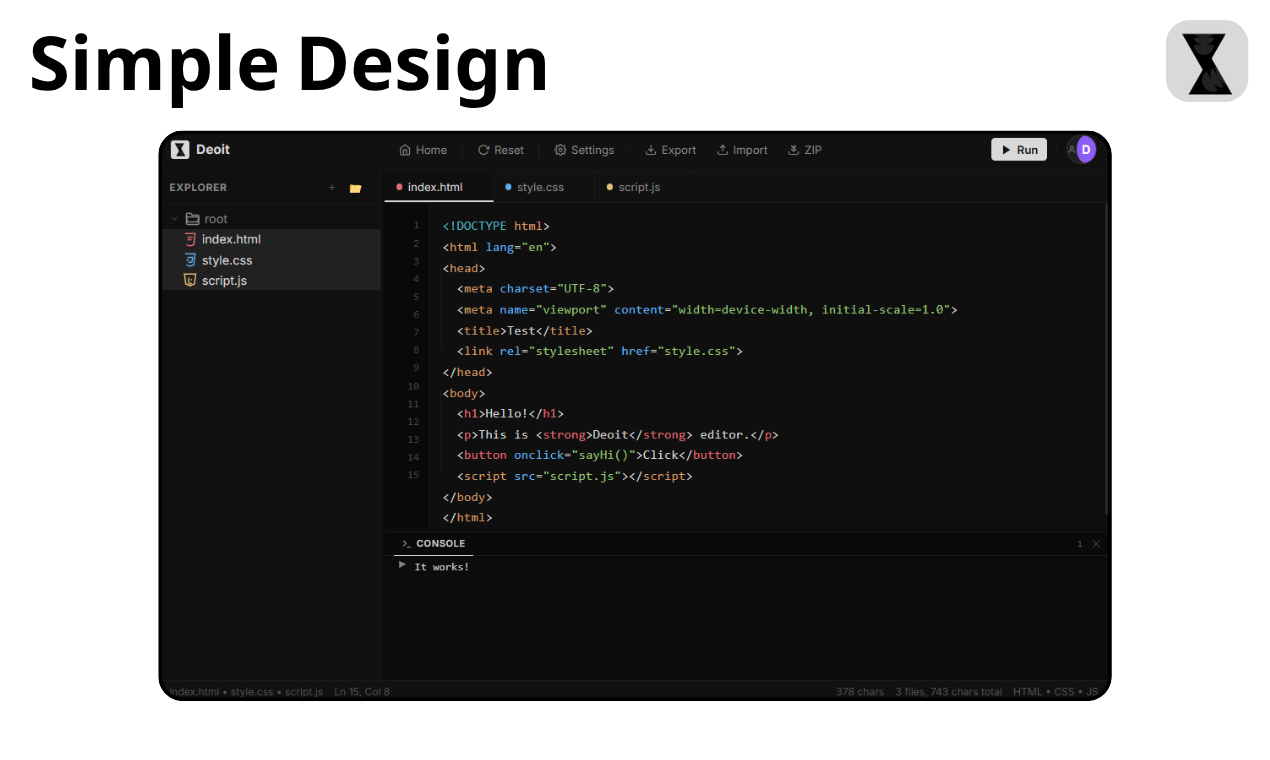
Deoit is a free, browser-based code editor for learning and building with HTML, CSS, and JavaScript. Think of it as CodePen meets free courses — but lighter, faster, and with zero dependencies.
No installs. No sign-up required. Just open and code.
Demo
📸 Click here to try it live — it takes 2 seconds to load.
Why Deoit?
| Feature | Deoit | CodePen | JSFiddle | CodeSandbox |
|---|---|---|---|---|
| 100% Free | ✅ | ✅ | ✅ | ❌ |
| No sign-up needed | ✅ | ❌ | ✅ | ❌ |
| File Explorer | ✅ | ❌ | ❌ | ✅ |
| Cloud Sync | ✅ | ✅ | ❌ | ✅ |
| 81+ Free Lessons | ✅ | ❌ | ❌ | ❌ |
| Console Panel | ✅ | ❌ | ✅ | ✅ |
| Zero Frameworks | ✅ | ❌ | ❌ | ❌ |
| Mobile Friendly | ✅ | ❌ | ❌ | ❌ |
| Offline Support | ✅ | ❌ | ❌ | ❌ |
| Export as ZIP | ✅ | ✅ | ❌ | ✅ |
Features
🖊️ Smart Code Editor
- Syntax highlighting for 25+ token types
- Smart autocomplete with fuzzy matching (HTML tags, CSS properties, JS keywords)
- Auto-closing tags and bracket pairs
- HTML5 boilerplate shortcut (
!+ Tab) - Indent guides and line numbers
- 7 themes — Dark, Light, Dracula, Monokai, Nord, GitHub Dark, One Dark
📁 File Explorer
- Create, rename, delete files and folders
- Drag-and-drop reordering
- Multi-file project support
- Auto-save to browser + cloud
▶️ Live Preview
- One-click run in a sandboxed popup
- Multiple HTML file support
- Smart file picker dialog
📟 Console
- Captures
console.log,warn,error,info - Runtime error catching
- Resizable panel
☁️ Cloud Sync
- Google Sign-In and GitHub Sign-In
- Auto-save projects to cloud
- Access from any device
📚 81+ Free Lessons
- HTML (20 lessons) — Tags, forms, semantic HTML
- CSS (17 lessons) — Flexbox, Grid, animations, responsive
- JavaScript (20 lessons) — DOM, async, ES6+
- React (12 lessons) — Components, hooks, state
- Node.js (6 lessons) — Modules, HTTP, npm
- Developer Tools (6 lessons) — Git, terminal, devtools
📦 Export
- Download as ZIP with all project files
- Export as JSON for backup
- Import projects from JSON
Quick Start
Option 1: Use Online (Recommended)
👉 Open Deoit — zero setup required.
Option 2: Run Locally
git clone https://github.com/deoitplatform/deoit-code-editor.git
cd code-editor
npx serve .
Then open http://localhost:3000 in your browser.
Option 3: Use the CLI
npx deoit-cli
Opens Deoit in your browser instantly.
Embed Deoit in Your Site
Add a live code playground to any webpage:
<iframe
  src="https://deoit.js.org/embed"
  width="100%"
  height="500"
  frameborder="0"
  style="border-radius:12px;border:1px solid #252525;"
></iframe>
Browser Extension
Install "Edit in Deoit" — right-click any webpage to open its HTML/CSS/JS in Deoit.
🔧 Coming soon to Chrome Web Store
Tech Stack
| Layer | Technology |
|---|---|
| Frontend | Vanilla HTML, CSS, JavaScript |
| Auth | Supabase (Google + GitHub) |
| Hosting | Vercel |
| Storage | localStorage + Supabase Cloud |
| Build | None — zero build step |
Why vanilla? No React, no Vue, no build tools. Every edit is instantly deployable. The entire editor runs from a single HTML page.
Project Structure
code-editor/
├── index.html              # Landing page
├── learn.html              # Course index
├── learn-html.html         # HTML course
├── learn-css.html          # CSS course
├── learn-js.html           # JavaScript course
├── learn-react.html        # React course
├── learn-node.html         # Node.js course
├── learn-tools.html        # Developer tools course
├── login.html              # Sign-in page
├── 404.html                # Error page
├── terms.html              # Terms of Service
├── privacy.html            # Privacy Policy
├── css/
│   ├── style.css           # Landing page styles
│   ├── editor.css          # Editor styles
│   ├── learn.css           # Course page styles
│   └── login.css           # Login styles
├── js/
│   ├── editor.js           # Core editor logic (~2000 lines)
│   ├── auth.js             # Supabase auth
│   ├── learn.js            # 81 lessons data + rendering
│   └── script.js           # Landing page interactivity
└── pages/
    └── editor.html         # Main editor page
For Educators
Deoit is perfect for teaching web development:
- No student sign-ups — just share the link
- 81 structured lessons — ready to use as curriculum
- "Try it Yourself" — students jump from lesson to editor instantly
- Works on any device — Chromebooks, tablets, phones
- Free forever — no premium plans, no ads
Roadmap
- [ ] Browser Extension ("Edit in Deoit")
- [ ] Embed Widget (iframe playground)
- [ ] CLI tool (
npx deoit-cli) - [ ] VS Code Extension
- [ ] Collaborative editing (real-time)
- [ ] More lessons (TypeScript, Python, Git)
- [ ] Dark/Light theme auto-detect
- [ ] Keyboard shortcuts cheat sheet
Author
Majed Qandeel — [email protected]
License
All rights reserved. © 2026 Deoit


Log in or sign up for Devpost to join the conversation.