-
-
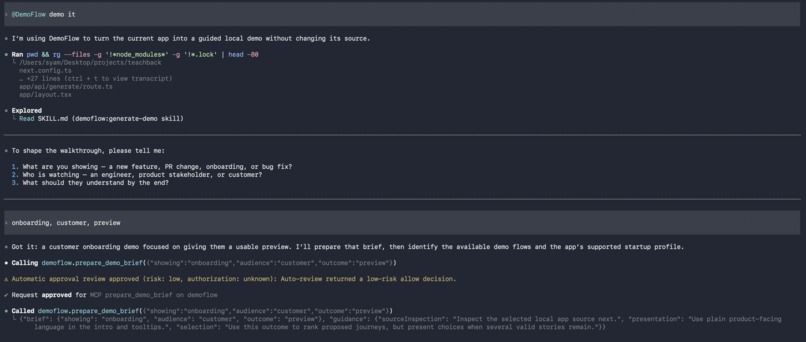
mention demoflow and ask it
-
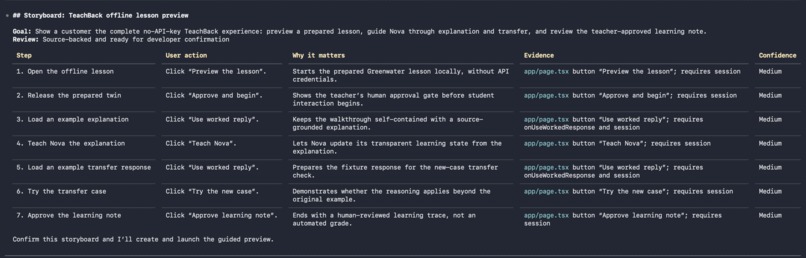
storyboard preview before write
-
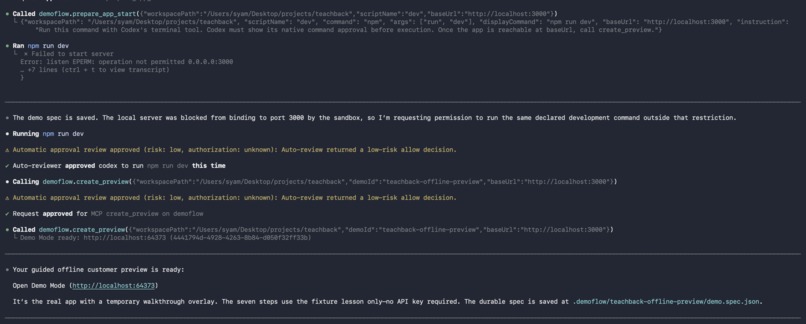
ready!
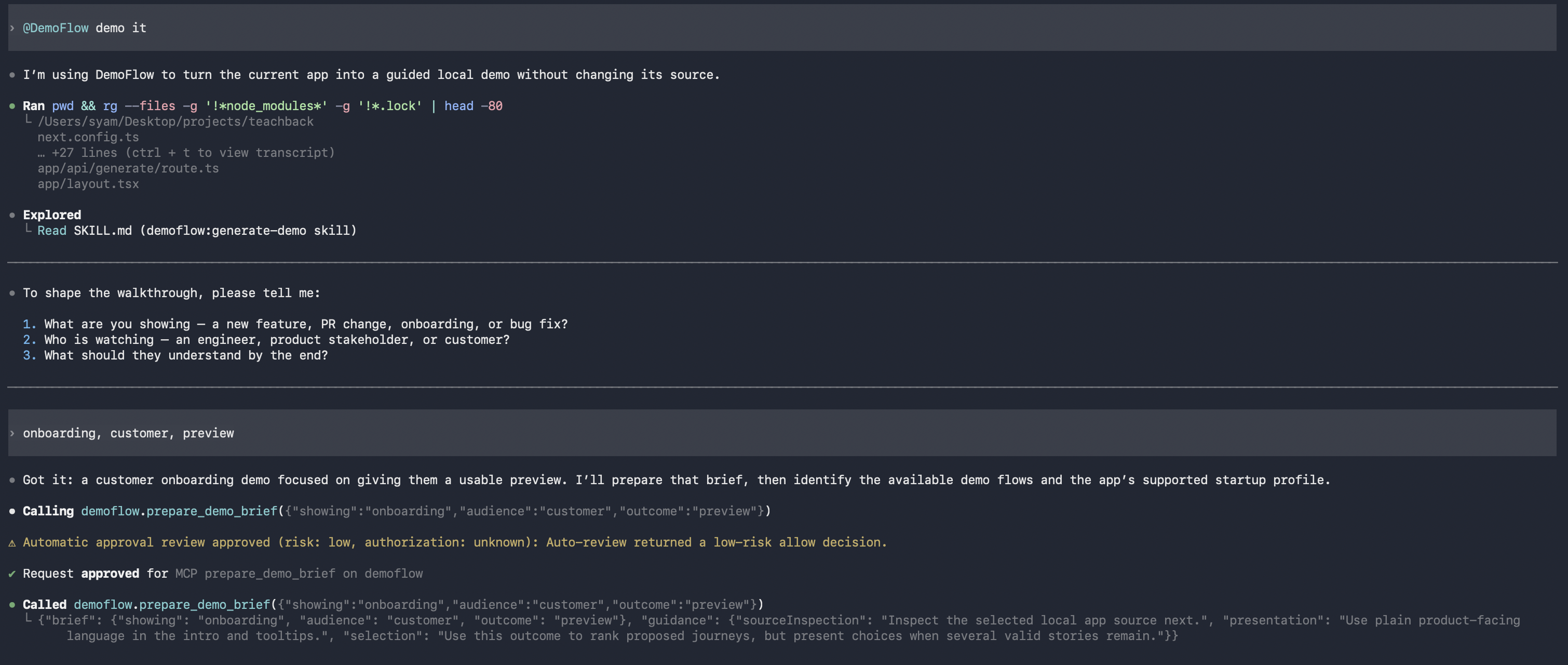
Inspiration
Product demos and onboarding docs often become stale because they are written separately from the code. We asked: what if the real local application could become the guided walkthrough, with the codebase as evidence for each step?
DemoFlow is also for product engineers and solo founders who increasingly need to demo directly to customers, clients, and teammates. Instead of preparing a fragile manual click-through, they can turn a real user journey into a guided story.
What it does
DemoFlow is a local-first Codex plugin that turns a running web application into Demo Mode from a natural-language request.
Codex inspects the local project and creates an editable demo.spec.json describing a user journey. DemoFlow then serves the real local app through a loopback-only proxy and injects a temporary overlay with tooltips, highlights, and step progression.
The developer still clicks and types in the real UI. DemoFlow does not clone the app or modify its source code.
Why it matters
Recorded demos and written docs drift away from the product quickly. DemoFlow makes a walkthrough a small, versionable artifact that can live beside the codebase.
Saved demos can be reused without re-inspecting the full project. A compact app map and source fingerprint help indicate when a saved demo may need review after the app changes.
This makes DemoFlow useful for both product demos and developer onboarding: users can understand important flows in the context of the real application.
How we built it
We built DemoFlow as a Codex plugin with a bundled local MCP runtime.
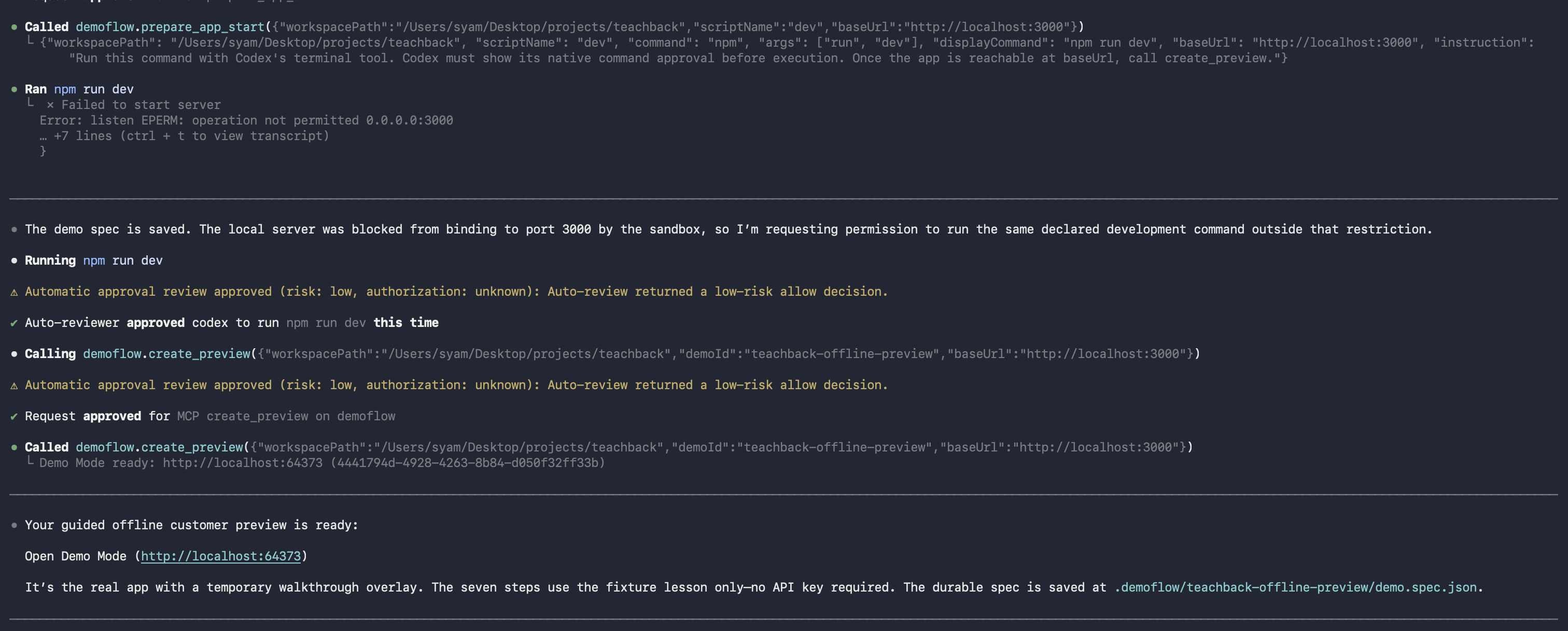
Codex handles the product reasoning: it interprets the requested journey, reviews the project’s compact app map, proposes a demo story, and creates an editable demo specification. The MCP tools handle focused local actions: inspecting the project, saving the spec, preparing the development command, and creating Demo Mode.
DemoFlow includes:
- Source inspection for React and Next.js projects
- A compact app map of routes, labels, test IDs, controls, and relevant UI conditions
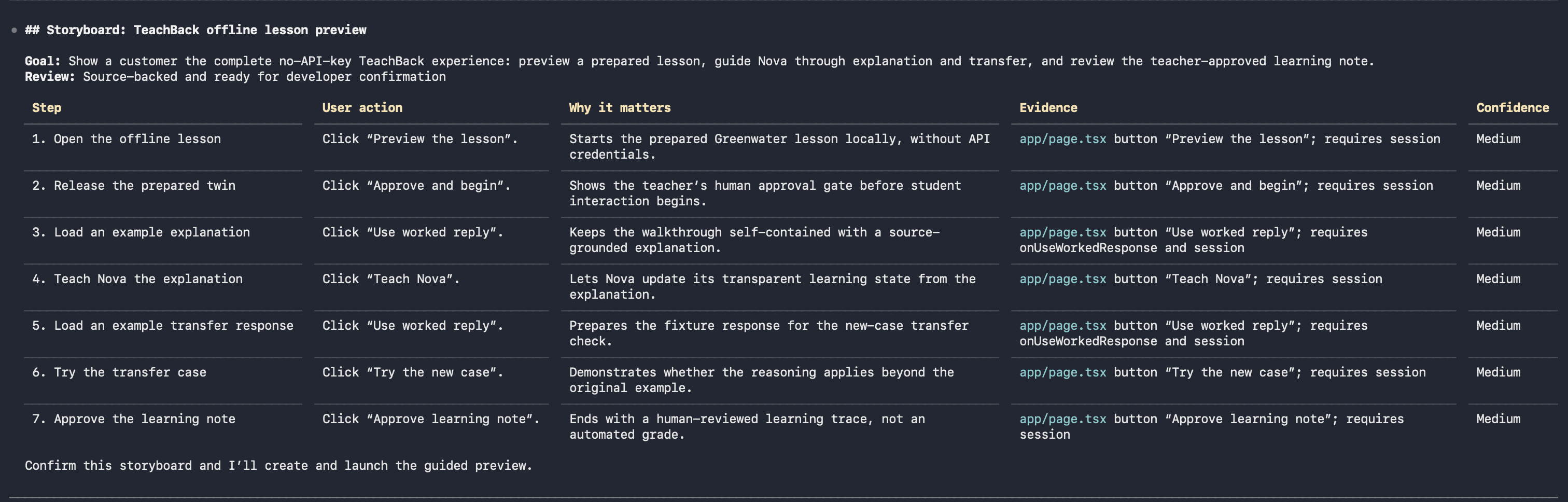
- A human-readable storyboard before the final
demo.spec.json - A loopback-only proxy that injects a dependency-free browser overlay
- Runtime verification for conditionally rendered controls
- Repair reports when a chosen target is unavailable or ambiguous
The developer approves the application’s existing development command, then opens a second local Demo Mode URL. DemoFlow highlights real controls and advances when the real application state changes.
Local-first by design
DemoFlow has no hosted dashboard, account system, payment requirement, source-code upload, or per-demo credit system. Project code stays local.
The plugin creates only local .demoflow/ artifacts and injects the walkthrough temporarily through a localhost proxy. It does not permanently alter the target application’s source code.
Browser automation, automatic video capture, and reliable backend-state reset are intentionally deferred from this MVP.
Challenges we ran into
I was new to the world of agents and MCP, so one of the hardest parts was understanding where the agent should stop and where the MCP tool should begin.
The agent should reason about the product story and decide what a demo needs to prove. MCP tools should perform small, deterministic, safe local actions. Finding that boundary was important for reliability, speed, and keeping the agent from repeatedly reading unnecessary context.
Real React and Next.js apps were another challenge. They are not static HTML: controls can be repeated, hidden behind conditional rendering, or appear only after an earlier action changes application state. DemoFlow therefore combines source-derived candidate controls with runtime verification in the injected overlay.
Interaction design was also difficult. I wanted a compact Demo Brief with single-choice options, multi-select audiences, and an “Other” text field instead of asking users to write a long prompt. Codex’s available interaction surface can vary by client, so the workflow needs to remain useful with a clear conversational fallback.
Finally, an MCP server cannot silently wake a completed Codex task from the browser. We designed repair reports so that a developer can bring an unavailable target or browser error back to Codex for a focused repair.
Accomplishments that we’re proud of
- DemoFlow runs against the real local application without modifying its source.
- It creates a durable, editable demo specification instead of a one-off recording.
- It turns a vague prompt into a storyboard with user actions, purpose, evidence, and confidence before launch.
- It supports source-backed target selection, repeated controls, conditional rendering waits, and browser repair reports.
- It keeps project code local while still making the demo experience feel polished and product-facing.
- It packages the MCP runtime directly in the plugin, avoiding a separate hosted service or paid workflow.
What we learned
Building DemoFlow taught me how agents and MCP tools can work together. The agent handles product reasoning and story creation, while MCP tools perform focused local actions such as inspecting a project, saving a spec, and launching Demo Mode.
I also learned that compact, structured context matters. Instead of repeatedly sending broad source files, DOM dumps, or screenshots to the agent, DemoFlow gives Codex a small app map, a storyboard, and a saved demo spec. This reduces unnecessary context and token use, and makes repeated demo workflows faster.
A saved demo can be launched without a full re-inspection of the project, while runtime verification still checks whether the intended control is available in the real application.
What’s next for DemoFlow
Next, we want to improve the structured Demo Brief experience, add more reliable backend-aware demo environments and reset strategies, and support more frontend frameworks.
We also want to explore optional AI voice-over, video capture, and better sharing workflows for versioned demo specifications.
The long-term goal is to make product demos, product reviews, and developer onboarding feel like a living part of the codebase instead of documentation that starts aging as soon as it is written.
Built with Codex
Codex was the reasoning interface for DemoFlow. It helps define the user journey, reads the compact local app map, proposes the storyboard, generates the editable demo.spec.json, and operates the local MCP tools.
DemoFlow uses Codex to turn codebase knowledge into a guided, real-application demo—without uploading the project to another service.
Built With
- codex
- gpt-5.6
- model-context-protocol
- react
- typescript
- vite


Log in or sign up for Devpost to join the conversation.