-
-
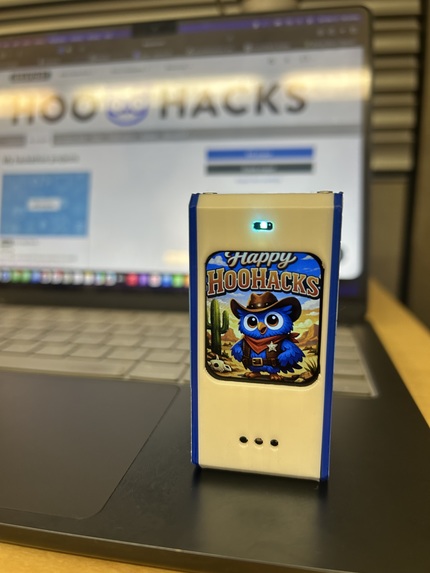
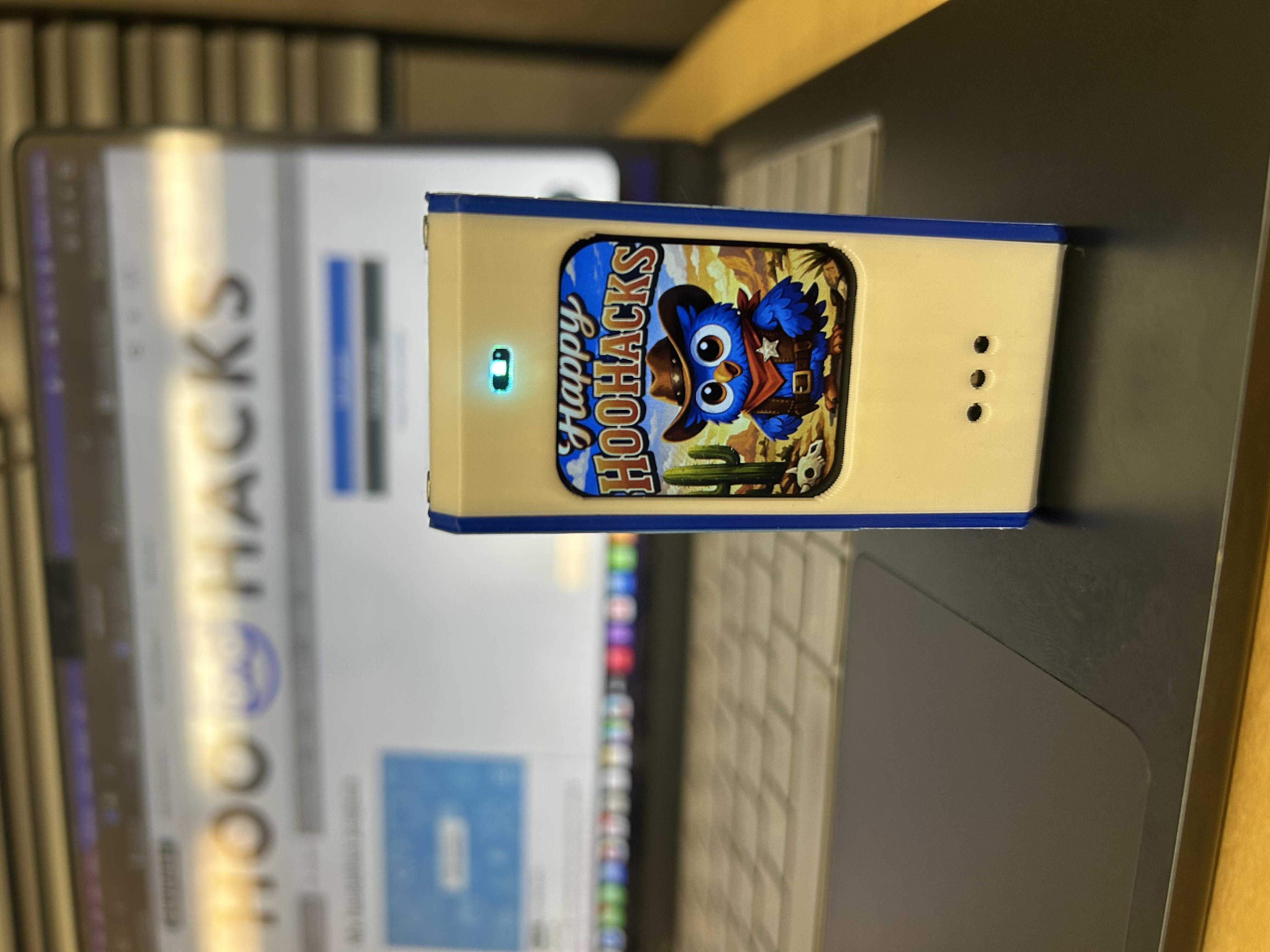
Happy HooHacks!
-
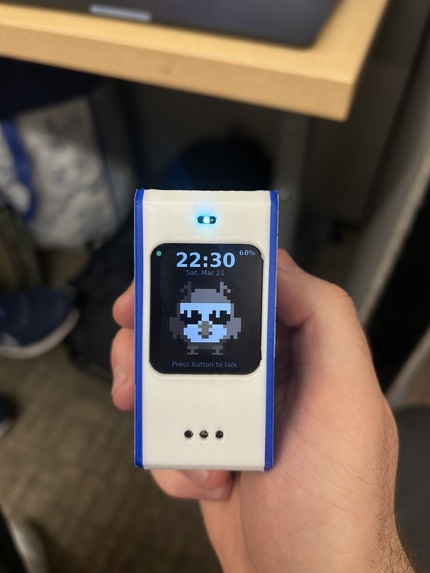
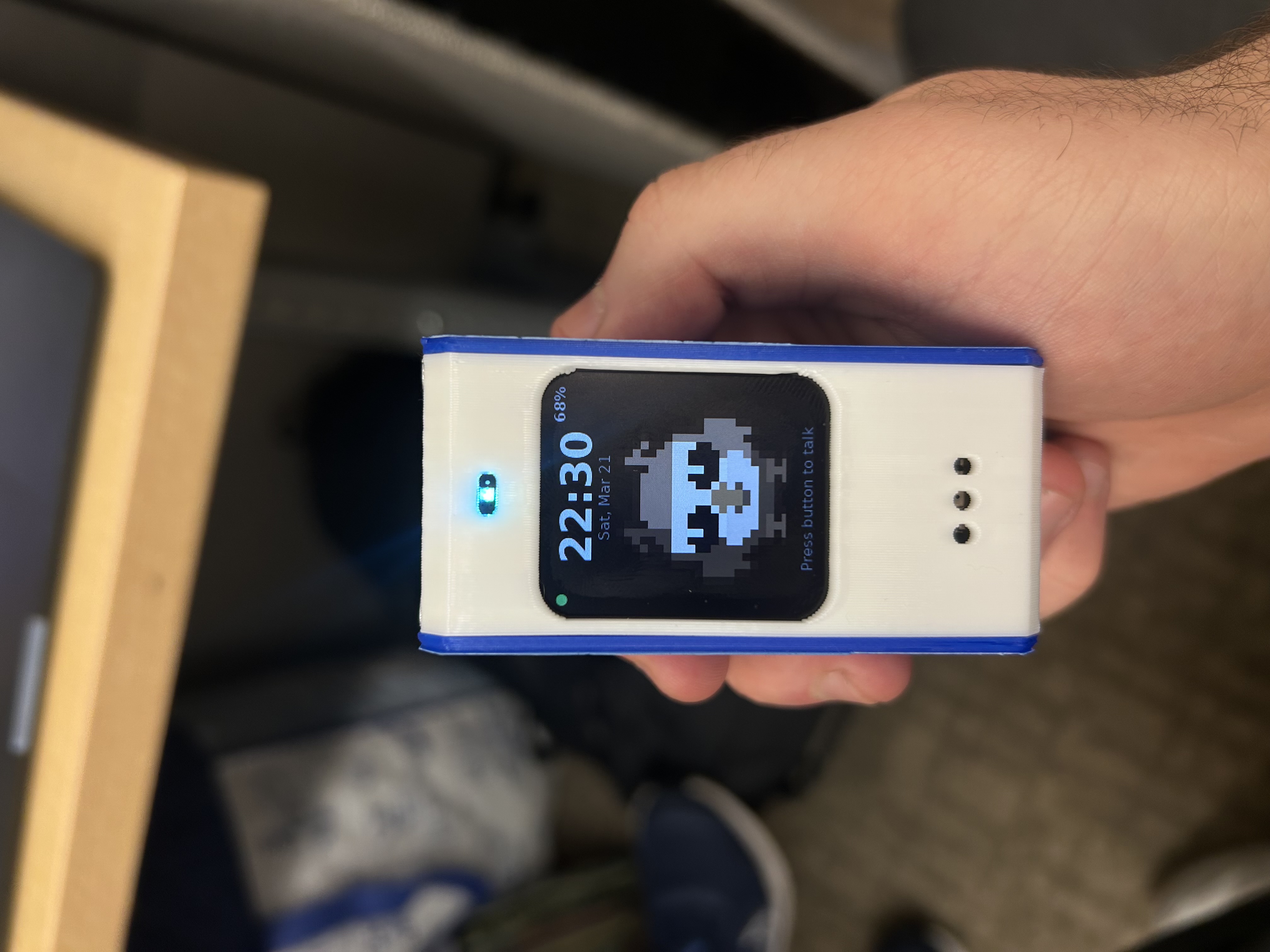
Athena Home Screen
-
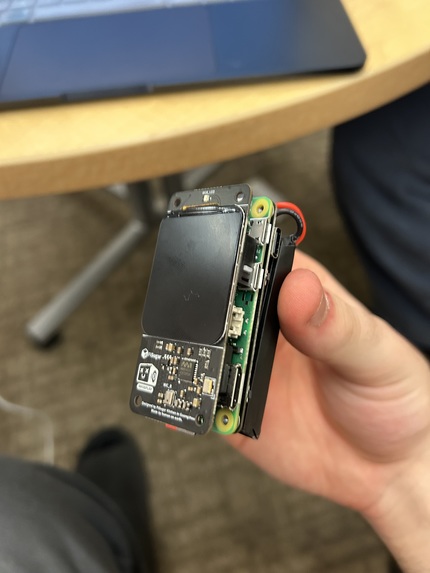
Hardware Stack Front View
-
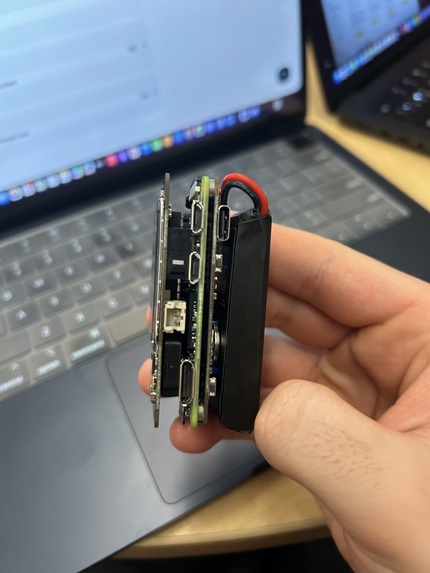
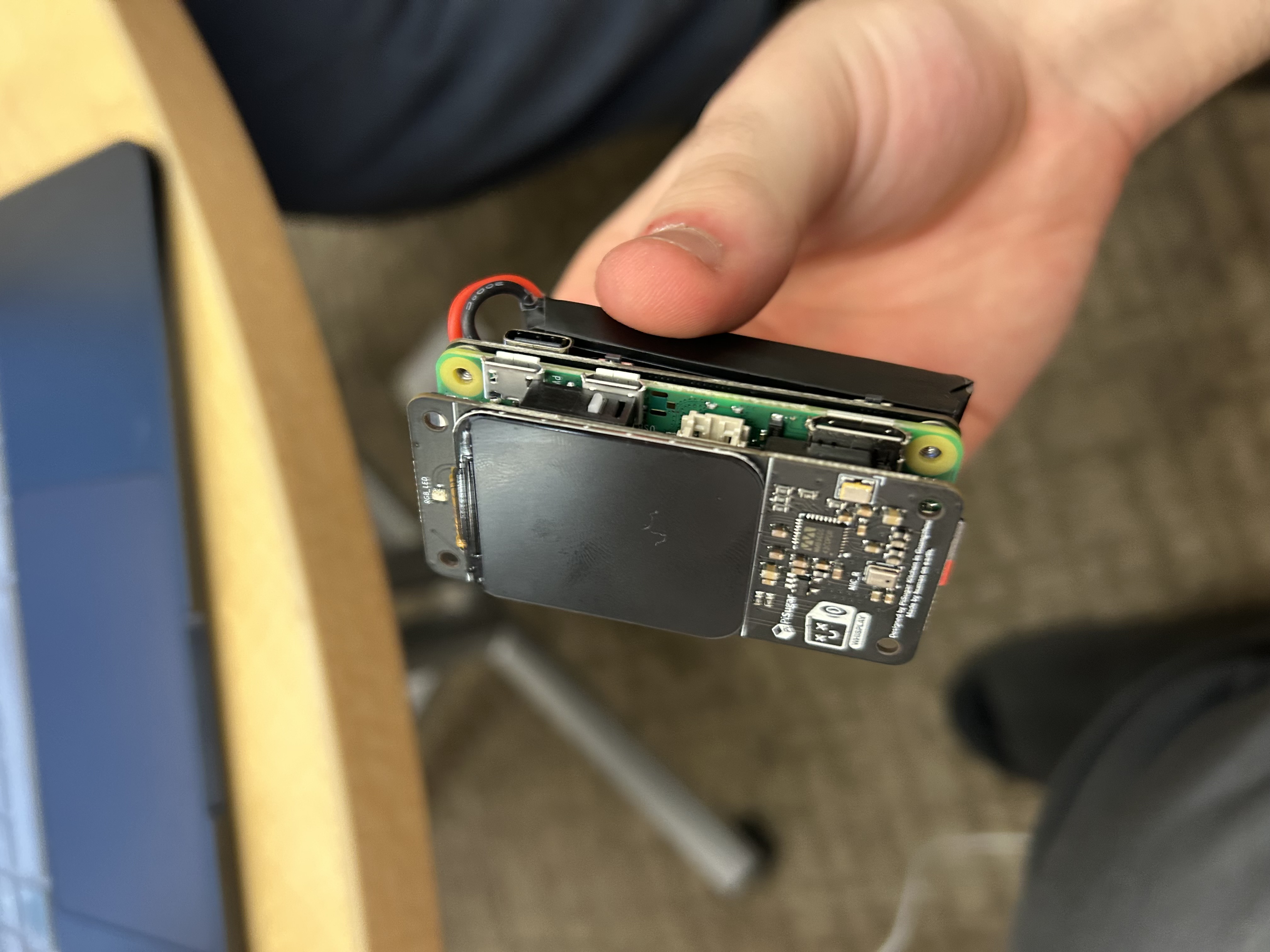
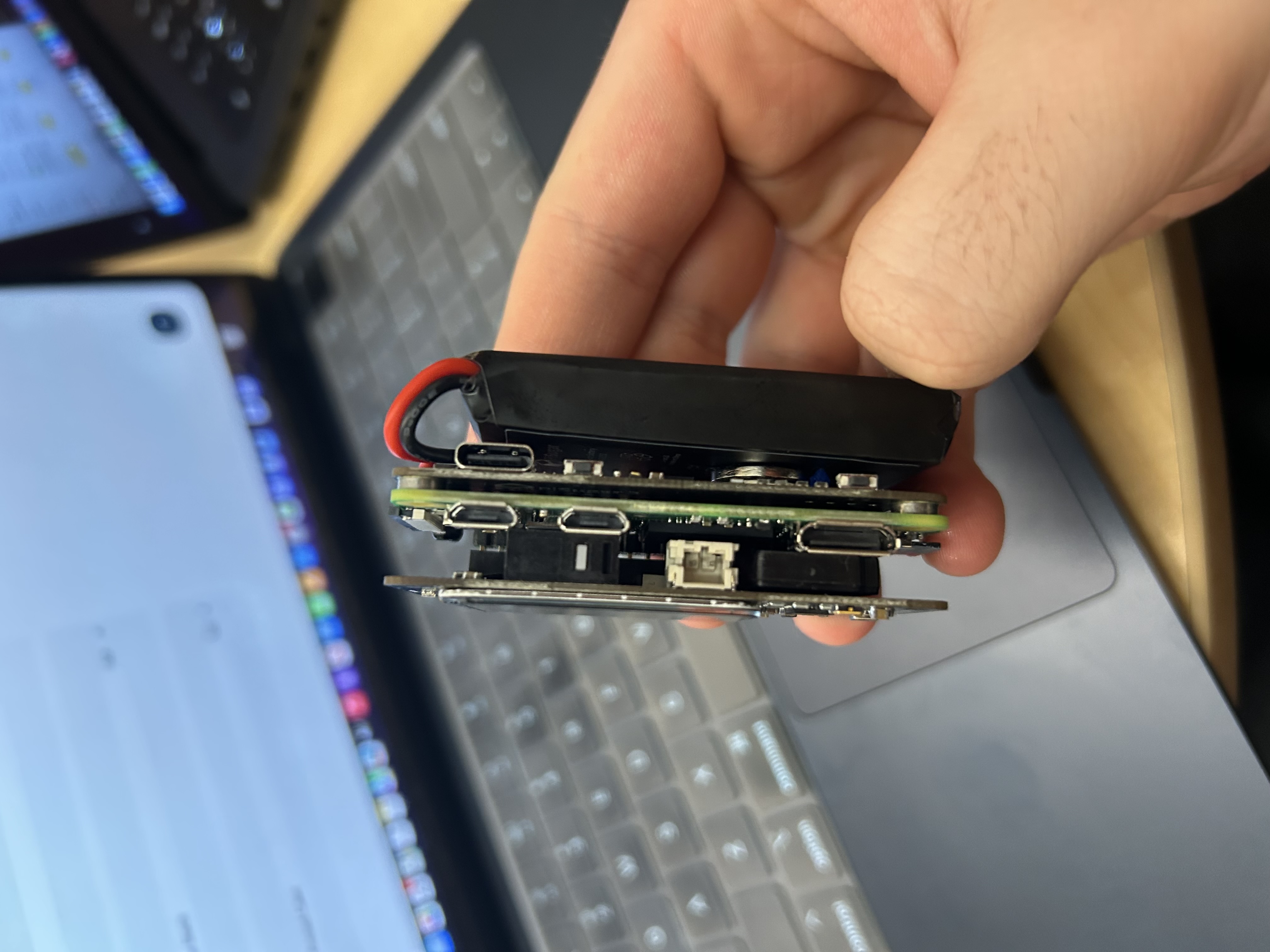
Hardware Stack Side View
-
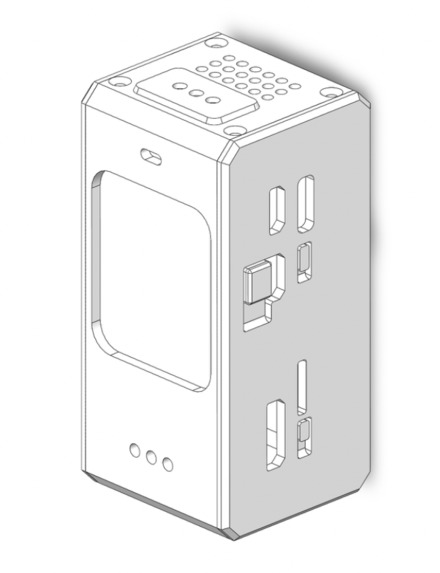
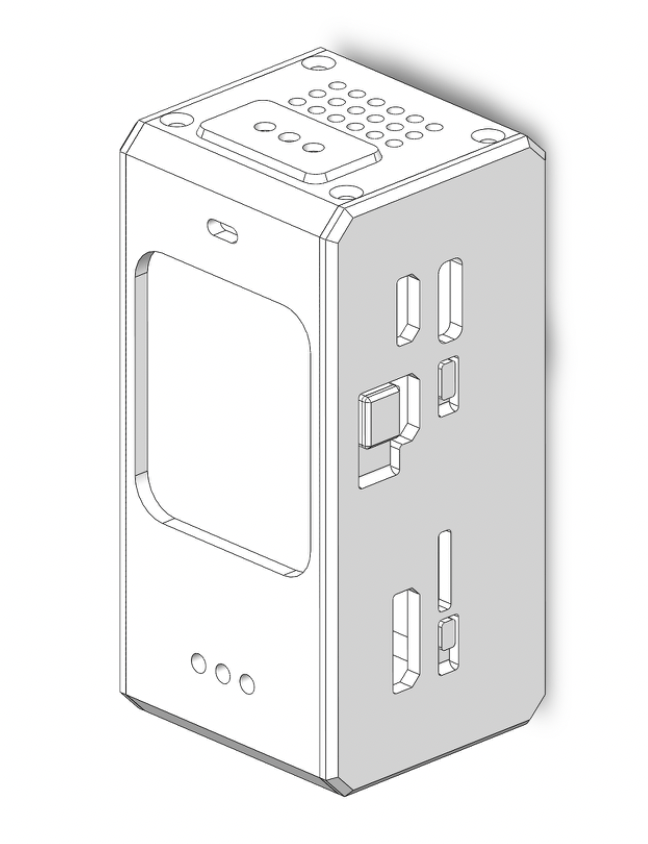
3D Printed Case
Inspiration
Over 120 million Americans are over the age of 50, yet nearly 60% claim modern technology isn’t designed for them. As AI advances, many elderly people struggle to keep up and risk being left behind. Current tools are often too complex, unintuitive, or inaccessible. We wanted to create a simple, intelligent assistant that empowers the elderly to confidently use AI.
What it does
Athena is a Raspberry Pi voice assistant designed for elders that uses a push-to-talk button, speech recognition, and a Whisplay screen to deliver simple, accessible help. When the user presses the button, Athena records audio, transcribes it with gpt-4o-mini-transcribe, and uses gpt-5-mini to decide whether to return a spoken answer or switch into visual mode.
For chat requests, Athena streams concise replies from gpt-5.4, can use OpenAI web search for current information, and reads responses aloud with gpt-4o-mini-tts while showing them on-screen. A single button handles listening, canceling, and interrupting, while LED and display states make the interaction easy to follow.
For pictures, maps, and diagrams, Athena rewrites the spoken request into an image prompt, generates the visual with gpt-image-1.5, and displays it full-screen on the device. It also keeps a short conversation history for follow-up questions and runs end-to-end on a portable battery-powered PiSugar Whisplay system.
Athena also supports multilingual interaction, allowing users to speak in one language and receive responses in another. For example, a user can ask a question in Russian and have Athena respond in Chinese, both in spoken audio and on-screen text. This enables seamless cross-language communication, making it especially useful for multilingual households or users more comfortable speaking in their native language while consuming information in a different one.
How we built it
Hardware: Athena runs on a Raspberry Pi Zero 2 W with a PiSugar Whisplay HAT and PiSugar battery board, creating a compact handheld assistant with a built-in screen, speaker output, and a single push-to-talk button, which is all enclosed in a custom-made 3D printed case. The whole system is designed to be portable and self-contained, so users can interact with it without needing a separate phone or keyboard.
Conversation flow: Athena keeps a short rolling conversation history so users can ask follow-up questions naturally without having to repeat context each time. Responses are intentionally kept brief and simple for spoken delivery, making the assistant easier to use for everyday help with technology, information, and visual explanations.
Challenges we ran into
Hardware bring-up was the first real problem; Athena depends on the Whisplay display, the WM8960 audio stack, GPIO button input, and the PiSugar battery system all working together on a Pi Zero 2 W, and small mismatches in paths, permissions, or boot order would break startup. We solved this by hardening the runtime around the real Pi environment, adding a systemd service, and making startup wait for the right hardware and network state instead of assuming everything was ready instantly.
Audio consistency was another challenge. The speaker would sometimes boot at the wrong mixer levels, so Athena could sound loud in one run and nearly inaudible in the next. We solved this by forcing the full WM8960 speaker chain at startup and playback time, including Speaker, Speaker AC, Speaker DC, and Playback, and then adding software TTS gain so speech stayed clear even after reboot.
A similar problem was making interaction feel natural with only a single push-to-talk button. Interrupting Athena while it was speaking could leave stale audio, lingering text, or half-canceled UI states on screen. We solved this by introducing a stronger interruption path that cancels the current turn immediately, clears transient display state, stops TTS, and starts a fresh listening turn on the same button press.
Intent routing also took several iterations. Obvious requests like "generate an image" worked well, but more natural requests like "show me a map," "make a diagram," or "create a poster that says…" would sometimes fall back to normal chat. We solved this by combining a gpt-5-mini router with stronger fallback rules that recognize maps, diagrams, posters, and text-in-image prompts as visual requests.
Display rendering on the Whisplay screen was another major challenge. Different states were originally drawn through different code paths, which caused black flashes, leftover image strips, and the owl jumping around between idle and active modes. We solved this by moving to a shared scene builder that repaints the full frame every time and keeps the owl, background, and status UI visually consistent across idle, listening, thinking, and talking.
Accomplishments that we're proud of
The interaction actually feels simple. Press the button, speak, get an answer. Interrupt if needed. Getting from "technically working" to "actually intuitive" took a lot of iteration on button timing, audio playback, display transitions, and response length that doesn't show up in a demo but changes the whole experience.
The entire voice-to-response pipeline runs on a Raspberry Pi Zero 2 W with a Whisplay screen and PiSugar battery. Athena can transcribe speech, decide between chat and visual mode, answer aloud, and show images, maps, or diagrams on-device. No phone UI, no keyboard, no separate monitor. Just a small handheld assistant, and it works.
What we learned
Modern OpenAI models are already good enough for this use case -- speech recognition, routing, chat, and image generation all worked with surprisingly little glue. The hard part wasn't getting an answer, it was making the interaction feel predictable. The button logic, interruption flow, and display state machine took more iteration than the model calls themselves.
Embedded audio matters more than you think. Mixer state, driver startup order, playback gain, and boot-time services ended up mattering more than raw model speed. A system can be technically correct and still feel broken if the speaker comes up quiet or the UI glitches during a transition.
systemd, ALSA, and Raspberry Pi driver debugging are now proudly part of our repertoire.
What's next for Athena
Better visual reasoning using stronger prompt-to-image control instead of basic image routing -- clearer maps, diagrams, and instructional visuals would be nice to generate. More personalization for multilingual households and elderly users, including memory for preferences like language and response style. Furthermore, having relatives like our grandmothers and grandfathers test Athena on a daily basis would help us gather real feedback.
Built With
- alsa
- ffmpeg
- numpy
- openai
- pillow
- pisugar
- python
- raspberry-pi
- requests
- stt
- tts
- whisplay

Log in or sign up for Devpost to join the conversation.