-
-
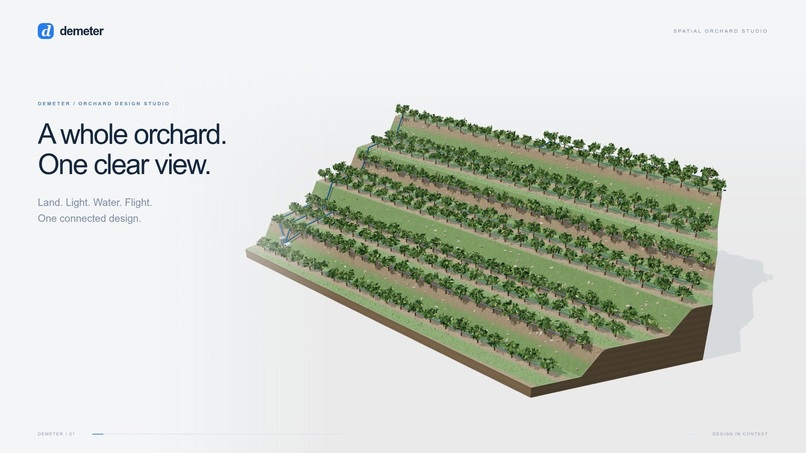
Demeter — from a design brief to a living 3D orchard.
-
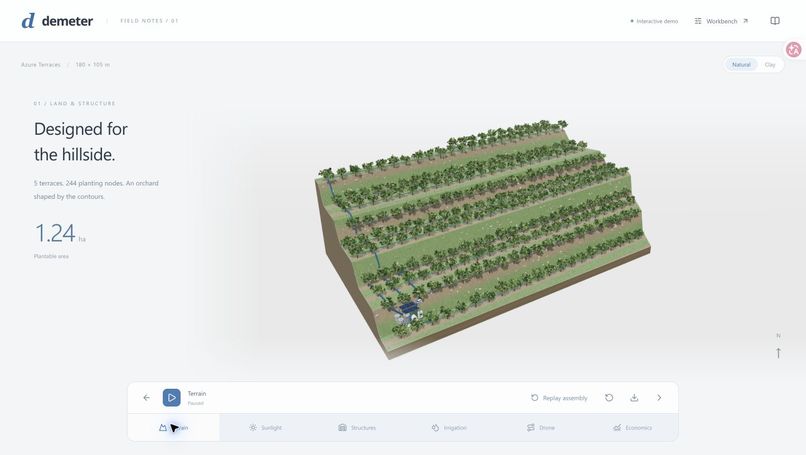
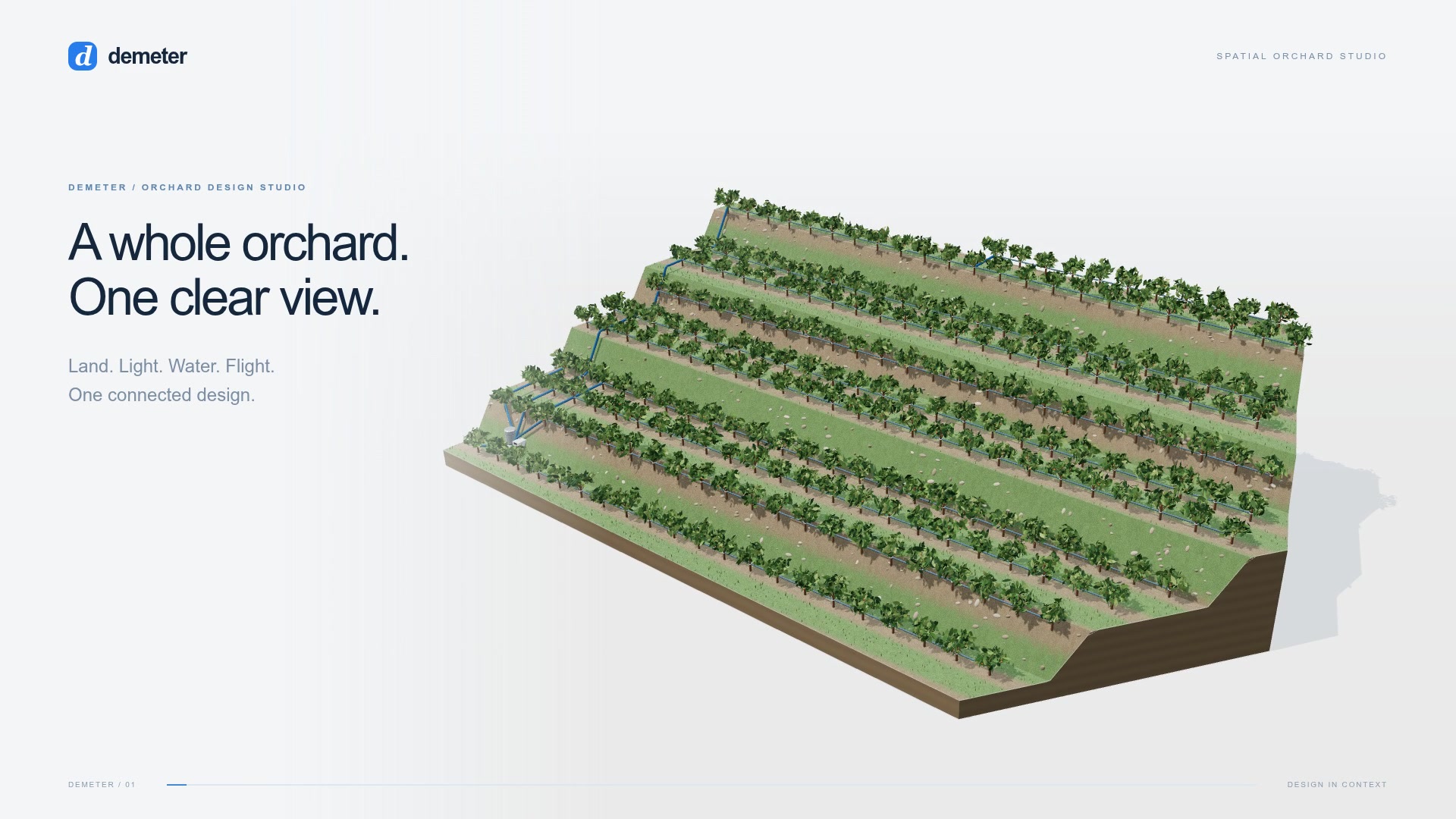
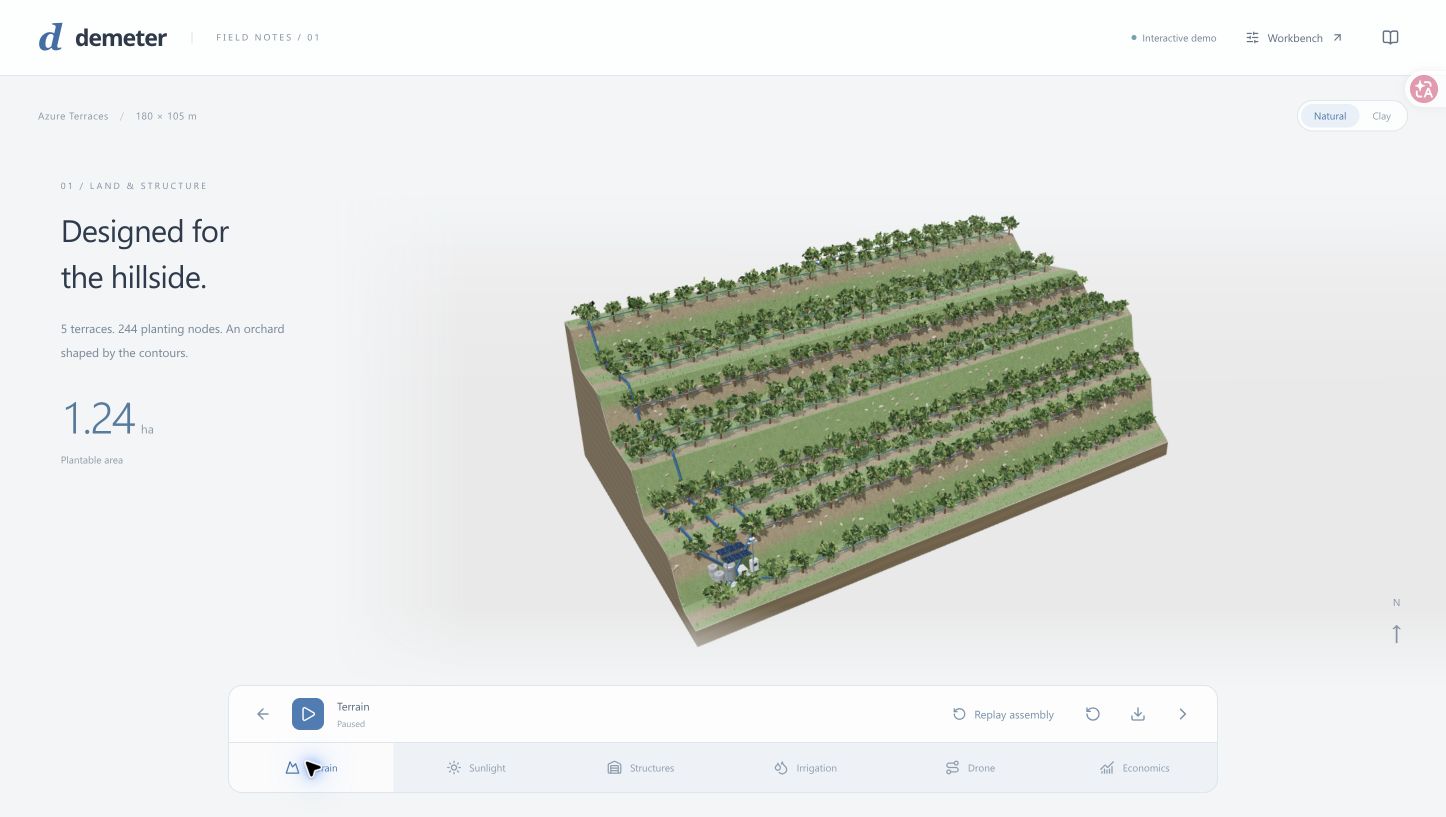
A complete terraced orchard with 244 planting nodes and an integrated water network.
-
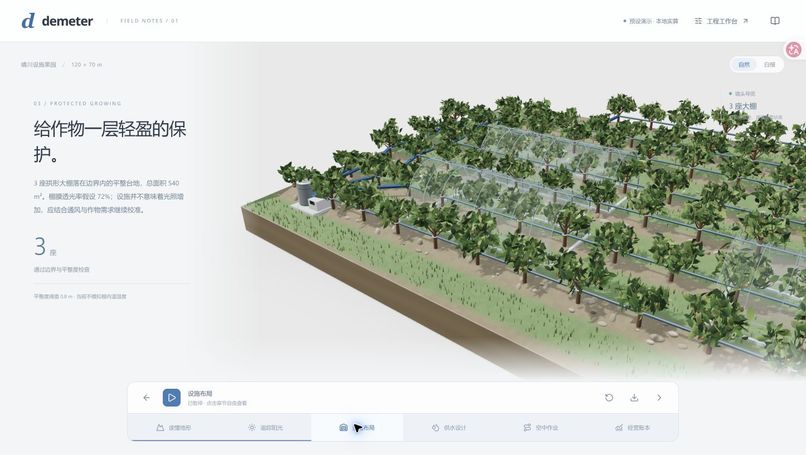
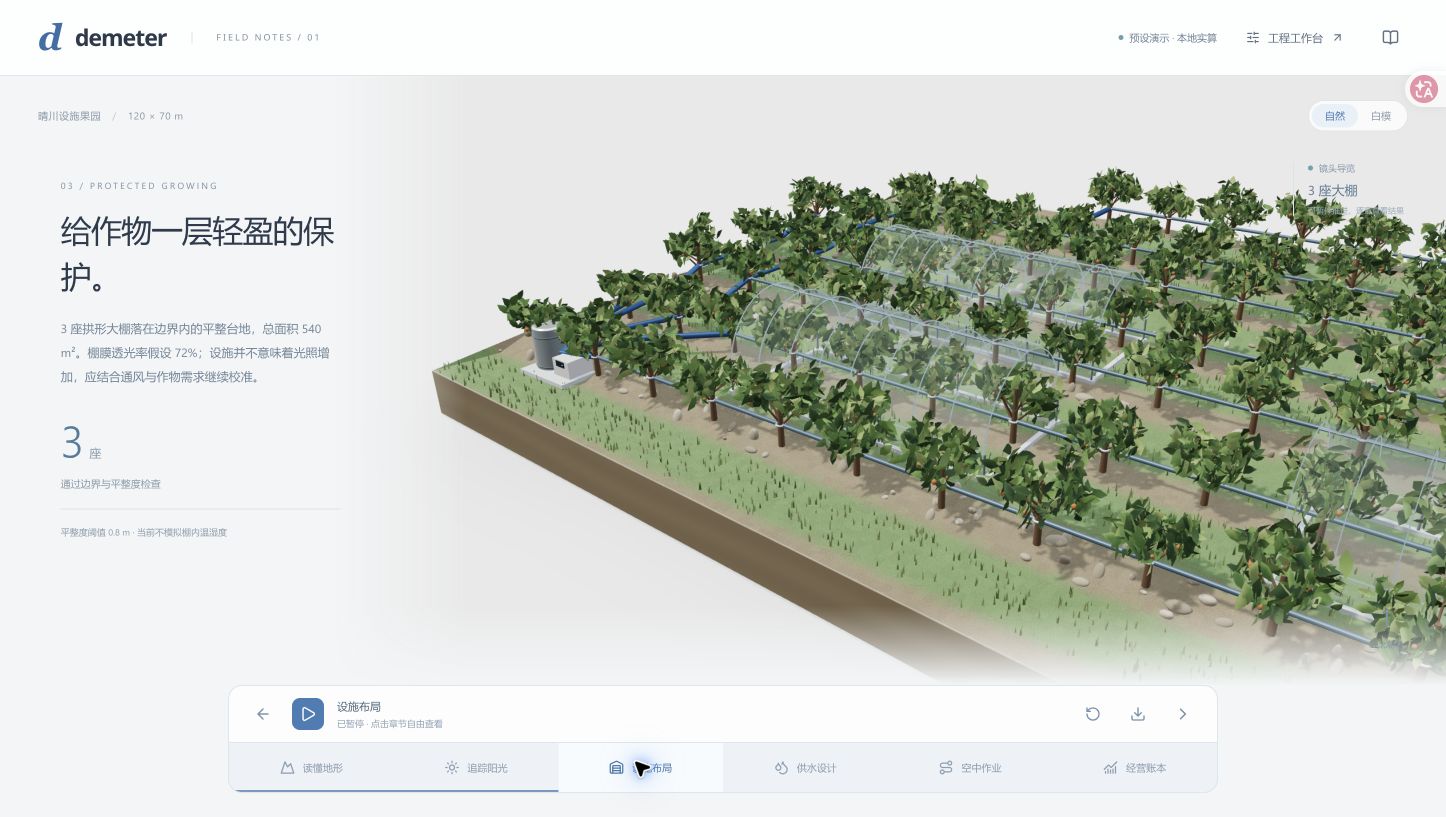
Protected growing: greenhouse structures, winter sunlight and roof transmission.
-
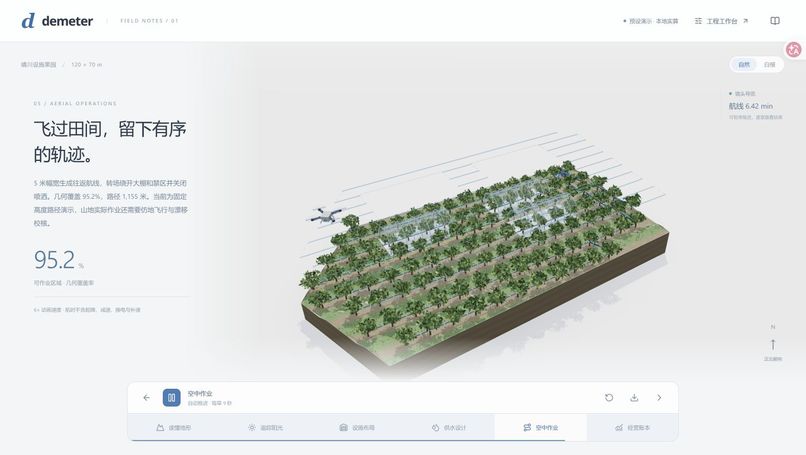
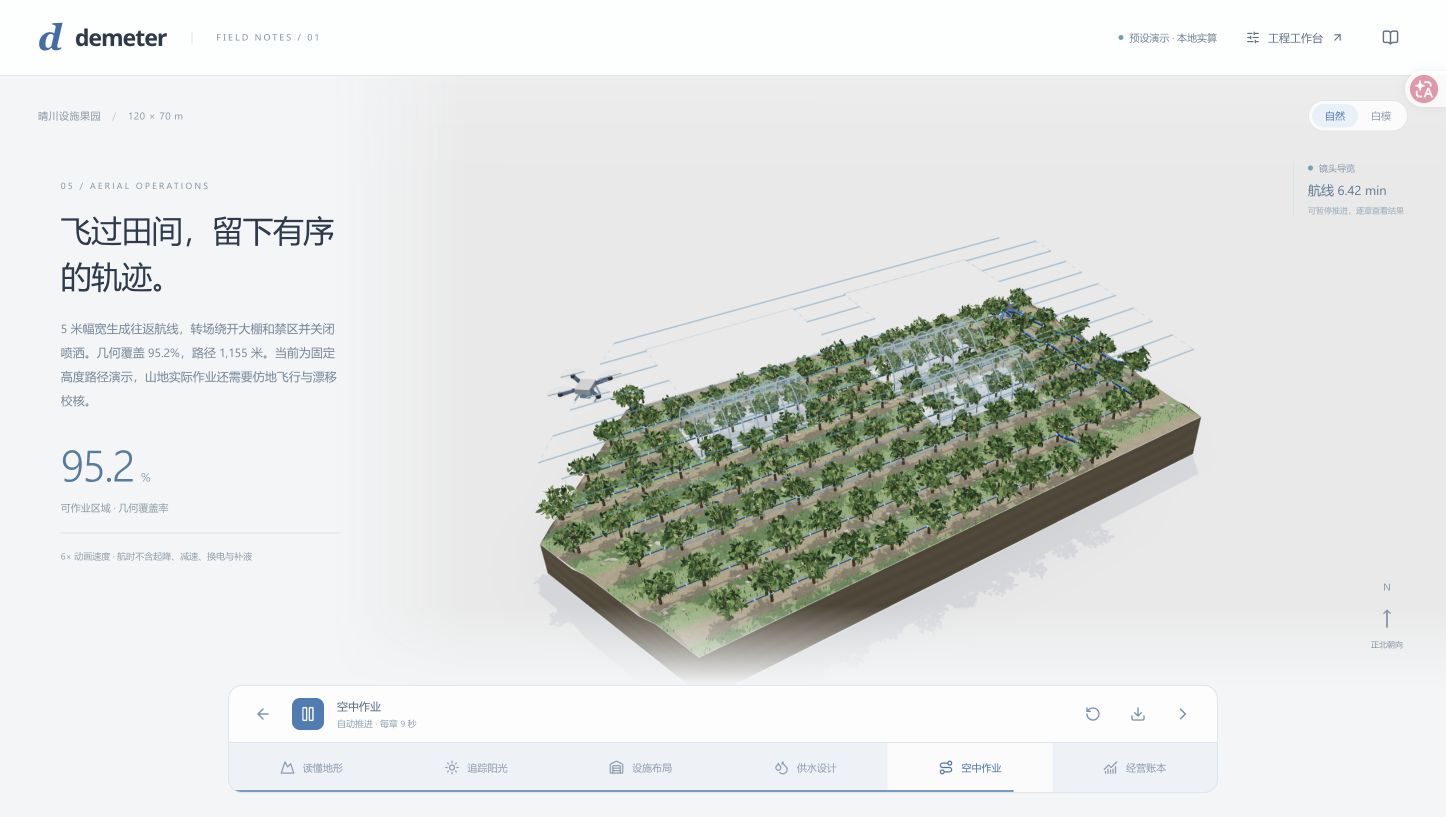
Aerial operations: orchard coverage paths and animated drone spraying.
Inspiration
Designing a hillside orchard means balancing terrain, water pressure, sunlight, protected growing, aerial operations and investment. Those decisions are often scattered across separate drawings and spreadsheets. We wanted to make their relationships visible in one place: a field that assembles in front of you, then explains its design through a guided camera tour.
What it does
Demeter turns a design brief into an interactive orchard scene. Terraces emerge, trees assemble row by row, greenhouse frames take shape, and the irrigation network extends from the source to its endpoints. Six camera chapters explore terrain, sunlight, structures, irrigation, drone coverage and economics.
The studio evaluates clear-sky sunlight and terrain shading, places greenhouses, generates obstacle-aware drone coverage paths, and compares hydraulic network designs. Users can change price and yield assumptions to explore annual cash flow and five-year NPV, then export the study.
The online showcase offers three complete scenarios without installation. The downloadable container adds editable terrain, free-form model-driven prompts, fresh engineering computations and the detailed workbench.
How we built it
The frontend uses React, TypeScript, Three.js and React Three Fiber. A shared terrain representation keeps trees, structures, pipe routes and engineering calculations aligned. A construction timeline and camera controller turn the resulting geometry into a continuous visual explanation.
The Python service calls NVIDIA Nemotron 3 Super through the Nebius Token Factory inference API. Nemotron proposes structured scene and study edits through a bounded tool schema. Pydantic validates the proposal and preserves unspecified parameters. Geometry, arithmetic and feasibility remain in deterministic tools rather than the language model.
WNTR/EPANET evaluates 108 hydraulic configurations, covering pipe sizes, pump choices, layouts and watering zones. The application streams actual solver events and exposes pressure snapshots, alternative plans and exports. Other modules calculate solar geometry, terrain obstruction, greenhouse transmission, geometric flight coverage and scenario cash flow.
The GitHub Pages edition replays captured real Nemotron proposals and actual engineering results. The container edition runs the complete API-driven workflow, with model credentials kept on the server.
Challenges we ran into
Natural-language requests must become precise edits without silently changing budgets or crop assumptions. We improved the tool schema and request layout, then tested explicit dimensions, seasonal changes, preservation of unchanged inputs and clarification of ambiguous requests.
The 3D scene also needed to communicate computation rather than hide it behind a spinner. We built sequential assembly, pressure overlays, solver playback and chapter-specific camera movement. In the production container, we resolved EPANET's working-directory requirements so its hydraulic scratch files remained writable under an unprivileged user.
Accomplishments that we're proud of
A real Token Factory call now drives the same geometry and engineering pipeline used by the demo. Six bounded real-model interpretation cases passed, alongside 71 automated tests.
The verified custom scenario contains 188 planting nodes and two greenhouses. Its hydraulic search evaluates 108 configurations and finds 58 feasible designs. The three online showcase scenes each contain 244 planting nodes across a 180 × 105 m field.
Both an interactive Pages demo and a tested downloadable container are available, with an English startup guide and SHA-256 checksum.
What we learned
A useful AI engineering interface needs a clear division of responsibility: the model interprets intent, validated tools calculate outcomes, and the scene makes those outcomes inspectable. Visual construction and camera movement can explain the relationships between design decisions far more directly than disconnected metrics.
What's next for Demeter
Import measured terrain and orchard data, incorporate weather and canopy shading, improve crop-specific economic calibration, and connect site measurements to the design workbench. Extend the planner's tool orchestration while retaining inspectable calculations and validated constraints.
Try Demeter
Open the online studio in a desktop browser with WebGL enabled. Choose a brief and click the arrow, watch the 26-second construction sequence, then explore the six camera chapters. Pause or replay, change solar time and economic assumptions, and export the study.
For editable terrain, custom prompts and fresh engineering solves, download the container release and follow the English startup guide. It starts without credentials; the guide also explains enabling real Nemotron calls with a server-side Token Factory key.


Log in or sign up for Devpost to join the conversation.