-
-
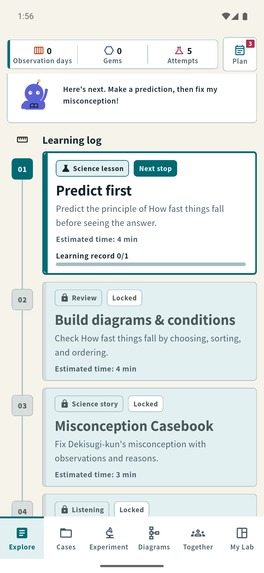
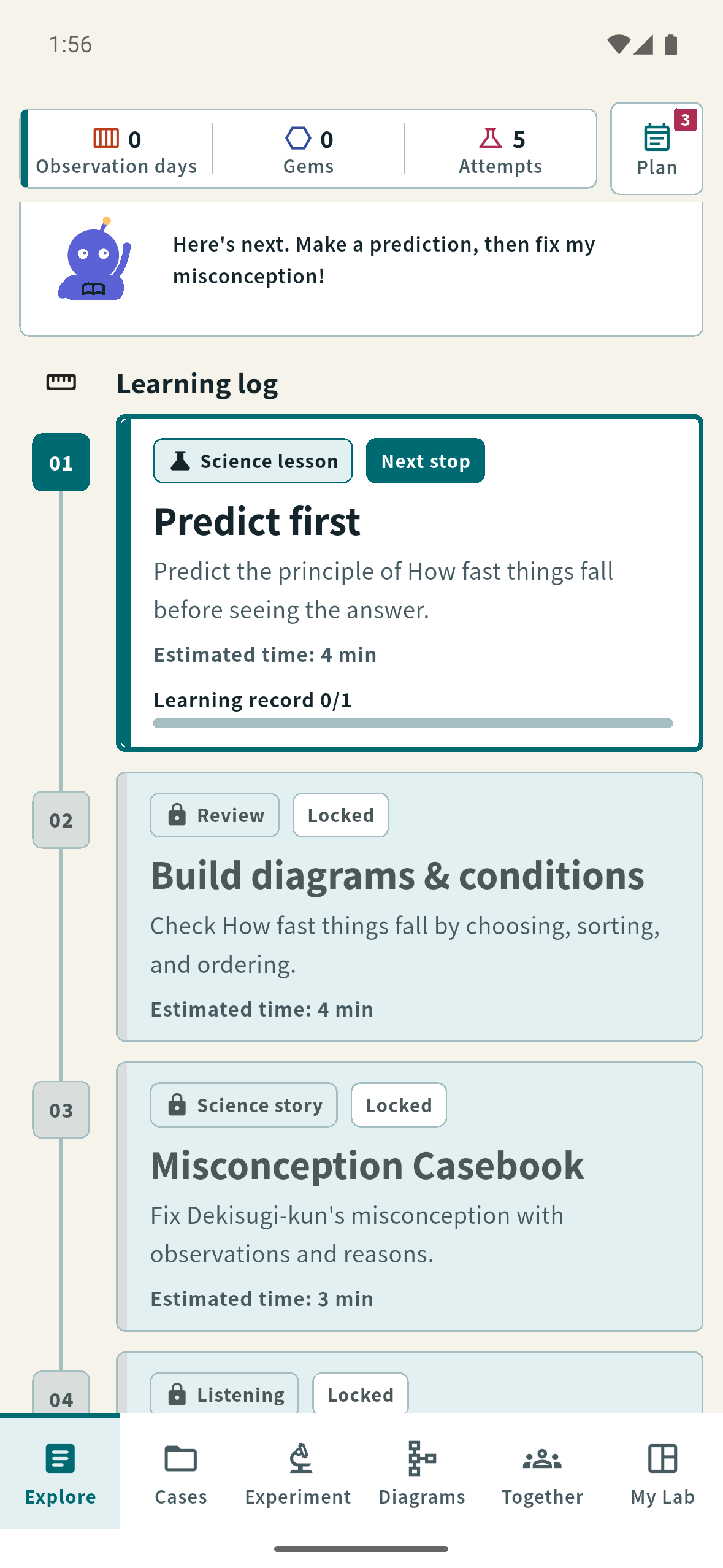
Predict first: the learner commits to an idea before opening the lesson.
-
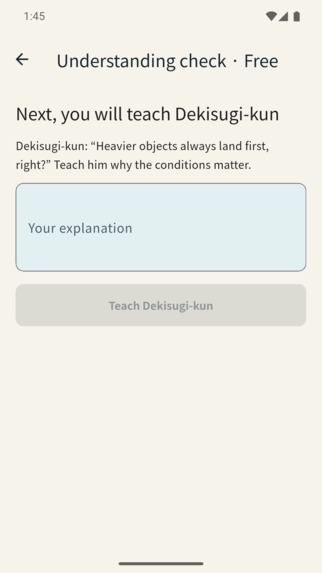
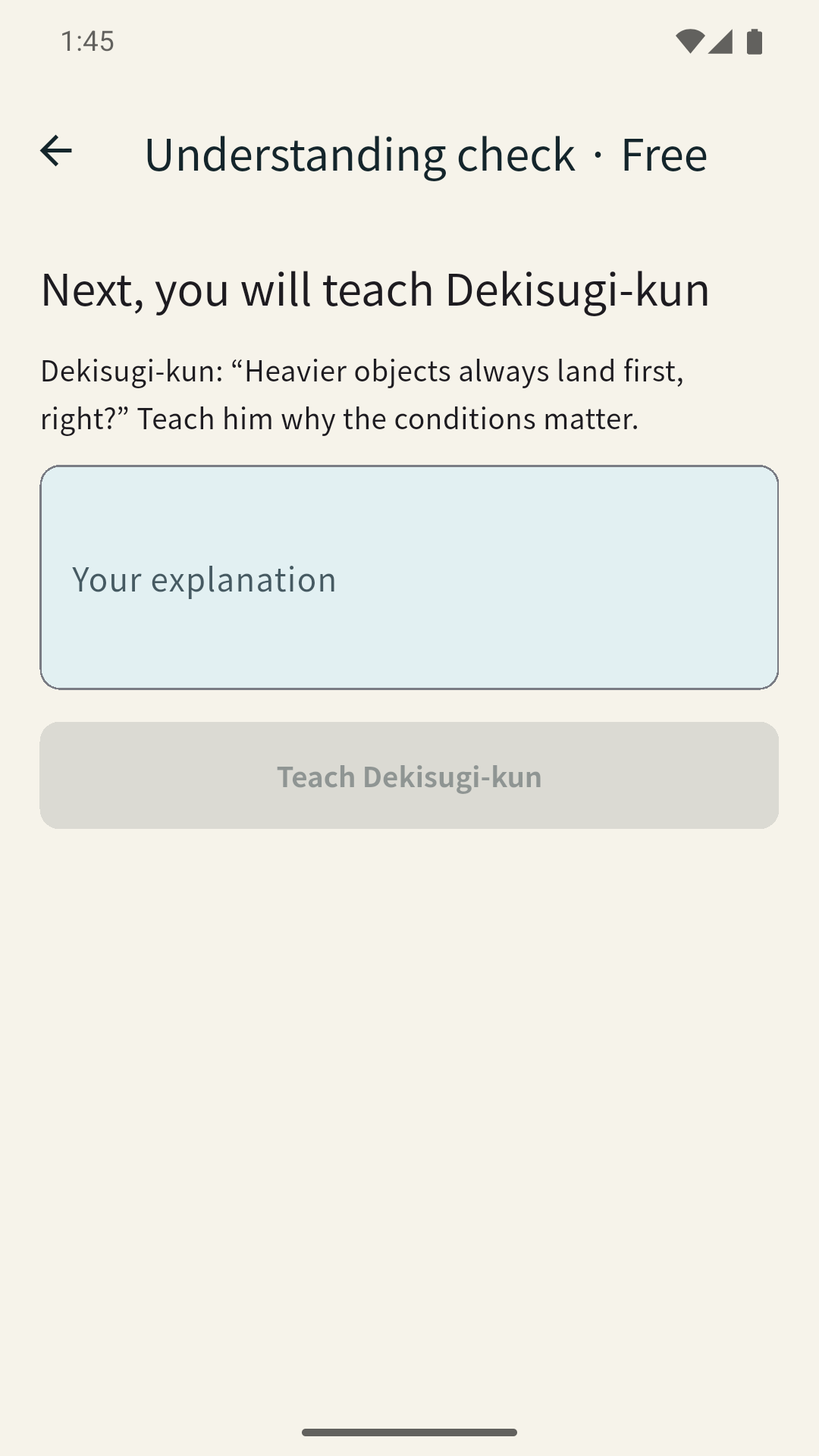
Teach the principle in your own words, with the material hidden.
-
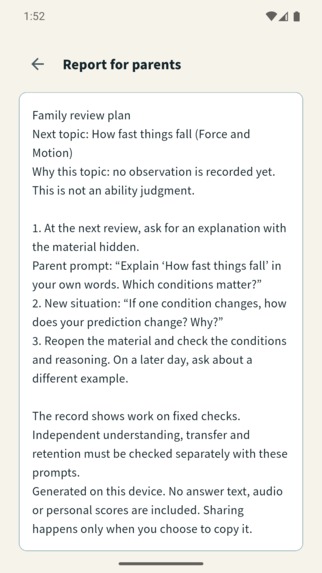
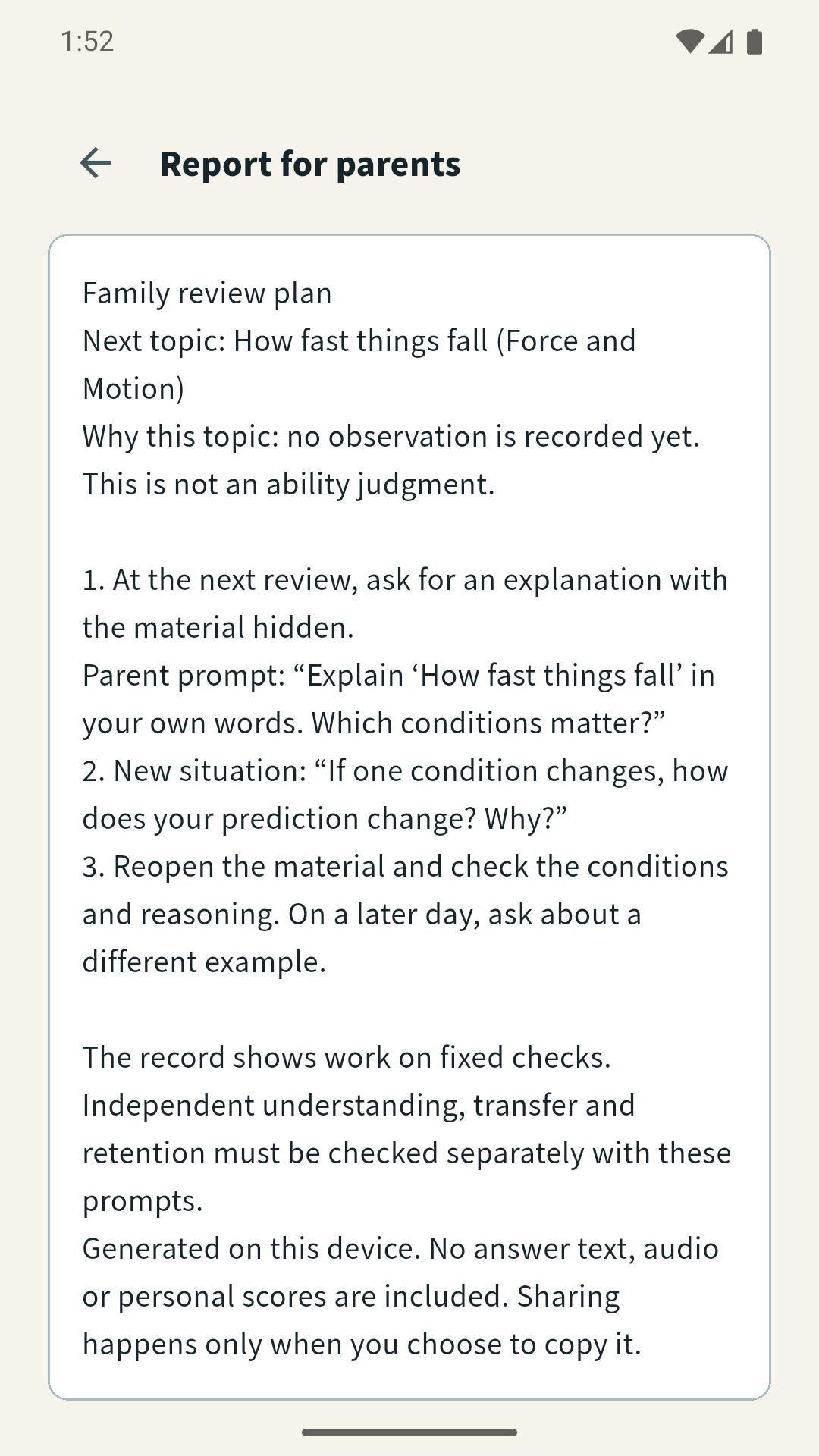
Plus: the next family review topic, a parent question, and a new situation.
-

Dekisugi-kun app icon — 1024 × 1024, uncropped.

Inspiration
A student can choose the right answer and still struggle to explain why it is right.
“Heavier things fall faster” sounds convincing. Then a feather and a hammer fall together on the Moon. What changed? Remembering the answer is one task; explaining the conditions is another.
I built Dekisugi-kun around that moment. Instead of asking a companion to explain science, the learner has to teach it.
What it does
Dekisugi-kun is a native science app for middle and high-school learners. Its central interaction is simple: predict, read, hide the material, explain, and apply.
The learner makes a prediction, explores a focused lesson, and then explains the idea in their own words with the source hidden. They reread their text or replay their voice before the companion asks a fixed follow-up question from the lesson catalog. If they miss a condition, the app offers a hint and asks them to try again. Uncertain ideas remain available for a matching repair activity.
The 67-second demo follows this loop through falling objects, then shows a free understanding check that asks the learner to explain a principle and apply it in a different situation. The reasoning becomes something the learner can inspect and revise, rather than an answer they can copy.
The current build includes 12 science units and 35 concepts, with Japanese and English curriculum, story cases, diagram activities, and review. Core lessons work offline without an account. Text is a complete learning route alongside voice. In the demonstrated route, explanations and voice recordings stay on-device and are not retained as durable records.
Why someone would buy Plus
A family reviewing science together has two practical questions: “What should we review next?” and “What should I ask?”
Plus turns the companion’s record into a local family review plan. It chooses a topic, explains the choice, gives a parent a useful question, and changes one condition to check whether the learner can apply the idea. A shareable report carries the review plan without answer text, audio, or personal scores. The Aurora Cape adds a visible supporter benefit.
Core lessons, text input, review, and understanding checks stay free. The paid value is a more convenient family review routine. The demo shows a RevenueCat Test Store purchase unlocking Plus and the family report, with no real charge.
How I built it
Flutter powers the native app, a bundled bilingual curriculum, and SQLite-backed progress. TypeScript on Vercel serves the catalog. Fixed checkpoints and canonical need codes connect an observed gap to its repair activity. Key-term coverage prompts reflection; it is not presented as a grade for understanding. External live AI is disabled in the current production build.
RevenueCat’s purchases_flutter SDK handles packages, purchase, restore, and the plus entitlement. Family review is a local plan and a report the user can copy; it does not require cloud-linked parent and child accounts.
Challenges and what I learned
The hardest design problem was keeping the companion helpful while leaving the thinking with the learner. Hiding the source, requiring rereading or playback, and offering a condition hint after a miss made that principle visible in the interface.
I learned to judge a feature by what it asks the learner to do. That changed both the learning loop and monetization: explaining and applying remain free, while Plus helps a family decide what to revisit.
Accomplishments and what’s next
I built a working native flow from prediction through explanation, follow-up, repair, and review. The app passed 1,340 client tests, with 399 server tests in the unchanged baseline. The English demo uses actual native Android emulator interactions, edited for pace, with separate editorial narration and captions.
Next I will extend the curriculum, refine delayed review, run classroom pilots comparing explanations and transfer to new situations, and complete physical-device recording and permission checks.
For reviewers
Watch the 67-second English demo, explore the MIT source, or follow the native run and Test Store guide.
Android application ID: jp.dekisugi.dekisugi.
Built With
- flutter
- revenuecat

Log in or sign up for Devpost to join the conversation.