Inspiration
Modern computers are powerful, but most people have no idea what’s really happening “under the hood.” We only notice our PC’s health when something goes wrong: overheating, random shutdowns, lag, or hardware failures. During the Amazon Nova Hackathon, I wanted to build something that gives users a clear, friendly window into their machine’s inner health without needing to be an expert.
That’s how Dekcheck was born – an all‑in‑one desktop health checker that combines low‑level diagnostics, sensor data, and open‑source tooling into a single, simple experience.
What it does
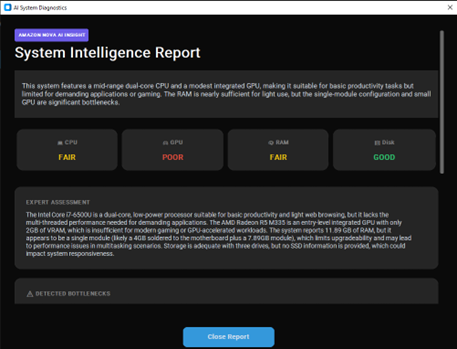
Dekcheck Hardware Diagnostic Tool is an AI-powered Windows utility that helps users analyze, benchmark, and diagnose their PC.
It can:
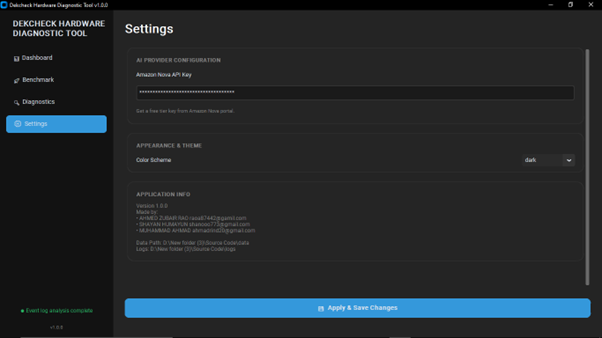
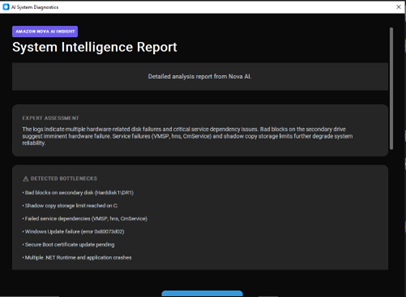
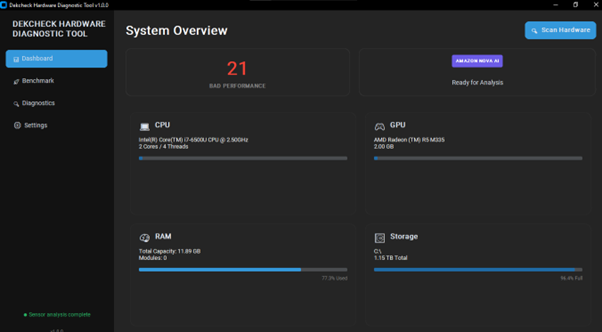
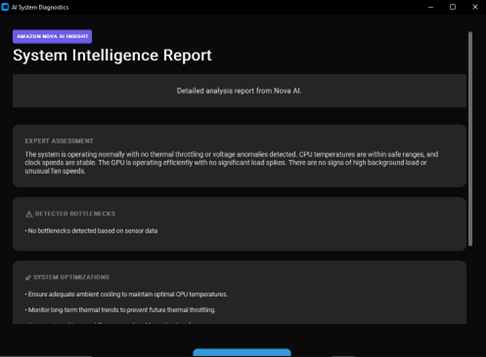
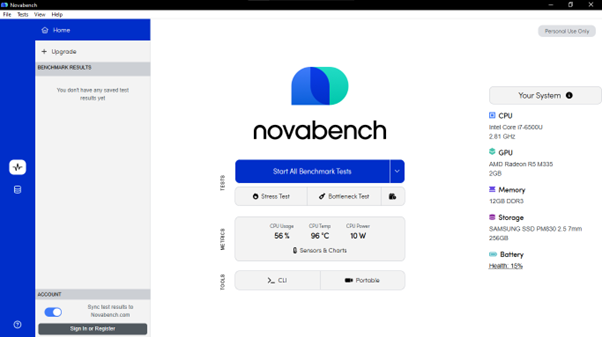
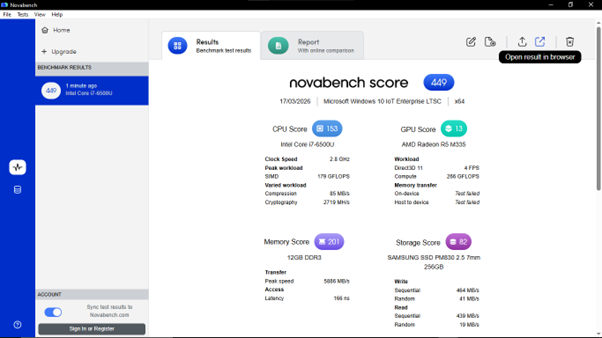
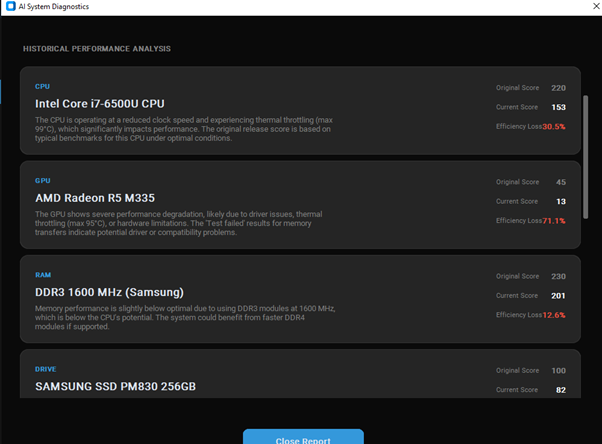
Scan hardware and detect core system specs automatically Send system data to Nova AI for component analysis Benchmark CPU, GPU, RAM, and storage using Novabench integration Compare current performance with expected historical performance to identify degradation Detect bottlenecks and weak components Run full system diagnosis for issues like outdated drivers and low disk space Launch HWiNFO for live sensor monitoring Log sensor data and analyze exported CSV files with AI Scan Windows logs and summarize system issues Offer quick maintenance actions like restarting Explorer, refreshing DNS, optimizing the PC, and cleaning temp files Let users configure their Amazon Nova API key and application theme Overall, Dekcheck turns raw hardware data and system logs into readable reports and actionable recommendations.
How we built it
We built Dekcheck as a desktop-based Windows diagnostic tool with a streamlined multi-tab interface for dashboard, benchmarking, diagnostics, and settings.
The core flow includes:
Hardware detection module to collect CPU, GPU, RAM, and storage information AI analysis integration using Amazon Nova to convert raw system data into human-readable reports Benchmark workflow powered by Novabench to measure performance and compare results Sensor analysis pipeline using HWiNFO-generated logs for thermal and system health diagnostics Windows log scanning to identify recurring system errors and failures Maintenance utilities for common repair and cleanup actions Settings management for API configuration and theme preferences We focused on building a tool that can connect external utilities with AI analysis in a way that feels automatic for the user. For example, benchmark results and sensor logs can be passed into the AI layer to generate immediate diagnostic reports.
Challenges we ran into
One of the biggest challenges was integrating multiple external tools into one smooth user experience. Benchmarking and sensor monitoring rely on third-party utilities, so we had to design workflows that feel simple even when the underlying tools have separate installation steps or export processes.
Other challenges included:
Ensuring dedicated GPU detection works correctly across different Windows graphics settings Parsing benchmark outputs and sensor CSV logs into structured data for AI analysis Making AI-generated reports useful, readable, and relevant instead of too generic Handling Windows system logs, which can be noisy and difficult to summarize clearly Balancing advanced functionality with a beginner-friendly interface
Accomplishments that we're proud of
We are proud that Dekcheck brings together several traditionally separate diagnostic workflows into one application.
Some highlights include:
Building an end-to-end hardware scan to AI analysis experience Integrating benchmark data into historical performance and degradation reporting Adding sensor-log analysis for thermal and health insights Turning Windows logs into understandable issue summaries Creating quick maintenance actions inside the same tool Designing a clean interface that keeps powerful diagnostics accessible Most importantly, we created a tool that helps users move from “my PC feels wrong” to “here’s what’s wrong and what to do next.”
What we learned
Through building Dekcheck, we learned that PC diagnostics is not just about collecting data — it is about translating technical information into decisions users can act on.
We also learned:
AI is most effective when paired with structured system data External tool integrations need thoughtful UX to avoid confusing users Benchmark numbers alone are not enough; users want context and interpretation Sensor logs and Windows logs can reveal issues that static hardware scans miss Simplicity in presentation is critical when dealing with complex technical diagnostics This project taught us how to bridge system-level utility development with AI-powered reporting in a practical, user-friendly way.
What's next for Dekcheck Hardware Diagnostic Tool
We see several exciting directions for Dekcheck:
Add deeper real-time monitoring and alerting Expand issue detection for thermals, drivers, storage health, and power behavior Improve AI recommendations with more precise fix suggestions Build historical tracking so users can compare system health over time Add support for more benchmarking and hardware telemetry tools Export professional diagnostic reports for technicians and support teams Introduce one-click repair workflows for common detected issues Expand compatibility across more hardware configurations and Windows versions Our goal is to evolve Dekcheck into a smart all-in-one PC health assistant that not only diagnoses problems, but helps users prevent them before they affect performance.
Built With
- gputil
- hwinfo
- novabench
- nvidia-ml-py
- psutil
- py-cpuinfo
- pysmart
- python
- wmi

Log in or sign up for Devpost to join the conversation.