-
-
Home page
-
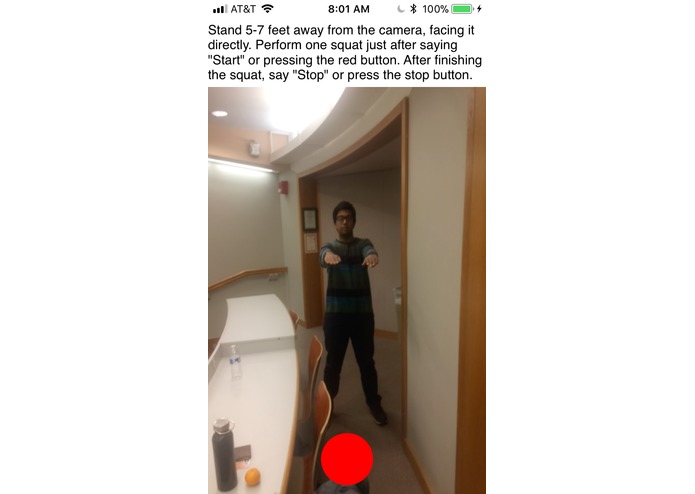
Recording a squat from the front
-
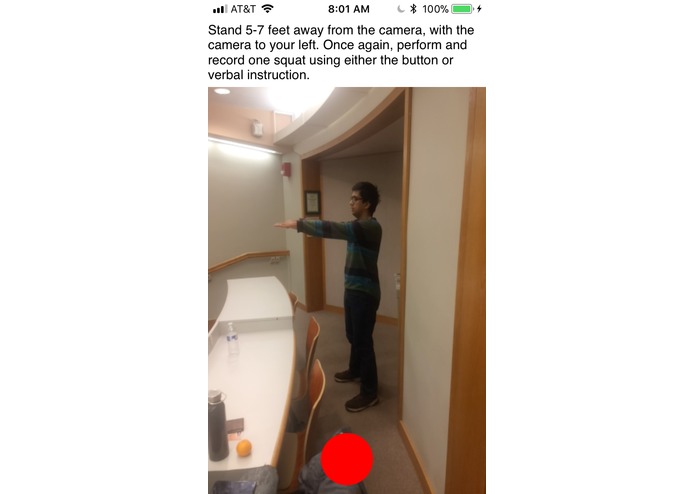
Recording a squat from the side
-
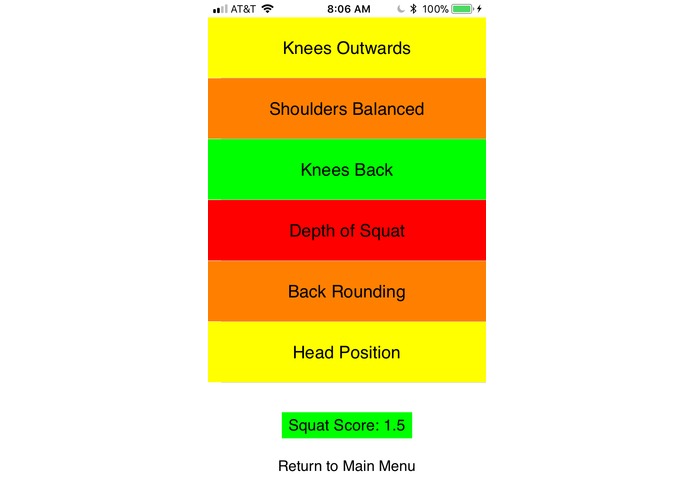
Not-so-good results for one of our team members (Green is good form, then yellow, orange, red worst); squat score of 1.5/3
-
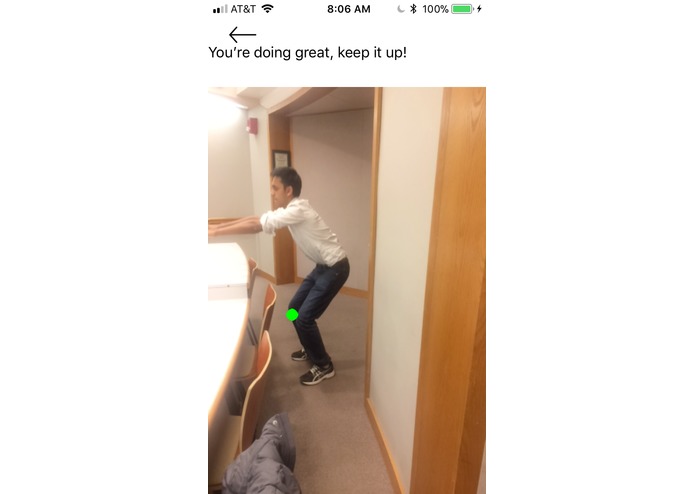
One thing he did right: Knees don't move forward too far (deep learning model marks knee in green)
-
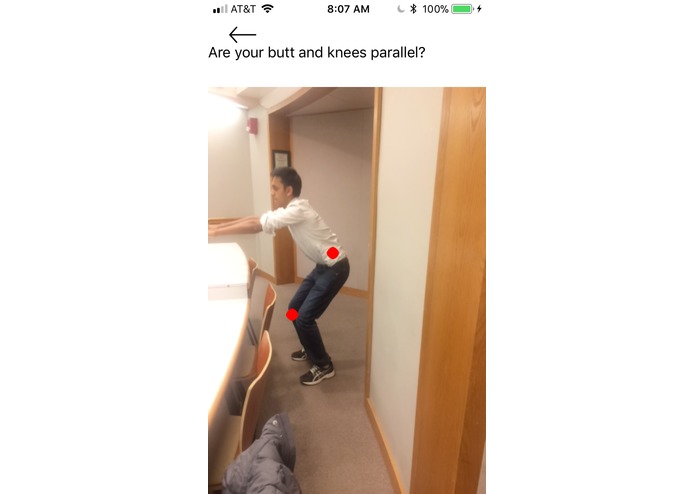
One thing he did very wrong: An extremely shallow squat (model marks points in red)
-
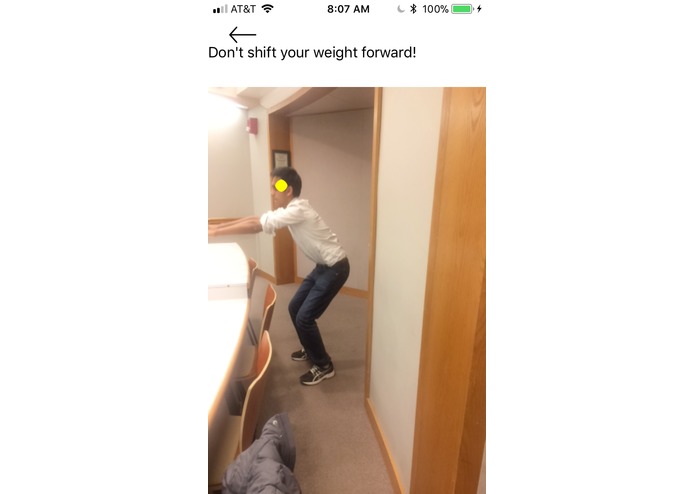
One thing he did mildly wrong: head moves forward (model marks point in yelllow)
-
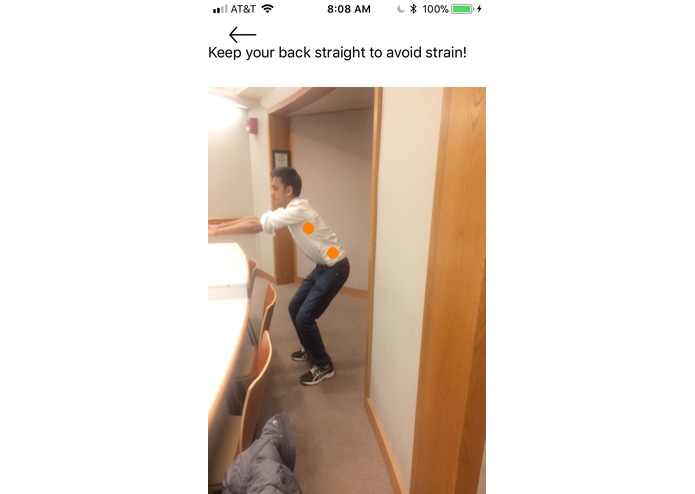
One thing he did moderately wrong: back is rounded (model marks points in orange)


Inspiration
The hardest part of working out is getting the correct technique. One of us worked with a personal trainer to perfect his barbell squat, and it took him months. While personal trainers are great, they're expensive and only work for certain people (who probably aren't college students). So, the idea of an "AI personal trainer" was born. What if an AI could 'watch' somebody do an exercise and provide feedback and tips on that person's technique, with just a few clicks? We're excited just thinking about the possibilities.
What it does
The DeepSquat app allows the user to take a front-view and side-view video of their squat using voice commands ("start" and "stop"). A very deep neural network finds keypoints on the user's body during their squat, which are used to evaluate how well the user is performing on six different attributes— whether their knees are moving too forward, whether their back is rounding, etc.— and give them an overall "squat score". In addition to the score, we provide specific feedback to allow the user to correct their biggest mistakes and improve their squat form.
How we built it
We extracted and modified a fully-convolutional neural network from the openpose library, and used python and Apple's CoreML library to convert the network to an iOS-readable format. We then wrote Swift code to parse the network's output into heatmaps for key points on the squatter's body (right-elbow, left-knee, etc.) Using the keypoints, we developed algorithms in Swift to evaluate the quality of a squat based on six attributes. This entire process was encapsulated by the app, which we developed in Swift. Frames from both the front-view and side-view video were inputted into the network and used for squat evaluation.
Challenges we ran into
Understanding the output of the neural network was a significant challenge. Since openpose is designed to be used with a wrapper class, there was very little information on the raw output of the network (which we'd need to use it in iOS). Using the little documentation we had, exploring the data, and making inferences, we finally did figure it out.
In addition, since the network was so large, it was not feasible to predict at a fps rate. Using the voice commands, we could extract the frame at the middle of the video (the "bottom" of the squat) and extracted keypoints from this frame and the "start" frame to evaluate squat attributes, which ended up working well.
Accomplishments that we're proud of
We're surprised but happy at how well the Swift algorithms we created for squat evaluation worked. In order to rate "how big" the mistake a user was making is, we had to do several squats ourselves and reproduce those mistakes on video. It was a significant time investment, but we got a good sense of what "tolerance" we could provide to mistakes (for example, how far can a user's knee go beyond their ankles in the image to be a moderate error vs. a serious one).
Testing the full app for the first time and seeing it rate our squats was also pretty awesome (one of us is a lot better than the other, but we won't say who).
What we learned
We learned how to integrate deep learning into iOS apps, as well as the most common mistakes made while doing a squat. We also learned to effectively parallelize work and how to push through bugs, frustrating as they might be.
What's next for DeepSquat
Expand to other exercises, suggest training routines, and more— who knows, it might be a full-on personal trainer someday.


Log in or sign up for Devpost to join the conversation.