DeepDive
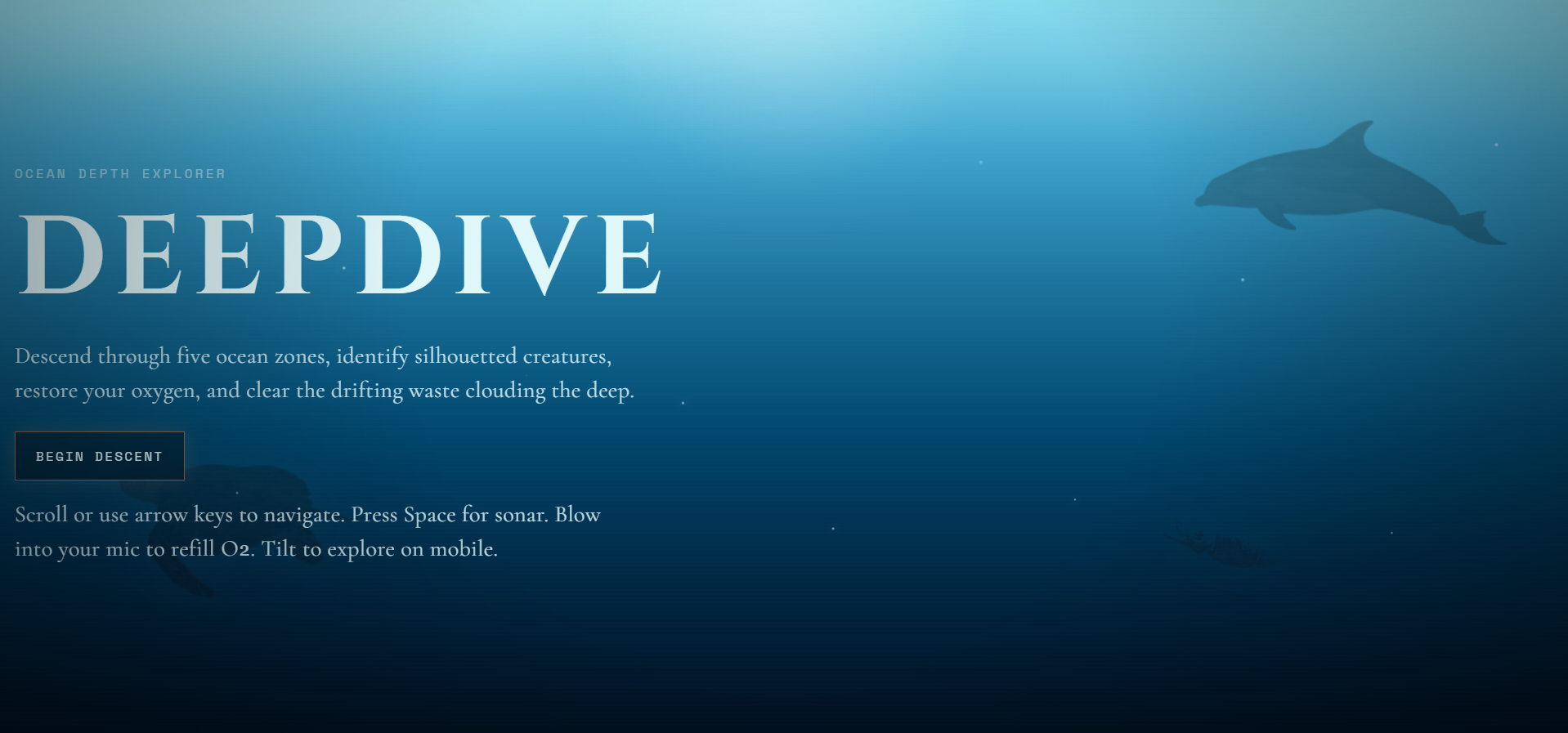
The ocean covers 71% of our planet. Most of it has never been seen. DeepDive puts you inside that gap.
You start at the surface in clear blue water. You scroll down. The light fades. The creatures get stranger. By the time you reach the Twilight zone, something enormous drifts silently across the background and disappears before you can identify it. By the Hadal trench at 11,000 meters, you are navigating by flashlight in near-total darkness and your oxygen alarm will not stop going off.
Inspiration
We wanted to build something that made people actually feel the ocean rather than just read about it. Most educational content about the deep sea is text on a page. We thought: what if the format itself was the lesson? The darker the zone, the harder it is to see. The deeper you go, the faster your air runs out. You do not just learn that pressure increases with depth. You feel it.
The theme of the competition gave us the direction. Every design decision we made came back to one question: does this feel like the real ocean?
What It Does
DeepDive is a browser-based interactive ocean explorer built for this competition. You open it, click Begin Descent, and scroll down through five real ocean zones.
Each zone has its own color, lighting, particles, creatures, pollution types, and rules. The experience changes meaningfully the deeper you go. Near the surface you are clicking brightly lit silhouettes with full visibility. In the Midnight zone you are sweeping a flashlight cursor through complete darkness, hunting for shapes that only appear when the light hits them directly. In the Hadal zone the oxygen bar is almost always in warning state and every creature feels like it should not exist.
The site is educational at its core but it teaches through discovery, atmosphere, and pressure rather than through reading. Players consistently remember facts they learned through a tense reveal in a dark zone better than facts they read in a list.
The Five Ocean Zones
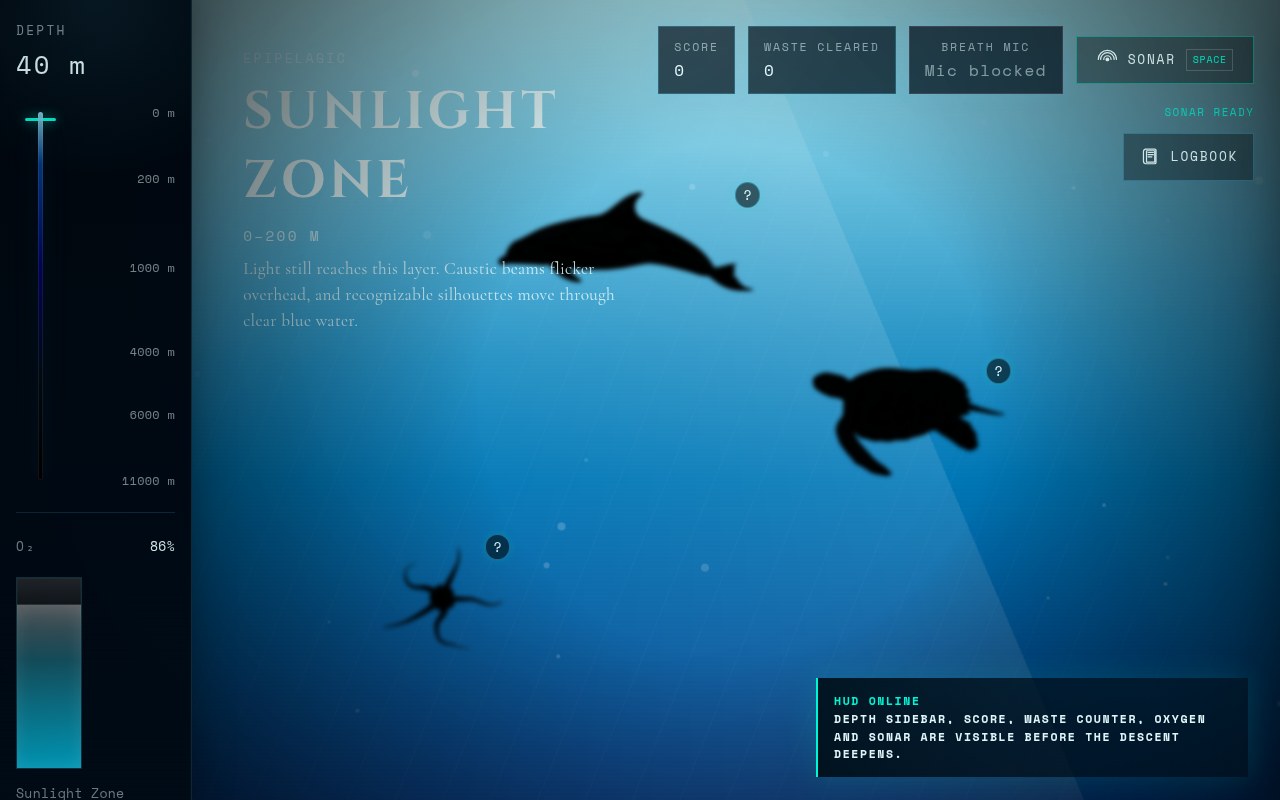
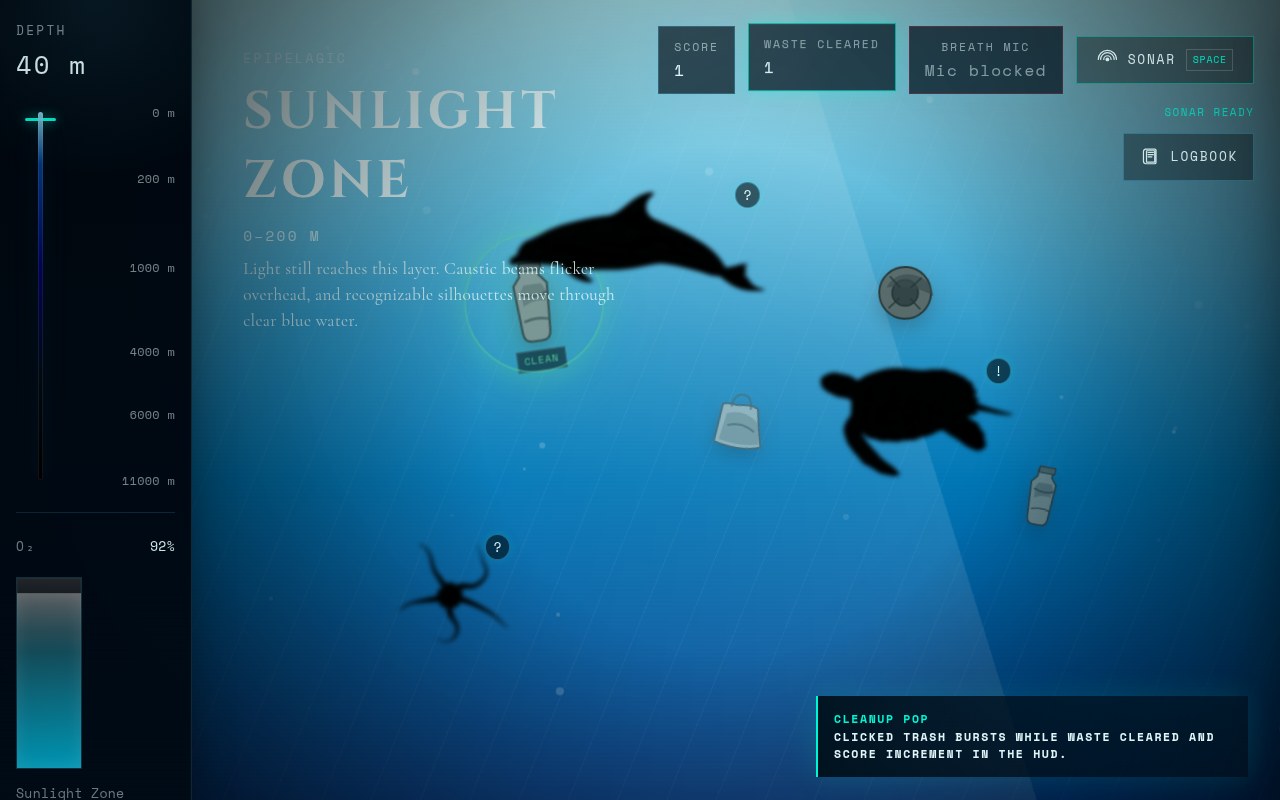
Sunlight Zone (0 to 200 meters) Bright blue water, visible caustic light rays, and familiar creatures like dolphins, sea turtles, and brittle stars. This is also where the most pollution appears, because it reflects reality: human waste concentrates near the surface.
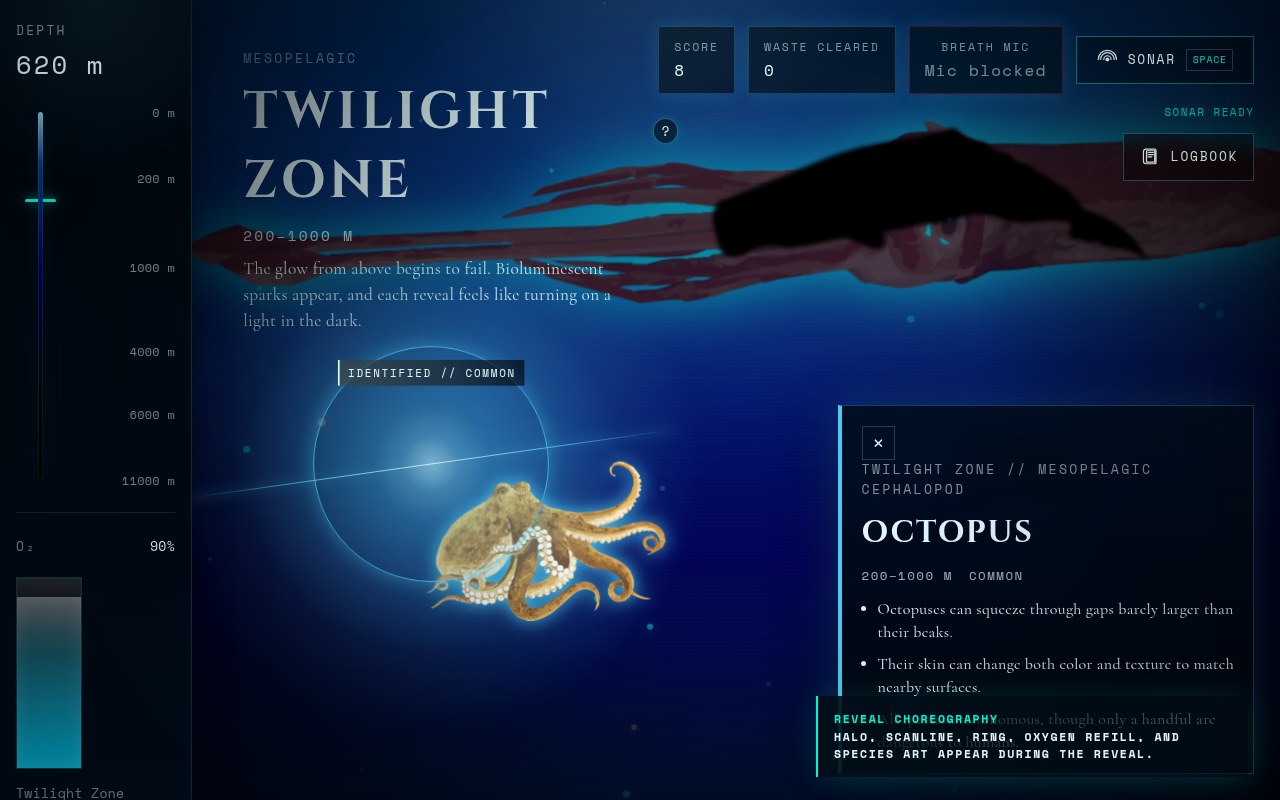
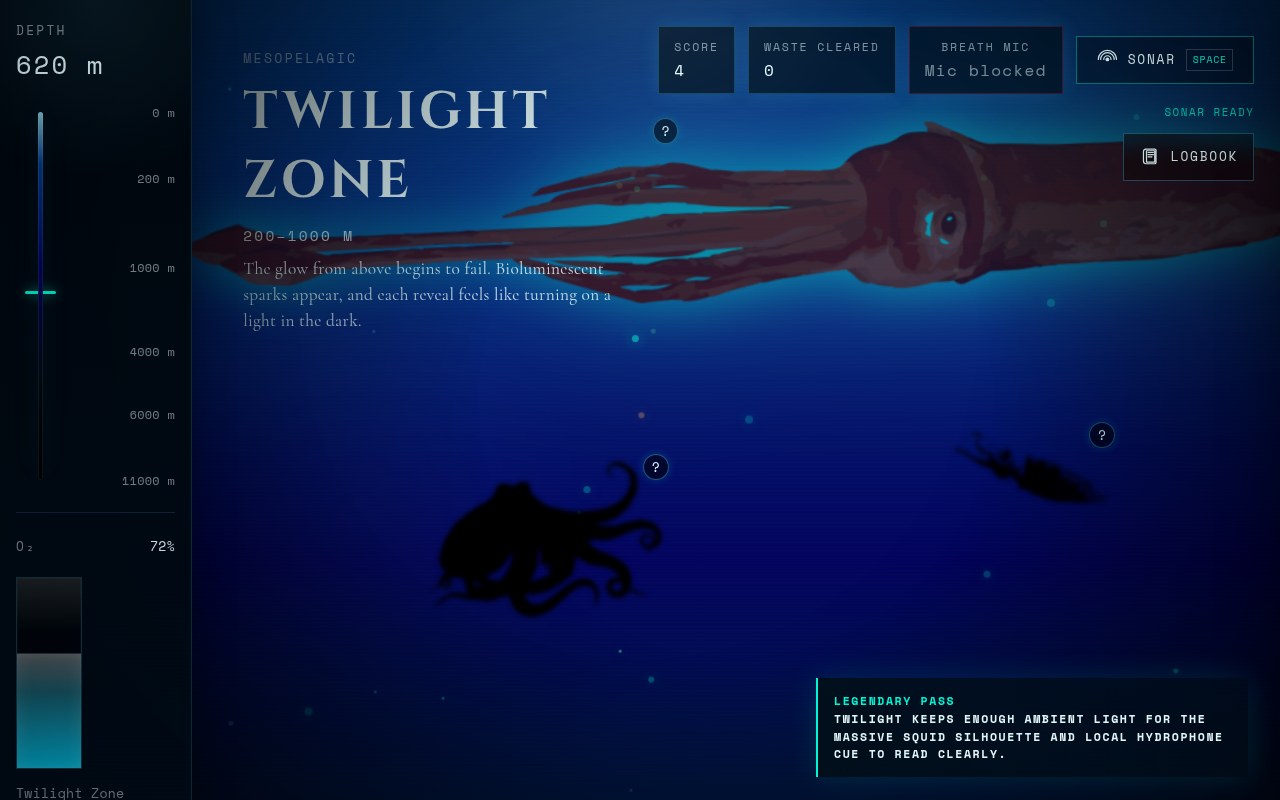
Twilight Zone (200 to 1,000 meters) The light from above starts to disappear. Bioluminescent particles begin to appear. You find the sperm whale, firefly squid, and octopus here. If you spend enough time in this zone, a massive creature silhouette drifts slowly across the entire background with deep ocean audio. It only happens once per session.
The Twilight Easter Egg After you have been in the Twilight zone for about ten seconds, a giant squid silhouette the size of the entire screen drifts slowly across the background. It has a faint bioluminescent outline and arrives with a low deep-sea audio cue, a real sperm whale clicks recording from NOAA, because the lore behind it is that sperm whales hunt giant squid at this depth. It does not interact with the trivia system. It is just there, briefly, and then gone. Most players see it and say nothing for a second before they react. That pause is exactly what we were going for.
Midnight Zone (1,000 to 4,000 meters) No sunlight reaches here. This is where the flashlight mechanic turns on. Your cursor becomes the only source of light. You have to actively search the darkness to find the anglerfish, pelican eel, and giant squid hidden in the scene.
Abyssal Zone (4,000 to 6,000 meters) Marine snow drifts downward through near-total silence. Oxygen drains significantly faster here. The basket star, sea pig, and abyssal snailfish are barely visible until you find them.
Hadal Zone (6,000 to 11,000 meters) This is trench territory. The depth meter is almost at maximum. The oxygen warning is almost always active. The giant tube worm, dumbo octopus, and hadal snailfish live here. The interface feels like it is barely holding together, which is intentional.
How Every Feature Works
Oxygen Tank Your oxygen starts at 100% and slowly drains the whole time you are diving. The drain rate increases with depth: it drains gently near the surface and nearly three times as fast in the Hadal zone. This reflects how real pressure affects gas consumption and adds real stakes to going deeper. You refill oxygen by answering creature trivia correctly.
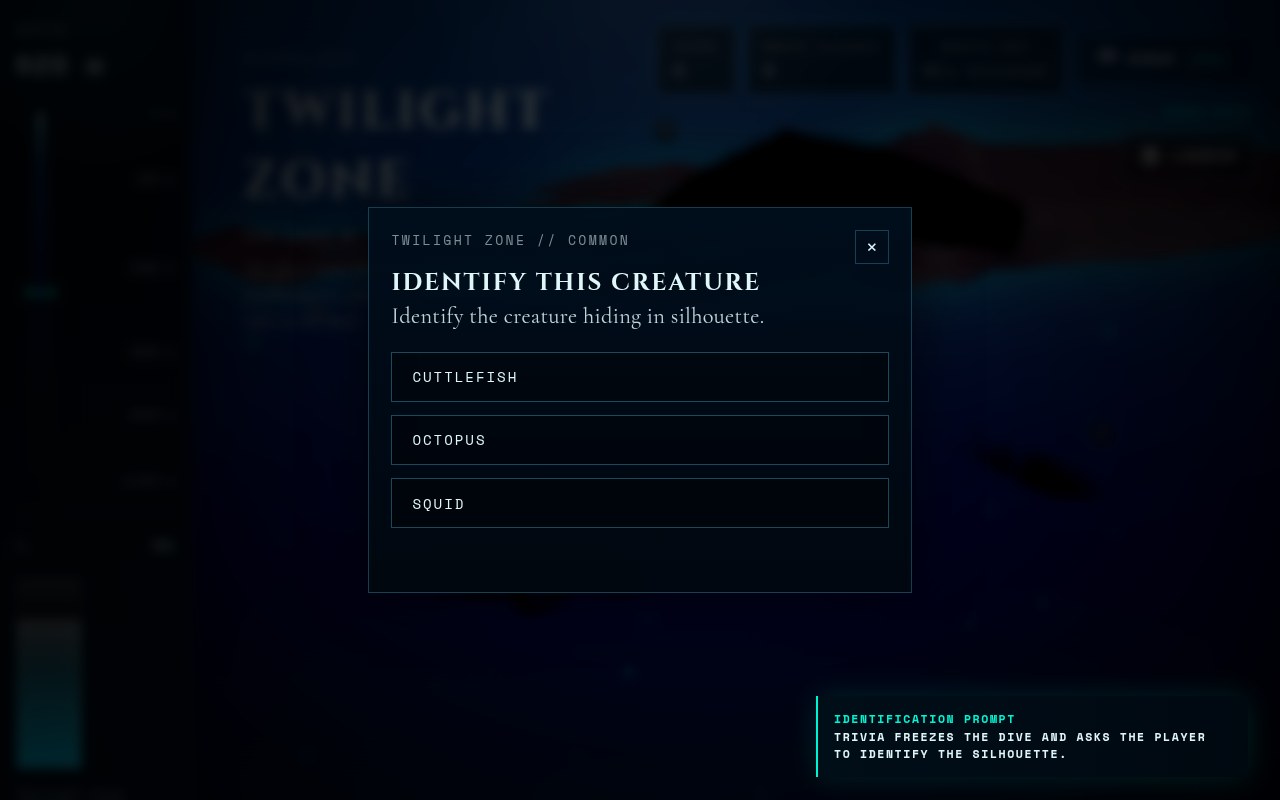
Creature Discovery: Silhouette to Reveal Every creature in every zone starts as a pure black silhouette with a question mark above it. You click the silhouette. A trivia prompt appears asking you to identify the creature from three options.
If you answer correctly, the silhouette transforms. The darkness lifts over roughly one second, color and texture appear, a glow ring radiates outward, and a fact card slides in with three specific and surprising things about that creature. The oxygen tank refills. The creature is added to your logbook.
If you answer wrong, we show you exactly which answer was correct, highlighted clearly. The creature does not disappear. It stays retryable. On a second correct answer it counts as an assisted discovery, which still logs the creature but at reduced points. The experience stays educational instead of punishing.
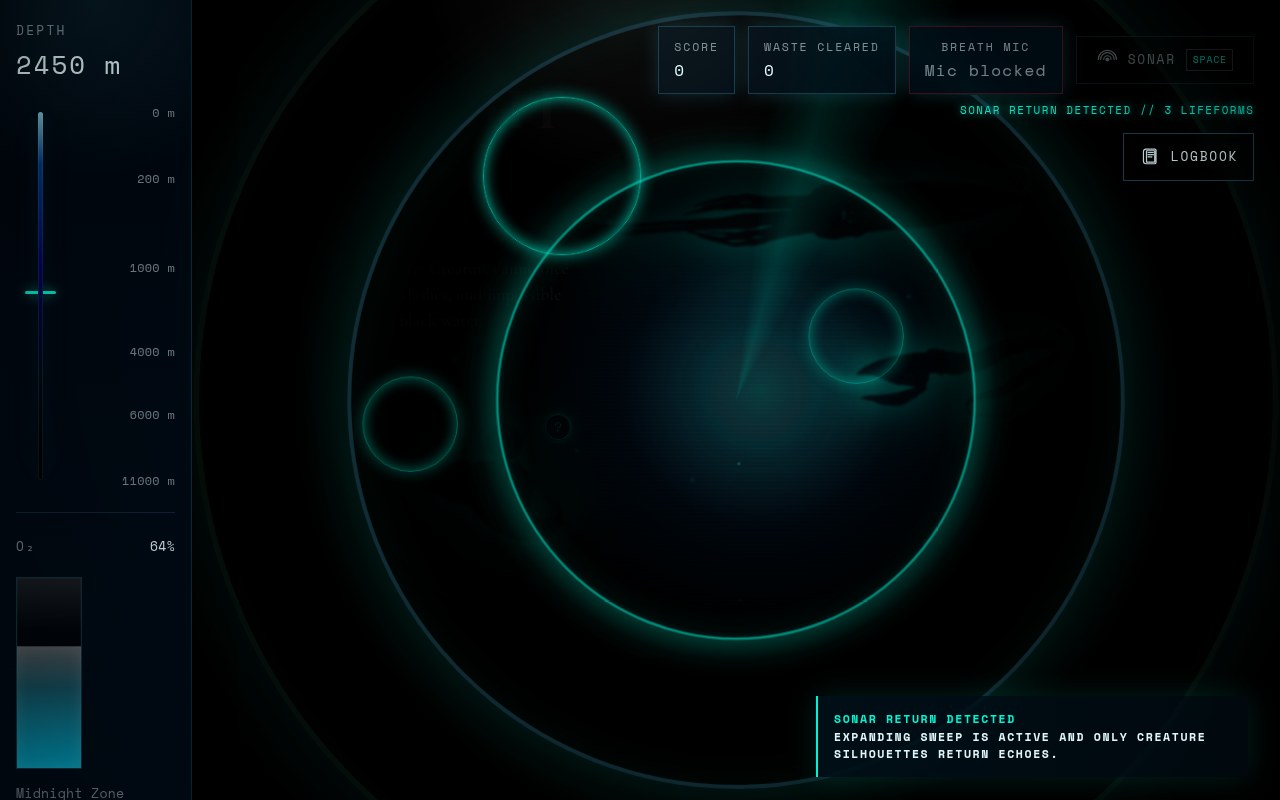
Sonar Ping You can press the Space key or click the Sonar button in the corner. A cyan ring expands outward from the center of the screen. When the ring reaches a hidden creature, that creature sends a smaller echo ring back from its exact position. This is how actual sonar works: you send a signal, living things reflect it back. The mechanic shows players roughly where to look without giving the location away completely.
Flashlight Cursor In the Midnight, Abyssal, and Hadal zones, the screen is almost completely dark. Your mouse cursor creates a small circle of light around it. Everything outside that circle is black. You have to physically move your cursor around the scene to find what is hidden. We did not add a button to turn this off. Darkness is part of how those zones feel.
Blow to Refill Oxygen When you allow microphone access, the site listens for a sustained breath through your microphone. When it detects one, your oxygen tank refills with a bubble burst animation on screen. You are literally breathing for your diver. This is built using the Web Audio API's microphone analyser. It is entirely optional: if you deny microphone access, trivia refill still works as normal. But for people who try it, it is the moment the site stops feeling like a website.
Pollution Sweep Debris floats downward through each zone at different speeds. In the Sunlight zone you see plastic bottles, bags, and tires. In the Twilight zone you see older floating debris like bags, tires, and bottles. In the deeper zones you see chemical drums and microplastic sediment, which reflects where those specific types of pollution actually end up in the real ocean. You click the debris to collect it. Collecting enough brightens the zone slightly. Ignoring too much causes a red tint to creep in from the edges.
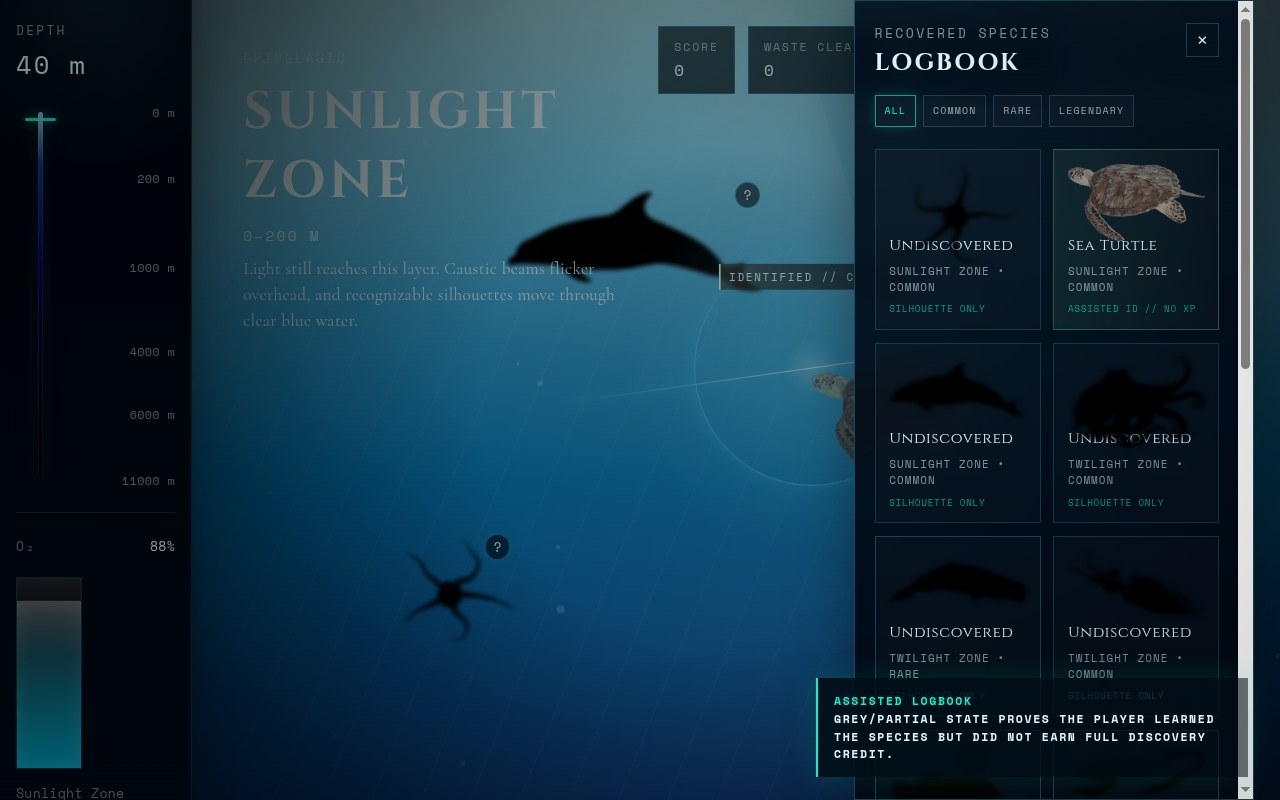
Creature Logbook Every creature you discover or identify, even on a second attempt, gets added to your logbook. The logbook shows all 15 creatures across all five zones. Undiscovered ones appear as silhouettes. Discovered ones show in full color with their rarity tag. Assisted discoveries get a different visual state so you can tell which ones you got on the first try. You can filter by Common, Rare, or Legendary.
Depth Meter and Instrumentation The left sidebar shows your current depth in meters as an animated readout, a vertical scale showing your position across the full 11,000 meter range, and a vertical oxygen bar that depletes from top to bottom and turns red when critically low. The whole sidebar is styled to look like submarine instrumentation rather than standard web UI.
Mobile Tilt On phones and tablets with orientation sensors, physically tilting the device shifts the scene slightly and moves the flashlight in the dark zones. This works automatically with no settings required.
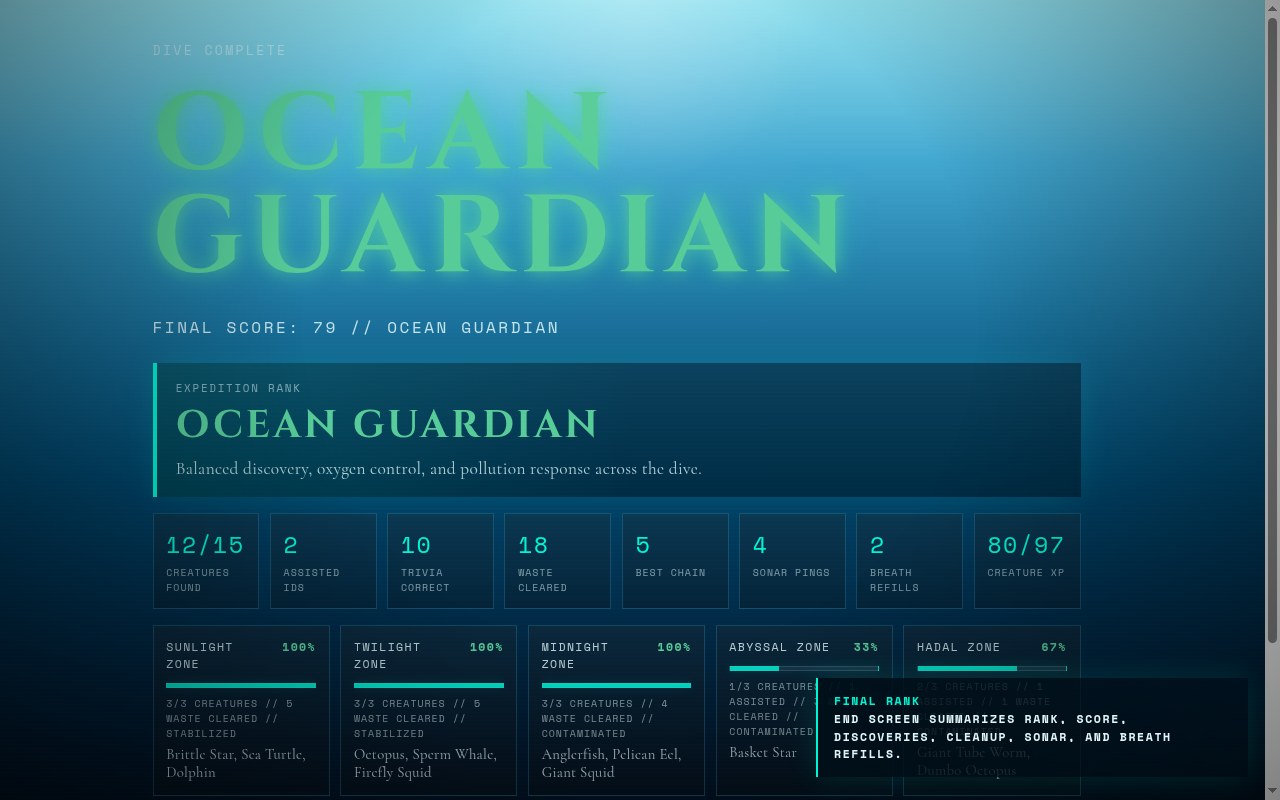
Results Screen When your oxygen reaches zero the dive ends. The results screen shows your final rank: Surface Swimmer, Reef Diver, Midnight Explorer, Ocean Guardian, or Deep Sea Legend. Below that is a full score breakdown across every category and a row for each of the five zones showing what you found and cleared there. You can copy a share text with your rank and score.
How We Built It
The core app is built with three main files: HTML, CSS, and JavaScript. No JavaScript framework, no build step, and no npm dependencies. It runs directly in the browser as a static site.
All creature data, zone definitions, trivia answers, facts, and scoring are stored in JavaScript objects at the top of the file. This made it easy to update content without touching layout or logic.
Animations use CSS keyframes and transform properties only, which keeps the experience smooth. The oxygen drain runs through a requestAnimationFrame loop rather than an interval timer so it stays accurate even under load. Web Audio API setup is deferred until the user clicks Begin Descent to handle browser audio restrictions cleanly. Pollution objects are simple inline SVG illustrations tuned to match the underwater palette. Ocean audio is generated procedurally through Web Audio synthesis and supplemented with public domain NOAA hydrophone recordings for the Twilight zone easter egg.
Audio and Depth Atmosphere The soundscape changes as you descend. Near the surface there are soft ambient water sounds and faint bubbles. As you move deeper the audio becomes more muffled, lower in pitch, and more sparse, the way sound actually behaves under increasing water pressure and distance from the surface. In the Midnight and Abyssal zones the ambience is almost entirely low frequency hum and silence between sounds. In the Hadal zone it is close to nothing, which is more unsettling than any loud effect could be. The audio is generated procedurally through the Web Audio API so it responds to the zone you are in rather than looping a single background track. The only recorded audio in the project is the NOAA sperm whale clicks that play during the Twilight easter egg.
Challenges
Getting the deep zones dark enough to feel real without making them too dark to actually play took the most iteration. We solved it by making silhouettes stronger after discovery, keeping the sonar echo readable at low contrast, and tuning the flashlight radius so it reveals enough to stay engaging.
Browser microphone and audio access requires careful handling because browsers restrict both by default. We made all audio and microphone features progressive: the site works completely without them, and they layer on top when permitted.
Keeping the project scoped correctly was the other challenge. The original plan had roughly three times as many features. We cut everything that did not directly serve the experience of descending through the ocean and focused on making what remained feel finished.
What We Learned
Atmosphere teaches better than information. Players remember the giant squid fact about its eyes being the size of dinner plates because they saw it revealed dramatically in a dark zone while their oxygen was low. The same fact in a list would not stick.
The second chance on wrong trivia answers changed the whole feel of the project. Our first version removed the creature on a wrong guess. Testers felt punished. Showing the answer and leaving the creature retryable made the same mechanic feel educational instead of frustrating.
Building without a framework forced us to understand exactly what the browser can do on its own. The microphone breath detection, the flashlight cursor, the procedural audio, and the sonar echo rings are all browser APIs doing exactly what they were designed to do.

Log in or sign up for Devpost to join the conversation.