-
-
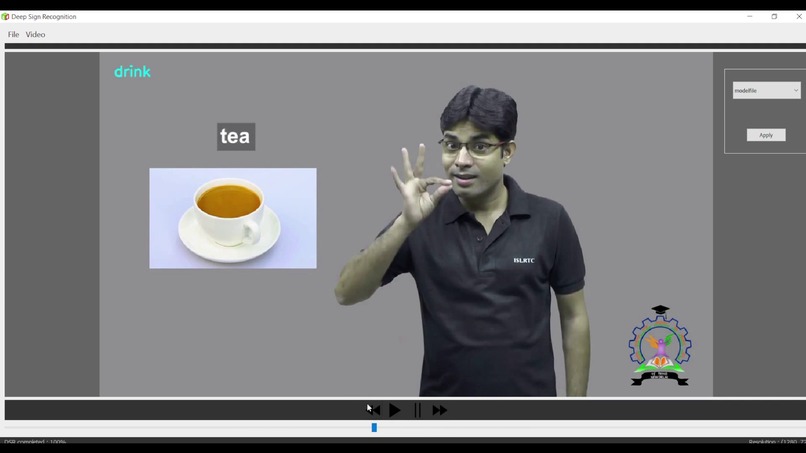
Main app
-
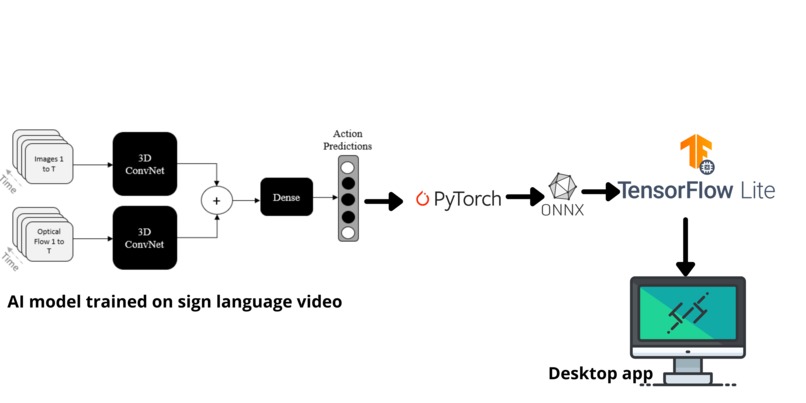
Architecture
-
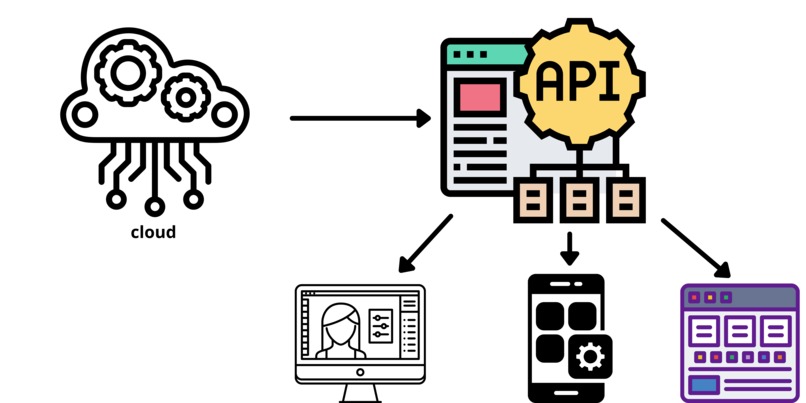
API


Inspiration
As a doctor, I had seen many people that are struggling due to disabilities. For the particular one the deaf community. They have a lot of problems during their lifetime. We understood that when they starting their start to learn sign language and understand it, most of them do not have any captioning on them. Even during conference meetings, they don't know what exactly the signers are communicating. Captioning on sign language video is very needed in communication, education, and almost all part of their life. We tried on building an API for that purpose, and we built the ** Worlds' first** python API which is integrated into a desktop application, where people can upload sign language videos and get captioned using a state-of-the-art AI model. It doesn't need any fast GPU. Since we optimized the AI model to work on any low-end computer, with CPU power.
What it does
An AI based desktop application and python API for automatic sign language recognition and captioning for any sign language including ASL, BSL , ISL, etc. Upload a sign language video and click on Apply and the video get processed using an AI model and the output video with caption is shown, which can be saved for later use.
How we built it
No available tools or apps are in the market that can recognize dynamic sign language patterns. Every computer vision or AI tool uses a simple object detection model. If we consider the object detection model from TensorFlow, it only takes one frame per inference as input and throws some probabilities of the sign as output. It doesn't consider concatenated frames, which is very needed in the case of real-life signing. So we can't use simple 2-dimensional convolution, we have to use 3D convolution to do the job for us. The I3D model from the deep mind is one of the best video classification models that take bulk frames and applies 3D convolution to get sign output. We used this approach on the Word-Level American Sign Language dataset and converted the model to TensorFlow lite for faster inference. We then made a Desktop application using PyQT5 which can run on both Windows and Ubuntu. The application helps to upload video and add sign language subtitles to it. Since WLASL has 2000 classes, it can cover almost all signs. In the demo we tried the Indian Sign Language, even the model trained on ASL accurately detected the sign from the video. We are building this as an API in the cloud so that it can be attached to meeting applications such as Google meet, or zoom, or android, web, or desktop applications. The API build is almost complete.
Challenges we ran into
- Building a desktop application is very hard for us. PyQt5 dependency issues happened and crashed the app for couple of times during testing.
- Converting the pretrained PyTorch model to ONNX and to TensorFlow Lite for faster inference taken most of our time. Since we need to implement custom ops for TFLite, since most of the conv3D operations doesn't support the builtin operators of TensorFlow.
- Building a python API.
Accomplishments that we're proud of
Building a desktop application that works on both Windows and Linux
What we learned
- Building a desktop application
- Converting PyTorch model to TFLite with custom ops
What's next for Deep Sign Recognition
- Building a GPU powered API for faster inference, and integrate it to Zoom, Google Meet, android apps and web apps


Log in or sign up for Devpost to join the conversation.