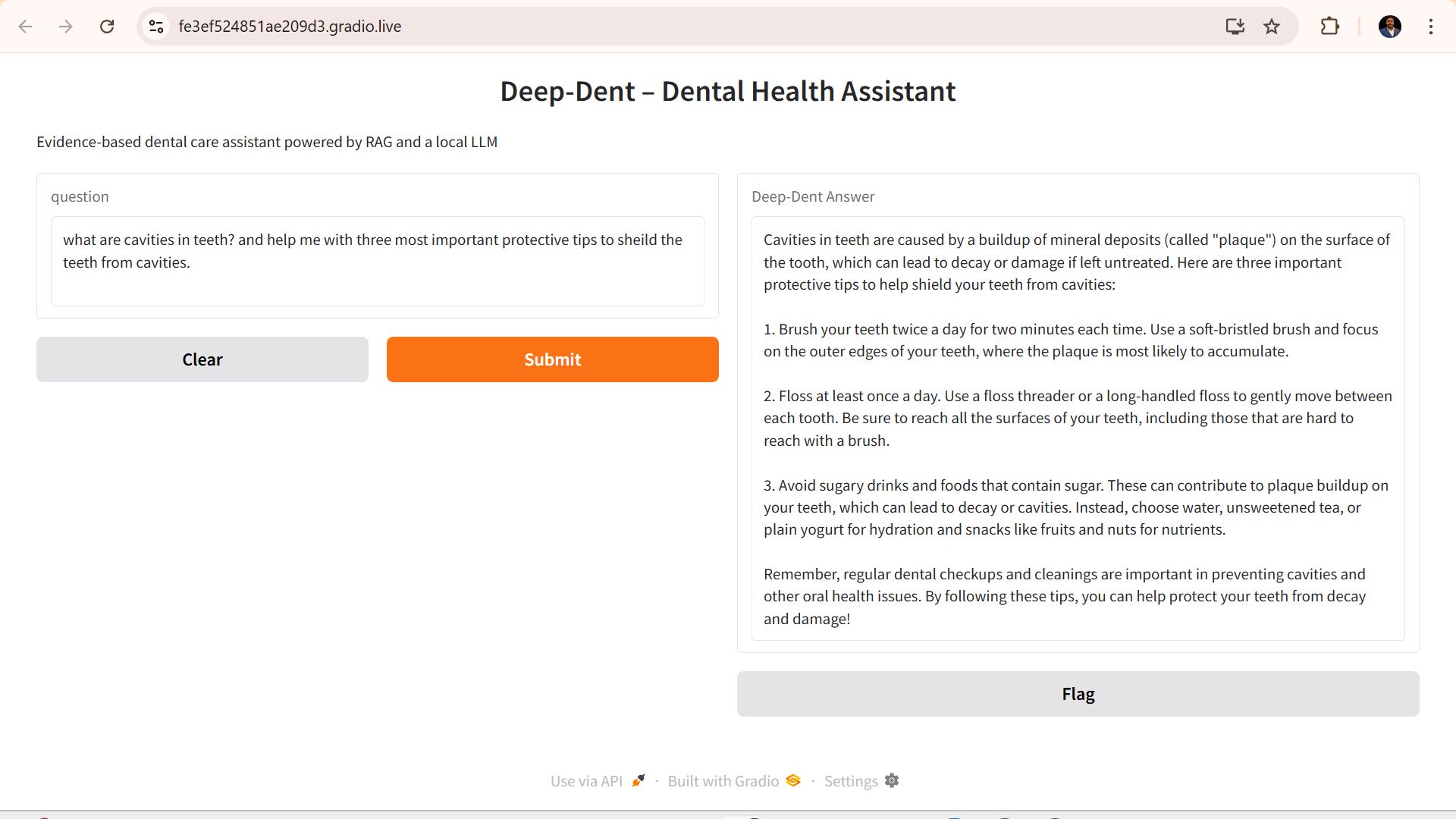
# Deep-Dent RAG Assistant
Deep-Dent RAG Assistant is a Retrieval-Augmented Generation (RAG) system designed to provide dental health guidance by leveraging domain-specific medical documents. The assistant combines modern natural language processing with document retrieval to deliver accurate, context-aware answers for patients, practitioners, and researchers.
## Features
- Retrieval-Augmented Generation pipeline for dental health queries
- Integration with domain-specific medical PDFs and guidelines
- Lightweight, reproducible Python environment
- Extensible architecture for adding new medical domains
- Clear separation of environment dependencies via requirements.txt
## Project Structure
Got it — here’s the full README.md in one clean code block so you can copy-paste directly into your repo:
# Deep-Dent RAG Assistant
Deep-Dent RAG Assistant is a Retrieval-Augmented Generation (RAG) system designed to provide dental health guidance by leveraging domain-specific medical documents. The assistant combines modern natural language processing with document retrieval to deliver accurate, context-aware answers for patients, practitioners, and researchers.
## Features
- Retrieval-Augmented Generation pipeline for dental health queries
- Integration with domain-specific medical PDFs and guidelines
- Lightweight, reproducible Python environment
- Extensible architecture for adding new medical domains
- Clear separation of environment dependencies via requirements.txt
## Project Structure
medical_health_rag/ │ ├── app.py # Main entry point for the assistant ├── deep_dent.py # Core RAG pipeline logic ├── Delivering_better_oral_health.pdf # Reference medical document ├── requirements.txt # Python dependencies ├── README.md # Project documentation └── .gitignore # Ignored files and folders
## Setup Instructions
1. **Clone the repository**
```bash
git clone https://github.com/NikhilRaman12/Deep-Dent-Rag-Assistant.git
cd Deep-Dent-Rag-Assistant
python -m venv venv
source venv/bin/activate # On Linux/Mac
venv\Scripts\activate # On Windows
2. Install requirements
pip install -r requirements.txt
3. run the app
python app.py
Built With
- faiss
- gradio
- huggingface
- langchain
- ollama
- python
- rag

Log in or sign up for Devpost to join the conversation.