-
-
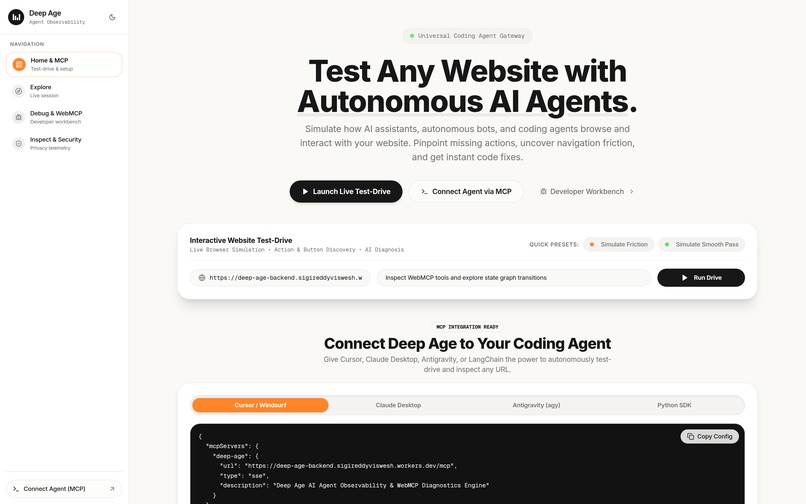
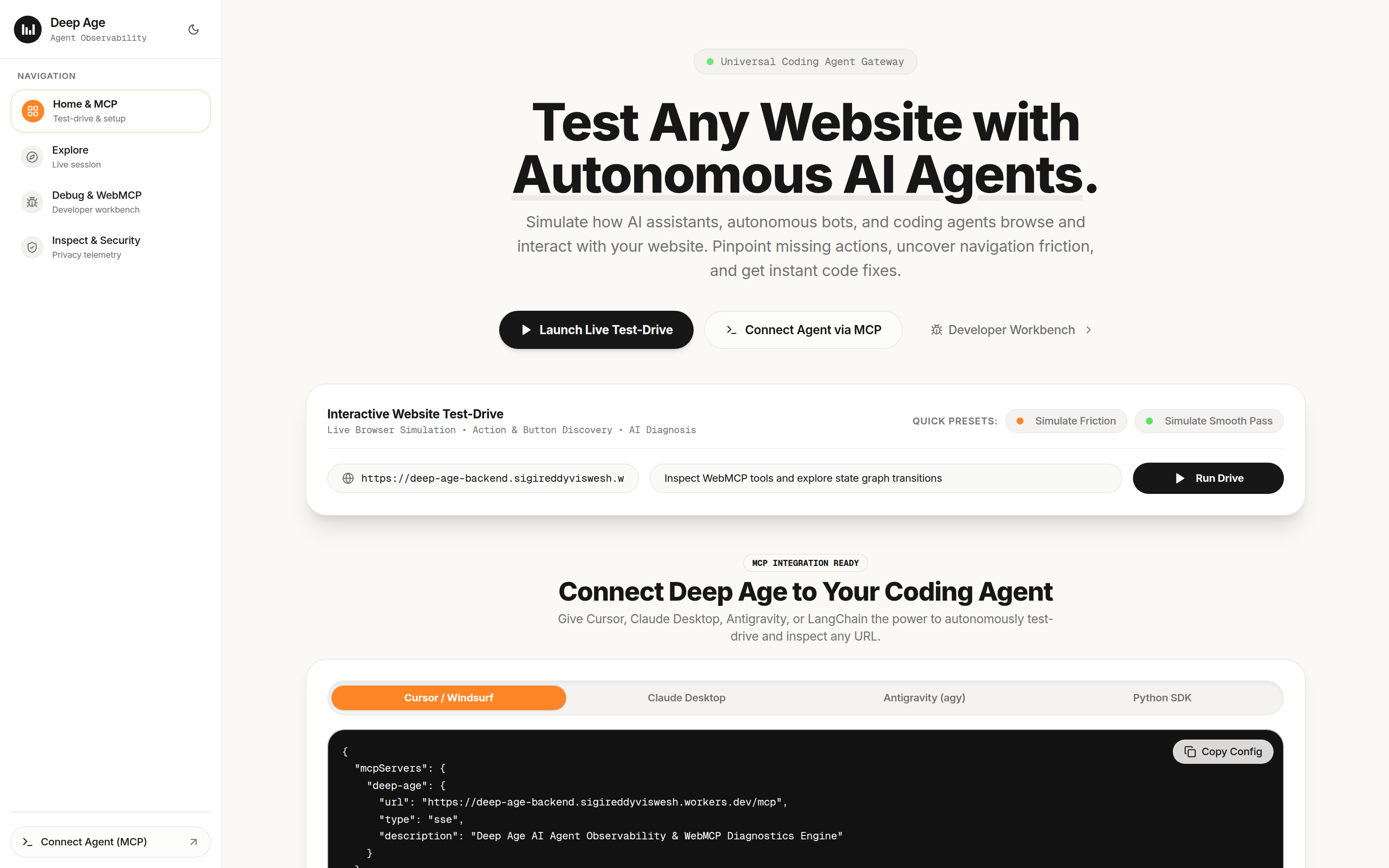
Landing page
-
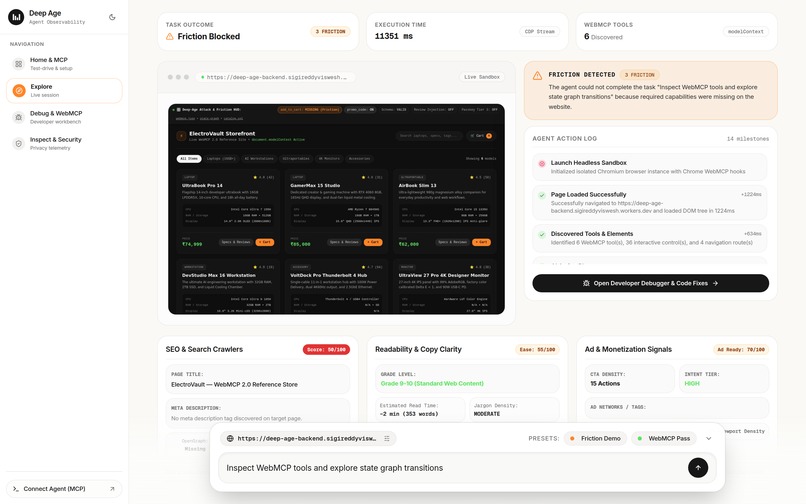
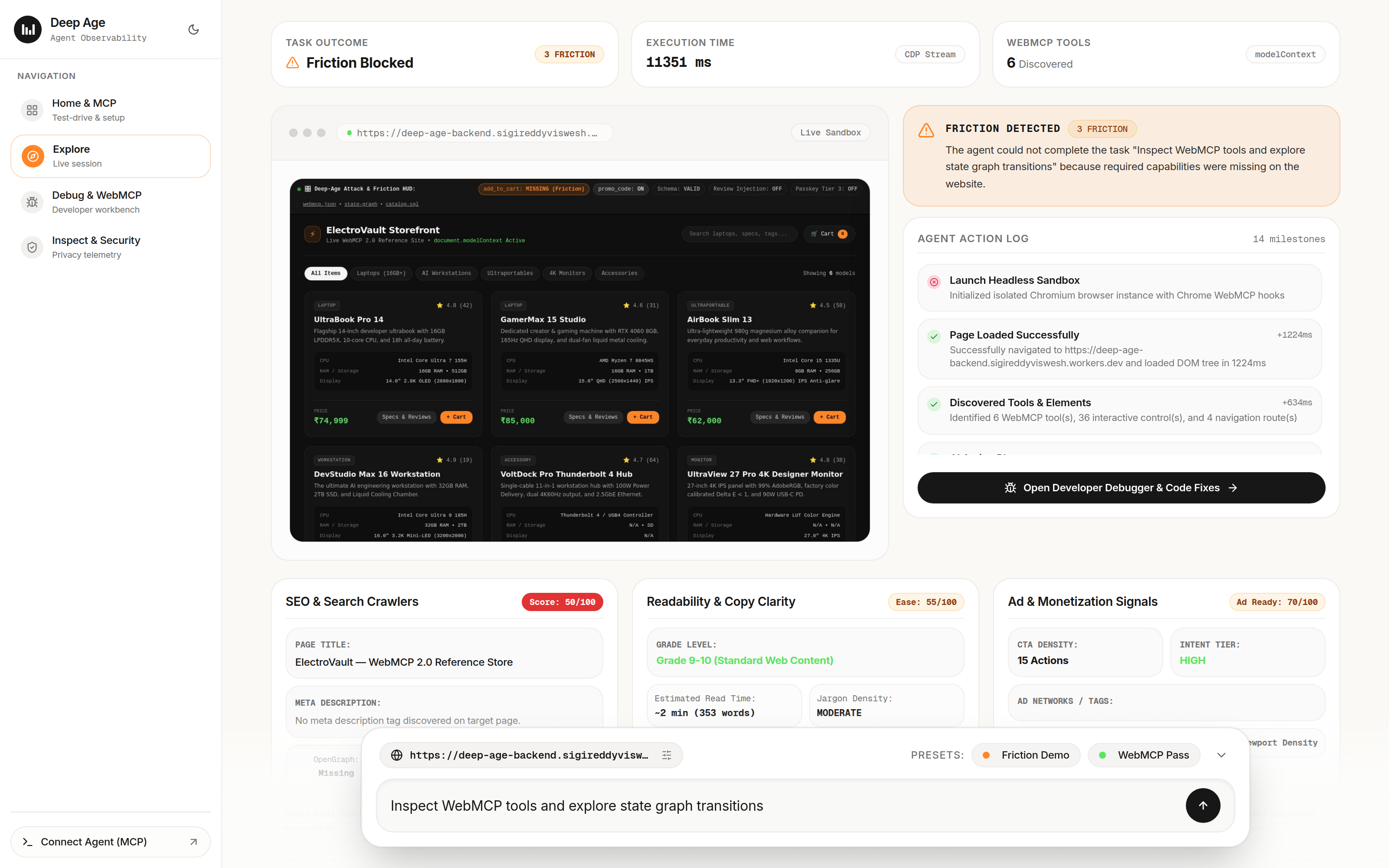
Explore view
-
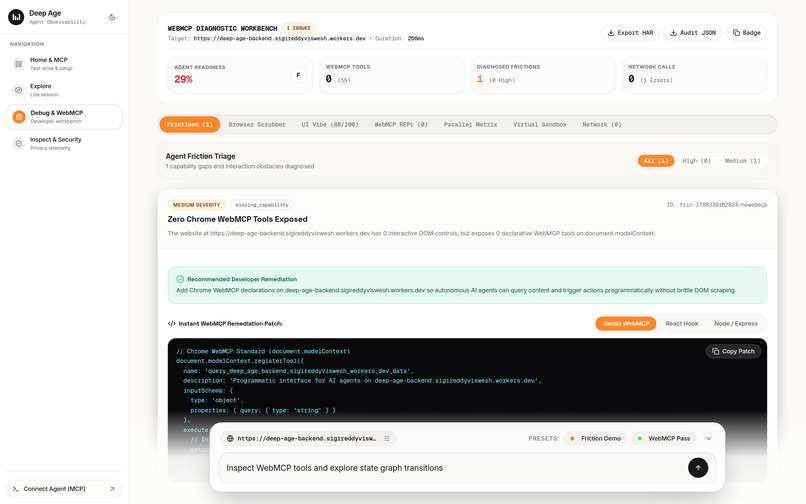
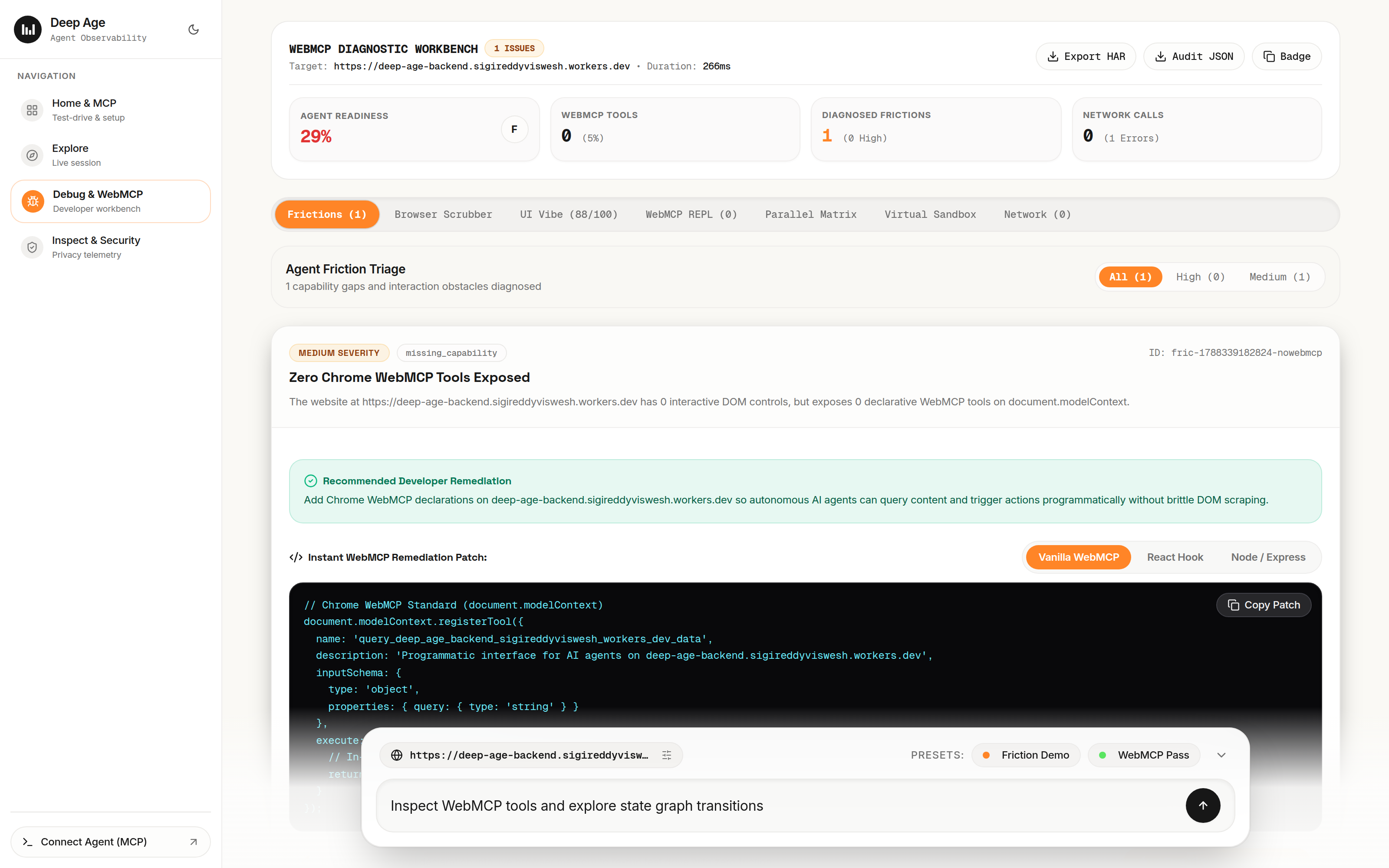
Developer view
-
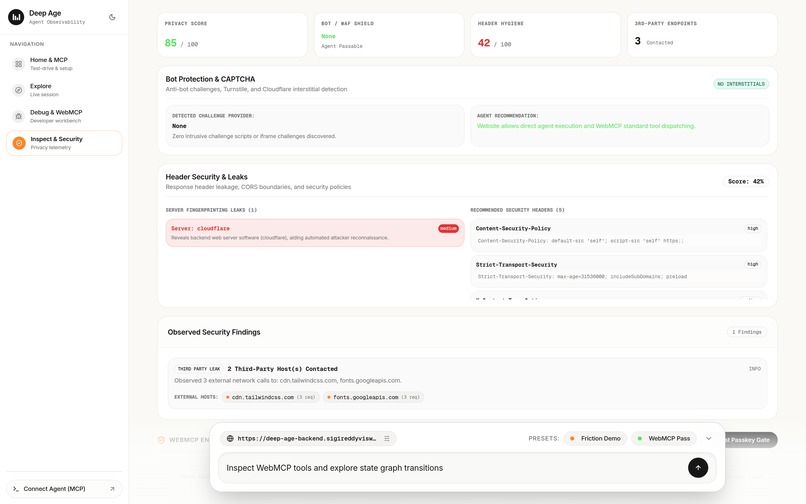
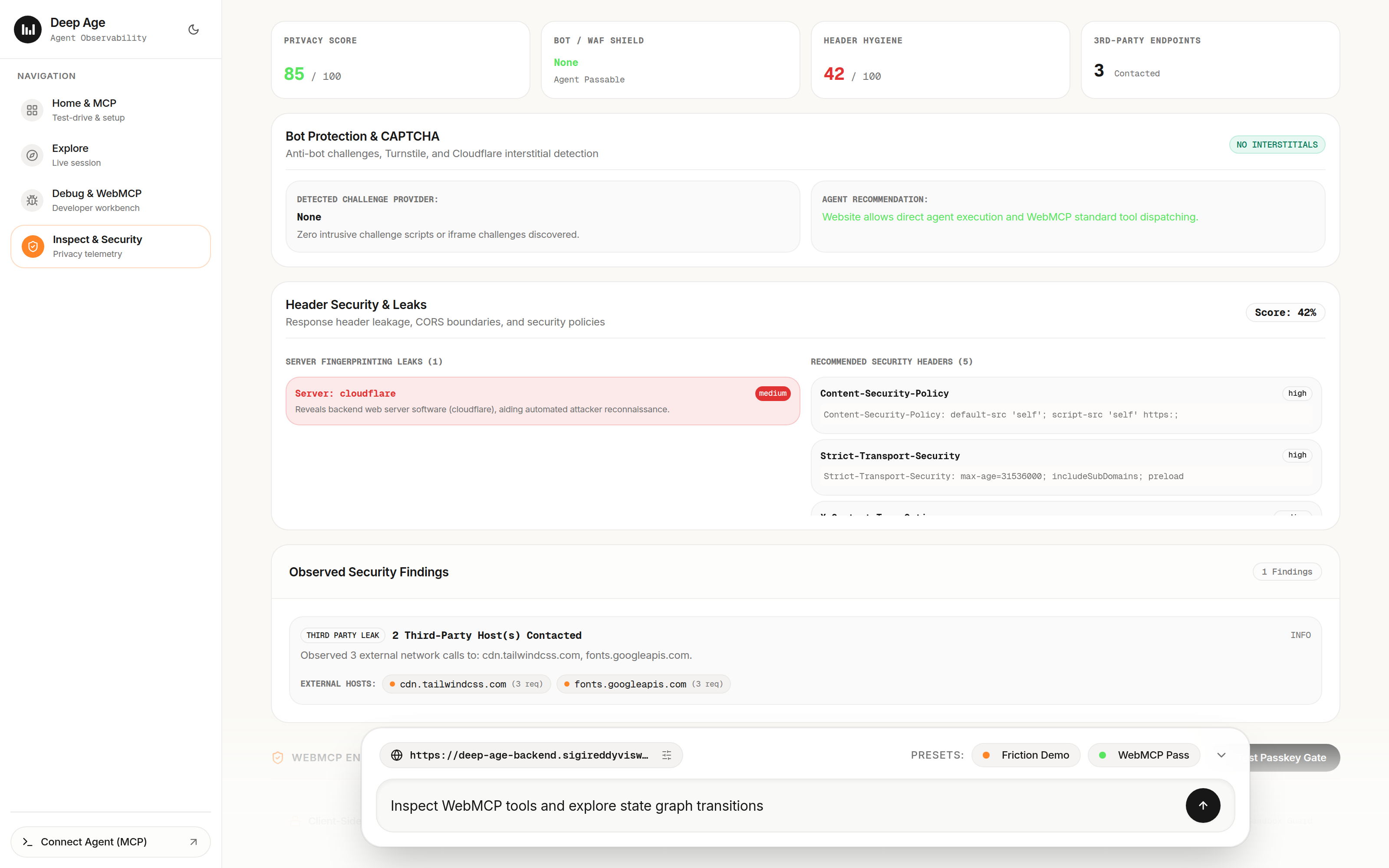
Security View
Inspiration
We kept running into the same problem when building and testing web-browsing AI agents: they break constantly, and it’s almost impossible to debug why.
An agent might get stuck in an infinite click loop, hallucinate a form input, or silently fail because a button didn't trigger what it expected. WebMCP is solving the core problem by letting websites expose structured tools through window.modelContext, but developers currently have no tooling to answer basic questions:
- What does my website actually look like to an agent?
- Are my WebMCP tools exposing the right schemas?
- Where in the interaction flow is the agent getting confused or blocked?
We built Deep Age to be the diagnostic tool we wished we had: a way to test-drive any website with an AI agent, record everything that happens step-by-step, and get practical fixes when things break.
What it does
Deep Age takes a URL and a task, such as "Search for a dark roast coffee and add 2 bags to cart", runs an automated browser session, and records what happens.
- Inspects In-Page WebMCP Tools: Checks
window.modelContextanddocument.modelContextto see what tools the site exposes, their parameter schemas, and whether they work. - 5-Layer State Scrubber: Captures a snapshot at every step, including the URL and viewport, scroll position and modal state, the interactive accessibility tree with indexed element IDs (
e1,e2, etc.), active tools in memory, and network logs. - Friction Triage & Code Fixes: If an agent gets stuck—for example, by finding a search API in network traffic with no corresponding WebMCP tool—Deep Age generates the TypeScript code needed to register that tool.
- State Transition Graph: Maps the paths and page states the agent navigated through, making it easier to understand where and why a workflow failed.
- SQLite Catalog Export: Pulls the site's discovered routes and entity data into a clean
.sqlscript that can be queried locally. - Security & PII Scanner: Checks page text for indirect prompt injection attempts and masks basic PII such as emails, card numbers, and phone numbers before sending data to the model.
- Remote MCP Server: Provides an SSE endpoint so you can run Deep Age directly from Cursor, Claude Desktop, or Antigravity.
How we built it
- Backend & Browser Engine: Node.js, TypeScript, and Puppeteer / Cloudflare Browser Rendering (
@cloudflare/puppeteer). We use Puppeteer to drive headless Chromium, intercept network requests, and inject scripts that monitor DOM mutations and readwindow.modelContext. - Frontend Workbench: React 18, Vite, and Tailwind CSS. We built a custom visual timeline scrubber and state graph viewer to step through each action chronologically.
- MCP Integration: We implemented the Model Context Protocol (2024-11-05 spec) as an SSE endpoint hosted on a Cloudflare Worker, giving IDEs remote access to our analysis tools.
- Demo Store: A small reference storefront app with toggleable WebMCP tools, allowing us to test both broken and fully instrumented web flows.
Challenges we ran into
- Windows MCP Subprocesses: Running local CLI MCP servers via
npxgave us persistent headaches on Windows due to PowerShell pipe escaping and process isolation bugs. We ended up moving to a remote SSE server over HTTPS, which solved the issue across Windows, Mac, and Linux. - Tracking Elements Across Re-renders: Modern single-page apps constantly remount DOM nodes, making raw CSS selectors and XPath unreliable between steps. We had to build a lightweight accessibility tree parser that assigns stable element references based on semantic roles.
- Capturing Tool State at the Right Time: Hooking into
window.modelContextdynamically without racing the page's own script loading required careful timing in the browser injection lifecycle.
Accomplishments that we're proud of
- The 5-layer state scrubber makes it genuinely easy to see the exact moment an agent got confused and what DOM elements it was looking at.
- The drop-in patch generator produces working
document.modelContext.registerToolsnippets based on observed network traffic. - The remote SSE MCP server connects cleanly to Cursor and Claude Desktop on the first try without local dependency issues.
- The full end-to-end loop: Test the site, see the failure, copy the fix, and verify that it works.
What we learned
- Without explicit tool contracts like WebMCP, agents are forced to guess based on visual coordinates and text scraping, which is brittle and slow.
- Debugging an agent failure requires seeing the intersection of the DOM, network requests, and in-memory tools at the exact moment of failure. A simple error log or screenshot isn't enough.
- Agent observability is fundamentally different from traditional web observability. You need to understand not just what the website did, but what the agent saw, what it believed it could do, and how the state changed between actions.
What's next for Deep Age
- Browser Extension: A lightweight Chrome extension that lets you inspect WebMCP tools on any tab without running a separate headless browser session.
- CI/CD Integration: A GitHub Action to test-drive web apps on pull requests and catch regressions that break agent workflows before they hit production.
- Better Schema Inference: Improve the automatic patch generator to draft more accurate input schemas directly from recorded fetch/XHR payloads.
Built With
- chromium
- cloudflare-workers
- hono
- model-context-protocol
- node.js
- openrouter
- playwright
- react
- sqlite
- tailwind-css
- typescript
- vercel
- vite
- webmcp


Log in or sign up for Devpost to join the conversation.